The Ultimate JSON Formatter Guide: Why and How to Beautify Your Data
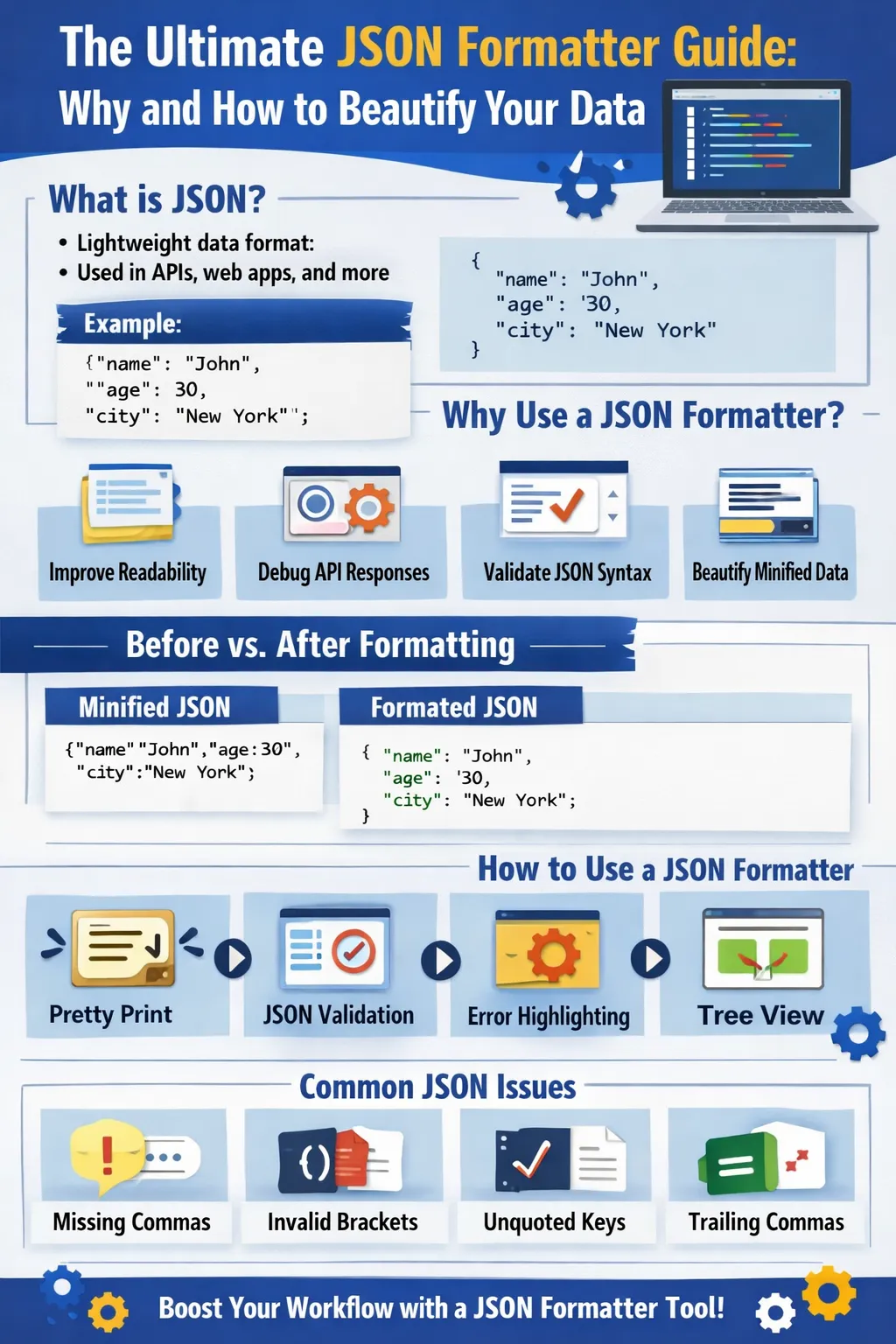
JSON (JavaScript Object Notation) has become the universal language for exchanging structured data across modern software applications. Whether you're building a website, consuming REST APIs, developing mobile applications, configuring cloud services, or working with microservices, chances are you're interacting with JSON every day.
Its lightweight structure, human-readable syntax, and compatibility with virtually every programming language have made JSON the preferred data format for developers worldwide.
However, JSON responses are often returned in a minified or compressed format to reduce file size and improve network performance. While this optimization benefits applications, it can make JSON difficult for humans to read, debug, and analyze.
This is where a JSON Formatter becomes an indispensable development tool.
A JSON formatter transforms raw, unformatted JSON into a clean, properly indented, and easy-to-read structure. Most modern JSON formatter tools also validate syntax, detect errors, highlight issues, and help developers troubleshoot malformed JSON quickly.
Whether you're a beginner learning APIs or an experienced software engineer debugging complex applications, a JSON formatter can significantly improve productivity and reduce development time.
In this comprehensive guide, you'll learn:
- What JSON is
- Why JSON formatting is important
- How JSON formatters work
- Common JSON errors
- JSON formatting best practices
- API debugging techniques
- Security considerations
- Real-world use cases
- Frequently asked questions
Let's begin by understanding the fundamentals of JSON.
What is JSON?
JSON (JavaScript Object Notation) is a lightweight, text-based data interchange format used to store and exchange structured information between applications.
Although JSON originated from JavaScript, it is now language-independent and supported by almost every modern programming language, including:
- PHP
- JavaScript
- Python
- Java
- C#
- Go
- Ruby
- Kotlin
- Swift
- Rust
Because of its simplicity and flexibility, JSON has become the de facto standard for data exchange on the web.
Why JSON Is So Popular
Developers prefer JSON because it offers several important advantages:
Human Readable
Its clear key-value structure makes data easier to understand.
Machine Readable
Programming languages can parse JSON quickly and efficiently.
Lightweight
JSON contains minimal syntax compared to XML and other structured formats, reducing bandwidth consumption.
Cross-Platform
JSON works consistently across operating systems, programming languages, databases, browsers, and cloud platforms.
Easy to Generate
Most programming languages include built-in libraries for generating and parsing JSON.
Basic JSON Structure
JSON represents information using key-value pairs enclosed within curly braces {}.
Example:
{
  "name": "John",
  "age": 30,
  "city": "New York",
  "skills": [
    "JavaScript",
    "PHP",
    "Python"
  ]
}
In this example:
- name, age, and city are keys.
- Their corresponding values include strings and numbers.
- skills is an array containing multiple values.
This simple structure makes JSON both flexible and easy to work with.
Common JSON Data Types
JSON supports several fundamental data types:
| Data Type | Example |
|---|---|
| String | "John" |
| Number | 25 |
| Boolean | true |
| Null | null |
| Object | {} |
| Array | [] |
These data types can be combined to represent complex information while maintaining a consistent structure.
Where JSON Is Used
Today, JSON powers almost every modern web application.
Common use cases include:
REST APIs
Most APIs send and receive data in JSON format.
Web Applications
Frontend frameworks like React, Angular, and Vue use JSON extensively for communication with backend services.
Mobile Applications
Android and iOS applications rely on JSON when interacting with cloud servers.
Configuration Files
Many software applications store configuration settings in JSON.
Examples include:
- VS Code
- Firebase
- ESLint
- npm
- Composer
Databases
Several modern databases support native JSON storage.
Examples include:
- MongoDB
- PostgreSQL
- MySQL
- MariaDB
Cloud Platforms
Cloud providers exchange configuration and service information using JSON.
Examples include:
- AWS
- Microsoft Azure
- Google Cloud Platform
Artificial Intelligence
AI services frequently return structured JSON responses.
Examples include:
- Chatbots
- Image generation APIs
- Translation services
- Machine learning platforms
What Is a JSON Formatter?
A JSON Formatter is a tool that converts raw, compressed, or poorly formatted JSON into a structured, readable layout using proper indentation, spacing, and line breaks.
Instead of displaying everything on one line, the formatter organizes data into a logical hierarchy, making it much easier to inspect, edit, and debug.
Most modern JSON formatter tools also include built-in validation to ensure the JSON follows the correct syntax.
Example of Minified JSON
Developers often receive JSON in a compact format like this:
{"name":"John","age":30,"city":"New York","skills":["JavaScript","PHP","Python"]}
Although valid, this format is difficult to read and troubleshoot.
After Formatting
A JSON formatter transforms the same data into:
{
  "name": "John",
  "age": 30,
  "city": "New York",
  "skills": [
    "JavaScript",
    "PHP",
    "Python"
  ]
}
The formatted version clearly shows the hierarchy and relationships between elements, making development significantly easier.
Why JSON Formatting Matters
As applications grow more complex, JSON responses often contain hundreds or even thousands of lines of nested objects and arrays.
Without proper formatting, developers may struggle to:
- Understand data structures
- Debug API responses
- Locate syntax errors
- Verify object relationships
- Identify missing fields
- Analyze deeply nested data
A JSON formatter addresses these challenges by presenting information in a clear, organized format.
Benefits of Using a JSON Formatter
Using a JSON formatter offers numerous advantages:
- Improves readability
- Makes debugging faster
- Detects syntax errors
- Validates JSON structure
- Organizes nested objects
- Simplifies API testing
- Saves development time
- Reduces manual formatting
- Improves team collaboration
- Enhances code quality
Whether you're developing APIs, integrating third-party services, or analyzing application logs, a JSON formatter helps you work more efficiently and accurately.
How Does a JSON Formatter Work?
Although formatting appears simple, several processing steps occur before formatted JSON is displayed.
A JSON formatter generally follows this workflow:
Paste JSON
↓
Parse JSON
↓
Validate Syntax
↓
Identify Errors (if any)
↓
Beautify & Indent
↓
Display Structured Output
Each step ensures the JSON is both readable and syntactically correct.
Step 1 – Parsing JSON
The formatter first parses the JSON input.
During parsing, the tool:
- Reads every character
- Identifies keys and values
- Detects objects and arrays
- Builds an internal data structure
If the parser encounters invalid syntax, formatting stops and an error message is displayed.
Step 2 – JSON Validation
Before beautifying the content, the formatter checks whether the JSON follows official syntax rules.
Validation includes checking:
- Matching braces
{ } - Matching brackets
[ ] - Proper quotation marks
- Correct comma placement
- Valid key-value pairs
- Proper nesting
Only valid JSON can be successfully formatted.
Step 3 – Beautification
Once the JSON passes validation, the formatter applies formatting rules.
Typical improvements include:
- Proper indentation
- Line breaks
- Consistent spacing
- Organized nesting
- Readable hierarchy
The actual data remains unchanged—only its presentation is improved.
Step 4 – Displaying the Output
Finally, the formatted JSON is displayed in a clean, readable layout.
Many online tools also provide:
- Syntax highlighting
- Line numbering
- Copy button
- Download option
- Expand/collapse tree view
These features make large JSON files much easier to navigate.
Pretty Printing Explained
Pretty Printing is the process of adding whitespace and indentation to JSON without changing its contents.
Minified JSON
{"user":{"name":"John","skills":["PHP","JavaScript","Python"]}}
Pretty Printed JSON
{
  "user": {
    "name": "John",
    "skills": [
      "PHP",
      "JavaScript",
      "Python"
    ]
  }
}
Both versions contain identical data.
The difference is readability.
JSON Formatter vs JSON Validator
Many developers confuse these two tools.
Although they often appear together, they serve different purposes.
| Feature | JSON Formatter | JSON Validator |
|---|---|---|
| Beautifies JSON | ✅ | ❌ |
| Checks Syntax | ✅ | ✅ |
| Detects Errors | ✅ | ✅ |
| Adds Indentation | ✅ | ❌ |
| Improves Readability | ✅ | ❌ |
| Highlights Invalid JSON | Sometimes | ✅ |
Most modern tools combine formatting and validation into one interface.
Common Features of Modern JSON Formatters
Professional JSON formatter tools provide much more than basic indentation.
1. JSON Beautification
Converts compressed JSON into a readable format.
Benefits:
- Easier debugging
- Better collaboration
- Improved readability
2. Syntax Validation
Automatically detects invalid JSON before formatting.
Examples include:
- Missing commas
- Incorrect quotation marks
- Invalid brackets
- Extra commas
3. Syntax Highlighting
Different colors are used for different data types.
Examples:
- Keys
- Strings
- Numbers
- Booleans
- Null values
- Arrays
- Objects
Syntax highlighting makes large JSON documents easier to understand.
4. Tree View
Large JSON files may contain thousands of nested objects.
Tree View displays data hierarchically.
Example:
User
 ├── Name
 ├── Email
 ├── Address
 │    ├── City
 │    ├── State
 │    └── Country
 └── Skills
      ├── PHP
      ├── JavaScript
      └── Python
Users can expand or collapse sections to focus on specific parts of the document.
5. Error Highlighting
If JSON contains invalid syntax, modern tools highlight the exact location of the problem.
Instead of manually searching through hundreds of lines, developers can fix errors immediately.
6. Copy & Download
Most online tools allow users to:
- Copy formatted JSON
- Download beautified files
- Save validated JSON
- Share formatted output
How to Format JSON Online
Formatting JSON online typically takes only a few seconds.
Step 1
Copy your JSON data.
Step 2
Paste it into the input editor.
Step 3
Click the Format, Beautify, or Pretty Print button.
Step 4
Review the formatted output.
Step 5
Copy or download the cleaned JSON if needed.
Common JSON Formatting Options
Many formatter tools allow users to customize the output.
Popular options include:
- 2-space indentation
- 4-space indentation
- Tab indentation
- Sort object keys alphabetically
- Minify JSON
- Escape special characters
- Unicode formatting
- Line wrapping
These options help teams maintain consistent formatting standards.
JSON Best Practices
Using JSON effectively involves more than just formatting.
Use Meaningful Key Names
Choose descriptive keys.
Good example:
{
  "firstName": "John"
}
Avoid vague names such as:
{
  "x": "John"
}
Clear naming improves maintainability.
Keep Data Consistent
Avoid mixing data types.
Good:
{
  "age": 30
}
Avoid:
{
  "age": "Thirty"
}
Consistency reduces parsing errors.
Avoid Excessive Nesting
Deeply nested JSON becomes difficult to understand and maintain.
Whenever practical, simplify complex structures.
Validate Before Deployment
Always validate JSON before using it in:
- APIs
- Configuration files
- Production applications
- Cloud deployments
Early validation prevents runtime issues.
Maintain Consistent Formatting
Use the same indentation style throughout a project to improve readability and team collaboration.
Common JSON Syntax Errors
Developers frequently encounter the following mistakes.
Missing Comma
❌
{
  "name": "John"
  "age": 30
}
✅
{
  "name": "John",
  "age": 30
}
Trailing Comma
❌
{
  "name": "John",
}
Trailing commas are not allowed in standard JSON.
Missing Quotes Around Keys
❌
{
  name: "John"
}
✅
{
  "name": "John"
}
Keys must always be enclosed in double quotation marks.
Unmatched Braces
Every opening brace { and bracket [ must have a corresponding closing brace } or bracket ].
Incorrect Data Types
Ensure values use valid JSON types such as:
- String
- Number
- Boolean
- Array
- Object
- Null
Real-World Use Cases of JSON Formatters
JSON formatters are used daily across nearly every area of software development. From debugging APIs to configuring cloud services, these tools simplify working with structured data and improve developer productivity.
API Development & Testing
REST APIs almost always send and receive data in JSON format.
When an API returns a large response, it is often compressed into a single line to reduce bandwidth usage.
A JSON formatter helps developers:
- Read API responses more easily
- Verify response structure
- Identify missing or incorrect fields
- Debug integration issues
- Compare expected and actual outputs
Whether you're using Postman, Insomnia, cURL, or browser developer tools, formatting API responses makes troubleshooting much faster.
Frontend Development
Modern JavaScript frameworks depend heavily on JSON.
Examples include:
- React
- Angular
- Vue.js
- Next.js
- Nuxt.js
- Svelte
Frontend developers commonly use JSON to:
- Fetch API data
- Manage application state
- Load configuration files
- Display dynamic content
- Exchange data with backend services
A formatter helps developers quickly inspect and understand these data structures.
Backend Development
Backend applications frequently generate and consume JSON.
Common backend technologies include:
- PHP
- Node.js
- Python
- Java
- ASP.NET
- Go
- Ruby
Developers use JSON formatters to:
- Debug API endpoints
- Inspect request payloads
- Validate response objects
- Troubleshoot authentication issues
- Test database output
Proper formatting makes server-side debugging significantly easier.
Database Management
Many modern databases provide native JSON support.
Popular examples include:
- MySQL
- PostgreSQL
- MongoDB
- MariaDB
- Firebase Firestore
JSON formatters help developers:
- Inspect stored JSON documents
- Validate imported data
- Read nested objects
- Analyze large datasets
This improves both database maintenance and application development.
Configuration Files
Many applications use JSON-based configuration files.
Examples include:
- package.json
- composer.json
- tsconfig.json
- eslint.json
- Firebase configuration
- Cloud deployment settings
Even a small formatting mistake can prevent an application from running correctly.
Formatting and validating configuration files helps avoid deployment errors.
Cloud Computing
Cloud services exchange configuration data primarily through JSON.
Examples include:
- AWS services
- Microsoft Azure
- Google Cloud Platform
- Serverless functions
- Kubernetes deployments
Developers frequently use JSON formatters to review and validate cloud configuration files before deployment.
Artificial Intelligence & Machine Learning
AI applications increasingly use JSON for structured responses.
Examples include:
- Chatbots
- Text generation APIs
- Translation services
- Image generation platforms
- Recommendation systems
Formatting AI-generated JSON makes it easier to understand model outputs and debug integrations.
JSON Formatter for Large Files
Large JSON files may contain thousands—or even millions—of records.
Examples include:
- API exports
- Product catalogs
- Analytics reports
- Log files
- Database backups
A high-quality JSON formatter should support:
- Fast processing
- Expandable tree view
- Search functionality
- Syntax highlighting
- Efficient memory usage
These features make navigating large datasets much easier.
Online vs Offline JSON Formatters
Developers can choose between browser-based tools and desktop applications.
| Feature | Online Formatter | Offline Formatter |
|---|---|---|
| Installation Required | ❌ No | ✅ Yes |
| Browser Access | ✅ Yes | ❌ No |
| Works Without Internet | ❌ Usually No | ✅ Yes |
| Suitable for Sensitive Data | ⚠ Depends | ✅ Better |
| Large File Support | Limited | Better |
| Accessibility | Excellent | Device-specific |
Online formatters are ideal for everyday development, while offline tools are better suited for confidential or large-scale projects.
Security Best Practices
When using any JSON formatter—especially an online one—it is important to protect sensitive information.
Avoid uploading data that contains:
- Passwords
- API keys
- Authentication tokens
- Credit card details
- Personal identification information
- Customer records
- Business secrets
- Database credentials
If you must work with confidential information, use an offline formatter or a trusted tool that processes data locally within your browser.
Developer Tips for Working with JSON
Experienced developers follow a few simple practices to reduce errors and improve productivity.
Format Before Debugging
Beautified JSON is much easier to inspect than minified data.
Validate Every Response
Always validate JSON before deploying applications or consuming third-party APIs.
Keep Structures Consistent
Use consistent naming conventions and data types throughout your project.
Avoid Deep Nesting
Flatten overly complex objects whenever possible to improve readability and maintainability.
Use Version Control
Track changes to JSON configuration files using Git or another version control system.
Automate Formatting
Many IDEs and code editors support automatic JSON formatting on save.
Popular editors include:
- Visual Studio Code
- IntelliJ IDEA
- Sublime Text
- Notepad++
- WebStorm
Automation helps maintain consistent formatting across teams.
Benefits of Using a JSON Formatter
Using a JSON formatter offers significant advantages for developers and technical teams.
Improved Readability
Proper indentation makes complex JSON structures much easier to understand.
Faster Debugging
Syntax validation and error highlighting reduce troubleshooting time.
Better Collaboration
Consistently formatted JSON is easier for team members to review and maintain.
Increased Productivity
Developers spend less time manually formatting or searching for syntax errors.
Higher Code Quality
Validated JSON reduces runtime issues and integration failures.
Frequently Asked Questions (FAQs)
What is a JSON Formatter?
A JSON Formatter is a tool that converts raw or minified JSON into a structured, readable format. Many formatters also validate JSON syntax and highlight errors.
Is a JSON Formatter the same as a JSON Validator?
No. A formatter focuses on improving readability, while a validator checks whether the JSON follows correct syntax rules. Many tools combine both functions.
Can a JSON Formatter fix invalid JSON automatically?
Most formatters can identify and highlight syntax errors, but they typically do not correct invalid JSON automatically. Developers usually need to resolve the reported issues before formatting.
Is formatting JSON safe?
Formatting itself is safe, but avoid uploading sensitive information to online tools unless you trust the service or know that processing occurs locally in your browser.
Why is JSON usually returned in one line?
Many APIs and applications minify JSON to reduce file size and improve transmission speed. Formatting restores readability without changing the underlying data.
Can JSON Formatters handle large files?
Many professional tools support large JSON files, though performance depends on file size, available memory, and the capabilities of the formatter.
Final Thoughts
JSON has become the foundation of modern web development, powering APIs, cloud services, mobile applications, configuration files, and data exchange across countless platforms. As applications continue to grow in complexity, the ability to read, validate, and debug JSON efficiently becomes increasingly important.
A JSON Formatter is more than a convenience tool—it enhances productivity, improves code quality, simplifies debugging, and helps developers quickly understand even the most complex data structures. Combined with validation, syntax highlighting, and tree-view visualization, it provides an efficient workflow for developers of all skill levels.
Whether you're building REST APIs, integrating third-party services, analyzing datasets, or configuring cloud applications, mastering JSON formatting is a valuable skill that contributes to faster development, fewer errors, and more maintainable software.
Your email address will not be published. Comments are moderated.
0 Comments on This Post
Leave a Reply
Comments (0)
Spread the Word!
Join Our Developer Community!
Get weekly coding tips, tool updates, and exclusive tutorials straight to your inbox.
Request a Tool
×