How to Improve Security in Web Projects
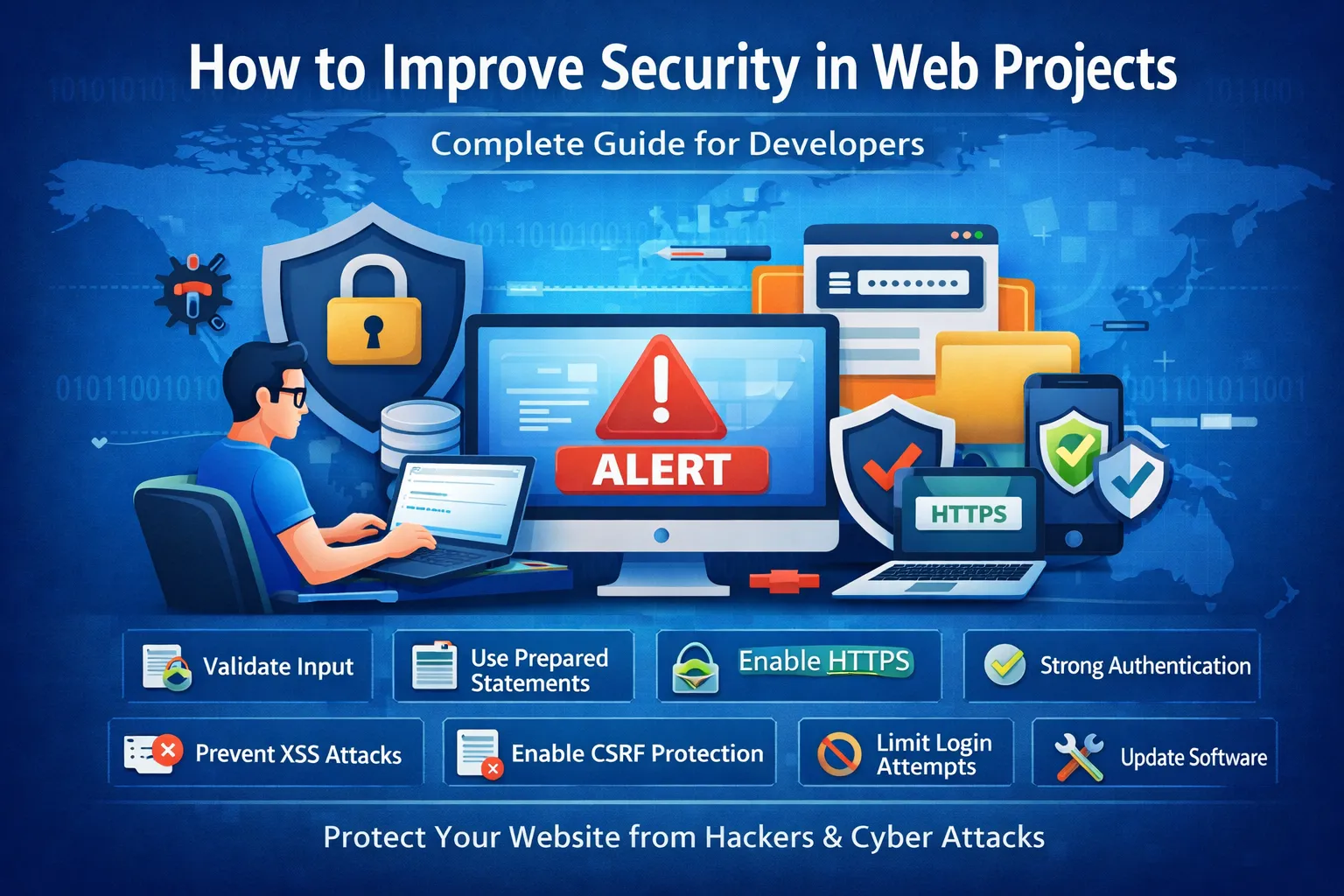
How to Improve Security in Web Projects
Web security is no longer optional—it is a fundamental requirement for every modern website and web application. Whether you are building a small personal website, a business portal, an eCommerce store, a SaaS application, a REST API, or a large enterprise platform, security should be considered from the beginning of the project.
Every web project handles some form of information. This may include usernames, passwords, email addresses, contact information, customer records, orders, uploaded files, API credentials, or other business data. If an application does not protect this information properly, attackers may exploit security weaknesses to gain unauthorized access, steal data, modify website content, or disrupt services.
Improving security in web projects is not about implementing one particular security feature. It is a combination of secure development practices, proper server configuration, strong authentication, authorization, input validation, secure database access, encryption, monitoring, backups, and regular security testing.
For developers working with PHP, CodeIgniter, Laravel, JavaScript, APIs, databases, or other web technologies, security should be part of the development process rather than something added after the application is completed.
This guide explains practical ways to improve security in web projects, including common vulnerabilities, PHP security practices, CodeIgniter security features, authentication, file uploads, security headers, HTTPS, backups, monitoring, and advanced protection techniques.
Why You Need to Improve Web Security
A vulnerable web project can create serious problems for both the website owner and its users.
Attackers do not always target only large companies. Automated bots and vulnerability scanners continuously search the internet for websites with outdated software, weak passwords, exposed administration panels, vulnerable plugins, insecure APIs, and poorly configured servers.
A successful attack can lead to:
-
Data breaches
-
Stolen user credentials
-
Website defacement
-
Unauthorized account access
-
Database manipulation
-
Malware distribution
-
Financial losses
-
Business downtime
-
SEO and reputation problems
-
Loss of customer trust
For example, imagine that a website stores customer passwords using an insecure method. If an attacker gains access to the database, thousands of user accounts may become exposed.
Similarly, if an application contains an SQL Injection vulnerability, an attacker may be able to manipulate database queries. If a website contains an XSS vulnerability, malicious content may be executed in a visitor's browser.
Security therefore protects more than the server. It protects the users, business data, application availability, and reputation of the project.
What Does Web Project Security Mean?
Web project security means protecting every important component of an application from unauthorized access, manipulation, abuse, and exploitation.
A modern web project can contain several layers:
User
   ↓
Browser
   ↓
Frontend
   ↓
Web Server
   ↓
Application
   ↓
API
   ↓
Database
   ↓
Third-Party Services
Every layer can introduce security risks.
For example:
-
The browser can be targeted by XSS.
-
The server can be misconfigured.
-
The application can contain insecure logic.
-
The API can have broken authorization.
-
The database can be exposed through SQL Injection.
-
Third-party integrations can leak credentials.
-
File uploads can introduce malicious content.
A secure project therefore requires a layered approach rather than relying on a single security mechanism.
Common Security Weaknesses in Web Projects
Before improving security, it is important to understand the vulnerabilities that commonly affect web applications.
Some common weaknesses include:
-
Weak passwords
-
Poor authentication
-
Broken authorization
-
Unvalidated input
-
SQL Injection
-
Cross-Site Scripting
-
Cross-Site Request Forgery
-
Insecure file uploads
-
Poor session management
-
Outdated software
-
Hardcoded credentials
-
Exposed configuration files
-
Missing HTTPS
-
Weak security headers
-
Poor error handling
-
Lack of monitoring
-
Missing backups
These problems can occur individually or in combination.
For example, an application might have a weak password policy and also lack rate limiting. An attacker could then automate many login attempts.
Another application might use HTTPS but still have an SQL Injection vulnerability. HTTPS protects data during transmission, but it does not fix insecure database queries.
This is why web security should be approached as a complete system.
Best Ways to Improve Security in Web Projects
1. Always Validate User Input
One of the most important security principles is:
Never trust user input.
User input can come from:
-
Login forms
-
Registration forms
-
Search boxes
-
URL parameters
-
Cookies
-
HTTP headers
-
JSON requests
-
APIs
-
File uploads
-
Third-party services
A browser may send valid data during normal use, but attackers can send completely different requests directly to the server.
Therefore, important validation must happen on the server.
For example, PHP provides functions that can validate specific types of data:
$email = filter_var(
    $_POST['email'] ?? '',
    FILTER_VALIDATE_EMAIL
);
If the email is invalid, the application should reject the request appropriately.
Client-Side Validation vs Server-Side Validation
Client-side validation is useful for improving user experience.
For example, JavaScript can immediately tell a user that an email field is empty.
However, client-side validation is not a security boundary because attackers can bypass the browser completely.
Server-side validation must enforce the actual rules.
A secure application can therefore use:
Client-side validation
        +
Server-side validation
Both have different purposes.
2. Use Prepared Statements
SQL Injection remains one of the most important web application security risks.
The problem occurs when untrusted input is inserted directly into an SQL query.
Avoid code patterns such as:
$email = $_POST['email'];

$query = "SELECT * FROM users WHERE email = '$email'";
The application should instead use parameterized queries.
For example, with PDO:
$stmt = $pdo->prepare(
    "SELECT * FROM users WHERE email = ?"
);

$stmt->execute([$email]);
The parameter is treated as data rather than being directly interpreted as SQL syntax.
Why Prepared Statements Matter
Prepared statements help separate:
SQL instructions
from:
User-provided values
This significantly reduces the risk of SQL Injection.
Frameworks also provide query builders and database abstraction features that can make secure database access easier.
However, developers should still understand how their framework handles queries and avoid bypassing its safety mechanisms unnecessarily.
3. Use HTTPS Everywhere
HTTPS protects communication between a user's browser and your server.
It is particularly important for:
-
Login pages
-
Registration forms
-
Admin panels
-
Payment pages
-
User dashboards
-
APIs
-
Contact forms
-
Applications handling personal information
HTTPS encrypts traffic using TLS, making it much harder for unauthorized parties to read or modify the communication while it is traveling across the network.
Benefits of HTTPS
Using HTTPS provides several benefits:
-
Protects data in transit
-
Protects authentication credentials during transmission
-
Helps secure cookies
-
Builds user trust
-
Supports modern browser security features
-
Provides a more secure foundation for web applications
HTTPS is also an important technical requirement for many modern browser features.
HTTPS Is Not a Complete Security Solution
It is important to understand that HTTPS does not fix application vulnerabilities.
A website can use HTTPS and still be vulnerable to:
-
SQL Injection
-
XSS
-
CSRF
-
Broken authorization
-
Weak passwords
-
Insecure file uploads
-
Vulnerable dependencies
Therefore, HTTPS should be considered one layer of a larger security strategy.
4. Implement Strong Authentication
Authentication determines whether a user is actually who they claim to be.
A secure authentication system should include:
-
Strong password handling
-
Secure password reset
-
Rate limiting
-
Session protection
-
Multi-factor authentication where appropriate
-
Account recovery protection
-
Secure login transport
Never store passwords in plain text.
In PHP, use password hashing functions:
$hash = password_hash(
    $password,
    PASSWORD_DEFAULT
);
During login:
if (password_verify($password, $hash)) {
    // Authentication successful
}
The password hash should be stored in the database instead of the original password.
5. Use Authorization Properly
Authentication and authorization are not the same thing.
Authentication answers:
Who is the user?
Authorization answers:
What is the user allowed to do?
For example, suppose a website has three roles:
Customer
Editor
Administrator
A customer may be able to view their own orders.
An editor may manage articles.
An administrator may manage users and application settings.
The application must enforce these permissions on the server.
Simply hiding an administrator button from the frontend does not provide security.
An attacker can potentially send the underlying request manually.
Therefore:
Always enforce permissions on the server.
6. Protect Against Cross-Site Scripting (XSS)
Cross-Site Scripting occurs when attackers can cause malicious content to execute in a victim's browser.
For example, an application may display user-generated content directly inside an HTML page without proper output encoding.
In PHP, HTML output can commonly be escaped using:
echo htmlspecialchars(
    $userInput,
    ENT_QUOTES,
    'UTF-8'
);
This helps prevent HTML-special characters from being interpreted as markup.
Important XSS Protection Practices
Developers should:
-
Escape output according to context.
-
Validate input where appropriate.
-
Avoid unsafe HTML insertion.
-
Use secure templating systems.
-
Avoid unnecessary use of dangerous DOM APIs.
-
Consider Content Security Policy.
-
Treat user-generated content as untrusted.
Different contexts require different handling.
HTML text, HTML attributes, JavaScript, CSS, and URLs do not all have identical security requirements.
7. Enable CSRF Protection
Cross-Site Request Forgery occurs when an attacker attempts to cause an authenticated user to perform an unwanted action.
For example, imagine a user is logged into an account management website.
A malicious website might attempt to cause the user's browser to send a request to the application.
CSRF protection helps the application determine whether a sensitive request was intentionally generated by the legitimate application.
A common defense is a CSRF token.
The server generates a token and expects the legitimate form or request to include the correct token.
CSRF Protection Is Important For
-
Password changes
-
Profile updates
-
Account settings
-
Administrative actions
-
Payment-related operations
-
Content management
-
Other state-changing requests
Modern cookie settings such as SameSite can provide additional protection, but they should be used as part of a broader strategy.
8. Secure File Uploads
File upload functionality can introduce serious security risks.
Applications often allow users to upload:
-
Images
-
PDFs
-
Documents
-
CSV files
-
Videos
-
Attachments
The danger occurs when the application blindly trusts uploaded files.
For example, checking only the filename extension is not enough.
A secure upload system should:
-
Allow only required file types.
-
Validate file content where appropriate.
-
Limit file size.
-
Generate safe filenames.
-
Avoid trusting user-provided paths.
-
Store files outside executable directories where possible.
-
Configure permissions correctly.
-
Prevent uploaded files from being executed as server-side code.
-
Scan files when appropriate for the application's risk level.
Instead of storing an uploaded file using its original name, the application can generate a controlled server-side filename.
9. Limit Login Attempts
Brute-force attacks involve repeated attempts to guess credentials.
A login endpoint without rate limiting can be abused by automated tools.
To reduce this risk, applications can implement:
-
Rate limiting
-
Login throttling
-
Temporary restrictions
-
CAPTCHA where appropriate
-
Multi-factor authentication
-
Suspicious-login monitoring
For example, an application might slow down repeated authentication failures rather than processing unlimited attempts at full speed.
Avoid Overly Aggressive Account Locking
Permanent account locking after a few failed attempts can create another problem.
An attacker could intentionally trigger the lockout against another user's account.
Therefore, rate limiting and progressive delays are often preferable to simplistic permanent lockouts.
10. Use Secure Session Management
Sessions are an important part of authenticated web applications.
A secure session implementation should:
-
Use HTTPS.
-
Generate unpredictable session identifiers.
-
Regenerate the session ID after login.
-
Expire sessions appropriately.
-
Protect session cookies.
-
Avoid exposing session IDs in URLs.
-
Use suitable cookie attributes.
Important cookie attributes include:
Secure
HttpOnly
SameSite
Secure helps ensure cookies are transmitted over HTTPS.
HttpOnly prevents JavaScript from directly reading the cookie.
SameSite can help control cross-site cookie behavior.
The correct configuration depends on the application's architecture and requirements.
11. Use Security Headers
Security headers allow the server to communicate security-related policies to browsers.
Some useful headers include:
Content-Security-Policy
CSP can control where scripts and other resources are allowed to load from.
It can reduce the impact of certain XSS attacks when correctly configured.
Strict-Transport-Security
HSTS instructs compatible browsers to use HTTPS for the website.
X-Content-Type-Options
This helps prevent certain forms of MIME-type sniffing.
Referrer-Policy
Controls how much referrer information is sent with requests.
Permissions-Policy
Can restrict access to certain browser features.
X-Frame-Options
Can help control whether pages can be embedded in frames.
Security headers should be tested before deployment because an incorrect policy can break legitimate functionality.
12. Keep PHP and Frameworks Updated
Outdated software can contain known security vulnerabilities.
Regularly review and update:
-
PHP
-
CodeIgniter
-
Laravel
-
Composer packages
-
JavaScript libraries
-
CMS software
-
Plugins
-
Web server software
-
Database systems
-
Operating system packages
Before updating production software, it is good practice to:
-
Review release notes.
-
Create a backup.
-
Test the update.
-
Check compatibility.
-
Deploy carefully.
-
Monitor the application afterward.
Dependency management is especially important for modern applications because projects often depend on dozens or hundreds of external packages.
13. Never Hardcode Passwords and Secrets
Developers sometimes place credentials directly inside source code.
For example:
$dbPassword = "my-secret-password";
This is risky because the credential may eventually be exposed through:
-
Git repositories
-
Source-code sharing
-
Backups
-
Logs
-
Deployment systems
-
Team access
Instead, use protected configuration or environment variables.
For example:
$dbPassword = getenv('DB_PASSWORD');
The exact secret-management method depends on the hosting and deployment environment.
What Should Be Protected?
Protect:
-
Database passwords
-
API keys
-
Encryption keys
-
Authentication secrets
-
SMTP credentials
-
Cloud service credentials
-
Third-party tokens
If a secret is accidentally exposed, treat it as compromised and rotate it.
14. Handle Errors Securely
Error messages can accidentally reveal sensitive implementation details.
Avoid showing users errors such as:
/var/www/html/application/config/database.php
or complete database error messages.
Detailed errors may reveal:
-
File paths
-
Database structure
-
SQL queries
-
Framework versions
-
Internal application logic
In production, users should generally receive a safe message:
Something went wrong. Please try again later.
Detailed information should instead be stored in protected server-side logs.
15. Use Secure Logging and Monitoring
Security is not finished when an application goes live.
You should monitor important activity such as:
-
Failed login attempts
-
Successful administrator logins
-
Password reset requests
-
Permission changes
-
Unexpected server errors
-
File changes
-
Unusual API activity
-
Suspicious traffic
Logs can help identify attacks and investigate incidents.
However, logs themselves can contain sensitive information.
Avoid unnecessarily logging:
-
Passwords
-
Authentication tokens
-
API secrets
-
Payment information
Logs should also be protected from unauthorized access.
16. Create Regular Backups
Backups are an essential part of web security and disaster recovery.
A website may be affected by:
-
Hacking
-
Accidental deletion
-
Server failure
-
Database corruption
-
Malware
-
Ransomware
-
Deployment mistakes
A reliable backup can significantly reduce recovery time.
A good backup strategy should consider:
-
Database backups
-
Application files
-
Uploaded files
-
Configuration
-
Backup frequency
-
Retention period
-
Off-site storage
-
Encryption
-
Restoration testing
A backup is only useful if it can actually be restored.
Therefore, periodically test your restoration process.
17. Follow the Principle of Least Privilege
Every account and service should have only the permissions it needs.
For example, a normal user should not have access to:
Application settings
All user accounts
Server configuration
Database administration
Similarly, a database account used by a web application should not necessarily have unrestricted database administration privileges.
Least privilege limits the potential damage if an account is compromised.
18. Protect APIs
Modern web projects frequently use APIs.
APIs should be secured just like normal web pages.
Important API security practices include:
-
Authentication
-
Authorization
-
Input validation
-
Rate limiting
-
HTTPS
-
Secure error messages
-
Request-size limits
-
Logging
-
Monitoring
A common mistake is assuming that an API is safe because users cannot see a link to it.
Attackers can discover API endpoints and send requests directly.
Therefore, every sensitive API endpoint must independently enforce authentication and authorization.
19. Secure Database Configuration
The database is often one of the most valuable components of a web application.
Database security should include:
-
Strong credentials
-
Restricted network access
-
Least-privilege accounts
-
Parameterized queries
-
Regular backups
-
Secure configuration
-
Monitoring
Avoid exposing database administration interfaces directly to the public internet unless there is a specific and properly secured reason.
Security in PHP Projects
PHP developers should follow several important security principles.
Validate Input
$email = filter_var(
    $_POST['email'] ?? '',
    FILTER_VALIDATE_EMAIL
);
Hash Passwords
$hash = password_hash(
    $password,
    PASSWORD_DEFAULT
);
Verify Passwords
if (password_verify($password, $hash)) {
    // Login successful
}
Escape HTML Output
echo htmlspecialchars(
    $data,
    ENT_QUOTES,
    'UTF-8'
);
Use Prepared Statements
$stmt = $pdo->prepare(
    "SELECT id FROM users WHERE email = ?"
);

$stmt->execute([$email]);
These techniques are useful building blocks, but a complete secure application requires additional protections around authentication, authorization, sessions, CSRF, file uploads, rate limiting, server configuration, and monitoring.
Security in CodeIgniter Projects
CodeIgniter provides several features that can help developers implement secure applications.
Depending on the CodeIgniter version, developers may use features related to:
-
CSRF protection
-
Query Builder
-
Input validation
-
Sessions
-
Output escaping
-
Configuration management
However, developers should always follow the documentation for the exact CodeIgniter version they are using.
Older and newer versions may have different APIs and recommended security practices.
CodeIgniter Query Builder
Query Builder provides a structured way to construct database queries.
For example:
$builder
    ->where('email', $email)
    ->get('users');
This is preferable to manually constructing SQL strings with user input.
The key principle is to avoid treating user-controlled data as executable SQL syntax.
CodeIgniter CSRF Protection
CSRF protection can be enabled in CodeIgniter according to the version-specific configuration.
For example, older CodeIgniter versions may use configuration similar to:
$config['csrf_protection'] = TRUE;
The exact configuration should be verified against the version of CodeIgniter being used.
CSRF protection is especially important for forms and requests that modify application state.
Secure Coding Practices
Good security starts with how developers write code.
Some important secure coding practices include:
Avoid Hardcoded Credentials
Use protected configuration or environment variables.
Validate Input
Never assume a request contains expected data.
Escape Output
Encode user-controlled content before displaying it.
Use Safe Database Queries
Use parameterized queries or secure query builders.
Check Authorization
Verify that the current user has permission to perform the requested action.
Handle Errors Securely
Do not expose internal implementation details to visitors.
Keep Dependencies Updated
Review third-party packages regularly.
Avoid Unnecessary Complexity
Complex systems can introduce additional security risks.
Simple and well-tested code is often easier to secure and maintain.
Advanced Security Techniques
Once the basic security controls are implemented, you can add additional layers of protection.
Web Application Firewall (WAF)
A Web Application Firewall can inspect incoming web traffic and identify suspicious requests.
A WAF may help detect patterns associated with:
-
SQL Injection
-
XSS
-
Automated abuse
-
Malicious bots
-
Certain application attacks
However, a WAF should not be considered a replacement for secure application code.
If your application contains a vulnerability, the underlying code should still be fixed.
Think of a WAF as an additional defensive layer.
Content Security Policy
Content Security Policy, or CSP, is a browser security mechanism that controls which resources a page can load.
A CSP can restrict:
-
JavaScript
-
Images
-
Stylesheets
-
Fonts
-
Frames
-
Network connections
A carefully designed CSP can make certain XSS attacks more difficult.
However, CSP requires testing.
A policy that is too restrictive may prevent legitimate scripts or resources from loading.
Multi-Factor Authentication
Multi-Factor Authentication provides an additional security layer beyond passwords.
For example:
Password
+
Authentication code
Even if an attacker discovers the password, they may still be unable to access the account without the additional factor.
MFA is especially valuable for:
-
Administrator accounts
-
Developer accounts
-
Hosting accounts
-
Cloud accounts
-
Business dashboards
-
Financial applications
Important accounts should use MFA whenever practical.
Rate Limiting
Rate limiting restricts how many requests a user, IP address, API key, or other client can make within a period.
It is useful for:
-
Login endpoints
-
Password reset
-
OTP generation
-
Contact forms
-
Search endpoints
-
APIs
-
Expensive operations
Rate limiting can reduce automated abuse and help protect application resources.
The limits should be chosen based on normal application behavior.
Security Testing
Security testing should happen throughout the development lifecycle.
Useful approaches include:
Static Analysis
Examines source code for potential problems.
Dependency Scanning
Checks third-party libraries for known vulnerabilities.
Dynamic Testing
Tests the running application.
Manual Code Review
Developers or security professionals inspect application logic.
Penetration Testing
Authorized testers simulate attacks against the application.
Only test systems you own or have explicit permission to test.
How to Improve Security During Development
Security is easier to manage when it is included in development from the beginning.
A practical process can look like this:
Plan
 ↓
Identify Risks
 ↓
Design Security Controls
 ↓
Write Secure Code
 ↓
Review Code
 ↓
Test
 ↓
Deploy
 ↓
Monitor
 ↓
Update
This approach is better than waiting until the application is finished.
Threat Modeling for Web Projects
Threat modeling is a process of thinking about how an application could be attacked before it is deployed.
Ask questions such as:
-
What information does this feature process?
-
Who can access it?
-
What happens if an attacker changes the request?
-
Can a user access another user's data?
-
What happens if an uploaded file is malicious?
-
Can this endpoint be automated?
-
What happens if authentication fails?
-
What happens if the database becomes unavailable?
Threat modeling can reveal vulnerabilities before they become expensive production problems.
Security for eCommerce Projects
eCommerce applications need additional attention because they handle customer accounts, orders, addresses, and payment-related operations.
Important protections include:
-
HTTPS
-
Strong authentication
-
Secure sessions
-
Authorization
-
CSRF protection
-
XSS protection
-
SQL Injection prevention
-
Secure payment integration
-
Rate limiting
-
Fraud detection
-
Administrator protection
-
Regular backups
-
Monitoring
Payment information should be handled according to applicable security and compliance requirements.
Where possible, use established payment providers rather than unnecessarily storing sensitive payment information yourself.
Security for Small Web Projects
Small websites should not assume that attackers will ignore them.
Automated tools can scan thousands of websites for common weaknesses.
A small web project should at least have:
-
HTTPS
-
Strong passwords
-
Updated software
-
Secure administrator access
-
Backups
-
Server-side validation
-
Secure forms
-
Basic monitoring
-
Protected configuration files
Security does not have to begin with expensive enterprise infrastructure.
Many important improvements come from good development practices.
What to Do If a Web Project Is Hacked
If you suspect that your website has been compromised, do not simply remove the visible malicious content.
The attacker may have created additional access points.
A general response process is:
-
Identify the affected system.
-
Contain the incident.
-
Preserve relevant logs.
-
Determine what accounts may be compromised.
-
Rotate passwords and secrets.
-
Inspect recent code and file changes.
-
Check database activity.
-
Remove malicious modifications.
-
Restore from a trusted backup where appropriate.
-
Fix the vulnerability that allowed the attack.
-
Update software.
-
Monitor the application carefully.
-
Investigate whether sensitive information was exposed.
For serious incidents, professional security assistance may be appropriate.
SEO and Web Security
Security and SEO are closely related in practical website management, although security is only one part of search performance.
A compromised website can experience serious search visibility problems if attackers inject:
-
Spam pages
-
Malicious redirects
-
Phishing content
-
Malware
-
Hidden links
-
Unwanted scripts
Browsers and security services may also warn users about compromised or dangerous websites.
HTTPS and SEO
HTTPS is an important part of a modern website's technical foundation.
It improves the security of communication and helps establish user trust.
However, HTTPS by itself does not guarantee higher rankings.
Search visibility also depends on:
-
Content quality
-
Relevance
-
Technical SEO
-
Page experience
-
Site architecture
-
Crawlability
-
Links
-
User experience
Security should therefore be considered part of maintaining a healthy website rather than a standalone SEO strategy.
Web Security Checklist
Use the following checklist before launching a web project.
Basic Security
-
Use HTTPS.
-
Keep software updated.
-
Use strong passwords.
-
Enable MFA for important accounts.
-
Protect administrator accounts.
-
Create regular backups.
-
Disable unnecessary services.
-
Protect configuration files.
Application Security
-
Validate input.
-
Escape output.
-
Use prepared statements.
-
Enable CSRF protection.
-
Secure sessions.
-
Enforce authorization.
-
Protect file uploads.
-
Handle errors securely.
-
Apply rate limiting.
Database Security
-
Use strong credentials.
-
Restrict database access.
-
Apply least privilege.
-
Use parameterized queries.
-
Back up databases.
-
Monitor unusual activity.
Server Security
-
Keep the operating system updated.
-
Configure permissions correctly.
-
Disable unnecessary services.
-
Protect sensitive directories.
-
Disable unnecessary directory listing.
-
Monitor server logs.
-
Use secure TLS configuration.
Monitoring
-
Monitor failed login attempts.
-
Watch administrator activity.
-
Monitor unusual traffic.
-
Review server errors.
-
Monitor file changes.
-
Set alerts for important security events.
Common Mistakes Developers Should Avoid
Relying Only on Frontend Validation
Attackers can bypass JavaScript and send requests directly to the server.
Always validate important data server-side.
Assuming HTTPS Makes Everything Secure
HTTPS protects data in transit but does not prevent application vulnerabilities.
Trusting File Extensions
A filename such as image.jpg does not automatically prove that the file is safe.
Hiding Admin Buttons Instead of Enforcing Permissions
Removing a button from the interface does not prevent direct requests.
Storing Plain Text Passwords
Passwords should always be securely hashed.
Hardcoding Secrets
Credentials should be kept outside publicly accessible source code.
Ignoring Updates
Old dependencies may contain known vulnerabilities.
Displaying Detailed Errors
Production errors can expose internal application information.
Skipping Backups
A security incident can become much more damaging when no reliable recovery option exists.
A Practical Security Workflow for Developers
When creating a new feature, developers can use the following process.
Step 1: Identify the Data
Determine what type of information the feature handles.
Step 2: Identify the Users
Determine whether the feature is available to guests, users, moderators, administrators, or specific roles.
Step 3: Define Permissions
Clearly decide who can view, create, modify, and delete data.
Step 4: Validate Input
Define exactly what data is acceptable.
Step 5: Secure Database Operations
Use prepared statements or safe framework database methods.
Step 6: Secure Output
Encode user-controlled content appropriately.
Step 7: Protect State-Changing Requests
Implement CSRF protection where applicable.
Step 8: Add Rate Limits
Protect endpoints that can be abused automatically.
Step 9: Log Important Events
Record useful security information without storing unnecessary secrets.
Step 10: Test Unexpected Behavior
Try invalid input, missing values, unauthorized requests, and repeated requests.
Why Web Security Must Be Continuous
Security is not something that can be completed once and forgotten.
A project changes over time.
Developers add new features.
Dependencies receive updates.
New vulnerabilities are discovered.
Servers are reconfigured.
Third-party services are introduced.
New APIs are created.
Each change can introduce a new security risk.
Therefore, security should be reviewed continuously.
A project that was secure when launched may require new security work months or years later.
Final Security Recommendations
If you are building a new web project, start with the fundamentals.
Use HTTPS.
Validate input on the server.
Use prepared database queries.
Secure passwords with modern password hashing.
Implement authentication and authorization correctly.
Protect forms against CSRF.
Escape output to reduce XSS risks.
Secure file uploads.
Protect sessions and cookies.
Use security headers.
Keep PHP, CodeIgniter, libraries, plugins, and server software updated.
Do not hardcode secrets.
Monitor important events.
Create reliable backups.
Test your security regularly.
For higher-risk applications, consider professional security assessments, vulnerability scanning, penetration testing, WAF protection, and centralized monitoring.
Frequently Asked Questions
How can I improve security in a web project?
Start by using HTTPS, validating server-side input, using prepared SQL statements, securing passwords, implementing authentication and authorization, protecting against XSS and CSRF, securing file uploads, updating dependencies, using security headers, and maintaining regular backups.
Security should be implemented as a layered approach rather than relying on one feature.
What are the most common web security risks?
Common risks include:
-
SQL Injection
-
Cross-Site Scripting
-
CSRF
-
Broken authentication
-
Broken authorization
-
Insecure file uploads
-
Weak passwords
-
Poor session management
-
Outdated software
-
Security misconfiguration
The exact risks depend on the architecture and functionality of the application.
How can I prevent SQL Injection?
Use prepared statements, parameterized queries, or secure framework query builders.
Do not concatenate untrusted user input directly into SQL queries.
Input validation is useful, but it should complement rather than replace parameterized database access.
How can I prevent XSS?
Use appropriate output encoding, validate input where needed, avoid unsafe HTML insertion, use secure templating, and consider Content Security Policy.
For HTML output in PHP, htmlspecialchars() can be useful when used in the appropriate context.
Why is HTTPS important for web projects?
HTTPS encrypts communication between users and the server.
It helps protect login credentials, session cookies, personal information, and other data while it is being transmitted.
However, HTTPS does not automatically protect an application from vulnerabilities such as SQL Injection or broken authorization.
How should passwords be stored?
Passwords should not be stored as plain text.
PHP provides password-specific functions such as:
$hash = password_hash(
    $password,
    PASSWORD_DEFAULT
);
Passwords can then be verified with:
password_verify($password, $hash);
Is CodeIgniter secure?
CodeIgniter provides security features that can help developers build safer applications, including functionality for CSRF protection, sessions, database queries, validation, and other security-related tasks.
However, a framework does not automatically make an application secure.
Developers must correctly configure and use the available security features and follow secure coding practices.
What is the best way to secure a login page?
Use HTTPS, secure password hashing, rate limiting, secure sessions, strong authentication policies, CSRF protection where applicable, and multi-factor authentication for important accounts.
Also protect password reset and account recovery mechanisms because attackers may target those features instead of the login form itself.
Should I use a Web Application Firewall?
A WAF can provide an additional layer of protection by filtering suspicious web traffic.
However, it should not replace secure application development.
The underlying vulnerabilities should still be fixed in the source code.
How often should website security be tested?
Security should be reviewed regularly and whenever significant changes are made to the application, dependencies, infrastructure, or authentication system.
High-risk applications may require continuous monitoring and more frequent professional security testing.
Are small websites also vulnerable to attacks?
Yes.
Automated scanners and bots can target websites regardless of their size.
Small projects should still use HTTPS, strong credentials, updated software, server-side validation, secure administration, backups, and appropriate monitoring.
What should I do if my website is hacked?
First, contain the incident and determine what systems may be affected.
Preserve relevant logs, rotate potentially compromised credentials, inspect recent changes, identify the original vulnerability, remove malicious modifications, restore from a trusted backup if appropriate, update vulnerable software, and monitor the website after recovery.
For serious incidents, consider working with a qualified security professional.
Conclusion
Improving security in web projects is an ongoing process rather than a one-time task.
A secure web application requires multiple layers of protection. HTTPS protects communication, prepared statements protect database queries, output encoding helps reduce XSS risks, CSRF protection helps protect state-changing requests, strong authentication protects accounts, authorization controls access, and secure file handling protects the server from dangerous uploads.
Developers should also keep frameworks and dependencies updated, protect secrets, secure sessions, configure security headers, monitor logs, maintain backups, and regularly test applications.
For PHP and CodeIgniter projects, security should be built into the development process from the beginning.
The most important principles are simple:
Never trust user input.
Always enforce authorization on the server.
Use secure database queries.
Protect authentication and sessions.
Keep software updated.
Monitor your application.
Maintain tested backups.
By following these practices, developers can significantly reduce the risk of common web attacks and build applications that are safer, more reliable, and more trustworthy.
Web security is not only about stopping attackers. It is also about protecting users, maintaining business continuity, preserving reputation, and creating a strong foundation for long-term growth.
Start improving your web project's security today, review your existing application regularly, and treat security as a continuous part of professional web development.
Your email address will not be published. Comments are moderated.
0 Comments on This Post
Leave a Reply
Comments (0)
Spread the Word!
Join Our Developer Community!
Get weekly coding tips, tool updates, and exclusive tutorials straight to your inbox.
Request a Tool
×