Security in Web Development: Complete Guide
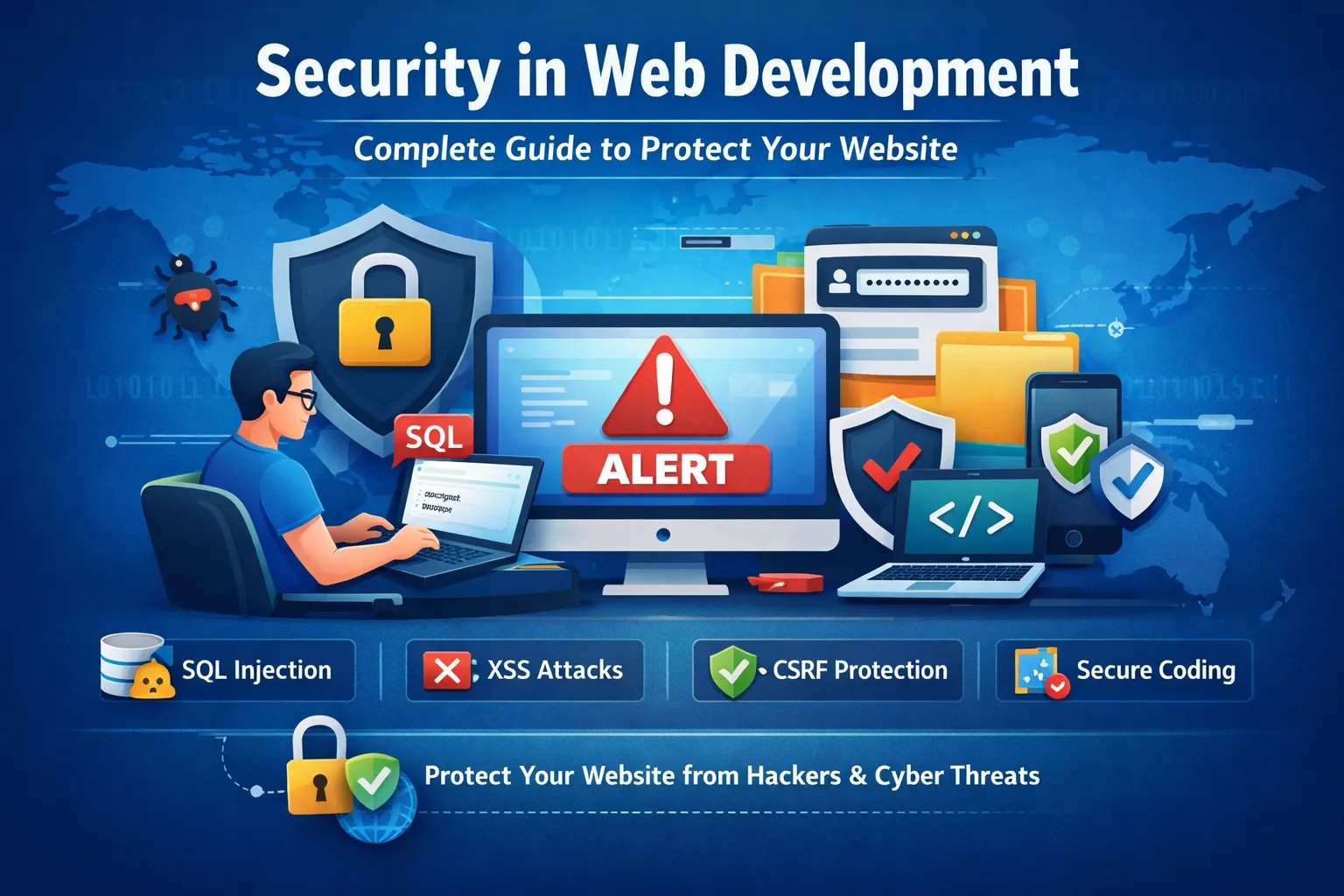
In today’s digital world, websites and web applications are constantly exposed to different types of cyber threats. Whether you are running a personal blog, business website, eCommerce store, SaaS application, membership platform, or a large enterprise web application, website security should always be one of your highest priorities.
A website may look simple from the outside, but behind the interface there are databases, authentication systems, APIs, forms, file uploads, cookies, sessions, third-party services, payment systems, and server-side applications. Every one of these components can become a potential entry point for an attacker if it is not properly secured.
Web security is the process of protecting websites, web applications, web servers, databases, APIs, and users from unauthorized access, data theft, malicious code, fraud, and other cyber attacks. Good security is not limited to installing an SSL certificate. It requires a combination of secure coding practices, server configuration, authentication, access control, input validation, encryption, monitoring, backups, software updates, and continuous security testing.
For developers working with PHP, CodeIgniter, Laravel, WordPress, JavaScript, APIs, or any other web technology, security should be considered from the beginning of development rather than added after an application is completed.
A secure application protects not only the website owner but also every user who interacts with the application.
What Is Web Security?
Web security refers to the techniques, technologies, policies, and development practices used to protect websites and web applications from security threats.
A secure website attempts to protect three important aspects of information:
-
Confidentiality – Only authorized people should be able to access sensitive information.
-
Integrity – Data should not be modified by unauthorized users.
-
Availability – Websites and services should remain accessible to legitimate users.
These three principles are commonly known as the CIA triad of information security.
For example, imagine an online shopping website.
Customer passwords, addresses, and payment-related information must remain confidential. An attacker should not be able to modify an order or change the price of a product. At the same time, legitimate customers should be able to access the website when they need it.
Web security therefore involves much more than preventing hackers from logging into an administrator account. It covers almost every part of a modern web application.
Why Web Security Is Important
Security vulnerabilities can have serious consequences for both businesses and users.
A successful attack can result in:
-
User data theft
-
Password theft
-
Email address exposure
-
Financial fraud
-
Website defacement
-
Malware distribution
-
Unauthorized administrator access
-
Database manipulation
-
Account takeover
-
Loss of customer trust
-
Business downtime
-
Legal and compliance problems
-
SEO and reputation damage
For example, if an eCommerce website stores customer passwords using plain text and its database is leaked, attackers can immediately read those passwords.
Similarly, if a website does not properly protect an administrative form against Cross-Site Request Forgery, an attacker may potentially trick an authenticated administrator into performing an unwanted action.
Security problems can also affect search visibility and reputation. Search engines and browsers may warn users when a website appears compromised or distributes malicious content.
Therefore, security is not simply a technical concern. It is also a business, privacy, reliability, and user-trust concern.
Understanding Common Web Security Threats
There are many types of web attacks. Developers should understand the most common ones so they can design applications that reduce unnecessary security risks.
1. SQL Injection (SQLi)
SQL Injection is a vulnerability that occurs when untrusted user input is improperly incorporated into SQL queries.
Imagine a login form where a developer constructs a database query directly from user input:
$email = $_POST['email'];

$query = "SELECT * FROM users WHERE email = '$email'";
This approach is dangerous because the application is mixing user-controlled data directly into SQL syntax.
An attacker may attempt to provide specially crafted input that changes the meaning of the query.
A simplified example of malicious SQL logic might look like:
SELECT * FROM users WHERE email = 'admin' OR '1'='1';
The exact behavior depends on the application and database, but the fundamental problem is the same: user input is being treated as part of the SQL command instead of strictly as data.
How to Prevent SQL Injection
The most important protection is to use:
-
Prepared statements
-
Parameterized queries
-
Framework query builders
-
ORM systems where appropriate
-
Server-side input validation
For example, PHP developers using PDO can use prepared statements:
$stmt = $pdo->prepare(
    "SELECT * FROM users WHERE email = :email"
);

$stmt->execute([
    'email' => $email
]);
Here, the value supplied by the user is treated as data rather than being directly interpreted as SQL syntax.
Why Validation Alone Is Not Enough
Input validation is useful, but it should not be treated as the primary defense against SQL injection.
For example, checking whether an email contains certain characters may help with data quality, but it does not replace parameterized queries.
A good security strategy uses parameterized database access as the fundamental protection and validation as an additional layer.
2. Cross-Site Scripting (XSS)
Cross-Site Scripting, commonly called XSS, occurs when an attacker is able to inject content that the victim's browser interprets as executable code.
XSS can become dangerous because the malicious content runs within the security context of the affected website.
Depending on the application, an XSS vulnerability may allow an attacker to:
-
Modify visible page content
-
Perform actions as the victim
-
Read accessible browser data
-
Steal sensitive information exposed to JavaScript
-
Redirect users
-
Display fake login forms
-
Abuse authenticated sessions
There are three commonly discussed categories of XSS.
Stored XSS
Stored XSS occurs when malicious content is saved by the application and later displayed to other users.
For example, imagine a website with comments:
User comment → Database → Comment page
If comments are stored without appropriate handling and later rendered unsafely, malicious content could affect every visitor who views that comment.
Reflected XSS
Reflected XSS occurs when malicious input is immediately reflected in a web response.
Search pages, error messages, and URL parameters can become vulnerable if their contents are inserted into HTML without proper output encoding.
DOM-Based XSS
DOM-based XSS occurs primarily through unsafe client-side JavaScript behavior.
For example, JavaScript that takes data from an untrusted source and inserts it into the page as HTML can create security problems.
How to Prevent XSS
Developers should:
-
Encode output appropriately
-
Validate input where appropriate
-
Avoid unsafe HTML insertion
-
Use secure templating systems
-
Apply Content Security Policy where practical
-
Treat user-generated content as untrusted
In PHP, output can often be HTML-escaped using:
echo htmlspecialchars(
    $data,
    ENT_QUOTES,
    'UTF-8'
);
The correct encoding strategy depends on the context in which data is being inserted.
HTML text, HTML attributes, JavaScript, CSS, and URLs have different encoding requirements. Simply applying one generic sanitization function everywhere is not a complete security strategy.
3. Cross-Site Request Forgery (CSRF)
Cross-Site Request Forgery, or CSRF, occurs when an attacker tricks a user's browser into making an unwanted request to a website where the user is already authenticated.
Imagine that a user is logged into an online application.
If the application does not properly verify sensitive requests, an attacker may attempt to cause the victim's browser to send a request that changes account information or performs another protected action.
The important point is that the request may originate from the victim's browser while the victim is already authenticated.
How to Prevent CSRF
Common defenses include:
-
CSRF tokens
-
SameSite cookie settings
-
Checking request methods
-
Re-authentication for highly sensitive actions
-
Validating request origin where appropriate
A CSRF token is a random value associated with a user's session or request context. The server checks that the expected token is present before processing a protected operation.
Frameworks such as CodeIgniter can provide built-in CSRF protection, making it easier to implement this defense consistently.
4. File Upload Vulnerabilities
File uploads are another important security area.
A website may allow users to upload:
-
Profile images
-
Documents
-
PDFs
-
Product images
-
Attachments
-
CSV files
-
Videos
The danger appears when an application trusts the uploaded file too much.
For example, simply checking the filename extension is not sufficient protection.
A malicious file may have a misleading name or content that does not match what the application expects.
Secure File Upload Practices
A safer upload implementation should consider:
-
Allow only required file types.
-
Validate the actual file content where appropriate.
-
Generate a new server-side filename.
-
Avoid using user-provided filenames as trusted paths.
-
Set reasonable file-size limits.
-
Store uploaded files outside executable web directories when possible.
-
Prevent uploaded files from being executed as server-side code.
-
Use appropriate permissions.
-
Consider malware scanning for high-risk environments.
-
Do not expose unnecessary filesystem information.
For example, instead of trusting:
user-provided-file.php
an application can generate a random identifier and store the file using a controlled name.
The exact implementation depends on the application's requirements and hosting environment.
5. Brute Force Attacks
A brute-force attack attempts to guess credentials by trying many combinations.
Login systems are common targets because attackers may automate large numbers of authentication attempts.
Weak passwords make this problem worse.
How to Reduce Brute Force Risk
A secure authentication system can use:
-
Rate limiting
-
Login attempt throttling
-
Temporary account or IP restrictions where appropriate
-
Multi-factor authentication
-
Strong password policies
-
Monitoring and alerts
-
Secure password hashing
-
CAPTCHA or challenge mechanisms where appropriate
Rate limiting is especially important because it prevents an attacker from making unlimited authentication attempts in a short period.
However, rate limiting should be designed carefully. An overly aggressive system can lock legitimate users out and create a denial-of-service problem against accounts.
6. Broken Authentication
Authentication determines whether a user is who they claim to be.
Authentication vulnerabilities can occur when an application:
-
Uses weak password policies
-
Stores passwords insecurely
-
Uses predictable session identifiers
-
Does not expire sessions correctly
-
Fails to protect password reset functionality
-
Does not secure login endpoints
-
Allows weak authentication recovery mechanisms
Authentication should be designed as a complete system rather than simply creating a login form.
7. Broken Access Control
Authentication and authorization are different concepts.
Authentication asks:
Who are you?
Authorization asks:
What are you allowed to do?
A user may be successfully authenticated but still not have permission to access a particular resource.
For example, suppose a website has:
/admin/users
A normal user should not automatically gain access simply because they are logged in.
The server should explicitly verify permissions before allowing access.
Principle of Least Privilege
Users, applications, and services should receive only the permissions they actually need.
For example:
-
A normal customer should not access administrative functions.
-
A support employee may not need access to payment administration.
-
A database account used by a read-only service should not have unnecessary write privileges.
Least privilege reduces the damage that can occur if an account or component is compromised.
8. Session Security
Sessions allow websites to remember authenticated users between requests.
If session management is poorly implemented, attackers may potentially abuse stolen or predictable session identifiers.
Important session security practices include:
-
Use HTTPS.
-
Regenerate session identifiers after authentication.
-
Set appropriate cookie attributes.
-
Expire inactive sessions where appropriate.
-
Avoid exposing session IDs in URLs.
-
Protect session cookies using
Secure. -
Use
HttpOnlywhere JavaScript does not need access to the cookie. -
Consider appropriate
SameSitesettings.
For example:
Secure
HttpOnly
SameSite=Lax
The correct SameSite policy depends on the application's requirements.
9. Security Misconfiguration
Security vulnerabilities are not always caused by programming errors.
Incorrect server or application configuration can also create serious problems.
Examples include:
-
Debug mode enabled in production
-
Default administrator credentials
-
Exposed configuration files
-
Unnecessary services enabled
-
Directory listing enabled
-
Detailed error messages visible to users
-
Incorrect file permissions
-
Outdated server software
-
Missing security headers
A production website should be configured differently from a development environment.
For example, detailed stack traces are useful to developers during development but should generally not be exposed publicly in production.
10. Sensitive Data Exposure
Applications frequently process sensitive information such as:
-
Passwords
-
Email addresses
-
Phone numbers
-
Addresses
-
Authentication tokens
-
API credentials
-
Personal information
-
Business data
Developers should minimize the amount of sensitive data they collect and store.
A useful principle is:
If your application does not need sensitive information, do not collect it.
When sensitive information is necessary, it should be protected using appropriate encryption, access controls, secure transmission, and secure storage practices.
Web Security Best Practices
Understanding threats is only the first step. The next step is implementing practical security controls throughout the application.
1. Validate User Input
Never assume that user input is safe.
Input may come from:
-
Forms
-
Query parameters
-
Cookies
-
HTTP headers
-
Uploaded files
-
APIs
-
JSON requests
-
External services
Validation should happen on the server because client-side validation can be bypassed.
For example:
$email = filter_var(
    $_POST['email'] ?? '',
    FILTER_VALIDATE_EMAIL
);
If the value is invalid, the application should reject it appropriately.
Client-Side vs Server-Side Validation
Client-side validation improves user experience.
Server-side validation provides security enforcement.
Therefore, applications often need both.
2. Use HTTPS
HTTPS protects communication between the browser and the server using TLS.
Without HTTPS, sensitive information transmitted over an insecure connection may be exposed to attackers capable of observing network traffic.
HTTPS is especially important for:
-
Login pages
-
Payment pages
-
Account dashboards
-
Admin panels
-
APIs
-
Forms containing personal information
Modern websites should generally use HTTPS throughout the entire application rather than only on login pages.
Benefits of HTTPS
HTTPS provides:
-
Encrypted communication
-
Better protection against network interception
-
Improved user trust
-
Secure authentication transmission
-
Protection for cookies in transit
-
Modern browser compatibility
-
A positive security signal for websites
An SSL/TLS certificate alone does not make an application secure. HTTPS protects communication, but application-level vulnerabilities such as SQL injection or broken authorization still need to be addressed.
3. Password Security
Passwords should never be stored as plain text.
For password storage, use a password hashing function designed specifically for passwords.
In PHP:
$hash = password_hash(
    $userPassword,
    PASSWORD_DEFAULT
);
The stored value is a password hash, not the original password.
During login:
if (password_verify($userPassword, $hash)) {
    // Authentication successful
}
Modern password hashing functions handle salts and are designed to make large-scale password guessing more expensive.
Never Do This
Avoid storing passwords like:
password123
or using simple hashes such as:
md5($password);
for password storage.
Password hashing should use modern password-specific algorithms supported by the platform.
4. Secure Sessions
A secure session system should:
-
Generate unpredictable session identifiers.
-
Regenerate identifiers after authentication.
-
Use secure cookie settings.
-
Expire sessions appropriately.
-
Protect session data.
-
Avoid putting session identifiers into URLs.
Session fixation is another issue to consider.
After successful authentication, applications should generally regenerate the session identifier so that a session identifier established before login cannot simply continue being used after authentication.
5. Use Security Headers
HTTP security headers provide browsers with instructions about how content should be handled.
Important headers include:
Content-Security-Policy
CSP can restrict where scripts and other resources may be loaded from.
A carefully designed CSP can reduce the impact of certain XSS vulnerabilities.
Strict-Transport-Security
HSTS tells compatible browsers that a website should be accessed through HTTPS.
X-Content-Type-Options
This can help prevent browsers from MIME-sniffing content in ways that may create security issues.
Referrer-Policy
Controls how much referrer information browsers send with requests.
Permissions-Policy
Can restrict access to certain browser capabilities.
X-Frame-Options
Can help control whether a page can be embedded in frames.
For modern applications, CSP, HSTS, X-Content-Type-Options, Referrer-Policy, and related controls should be considered as part of a broader security strategy.
6. Keep Software Updated
Outdated software can contain publicly known vulnerabilities.
Regularly review and update:
-
PHP
-
CodeIgniter
-
Laravel
-
WordPress
-
Plugins
-
JavaScript libraries
-
Composer dependencies
-
Server software
-
Operating system packages
-
Database software
However, updating should be performed responsibly.
Before major updates:
-
Review release notes.
-
Back up important data.
-
Test the update.
-
Check application compatibility.
-
Deploy using a controlled process.
-
Monitor the application after deployment.
Dependency management tools can also help identify outdated packages.
7. Secure Error Handling
Error messages are useful during development but can accidentally expose sensitive information in production.
For example, displaying:
Database connection failed at /var/www/html/config/database.php
may reveal internal filesystem paths or implementation details.
A better production approach is to show the user a generic message such as:
Something went wrong. Please try again later.
Meanwhile, detailed information should be recorded in secure server-side logs.
8. Logging and Monitoring
Security does not end after deployment.
Applications should be monitored for suspicious behavior.
Useful events to monitor may include:
-
Repeated failed login attempts
-
Password reset activity
-
Administrator logins
-
Permission changes
-
Unexpected file changes
-
Large numbers of requests
-
API abuse
-
Server errors
-
Suspicious upload activity
Logs should also be protected because they may contain sensitive information.
Avoid logging passwords, authentication tokens, or other secrets unnecessarily.
9. Regular Backups
Backups are an essential part of security and recovery.
If a website is compromised, accidentally deleted, or affected by ransomware, a reliable backup can significantly reduce downtime.
A good backup strategy should consider:
-
Database backups
-
Website files
-
Configuration
-
Uploaded content
-
Backup frequency
-
Retention periods
-
Off-site storage
-
Backup encryption
-
Restoration testing
A backup that has never been tested may not be reliable when it is actually needed.
Therefore, periodically perform restoration tests.
Secure Coding Practices for PHP Developers
PHP powers a large number of websites and web applications.
Secure PHP development requires developers to understand both PHP features and general application security principles.
Avoid Direct SQL Construction
Do not construct SQL queries by concatenating raw user input.
Instead, use prepared statements or a framework's database abstraction layer.
PDO example:
$stmt = $pdo->prepare(
    "SELECT id, email FROM users WHERE email = :email"
);

$stmt->execute([
    'email' => $email
]);
This separates the SQL structure from the supplied value.
Escape Output Correctly
When displaying user-controlled text in HTML, use appropriate output encoding.
For example:
echo htmlspecialchars(
    $username,
    ENT_QUOTES,
    'UTF-8'
);
The context matters.
Data inserted into JavaScript, CSS, HTML attributes, URLs, and HTML text may require different handling.
Therefore, secure output encoding should be context-aware.
Secure Form Processing
A secure form-processing workflow generally includes:
-
Receive the request.
-
Verify the HTTP method.
-
Validate required fields.
-
Normalize data where appropriate.
-
Check authorization.
-
Apply CSRF protection to applicable state-changing requests.
-
Perform the database operation using parameterized queries.
-
Return a safe response.
-
Log important security events without exposing secrets.
Never assume that because a browser sent a valid-looking request, the request is trustworthy.
Attackers can send requests directly without using your website's interface.
File Upload Security in PHP
PHP applications frequently process uploaded files.
A secure upload process should verify:
-
File size
-
File type
-
File content
-
Storage location
-
File permissions
-
Generated filename
-
Whether execution is possible
Do not rely exclusively on:
$_FILES['file']['name']
for security decisions.
User-controlled filenames should be treated as untrusted input.
Web Security in CodeIgniter
CodeIgniter provides several features that can help developers build safer applications.
Depending on the CodeIgniter version and configuration, useful security capabilities include:
-
CSRF protection
-
Input validation
-
Query Builder
-
Session management
-
Escaping utilities
-
Secure configuration practices
-
Authentication and authorization patterns
However, using a framework does not automatically make an application secure.
Developers still need to correctly configure and use these features.
CodeIgniter Query Builder
Instead of constructing SQL manually, developers can use Query Builder methods.
For example:
$builder
    ->where('email', $email)
    ->get('users');
The framework handles database query construction in a safer and more structured manner than manually concatenating user input into SQL.
Developers should still understand what the framework is doing and avoid bypassing its safety mechanisms unnecessarily.
CodeIgniter CSRF Protection
State-changing forms should be protected against CSRF where applicable.
A typical application may enable CSRF protection and include the appropriate token in forms.
The exact implementation depends on the CodeIgniter version being used.
This is important because security configurations and APIs can differ between major framework versions.
Always consult the documentation for the specific version used by your project.
Authentication and Authorization
A secure application should clearly separate authentication from authorization.
For example:
Authentication:
Is this user logged in?

Authorization:
Can this user edit this product?
A user being logged in should never automatically mean that they can access every resource.
For administrative operations, explicitly verify permissions on the server.
Do not rely only on hiding buttons in the frontend.
For example, hiding:
Delete User
from the interface does not prevent an attacker from manually sending the underlying request.
The server must enforce authorization.
Advanced Web Security Techniques
Once the basic protections are implemented, applications can introduce additional security controls.
Content Security Policy (CSP)
Content Security Policy is a browser security mechanism that allows websites to define which resources are allowed to load.
A CSP can help restrict:
-
Scripts
-
Images
-
Styles
-
Fonts
-
Frames
-
Connections
A carefully designed policy can reduce the impact of certain XSS vulnerabilities.
However, CSP should be introduced carefully because an overly restrictive policy can break legitimate application functionality.
Developers should test CSP in a controlled environment before enforcing it aggressively.
Two-Factor Authentication
Two-Factor Authentication, commonly called 2FA, adds another authentication factor beyond a password.
For example:
Something you know:
Password

Something you have:
Authentication device or application
If an attacker obtains the password, the second factor can provide another layer of protection.
2FA is particularly valuable for:
-
Administrator accounts
-
Developer accounts
-
Financial applications
-
Business dashboards
-
Cloud accounts
-
High-value user accounts
Multi-factor authentication should be considered one of the strongest improvements for protecting important accounts.
Web Application Firewall (WAF)
A Web Application Firewall sits between users and the application and can inspect incoming traffic.
Depending on the implementation, a WAF may help detect or block suspicious patterns associated with:
-
SQL injection
-
XSS
-
Malicious bots
-
Automated abuse
-
Certain exploit attempts
-
Application-layer attacks
However, a WAF should not be considered a replacement for secure application code.
Think of it as an additional security layer rather than the primary defense.
Rate Limiting
Rate limiting controls how frequently a client can perform an action.
For example, an API might limit a user to a certain number of requests during a time period.
Rate limiting is useful for:
-
Login endpoints
-
Password reset requests
-
OTP requests
-
Search APIs
-
Public APIs
-
Comment submissions
-
Contact forms
Without rate limiting, attackers may abuse resource-intensive endpoints or repeatedly attempt authentication.
The exact limits should be based on the application's normal traffic patterns.
API Security
Modern websites often depend heavily on APIs.
API endpoints should receive the same security attention as traditional web pages.
Important API security principles include:
-
Strong authentication
-
Authorization checks
-
Input validation
-
Rate limiting
-
Secure transport
-
Safe error messages
-
Proper HTTP methods
-
Request-size limits
-
Logging and monitoring
-
Version management
Never assume that an API is safe simply because it is not linked from the main website.
Attackers can discover and directly request API endpoints.
Database Security
A web application's database contains some of its most important information.
Database security includes:
-
Strong database credentials
-
Restricted network access
-
Least-privilege database users
-
Parameterized queries
-
Encryption where appropriate
-
Regular backups
-
Monitoring
-
Secure configuration
The database account used by an application should not necessarily have unrestricted administrative privileges.
If the application only needs to read and modify specific application data, its database permissions should be limited accordingly.
Secrets and API Keys
Applications often require secrets such as:
-
API keys
-
Database passwords
-
Encryption keys
-
Authentication secrets
-
Third-party service credentials
These should not be hard-coded into publicly accessible source code.
For example, avoid putting production secrets directly into a public Git repository.
Use appropriate secret-management mechanisms or protected environment configuration.
If a secret is accidentally exposed, it should be considered compromised and rotated as soon as practical.
Secure Configuration Management
Production configuration should be handled carefully.
Developers should avoid exposing files such as:
.env
or other configuration files containing credentials.
The web server should be configured so sensitive files cannot be downloaded through HTTP.
Directory listings should generally be disabled unless there is a deliberate reason to expose them.
Security Testing
Security should be tested throughout the development lifecycle.
Testing can include:
Static Analysis
Examines source code for potential security issues.
Dependency Scanning
Identifies vulnerable third-party packages.
Dynamic Testing
Tests the running application for security weaknesses.
Manual Security Review
An experienced developer or security professional reviews application logic and architecture.
Penetration Testing
Authorized security professionals simulate attacks to identify vulnerabilities.
Security testing should always be performed against systems you own or are explicitly authorized to test.
Common Web Security Mistakes
Even experienced developers can make security mistakes.
Some common examples include:
Trusting Client-Side Validation
A browser can be manipulated. Always enforce important validation on the server.
Storing Plain Text Passwords
Passwords should be securely hashed.
Using Weak Password Reset Links
Password reset tokens should be unpredictable, time-limited, and invalidated appropriately.
Forgetting Authorization Checks
Every sensitive server-side action should verify permissions.
Showing Detailed Production Errors
Debug information can expose internal details.
Allowing Unlimited Login Attempts
This increases brute-force risk.
Using Outdated Dependencies
Known vulnerabilities may remain exploitable.
Uploading Files Directly to Executable Directories
Uploaded content should be stored and served safely.
Hard-Coding Secrets
Credentials and API keys can accidentally become exposed.
Assuming HTTPS Solves Everything
HTTPS protects communication but does not fix insecure application logic.
SEO and Web Security Connection
Security and SEO are not exactly the same thing, but they can influence each other.
Search engines aim to provide users with trustworthy results.
If a website becomes compromised, attackers may inject:
-
Spam pages
-
Malicious scripts
-
Redirects
-
Phishing content
-
Unwanted advertisements
-
Hidden links
A compromised site can therefore suffer from reputation and visibility problems.
Browsers and security services may also display warnings when a website is suspected of distributing malware or phishing content.
HTTPS and SEO
HTTPS is now a standard expectation for modern websites.
Using HTTPS helps provide secure communication and improves user trust.
However, HTTPS should not be viewed as a guarantee of good search rankings. SEO depends on many other factors including content quality, relevance, usability, technical accessibility, performance, and authority.
Security is one important part of maintaining a healthy website.
How to Secure an eCommerce Website
eCommerce websites require particularly careful security because they process customer accounts, orders, addresses, and potentially payment-related information.
Important practices include:
-
HTTPS everywhere
-
Secure authentication
-
Strong authorization
-
Secure password storage
-
CSRF protection
-
XSS protection
-
SQL injection prevention
-
Secure payment integration
-
Webhook verification
-
Rate limiting
-
Fraud monitoring
-
Secure administrator accounts
-
Regular backups
-
Dependency updates
-
Security monitoring
Payment information should be handled according to applicable security and compliance requirements. Whenever possible, use reputable payment providers rather than storing sensitive payment information unnecessarily.
Website Security for Small Businesses
Security is not only important for large companies.
Small business websites can also become targets because attackers often use automated tools to scan large numbers of websites.
A small business website should at minimum have:
-
HTTPS
-
Strong administrator passwords
-
Multi-factor authentication where available
-
Updated software
-
Secure hosting
-
Regular backups
-
Firewall or WAF protection where appropriate
-
Secure forms
-
Spam protection
-
Monitoring
-
Restricted administrative access
Small websites should not assume that they are too insignificant to attack.
Automated attacks do not always distinguish between large and small websites.
Website Security Checklist
Use this checklist as a practical starting point.
Basic Security
-
Use HTTPS.
-
Keep software updated.
-
Use strong passwords.
-
Enable multi-factor authentication.
-
Create regular backups.
-
Protect administrator accounts.
-
Disable unnecessary services.
-
Hide sensitive configuration files.
Application Security
-
Validate input.
-
Encode output.
-
Use prepared statements.
-
Implement CSRF protection.
-
Secure sessions.
-
Enforce authorization.
-
Protect file uploads.
-
Use secure error handling.
-
Apply rate limiting.
Server Security
-
Keep the operating system updated.
-
Configure appropriate permissions.
-
Restrict unnecessary ports and services.
-
Disable directory listing where unnecessary.
-
Monitor logs.
-
Protect configuration files.
-
Use secure TLS settings.
Database Security
-
Use strong credentials.
-
Apply least privilege.
-
Use parameterized queries.
-
Back up the database.
-
Restrict unnecessary remote access.
-
Monitor unusual activity.
Monitoring
-
Review failed login attempts.
-
Monitor server errors.
-
Watch for unexpected file changes.
-
Track administrative activity.
-
Monitor unusual traffic.
-
Set alerts for important security events.
What to Do If Your Website Gets Hacked
If you suspect that your website has been compromised, do not simply delete the visible malicious page and assume the problem is solved.
A compromise may involve persistence mechanisms that are not immediately visible.
A general incident-response process may include:
-
Identify and contain the affected system.
-
Preserve relevant logs and evidence.
-
Determine what accounts or systems may be affected.
-
Rotate compromised credentials.
-
Review recent code and file changes.
-
Check server and database activity.
-
Remove malicious modifications.
-
Restore from a known-good backup when appropriate.
-
Patch the underlying vulnerability.
-
Review authentication and access controls.
-
Monitor the system after recovery.
-
Investigate whether user data was exposed.
-
Follow applicable legal or regulatory requirements.
If the incident is serious, involve qualified security professionals.
Simply reinstalling the website without understanding how the attacker gained access can result in another compromise.
Web Security and User Privacy
Security and privacy are closely connected.
A secure website should minimize unnecessary collection of personal information.
Before collecting information, ask:
Does the application actually need this data?
If the answer is no, avoiding collection reduces potential exposure.
For data that must be collected:
-
Restrict access.
-
Protect it in transit.
-
Protect it at rest where appropriate.
-
Define retention policies.
-
Avoid unnecessary logging.
-
Delete information when it is no longer needed.
Privacy requirements may vary depending on the user's location, business model, and applicable laws.
Security Is a Continuous Process
One of the biggest misconceptions about web security is that it can be completed once.
Security is not a checkbox.
New vulnerabilities are discovered regularly. Dependencies change. Applications grow. New features introduce new attack surfaces. Developers change. Infrastructure changes.
Therefore, security should be part of the complete software development lifecycle.
A practical development lifecycle can look like:
Planning
   ↓
Threat Modeling
   ↓
Secure Development
   ↓
Code Review
   ↓
Security Testing
   ↓
Deployment
   ↓
Monitoring
   ↓
Updates
   ↓
Continuous Improvement
This approach is more effective than waiting until the end of development to perform a security review.
Security by Design
Security should be considered while designing an application.
For example, before creating a new feature, ask:
-
What data does it process?
-
Who can access it?
-
Can users modify this data?
-
What happens if malicious input is submitted?
-
What happens if the request is repeated?
-
Does this action require authentication?
-
Does it require additional authorization?
-
Could the feature be abused automatically?
-
What should happen when an error occurs?
These questions can reveal security issues before they become production vulnerabilities.
Principle of Least Privilege
Least privilege is one of the most useful security principles.
It means giving users, applications, services, and database accounts only the permissions they actually need.
For example:
A normal user may be allowed to:
View own profile
Edit own profile
View own orders
But not:
View all users
Delete users
Modify system settings
Access server configuration
Similarly, a web application's database account should have only the database permissions required for its functionality.
If an account is compromised, least privilege can limit the attacker's ability to move further into the system.
Defense in Depth
There is no single security feature that can protect an entire application.
A stronger strategy uses multiple layers.
For example:
HTTPS
   ↓
WAF / Rate Limiting
   ↓
Web Server Security
   ↓
Application Authentication
   ↓
Authorization
   ↓
Input Validation
   ↓
Secure Database Access
   ↓
Monitoring & Logging
   ↓
Backups
If one layer fails, another layer may still reduce the damage.
This approach is called defense in depth.
Practical Security Workflow for Developers
Developers can follow a simple process when building a new web feature.
Step 1: Identify the Data
Determine whether the feature processes:
-
Public data
-
User information
-
Authentication data
-
Financial information
-
Business-sensitive information
Step 2: Identify Users
Determine who can use the feature.
For example:
Guest
Registered User
Moderator
Administrator
Step 3: Define Permissions
Specify exactly what each role can do.
Step 4: Validate Input
Determine what values are allowed.
Step 5: Protect Database Queries
Use prepared statements or safe framework abstractions.
Step 6: Encode Output
Ensure user-controlled data is rendered safely.
Step 7: Protect State-Changing Requests
Use CSRF protection where appropriate.
Step 8: Add Rate Limits
Protect sensitive or expensive endpoints from abuse.
Step 9: Log Security Events
Record useful events without exposing secrets.
Step 10: Test
Test normal behavior as well as invalid and unexpected input.
Useful Web Security Tools
Developers can use a variety of tools to improve website security.
Common categories include:
-
SSL/TLS checkers
-
Security header analyzers
-
Dependency scanners
-
Static code analyzers
-
Vulnerability scanners
-
Web application testing tools
-
Password auditing tools
-
Log monitoring systems
-
Uptime monitoring services
-
Website integrity monitoring tools
Security tools should be used responsibly and only against systems you own or are authorized to test.
Automated scanners are useful, but they do not replace manual security review.
Why Security Testing Should Be Regular
A website that was secure six months ago may not be secure today.
Reasons include:
-
New vulnerabilities
-
New dependencies
-
New application features
-
Configuration changes
-
New APIs
-
New third-party integrations
-
Credential leaks
-
Changes to hosting infrastructure
Regular testing helps identify these problems before attackers discover them.
Web Security for Modern Applications
Modern web applications are increasingly complex.
A single application may contain:
Frontend
   ↓
API
   ↓
Application Server
   ↓
Database
   ↓
Third-Party Services
   ↓
Cloud Infrastructure
Each component introduces potential security considerations.
For example, an API may be correctly authenticated but still vulnerable to broken authorization.
A frontend may validate an input correctly, but an attacker can bypass the frontend and directly call the API.
Therefore, security must be enforced at every trust boundary.
Security and Third-Party Services
Many websites depend on third-party services for:
-
Payments
-
Email
-
Analytics
-
Authentication
-
Cloud storage
-
CDN services
-
Maps
-
Marketing
-
Customer support
Third-party services should be evaluated carefully.
Developers should understand:
-
What data is shared?
-
How is it transmitted?
-
What credentials are required?
-
What permissions does the integration have?
-
What happens if the service is compromised?
-
How can credentials be rotated?
Do not grant third-party integrations more access than they require.
Secure Development in PHP: A Quick Example
A basic secure request-processing approach might look like:
$email = $_POST['email'] ?? '';

if (!filter_var($email, FILTER_VALIDATE_EMAIL)) {
    exit('Invalid email address');
}

$stmt = $pdo->prepare(
    'SELECT id, email FROM users WHERE email = :email'
);

$stmt->execute([
    'email' => $email
]);

$user = $stmt->fetch();
This example demonstrates two important principles:
-
Validate input.
-
Use parameterized database queries.
In a real application, additional protections would also be required, including authentication, authorization, error handling, CSRF protection where applicable, logging, rate limiting, and secure session management.
Web Security: What Developers Should Remember
The most important security lesson is simple:
Never trust input just because it came from your own website.
Attackers can bypass the interface completely.
They can send requests directly to your server, modify parameters, submit unexpected values, automate requests, and attempt to interact with endpoints that normal users never see.
Therefore, the server must enforce security rules.
The frontend is for user experience.
The backend is where security enforcement must happen.
Final Web Security Checklist for PHP and CodeIgniter Projects
Before launching a PHP or CodeIgniter website, review the following:
Authentication
-
Passwords are securely hashed.
-
Login attempts are rate limited.
-
Administrator accounts use strong credentials.
-
Multi-factor authentication is enabled where appropriate.
-
Password reset mechanisms are secure.
Authorization
-
Every sensitive action checks permissions.
-
Users cannot access other users' resources.
-
Administrative routes are protected.
-
Direct API requests cannot bypass authorization.
Input
-
Server-side validation is implemented.
-
File uploads are restricted.
-
Request sizes are controlled.
-
Unexpected input is handled safely.
Database
-
Prepared statements or safe query builders are used.
-
Database credentials are protected.
-
Database permissions follow least privilege.
-
Regular backups are available.
Output
-
User-controlled content is properly encoded.
-
HTML output is escaped where required.
-
Unsafe HTML insertion is avoided.
-
Content Security Policy is considered.
Sessions
-
HTTPS is enabled.
-
Secure cookie attributes are configured.
-
Session IDs are regenerated after authentication.
-
Sessions expire appropriately.
Server
-
Production debug mode is disabled.
-
Software is updated.
-
Sensitive configuration files are protected.
-
Unnecessary services are disabled.
-
Logs are monitored.
Recovery
-
Backups are created regularly.
-
Backups are stored safely.
-
Restoration has been tested.
-
An incident-response plan exists.
Frequently Asked Questions About Web Security
What is web security?
Web security is the practice of protecting websites, web applications, APIs, servers, databases, and users from cyber attacks, unauthorized access, data theft, malicious code, and other security threats.
It includes secure coding, authentication, authorization, encryption, input validation, monitoring, backups, security testing, and safe server configuration.
Why is web security important?
Web security protects sensitive information and prevents attackers from abusing your application.
A security breach can result in data theft, financial loss, account takeover, website downtime, reputation damage, and loss of customer trust.
For businesses, security is also important for maintaining reliable services and protecting users.
How can I secure my website?
Start with the fundamentals:
-
Use HTTPS.
-
Keep software updated.
-
Use strong password hashing.
-
Validate server-side input.
-
Use prepared database queries.
-
Protect against XSS.
-
Enable CSRF protection where appropriate.
-
Secure sessions and cookies.
-
Enforce authorization.
-
Protect file uploads.
-
Use security headers.
-
Monitor logs.
-
Maintain reliable backups.
Is HTTPS enough to secure a website?
No.
HTTPS protects data while it travels between the browser and server, but it does not automatically prevent SQL injection, XSS, broken authorization, insecure file uploads, weak passwords, or vulnerable application logic.
HTTPS is an essential layer, not a complete security solution.
How do I prevent SQL Injection?
Use prepared statements, parameterized queries, or secure database abstractions such as framework query builders.
Do not directly concatenate untrusted user input into SQL queries.
How do I prevent XSS?
Use context-appropriate output encoding, validate input where appropriate, avoid unsafe HTML insertion, use secure templating practices, and consider Content Security Policy.
In PHP, HTML output can commonly be escaped with:
htmlspecialchars($data, ENT_QUOTES, 'UTF-8');
The appropriate approach depends on the output context.
How should passwords be stored in PHP?
Passwords should be stored using a dedicated password hashing function such as:
password_hash($password, PASSWORD_DEFAULT);
Passwords should never be stored as plain text.
During authentication, use:
password_verify($password, $hash);
to verify the supplied password.
Is CodeIgniter secure?
CodeIgniter provides security-related features and tools, but no framework can automatically make every application secure.
Developers must correctly implement authentication, authorization, validation, CSRF protection, secure database access, session security, file upload controls, and other protections.
The security of the final application depends on how the framework is configured and used.
What is CSRF protection?
CSRF protection prevents attackers from causing authenticated users to perform unwanted actions.
A common defense is a CSRF token that the server validates before processing protected requests.
SameSite cookies and other request-validation mechanisms can provide additional protection depending on the application's architecture.
Why should I use security headers?
Security headers allow the server to communicate security-related policies to browsers.
Headers such as Content-Security-Policy, Strict-Transport-Security, X-Content-Type-Options, and Referrer-Policy can strengthen browser-side security when correctly configured.
They should complement, not replace, secure application code.
How often should I test website security?
Security testing should be performed regularly and whenever major application, dependency, infrastructure, or configuration changes occur.
The appropriate frequency depends on the size and risk level of the application.
High-risk applications may require continuous monitoring and more frequent professional security assessments.
Should small websites care about security?
Absolutely.
Small websites can also be targeted by automated scanners and bots.
A small website should at least use HTTPS, strong credentials, updated software, secure administrator access, regular backups, server-side validation, and appropriate monitoring.
Conclusion
Web security is not a one-time task. It is an ongoing process that should be integrated into every stage of website and application development.
A secure website starts with secure design and continues through development, testing, deployment, monitoring, maintenance, and incident response.
For PHP and CodeIgniter developers, some of the most important principles are straightforward:
-
Never trust user input.
-
Validate data on the server.
-
Use parameterized database queries.
-
Escape output correctly.
-
Store passwords using secure password hashing.
-
Protect sessions and cookies.
-
Implement CSRF protection where appropriate.
-
Enforce authorization on the server.
-
Secure file uploads.
-
Keep PHP, frameworks, libraries, and server software updated.
-
Use HTTPS.
-
Configure security headers.
-
Enable multi-factor authentication for important accounts.
-
Monitor logs and suspicious activity.
-
Maintain tested backups.
-
Perform regular security reviews.
Security should not be treated as something that is added after a website is finished. It should be part of the architecture from the beginning.
A secure development mindset asks what could go wrong before the feature is released.
By combining secure coding practices, strong authentication, proper authorization, safe database access, secure server configuration, monitoring, regular updates, and reliable backups, developers can significantly reduce the risk of common web attacks.
The goal of web security is not to make an application completely immune to every possible attack. No complex system can guarantee that. The goal is to reduce vulnerabilities, limit the impact of successful attacks, detect suspicious activity quickly, and recover effectively when something goes wrong.
For developers building websites with PHP, CodeIgniter, Laravel, JavaScript, APIs, or other modern technologies, learning web security is an essential part of professional software development.
Build securely from the beginning, test regularly, keep your systems updated, and treat security as a continuous process rather than a one-time task.
Your email address will not be published. Comments are moderated.
0 Comments on This Post
Leave a Reply
Comments (0)
Spread the Word!
Join Our Developer Community!
Get weekly coding tips, tool updates, and exclusive tutorials straight to your inbox.
Request a Tool
×