Security in Web Design: Things You Should Know
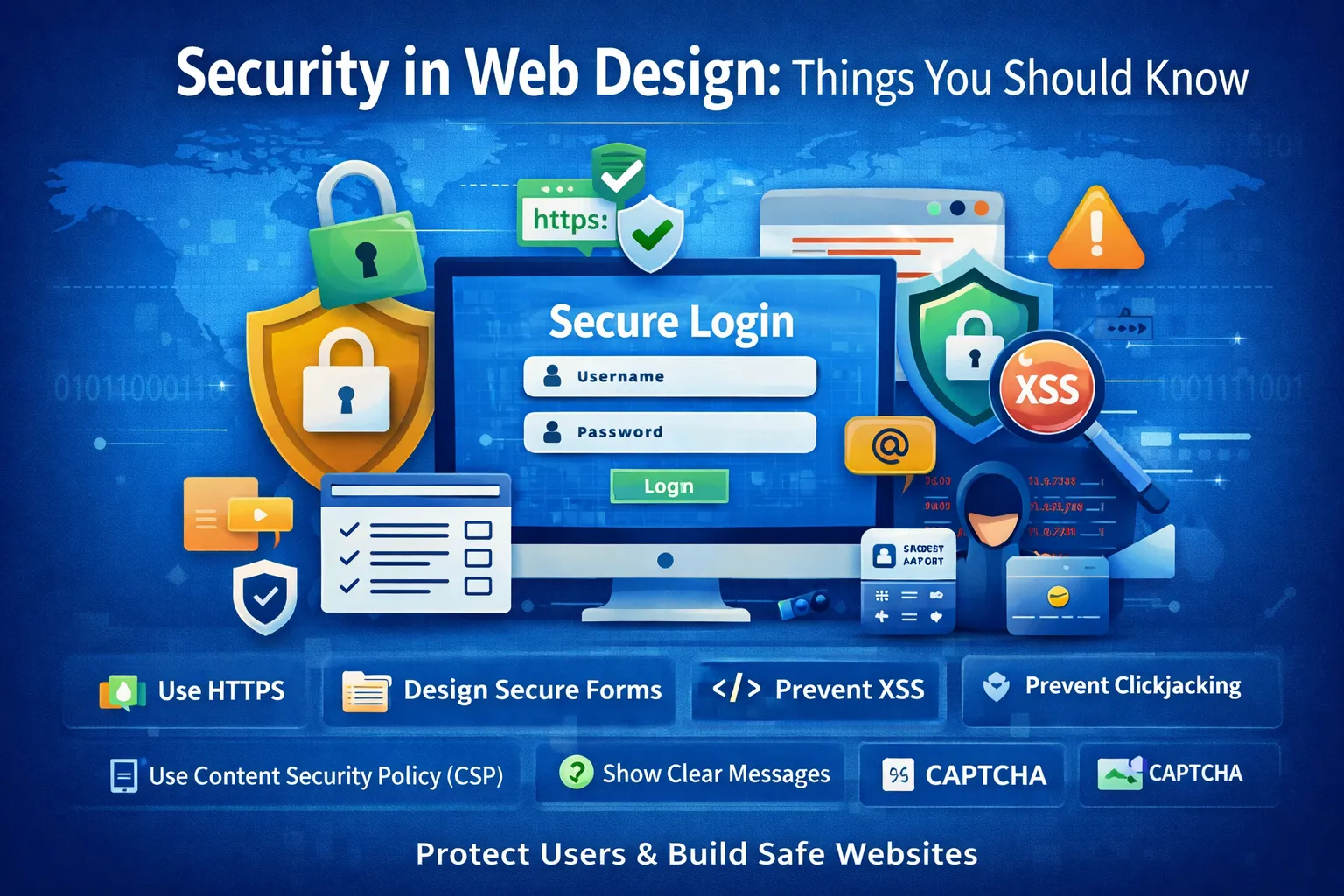
Web Design Security: A Complete Guide to Building Secure and User-Friendly Websites
When developers think about web security, they often focus on servers, databases, APIs, authentication, firewalls, and other backend controls. These are certainly important, but security does not begin and end on the server.
The frontend and web design layer also play an important role in protecting users and reducing security risks.
Every button, form, link, login screen, error message, modal, navigation element, and piece of user-generated content can affect how safely people interact with a website. A poorly designed interface can make phishing easier, expose sensitive information, encourage dangerous actions, or create opportunities for attacks such as Cross-Site Scripting (XSS) and clickjacking.
Secure web design therefore means more than making a website look professional. It means designing the interface, client-side code, browser behavior, and user interactions in a way that minimizes security risks while keeping the experience understandable and accessible.
This guide explains the most important principles of secure web design, common frontend security vulnerabilities, secure form design, XSS prevention, Content Security Policy, clickjacking protection, authentication interfaces, privacy considerations, mobile security, testing, and practical security checklists.
What Is Security in Web Design?
Security in web design is the practice of designing websites and web applications so that their user interfaces, frontend code, browser interactions, and user-facing workflows reduce opportunities for attacks and protect sensitive information.
It combines several areas:
-
Secure frontend development
-
Secure UI/UX design
-
Safe handling of user input
-
Privacy-conscious interface design
-
Secure authentication flows
-
Browser security controls
-
Clear security-related feedback
-
Accessibility and error prevention
-
Protection against social engineering
-
Integration with secure backend systems
A useful way to think about it is:
Secure web design makes the safe action easy for users and makes dangerous actions difficult to perform accidentally.
For example, consider a password-reset page. A secure design should clearly identify the legitimate website, use HTTPS, avoid exposing account information unnecessarily, provide understandable feedback, and avoid creating opportunities for attackers to manipulate the interface.
At the same time, the server must still enforce authentication, authorization, rate limits, token validation, and other controls.
Frontend security supports backend security; it does not replace it.
Why Security in Web Design Is Important
1. Protects Users From Attacks
The frontend is where users interact with an application.
If an interface is poorly designed, users may:
-
Click malicious links
-
Submit information to an attacker-controlled endpoint
-
Reveal sensitive information on a shared screen
-
Trust a fake login interface
-
Approve an unexpected action
-
Upload unsafe files
-
Follow misleading redirects
-
Enter sensitive data into the wrong field
Security-conscious design can reduce these risks.
However, UI design alone cannot guarantee security. Critical security decisions must always be enforced on the server.
2. Reduces Phishing and Social-Engineering Risk
Phishing often succeeds because an attacker creates an interface that looks trustworthy.
A fake website may imitate:
-
A login page
-
A payment form
-
An email verification page
-
A password-reset screen
-
A cloud-storage interface
-
An online banking page
-
An administrator dashboard
Good interface design can help users understand where they are and what action they are taking.
Useful practices include:
-
Consistent branding
-
Clear domain context
-
Predictable navigation
-
Clear action labels
-
Avoiding deceptive buttons
-
Avoiding misleading popups
-
Clear authentication states
-
Clear warnings for sensitive actions
Design should never attempt to train users to rely only on visual indicators such as a logo or a padlock icon, because attackers can imitate those elements.
3. Protects Sensitive Information
Web interfaces frequently display information that should not be unnecessarily exposed.
Examples include:
-
Passwords
-
Authentication codes
-
API keys
-
Payment information
-
Personal information
-
Private messages
-
Account recovery information
-
Internal administrative data
Secure design follows the principle of data minimization.
Only display information that the user needs for the current task.
For example, instead of displaying a complete payment-card number, an application might display only the last four digits.
4. Improves User Trust
Security and usability are closely connected.
Users are more likely to trust an application when:
-
Actions are predictable
-
Forms are understandable
-
Sensitive actions are clearly identified
-
Errors are explained appropriately
-
Security settings are easy to find
-
Account activity is visible
-
Privacy choices are understandable
But remember:
A website that looks secure is not necessarily secure.
Visual polish should complement actual technical controls rather than substitute for them.
5. Supports Accessibility
Security warnings and authentication interfaces must also be accessible.
For example:
-
Security messages should not rely only on color.
-
Form errors should be associated with the correct fields.
-
Buttons should have meaningful labels.
-
Keyboard users should be able to complete security-sensitive workflows.
-
Important warnings should be readable by assistive technologies.
Accessibility and security often reinforce each other because both benefit from clear, predictable interfaces.
Understanding the Web Security Model
Before discussing individual vulnerabilities, it is useful to understand the different layers involved in web security.
A modern web application generally includes:
-
Browser
-
Frontend code
-
Web server
-
Application/backend
-
Database
-
Third-party services
-
Authentication infrastructure
-
Network and transport security
The frontend is only one part of this system.
For example, a login form may contain client-side validation, but the backend must still validate the submitted data.
Similarly, hiding an administrative button from normal users does not provide authorization. A user could potentially call the underlying endpoint directly.
This leads to one of the most important security principles:
Never rely on frontend controls for authorization or other critical security decisions.
Common Security Risks in Web Design
1. Cross-Site Scripting (XSS)
Cross-Site Scripting occurs when attacker-controlled content is interpreted as executable code in another user's browser.
XSS can potentially allow attackers to:
-
Modify page content
-
Perform actions as the victim
-
Steal accessible information
-
Redirect users
-
Create convincing fake interfaces
-
Interact with application functionality
There are several major categories of XSS, including:
-
Stored XSS
-
Reflected XSS
-
DOM-based XSS
Stored XSS
Malicious input is stored by an application and later displayed to other users.
For example, an application may allow users to publish comments. If comments are inserted into HTML without appropriate handling, malicious markup could execute when another user views the comment.
Reflected XSS
Malicious input is reflected immediately into a response.
Search pages, error pages, and query parameters have historically been common areas where reflected XSS can occur.
DOM-based XSS
The vulnerability occurs in client-side JavaScript when untrusted data is inserted into dangerous DOM sinks.
For example, using untrusted data with APIs such as innerHTML can create security problems.
How to Prevent XSS
One of the strongest principles is:
Treat all external input as untrusted.
Input can come from:
-
URL parameters
-
Forms
-
Query strings
-
Cookies
-
APIs
-
Databases
-
Third-party services
-
User profiles
-
Comments
-
Uploaded content
Use context-appropriate output encoding and safe DOM APIs.
For example, when plain text is required, prefer APIs such as:
element.textContent = userInput;
instead of inserting untrusted content as HTML.
Also consider:
-
Framework-provided escaping
-
Trusted Types where appropriate
-
Content Security Policy
-
Safe DOM manipulation
-
Server-side validation
-
Appropriate sanitization when HTML is genuinely required
Important distinction
Validation, sanitization, and output encoding are not interchangeable.
Validation determines whether data meets expected rules.
Sanitization removes or neutralizes dangerous content when a controlled subset of content is allowed.
Output encoding makes data safe for a particular output context.
The correct technique depends on where the data is used.
2. Clickjacking
Clickjacking occurs when attackers cause users to interact with a page or control without fully understanding what they are clicking.
A common technique involves placing a legitimate page inside an attacker-controlled frame and visually disguising or overlaying it.
Users may believe they are clicking:
"Play video"
while actually triggering:
"Change account setting"
Primary defenses
Websites should use appropriate browser framing protections, especially:
-
Content-Security-Policy: frame-ancestors ... -
X-Frame-Options
For example:
Content-Security-Policy: frame-ancestors 'none';
can prevent a page from being embedded by other origins, where appropriate.
X-Frame-Options can also provide protection for compatible scenarios.
Why JavaScript frame-busting is not enough
Old techniques sometimes relied on JavaScript to detect whether a page was inside a frame.
This should not be considered the primary defense because browser security headers are more reliable and can protect against situations where JavaScript is disabled or bypassed.
3. Phishing Interfaces
A phishing interface attempts to convince users that they are interacting with a legitimate service.
Attackers may copy:
-
Logos
-
Colors
-
Login forms
-
Navigation
-
Buttons
-
Dialog boxes
-
Email templates
Secure design cannot stop every phishing attack, but it can reduce confusion.
Good practices include:
-
Use consistent application navigation
-
Clearly identify sensitive actions
-
Avoid misleading wording
-
Do not imitate browser security UI
-
Clearly explain account changes
-
Provide recognizable security settings
-
Make authentication flows predictable
4. Insecure Forms
Forms are one of the most important security-sensitive components of a website.
Examples include:
-
Login forms
-
Registration forms
-
Payment forms
-
Password-reset forms
-
Contact forms
-
File-upload forms
-
Account settings
-
API-key forms
A secure form should consider:
-
HTTPS
-
Server-side validation
-
CSRF protection where applicable
-
Rate limiting
-
Authentication
-
Authorization
-
Appropriate autocomplete behavior
-
Clear error handling
-
Input constraints
-
Secure submission endpoints
Client-side validation is not security validation
JavaScript validation improves user experience, but attackers can bypass JavaScript.
Therefore:
Frontend validation → usability
Backend validation → security enforcement
Both can be useful, but they have different purposes.
5. Sensitive Data Exposure Through the UI
A page can accidentally reveal sensitive information even if the backend itself is secure.
Examples:
-
Passwords visible in plain text
-
Full payment information displayed unnecessarily
-
API keys appearing in the interface
-
Private data visible in URLs
-
Sensitive values stored in browser history
-
Debug information displayed to users
-
Personal information exposed on shared screens
Use the principle of least exposure.
Only display information required for the current task.
6. Dangerous Links and Redirects
Links can become security risks when applications allow attackers to control destinations.
An application might have a URL such as:
example.com/redirect?url=...
If implemented incorrectly, attackers may use it to send users to malicious websites.
Be careful with:
-
User-controlled redirects
-
URL parameters
-
External links
-
Download links
-
Redirect pages
-
OAuth callback URLs
Where possible, validate destinations against an allowlist rather than blindly trusting user-provided URLs.
Secure Web Design Best Practices
1. Use HTTPS
HTTPS protects communication between the browser and server against network attackers.
It helps provide:
-
Encryption
-
Integrity
-
Server authentication
Every production website handling user interactions should use HTTPS.
However, HTTPS does not automatically mean the website is safe.
HTTPS cannot prevent:
-
XSS
-
Weak passwords
-
Broken authorization
-
SQL injection
-
Phishing
-
Malicious third-party scripts
-
Application logic vulnerabilities
Think of HTTPS as one security layer, not a complete security solution.
2. Use HSTS
HTTP Strict Transport Security (HSTS) tells compatible browsers to use HTTPS for the site.
A typical policy may look like:
Strict-Transport-Security: max-age=31536000; includeSubDomains
Only enable HSTS settings after understanding your domain and subdomain infrastructure because incorrect deployment can make HTTP access unavailable.
3. Implement a Content Security Policy
A Content Security Policy (CSP) helps control which resources browsers are allowed to load and execute.
CSP can restrict:
-
Scripts
-
Styles
-
Images
-
Fonts
-
Frames
-
Connections
-
Other resource types
A carefully designed CSP can significantly reduce the impact of certain XSS vulnerabilities.
For example:
Content-Security-Policy: default-src 'self';
However, CSP configuration must match the application's architecture.
Do not blindly copy a CSP from another website.
CSP is a defense layer
CSP should complement secure coding rather than replace it.
The correct approach is:
Safe output handling
        +
Secure DOM APIs
        +
CSP
        +
Other browser security controls
4. Avoid Dangerous Inline Scripts
Inline JavaScript can make a strict CSP more difficult to implement and can increase the complexity of managing script execution.
Instead of unnecessarily writing:
<button onclick="doSomething()">Submit</button>
use JavaScript event listeners:
button.addEventListener("click", doSomething);
The exact approach depends on your framework and architecture, but the general goal is to keep executable code controlled and easier to audit.
5. Use Secure Cookies
Authentication cookies should generally use appropriate security attributes.
Important cookie attributes include:
Secure
Ensures the cookie is sent over HTTPS connections.
HttpOnly
Prevents JavaScript from reading the cookie.
This can reduce the impact of some attacks, although it does not prevent XSS itself.
SameSite
Helps control when cookies are sent in cross-site contexts and can provide important CSRF defenses.
Example:
Set-Cookie: session=...; Secure; HttpOnly; SameSite=Lax
The correct SameSite setting depends on application requirements.
6. Be Careful With Local Storage
Developers sometimes store tokens or sensitive information in:
localStorage
This can be dangerous when sensitive credentials are exposed to JavaScript because an XSS vulnerability may allow malicious code to read them.
Do not automatically assume local storage is the best place for authentication credentials.
Evaluate:
-
What data is being stored
-
Whether JavaScript needs access to it
-
Whether an XSS vulnerability could expose it
-
Whether a secure cookie-based approach is more appropriate
7. Design Secure Authentication Interfaces
Authentication pages deserve special attention.
A secure login interface should:
-
Use HTTPS
-
Avoid exposing passwords
-
Provide accessible labels
-
Support password managers
-
Avoid unnecessary account enumeration
-
Handle errors carefully
-
Support multi-factor authentication
-
Provide account-recovery mechanisms securely
-
Avoid suspicious redirects
Password visibility controls
A "Show password" option can improve usability.
Security is not always about hiding everything.
Good security design balances:
Protection + usability + accessibility
8. Design Better Password Forms
Password forms should support password managers and strong authentication practices.
Useful practices include:
-
Use proper
<label>elements -
Use appropriate input types
-
Avoid arbitrary password restrictions
-
Allow long passwords/passphrases
-
Do not unnecessarily prevent paste
-
Support password managers
-
Provide a show/hide option where useful
-
Avoid displaying passwords after submission
Do not assume that forcing users to create complicated passwords with arbitrary character rules automatically produces better security.
9. Use Multi-Factor Authentication
For sensitive applications, MFA can significantly strengthen account security.
UI design should make MFA understandable.
For example:
Step 1
Enter your password

Step 2
Enter your authentication code

Step 3
Confirm successful login
Avoid confusing users with unclear authentication prompts.
When supporting security keys or passkeys, explain what the user should expect before triggering the authentication process.
10. Design Safe Account-Recovery Flows
Password recovery is often as sensitive as login.
A secure recovery interface should avoid revealing whether a particular email address belongs to an account when that information is sensitive.
Instead of:
"No account exists for this email."
consider a response that does not unnecessarily disclose account existence.
Recovery tokens should also be:
-
Random
-
Short-lived
-
Single-use
-
Protected appropriately
The frontend should not be trusted to enforce these rules.
Secure Error Messages
Error messages need careful design.
Bad example
SQL error: user john@example.com does not exist in database users_prod.
This could reveal internal information.
Better example
We couldn't complete that request. Please check your information and try again.
The application can log technical details securely on the server while showing users an appropriate message.
Avoid excessive information
Do not expose:
-
Stack traces
-
Database errors
-
File-system paths
-
Internal hostnames
-
API keys
-
Authentication details
-
Debug output
Secure Navigation and Links
Navigation should make the user's destination clear.
Be cautious with:
-
Shortened URLs
-
Unexpected redirects
-
Automatically opening new windows
-
Suspicious download buttons
-
External login pages
-
Embedded third-party content
For external links, consider the appropriate use of:
rel="noopener noreferrer"
when opening a new window or tab, depending on the context.
The exact configuration should be based on the browser behavior and application requirements.
Protect File Upload Interfaces
File uploads create significant security risks.
A frontend can restrict file types for usability, but server-side controls are essential.
Consider:
-
File-size limits
-
Allowed file types
-
Content validation
-
Filename handling
-
Malware scanning where appropriate
-
Storage outside executable web paths
-
Randomized server-side filenames
-
Authorization checks
Do not assume:
<input type="file" accept=".jpg,.png">
is a security control.
An attacker can bypass frontend restrictions.
CAPTCHA and Bot Protection
CAPTCHA can help reduce automated abuse, but it is not a universal security solution.
It may be useful for:
-
Registration abuse
-
Spam
-
Repeated automated requests
-
Certain high-risk actions
But CAPTCHA should not replace:
-
Rate limiting
-
Authentication
-
Authorization
-
Input validation
-
Monitoring
-
Abuse detection
A good security architecture uses multiple layers.
Mobile Security in Web Design
Mobile users face additional interface challenges.
Small screens can make it easier to:
-
Tap the wrong button
-
Miss security warnings
-
Overlook URLs
-
Accidentally reveal information
-
Misunderstand dialogs
Good mobile security design should include:
-
Large, clearly separated actions
-
Clear confirmation screens
-
Minimal sensitive information on screen
-
Responsive forms
-
Accessible error messages
-
Avoiding deceptive overlays
-
Clear session behavior
For sensitive actions, consider requiring explicit confirmation.
Secure Payment UI Design
Payment interfaces deserve special attention because users are entering highly sensitive information.
A secure payment page should:
-
Use HTTPS
-
Clearly identify the merchant
-
Avoid unnecessary data collection
-
Use trusted payment providers where appropriate
-
Avoid storing sensitive payment information unnecessarily
-
Clearly display transaction details
-
Require confirmation before important actions
Third-party payment components should also be evaluated carefully.
Never assume that embedding a third-party script is risk-free.
Third-Party Scripts and Web Security
Modern websites frequently use third-party services for:
-
Analytics
-
Advertising
-
Chat
-
Payments
-
Maps
-
Customer support
-
A/B testing
-
Social media integrations
Every third-party script can potentially expand the application's attack surface.
Before adding a script, ask:
-
Does the website really need it?
-
What permissions does it have?
-
What information can it access?
-
Who controls the script?
-
How is it updated?
-
What happens if the provider is compromised?
Use the principle:
Load only the third-party resources you actually need.
Subresource Integrity (SRI) can also help protect certain externally loaded resources when fixed resource versions are appropriate.
Privacy by Design
Security and privacy are related but not identical.
A secure application can still collect excessive information.
Privacy-conscious design asks:
-
What information do we collect?
-
Why do we need it?
-
How long do we keep it?
-
Who can access it?
-
Can the user delete it?
-
Is the information displayed unnecessarily?
Examples of privacy-friendly design include:
-
Data minimization
-
Clear consent interfaces
-
Understandable privacy settings
-
Limited tracking
-
Minimal account information
-
Clear data deletion controls
Avoid dark patterns that manipulate users into sharing more information than necessary.
Avoid Dark Patterns
A dark pattern is a UI design that intentionally manipulates users into taking actions they may not otherwise choose.
Examples include:
-
Hidden unsubscribe buttons
-
Misleading confirmation buttons
-
Preselected privacy options
-
Confusing cancellation flows
-
Fake urgency
-
Difficult-to-find settings
Dark patterns can create both ethical and security problems.
For security-sensitive interfaces, users should understand:
What is happening?
What information is being shared?
What action am I approving?
Can I cancel?
Clear design improves informed decision-making.
Zero Trust Principles in Frontend Design
"Never trust the client" is a useful principle in web application security.
Anything controlled by the browser can potentially be modified by the user.
Therefore, do not trust:
-
Hidden form fields
-
Disabled buttons
-
Client-side validation
-
JavaScript checks
-
Hidden UI elements
-
Client-side roles
-
Local storage values
For example, hiding an "Admin" button does not make an endpoint secure.
The backend must verify:
Who is the user?
        ↓
Are they authenticated?
        ↓
Are they authorized?
        ↓
Is this action allowed?
        ↓
Perform action
The frontend should provide the appropriate experience, but the server must enforce security.
Security Headers for Modern Websites
Security headers can provide important browser-level protections.
Depending on the application, useful headers may include:
Content-Security-Policy
Controls which resources the browser can load or execute.
Strict-Transport-Security
Encourages HTTPS-only access after the browser receives the policy.
X-Content-Type-Options
Can prevent certain MIME-sniffing behaviors:
X-Content-Type-Options: nosniff
Referrer-Policy
Controls how much referrer information is sent:
Referrer-Policy: strict-origin-when-cross-origin
Permissions-Policy
Can restrict access to certain browser features where appropriate.
X-Frame-Options
Provides framing protection for supported scenarios.
Security headers should be configured according to the application's actual requirements rather than copied blindly.
Secure UI Components
Reusable components can improve security when designed correctly.
Examples include:
-
Secure form components
-
Password inputs
-
Authentication dialogs
-
Confirmation modals
-
Error messages
-
File-upload controls
-
Notification components
-
External-link components
Create consistent patterns for security-sensitive interactions.
For example, every destructive action might follow:
Action
↓
Explain consequence
↓
Require explicit confirmation
↓
Perform server-side authorization
↓
Show result
This reduces accidental actions and creates a predictable experience.
Security in Design Systems
Large applications often use a design system.
Security should be included in that system.
A design system can define:
-
Secure form patterns
-
Error message styles
-
Authentication components
-
Warning components
-
Confirmation dialogs
-
Accessible security alerts
-
Privacy controls
This means developers do not need to reinvent security-sensitive UI patterns for every page.
Testing Web Design Security
Secure design should be tested continuously.
Useful testing categories include:
1. Manual Security Testing
Review:
-
Forms
-
Authentication
-
Authorization
-
Redirects
-
Error messages
-
Sensitive information
-
File uploads
-
User-generated content
2. Automated Testing
Use automated tools to identify:
-
Missing security headers
-
Vulnerable dependencies
-
Common configuration problems
-
Accessibility problems
-
Known security issues
Automation should support—not replace—manual security testing.
3. Browser Developer Tools
Browser developer tools can help inspect:
-
Cookies
-
Network requests
-
Storage
-
Console errors
-
Security headers
-
Loaded resources
Developers should understand what information their frontend sends and receives.
Security Tools for Web Developers
Depending on your workflow, useful categories of tools include:
Security Header Checkers
Useful for reviewing HTTP security headers.
TLS/SSL Testing Tools
Useful for checking HTTPS and TLS configuration.
Dependency Scanners
Useful for identifying vulnerable frontend packages.
Static Analysis Tools
Can identify potentially dangerous coding patterns.
Dynamic Security Scanners
Can help identify common application vulnerabilities.
Browser Developer Tools
Useful for inspecting requests, cookies, storage, and browser behavior.
Content Security Policy Reporting
Can help identify policy violations and unexpected resource usage.
Always test systems that you own or are explicitly authorized to assess.
Common Secure Web Design Mistakes
Mistake 1: Assuming HTTPS Makes the Website Secure
HTTPS is essential, but it is only one security layer.
Mistake 2: Trusting Client-Side Validation
Attackers can bypass browser JavaScript.
Always enforce security validation on the server.
Mistake 3: Hiding Sensitive Controls Instead of Authorizing Them
A hidden button is not access control.
The backend must enforce authorization.
Mistake 4: Storing Everything in Local Storage
Sensitive authentication data can become exposed to JavaScript.
Choose storage mechanisms carefully.
Mistake 5: Displaying Detailed Errors
Technical errors can reveal information attackers may find useful.
Log details securely instead.
Mistake 6: Using CAPTCHA as the Only Bot Defense
CAPTCHA should be part of a broader abuse-prevention strategy.
Mistake 7: Using Outdated Clickjacking Protection
Relying exclusively on JavaScript frame-busting is not a strong modern strategy.
Use appropriate HTTP security headers.
Mistake 8: Copying Security Headers Without Understanding Them
A security header can break legitimate functionality if configured incorrectly.
Understand what each directive does before deploying it.
Mistake 9: Installing Too Many Third-Party Scripts
Every external script can increase the attack surface.
Keep third-party dependencies under control.
A Practical Secure Login Page Example
Imagine you are designing a login page.
A weak implementation might have:
-
HTTP instead of HTTPS
-
Password displayed by default
-
No CSRF protection where required
-
Detailed login errors
-
No rate limiting
-
Untrusted redirect parameters
-
Third-party scripts everywhere
-
No MFA option
-
Poor accessibility
A stronger implementation would include:
Transport security
Use HTTPS.
Secure authentication
Use server-side authentication and appropriate session management.
Password usability
Use a password input with support for password managers and an optional visibility toggle.
Generic errors
Avoid unnecessarily revealing whether an account exists.
Rate limiting
Protect against repeated automated login attempts.
MFA
Offer stronger authentication for appropriate accounts and risk levels.
Secure session handling
Use appropriate cookie attributes and session controls.
Safe redirects
Allow redirects only to approved destinations.
Minimal third-party code
Reduce unnecessary external dependencies.
Accessible design
Make the authentication workflow usable with keyboard navigation and assistive technology.
Security Checklist for Web Designers and Developers
Before launching a website, review the following.
Frontend
-
User input is treated as untrusted
-
Dangerous HTML insertion is avoided
-
Safe DOM APIs are used
-
Third-party scripts are minimized
-
Sensitive information is not unnecessarily displayed
-
Security-sensitive actions are clearly communicated
-
Forms are accessible
Authentication
-
HTTPS is enforced
-
Secure session management is implemented
-
Cookies use appropriate security attributes
-
Password managers are supported
-
MFA is available where appropriate
-
Account recovery is protected
-
Login errors do not unnecessarily reveal account information
XSS Protection
-
Output is encoded according to context
-
Untrusted HTML is sanitized when HTML is genuinely required
-
Dangerous DOM sinks are avoided
-
CSP is considered
-
Trusted Types are considered where appropriate
Clickjacking
-
frame-ancestorsis configured where appropriate -
X-Frame-Optionsis considered for compatibility -
Sensitive actions have appropriate confirmation mechanisms
Forms
-
Client-side validation improves UX
-
Server-side validation enforces security
-
CSRF protections are implemented where required
-
Rate limiting is used for abuse-prone endpoints
-
Error messages avoid unnecessary technical details
Privacy
-
Data collection is minimized
-
Sensitive information is not unnecessarily displayed
-
Privacy controls are understandable
-
Third-party tracking is reviewed
-
Data retention is appropriate
Mobile
-
Security warnings are readable
-
Buttons are clearly separated
-
Sensitive information is not unnecessarily exposed
-
Forms work correctly on small screens
-
Authentication flows remain usable
Advanced Concept: Defense in Depth
No single security feature can protect a modern web application from every attack.
A stronger approach is defense in depth.
For example:
HTTPS
  ↓
Secure headers
  ↓
CSP
  ↓
Safe frontend code
  ↓
Input validation
  ↓
Authentication
  ↓
Authorization
  ↓
Secure sessions
  ↓
Rate limiting
  ↓
Monitoring and logging
If one layer fails, another layer may reduce the impact.
This is much stronger than relying on a single control.
Security and User Experience Are Not Opposites
A common misconception is that stronger security always makes a website harder to use.
Good security design can actually improve usability.
Examples:
Password managers
Better security + easier login.
Passkeys
Strong authentication + potentially simpler sign-in.
Clear confirmation messages
Security + fewer accidental actions.
Useful error messages
Security + better troubleshooting.
Automatic session warnings
Security + predictable user experience.
The goal is not to create as many warnings as possible.
The goal is to create clear, proportional security controls.
Security Design for Modern Web Applications
Modern web applications may include:
-
Single-page applications
-
Progressive web apps
-
Server-side rendering
-
APIs
-
Microservices
-
WebSockets
-
Third-party authentication
-
Cloud infrastructure
This makes frontend security more complicated.
For example, a single-page application may communicate with several APIs and third-party services.
Security design must therefore consider:
-
API authentication
-
Token handling
-
Cross-origin requests
-
CORS configuration
-
WebSocket authorization
-
Content Security Policy
-
Third-party dependencies
-
Client-side routing
-
Browser storage
The exact implementation depends on the architecture.
Secure Design for APIs Used by Frontends
A frontend should never be treated as a trusted API client simply because it is your own website.
API requests can be reproduced outside the browser.
Therefore APIs must independently enforce:
-
Authentication
-
Authorization
-
Input validation
-
Rate limiting
-
Resource ownership
-
Business rules
For example:
Frontend:
"Delete account" button

        ↓

API request

        ↓

Backend:
Is user authenticated?
        ↓
Does user own this account?
        ↓
Is deletion allowed?
        ↓
Require appropriate confirmation
        ↓
Delete account
The frontend button is only the beginning of the process.
Security Monitoring and Maintenance
Security is not a one-time design task.
Websites change continuously.
New:
-
Dependencies
-
Features
-
APIs
-
Third-party scripts
-
Browser capabilities
-
Authentication methods
-
Security vulnerabilities
can introduce new risks.
Create a regular security maintenance process.
For example:
Weekly
-
Review important security alerts
-
Check dependency updates
-
Review suspicious application activity
Monthly
-
Review security headers
-
Review third-party scripts
-
Review authentication flows
-
Check important pages
Periodically
-
Perform vulnerability assessments
-
Review access controls
-
Test backup and recovery procedures
-
Conduct security-focused code reviews
Web Design Security and SEO
Security and SEO overlap in several areas, but they should not be treated as the same thing.
HTTPS is an important baseline for modern websites.
Good security can also improve user confidence and reduce some forms of harmful behavior.
However:
Security should never be implemented solely to improve rankings.
Likewise, SEO practices should not weaken security.
For example, developers should not expose sensitive information just because they believe it could help search engines understand a page.
Create content for users first, while implementing appropriate technical security controls.
How to Build a Secure Web Page: Practical Workflow
A practical workflow can look like this:
Step 1: Identify Sensitive Data
Ask:
-
What information does this page handle?
-
Is any of it confidential?
-
Does the user need to see all of it?
Step 2: Identify User Inputs
List every input source:
-
Forms
-
URL parameters
-
Query strings
-
Uploaded files
-
API responses
-
User-generated content
Treat these sources as untrusted.
Step 3: Identify Security-Sensitive Actions
Examples:
-
Login
-
Logout
-
Password change
-
Payment
-
Account deletion
-
Permission changes
-
File upload
-
API-key creation
Give these actions appropriate confirmation and protection.
Step 4: Define Server-Side Controls
For every important action, determine:
-
Authentication requirement
-
Authorization requirement
-
Validation rules
-
Rate limits
-
Logging requirements
Step 5: Implement Safe Frontend Behavior
Use:
-
Safe DOM APIs
-
Framework escaping
-
Secure cookies
-
Appropriate CSP
-
Accessible forms
-
Clear messages
Step 6: Test Abuse Cases
Ask:
What happens if the user modifies this value?
What happens if JavaScript is changed?
What happens if the request is sent manually?
What happens if the user submits unexpected input?
This mindset helps uncover vulnerabilities.
Frequently Asked Questions
What is security in web design?
Security in web design means creating websites and interfaces that reduce security risks through safe frontend development, secure user interactions, privacy-conscious design, appropriate browser controls, and integration with strong backend security.
Why is frontend security important?
The frontend is a major attack surface because users interact with it directly. Unsafe frontend code can contribute to XSS, data exposure, phishing risks, clickjacking, and other security problems.
Is HTTPS enough to secure a website?
No.
HTTPS protects data during network transmission, but it does not protect against vulnerabilities such as XSS, broken authorization, insecure application logic, malicious dependencies, or phishing.
Can frontend validation protect my application?
Frontend validation improves usability but should not be trusted as a security boundary.
Attackers can modify requests or bypass JavaScript.
Always enforce important validation and security rules on the server.
How can I prevent XSS?
Use framework-provided escaping, context-appropriate output encoding, safe DOM APIs, careful handling of HTML, appropriate sanitization when needed, and security controls such as CSP.
Treat external input as untrusted.
How can I prevent clickjacking?
Use appropriate browser security headers such as Content-Security-Policy with frame-ancestors and, where appropriate, X-Frame-Options.
Do not rely exclusively on JavaScript frame-busting.
Should sensitive data be stored in localStorage?
Not automatically.
Sensitive authentication information stored in JavaScript-accessible storage may be exposed if an XSS vulnerability occurs.
Choose storage mechanisms based on your application's threat model and authentication architecture.
Is CAPTCHA necessary on every form?
No.
CAPTCHA can help with certain types of automated abuse, but it is not required for every form and should not replace rate limiting, authentication, authorization, validation, and monitoring.
Are security headers enough?
No.
Security headers are defense-in-depth controls.
They should work alongside secure coding, authentication, authorization, input handling, session security, dependency management, and monitoring.
Does a secure-looking UI mean a website is secure?
No.
Attackers can copy visual design.
Real security depends on the underlying implementation, including HTTPS, authentication, authorization, secure coding, browser security controls, infrastructure, and backend protections.
Final Thoughts
Security in web design is about much more than adding a lock icon or making a login page look trustworthy.
A genuinely secure web experience combines:
-
Secure frontend development
-
Safe handling of untrusted input
-
Strong authentication
-
Server-side authorization
-
Secure session management
-
HTTPS
-
Security headers
-
XSS defenses
-
Clickjacking protection
-
Privacy-conscious design
-
Secure forms
-
Accessible interfaces
-
Controlled third-party resources
-
Continuous testing and monitoring
The most important principle is simple:
The frontend should make secure behavior understandable and convenient, while the backend must enforce the actual security rules.
A good web designer thinks about security during the design process—not after the website has already been built.
Before launching a website, review every form, link, authentication flow, user-generated content area, sensitive action, third-party script, and error message.
Security should be treated as an ongoing process.
As your application changes, its attack surface changes too. Regular testing, dependency updates, code reviews, security monitoring, and threat modeling can help keep the application secure over time.
When security and usability are designed together, the result is not only a safer website but also a more trustworthy, accessible, and predictable experience for users.
Your email address will not be published. Comments are moderated.
0 Comments on This Post
Leave a Reply
Comments (0)
Spread the Word!
Join Our Developer Community!
Get weekly coding tips, tool updates, and exclusive tutorials straight to your inbox.
Request a Tool
×