Cheapest Hosting Plans Compared (Under $3/Month): Best Budget Web Hosting Guide for 2026
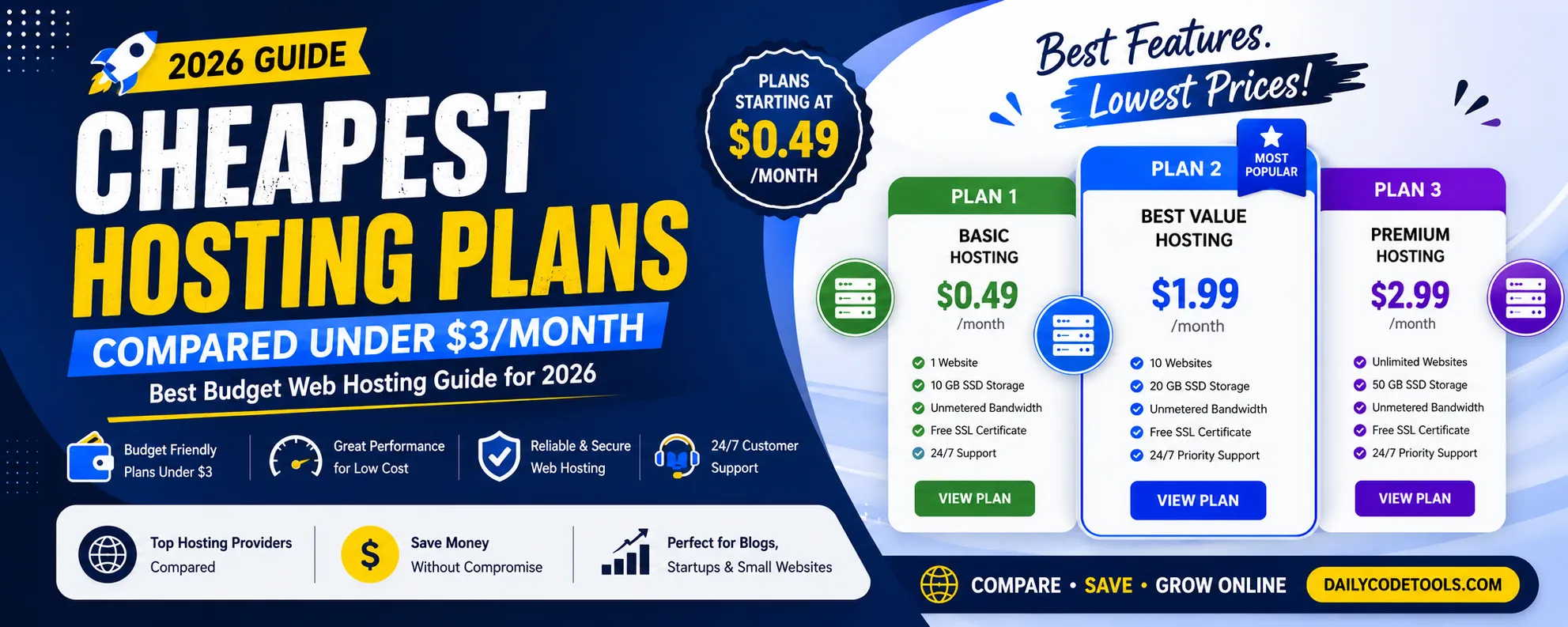
Launching a website has become easier than ever, but choosing the right web hosting service remains one of the biggest challenges for beginners, bloggers, small businesses, and entrepreneurs.
Thousands of hosting companies compete in the market by offering attractive pricing, promotional discounts, and extremely cheap hosting plans. Many providers advertise hosting plans for less than $3 per month, making them appealing to people who want to create a website with a limited budget.
However, choosing web hosting should not be based only on price.
A cheap hosting plan can be a great investment when it provides reliable performance, security, and essential features. On the other hand, selecting the wrong hosting provider can create problems such as slow loading speed, frequent downtime, limited resources, poor customer support, and expensive renewal charges.
This complete guide will help you understand everything about affordable hosting plans under $3/month, including features, limitations, performance factors, hidden costs, and how to select the best budget hosting solution for your website.
What Is Web Hosting?
Before comparing cheap hosting plans, it is important to understand what web hosting actually means.
A website consists of multiple files:
- HTML pages
- CSS files
- JavaScript files
- Images
- Videos
- Databases
- Application files
These files need a server connected to the internet so visitors can access your website anytime.
A web hosting company provides this server infrastructure.
When someone enters your domain name into a browser:
- The browser sends a request.
- The hosting server receives the request.
- The server processes the request.
- Website files are delivered to the visitor.
The quality of your hosting server directly impacts:
- Website speed
- User experience
- Security
- Reliability
- SEO performance
Why Are Hosting Plans Under $3 Popular?
Affordable hosting plans have become extremely popular because many people want to start online projects without a large investment.
A beginner does not always need an expensive server.
A small website with limited visitors can work perfectly on budget hosting.
Common users of cheap hosting include:
Bloggers
New bloggers usually need affordable hosting because they are building their audience slowly.
A basic hosting plan can handle:
- Blog posts
- Images
- Comments
- Basic plugins
- SEO tools
Small Businesses
Small businesses often need simple websites to showcase:
- Services
- Contact information
- Business details
- Customer reviews
A budget hosting plan can provide everything required.
Freelancers
Freelancers use websites to display:
- Portfolio
- Projects
- Skills
- Contact information
Affordable hosting helps them create a professional online identity.
Students and Developers
Developers often purchase cheap hosting for:
- Learning projects
- Testing websites
- Portfolio applications
- Practice environments
Are Hosting Plans Under $3/Month Good?
The answer depends on your website requirements.
Cheap hosting can be excellent for:
✅ New websites
✅ Small blogs
✅ Personal websites
✅ Portfolio sites
✅ Low traffic business websites
However, it may not be ideal for:
❌ Large ecommerce stores
❌ High traffic websites
❌ Enterprise applications
❌ Websites processing large amounts of data
The goal is not to find the cheapest hosting.
The goal is to find the best value hosting.
What Should You Expect From Hosting Under $3/Month?
Budget hosting plans usually include basic features.
Common features:
Website Hosting
Ability to upload and manage website files.
Free SSL Certificate
SSL converts your website from HTTP to HTTPS.
Benefits:
- Secure visitor connections
- Better trust
- Improved SEO signals
Control Panel Access
Most affordable hosting includes a management dashboard.
You can manage:
- Files
- Databases
- Domains
- Emails
- Security settings
Database Support
Many websites require databases.
Examples:
- WordPress
- PHP applications
- CMS platforms
Cheap hosting usually supports:
- MySQL databases
- MariaDB databases
Email Accounts
Some providers include professional email services.
Example:
contact@yourwebsite.com
This looks more professional than using free email services.
Different Types of Affordable Hosting
Not all cheap hosting is the same.
Understanding hosting types helps you choose correctly.
Shared Hosting
Most hosting plans under $3/month are shared hosting.
Shared hosting means multiple websites use resources from one physical server.
Imagine an apartment building.
The building is the server.
Each website has its own apartment.
Resources like:
- CPU
- RAM
- Storage
are shared between users.
Advantages of Shared Hosting
Affordable Price
The biggest advantage is cost.
It allows beginners to launch websites with minimal investment.
Easy Management
Shared hosting providers handle:
- Server maintenance
- Security updates
- Hardware management
Beginner Friendly
No advanced technical knowledge is required.
Disadvantages of Shared Hosting
Limited Resources
Since resources are shared, performance can decrease if other websites consume too many resources.
Less Control
Users cannot usually customize server-level settings.
Limited Scalability
Growing websites may eventually need VPS or cloud hosting.
VPS Hosting
VPS means Virtual Private Server.
It provides a dedicated environment inside a physical server.
VPS hosting usually costs more than $3/month but provides better performance.
Advantages:
- Dedicated resources
- Better speed
- More control
- Better scalability
Suitable for:
- Growing websites
- Developers
- Medium businesses
Cloud Hosting
Cloud hosting uses multiple servers connected together.
Benefits:
- Better reliability
- Flexible resources
- Handles traffic spikes
Cloud hosting is commonly used by:
- SaaS companies
- Ecommerce platforms
- Large websites
Important Factors Before Buying Cheap Hosting
Price should be only one factor.
Before purchasing, check these important points.
1. Renewal Price
One of the biggest mistakes beginners make is ignoring renewal pricing.
Many companies offer:
First year:
$2.99/month
After renewal:
$9.99/month
Always check the long-term cost.
Calculate:
- First year cost
- Renewal cost
- Extra features
- Domain charges
2. Server Speed
Cheap hosting does not mean slow hosting.
Look for:
SSD Storage
SSD improves:
- File access speed
- Website performance
- Database response
Modern Server Technology
Good providers use:
- Updated processors
- Optimized servers
- Modern software
3. Uptime Guarantee
Uptime means how often your website remains online.
A professional hosting company should provide around:
99.9% uptime
Poor uptime causes:
- Lost visitors
- Revenue problems
- SEO issues
4. Security Features
Even small websites need protection.
Important security features:
- SSL certificate
- Malware scanning
- Firewall protection
- DDoS protection
- Backup system
A hacked website can damage your reputation.
5. Check Storage and Resource Limits
When comparing cheap hosting plans under $3/month, many beginners only look at storage space.
However, storage is not the only important factor.
A hosting plan may advertise:
- 50GB storage
- 100GB storage
- Unlimited storage
But actual performance depends on many other resources.
Important resources include:
CPU Usage
CPU handles website processing.
If your website receives more visitors, it needs more CPU power.
Limited CPU can cause:
- Slow page loading
- Server errors
- Application delays
RAM Allocation
RAM helps your website process multiple requests.
More RAM is useful for:
- Dynamic websites
- Ecommerce stores
- CMS websites
- Applications
File Inode Limits
Some budget hosting providers limit the number of files you can store.
This affects:
- WordPress websites
- Websites with many images
- Large applications
Always check inode limits before purchasing.
6. Website Speed Comparison
Website speed is one of the most important factors when selecting hosting.
A website that loads quickly provides:
- Better user experience
- Higher engagement
- Better SEO performance
- More conversions
A slow website can cause visitors to leave before viewing your content.
Features That Improve Hosting Speed
SSD or NVMe Storage
Modern storage technology provides faster data access.
Benefits:
- Faster website loading
- Improved database performance
- Better server response time
Server-Level Caching
Caching stores frequently requested data so it can load faster.
Common caching technologies:
- LiteSpeed Cache
- Redis Cache
- Varnish Cache
CDN Support
A Content Delivery Network distributes website files across multiple global locations.
Example:
A visitor from the United States can receive website files from a nearby server instead of a distant location.
Benefits:
- Faster global loading
- Lower server load
- Better performance
7. Control Panel Comparison
A hosting control panel makes website management easier.
Popular options include:
cPanel
One of the most widely used hosting panels.
Features:
- File manager
- Database management
- Email accounts
- Domain settings
- Backup tools
- SSL management
Custom Control Panels
Many modern hosting companies create their own dashboards.
Advantages:
- Simple interface
- Better beginner experience
- Faster management
Before purchasing, check screenshots or demos of the control panel.
8. Free Domain and Email Features
Many budget hosting plans include additional benefits.
Common offers:
Free Domain Registration
Some providers offer a free domain for the first year.
Check:
- Which extensions are included
- Renewal cost
- Transfer policies
Professional Email
Business websites often require email addresses like:
support@companyname.com
Professional email helps build trust.
Check:
- Number of email accounts
- Storage per mailbox
- Spam protection
- Webmail access
9. Backup Features in Cheap Hosting
Backup is one of the most important features that beginners ignore.
A website can lose data because of:
- Server problems
- Security attacks
- Human mistakes
- Software conflicts
- Failed updates
A good hosting provider should offer:
Automatic Backup
Regular backups reduce risk.
Examples:
- Daily backup
- Weekly backup
- Monthly backup
Easy Restore
A backup system should allow:
- One-click restore
- Selecting previous versions
- Quick recovery
10. Customer Support Comparison
Cheap hosting does not mean poor support.
Support quality can make a huge difference.
Check:
Response Time
How quickly does the company answer?
Technical Knowledge
Support staff should understand:
- DNS problems
- SSL issues
- Database errors
- Website migration
Available Support Channels
Good hosting companies provide:
- Live chat
- Email tickets
- Knowledge base
- Community forums
11. Website Migration Support
Many users already have websites hosted somewhere else.
Moving a website manually can be complicated.
Migration includes:
- Website files
- Database transfer
- Email setup
- DNS changes
- Testing
Some hosting companies provide free migration.
This saves:
- Time
- Technical effort
- Risk of errors
12. Cheap Hosting Hidden Costs You Should Know
Many beginners choose hosting based on promotional prices.
However, hidden costs can increase the total expense.
Watch for:
Renewal Price Increase
The biggest hidden cost.
Always check the second-year pricing.
Paid SSL
Some companies charge extra for SSL certificates.
A good hosting provider should include free SSL.
Backup Charges
Some providers sell backup as an additional service.
Website Migration Fees
Migration assistance may cost extra.
Email Charges
Professional email may not always be included.
13. Best Cheap Hosting for Different Users
Different websites need different hosting solutions.
Best Budget Hosting for Beginners
Beginners should focus on:
- Easy setup
- Affordable price
- Good support
- One-click installation
Suitable for:
- Personal blogs
- Learning websites
- Small projects
Best Cheap Hosting for Bloggers
Bloggers need:
- Fast page loading
- Image support
- Database performance
- Backup system
Important features:
✓ SSL
✓ CDN
✓ Caching
✓ WordPress support
Best Cheap Hosting for Small Businesses
Small business websites need:
- Reliability
- Professional email
- Security
- Good uptime
Important:
✓ Business email
✓ SSL
✓ Backup
✓ Customer support
Best Cheap Hosting for Developers
Developers should check:
- PHP versions
- Database access
- SSH support
- Cron jobs
- Git integration
Cheap shared hosting may work for testing projects.
14. WordPress Hosting Under $3/month
WordPress is one of the most popular website platforms worldwide.
A budget WordPress hosting plan should include:
- One-click WordPress installation
- Automatic updates
- SSL certificate
- Database support
- Caching support
WordPress Performance Tips
Even with cheap hosting, you can improve speed by:
Using Lightweight Themes
Heavy themes slow down websites.
Installing Fewer Plugins
Too many plugins increase loading time.
Optimizing Images
Large images reduce speed.
Use:
- WebP format
- Image compression
- Proper dimensions
Using CDN
CDN improves global loading speed.
15. Ecommerce Website Hosting Under $3/month
A small ecommerce website may start with budget hosting.
However, online stores require more attention.
Important requirements:
Security
Customers trust websites that are secure.
Need:
- SSL
- Secure payment pages
- Regular backups
Performance
Product pages contain:
- Images
- Filters
- Search
- Shopping cart features
Performance matters.
Scalability
As orders increase, hosting requirements increase.
Choose providers that allow upgrades.
16. Cheap Hosting vs Premium Hosting
Budget Hosting
Advantages:
- Low cost
- Easy setup
- Good for beginners
Disadvantages:
- Limited resources
- Less control
- Lower scalability
Premium Hosting
Advantages:
- Better performance
- More resources
- Advanced support
Disadvantages:
- Higher cost
17. How to Test Hosting Before Buying
Before purchasing, research:
Website Speed Reviews
Look for real performance tests.
Customer Feedback
Read:
- Positive reviews
- Negative reviews
- Long-term user experiences
Support Test
Ask a technical question before buying.
Check response quality.
18. Hosting Mistakes Beginners Should Avoid
Choosing Only Cheapest Price
The lowest price does not always provide the best value.
Ignoring Future Growth
A website can grow quickly.
Choose hosting that supports upgrades.
Not Reading Terms
Always check:
- Resource limits
- Renewal prices
- Cancellation policy
No Backup Plan
Always maintain your own website backups.
19. Global Hosting Selection Strategy
If your audience is worldwide, consider:
Server Location
Choose locations close to your visitors.
CDN Usage
Use global content delivery networks.
International Support
Choose providers that support customers globally.
Multiple Data Centers
More locations improve reliability.
20. Final Checklist Before Buying Hosting Under $3/month
Before completing your purchase, confirm:
✅ Price under budget
✅ Renewal cost checked
✅ SSL included
✅ SSD/NVMe storage
✅ Good uptime
✅ Backup availability
✅ Security protection
✅ Customer support quality
✅ Upgrade options
✅ No hidden charges
How to Choose the Best Hosting Plan Under $3/Month (Complete Formula)
Choosing affordable hosting is not just about finding the lowest price. The best budget hosting plan should provide the right balance between:
- Price
- Performance
- Security
- Reliability
- Support
- Future growth
Use this formula before purchasing any hosting plan:
Best Budget Hosting =
Affordable Price + Reliable Performance + Essential Features + Good Support + Upgrade Options
A hosting plan that saves money today but creates problems tomorrow is not a good investment.
Step-by-Step Process to Select Cheap Hosting
Step 1: Define Your Website Purpose
First understand why you need hosting.
Different websites require different resources.
Personal Website
Requirements:
- Basic storage
- SSL certificate
- Simple management
Budget hosting is usually enough.
Blog Website
Requirements:
- Database support
- Image storage
- Good loading speed
- Backup system
Business Website
Requirements:
- Professional email
- Reliability
- Security
- Customer support
Ecommerce Website
Requirements:
- Higher performance
- Security
- Database optimization
- Scalability
Step 2: Compare Features Instead of Price
Two hosting plans may have the same price but completely different value.
Compare:
| Feature | Important Reason |
|---|---|
| Storage | Stores website files |
| Bandwidth | Handles visitors |
| SSL | Website security |
| Backup | Data protection |
| Support | Problem solving |
| Performance | Website speed |
| Upgrade Options | Future growth |
Step 3: Check Long-Term Cost
Many beginners focus only on the first payment.
Example:
Hosting Plan A:
First year:
$2/month
Renewal:
$10/month
Hosting Plan B:
First year:
$3/month
Renewal:
$5/month
Although Plan A looks cheaper initially, Plan B may save money over time.
Always calculate:
Total Cost of Ownership
Include:
- Hosting renewal
- Domain renewal
- Email costs
- Backup costs
- Extra services
Step 4: Evaluate Performance
A cheap hosting plan should still provide acceptable speed.
Look for:
Modern Hardware
Good providers use:
- SSD storage
- NVMe storage
- Modern processors
- Optimized servers
Server Optimization
Features like:
- Caching
- Compression
- CDN support
improve website performance.
Step 5: Check Security Protection
Every website needs security.
Minimum security requirements:
✓ Free SSL certificate
✓ Malware scanning
✓ Firewall protection
✓ Backup system
✓ Account security
Even small websites can become targets for attacks.
Budget Hosting Comparison Framework
Use this scoring system:
Price Score
★★★★★
Is the hosting affordable?
Performance Score
★★★★★
Does the server provide good speed?
Feature Score
★★★★★
Are important features included?
Support Score
★★★★★
Can you get help quickly?
Growth Score
★★★★★
Can you upgrade later?
Hosting Selection Based on Website Growth
A smart website owner plans ahead.
Stage 1: New Website
Traffic:
0 - 5,000 visitors/month
Recommended:
Budget Shared Hosting
Focus:
- Low cost
- Easy setup
- Basic features
Stage 2: Growing Website
Traffic:
5,000 - 50,000 visitors/month
Recommended:
VPS or Cloud Hosting
Focus:
- More resources
- Better speed
- Scalability
Stage 3: Large Website
Traffic:
50,000+ visitors/month
Recommended:
Advanced Cloud or Dedicated Hosting
Focus:
- Maximum performance
- Reliability
- Security
Advantages of Starting With Cheap Hosting
Many successful websites start with affordable hosting.
Benefits:
Low Financial Risk
You can test your idea without spending much money.
Easy Learning Experience
Beginners can learn:
- Website management
- Domains
- Databases
- CMS platforms
Upgrade When Needed
You do not need expensive hosting from day one.
Start small and grow gradually.
Disadvantages of Extremely Cheap Hosting
Very cheap hosting can create problems.
Possible issues:
Limited Resources
Your website may slow down during traffic increases.
Poor Customer Support
Some low-quality providers provide limited assistance.
Server Overloading
Too many websites on one server can affect performance.
Limited Features
Some cheap plans remove important features.
How to Save Money While Buying Hosting
You can reduce hosting costs with smart decisions.
1. Buy Longer Plans Carefully
Long-term plans often provide discounts.
However, only choose them after checking provider quality.
2. Avoid Unnecessary Add-ons
Many companies sell additional services.
Before purchasing:
Ask:
Do I really need this?
3. Use Free Security Tools
Many essential tools are available free:
- SSL certificates
- CDN services
- Website optimization tools
4. Monitor Resource Usage
Do not upgrade until necessary.
Check:
- Traffic
- CPU usage
- Storage usage
Frequently Asked Questions (FAQ)
Is hosting under $3/month reliable?
Yes, affordable hosting can be reliable for small websites, blogs, and beginner projects. However, always check uptime, support quality, security features, and renewal pricing.
What is the cheapest type of web hosting?
Shared hosting is usually the cheapest hosting option because multiple websites share server resources.
Can I host WordPress under $3/month?
Yes. Many budget hosting plans support WordPress with features like:
- One-click installation
- Database support
- SSL certificates
Is cheap hosting good for beginners?
Yes. Beginners usually do not need expensive servers. Budget hosting provides enough resources to learn and launch websites.
Will cheap hosting affect SEO?
Hosting can affect SEO indirectly through:
- Website speed
- Server uptime
- Security
A slow or unreliable website can negatively impact user experience.
Can I upgrade cheap hosting later?
Yes. Most hosting providers allow upgrades from shared hosting to VPS or cloud hosting.
Should I buy hosting monthly or yearly?
Yearly plans are usually cheaper, but monthly plans provide flexibility.
Choose based on your confidence and budget.
What features should cheap hosting include?
Important features:
- SSL certificate
- SSD storage
- Backup options
- Good support
- Control panel
- Database support
Is free hosting better than cheap hosting?
No. Free hosting usually has:
- Limited resources
- Poor performance
- Less reliability
Paid budget hosting is better for professional websites.
Final Conclusion
Choosing the cheapest hosting plan under $3/month can be a smart decision when you select carefully.
Affordable hosting allows beginners, bloggers, freelancers, and small businesses to create websites without a large investment.
However, the cheapest price should not be the only deciding factor.
A good budget hosting provider should offer:
✓ Reliable uptime
✓ Fast server performance
✓ SSL security
✓ Backup protection
✓ Quality customer support
✓ Easy upgrades
Before purchasing any hosting plan, compare features, read reviews, understand renewal pricing, and consider your future growth.
A website is an important digital asset. The hosting provider you choose becomes the foundation of your online presence.
Start with a budget-friendly hosting plan, optimize your website, monitor growth, and upgrade when your visitors and business requirements increase.
With the right hosting decision, even a low-cost plan can become the starting point for a successful global website.
Your email address will not be published. Comments are moderated.
0 Comments on This Post
Leave a Reply
Comments (0)
Spread the Word!
Join Our Developer Community!
Get weekly coding tips, tool updates, and exclusive tutorials straight to your inbox.
Request a Tool
×