15 Common Web Hosting Mistakes That Kill Website Speed (And How to Fix Them)
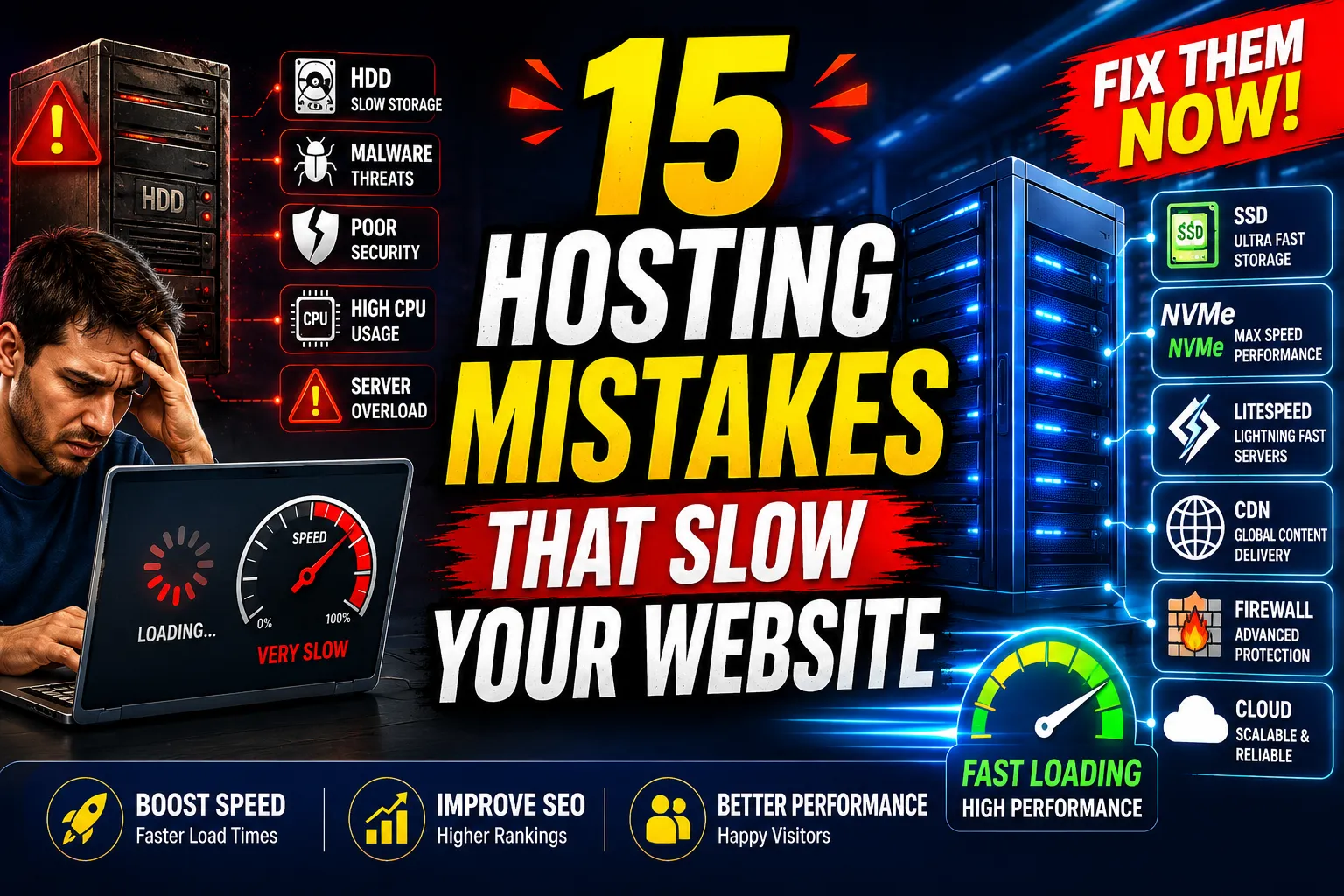
Website speed is no longer just a technical metric—it directly affects user experience, search engine rankings, and business success. Whether you run a personal blog, an online store, or a business website, visitors expect pages to load almost instantly. Studies consistently show that slow websites lose visitors, reduce conversions, and negatively impact SEO.
Many website owners spend time optimizing images, installing caching plugins, and improving their content, but overlook one of the biggest factors behind website performance: web hosting.
Your hosting provider determines how quickly your website responds to requests, how much traffic it can handle, and how reliable it remains during peak usage. Even the best-designed website can perform poorly if it is hosted on an underpowered or poorly configured server.
In this guide, we'll explore 15 common web hosting mistakes that slow down websites, explain why they happen, and show you practical ways to fix them. By avoiding these mistakes, you can improve website speed, enhance user experience, and build a stronger foundation for long-term SEO success.
Why Website Speed Matters
Website speed has become one of the most important ranking and usability factors on the modern web. A fast-loading website keeps visitors engaged, improves trust, and encourages users to explore more pages.
A slow website, on the other hand, can lead to:
- Higher bounce rates
- Lower search engine rankings
- Poor user experience
- Reduced sales and conversions
- Fewer returning visitors
Speed is especially important for businesses that rely on online sales or lead generation. Every extra second of loading time increases the likelihood that potential customers will leave before interacting with your content.
How Web Hosting Affects Website Speed
Every time someone visits your website, their browser sends a request to your hosting server. The server processes that request by loading your website's files, querying databases, and delivering the content back to the visitor.
The quality of your hosting directly influences:
- Server response time
- File delivery speed
- Database performance
- Website availability
- Resource allocation
If the server is overloaded or poorly optimized, your website will load slowly regardless of how well it is designed.
Mistake #1: Choosing the Cheapest Hosting Plan
One of the most common mistakes beginners make is selecting the cheapest hosting plan available without considering performance or reliability.
Low-cost hosting plans often place hundreds of websites on the same server. While this keeps prices low, it also means resources such as CPU, RAM, and bandwidth are shared among many users.
When one website experiences heavy traffic, neighboring websites may also slow down.
Why This Hurts Speed
- Limited CPU resources
- Shared memory
- High server load
- Slower response times
- Increased latency
How to Fix It
Instead of choosing hosting based only on price:
- Compare performance features.
- Read independent reviews.
- Check uptime guarantees.
- Choose a provider known for reliable infrastructure.
Spending slightly more on quality hosting often provides significantly better long-term performance.
Mistake #2: Ignoring Server Location
Many website owners never consider where their hosting server is physically located.
Distance matters because every request travels between the visitor and the server. The farther away the server is, the longer the request takes to complete.
For example, if your audience is primarily in India but your website is hosted on a server in another continent, users may experience higher latency.
Why This Hurts Speed
- Increased network latency
- Longer response times
- Slower page loading
How to Fix It
Choose a hosting provider that offers data centers close to your target audience.
If your visitors are located worldwide, enable a Content Delivery Network (CDN) to serve content from multiple global locations.
Mistake #3: Using HDD Instead of SSD or NVMe Storage
Older hosting plans may still rely on traditional Hard Disk Drives (HDDs).
While HDDs provide large amounts of storage, they are much slower than modern Solid State Drives (SSDs) or NVMe storage.
Storage speed affects:
- File loading
- Database queries
- WordPress performance
- Plugin execution
HDD vs SSD vs NVMe
HDD
- Mechanical drive
- Slower read/write speeds
- Higher latency
SSD
- Faster performance
- No moving parts
- Better reliability
NVMe
- Extremely fast
- Lower latency
- Superior performance under heavy workloads
How to Fix It
Whenever possible, choose hosting that includes SSD or NVMe storage. The improvement in loading speed can be noticeable, especially for dynamic websites.
Mistake #4: Not Using Server-Level Caching
Every time a visitor opens your website, the server may need to:
- Load PHP files
- Execute WordPress code
- Query the database
- Generate HTML
- Send the completed page
Repeating this process for every visitor increases server workload.
Caching stores a ready-made version of your pages so they can be delivered much faster.
Why This Hurts Speed
Without caching:
- Higher CPU usage
- Slower response times
- Increased server load
How to Fix It
Choose a hosting provider that supports:
- LiteSpeed Cache
- NGINX FastCGI Cache
- Redis Cache
- Object Cache
- Built-in server caching
Server-level caching is generally more efficient than relying solely on plugins.
Mistake #5: Ignoring PHP Version Updates
PHP is the programming language that powers WordPress.
Each new PHP version introduces:
- Performance improvements
- Security enhancements
- Better memory management
Running an outdated PHP version can significantly slow down your website.
Why This Hurts Speed
Older PHP versions:
- Execute code more slowly
- Consume more server resources
- Receive fewer security updates
How to Fix It
Regularly update to a supported PHP version after ensuring your themes and plugins are compatible.
Always create a backup before updating.
Mistake #6: Choosing the Wrong Hosting Type
Not every website has the same hosting requirements.
A personal blog with a few hundred visitors per month doesn't need the same infrastructure as a busy online store.
Likewise, a growing business may eventually outgrow basic shared hosting.
Common Hosting Types
Shared Hosting
Best for:
- Beginners
- Small websites
- Personal blogs
VPS Hosting
Best for:
- Growing businesses
- Membership sites
- Developers
Cloud Hosting
Best for:
- High-traffic websites
- eCommerce stores
- SaaS applications
How to Fix It
Select hosting based on:
- Traffic expectations
- Website size
- Budget
- Growth plans
Avoid paying for features you don't need, but also avoid underestimating future growth.
Mistake #7: Hosting Too Many Websites on One Account
Some hosting plans allow unlimited websites.
While this sounds attractive, placing dozens of websites on one account means they all compete for the same resources.
If one website experiences heavy traffic or runs poorly optimized code, the others may also slow down.
Why This Hurts Speed
- Shared CPU
- Shared RAM
- Increased database activity
- Higher server load
How to Fix It
Separate high-traffic websites onto different hosting plans or upgrade to VPS or Cloud Hosting for additional resources.
Mistake #8: Ignoring CDN Integration
A Content Delivery Network (CDN) stores copies of your website on servers around the world.
Without a CDN, every visitor must retrieve data from your primary hosting server.
For international audiences, this increases loading times.
Benefits of a CDN
- Faster global performance
- Lower latency
- Reduced server load
- Better scalability
How to Fix It
Enable a CDN through your hosting provider or integrate a trusted CDN service to distribute static content more efficiently.
Signs Your Hosting Is Slowing Down Your Website
Many website owners blame themes or plugins when their website becomes slow, but the hosting environment is often the real issue.
Common warning signs include:
- Slow loading even after optimization
- Frequent downtime
- High server response time
- Website slows during traffic spikes
- Admin dashboard feels sluggish
- Random timeout errors
- Resource limit warnings from the hosting provider
If you notice several of these issues, it may be time to review your hosting plan or consider an upgrade.
Mistake #9: Ignoring Regular Website Backups
Many website owners think backups are only useful if a website gets hacked. In reality, backups are essential for recovering from plugin conflicts, failed updates, accidental file deletion, server crashes, or database corruption.
Some low-quality hosting providers don't create automatic backups, while others only keep backups for a limited time.
Why This Can Affect Website Performance
Although backups don't directly increase speed, failing to maintain backups often forces website owners to continue using outdated plugins, themes, or PHP versions because they're afraid an update might break the site. This results in:
- Poor optimization
- Older software
- Slower execution
- Security vulnerabilities
How to Fix It
Choose a hosting provider that offers:
- Daily automatic backups
- One-click restore
- Off-site backup storage
- Manual backup options
Always create a backup before making major changes.
Mistake #10: Using Too Many Heavy Websites on Shared Hosting
Shared hosting is designed for small websites.
Many beginners host multiple WordPress websites, WooCommerce stores, staging sites, and development projects on a single shared hosting account.
Eventually, server resources become exhausted.
Common Symptoms
- Slow dashboard
- High CPU usage
- Memory limit errors
- Random 503 errors
- Slow database queries
How to Fix It
If you're hosting multiple active websites:
- Upgrade to Business Hosting
- Move to VPS Hosting
- Use Cloud Hosting
Dedicated resources provide much better performance.
Mistake #11: Ignoring Security Features
Many website owners assume security has nothing to do with speed.
In reality, hacked websites often become extremely slow.
Malware can:
- Consume CPU
- Send spam emails
- Execute malicious scripts
- Increase database activity
All of these reduce website performance.
Essential Security Features
Choose hosting that includes:
- Web Application Firewall (WAF)
- Malware scanning
- DDoS protection
- Login protection
- Automatic updates
- File integrity monitoring
A secure website is usually a faster website.
Mistake #12: Not Monitoring Website Performance
Many people never check how fast their website actually loads.
They only notice problems after visitors begin complaining.
Without monitoring tools, performance issues may go unnoticed for months.
What Should You Monitor?
- Page load time
- Server response time
- Uptime
- Database performance
- CPU usage
- Memory usage
Regular monitoring helps identify problems before they affect your visitors.
Mistake #13: Ignoring Uptime
Website speed isn't the only performance metric that matters.
If your website is frequently unavailable, visitors and search engines lose trust.
Reliable hosting providers typically offer at least 99.9% uptime.
Poor hosting may experience:
- Server crashes
- Maintenance interruptions
- Network failures
Even a fast website is useless if it isn't online.
How to Fix It
Select a hosting provider with:
- High uptime guarantees
- Redundant infrastructure
- Reliable monitoring
- Quick incident response
Mistake #14: Delaying Hosting Upgrades
Many website owners continue using entry-level hosting even after their websites have grown significantly.
As traffic increases, websites require:
- More CPU
- More RAM
- Faster storage
- Better caching
Ignoring these needs leads to slower performance.
Signs It's Time to Upgrade
- Increased traffic
- Slow loading during peak hours
- Resource limit warnings
- High CPU usage
- Frequent downtime
- WooCommerce performance issues
Upgrading before performance declines ensures a better experience for users.
Mistake #15: Buying Hosting Without Research
Some people purchase hosting based solely on advertisements or promotional discounts.
However, marketing claims don't always reflect real-world performance.
Important factors to research include:
- Independent customer reviews
- Server technologies
- Data center locations
- Customer support quality
- Backup policies
- Renewal pricing
- Security features
Spending a little extra time researching can prevent long-term issues.
Website Speed Optimization Checklist
Even with excellent hosting, website optimization remains important.
Use this checklist to improve performance:
Server Optimization
- Choose SSD or NVMe storage.
- Use LiteSpeed or NGINX servers.
- Enable server-side caching.
- Update PHP regularly.
Website Optimization
- Compress images.
- Use WebP image format.
- Minify CSS and JavaScript.
- Remove unused plugins.
- Delete inactive themes.
Network Optimization
- Enable a CDN.
- Choose the nearest data center.
- Reduce unnecessary third-party scripts.
Maintenance
- Keep WordPress updated.
- Update themes and plugins.
- Monitor website speed regularly.
- Scan for malware.
Hosting Buying Checklist
Before purchasing hosting, ask these questions:
- Does it use SSD or NVMe storage?
- Is a free SSL certificate included?
- Are automatic backups available?
- What is the uptime guarantee?
- Is customer support available 24/7?
- Are there nearby data centers?
- Does it support modern PHP versions?
- Is there an easy upgrade path to VPS or Cloud Hosting?
- What are the renewal prices?
- Does it include security features?
Choosing a provider that meets these criteria will give your website a strong foundation.
Real-World Example
Imagine two bloggers launching similar WordPress websites.
Blogger A
Chooses the cheapest shared hosting without researching performance.
After a few months:
- Slow loading pages
- Frequent downtime
- High bounce rate
- Lower search rankings
Blogger B
Chooses a reliable hosting provider with SSD storage, server-level caching, and a nearby data center.
Results:
- Faster page loads
- Better user experience
- Improved SEO
- Higher visitor retention
Both websites publish quality content, but the better hosting environment gives Blogger B a clear advantage.
Common Signs Your Hosting Needs an Upgrade
You should consider upgrading your hosting if you notice:
- Website takes more than 3 seconds to load.
- Dashboard becomes slow.
- Visitors report loading issues.
- Resource usage frequently reaches limits.
- Traffic is increasing steadily.
- Your website experiences downtime during peak hours.
- You plan to launch an online store or add resource-intensive features.
Moving to a more capable hosting plan before these issues become severe helps maintain performance and reliability.
Frequently Asked Questions (FAQs)
1. Does web hosting really affect website speed?
Yes. Your hosting provider is one of the biggest factors that determines how quickly your website loads. Fast servers, SSD or NVMe storage, modern CPUs, caching technology, and optimized infrastructure all contribute to better performance. Even a well-optimized website can feel slow if it's hosted on an underpowered server.
2. Can cheap hosting hurt SEO?
Indirectly, yes. Cheap hosting often leads to slower page speeds, frequent downtime, and poor server response times. These issues can negatively affect user experience and make it harder for search engines to crawl your website efficiently.
3. Is SSD hosting faster than HDD hosting?
Absolutely. SSD storage reads and writes data much faster than traditional HDD storage. NVMe SSDs are even faster, offering lower latency and improved performance for WordPress websites, databases, and dynamic applications.
4. Should I choose Shared, VPS, or Cloud Hosting?
The answer depends on your website.
- Shared Hosting: Best for beginners, blogs, and small business websites.
- VPS Hosting: Ideal for growing websites, agencies, and developers.
- Cloud Hosting: Perfect for high-traffic websites, eCommerce stores, SaaS platforms, and businesses requiring high availability.
5. What is server response time?
Server response time is the time it takes for your hosting server to begin responding to a visitor's request. Lower response times generally result in faster-loading websites.
6. Does server location matter?
Yes. Hosting your website closer to your target audience reduces latency and improves loading speed. If your visitors come from multiple countries, using a CDN helps deliver content faster worldwide.
7. Is LiteSpeed Hosting worth it?
Yes. LiteSpeed Web Server is optimized for high performance and works exceptionally well with WordPress. Combined with LiteSpeed Cache, it can significantly reduce page load times.
8. How many websites should I host on one account?
Although some hosting plans advertise unlimited websites, performance can decline if too many active websites share the same resources. If multiple websites receive consistent traffic, consider upgrading to VPS or Cloud Hosting.
9. Does uptime affect SEO?
Frequent downtime can make it difficult for search engines to crawl your website consistently. Reliable uptime also improves user trust and ensures visitors can access your content whenever they need it.
10. How often should I upgrade my hosting?
Upgrade when:
- Your traffic grows consistently.
- Your website becomes noticeably slower.
- You frequently hit CPU or memory limits.
- You're adding resource-intensive features such as an online store or membership system.
Website Speed Maintenance Tips
Choosing good hosting is only the first step. Regular maintenance keeps your website running efficiently over time.
Keep WordPress Updated
Each new WordPress version includes:
- Performance improvements
- Security patches
- Bug fixes
Keeping your installation updated ensures better stability and speed.
Update Themes and Plugins
Outdated plugins may:
- Reduce performance
- Cause compatibility issues
- Introduce security vulnerabilities
Remove plugins you no longer use and update active ones regularly.
Optimize Images
Large images are one of the biggest causes of slow websites.
Best practices include:
- Resize images before uploading.
- Compress files without noticeable quality loss.
- Use modern formats such as WebP.
Enable Browser Caching
Browser caching allows returning visitors to load your website more quickly by storing static resources locally on their devices.
Reduce Third-Party Scripts
External scripts such as advertisements, chat widgets, analytics tools, and social media integrations can increase loading times.
Only use scripts that provide clear value to your website.
Monitor Website Performance
Check your website regularly for:
- Loading speed
- Broken links
- Server uptime
- Security issues
- Database performance
Preventative maintenance helps identify issues before they impact visitors.
Best Hosting Recommendations by Website Type
Personal Blog
Recommended Hosting:
Shared Hosting
Reason:
Affordable, beginner-friendly, and sufficient for low to moderate traffic.
Portfolio Website
Recommended Hosting:
Shared Hosting
Reason:
Simple websites typically don't require dedicated resources.
Business Website
Recommended Hosting:
VPS Hosting
Reason:
Provides better reliability, security, and consistent performance.
Online Store
Recommended Hosting:
Cloud Hosting
Reason:
Handles traffic spikes, ensures high uptime, and provides better scalability.
Membership Website
Recommended Hosting:
VPS Hosting
Reason:
Supports logged-in users, larger databases, and dynamic content more efficiently.
News Website
Recommended Hosting:
Cloud Hosting
Reason:
Capable of handling sudden traffic surges caused by viral content.
SaaS Platform
Recommended Hosting:
Cloud Hosting
Reason:
Offers flexible scaling, redundancy, and enterprise-level reliability.
Final Comparison Table
| Feature | Shared Hosting | VPS Hosting | Cloud Hosting |
|---|---|---|---|
| Price | ⭐⭐⭐⭐⭐ | ⭐⭐⭐ | ⭐⭐ |
| Beginner Friendly | ⭐⭐⭐⭐⭐ | ⭐⭐⭐ | ⭐⭐⭐ |
| Performance | ⭐⭐⭐ | ⭐⭐⭐⭐ | ⭐⭐⭐⭐⭐ |
| Speed | ⭐⭐⭐ | ⭐⭐⭐⭐ | ⭐⭐⭐⭐⭐ |
| Security | ⭐⭐⭐ | ⭐⭐⭐⭐ | ⭐⭐⭐⭐⭐ |
| Scalability | ⭐⭐ | ⭐⭐⭐⭐ | ⭐⭐⭐⭐⭐ |
| Uptime | ⭐⭐⭐ | ⭐⭐⭐⭐ | ⭐⭐⭐⭐⭐ |
| Resource Isolation | Low | Medium | High |
| Best for Small Websites | ✅ | ✅ | ❌ |
| Best for Growing Businesses | ❌ | ✅ | ✅ |
| Best for High-Traffic Sites | ❌ | ⚠️ | ✅ |
| Maintenance | Easy | Moderate | Easy (Managed) / Advanced (Self-Managed) |
Expert Tips for Choosing the Right Hosting
Before making a final decision:
- Choose a provider with a proven reputation for reliability.
- Compare renewal pricing, not just introductory offers.
- Prefer SSD or NVMe storage over HDD.
- Look for free SSL certificates and automated backups.
- Check whether the hosting includes server-level caching.
- Ensure customer support is available 24/7.
- Select a plan that allows easy upgrades as your website grows.
- Consider your future traffic rather than only your current needs.
- Read independent reviews instead of relying solely on advertisements.
- Invest in quality hosting—it often saves money and time in the long run.
Key Takeaways
- Hosting is the foundation of website performance.
- Cheap hosting can become expensive if it leads to downtime, lost visitors, or migration costs.
- Server location, storage type, caching, and security all influence loading speed.
- Upgrading your hosting at the right time prevents performance bottlenecks.
- Regular maintenance, updates, and monitoring are essential for long-term success.
Final Verdict
Website speed is one of the most critical factors affecting user experience, SEO, and online success. While themes, plugins, and image optimization all play important roles, your hosting provider forms the foundation of your website's performance.
The 15 common hosting mistakes discussed in this guide—from choosing the cheapest hosting plan and ignoring server location to delaying upgrades and neglecting security—can collectively slow your website, reduce visitor satisfaction, and impact search engine visibility. Fortunately, each of these mistakes can be avoided with informed decisions and regular maintenance.
For new websites, a reliable Shared Hosting plan with SSD storage, free SSL, automated backups, and good customer support is often sufficient. As your website grows, upgrading to VPS or Cloud Hosting ensures your server resources keep pace with increasing traffic and functionality.
Remember that website optimization is an ongoing process. Monitor performance regularly, keep your software updated, optimize your media files, and choose hosting that supports your long-term goals. By building your website on a strong hosting foundation and avoiding common pitfalls, you'll provide a faster, more reliable experience for your visitors while improving your chances of ranking well in search engines.
Your email address will not be published. Comments are moderated.
0 Comments on This Post
Leave a Reply
Comments (0)
Spread the Word!
Join Our Developer Community!
Get weekly coding tips, tool updates, and exclusive tutorials straight to your inbox.
Request a Tool
×