SSD vs NVMe Hosting: What’s the Real Performance Difference?
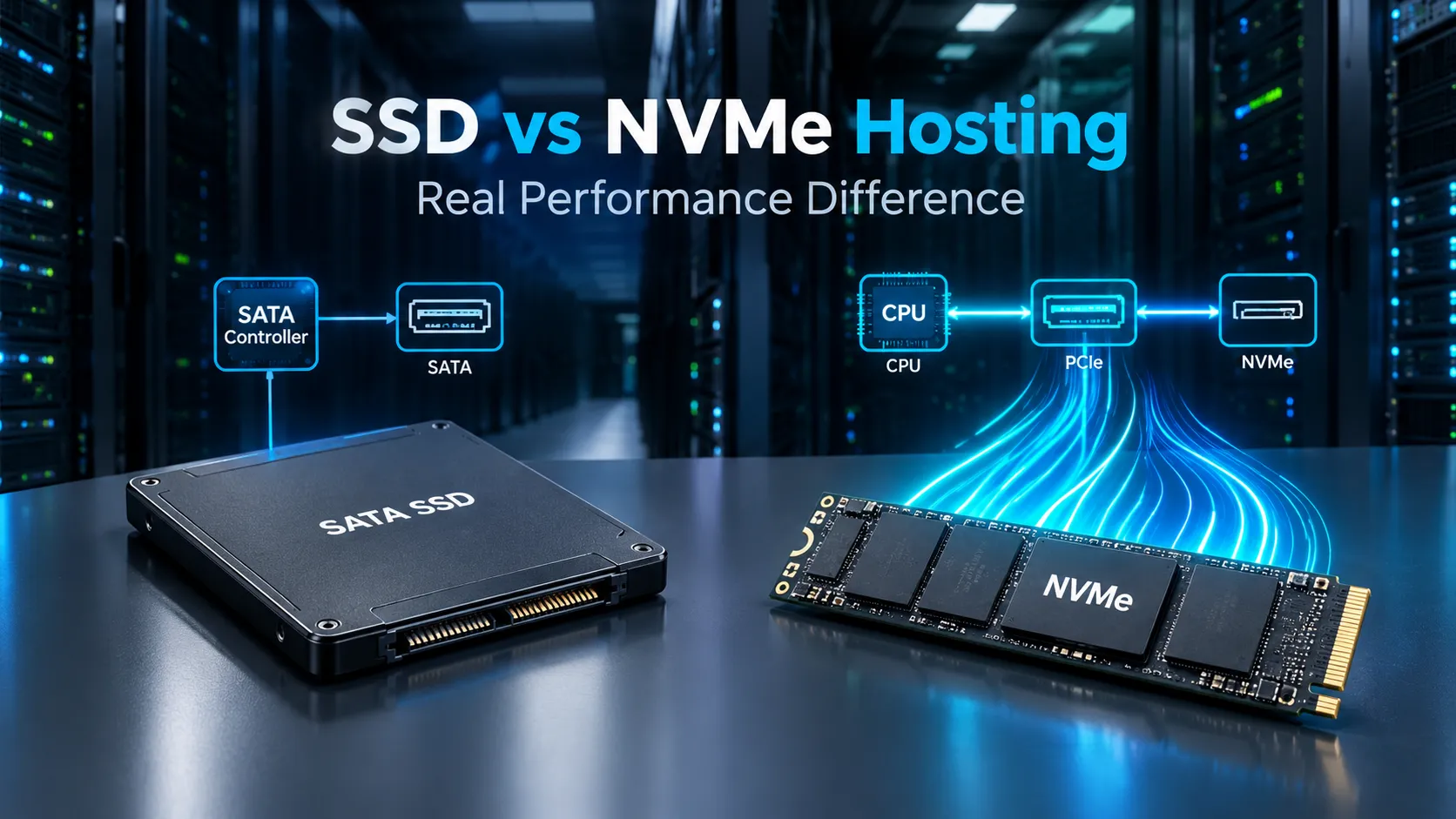
SSD vs NVMe Hosting: What’s the Real Performance Difference?
When buying web hosting, one of the specifications you will frequently see is the type of storage used by the server. Hosting companies commonly advertise plans with SSD storage, NVMe SSD storage, or sometimes simply high-speed NVMe hosting.
For someone choosing a hosting plan, these terms can be confusing.
Both SSD and NVMe storage are significantly faster than traditional hard disk drives (HDDs), but NVMe technology can offer much higher storage performance than traditional SATA-based SSDs. The important question, however, is not simply whether NVMe is faster.
The real question is:
How much difference does NVMe actually make to a website?
If you are running a small blog, portfolio website, company website, or simple landing page, upgrading from SATA SSD hosting to NVMe hosting may not transform your page speed overnight. On the other hand, if you operate a large WordPress website, WooCommerce store, database-heavy application, SaaS platform, forum, membership website, or another dynamic web application, faster storage can become much more important.
The difference becomes particularly noticeable when a server has to perform a large number of read and write operations. Databases, PHP applications, caching systems, logs, backups, temporary files, application data, and server processes can all generate storage I/O.
This is why choosing between SSD and NVMe hosting should not be based only on advertised storage capacity.
A better approach is to understand how the technology works, what performance differences actually matter, which workloads benefit from NVMe, and whether paying extra for NVMe makes sense for your specific website.
In this complete guide, we'll compare SSD vs NVMe hosting, explain the underlying technologies in simple terms, discuss real-world performance, examine WordPress and eCommerce workloads, explain the relationship between storage and website speed, and show you what else to look for when choosing a hosting provider.
What Is SSD Hosting?
SSD stands for Solid State Drive.
An SSD is a storage device that uses flash memory to store information. Unlike a traditional HDD, an SSD does not rely on spinning magnetic disks or mechanical read/write heads.
This makes SSD storage much faster, quieter, more energy-efficient, and more resistant to physical movement than traditional mechanical storage.
Traditional HDDs have mechanical components. When a server needs to access a file, the drive has to position its read/write head and rotate the appropriate part of the disk into position.
An SSD works differently.
Data is stored electronically in flash memory, allowing the storage device to access information much more quickly.
This is one reason modern web hosting moved away from HDD-based infrastructure toward SSD-based storage.
For a website, SSD storage can improve several server-side operations, including:
-
Reading website files
-
Writing logs
-
Accessing databases
-
Loading application files
-
Creating temporary files
-
Processing cache files
-
Running backups
-
Handling server-side scripts
-
Performing database operations
However, not every SSD-based hosting plan is identical.
The term "SSD" describes the storage technology, but it does not tell you everything about the storage performance.
For example, many traditional SSD hosting environments use the SATA interface.
SATA SSDs are considerably faster than HDDs, but SATA was originally designed around an older storage architecture.
This is where NVMe comes into the picture.
What Is NVMe?
NVMe stands for Non-Volatile Memory Express.
Unlike SATA, NVMe was designed specifically for modern solid-state storage.
NVMe drives typically communicate with the server through the PCI Express (PCIe) interface rather than the traditional SATA interface.
This allows NVMe devices to take advantage of much higher bandwidth and a storage protocol designed for flash memory.
In simple terms:
SATA SSD:
Flash storage → SATA interface → SATA storage protocol
NVMe SSD:
Flash storage → PCIe interface → NVMe protocol
This difference allows NVMe storage to support much higher throughput and very efficient parallel processing of storage operations.
Modern NVMe drives can deliver performance far beyond what traditional SATA interfaces can provide.
However, there is an important distinction that many hosting advertisements fail to explain.
A faster storage device does not automatically make every website proportionally faster.
Your website's performance depends on the entire hosting environment.
CPU, RAM, server configuration, caching, network latency, database performance, application code, CDN configuration, and website optimization can all have a major effect.
SSD vs NVMe: The Basic Difference
The easiest way to understand the difference is to think of SSD as the broader storage category and NVMe as a modern high-performance way of communicating with solid-state storage.
Traditional SATA SSDs already provide excellent performance for many web hosting workloads.
NVMe pushes storage performance further by using PCIe and the NVMe protocol.
A simplified comparison looks like this:
| Feature | SATA SSD | NVMe SSD |
|---|---|---|
| Storage type | Flash | Flash |
| Common interface | SATA | PCIe |
| Protocol | SATA/AHCI | NVMe |
| Latency | Low | Very low |
| I/O capability | High | Very high |
| Sequential throughput | Good | Much higher |
| Random I/O | Good | Excellent |
| Database workloads | Good | Better |
| Large file operations | Good | Better |
| Heavy applications | Capable | Better suited |
| Typical hosting cost | Lower | Often higher |
These specifications are useful, but they don't tell the whole story.
The biggest question for website owners is:
Will your visitors actually notice the difference?
The answer depends on the workload.
Why Storage Performance Matters in Web Hosting
A website is not simply a collection of HTML files.
Modern websites can involve dozens or even hundreds of server-side operations for a single request.
For example, when a visitor opens a dynamic page, the server might need to:
-
Receive the request.
-
Start or reuse application processes.
-
Load configuration files.
-
Execute PHP or another application runtime.
-
Query a database.
-
Read application files.
-
Access cached information.
-
Process business logic.
-
Generate HTML.
-
Return the response to the browser.
Storage may be involved at several stages.
If the storage subsystem is slow or overloaded, it can become a bottleneck.
But if storage is already fast enough, another component might become the bottleneck instead.
This is why upgrading storage should always be considered as part of a bigger performance strategy.
What Is IOPS and Why Does It Matter?
One of the most important concepts when comparing storage devices is IOPS, or Input/Output Operations Per Second.
IOPS measures how many individual input/output operations a storage system can process within a given period.
This is especially relevant for web hosting because websites often perform many small storage operations rather than one enormous sequential transfer.
Databases are a good example.
A database may need to:
-
Read one record.
-
Update another record.
-
Write a transaction.
-
Read an index.
-
Update metadata.
-
Store a session.
-
Retrieve cached information.
These operations can happen rapidly and simultaneously.
High IOPS performance can therefore be valuable for workloads that involve many random reads and writes.
NVMe storage is generally much better suited to these high-I/O workloads than traditional SATA SSDs.
What Is Storage Latency?
Latency is another important measurement.
Latency refers to how long it takes for a storage system to respond to an operation.
Lower latency means the server can receive data or complete storage operations more quickly.
This matters because a dynamic application may perform many individual operations.
If each operation takes a little longer, the delays can accumulate.
NVMe technology is designed to minimize storage communication overhead and efficiently handle parallel requests.
This makes it particularly useful for servers running applications with significant I/O activity.
Does NVMe Make a Website Several Times Faster?
This is one of the biggest misconceptions surrounding NVMe hosting.
You may see storage benchmark results showing that NVMe drives can be several times faster than SATA SSDs.
That does not mean your website will automatically load several times faster.
A storage benchmark measures the performance of the storage device under a particular workload.
A real website is a much more complicated system.
Imagine that your server spends:
-
20% of its time waiting on storage
-
30% processing application code
-
20% executing database logic
-
10% handling network operations
-
20% doing other work
If you make storage dramatically faster, only part of the total processing time can improve.
The rest of the workload remains unchanged.
This is why the real-world improvement from NVMe can range from barely noticeable to significant depending on the website.
When SSD and NVMe Feel Almost the Same
For some websites, the difference between SATA SSD hosting and NVMe hosting may be difficult to notice.
Consider a simple blog with:
-
A lightweight theme
-
A small database
-
A few plugins
-
Optimized images
-
Page caching
-
A CDN
-
Mostly anonymous visitors
-
Low traffic
When a visitor requests a page, the server may already have most of the content cached.
The server doesn't need to repeatedly access storage for every part of the request.
As a result, upgrading the storage device may not produce a dramatic improvement in page-load time.
In such cases, improving:
-
Image optimization
-
Caching
-
CDN configuration
-
JavaScript loading
-
CSS optimization
-
Hosting CPU resources
may provide a bigger benefit.
When NVMe Can Make a Big Difference
NVMe becomes more valuable when storage is a significant part of the workload.
Examples include:
-
Large WordPress websites
-
WooCommerce stores
-
High-traffic websites
-
Forums
-
Membership platforms
-
SaaS applications
-
Content management systems
-
Large databases
-
Development environments
-
API-heavy applications
-
Servers hosting many websites
-
Applications performing frequent writes
In these environments, the server may perform a large number of storage operations continuously.
The higher I/O capability of NVMe can help reduce storage bottlenecks.
SSD vs NVMe for WordPress
WordPress is one of the most common applications used on web hosting platforms.
For a small WordPress website, SATA SSD storage is usually more than sufficient.
A simple blog with several pages and relatively low traffic doesn't necessarily need premium NVMe infrastructure.
But WordPress websites can become much more demanding as they grow.
Consider a website with:
-
Hundreds of posts
-
Thousands of media files
-
Dozens of plugins
-
WooCommerce
-
Large database tables
-
Search functionality
-
Logged-in users
-
Dynamic content
-
Regular cron jobs
-
Frequent database writes
The server has much more work to perform.
In these circumstances, faster storage can help.
NVMe can improve the underlying storage layer, particularly for database and application I/O.
However, WordPress performance still depends heavily on configuration.
A poorly optimized WordPress installation on NVMe can easily perform worse than a well-optimized installation on SATA SSD hosting.
NVMe Hosting for WooCommerce
WooCommerce stores can be significantly more demanding than ordinary blogs.
A visitor browsing an online store may trigger database operations involving:
-
Products
-
Categories
-
Inventory
-
Pricing
-
Customer information
-
Sessions
-
Shopping carts
-
Orders
-
Shipping
-
Payment information
-
Coupons
-
Product variations
A checkout process can involve multiple dynamic operations.
This is one reason high-performance hosting becomes more important as an online store grows.
NVMe storage can provide a strong foundation for these workloads.
However, store owners should not assume that NVMe alone will solve performance problems.
A high-performance WooCommerce setup may also need:
-
Object caching
-
Database optimization
-
Proper indexes
-
Efficient plugins
-
CDN
-
Page caching where appropriate
-
Image optimization
-
Adequate CPU
-
Sufficient RAM
-
Good PHP configuration
The storage device is only one component.
SSD vs NVMe for Databases
Databases are among the workloads where storage performance can become particularly important.
Database systems frequently perform random reads and writes.
For example, a website database may contain tables for:
-
Users
-
Products
-
Orders
-
Comments
-
Sessions
-
Posts
-
Metadata
-
Analytics
-
Application records
When a query runs, the database engine may need to access indexes and data pages.
Fast storage can reduce the time required for these operations.
NVMe's low latency and high I/O capability can therefore be useful for database-heavy applications.
This is especially relevant for:
-
MySQL
-
MariaDB
-
PostgreSQL
-
Other relational databases
-
Search systems
-
Application data stores
Again, database optimization remains essential.
A poorly written query can remain slow even on extremely fast storage.
SSD vs NVMe for SaaS Applications
Software-as-a-Service applications often generate continuous server activity.
A typical SaaS application might handle:
-
User authentication
-
API requests
-
Database queries
-
Background jobs
-
File uploads
-
Reports
-
Notifications
-
Logs
-
Analytics
-
Temporary files
As the number of users increases, the number of operations can increase rapidly.
This makes infrastructure performance more important.
NVMe storage can help applications that are heavily dependent on disk I/O.
However, scaling a SaaS application requires more than upgrading storage.
You may eventually need:
-
More CPU
-
More RAM
-
Database replication
-
Load balancing
-
Horizontal scaling
-
Distributed caching
-
Separate database servers
-
Object storage
-
Queue systems
NVMe can be an important part of the infrastructure, but it is not a complete scaling solution.
SSD vs NVMe for Static Websites
Static websites are a different story.
A static website might consist primarily of:
-
HTML
-
CSS
-
JavaScript
-
Images
-
Fonts
If the site is served through a CDN or a highly optimized web server, the storage subsystem may have relatively little impact on the visitor's experience.
In this situation, network performance and CDN caching can be more important than the difference between SATA SSD and NVMe.
For a small static website, paying a significant premium for NVMe may therefore provide limited practical value.
Does NVMe Improve Website Page Speed?
The correct answer is:
It can, but indirectly and depending on the workload.
NVMe can reduce storage-related delays.
This can improve backend processing time and server responsiveness.
But the visitor's total page-load time includes many other components.
For example:
Server processing + network transfer + browser processing + JavaScript + images + third-party resources
If the server processes the request quickly but the browser has to download a huge image and execute a large JavaScript bundle, changing storage technology won't solve the main problem.
This is why website optimization should always consider the complete request lifecycle.
NVMe and Time to First Byte
One performance metric that can be influenced by server-side infrastructure is Time to First Byte (TTFB).
TTFB broadly represents the time between a request being made and the first byte of the response being received.
A slow server can contribute to high TTFB.
Storage is one potential contributor, particularly when dynamic applications are accessing databases and files.
NVMe may therefore help reduce storage-related backend delays.
However, TTFB also depends on:
-
Network latency
-
Server location
-
DNS
-
Web server configuration
-
Application processing
-
Database performance
-
Caching
-
CPU
-
Server load
So it is incorrect to say that NVMe automatically guarantees an excellent TTFB.
NVMe and Core Web Vitals
Modern website performance discussions often focus on Core Web Vitals.
These metrics are designed to measure aspects of the user experience.
Server performance can influence how quickly content starts loading, but Core Web Vitals involve more than server storage.
For example, a website can have excellent hosting but still suffer from:
-
Large images
-
Heavy JavaScript
-
Layout shifts
-
Slow third-party scripts
-
Poor font loading
-
Render-blocking resources
Therefore, upgrading to NVMe should not be treated as a replacement for frontend optimization.
A strong website performance strategy usually combines:
Good hosting + caching + optimized code + optimized images + CDN + efficient frontend
SSD vs NVMe for Website Backups
Backups are another area where faster storage can be useful.
A backup system may need to:
-
Read thousands of files.
-
Compress data.
-
Write backup archives.
-
Store database dumps.
-
Transfer files to another server.
If the server has a large amount of data, storage performance can affect the backup process.
NVMe can reduce storage bottlenecks during high-I/O operations.
However, backup speed is also affected by:
-
CPU
-
Compression method
-
Network bandwidth
-
Remote storage
-
Backup software
-
Number of files
-
File sizes
Therefore, NVMe can help but isn't the only factor.
NVMe and Server Load
Imagine a shared hosting server running hundreds of websites.
Every website may be performing storage operations.
At the same time, the server may be handling:
-
PHP requests
-
Database queries
-
Cron jobs
-
Backups
-
Logs
-
Cache generation
-
Email processing
Under heavy load, storage can become a bottleneck.
This is one reason NVMe infrastructure can be attractive for modern hosting environments.
The benefit isn't necessarily that one individual page suddenly becomes dramatically faster.
The bigger advantage can be that the server has more storage performance available when many workloads compete for resources.
Why Hosting Advertisements Can Be Misleading
Hosting companies often advertise extremely impressive storage speeds.
For example, a plan might advertise a very high theoretical read/write speed.
The problem is that the hosting customer may never experience the maximum benchmark performance of the physical drive.
In shared or virtualized hosting environments, storage resources can be:
-
Shared between customers
-
Limited by virtualization
-
Restricted by IOPS quotas
-
Restricted by throughput limits
-
Affected by server load
Therefore, you should not judge a hosting plan only by the maximum speed of the underlying NVMe hardware.
The more useful questions are:
How much CPU do I get?
How much RAM do I get?
Are there I/O limits?
Are resources shared?
What is the server's network capacity?
What caching technology is available?
Where is the server located?
These details can matter more than the storage label itself.
NVMe Hosting vs SSD Hosting: What Should You Actually Compare?
When comparing hosting providers, look beyond the words "SSD" and "NVMe."
Consider these factors.
1. CPU Resources
A fast CPU can be critical for dynamic websites.
If your application performs heavy PHP processing or database operations, CPU resources can have a major effect.
2. RAM
Insufficient memory can force systems to rely more heavily on disk or swap.
A server with sufficient RAM can cache frequently accessed data and reduce storage access.
3. I/O Limits
A provider may use NVMe hardware but impose strict I/O limits.
In that case, the underlying drive may be extremely fast while your hosting account receives only a fraction of its potential performance.
4. IOPS Limits
Check whether the plan specifies an IOPS limit.
This is especially important for database-heavy websites.
5. Network Speed
Fast storage cannot compensate for a slow or congested network.
Network performance is particularly important for websites serving large files.
6. Datacenter Location
Physical distance affects network latency.
A visitor generally benefits when content is served from infrastructure geographically close to them or through a well-configured CDN.
7. Caching
Caching can dramatically reduce the amount of work your server needs to perform.
A good hosting environment may provide:
-
Page caching
-
Object caching
-
OPcache
-
Redis
-
Server-level caching
8. Server Software
Web server and application configuration can make a substantial difference.
Examples include:
-
Nginx
-
Apache
-
LiteSpeed
-
PHP-FPM
-
Modern PHP versions
The specific configuration matters as much as the software name.
Is NVMe Hosting Better for SEO?
There is no direct SEO ranking boost simply because a website uses NVMe storage.
Google does not rank a website higher just because its hosting plan says "NVMe."
However, faster infrastructure can contribute to better technical performance.
If NVMe reduces backend processing delays, it can potentially improve server responsiveness.
Better performance can contribute to a better user experience.
But SEO performance depends on many factors, including:
-
Content quality
-
Search intent
-
Relevance
-
Website architecture
-
Crawlability
-
Internal linking
-
Page experience
-
Mobile usability
-
Technical SEO
-
Authority
-
Overall site quality
Therefore:
NVMe can support good website performance, but it is not an SEO shortcut.
Does NVMe Improve Google Discover Performance?
Google Discover is different from traditional keyword-based search.
Discover recommendations are personalized and depend on many factors.
Using NVMe storage does not make a page eligible for Discover by itself.
A website should instead focus on producing useful, original, high-quality content and providing a strong overall user experience.
For content publishers, other factors can matter significantly, such as:
-
Compelling headlines
-
High-quality images
-
Original reporting or useful analysis
-
Clear authorship
-
Strong page experience
-
Mobile-friendly design
-
Reliable site performance
-
Avoiding misleading clickbait
-
Following Google's content and spam policies
Fast hosting can support the technical side of the experience, but it should not be considered a direct Discover ranking factor.
Is NVMe Worth It for a Small Blog?
For a small personal blog, the answer is usually:
It depends on the price difference.
If NVMe hosting costs only slightly more than comparable SSD hosting, choosing NVMe can be a reasonable long-term decision.
You get newer storage technology and additional performance headroom.
But if the NVMe plan is significantly more expensive, you may want to spend that budget elsewhere.
For example, you could potentially benefit more from:
-
Better CPU resources
-
More RAM
-
Managed caching
-
CDN
-
Automated backups
-
Better support
A well-balanced hosting plan is often more valuable than a single premium specification.
Is NVMe Worth It for a Business Website?
For a professional business website, both SSD and NVMe hosting can work well.
If the website is primarily informational, a good SATA SSD hosting plan may be enough.
But if the site includes:
-
Customer portals
-
Booking systems
-
Large databases
-
Member accounts
-
Dynamic search
-
Custom applications
then NVMe becomes more attractive.
For a business website, reliability should also be considered alongside speed.
A slightly slower but reliable hosting provider can be a better choice than an extremely fast provider with poor uptime or support.
Is NVMe Worth It for an Online Store?
For eCommerce, NVMe is generally a more compelling choice.
Online stores can generate significant database activity.
Products, variations, orders, customers, inventory, carts, sessions, and analytics can all create server-side workload.
If the price difference is reasonable, NVMe hosting can provide useful performance headroom.
However, the store should also be optimized properly.
For example, thousands of products combined with inefficient database queries can still cause performance problems regardless of the storage technology.
Is NVMe Worth It for Developers?
Developers can benefit from NVMe in environments involving:
-
Local development
-
Virtual machines
-
Containers
-
Databases
-
Build systems
-
Large repositories
-
Dependency installation
-
Compilation
-
Testing environments
For hosting-based development environments, faster storage can make file operations and database workloads more responsive.
Developers working with large projects are often more likely to notice storage performance than someone operating a small static website.
SSD vs NVMe for Shared Hosting
Shared hosting introduces an important complication.
In shared hosting, multiple websites may use the same physical server resources.
Even if the server uses NVMe, the hosting company may limit each account's:
-
CPU
-
RAM
-
IOPS
-
Storage throughput
-
Processes
-
Concurrent connections
This means two hosting plans using NVMe can perform very differently.
One provider may offer generous resources.
Another may advertise NVMe but impose strict limits.
Therefore, always investigate resource limits before choosing a hosting plan.
SSD vs NVMe for VPS Hosting
VPS hosting gives you more control over the server environment.
If the VPS runs on NVMe-backed infrastructure, applications that perform significant I/O can benefit from the faster storage layer.
However, the VPS configuration still matters.
A VPS with:
-
1 small CPU allocation
-
Limited RAM
-
Strict disk limits
may not outperform a better-configured VPS simply because it uses NVMe.
When comparing VPS providers, evaluate the complete resource allocation.
SSD vs NVMe for Dedicated Servers
Dedicated servers can make better use of high-performance NVMe storage because the server has access to dedicated CPU, memory, storage, and network resources.
For workloads such as:
-
Large databases
-
High-traffic applications
-
Game servers
-
Search platforms
-
Analytics
-
Data processing
-
SaaS infrastructure
NVMe can be extremely useful.
At this level, storage performance can become a major part of overall system performance.
Why CPU and RAM Still Matter
Imagine two hosting servers.
Server A
-
NVMe storage
-
Low CPU allocation
-
Low RAM
-
Strict process limits
Server B
-
SATA SSD
-
Strong CPU
-
More RAM
-
Better caching
-
Higher resource limits
For some websites, Server B may be faster.
This illustrates an important principle:
Performance is a system-level property.
The fastest component does not automatically make the entire system fast.
Your hosting environment should be balanced.
How Caching Changes the SSD vs NVMe Equation
Caching can dramatically reduce storage activity.
Suppose a website receives 10,000 requests for the same page.
Without caching, the application may need to generate the page repeatedly.
With effective page caching, the server can often serve a pre-generated response.
This means fewer:
-
Database queries
-
PHP operations
-
File reads
are required.
As a result, the performance difference between SATA SSD and NVMe may become smaller for cached pages.
This is why caching is one of the first things you should optimize before spending heavily on faster hardware.
Object Caching and NVMe
Object caching systems such as Redis can store frequently used data in memory.
When frequently accessed information is available in RAM, the application doesn't need to retrieve it from storage every time.
This can reduce disk I/O significantly.
However, NVMe remains valuable for operations that still require storage access.
The best architecture can therefore use multiple layers:
RAM cache → NVMe storage → backup storage
Each layer serves a different purpose.
Should You Upgrade From SSD to NVMe?
If your website is already running on SATA SSD hosting and performs well, you may not need to upgrade immediately.
Before upgrading, identify the actual bottleneck.
Ask:
-
Is CPU usage high?
-
Is RAM insufficient?
-
Is storage I/O saturated?
-
Is the database slow?
-
Is TTFB high?
-
Are pages uncached?
-
Are images too large?
-
Is JavaScript slowing the browser?
-
Is the network slow?
-
Is the server overloaded?
If storage is not the bottleneck, NVMe may not solve the problem.
Performance optimization should begin with measurement rather than assumptions.
How to Test Whether Your Website Needs Faster Storage
You can monitor server performance over time.
Useful metrics include:
-
CPU utilization
-
Memory usage
-
Disk utilization
-
IOPS
-
Disk latency
-
Disk throughput
-
Database response time
-
TTFB
-
PHP execution time
-
Cache hit rate
If disk I/O consistently reaches its limits while CPU and memory remain comfortable, faster storage may be useful.
If CPU is constantly saturated, upgrading storage may have little effect.
This is why monitoring is more valuable than simply buying the most expensive hosting plan.
Common NVMe Hosting Myths
Myth 1: NVMe Automatically Makes Every Website Faster
False.
NVMe improves storage performance, but websites depend on many other components.
Myth 2: NVMe Guarantees Better Google Rankings
False.
There is no direct ranking guarantee from using NVMe.
Myth 3: SATA SSD Is Slow
Not necessarily.
Modern SATA SSDs are already very fast compared with HDDs and are sufficient for many websites.
Myth 4: Every NVMe Hosting Plan Has the Same Performance
False.
Resource limits and server architecture vary between providers.
Myth 5: More Storage Capacity Means More Speed
Not necessarily.
A hosting plan offering more storage capacity does not automatically have faster storage performance.
Myth 6: NVMe Fixes Poorly Optimized Websites
Definitely not.
Poor code, huge images, excessive plugins, inefficient database queries, and lack of caching can still make a website slow.
What Should You Look for in a Good Hosting Plan?
Instead of choosing based on one specification, evaluate the entire package.
A good hosting plan should provide an appropriate combination of:
Storage
Prefer SSD or NVMe over traditional HDD for modern websites.
CPU
Look for sufficient dedicated or guaranteed resources where possible.
RAM
Make sure the plan can handle your application's workload.
I/O
Check whether storage throughput and IOPS are limited.
Network
Look for good connectivity and appropriate bandwidth.
Datacenter
Choose a location suitable for your primary audience, or use a CDN.
Caching
Server-level and application-level caching can make a major difference.
Backups
Reliable automated backups are essential for important websites.
Security
Look for firewalls, malware protection, isolation, SSL support, and other appropriate security features.
Support
Fast and competent support can be extremely valuable when something goes wrong.
Scalability
Choose a provider that lets you upgrade resources as your website grows.
SSD vs NVMe: Which Is More Future-Proof?
NVMe is generally the more modern storage architecture.
As applications become more complex and servers handle larger workloads, faster storage can provide additional headroom.
If you are starting a new project and the price difference between comparable SSD and NVMe plans is small, NVMe is usually the more attractive choice.
You are unlikely to regret having faster storage available.
However, future-proofing does not mean buying resources you don't need.
A small website does not necessarily require enterprise-level infrastructure.
The best strategy is to choose enough capacity and performance for your expected workload while leaving room for growth.
SSD vs NVMe Hosting Cost
NVMe hosting can cost more than traditional SATA SSD hosting.
The premium varies by provider and hosting type.
When comparing prices, don't look only at monthly cost.
Compare what you actually receive.
For example:
Plan A
-
NVMe
-
2 CPU cores
-
2 GB RAM
-
Strict I/O limits
Plan B
-
SSD
-
4 CPU cores
-
8 GB RAM
-
Generous I/O limits
Depending on the website, Plan B could be the better option.
This is why the label "NVMe" should never be the only deciding factor.
A Practical Decision Guide
Here's a simple way to decide.
Choose SATA SSD hosting when:
-
Your website is small.
-
Traffic is low.
-
Your application is simple.
-
You have a limited budget.
-
Your website is heavily cached.
-
You don't have significant database activity.
Choose NVMe hosting when:
-
Your website is database-heavy.
-
You operate an online store.
-
You run a large WordPress website.
-
You operate a SaaS platform.
-
You run a dynamic web application.
-
Your server performs frequent read/write operations.
-
You host development environments.
-
You expect substantial growth.
-
The price difference is relatively small.
SSD vs NVMe: A Real-World Example
Imagine two WordPress websites.
Website A: Personal Blog
The site has:
-
100 articles
-
5 plugins
-
Low traffic
-
Full-page caching
-
CDN
-
Optimized images
For this website, SATA SSD hosting can provide excellent performance.
Switching to NVMe may produce some backend improvements, but visitors may not notice a dramatic difference.
Website B: Large WooCommerce Store
The site has:
-
20,000 products
-
Many product variations
-
Thousands of daily visitors
-
Frequent orders
-
Large database
-
Customer accounts
-
Dynamic search
-
Inventory updates
This website creates significantly more database and I/O activity.
NVMe hosting becomes much more attractive.
But even here, database optimization, caching, CPU, RAM, and network performance remain critical.
What About HDD Hosting?
Traditional HDD hosting is generally much slower than SSD or NVMe storage.
For modern dynamic websites, SSD-based storage is usually preferable.
HDDs can still be useful for certain storage-heavy purposes where capacity and cost are more important than low latency and high I/O performance.
Examples might include:
-
Large archives
-
Cold backups
-
Infrequently accessed data
But for mainstream website hosting, SSD or NVMe is generally a better fit.
Can NVMe Reduce Server Response Time?
Potentially, yes.
If storage operations are contributing to application processing time, faster storage can reduce those delays.
However, server response time can also be influenced by:
-
CPU
-
RAM
-
Application architecture
-
Database queries
-
PHP workers
-
Web server configuration
-
Network latency
-
Server congestion
Therefore, NVMe should be considered one possible way to improve response time rather than a universal solution.
Why Benchmark Numbers Don't Tell the Whole Story
Storage benchmark numbers can be useful for comparing hardware.
But a benchmark performed directly on a dedicated NVMe drive is not the same as the performance experienced by a shared hosting customer.
Hosting environments introduce additional layers.
Your account may run inside:
-
Containers
-
Virtual machines
-
Resource groups
-
Shared storage pools
-
Cloud infrastructure
The provider can impose limits at any of these layers.
Therefore, real-world hosting benchmarks are often more useful than simply looking at the theoretical maximum speed of the storage device.
How to Compare Two Hosting Providers
Suppose two companies offer similar plans.
Provider A:
"Premium NVMe storage"
Provider B:
"Enterprise SATA SSD"
Don't immediately assume Provider A is faster.
Instead, compare:
-
CPU allocation
-
RAM
-
IOPS
-
Storage throughput
-
Network
-
Datacenter
-
Web server
-
PHP configuration
-
Caching
-
Database setup
-
Resource isolation
-
Backup system
-
Uptime
-
Support
This gives you a much more realistic picture.
The Most Important Hosting Performance Principle
The fastest storage is not always the most important upgrade.
Think about your website as a complete system.
A useful performance stack looks something like:
User → DNS → CDN → Network → Web Server → Application → Database → Cache → Storage
Every layer can affect performance.
If one layer is slow, upgrading another layer may not produce the expected improvement.
For example, if your database query takes two seconds because of poor indexing, upgrading from SATA SSD to NVMe may not solve the underlying problem.
Fixing the query could produce a much bigger improvement.
Final Verdict: SSD vs NVMe Hosting
So, what is the real difference between SSD and NVMe hosting?
NVMe is generally faster than traditional SATA SSD storage.
It provides a modern storage interface with significantly higher potential throughput, excellent I/O performance, and low latency.
But the real-world difference for websites depends on the workload.
For a small, cached blog, the improvement may be modest.
For database-heavy websites, WooCommerce stores, SaaS platforms, large WordPress installations, development environments, and busy hosting servers, NVMe can provide a meaningful advantage.
If you're choosing a new hosting plan and the price difference between comparable SSD and NVMe plans is small, NVMe is generally the better long-term option.
However, don't choose hosting based on the storage technology alone.
A good hosting environment needs a balance of:
CPU + RAM + NVMe/SSD + I/O + Network + Caching + Security + Reliability
That combination is what ultimately determines how well your website performs.
Quick SSD vs NVMe Hosting FAQ
Is NVMe better than SSD for web hosting?
NVMe is a type of high-performance solid-state storage architecture and is generally faster than traditional SATA SSD storage. Whether the difference is noticeable depends on your website and workload.
Is NVMe hosting worth the extra money?
It can be worth it, especially for database-heavy websites, WooCommerce, SaaS applications, and high-traffic sites. For a small blog, the extra cost may not be necessary.
Does NVMe make WordPress faster?
It can improve server-side I/O performance, particularly for large and dynamic WordPress websites. However, caching, plugins, database optimization, CPU, and RAM also have a major impact.
Is SATA SSD hosting still good?
Yes. SATA SSD hosting is still capable of providing excellent performance for many websites, especially smaller websites and sites with effective caching.
Does NVMe improve SEO?
NVMe itself is not a direct SEO ranking factor. It can support better server performance, but it does not automatically improve rankings.
Does NVMe improve Google Discover traffic?
Not directly. Discover performance depends on many factors including content quality, relevance, user interest, presentation, images, and overall site experience.
Is NVMe better for WooCommerce?
NVMe can be beneficial for WooCommerce because online stores often perform many database and storage operations. However, proper database optimization and sufficient CPU/RAM are equally important.
Is NVMe better for databases?
Generally, yes. Database workloads can benefit from low latency and high I/O performance, especially when the database performs many random reads and writes.
Can NVMe fix a slow website?
Not necessarily. If the real problem is large images, excessive JavaScript, poor caching, inefficient database queries, insufficient CPU, or network latency, NVMe alone will not fix it.
Should I upgrade from SSD to NVMe?
Upgrade if monitoring shows that storage I/O is a bottleneck or if you are moving to a more demanding workload. If your current website is already fast and storage isn't limiting performance, upgrading may provide little practical benefit.
Which is better for a new website: SSD or NVMe?
If both plans have similar CPU, RAM, network, support, and other resources and the price difference is small, NVMe is generally the better choice.
Is NVMe always faster in real-world hosting?
The underlying technology is faster, but the actual hosting performance depends on the provider's infrastructure, resource limits, virtualization, server load, and configuration.
The Bottom Line
The SSD vs NVMe debate is not really about choosing between "slow" and "fast" storage.
Modern SATA SSDs are already fast.
The real difference is that NVMe provides a more modern architecture with significantly greater performance potential.
For simple websites, you may not notice a huge difference.
For demanding applications, the difference can become much more important.
So when choosing hosting, don't ask only:
"Does this plan use NVMe?"
Ask:
"Does this hosting environment provide enough CPU, RAM, I/O, network performance, caching, and storage performance for my workload?"
That is the question that leads to a better hosting decision.
For most new websites, NVMe is a strong choice when available at a reasonable price. But for serious performance, the goal should never be to buy the fastest individual component.
The goal is to build a balanced hosting environment where every component works together.
SSD is already fast. NVMe is faster. But the best hosting performance comes from the entire system — not from the storage label alone.
Your email address will not be published. Comments are moderated.
0 Comments on This Post
Leave a Reply
Comments (0)
Spread the Word!
Join Our Developer Community!
Get weekly coding tips, tool updates, and exclusive tutorials straight to your inbox.
Request a Tool
×