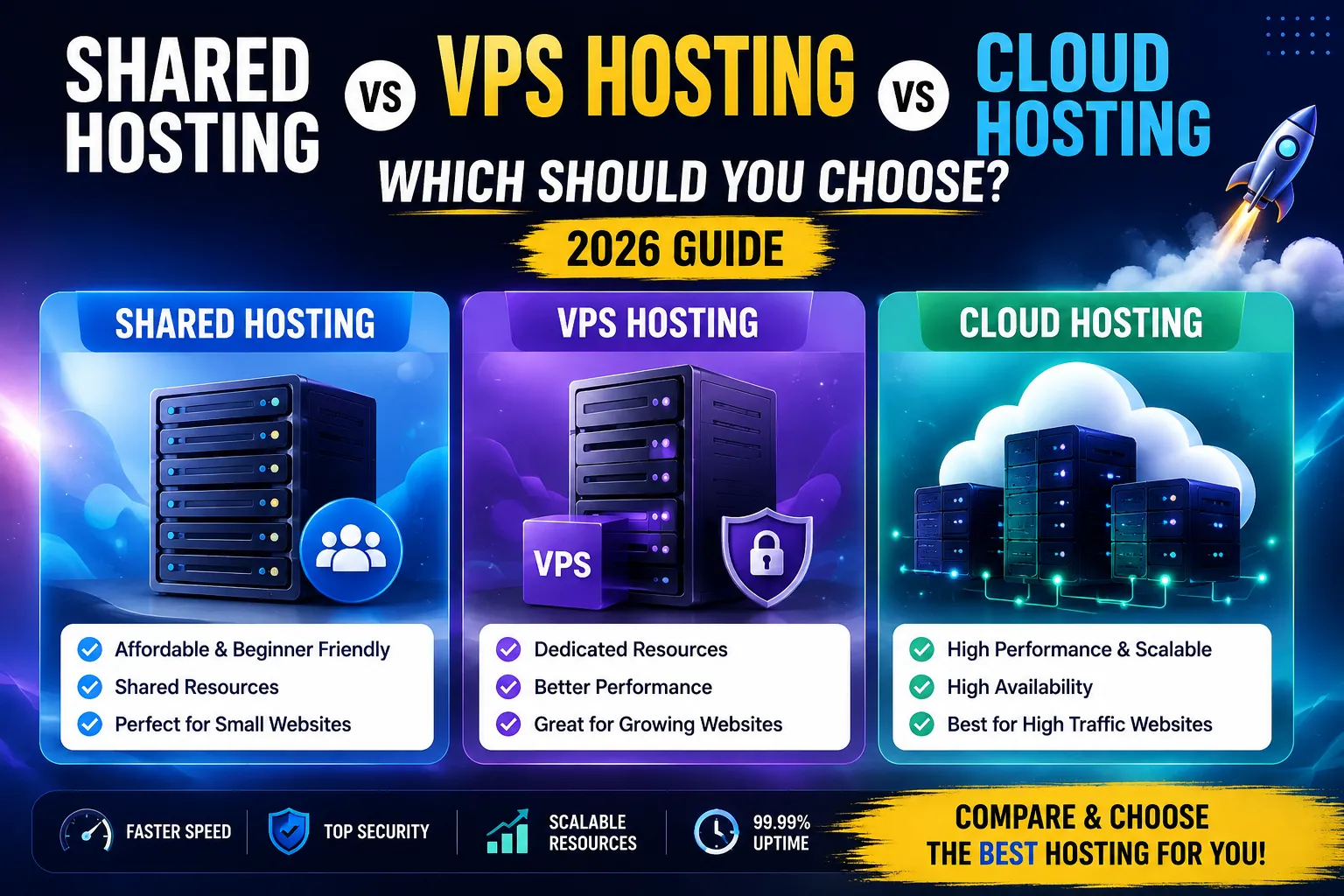
Shared Hosting vs VPS vs Cloud Hosting: Which Should You Choose? (2026 Guide)
Choosing the right web hosting is one of the most important decisions you'll make when building a website. Whether you're launching a personal blog, an online portfolio, a business website, or an eCommerce store, your hosting provider directly affects your website's speed, security, uptime, scalability, and overall user experience.
One of the biggest challenges beginners face is understanding the difference between Shared Hosting, VPS Hosting, and Cloud Hosting. These hosting types may sound similar, but they are designed for different needs and budgets. Choosing the wrong option can lead to slow website performance, unexpected downtime, limited resources, and unnecessary expenses.
In this comprehensive guide, we'll compare Shared Hosting, VPS Hosting, and Cloud Hosting in detail. You'll learn how each hosting type works, their advantages and disadvantages, pricing differences, performance levels, and which option is best suited for your website in 2026.
What Is Web Hosting?
Before comparing hosting types, it's important to understand what web hosting actually is.
Web hosting is a service that stores your website's files, images, databases, and other content on a server connected to the internet. When someone enters your domain name into a browser, the hosting server delivers your website to their device.
Without web hosting, your website cannot be accessed online.
Think of your website as a house:
- Domain Name = Your home's address.
- Website Files = Furniture and belongings.
- Hosting Server = The land where your house is built.
The quality of that "land" determines how stable, fast, and secure your website will be.
Why Choosing the Right Hosting Matters
Many beginners focus only on price when purchasing hosting, but hosting influences almost every aspect of your website.
A good hosting provider offers:
- Faster page loading speeds
- Better search engine rankings
- Strong security features
- Reliable uptime
- Easy scalability
- Better customer support
- Smooth visitor experience
Poor hosting, on the other hand, can result in:
- Slow website performance
- Frequent downtime
- Lost visitors
- Lower search rankings
- Increased bounce rates
- Security vulnerabilities
That's why selecting the appropriate hosting type is a long-term investment in your website's success.
Understanding Different Types of Hosting
There are many hosting options available, but the three most common are:
- Shared Hosting
- VPS Hosting
- Cloud Hosting
Each serves a different purpose and is suitable for different stages of website growth.
Let's explore each one in detail.
What Is Shared Hosting?
Shared Hosting is the most affordable and beginner-friendly type of web hosting.
As the name suggests, multiple websites share the same physical server and its resources, including CPU, RAM, storage, and bandwidth.
Imagine living in an apartment building. Every resident has their own apartment, but everyone shares the building's infrastructure such as electricity, water supply, parking, and elevators.
Shared hosting works in a similar way.
Although every website has its own files and databases, all websites share the server's overall resources.
This shared environment allows hosting companies to keep costs low, making Shared Hosting the most popular choice for beginners.
How Shared Hosting Works
A hosting provider installs hundreds of websites on a single server.
Whenever someone visits your website:
- The browser sends a request.
- The shared server processes the request.
- Your website is displayed.
At the same time, the server is also processing requests from many other websites.
If another website experiences a sudden traffic spike or consumes excessive resources, it may temporarily affect the performance of neighboring websites.
This is one of the main limitations of shared hosting.
Advantages of Shared Hosting
1. Affordable Pricing
Shared Hosting is the least expensive hosting option available.
Its low cost makes it ideal for:
- Personal blogs
- Students
- Portfolio websites
- Small businesses
- Beginners
Many hosting providers also offer promotional discounts during the first year.
2. Beginner Friendly
Most Shared Hosting plans include:
- One-click WordPress installation
- Free SSL certificate
- Easy dashboard
- Automatic updates
- Simple file manager
No server management knowledge is required.
3. Easy Maintenance
The hosting company handles:
- Server updates
- Hardware maintenance
- Security patches
- Network monitoring
You can focus entirely on building your website.
4. Free Website Migration
Many providers offer free migration services.
If your website is hosted elsewhere, they will transfer it for you with minimal downtime.
5. One-Click Software Installation
Most Shared Hosting plans support:
- WordPress
- Joomla
- Drupal
- Magento
- Laravel installers
This saves beginners a significant amount of time.
Disadvantages of Shared Hosting
Despite its affordability, Shared Hosting has several limitations.
Limited Resources
Since many websites share one server, available resources are divided among all users.
This can impact performance during busy periods.
Lower Performance
Heavy traffic on neighboring websites may slow down your website.
Although quality hosting providers isolate accounts effectively, shared environments still have performance limits.
Limited Customization
Users generally cannot:
- Install custom server software
- Modify server configurations
- Access root permissions
This makes Shared Hosting less suitable for advanced developers.
Scalability Limitations
As your website grows, you'll eventually outgrow Shared Hosting.
Large websites often require:
- More RAM
- Additional CPU cores
- Higher bandwidth
- Better storage performance
At that stage, upgrading becomes necessary.
Who Should Choose Shared Hosting?
Shared Hosting is ideal for:
- Beginners
- Personal websites
- Small blogs
- Startup businesses
- Portfolio websites
- Local business websites
- New affiliate websites
- Educational websites
If your website receives fewer than 20,000–30,000 monthly visitors, Shared Hosting is often sufficient.
What Is VPS Hosting?
VPS stands for Virtual Private Server.
Unlike Shared Hosting, where resources are shared equally among many websites, VPS Hosting allocates dedicated virtual resources to each user.
A single physical server is divided into several virtual servers using virtualization technology.
Each virtual server operates independently with its own:
- Operating system
- CPU allocation
- RAM
- Storage
- Software environment
Think of VPS Hosting as owning a townhouse instead of living in an apartment. You still share the overall building structure, but your living space and resources are much more private and independent.
How VPS Hosting Works
Virtualization software divides one powerful physical server into multiple independent virtual machines.
Each VPS behaves like a dedicated server.
If another VPS experiences heavy traffic, your allocated resources generally remain unaffected.
This results in:
- Better performance
- Greater stability
- Improved reliability
Compared to Shared Hosting.
Advantages of VPS Hosting
Dedicated Resources
Unlike Shared Hosting, your CPU and RAM are reserved specifically for your website.
This leads to:
- Faster loading times
- Better stability
- Consistent performance
Even during high traffic periods.
Better Security
Each VPS is isolated from others.
If another customer experiences malware or hacking attempts, your VPS is generally protected through virtualization.
This significantly improves website security.
Greater Flexibility
VPS users often have root access.
This allows developers to:
- Install custom software
- Configure server settings
- Use specific PHP versions
- Optimize server performance
This level of control isn't available with Shared Hosting.
Improved Performance
VPS Hosting handles:
- Higher visitor counts
- More simultaneous users
- Larger databases
- Dynamic websites
Much more efficiently than Shared Hosting.
Better Scalability
As your website grows, upgrading VPS resources is relatively simple.
You can usually increase:
- RAM
- CPU
- Storage
- Bandwidth
Without migrating to another server.
Disadvantages of VPS Hosting
Although VPS Hosting offers many benefits, it also has some drawbacks.
Higher Cost
VPS Hosting costs more than Shared Hosting because dedicated resources are reserved for each user.
However, the improved performance often justifies the additional investment.
More Technical Knowledge Required
Depending on your hosting plan, you may need to manage:
- Server updates
- Firewall settings
- Software installations
- Security configurations
Managed VPS plans reduce this responsibility but usually cost more.
Resource Limits Still Exist
Although VPS Hosting provides dedicated resources, every plan has limits.
If your website grows significantly, you may eventually need Cloud Hosting or Dedicated Hosting.
Who Should Choose VPS Hosting?
VPS Hosting is recommended for:
- Growing businesses
- Medium-sized blogs
- Membership websites
- Developers
- Agencies
- eCommerce stores
- SaaS applications
- Websites with increasing traffic
It's an excellent choice when Shared Hosting can no longer meet your website's performance needs but a Dedicated Server is still unnecessary.
Shared Hosting vs VPS Hosting
At this stage, the main differences become clear.
Shared Hosting focuses on affordability and simplicity, making it ideal for beginners and smaller websites. VPS Hosting, on the other hand, provides dedicated resources, greater flexibility, and improved performance for websites that have started to grow.
If your primary goal is to launch your first website with minimal investment, Shared Hosting is usually the best choice. However, if your website experiences increasing traffic, requires faster performance, or needs custom server configurations, VPS Hosting becomes the more suitable option.
What Is Cloud Hosting?
Cloud Hosting is one of the fastest-growing hosting solutions available today. Unlike Shared Hosting and VPS Hosting, which depend on a single physical server, Cloud Hosting uses multiple interconnected servers that work together as one powerful infrastructure.
Instead of storing your website on one machine, your website's files and data are distributed across several servers. If one server experiences an issue, another server immediately takes over, ensuring your website remains online.
Think of Cloud Hosting like cloud storage services such as Google Drive or OneDrive. Your files are not stored on a single computer but across multiple systems, making them more reliable and accessible.
This architecture makes Cloud Hosting one of the most reliable hosting solutions for businesses and high-traffic websites.
How Cloud Hosting Works
Cloud Hosting relies on a network of servers located in one or more data centers.
When someone visits your website:
- The request is sent to the cloud network.
- The system identifies the best available server.
- The nearest or least busy server processes the request.
- Your website is delivered quickly.
If one server becomes overloaded or fails, another server automatically continues serving your website.
This process happens within seconds without requiring any manual intervention.
Advantages of Cloud Hosting
1. Outstanding Performance
Cloud Hosting distributes traffic across multiple servers.
Benefits include:
- Faster loading times
- Better response times
- Stable performance
- Lower latency
Even during traffic spikes, websites continue running smoothly.
2. Excellent Scalability
Cloud Hosting is designed for growth.
If your website suddenly receives thousands of visitors, additional resources can be allocated automatically.
You don't need to migrate your website or purchase a new server.
Resources such as:
- CPU
- RAM
- Storage
- Bandwidth
can often be increased instantly.
3. Better Reliability
Unlike traditional hosting, Cloud Hosting doesn't rely on one server.
If hardware fails:
Another server immediately replaces it.
This results in:
- Higher uptime
- Fewer interruptions
- Better business continuity
4. Improved Security
Most Cloud Hosting providers include:
- Advanced firewalls
- DDoS protection
- Data redundancy
- Automatic backups
- Server isolation
- Malware scanning
This makes Cloud Hosting one of the safest hosting options available.
5. Pay for What You Use
Many Cloud Hosting providers offer flexible pricing.
Instead of paying for fixed resources, you pay based on actual usage.
This is especially useful for seasonal businesses.
Disadvantages of Cloud Hosting
Although Cloud Hosting offers many advantages, it isn't perfect.
Higher Cost
Cloud Hosting usually costs more than Shared Hosting.
Businesses with very small websites may not need its advanced capabilities.
More Complex Pricing
Some cloud providers charge based on:
- Storage
- CPU usage
- RAM
- Traffic
- Network requests
Understanding these pricing models may be challenging for beginners.
Advanced Configuration
Some cloud platforms require technical knowledge.
Managed Cloud Hosting solves this issue but usually comes with higher pricing.
Who Should Choose Cloud Hosting?
Cloud Hosting is perfect for:
- High-traffic blogs
- Large business websites
- SaaS applications
- News portals
- Online stores
- Educational platforms
- Enterprise websites
- Agencies
- Rapidly growing startups
Shared Hosting vs VPS vs Cloud Hosting
Now let's compare all three hosting types side by side.
1. Pricing Comparison
Shared Hosting
Cheapest hosting option.
Suitable for:
- Beginners
- Students
- Small businesses
VPS Hosting
Mid-range pricing.
Suitable for:
- Growing websites
- Medium businesses
- Developers
Cloud Hosting
Premium pricing.
Suitable for:
- Businesses
- High traffic
- Enterprise websites
Winner:
Shared Hosting for affordability.
2. Performance Comparison
Shared Hosting
Performance depends on neighboring websites.
Heavy traffic from another website may reduce performance.
VPS Hosting
Dedicated virtual resources ensure stable speed.
Better than Shared Hosting.
Cloud Hosting
Traffic is distributed across multiple servers.
Consistent high performance.
Winner:
Cloud Hosting
3. Speed Comparison
Website speed depends on:
- CPU
- RAM
- Storage
- Server software
- Network
Shared Hosting provides acceptable speed for small websites.
VPS Hosting offers significantly faster loading.
Cloud Hosting delivers the best speed because requests are processed by optimized cloud infrastructure.
Winner:
Cloud Hosting
4. Security Comparison
Shared Hosting
Basic security.
Other accounts share the same server.
VPS Hosting
Better isolation.
Improved protection.
Cloud Hosting
Enterprise-level security.
Includes:
- Firewalls
- Malware detection
- Network monitoring
- DDoS protection
Winner:
Cloud Hosting
5. Scalability Comparison
Shared Hosting has limited upgrade options.
VPS Hosting allows resource upgrades.
Cloud Hosting offers nearly unlimited scalability.
Winner:
Cloud Hosting
6. Resource Allocation
Shared Hosting
Resources shared among many websites.
VPS Hosting
Dedicated virtual resources.
Cloud Hosting
Resources dynamically allocated.
Winner:
Cloud Hosting
7. Uptime Comparison
Shared Hosting usually provides around 99.9% uptime.
VPS Hosting generally offers better stability.
Cloud Hosting often achieves 99.99% uptime because multiple servers work together.
Winner:
Cloud Hosting
Detailed Comparison Table
| Feature | Shared Hosting | VPS Hosting | Cloud Hosting |
|---|---|---|---|
| Beginner Friendly | ⭐⭐⭐⭐⭐ | ⭐⭐⭐ | ⭐⭐⭐ |
| Price | ⭐⭐⭐⭐⭐ | ⭐⭐⭐ | ⭐⭐ |
| Speed | ⭐⭐⭐ | ⭐⭐⭐⭐ | ⭐⭐⭐⭐⭐ |
| Security | ⭐⭐⭐ | ⭐⭐⭐⭐ | ⭐⭐⭐⭐⭐ |
| Scalability | ⭐⭐ | ⭐⭐⭐⭐ | ⭐⭐⭐⭐⭐ |
| Uptime | ⭐⭐⭐ | ⭐⭐⭐⭐ | ⭐⭐⭐⭐⭐ |
| Dedicated Resources | No | Yes | Yes |
| Server Isolation | Low | Medium | High |
| Root Access | No | Yes | Sometimes |
| High Traffic Support | Limited | Good | Excellent |
Which Hosting Is Best for Different Users?
Best for Beginners
Shared Hosting.
Reasons:
- Lowest price
- Easy setup
- One-click WordPress installation
- Minimal maintenance
Best for Bloggers
Shared Hosting initially.
Upgrade to VPS once monthly traffic exceeds approximately 30,000–50,000 visitors.
Best for Business Websites
VPS Hosting.
Provides better stability and security.
Best for Online Stores
Cloud Hosting.
eCommerce websites require:
- Fast loading
- High uptime
- Better security
- Scalability
Best for Developers
VPS Hosting.
Developers often require:
- Root access
- Custom software
- Multiple environments
Best for Agencies
Cloud Hosting.
Supports multiple websites with excellent scalability.
Real-Life Example
Imagine three businesses:
Small Personal Blog
Receives:
300 visitors daily.
Best Choice:
Shared Hosting.
Growing Digital Marketing Agency
Receives:
8,000 visitors daily.
Best Choice:
VPS Hosting.
Large Online Shopping Website
Receives:
100,000+ visitors daily.
Best Choice:
Cloud Hosting.
When Should You Upgrade?
Upgrade from Shared Hosting when:
- Website becomes slow
- CPU limits reached
- Frequent downtime
- More visitors
- Larger database
Upgrade from VPS to Cloud Hosting when:
- Traffic grows rapidly
- Multiple applications run
- Business expands internationally
- High availability becomes essential
Common Hosting Mistakes
Many website owners make avoidable mistakes.
Examples include:
- Buying the cheapest hosting without research
- Ignoring renewal prices
- Choosing unlimited plans without reading limits
- Not checking uptime guarantees
- Ignoring customer support quality
- Forgetting backups
- Not considering future scalability
- Buying expensive hosting for a tiny website
Choosing the right hosting today saves time and money later.
Hosting Buying Checklist
Before purchasing any hosting plan, use the following checklist to ensure you're making the right decision. Many beginners only compare prices, but several other factors determine whether a hosting provider is worth your investment.
✅ Performance
Check whether the hosting provider offers:
- SSD or NVMe storage
- LiteSpeed or NGINX servers
- Latest PHP versions
- HTTP/3 support
- Built-in caching
These technologies help improve your website's speed and overall performance.
✅ Uptime Guarantee
A reliable hosting provider should guarantee at least 99.9% uptime.
High uptime means:
- Your website stays online.
- Visitors can access your content anytime.
- Search engines can crawl your website without interruptions.
Frequent downtime can negatively affect user trust and SEO.
✅ Security Features
Security should be a top priority when selecting hosting.
Look for features such as:
- Free SSL certificate
- Firewall protection
- Malware scanning
- DDoS protection
- Automatic updates
- Daily backups
- Two-factor authentication (2FA)
These features help protect your website from cyber threats.
✅ Customer Support
Quality customer support is essential, especially for beginners.
Choose a provider that offers:
- 24/7 live chat
- Email support
- Ticket system
- Knowledge base
- Tutorials and documentation
Quick support can save hours of troubleshooting.
✅ Backup Options
Always verify:
- How often backups are created.
- How long backups are stored.
- Whether restoring backups is free.
Reliable backups protect your website against accidental data loss.
✅ Scalability
Your website may grow over time.
Choose a hosting provider that allows easy upgrades to:
- VPS Hosting
- Cloud Hosting
- Dedicated Servers
Without requiring complex website migration.
✅ Pricing Transparency
Compare:
- Introductory pricing
- Renewal pricing
- Domain renewal fees
- Additional charges
Avoid providers that advertise extremely low introductory prices but have expensive renewals.
Which Hosting Should You Choose?
Choosing the best hosting depends on your website's purpose and expected growth.
If You're Starting Your First Blog
Recommended:
Shared Hosting
Why?
- Affordable
- Easy to manage
- Minimal maintenance
- Beginner-friendly dashboard
If You're Building a Business Website
Recommended:
VPS Hosting
Reasons:
- Better performance
- Dedicated resources
- Improved reliability
- Enhanced security
If You're Running an Online Store
Recommended:
Cloud Hosting
Online stores require:
- High uptime
- Fast page loading
- Scalability
- Strong security
Cloud Hosting is built to handle these requirements efficiently.
If You're a Developer
Recommended:
VPS Hosting
Developers often need:
- Root access
- Custom software installation
- Server configuration
- Multiple development environments
If You're Running Multiple Websites
Recommended:
Cloud Hosting
Cloud infrastructure allows multiple websites to share scalable resources while maintaining excellent performance.
Hosting Myths You Should Ignore
Many misconceptions about web hosting can lead to poor decisions.
Myth 1: The Cheapest Hosting Is Always the Best
Low-cost hosting may seem attractive, but extremely cheap plans often come with:
- Limited resources
- Slower performance
- Basic support
- Higher renewal prices
Value matters more than the lowest price.
Myth 2: Unlimited Hosting Means Unlimited Everything
Many hosting providers advertise unlimited storage or bandwidth.
However, these plans usually include fair usage policies that restrict excessive resource consumption.
Always read the terms before purchasing.
Myth 3: More RAM Automatically Means Faster Websites
RAM is only one factor affecting performance.
Other important factors include:
- CPU performance
- Storage type (SSD/NVMe)
- Caching
- CDN
- Website optimization
Myth 4: Cloud Hosting Is Only for Large Companies
This is no longer true.
Many Cloud Hosting plans are affordable enough for small businesses, bloggers, and startups.
Myth 5: Switching Hosting Providers Is Difficult
Most hosting companies now provide free migration services or easy migration tools.
Changing hosting providers has become much simpler than it was a few years ago.
Common Questions Before Buying Hosting
Can I Start with Shared Hosting and Upgrade Later?
Yes.
Most providers allow you to upgrade your hosting plan without rebuilding your website.
Does Hosting Affect SEO?
Yes.
Reliable hosting improves:
- Website speed
- Uptime
- User experience
These factors indirectly contribute to better search engine rankings.
Which Hosting Is Best for WordPress?
It depends on your traffic.
- Beginners: Shared Hosting
- Growing websites: VPS Hosting
- High-traffic websites: Cloud Hosting
Is VPS Better Than Shared Hosting?
Generally, yes.
VPS provides:
- Dedicated resources
- Better security
- Improved performance
- More flexibility
However, it also costs more.
Is Cloud Hosting Better Than VPS?
Cloud Hosting offers:
- Better scalability
- Higher availability
- Greater reliability
But VPS can still be the better choice for users who need predictable pricing and greater server control.
Do Beginners Need Cloud Hosting?
Usually not.
Most beginners can comfortably start with Shared Hosting and upgrade later if needed.
Expert Recommendations
Choose Shared Hosting If:
- You're launching your first website.
- You have a limited budget.
- You expect low to moderate traffic.
- You don't want to manage a server.
Choose VPS Hosting If:
- Your website is growing.
- You need better performance.
- You require custom server configurations.
- You run business applications.
Choose Cloud Hosting If:
- Your website receives high traffic.
- You need maximum uptime.
- You operate an eCommerce store.
- Your business depends on website availability.
- You expect rapid growth.
Quick Comparison Summary
| Requirement | Best Hosting |
|---|---|
| Lowest Cost | Shared Hosting |
| Beginners | Shared Hosting |
| Bloggers | Shared Hosting |
| Small Business | VPS Hosting |
| Developers | VPS Hosting |
| eCommerce | Cloud Hosting |
| High Traffic | Cloud Hosting |
| Best Speed | Cloud Hosting |
| Best Security | Cloud Hosting |
| Best Scalability | Cloud Hosting |
| Best Performance | Cloud Hosting |
Final Verdict
There is no single hosting solution that is perfect for every website. The right choice depends on your budget, technical expertise, website goals, and expected traffic.
Shared Hosting is an excellent starting point for beginners because it is affordable, easy to use, and provides all the essential features needed to launch a website. It is ideal for blogs, personal websites, portfolios, and small business sites with moderate traffic.
VPS Hosting is the next step for websites that have outgrown shared hosting. It offers dedicated resources, improved performance, greater flexibility, and enhanced security. Businesses, developers, and websites with increasing traffic can benefit significantly from VPS Hosting.
Cloud Hosting is the most powerful option among the three. It delivers exceptional speed, high availability, excellent scalability, and enterprise-grade reliability. Websites that experience unpredictable traffic, operate online stores, or require maximum uptime should strongly consider Cloud Hosting.
Ultimately, the best strategy is to choose a hosting solution that fits your current needs while allowing room for future growth. Starting with the right hosting not only improves your website's performance and user experience but also reduces migration challenges and long-term costs. By carefully evaluating performance, security, scalability, support, and pricing, you can confidently select a hosting plan that will support your website's success for years to come.
Your email address will not be published. Comments are moderated.
0 Comments on This Post
Leave a Reply
Comments (0)
Spread the Word!
Join Our Developer Community!
Get weekly coding tips, tool updates, and exclusive tutorials straight to your inbox.
Request a Tool
×