Managed WordPress Hosting vs Shared Hosting: Complete Comparison Guide for 2026
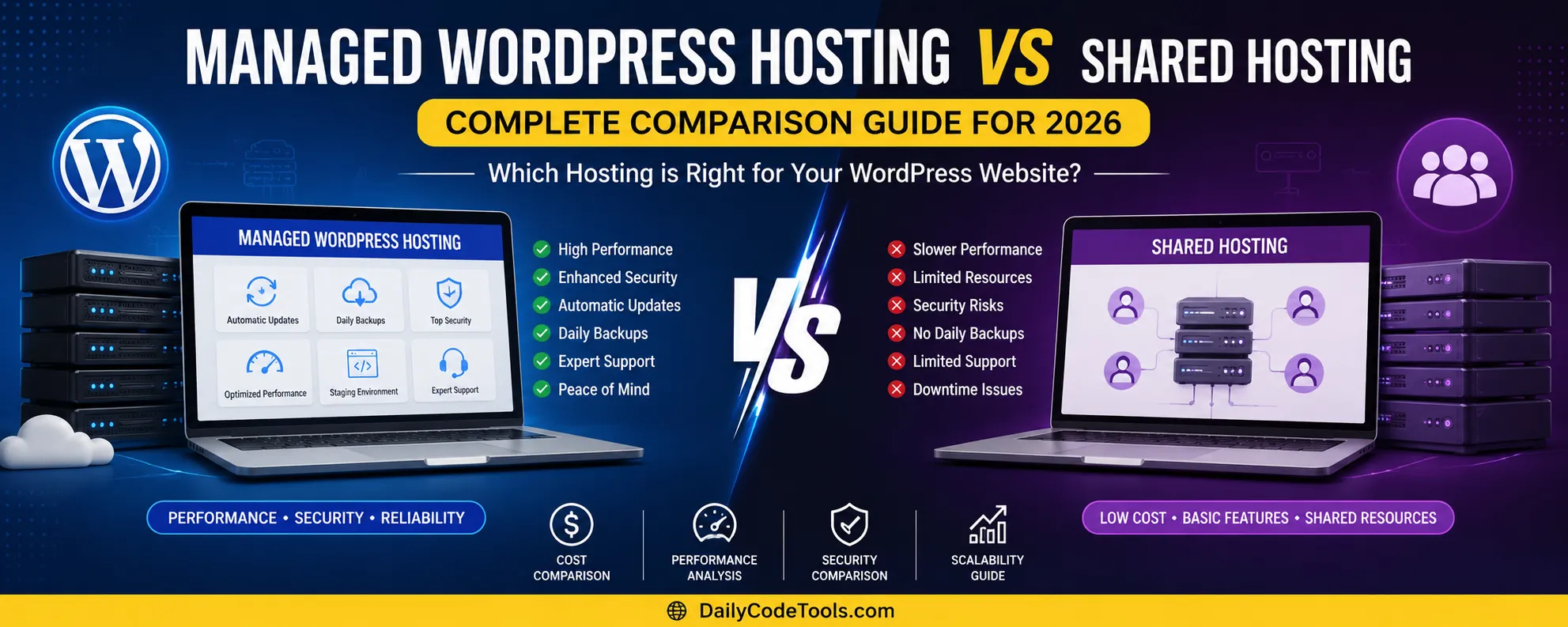
Introduction
Choosing the right web hosting platform is one of the most important decisions when creating a WordPress website.
Many beginners and businesses struggle to decide between:
- Managed WordPress Hosting
- Shared Hosting
Both hosting solutions have advantages and disadvantages.
Shared hosting is popular because it is affordable and beginner-friendly, while managed WordPress hosting focuses on performance, security, automatic maintenance, and WordPress optimization.
The right choice depends on:
- Website size
- Budget
- Traffic expectations
- Technical knowledge
- Business goals
This complete guide explains the differences between Managed WordPress Hosting and Shared Hosting to help you choose the best solution.
What Is Shared Hosting?
Shared hosting is the most common type of web hosting.
In shared hosting, multiple websites are hosted on the same physical server.
Resources such as:
- CPU
- RAM
- Storage
- Server bandwidth
are shared between different users.
Think of shared hosting like living in an apartment building.
The building represents the server.
Each website represents an apartment.
Everyone shares:
- Electricity
- Water
- Common facilities
Similarly, websites share server resources.
Advantages of Shared Hosting
1. Affordable Pricing
The biggest advantage of shared hosting is cost.
It is one of the cheapest ways to launch a website.
Suitable for:
- Beginners
- Bloggers
- Small businesses
- Personal websites
2. Easy Setup
Most shared hosting providers offer:
- One-click WordPress installation
- Control panel access
- Website builders
- Email setup
No advanced technical skills are required.
3. Beginner Friendly
Shared hosting is designed for users who want to focus on creating content instead of managing servers.
The hosting company handles:
- Hardware maintenance
- Server management
- Network configuration
Disadvantages of Shared Hosting
1. Limited Performance
Since multiple websites share resources, performance can decrease during high usage.
Problems include:
- Slow loading speed
- Limited processing power
- Reduced performance during traffic spikes
2. Less Optimization
Shared hosting servers are designed for many types of websites.
They are not always specifically optimized for WordPress.
3. Security Risks
Although good providers isolate accounts, shared environments have more security challenges compared to managed solutions.
What Is Managed WordPress Hosting?
Managed WordPress Hosting is a specialized hosting solution designed specifically for WordPress websites.
The hosting provider manages technical tasks such as:
- WordPress updates
- Security monitoring
- Performance optimization
- Backups
- Server configuration
The goal is to provide a faster and easier WordPress experience.
How Managed WordPress Hosting Works
Managed WordPress hosting uses servers optimized specifically for WordPress.
These servers include:
- WordPress-specific caching
- Database optimization
- Security rules
- Automatic updates
- Performance monitoring
Instead of managing technical tasks yourself, experts handle many maintenance activities.
Advantages of Managed WordPress Hosting
1. Better Performance
Managed WordPress hosting is optimized for WordPress websites.
Benefits:
- Faster page loading
- Better caching
- Improved server response
- Higher reliability
This is especially useful for:
- Blogs
- Business websites
- Ecommerce stores
2. Automatic WordPress Updates
Keeping WordPress updated is important for:
- Security
- Compatibility
- Performance
Managed hosting providers often handle:
- WordPress core updates
- Security patches
- Plugin compatibility checks
3. Enhanced Security
Managed WordPress hosting usually includes advanced protection.
Features:
- Malware scanning
- Firewall rules
- Security monitoring
- Automatic backups
4. Expert WordPress Support
Support teams understand WordPress-specific issues.
They can help with:
- Plugin problems
- Theme issues
- Performance optimization
- WordPress errors
Managed WordPress Hosting vs Shared Hosting Comparison
| Feature | Shared Hosting | Managed WordPress Hosting |
|---|---|---|
| Price | Low | Higher |
| Performance | Basic | Excellent |
| WordPress Optimization | Limited | Advanced |
| Security | Standard | Advanced |
| Updates | User Managed | Automatic |
| Backups | Basic | Advanced |
| Support | General | WordPress Experts |
| Scalability | Limited | Better |
| Beginner Friendly | Yes | Yes |
| Control | More General | WordPress Focused |
Which Hosting Is Faster?
Generally, Managed WordPress Hosting provides better performance because servers are specifically optimized for WordPress.
Performance advantages include:
- Better caching
- Optimized database configuration
- Faster server response
- WordPress-specific technology
However, a well-configured shared hosting plan can still perform well for small websites.
Which Hosting Is More Secure?
Managed WordPress Hosting usually provides stronger security.
Reasons:
- WordPress-focused monitoring
- Automatic updates
- Malware protection
- Specialized security rules
Shared hosting can also be secure when provided by a reliable company.
Which Hosting Is Cheaper?
Shared hosting is significantly cheaper.
Typical pricing:
Shared Hosting:
$2-$10/month
Managed WordPress Hosting:
$10-$50+/month
For beginners with limited budgets, shared hosting is often the better starting point.
Who Should Choose Shared Hosting?
Shared hosting is suitable for:
New Bloggers
Starting a new blog with low traffic.
Personal Websites
Portfolio or personal projects.
Small Business Websites
Basic company websites.
Learning Projects
Testing WordPress and website development.
Who Should Choose Managed WordPress Hosting?
Managed WordPress hosting is better for:
Growing Blogs
Websites receiving thousands of visitors.
Businesses
Companies that depend on website performance.
Ecommerce Websites
Online stores requiring reliability.
Professional Websites
Websites where downtime affects revenue.
Performance Comparison: Managed WordPress Hosting vs Shared Hosting
Website performance is one of the biggest differences between Managed WordPress Hosting and Shared Hosting.
A fast website improves:
- User experience
- Conversion rate
- Search engine performance
- Visitor engagement
A slow website can create problems:
- Higher bounce rate
- Lower customer trust
- Reduced sales
- Poor SEO performance
How Shared Hosting Performance Works
In shared hosting, multiple websites use the same server resources.
Resources include:
- CPU power
- RAM
- Storage speed
- Network capacity
If another website on the same server receives a sudden traffic spike, it may affect other websites.
This situation is called the "neighbor effect."
Example:
Imagine 500 websites are hosted on one server.
One website becomes viral and receives thousands of visitors.
That website may consume more:
- CPU
- Memory
- Database resources
Other websites may become slower.
How Managed WordPress Hosting Performance Works
Managed WordPress hosting is designed specifically for WordPress websites.
Hosting companies optimize the server environment for WordPress.
Common optimization features include:
Advanced Caching
Caching stores frequently used website data.
Benefits:
- Faster page loading
- Reduced server workload
- Better user experience
WordPress Optimized Servers
Servers are configured specifically for WordPress.
Optimization includes:
- Database tuning
- PHP optimization
- WordPress security rules
CDN Integration
Many managed WordPress hosting providers include CDN support.
A CDN helps deliver website content faster worldwide.
Example:
A visitor from the USA can access content from a nearby server instead of a server located in another country.
Benefits:
- Global speed improvement
- Lower latency
- Better reliability
Performance Winner
Winner: Managed WordPress Hosting
Reason:
It provides better optimization, caching, and WordPress-specific performance improvements.
However, small websites may not notice a huge difference initially.
Security Comparison
Website security is critical regardless of website size.
Every website can face:
- Malware attacks
- Brute force attempts
- Data theft
- Vulnerability exploitation
Shared Hosting Security
Good shared hosting providers provide:
- SSL certificates
- Server monitoring
- Firewall protection
- Basic malware scanning
However, users are usually responsible for:
- WordPress updates
- Plugin updates
- Security configuration
Managed WordPress Hosting Security
Managed hosting provides additional protection.
Common security features:
Automatic Updates
WordPress core updates are handled automatically.
This reduces security risks from outdated software.
Malware Monitoring
The system continuously checks for suspicious activity.
WordPress Firewall Rules
Special security rules block common WordPress attacks.
Automatic Backups
Managed hosting usually includes:
- Daily backups
- Restore points
- Automatic recovery options
Security Winner
Winner: Managed WordPress Hosting
Because security management is built specifically around WordPress.
SEO Comparison: Which Hosting Is Better for Google Rankings?
Hosting does not directly guarantee higher rankings, but it affects important SEO factors.
Important hosting-related SEO factors:
- Website speed
- Uptime
- Security
- Server reliability
Shared Hosting SEO Impact
Shared hosting can work well for SEO if:
- Website loads quickly
- Server uptime is good
- Hosting provider is reliable
Many successful websites use shared hosting.
Problems occur when:
- Server performance is poor
- Website frequently goes offline
- Loading speed becomes slow
Managed WordPress Hosting SEO Benefits
Managed hosting can improve SEO through:
Faster Loading Speed
Speed affects user experience.
Better Uptime
Reliable servers keep websites available.
Security Protection
Secure websites build trust.
SEO Winner
Winner: Managed WordPress Hosting
Because performance optimization is usually stronger.
Cost Comparison
Price is one of the biggest differences.
Shared Hosting Pricing
Typical range:
$2 - $10/month
Suitable for:
- Beginners
- Small websites
- Personal projects
Managed WordPress Hosting Pricing
Typical range:
$10 - $50+/month
Suitable for:
- Professional websites
- Businesses
- High traffic blogs
Why Managed Hosting Costs More?
Because you are paying for:
- Server optimization
- Expert support
- Security management
- Automatic maintenance
- Performance tools
Cost Winner
Winner: Shared Hosting
For users with limited budgets.
Ease of Use Comparison
Both options are beginner-friendly, but they provide different experiences.
Shared Hosting Management
Users manage:
- WordPress installation
- Updates
- Security
- Backups
- Optimization
The hosting company manages only the server.
Managed WordPress Hosting Management
The hosting company handles:
- WordPress updates
- Security checks
- Backups
- Performance optimization
You focus on:
- Creating content
- Growing your business
- Managing customers
Ease of Use Winner
Winner: Managed WordPress Hosting
Because technical maintenance is reduced.
Backup Comparison
Backups protect your website from unexpected problems.
Shared Hosting Backups
Backup features depend on the provider.
Some providers include:
- Weekly backups
- Basic restore options
Others charge extra.
Managed WordPress Hosting Backups
Usually includes:
- Daily backups
- Automatic restore
- Multiple backup versions
Backup Winner
Winner: Managed WordPress Hosting
Support Comparison
Support quality becomes important when problems occur.
Shared Hosting Support
Support teams usually help with:
- Server issues
- Hosting settings
- Basic configuration
They may not solve:
- Plugin conflicts
- Theme problems
- WordPress errors
Managed WordPress Support
Support teams understand WordPress.
They can help with:
- Plugin issues
- WordPress optimization
- Database problems
- Security problems
Support Winner
Winner: Managed WordPress Hosting
Scalability Comparison
A website may grow over time.
Shared Hosting Scalability
Good for:
- Small websites
- Low traffic blogs
Limitations:
- Resource restrictions
- Performance issues during traffic spikes
Managed WordPress Hosting Scalability
Designed for:
- Growing websites
- Professional blogs
- Ecommerce websites
Benefits:
- Better resource management
- Easier upgrades
- Better performance handling
Scalability Winner
Winner: Managed WordPress Hosting
Ecommerce Website Comparison
Choosing the right hosting is extremely important for online stores.
Ecommerce websites require:
- Fast loading
- Security
- Database performance
- Reliable uptime
Shared Hosting for Ecommerce
Suitable for:
- Small stores
- Few products
- Low traffic
Problems:
- Limited resources
- Slower checkout experience
- Performance limitations
Managed WordPress Hosting for Ecommerce
Better for:
- WooCommerce stores
- Growing businesses
- High customer activity
Advantages:
- Better speed
- Security monitoring
- Automatic backups
- Better reliability
Ecommerce Winner
Winner: Managed WordPress Hosting
Developer Comparison
Developers may have different requirements.
Shared Hosting for Developers
Advantages:
- Cheap testing environment
- Easy deployment
Limitations:
- Less server control
- Limited customization
Managed WordPress Hosting for Developers
Advantages:
- WordPress optimization
- Better tools
- Staging environments
Limitations:
- Less flexibility compared to VPS
Developer Winner
Depends on the project.
For WordPress development:
Managed WordPress Hosting
For custom applications:
VPS/Cloud Hosting
Migration Comparison
Moving websites can be complicated.
Shared Hosting Migration
Usually requires:
- Manual file transfer
- Database export/import
- DNS configuration
Managed WordPress Migration
Many providers offer:
- Free migration
- Automatic transfer
- Testing before launch
Migration Winner
Managed WordPress Hosting
Real-World Examples
Example 1: New Blog
Requirements:
- 5 articles per week
- Low traffic
- Limited budget
Best Choice:
Shared Hosting
Reason:
Affordable and enough resources.
Example 2: Growing Content Website
Requirements:
- Thousands of visitors
- Regular publishing
- Revenue from ads
Best Choice:
Managed WordPress Hosting
Reason:
Better speed and reliability.
Example 3: Online Store
Requirements:
- Products
- Payments
- Customer accounts
Best Choice:
Managed WordPress Hosting
Reason:
Performance and security.
Quick Decision Guide
Choose Shared Hosting if:
✅ You are starting a new website
✅ Budget is limited
✅ Traffic is low
✅ You can manage WordPress yourself
Choose Managed WordPress Hosting if:
✅ Website generates income
✅ Performance matters
✅ You want automatic maintenance
✅ You need expert WordPress support
Complete Comparison Table: Managed WordPress Hosting vs Shared Hosting
| Feature | Shared Hosting | Managed WordPress Hosting |
|---|---|---|
| Price | Low cost | Higher cost |
| Target Users | Beginners | Professionals & businesses |
| WordPress Optimization | Basic | Advanced |
| Server Management | User handles website tasks | Provider handles technical tasks |
| Performance | Good for small websites | Excellent for growing websites |
| Speed Optimization | Limited | WordPress-specific optimization |
| Security | Basic protection | Advanced WordPress security |
| Backups | Depends on provider | Usually automatic |
| Updates | User responsibility | Automatic updates |
| Support | General hosting support | WordPress experts |
| Scalability | Limited | Better scalability |
| CDN Support | Sometimes available | Usually included |
| Staging Environment | Rare | Common |
| Plugin Management | User manages | Often supported |
| Server Configuration | General | WordPress optimized |
| Beginner Friendly | Yes | Yes |
| Ecommerce Support | Basic stores | Better for WooCommerce |
| Traffic Handling | Low-medium traffic | Medium-high traffic |
Hidden Disadvantages of Shared Hosting
Shared hosting is popular because of its affordable price, but it has some limitations.
1. Resource Competition
Since many websites share the same server, resources are divided.
During high traffic periods:
- Website speed may decrease
- Server response may become slower
- Visitors may experience delays
2. Limited Customization
Shared hosting users usually cannot modify advanced server settings.
You may have limited access to:
- Server configuration
- PHP settings
- Performance tuning
3. Manual Maintenance
Website owners need to manage:
- WordPress updates
- Plugin updates
- Security checks
- Backups
For beginners, this can become difficult.
4. Growth Limitations
A website that grows quickly may outgrow shared hosting.
Signs you need an upgrade:
- Slow loading speed
- Frequent errors
- Database performance issues
- Traffic-related downtime
Hidden Disadvantages of Managed WordPress Hosting
Managed hosting is powerful, but it also has limitations.
1. Higher Cost
The biggest disadvantage is price.
Managed WordPress hosting costs more because it includes:
- Expert management
- Security monitoring
- Optimization services
2. Less Server Control
Advanced developers may prefer VPS hosting because managed hosting limits some server-level customization.
3. WordPress Only
Managed WordPress hosting is designed specifically for WordPress.
It may not support:
- Custom frameworks
- Non-WordPress applications
- Other CMS platforms
Which Hosting Should You Choose in 2026?
The correct choice depends on your website goals.
Choose Shared Hosting If:
You Are Creating Your First Website
If you are learning website creation, shared hosting is a great starting point.
Benefits:
- Low investment
- Easy setup
- Beginner friendly
Your Website Has Low Traffic
Suitable for:
- New blogs
- Portfolio websites
- Small business pages
Your Budget Is Limited
Shared hosting allows you to start online without high expenses.
Choose Managed WordPress Hosting If:
Your Website Is Important for Business
If your website generates:
- Leads
- Revenue
- Customers
performance becomes important.
You Want Less Technical Work
Managed hosting handles:
- Updates
- Security
- Optimization
- Backups
You Need Better Performance
Suitable for:
- Growing blogs
- News websites
- Membership websites
- WooCommerce stores
Hosting Decision Based on Website Stage
New Website Stage
Visitors:
0-5,000/month
Recommended:
Shared Hosting
Focus:
- Creating content
- Learning SEO
- Building audience
Growing Website Stage
Visitors:
5,000-50,000/month
Recommended:
Managed WordPress Hosting
Focus:
- Speed
- Reliability
- User experience
Professional Website Stage
Visitors:
50,000+/month
Recommended:
Advanced Managed Hosting, VPS, or Cloud Hosting
Focus:
- Maximum performance
- Security
- Scalability
Migration Checklist: Moving From Shared Hosting to Managed WordPress Hosting
When your website grows, migration becomes necessary.
Follow these steps:
Step 1: Create a Complete Backup
Before migration:
Backup:
- Website files
- Database
- Images
- Configuration files
Never migrate without a backup.
Step 2: Select New Managed Hosting
Check:
✓ Performance
✓ Security features
✓ Backup options
✓ Support quality
✓ Pricing
Step 3: Transfer Website Files
Move:
- WordPress files
- Themes
- Plugins
- Media files
Step 4: Transfer Database
Export your database and import it into the new hosting environment.
Check:
- Database connection
- User permissions
- Website functionality
Step 5: Test Before Going Live
Check:
- Homepage
- Blog pages
- Images
- Forms
- Login system
- Checkout process
Step 6: Update DNS Settings
Point your domain to the new hosting provider.
DNS changes may take time to complete worldwide.
How To Optimize Shared Hosting Performance
If you choose shared hosting, you can still improve performance.
Use Lightweight Themes
Avoid heavy themes with unnecessary features.
Choose:
- Fast themes
- Clean designs
- Optimized code
Reduce Plugins
Too many plugins can slow WordPress.
Remove:
- Unused plugins
- Duplicate functionality
- Poorly coded plugins
Optimize Images
Large images increase loading time.
Use:
- WebP images
- Compression
- Proper image dimensions
Enable Caching
Caching improves:
- Page speed
- Server performance
- Visitor experience
Use CDN
A CDN improves global loading speed.
Especially useful for:
- International visitors
- Media-heavy websites
How Managed WordPress Hosting Improves Productivity
Managed hosting saves time by handling technical tasks.
Instead of spending hours on:
- Updates
- Security checks
- Server issues
You can focus on:
- Writing content
- Marketing
- Growing your business
- Improving products
For business owners, saved time can be more valuable than saving a few dollars.
Frequently Asked Questions (FAQ)
Is Managed WordPress Hosting better than Shared Hosting?
Managed WordPress Hosting is generally better for performance, security, and maintenance. However, shared hosting is a better choice for beginners and small websites with limited budgets.
Is Shared Hosting bad for WordPress?
No. Shared hosting can run WordPress successfully. Many small websites use shared hosting. Problems usually appear when websites grow and require more resources.
Does Managed WordPress Hosting improve SEO?
Managed hosting can improve SEO indirectly by providing:
- Faster loading speed
- Better uptime
- Improved security
SEO depends on many factors, but good hosting supports better website performance.
Is Managed WordPress Hosting worth the extra cost?
For businesses, professional blogs, and revenue-generating websites, the extra cost is often worth it because it saves time and improves reliability.
Can beginners use Managed WordPress Hosting?
Yes. Managed WordPress hosting is beginner-friendly because many technical tasks are handled automatically.
Can I move from Shared Hosting to Managed WordPress Hosting?
Yes. Most hosting providers support migration. Some offer free migration services.
Which hosting is best for WooCommerce?
Managed WordPress Hosting is usually better for WooCommerce because online stores require:
- Better performance
- Security
- Reliability
- Backup systems
How much traffic can Shared Hosting handle?
It depends on the provider and website optimization. Small websites can handle thousands of visitors monthly, but high traffic websites usually need better hosting.
Does Managed WordPress Hosting include backups?
Many managed WordPress providers include automatic backups, but always confirm backup frequency before purchasing.
Final Conclusion
Managed WordPress Hosting and Shared Hosting both have their own advantages.
Shared Hosting is an excellent choice for:
- Beginners
- New bloggers
- Small websites
- Personal projects
It provides an affordable way to start online.
Managed WordPress Hosting is better for:
- Growing websites
- Businesses
- Professional bloggers
- Ecommerce stores
It provides better speed, security, support, and automation.
The best choice depends on your current needs and future goals.
If you are starting your first website and have a limited budget, shared hosting is a practical starting point.
If your website is an important business asset where speed, security, and reliability matter, managed WordPress hosting is the better investment.
A good hosting decision creates a strong foundation for your website growth, user experience, and long-term online success.
Your email address will not be published. Comments are moderated.
0 Comments on This Post
Leave a Reply
Comments (0)
Spread the Word!
Join Our Developer Community!
Get weekly coding tips, tool updates, and exclusive tutorials straight to your inbox.
Request a Tool
×