How to Choose a Web Hosting Company (Complete Checklist)
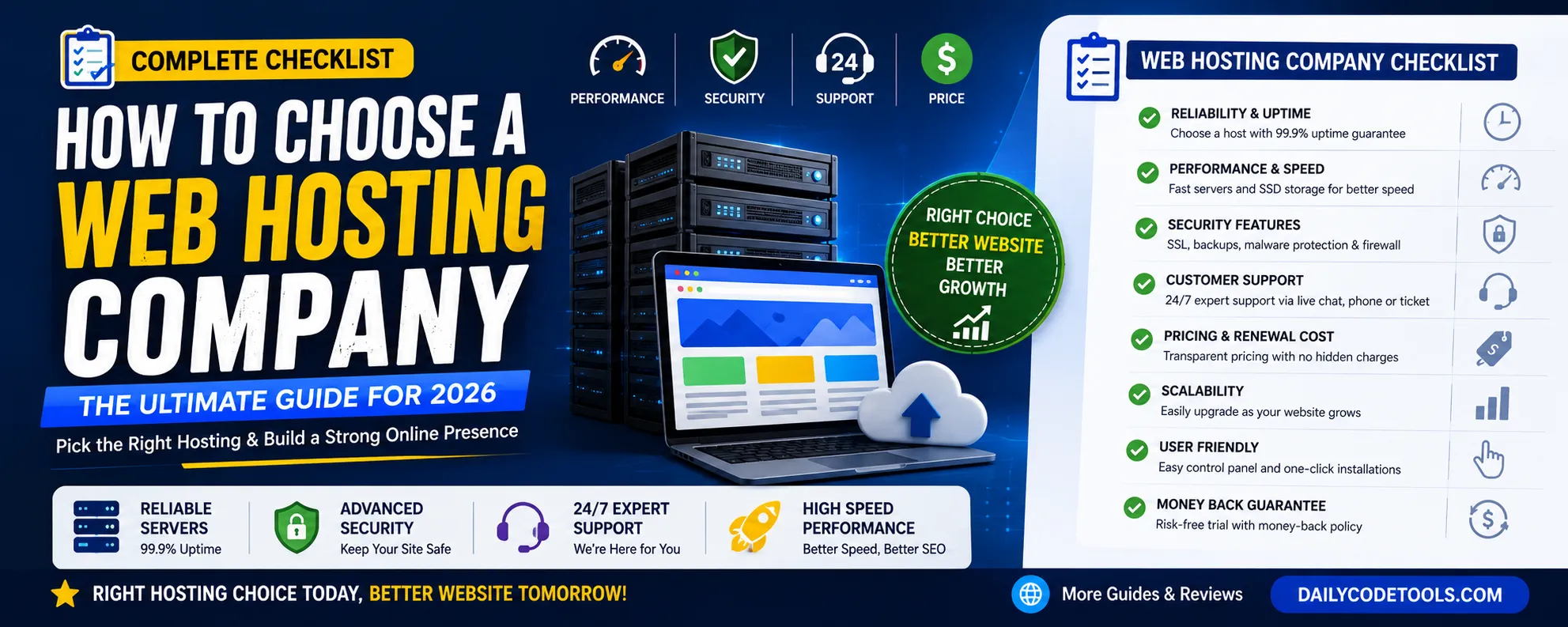
Choosing the right web hosting company is one of the most important decisions you will make when creating a website. Whether you are launching a personal blog, business website, online store, portfolio, SaaS application, or content platform, your hosting provider directly affects your website performance, security, user experience, and search engine rankings.
Many beginners select hosting only based on price because dozens of companies advertise extremely cheap plans. However, a low-cost hosting plan may create serious problems later, including slow loading speed, frequent downtime, security risks, limited resources, and poor customer support.
A website is not just a collection of pages and images. It is a digital asset that represents your brand, business, and online presence. Choosing the wrong hosting company can negatively impact your visitors and revenue.
This complete web hosting checklist will help you understand every important factor before selecting a hosting provider.
Why Choosing the Right Web Hosting Company Matters
Web hosting is the foundation of your website. Every website needs a server where its files, databases, images, and applications are stored.
When someone visits your website, the hosting server processes the request and delivers your website content to the visitor's browser.
A quality hosting provider helps you achieve:
1. Faster Website Speed
Website speed has become extremely important because users expect websites to load quickly.
A slow website can:
- Increase bounce rate
- Reduce conversions
- Lower search rankings
- Create a poor user experience
For example, an ecommerce website taking several seconds to load may lose potential customers because visitors leave before completing purchases.
A good hosting company invests in:
- Modern servers
- SSD or NVMe storage
- High-performance processors
- Optimized networking
- Caching technology
- Content Delivery Network (CDN) support
2. Better Website Reliability
Imagine running a business website that becomes unavailable during peak traffic hours.
Every minute of downtime can mean:
- Lost customers
- Lost sales
- Reduced trust
- Negative brand impression
Reliable hosting companies maintain strong infrastructure with:
- Multiple data centers
- Backup power systems
- Network monitoring
- Server redundancy
- Professional maintenance
Always check uptime guarantees before purchasing hosting.
Most professional hosting providers offer around 99.9% uptime.
Although no server can guarantee 100% uptime, a reliable provider should minimize interruptions.
3. Improved SEO Performance
Search engines consider website experience when ranking pages.
Hosting quality affects several SEO factors:
Website Speed
Fast websites provide better user experience and can perform better in search results.
Server Availability
If search engine crawlers frequently find your website offline, it can affect indexing.
Security
HTTPS, SSL certificates, and secure servers help build trust.
Server Location
A server closer to your audience can reduce latency and improve loading speed.
For websites targeting global visitors, using CDN technology helps deliver content faster worldwide.
Understanding Different Types of Web Hosting
Before choosing a hosting company, you need to understand different hosting categories.
Every website has different requirements, so the best hosting option depends on your goals.
1. Shared Hosting
Shared hosting is the most popular option for beginners.
In shared hosting, multiple websites use resources from the same physical server.
Advantages:
- Affordable pricing
- Easy setup
- Beginner friendly
- Suitable for small websites
- Usually includes control panel access
Disadvantages:
- Resources are shared
- Performance can decrease during traffic spikes
- Limited customization options
Shared hosting is suitable for:
- Personal blogs
- Small business websites
- Portfolio websites
- New websites
However, growing websites may eventually require upgrading.
2. VPS Hosting (Virtual Private Server)
VPS hosting provides a dedicated portion of server resources.
Although multiple websites still exist on one physical machine, each VPS environment works independently.
Advantages:
- Better performance
- More control
- Dedicated resources
- Improved scalability
- Suitable for developers
Disadvantages:
- More expensive
- Requires technical knowledge
- Server management may be required
VPS hosting is suitable for:
- Growing websites
- Web applications
- Medium businesses
- High traffic blogs
3. Cloud Hosting
Cloud hosting uses multiple connected servers instead of a single server.
If one server experiences problems, another server can handle the workload.
Advantages:
- High reliability
- Flexible resources
- Better scalability
- Handles traffic spikes
Disadvantages:
- Pricing can vary
- Requires understanding of resource usage
Cloud hosting is suitable for:
- Ecommerce websites
- SaaS applications
- Large content websites
- Growing online businesses
4. Dedicated Hosting
Dedicated hosting provides an entire physical server for one customer.
This gives maximum performance and control.
Advantages:
- Maximum resources
- Complete server control
- High performance
- Advanced customization
Disadvantages:
- Expensive
- Requires server management skills
Dedicated hosting is generally used by:
- Large companies
- Enterprise websites
- High-traffic platforms
Step-by-Step Checklist Before Choosing a Hosting Company
Now let's discuss the most important factors you should check before purchasing hosting.
1. Identify Your Website Requirements
The first mistake many people make is buying hosting without understanding their needs.
Before choosing a hosting provider, answer these questions:
What type of website are you creating?
Examples:
- Blog
- Business website
- Ecommerce store
- Forum
- Membership website
- Web application
How much traffic do you expect?
A website receiving 100 visitors monthly has different requirements compared to a website receiving 100,000 visitors monthly.
What technology will you use?
Examples:
- WordPress
- PHP
- Laravel
- CodeIgniter
- React
- Node.js
- Database applications
Your technology stack determines hosting requirements.
2. Check Server Performance
Performance should be one of your highest priorities.
A hosting company should provide:
SSD/NVMe Storage
Modern storage technology improves:
- File loading
- Database performance
- Website response time
Modern PHP Versions
If your website uses PHP, ensure the hosting supports updated versions.
Older PHP versions may create:
- Security vulnerabilities
- Slow performance
- Compatibility issues
Server Optimization
Professional hosting providers optimize their servers for:
- Speed
- Security
- Stability
3. Evaluate Bandwidth and Storage Limits
Many hosting companies advertise unlimited resources, but always read the terms carefully.
Check:
- Storage space
- Monthly bandwidth
- Database limits
- File limits
- Email accounts
- CPU usage limits
A website with many images, videos, or large files requires more resources.
4. Check Security Features
Website security should never be ignored.
A reliable hosting provider should include:
SSL Certificate
SSL encrypts communication between visitors and your website.
Benefits:
- Enables HTTPS
- Builds visitor trust
- Protects user data
Malware Protection
Security scanning helps detect harmful files.
Firewall Protection
Firewalls block suspicious traffic.
Backup System
Regular backups protect your website from:
- Server failures
- Malware attacks
- Accidental deletion
- Configuration mistakes
5. Analyze Customer Support Quality
Customer support is one of the most underrated factors when choosing a web hosting company.
Many website owners only think about price and features while purchasing hosting, but problems usually appear after launching a website.
You may face issues like:
- Website suddenly going offline
- Database connection errors
- Email delivery problems
- SSL certificate issues
- Server configuration errors
- Migration problems
- Performance slowdowns
At that time, fast and knowledgeable support becomes extremely important.
A reliable hosting provider should offer:
24/7 Customer Support
Your website runs continuously. Technical problems do not follow business hours.
Look for providers offering:
- 24/7 live chat
- Email support
- Ticket system
- Phone support
- Knowledge base documentation
Test Support Before Buying
Before purchasing a hosting plan, contact customer support and ask questions.
Check:
- How quickly they respond
- Whether they provide useful answers
- Whether support agents understand technical issues
A company that provides excellent support before purchase usually maintains better service after purchase.
6. Review Hosting Control Panel
The control panel is where you manage your website.
A good control panel makes website management simple even for beginners.
Common hosting control panels include:
cPanel
One of the most popular control panels worldwide.
Features:
- File management
- Database management
- Email accounts
- Domain settings
- SSL installation
- Backup management
Custom Hosting Panels
Some companies create their own dashboards.
Advantages:
- Simple interface
- Better integration
- Beginner friendly
Before selecting hosting, check whether the control panel provides all necessary features.
Important tools include:
- File manager
- FTP access
- Database manager
- Cron jobs
- Email management
- Domain management
- Backup tools
7. Understand Pricing Structure and Hidden Costs
Price is important, but choosing hosting only because it is cheap can become expensive later.
Many hosting companies use low introductory prices to attract customers.
For example:
First year:
$2.99/month
Renewal:
$8.99/month
Always check:
- Initial price
- Renewal price
- Domain renewal charges
- SSL charges
- Backup costs
- Migration fees
- Email service costs
A good hosting decision should consider long-term expenses.
8. Check Free Migration Services
Moving an existing website from one hosting provider to another can be complicated.
A professional hosting company often provides free migration assistance.
Migration support may include:
- Website file transfer
- Database migration
- Email migration
- DNS configuration
- Testing before launch
Free migration saves time and reduces technical problems.
9. Evaluate Backup and Restore Options
Backups are your website's safety system.
Even secure websites can experience problems because of:
- Human mistakes
- Plugin conflicts
- Server failures
- Security attacks
- Incorrect updates
A good hosting company should provide:
Automatic Backups
Regular backups reduce risk.
Common backup schedules:
- Daily backups
- Weekly backups
- Monthly backups
Easy Restore
A backup is useful only if you can restore it quickly.
Look for:
- One-click restore
- Multiple backup versions
- Independent backup storage
Never depend completely on your hosting company. Maintaining your own backup is always recommended.
10. Check Data Center Locations
Server location affects website speed.
When a visitor opens your website, data travels between the server and the visitor.
The shorter the distance, the faster the response.
Example:
A website targeting:
United States Visitors
Choose:
- USA data centers
- North American servers
European Visitors
Choose:
- European data centers
Asian Visitors
Choose:
- Asian servers
For global websites, use:
- Multiple data centers
- CDN services
- Edge caching
This helps users worldwide access your website faster.
11. Consider CDN Integration
A Content Delivery Network (CDN) stores copies of your website files across multiple locations worldwide.
When someone visits your website, content is delivered from the nearest server location.
Benefits:
- Faster loading speed
- Better global performance
- Reduced server load
- Improved user experience
CDN is especially useful for:
- Blogs with international readers
- Ecommerce websites
- Media websites
- SaaS platforms
12. Check Scalability Options
Your website may start small but grow over time.
A good hosting company should allow easy upgrades.
For example:
Small Blog:
Shared Hosting
↓
Growing Website:
VPS Hosting
↓
Large Platform:
Cloud Hosting
↓
Enterprise:
Dedicated Server
Changing hosting providers frequently can be difficult.
Choose a company that supports future growth.
13. Check Email Hosting Features
Many businesses need professional email addresses.
Example:
contact@yourwebsite.com
instead of:
yourwebsite@gmail.com
Check whether hosting provides:
- Email accounts
- Spam protection
- Email forwarding
- Webmail access
- SMTP support
Professional email improves business credibility.
14. Review Security Technology
Modern websites face many security threats.
Common attacks include:
- Malware injection
- Brute force attacks
- DDoS attacks
- Data theft
- Spam abuse
A good hosting provider should include:
Server Monitoring
Continuous monitoring detects problems quickly.
DDoS Protection
Protects against traffic-based attacks.
Malware Scanning
Detects suspicious files.
Firewall Protection
Blocks harmful requests.
Automatic Security Updates
Keeps server software protected.
15. Check Database Support
Most modern websites depend on databases.
Examples:
- WordPress
- Laravel applications
- Ecommerce websites
- Membership websites
Check:
- Database type
- Database limits
- Management tools
- Performance optimization
For PHP websites, MySQL and MariaDB are commonly used.
For advanced applications, database performance becomes extremely important.
16. Hosting for WordPress Websites
WordPress powers millions of websites worldwide.
If you use WordPress, look for hosting features like:
- One-click WordPress installation
- Automatic updates
- WordPress optimization
- Security monitoring
- Caching support
Managed WordPress hosting can provide additional benefits:
- Better performance
- Automatic maintenance
- Expert support
17. Hosting Requirements for Ecommerce Websites
Online stores have higher hosting requirements because they handle:
- Customer accounts
- Payments
- Product databases
- Orders
- Images
- Security-sensitive information
Ecommerce hosting should provide:
✓ Fast loading speed
✓ SSL certificate
✓ Strong security
✓ Database performance
✓ Regular backups
✓ Scalability
✓ High uptime
Slow ecommerce websites can directly reduce sales.
18. Hosting Requirements for Developers
Developers need more control than normal users.
Important features:
- SSH access
- Git support
- Multiple PHP versions
- Node.js support
- Python support
- Database tools
- Cron jobs
- Staging environment
Developers building applications should avoid extremely limited hosting plans.
19. Free Hosting vs Paid Hosting
Free hosting may look attractive for beginners, but it has limitations.
Free Hosting Problems:
- Limited resources
- Slow performance
- Advertisements
- No guaranteed uptime
- Limited support
- Security concerns
Free hosting can be useful for:
- Learning
- Testing
- Small experiments
However, professional websites should use paid hosting.
20. Read Real Customer Reviews
Marketing pages show only positive information.
Before purchasing hosting:
Research:
- Customer experiences
- Performance reviews
- Support quality
- Downtime complaints
- Renewal issues
Look at reviews from:
- Website owners
- Developers
- Business users
Do not select hosting only because of advertisements.
Common Mistakes People Make When Choosing Hosting
Mistake 1: Choosing Cheapest Hosting
The cheapest plan may not provide enough resources.
Result:
- Slow website
- Frequent errors
- Poor experience
Mistake 2: Ignoring Renewal Prices
Many users forget to check future costs.
Always compare:
- First year price
- Renewal price
- Extra charges
Mistake 3: Buying Too Much Hosting
Some beginners purchase expensive plans they do not need.
Start according to your current requirement and upgrade later.
Mistake 4: Ignoring Security
Security should never be an afterthought.
A hacked website can damage:
- Brand reputation
- SEO rankings
- Customer trust
Mistake 5: Not Planning Future Growth
A website that grows quickly may need more resources.
Choose hosting that allows upgrades.
Website Hosting Performance Checklist
Before purchasing hosting, check:
✅ SSD/NVMe storage
✅ Latest server technology
✅ Good uptime record
✅ CDN availability
✅ SSL certificate
✅ Backup system
✅ Security protection
✅ Good customer support
✅ Easy upgrades
✅ Transparent pricing
The Ultimate Web Hosting Buying Checklist (30+ Points)
Choosing a hosting company is a long-term decision. Before purchasing any hosting plan, review this complete checklist to make sure you select the right provider.
1. Website Requirement Analysis
Before comparing hosting companies, understand your own requirements.
Ask yourself:
✓ What type of website am I creating?
✓ How many visitors do I expect?
✓ Do I need WordPress, PHP, Laravel, Node.js, or another technology?
✓ Will my website store customer data?
✓ Do I need professional email accounts?
✓ Will my website grow in the future?
A clear understanding of your needs prevents unnecessary expenses.
2. Choose the Correct Hosting Type
There is no single hosting solution that is perfect for everyone.
Select according to your situation:
Beginners and Small Websites
Recommended:
- Shared Hosting
Suitable for:
- Personal blogs
- Portfolio websites
- Small business websites
Growing Websites
Recommended:
- VPS Hosting
- Cloud Hosting
Suitable for:
- Growing blogs
- Business platforms
- Online communities
Large Websites
Recommended:
- Dedicated Servers
- Enterprise Cloud Hosting
Suitable for:
- Large ecommerce platforms
- SaaS applications
- High traffic websites
3. Performance Evaluation Checklist
Website performance directly affects user experience.
Before buying hosting, check:
✓ NVMe or SSD storage
✓ Modern processors
✓ Optimized server configuration
✓ Latest software versions
✓ Fast network connection
✓ Caching support
✓ CDN compatibility
A fast website helps improve:
- User satisfaction
- Conversion rates
- Search engine performance
4. Security Checklist
Security should be one of your highest priorities.
Confirm that your hosting provider offers:
✓ Free SSL certificate
✓ Malware scanning
✓ Firewall protection
✓ DDoS protection
✓ Account isolation
✓ Automatic updates
✓ Secure backups
A secure hosting environment protects your website and visitors.
5. Uptime Checklist
Before selecting a hosting company:
Check:
✓ 99.9% uptime guarantee
✓ Server monitoring
✓ Backup infrastructure
✓ Multiple data centers
✓ Network reliability
A website that frequently goes offline can lose visitors and revenue.
6. Customer Support Checklist
Good support can save hours of troubleshooting.
Look for:
✓ 24/7 support
✓ Live chat
✓ Ticket system
✓ Technical documentation
✓ Fast response time
Test customer service before purchasing.
7. Backup Checklist
A professional hosting company should provide:
✓ Automatic backups
✓ Multiple restore points
✓ Easy recovery process
✓ Backup storage protection
Remember:
Your website data is valuable. Never ignore backups.
8. Pricing Checklist
Compare the complete cost.
Check:
✓ Initial price
✓ Renewal price
✓ Domain cost
✓ Email cost
✓ Backup charges
✓ Migration charges
✓ Upgrade pricing
The cheapest option is not always the most affordable long-term.
9. Scalability Checklist
Your hosting should support future growth.
Check:
✓ Easy plan upgrades
✓ More storage options
✓ Higher bandwidth options
✓ VPS migration options
✓ Cloud upgrade availability
Your hosting should grow with your website.
10. Developer-Friendly Features
If you build websites or applications, check:
✓ SSH access
✓ Git integration
✓ Database management
✓ Cron jobs
✓ Multiple programming language support
✓ Staging environment
Developer-friendly hosting saves time and improves productivity.
How to Select Hosting According to Your Website Type
For Bloggers
A blog usually requires:
- Good speed
- Reliable uptime
- Easy CMS installation
- Backup support
Recommended hosting:
- Shared hosting for beginners
- Cloud hosting for growing blogs
Important factors:
✓ Page loading speed
✓ Image optimization support
✓ CDN availability
✓ SEO-friendly server setup
For Small Businesses
Business websites need reliability because customers depend on them.
Important features:
- Professional email
- SSL security
- Fast loading
- Backup protection
- Support availability
A business website should avoid unreliable cheap hosting.
For Ecommerce Websites
Online stores require stronger infrastructure.
Important requirements:
✓ High performance
✓ Strong security
✓ Payment protection
✓ Database optimization
✓ Scalability
✓ Backup system
Slow ecommerce websites can directly reduce sales.
For Developers
Developers usually require more control.
Important features:
✓ SSH access
✓ Server configuration options
✓ API support
✓ Multiple environments
✓ Database tools
✓ Version control support
Shared Hosting vs VPS vs Cloud Hosting Comparison
| Feature | Shared Hosting | VPS Hosting | Cloud Hosting |
|---|---|---|---|
| Cost | Low | Medium | Medium-High |
| Performance | Basic | Better | Excellent |
| Resources | Shared | Dedicated Portion | Flexible |
| Scalability | Limited | Good | Excellent |
| Beginner Friendly | Excellent | Medium | Medium |
| Traffic Handling | Low-Medium | Medium-High | High |
Signs That You Need Better Hosting
Your current hosting may not be enough if you notice:
Slow Website Loading
Your pages take several seconds to open.
Possible reasons:
- Limited resources
- Poor server performance
- Too many websites sharing resources
Frequent Downtime
Your website regularly becomes unavailable.
Possible reasons:
- Weak infrastructure
- Server overload
- Poor maintenance
Database Problems
You experience:
- Database connection errors
- Slow queries
- Application delays
Traffic Growth Problems
Your website works normally but crashes during traffic spikes.
This means you need scalable hosting.
How Hosting Affects Google Rankings
Hosting is not the only SEO factor, but it influences important performance signals.
Good hosting improves:
Core Web Vitals
Important metrics include:
- Loading speed
- Interactivity
- Visual stability
User Experience
Visitors prefer:
- Fast websites
- Secure websites
- Reliable websites
Crawling Availability
Search engines need consistent access to your website.
Future Trends in Web Hosting
The hosting industry continues to evolve.
Important trends include:
1. AI-Powered Hosting Management
Many hosting providers are adding AI features for:
- Security monitoring
- Performance optimization
- Automatic troubleshooting
2. Green Hosting
Environmental responsibility is becoming important.
Modern companies are adopting:
- Renewable energy
- Efficient data centers
- Reduced carbon emissions
3. Edge Computing
Edge technology brings servers closer to users.
Benefits:
- Faster response times
- Better global performance
- Improved user experience
4. Managed Hosting Services
Many businesses prefer managed hosting because experts handle:
- Updates
- Security
- Optimization
- Maintenance
Frequently Asked Questions (FAQ)
What is web hosting?
Web hosting is a service that stores your website files and makes them available online. When someone enters your domain name, the hosting server delivers your website content.
Which hosting is best for beginners?
Shared hosting is usually best for beginners because it is affordable and easy to manage.
Is expensive hosting always better?
Not always. The best hosting depends on your website requirements. Expensive hosting with unnecessary resources may not provide extra value.
How much hosting storage do I need?
It depends on your website.
Small blogs may need only a few GB, while ecommerce websites and applications may require much more storage.
Can I change my hosting provider later?
Yes, you can migrate your website to another hosting provider. Many companies provide migration assistance.
Does hosting affect SEO?
Yes, hosting can indirectly affect SEO through speed, uptime, and website security.
Should I choose monthly or yearly hosting?
Yearly plans are often cheaper, but monthly plans provide flexibility.
Choose according to your budget and confidence in the provider.
Is free hosting good for business websites?
No. Professional websites should use paid hosting because free hosting usually has limited resources and reliability.
Final Conclusion
Choosing the right web hosting company is an important investment for your online success.
A hosting provider is not just a place where your website files are stored. It affects your website speed, security, reliability, customer experience, and future growth.
Before purchasing hosting, focus on:
✓ Performance
✓ Security
✓ Uptime
✓ Customer support
✓ Scalability
✓ Backup options
✓ Transparent pricing
Avoid selecting hosting only because of cheap promotional offers. A reliable hosting company may cost slightly more, but it saves time, prevents problems, and provides a better foundation for your website.
Whether you are building a blog, business website, ecommerce store, or web application, use this complete checklist to make an informed decision.
The right hosting partner helps your website stay fast, secure, and ready for global visitors.
Your email address will not be published. Comments are moderated.
0 Comments on This Post
Leave a Reply
Comments (0)
Spread the Word!
Join Our Developer Community!
Get weekly coding tips, tool updates, and exclusive tutorials straight to your inbox.
Request a Tool
×