CSS Beautifier vs CSS Minifier – What’s the Difference?
CSS plays a critical role in modern web development. It controls how websites look, how elements are positioned, how components are spaced, and how layouts adapt to different screen sizes.
As websites become larger and more sophisticated, CSS files can also become increasingly difficult to manage. Developers may work with thousands of lines of CSS containing selectors, properties, media queries, animations, variables, and component styles.
To manage these files efficiently, developers use different tools throughout the development and deployment process.
Two commonly used tools are the CSS Beautifier and the CSS Minifier.
Although both tools work with CSS code, they have almost opposite goals.
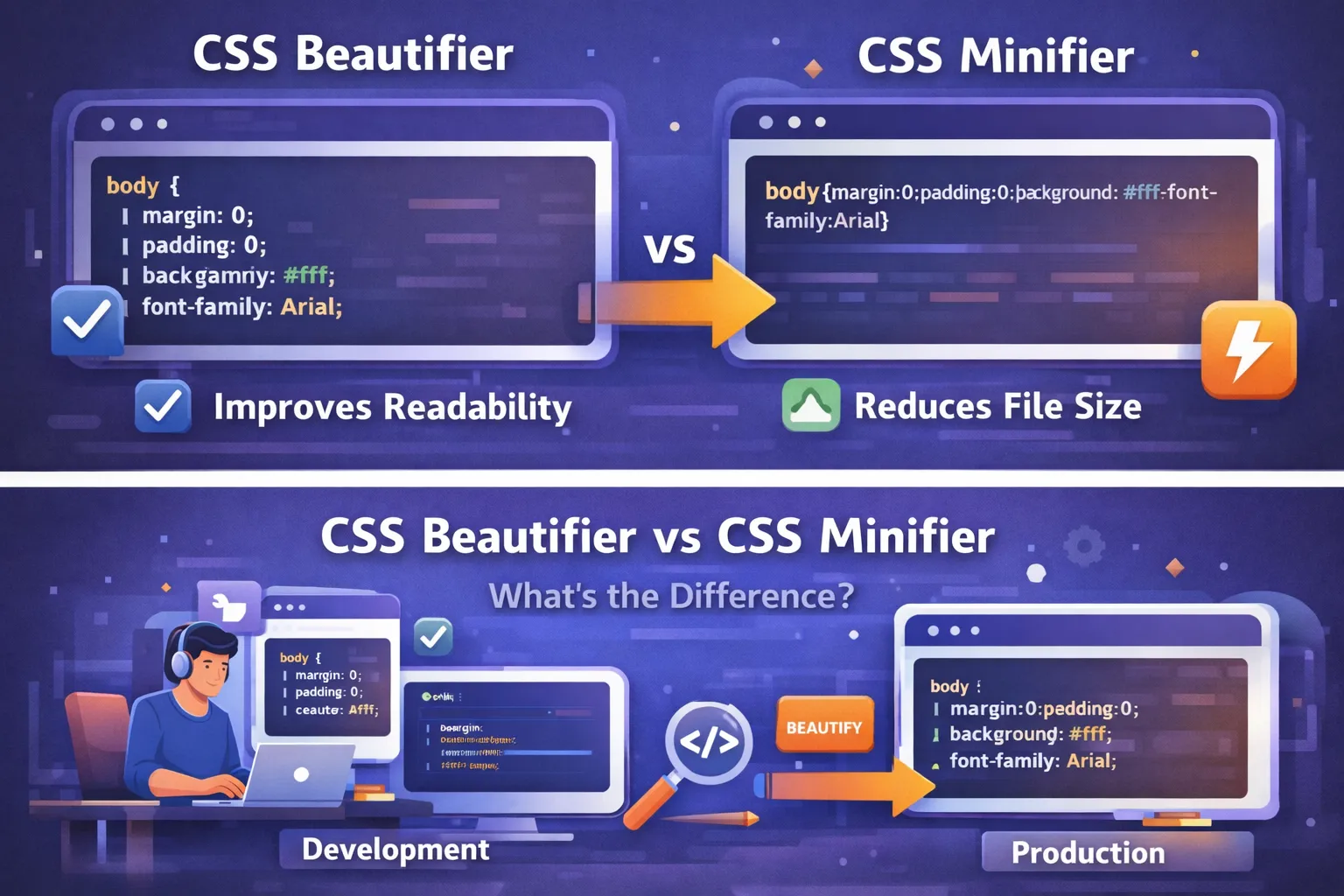
A CSS Beautifier makes CSS easier for humans to read by adding indentation, line breaks, spacing, and structure.
A CSS Minifier makes CSS smaller by removing unnecessary whitespace, comments, and other characters that are not required for the browser to interpret the stylesheet.
In simple terms:
Beautifier = better readability
Minifier = smaller file size
Understanding this difference is important for frontend developers, students, web designers, and anyone working with CSS optimization.
In this complete guide, we will explain what CSS beautifiers and minifiers are, how they work, when to use them, their advantages and limitations, how they fit into modern development workflows, and how to decide which one you need.
Understanding CSS Code Structure
Before comparing CSS beautifiers and minifiers, it helps to understand how CSS is normally written.
A CSS stylesheet consists of rules.
For example:
body {
  margin: 0;
  padding: 0;
  font-family: Arial, sans-serif;
  background: #ffffff;
}
This CSS contains:
-
A selector:
body -
Several properties
-
Several values
-
Whitespace
-
Line breaks
-
Indentation
The browser does not need most of the formatting whitespace to understand the rule.
For developers, however, this whitespace is useful.
It makes the code easier to scan and modify.
Now imagine the same CSS written as:
body{margin:0;padding:0;font-family:Arial,sans-serif;background:#fff}
The browser can still process it, but it is harder for a human developer to read.
This is the fundamental difference between source formatting and optimized output.
During development, humans need readable code.
During production, browsers benefit from compact assets.
This is where beautification and minification become useful.
What Is a CSS Beautifier?
A CSS Beautifier is a tool that formats CSS code into a cleaner and more readable structure.
It can take compressed, poorly formatted, or inconsistently formatted CSS and reorganize it.
For example, suppose you have:
.container{width:100%;padding:20px;background:#f5f5f5}.title{font-size:30px;color:#222}
A beautifier can turn it into:
.container {
  width: 100%;
  padding: 20px;
  background: #f5f5f5;
}

.title {
  font-size: 30px;
  color: #222;
}
The CSS rules are still intended to represent the same styles.
The major difference is presentation.
Main Purpose of a CSS Beautifier
The primary purpose of a beautifier is human readability.
It helps developers:
-
Read CSS more easily
-
Understand selectors
-
Find specific properties
-
Debug styles
-
Edit code
-
Review code
-
Maintain large stylesheets
-
Standardize formatting
A beautifier does not exist primarily to make a website faster.
It exists to make the source code easier to work with.
What Is a CSS Minifier?
A CSS Minifier is a tool that reduces the size of a CSS file by removing unnecessary characters and, where safe, simplifying the representation of CSS.
For example:
body {
  margin: 0;
  padding: 0;
  color: #ffffff;
  background: #000000;
}
may be transformed into something like:
body{margin:0;padding:0;color:#fff;background:#000}
The resulting file is less readable to humans, but it contains fewer characters.
The primary goal is to reduce the amount of data that needs to be transferred and processed as part of the website's delivery.
What Does a Minifier Remove?
Depending on the tool and configuration, minification may remove or optimize:
-
Unnecessary whitespace
-
Line breaks
-
Comments
-
Some redundant characters
-
Certain safely optimizable values
-
Unnecessary separators
A sophisticated minifier may perform additional transformations when it can determine that the result preserves the intended CSS behavior.
However, the exact transformations depend on the tool.
CSS Beautifier vs CSS Minifier at a Glance
The easiest way to understand the difference is to compare their goals.
| Feature | CSS Beautifier | CSS Minifier |
|---|---|---|
| Primary goal | Improve readability | Reduce file size |
| Adds indentation | Yes | No |
| Adds line breaks | Yes | Usually removes them |
| Removes unnecessary whitespace | No | Yes |
| Removes comments | Usually no | Often yes |
| Human readability | High | Low |
| File size | Usually larger | Usually smaller |
| Typical use | Development | Production |
| Main audience | Developers | Browsers/users |
| Debugging | Easier | Harder |
| Performance optimization | Not the primary purpose | Yes |
The important point is that neither tool is simply "better."
They solve different problems.
Example: Beautified CSS
Consider this stylesheet:
body{margin:0;padding:0;font-family:Arial,sans-serif;background:#fff}.container{max-width:1200px;margin:0 auto;padding:20px}.button{padding:10px 20px;color:#fff;background:#2563eb;border-radius:6px}
This is compact, but difficult to scan.
A beautifier can produce:
body {
  margin: 0;
  padding: 0;
  font-family: Arial, sans-serif;
  background: #fff;
}

.container {
  max-width: 1200px;
  margin: 0 auto;
  padding: 20px;
}

.button {
  padding: 10px 20px;
  color: #fff;
  background: #2563eb;
  border-radius: 6px;
}
Now the stylesheet has clear visual structure.
A developer can immediately identify:
-
Global styles
-
Container styles
-
Button styles
-
Individual declarations
Example: Minified CSS
The same readable stylesheet can be minified into:
body{margin:0;padding:0;font-family:Arial,sans-serif;background:#fff}.container{max-width:1200px;margin:0 auto;padding:20px}.button{padding:10px 20px;color:#fff;background:#2563eb;border-radius:6px}
Notice that the minified version is harder to read, but it is more compact.
This is generally what you want from a production asset.
Why Developers Use CSS Beautifiers
There are several situations where a CSS beautifier is extremely useful.
1. Working With Minified CSS
Third-party libraries and production assets are often minified.
If you need to inspect the CSS, beautifying it can make the structure easier to understand.
For example:
.nav{display:flex;align-items:center;justify-content:space-between}.nav a{text-decoration:none;color:#222}.nav a:hover{color:#2563eb}
is much easier to analyze after formatting:
.nav {
  display: flex;
  align-items: center;
  justify-content: space-between;
}

.nav a {
  text-decoration: none;
  color: #222;
}

.nav a:hover {
  color: #2563eb;
}
2. Debugging CSS
Debugging requires developers to understand what styles are being applied.
If a stylesheet is difficult to read, debugging becomes slower.
Beautified CSS allows developers to locate:
-
Selectors
-
Media queries
-
Overrides
-
Duplicate declarations
-
Variables
-
Component styles
This can make troubleshooting much easier.
3. Maintaining Legacy Projects
Many developers eventually work on older websites.
Legacy CSS may have inconsistent formatting such as:
.header{background:#000;padding:20px}.nav{display:flex}.nav a {color:white;text-decoration:none}
A beautifier can standardize the formatting.
This is especially useful before refactoring a large stylesheet.
4. Code Reviews
Readable CSS makes code reviews easier.
A reviewer can focus on questions such as:
-
Is the selector appropriate?
-
Is specificity reasonable?
-
Is the layout responsive?
-
Are styles duplicated?
-
Is the naming convention consistent?
When formatting is inconsistent, reviewers may spend unnecessary time interpreting the structure.
5. Learning CSS
Beginners can also benefit from beautifying CSS.
A compressed stylesheet can initially look intimidating.
After formatting, its structure becomes much easier to understand.
For example:
.card{padding:20px;background:#fff;border:1px solid #ddd}
becomes:
.card {
  padding: 20px;
  background: #fff;
  border: 1px solid #ddd;
}
This makes it easier to learn how selectors and declarations are organized.
Why Developers Use CSS Minifiers
The primary reason to minify CSS is to reduce the amount of data that needs to be delivered to the browser.
Smaller Files
A readable stylesheet may contain:
-
Indentation
-
Line breaks
-
Spaces
-
Comments
-
Formatting characters
These improve developer experience but can increase file size.
A minifier removes characters that are not required for CSS processing.
How Minification Can Improve Performance
When a browser loads a website, it may need to download CSS files before it can correctly render the page.
Smaller CSS assets can reduce the amount of data transferred over the network.
This can be particularly helpful when:
-
CSS files are large
-
Users have slower connections
-
Mobile networks are involved
-
Many assets need to be downloaded
-
A website has significant traffic
Minification is only one part of performance optimization, but it is a standard optimization step in many production workflows.
Minification and Bandwidth
A smaller file can also reduce bandwidth usage.
Imagine a stylesheet that is unnecessarily large because it contains excessive formatting and comments.
Minification removes much of that overhead.
For a high-traffic application, even relatively small reductions can add up across many requests.
The actual benefit depends on:
-
File size
-
Number of visitors
-
Caching
-
Compression
-
Network conditions
-
Application architecture
Therefore, minification should be viewed as one optimization technique rather than a magic solution for all performance problems.
CSS Minification vs Compression
It is important to distinguish minification from compression.
They are related, but they are not the same thing.
Minification
Minification changes the CSS source representation by removing unnecessary characters and sometimes applying safe optimizations.
Compression
Compression reduces the size of data during transfer using algorithms such as Brotli or gzip.
For example:
Readable CSS
      ↓
Minification
      ↓
Smaller CSS
      ↓
HTTP Compression
      ↓
Even smaller transfer
A production website may use both.
This means a CSS file can be minified and then compressed for network delivery.
Is Minified CSS Faster?
Minified CSS can reduce the amount of data that needs to be transferred.
However, the actual page-speed improvement depends on the situation.
For a tiny CSS file, the difference may be very small.
For a large stylesheet, especially on slower networks, reducing file size can be more meaningful.
Modern websites also use other optimization strategies, including:
-
Caching
-
Compression
-
HTTP/2 or HTTP/3
-
CDN delivery
-
Code splitting
-
Removing unused CSS
-
Efficient loading strategies
Therefore, minification is one piece of a larger performance strategy.
When Should You Use a CSS Beautifier?
A CSS beautifier is most useful when you are working with code as a developer.
Use one when:
You Need to Read CSS
If the stylesheet is compressed or badly formatted, beautify it before analyzing it.
You Need to Debug
Readable CSS is easier to inspect and modify.
You Need to Edit Third-Party Code
If you have to inspect an external stylesheet, formatting can make it easier to understand.
You Are Maintaining Legacy Code
Beautification can make inconsistent source files more manageable.
You Are Learning
Formatted code is easier for beginners to understand.
You Are Preparing Code for Review
Consistent formatting makes code reviews easier.
When Should You Use a CSS Minifier?
Use a minifier primarily when preparing assets for production.
For example:
Development
    ↓
Write readable CSS
    ↓
Test and debug
    ↓
Build project
    ↓
Minify CSS
    ↓
Deploy
The source remains readable while users receive the optimized production asset.
Should You Manually Minify CSS?
Generally, no.
Manually removing spaces and line breaks is unnecessary and can create mistakes.
Use an automated build tool or minifier instead.
For example:
styles.css
    ↓
Build tool
    ↓
styles.min.css
This makes the process repeatable.
If your project changes, you can regenerate the minified file automatically.
Should You Manually Beautify CSS?
You can, but there is usually little reason to do it manually.
Formatting tools can apply consistent rules automatically.
This is especially useful in large projects where manually formatting hundreds of files would be inefficient.
Beautifier and Formatter: Are They the Same?
The terms are sometimes used interchangeably, but there can be a subtle difference.
A beautifier generally focuses on converting poorly formatted or compressed code into a more readable format.
A formatter often refers to a tool that enforces a specific coding style.
For example, a formatter may consistently control:
-
Indentation
-
Spaces
-
Line breaks
-
Braces
-
Property formatting
In modern development environments, automated formatters are usually more useful for maintaining source code than repeatedly beautifying it manually.
CSS Beautifier and Prettier
Prettier is a popular code formatter that supports CSS along with several other languages.
It can automatically format CSS according to its formatting rules.
For example:
.card{padding:20px;color:#222}
can be formatted into:
.card {
  padding: 20px;
  color: #222;
}
One of the main advantages of using an automated formatter is consistency.
A team can configure its editor and development workflow so that CSS is automatically formatted.
CSS Minifiers in Build Tools
Modern frontend projects often do not require developers to manually visit a website and upload CSS for minification.
Build tools can handle this automatically.
A typical process looks like:
Source CSS
    ↓
Parser / Build Tool
    ↓
Optimization
    ↓
Minification
    ↓
Production CSS
Depending on the project, tools and frameworks may automatically optimize CSS during a production build.
This makes minification part of the normal deployment process rather than a manual task.
Development CSS vs Production CSS
One of the most important concepts to understand is the difference between development and production assets.
Development
During development, you want:
-
Readable code
-
Useful comments
-
Easy debugging
-
Clear formatting
-
Fast iteration
Example:
.product-card {
  display: flex;
  flex-direction: column;
  padding: 20px;
  background: #fff;
}
Production
During production, you generally want:
-
Optimized file size
-
Compression
-
Caching
-
Efficient delivery
-
Performance-focused assets
The production version might be:
.product-card{display:flex;flex-direction:column;padding:20px;background:#fff}
The source code remains readable.
The production output is optimized.
This separation is an important part of professional development workflows.
Source Maps and Debugging Minified CSS
A common concern is:
If CSS is minified, how can developers debug it?
This is where source maps can help.
A source map provides a relationship between generated production code and the original source code.
With an appropriate development setup, browser developer tools can use source maps to help developers inspect the original source instead of only seeing the minified output.
This means you can have:
Readable source CSS
        ↓
Build process
        ↓
Minified CSS
        ↓
Source map
Developers can then debug more comfortably while users receive optimized assets.
Source maps should be configured according to the needs and security requirements of your deployment environment.
Does a Beautifier Increase CSS File Size?
Usually, yes.
Adding:
-
Spaces
-
Indentation
-
New lines
-
Formatting
can increase the number of characters in a CSS file.
But this is not necessarily a problem during development.
Readable source code is valuable because developers need to work with it.
Production optimization can happen later.
Does Minification Change CSS Functionality?
A correctly configured CSS minifier should preserve the intended behavior of the stylesheet while removing unnecessary characters and applying safe transformations.
However, developers should still test production builds.
CSS can contain edge cases where aggressive transformations or unusual syntax may cause unexpected behavior.
Therefore:
Always test your production build after optimization.
Do not assume that a build step can never introduce an issue.
CSS Comments and Minification
Comments are useful during development.
For example:
/* Main navigation styles */

.navigation {
  display: flex;
}
A minifier may remove ordinary comments from production output.
However, some tools support special comment formats that can be preserved when necessary.
If a particular comment needs to remain in production, check the documentation and configuration of the minification tool being used.
Do not assume that every comment will automatically survive minification.
CSS Beautifier vs Minifier for SEO
Developers sometimes ask whether beautified or minified CSS is better for SEO.
Search engines care about many aspects of website quality and technical performance.
Minification can contribute to smaller assets and potentially more efficient delivery.
However, minification alone does not guarantee better search rankings.
SEO involves many factors, including:
-
Content
-
Relevance
-
User experience
-
Technical accessibility
-
Performance
-
Mobile usability
-
Site architecture
Therefore, think of CSS minification as one technical optimization rather than an SEO strategy by itself.
CSS Minification and Core Web Vitals
Modern web performance evaluation includes metrics related to loading, responsiveness, and visual stability.
Reducing unnecessary CSS can contribute to a more efficient page-loading process.
However, the impact depends on the site's overall architecture.
A website with a huge JavaScript bundle, unoptimized images, slow server response, or inefficient third-party scripts may have much larger performance problems than CSS whitespace.
That is why developers should measure performance rather than assuming that one optimization will solve everything.
Remove Unused CSS Before Minifying
This is an important distinction.
Suppose a stylesheet contains 500 KB of CSS, but only 200 KB is actually needed by the current application.
Minifying the full file may reduce it somewhat, but unused rules remain.
A better optimization process may involve identifying and removing unnecessary CSS before or as part of the build process.
Conceptually:
Large CSS
   ↓
Remove unused styles
   ↓
Minify
   ↓
Compress
   ↓
Cache
   ↓
Deliver
The exact workflow depends on the project.
CSS Beautifier for Third-Party Libraries
Developers frequently work with third-party CSS.
For example:
library.min.css
may be extremely difficult to inspect manually.
A beautifier can convert it into a readable structure.
However, be careful when modifying third-party files.
If the library is updated later, your changes may be overwritten.
Whenever possible, use supported customization methods such as:
-
Configuration
-
Override styles
-
Theme variables
-
Custom CSS
-
Build-time integration
Avoid editing vendor files directly unless there is a specific reason to do so.
CSS Beautifier for Debugging Browser Issues
Suppose a page contains a strange layout issue.
You inspect the stylesheet and find:
@media(max-width:768px){.container{padding:10px}.navigation{display:none}.menu{display:block}}
After beautification:
@media (max-width: 768px) {
  .container {
    padding: 10px;
  }

  .navigation {
    display: none;
  }

  .menu {
    display: block;
  }
}
The relationship between the media query and the individual rules is now obvious.
This is why formatting can be useful during debugging.
CSS Formatting and Team Collaboration
Teams benefit significantly from consistent formatting.
Imagine one developer writes:
.card {
  padding: 20px;
}
while another writes:
.card{padding:20px}
and another writes:
.card {
    padding: 20px;
}
All three can work technically, but the project becomes inconsistent.
A shared formatter solves this problem.
Teams can define:
-
Indentation rules
-
Formatting conventions
-
Naming conventions
-
Linting rules
-
Build processes
This allows developers to focus on functionality instead of repeatedly discussing whitespace.
CSS Linting vs Beautification
A beautifier and a linter serve different purposes.
A beautifier focuses on formatting.
A linter focuses on identifying problems or enforcing coding rules.
For example, a linter may warn about:
-
Invalid syntax
-
Duplicate properties
-
Problematic selectors
-
Naming patterns
-
Unsupported values
-
Unnecessary complexity
You can use both.
A professional workflow might look like:
Write CSS
   ↓
Formatter
   ↓
Linter
   ↓
Test
   ↓
Build
   ↓
Minify
   ↓
Deploy
A Practical CSS Development Workflow
A good workflow separates source code from production output.
Step 1: Write Readable CSS
.hero {
  display: flex;
  align-items: center;
  justify-content: space-between;
  padding: 60px 20px;
}
Step 2: Format Automatically
Use your chosen formatter.
Step 3: Lint the CSS
Check for potential errors and style issues.
Step 4: Test the Website
Check:
-
Desktop
-
Tablet
-
Mobile
-
Different browsers where relevant
Step 5: Build the Project
Run the production build process.
Step 6: Minify CSS
The build system generates optimized CSS.
Step 7: Compress and Deliver
The server or CDN can deliver the optimized asset efficiently.
Step 8: Monitor Performance
Use appropriate performance tools to identify remaining bottlenecks.
Example of a Complete Workflow
Suppose your source file is:
src/styles.css
You maintain it in a readable format:
.header {
  display: flex;
  align-items: center;
  padding: 20px;
}
During the build:
src/styles.css
       ↓
Formatter / Build Tool
       ↓
CSS Optimization
       ↓
dist/styles.min.css
The production output may become:
.header{display:flex;align-items:center;padding:20px}
Users receive the optimized asset while developers continue working on the readable source.
Should You Keep Both Versions?
Many workflows generate a readable source file and a minified production file.
For example:
css/
├── styles.css
└── styles.min.css
However, modern build systems may generate production assets automatically rather than requiring developers to manually maintain both files.
This is generally preferable because it avoids having two independently edited versions.
The source file should remain the primary file.
The minified version should normally be treated as a build artifact.
Common CSS Beautification Mistakes
Even when using a beautifier, developers should understand common problems.
Mistake 1: Beautifying and Then Manually Editing Randomly
If the project has an automated formatter, continue using it consistently.
Mistake 2: Treating Beautification as Optimization
Beautification improves readability.
It does not necessarily improve performance.
Mistake 3: Assuming Beautification Fixes Bad CSS
Formatting cannot automatically solve:
-
Poor architecture
-
Bad naming
-
Excessive specificity
-
Duplicate styles
-
Unused CSS
It changes presentation, not necessarily design quality.
Common CSS Minification Mistakes
Mistake 1: Editing Minified Files Directly
This makes maintenance difficult.
Edit the source file instead.
Mistake 2: Assuming Minification Removes Unused CSS
Minification and unused-CSS removal are different optimizations.
Mistake 3: Skipping Testing
Always test the optimized production build.
Mistake 4: Manually Creating Minified Files
Use automation whenever possible.
Mistake 5: Thinking Minification Solves Every Performance Problem
Images, JavaScript, fonts, server response, caching, third-party scripts, and other factors can have significant performance effects.
CSS Beautifier vs Minifier: Which One Should You Use?
The answer depends on what you are trying to accomplish.
If Your CSS Is Hard to Read
Use a CSS Beautifier or formatter.
If Your CSS File Is Too Large
Consider a CSS Minifier, along with other optimization techniques.
If You Are Developing
Keep source CSS readable.
If You Are Deploying
Use a production build that optimizes your CSS.
If You Are Debugging Minified CSS
Use source maps where appropriate, or beautify a copy for inspection.
If You Are Working on a Team
Use an automated formatter and linter.
Beautifier and Minifier Are Not Opponents
The phrase "CSS Beautifier vs CSS Minifier" may sound like you have to choose one.
You usually do not.
They serve different stages of the development lifecycle.
Think about them like this:
                 DEVELOPMENT
                     │
                     ▼
              CSS Beautifier
                     │
                     ▼
             Readable Source
                     │
                     ▼
               Debug / Test
                     │
                     ▼
              Production Build
                     │
                     ▼
               CSS Minifier
                     │
                     ▼
             Optimized Output
                     │
                     ▼
                   USERS
The developer gets readable code.
The browser gets optimized output.
This is the ideal relationship between the two tools.
How to Choose a CSS Beautifier
If you are selecting a beautification tool, consider:
Formatting Options
Can it control indentation and spacing?
Editor Integration
Can it run directly inside your development environment?
CSS Support
Does it correctly handle modern CSS syntax?
Team Consistency
Can everyone on the team use the same configuration?
Automation
Can formatting happen automatically when files are saved?
The best tool is often the one that integrates naturally into your existing development workflow.
How to Choose a CSS Minifier
When selecting a minifier, consider:
Reliability
Does it correctly preserve CSS behavior?
Modern CSS Support
Can it handle modern syntax and features used by your project?
Build Integration
Can it run automatically as part of your build process?
Source Maps
Does it support source maps if your debugging workflow requires them?
Optimization Level
Does it allow you to control how aggressive the optimizations are?
Ecosystem Compatibility
Does it work well with your framework, bundler, or build system?
Browser Developer Tools and Minified CSS
Browser developer tools are essential for frontend debugging.
Even when production CSS is minified, developers can inspect:
-
Computed styles
-
Applied rules
-
Media queries
-
CSS variables
-
Layout information
-
Network requests
With source maps configured, debugging can often be more closely connected to the original source.
This means minified production assets do not necessarily make professional debugging impossible.
CSS Beautification and Version Control
Readable CSS also improves version control.
When developers make changes to consistently formatted CSS, Git diffs are generally easier to read.
For example:
 .button {
-  padding: 10px;
+  padding: 12px 20px;
 }
This clearly communicates what changed.
If the entire stylesheet is reformatted unnecessarily, however, the diff can become noisy.
That is why teams should avoid mixing large formatting changes with unrelated functional changes when possible.
Avoid Unnecessary Reformatting in Large Projects
Suppose a developer changes one button color but also reformats the entire CSS file.
The actual change may be:
- background: blue;
+ background: green;
But the commit could contain hundreds of unrelated formatting changes.
This makes code review harder.
A better practice is to:
-
Format consistently from the beginning
-
Use automated formatting
-
Keep formatting-only changes separate when practical
-
Avoid unnecessary full-file reformatting during feature work
CSS Minification and Caching
Minified assets work especially well with caching.
Suppose a browser downloads:
styles.min.css
and the file is cached according to appropriate HTTP caching rules.
The browser may not need to download the same asset again on every page visit.
Combining:
-
Minification
-
Compression
-
Caching
-
CDN delivery
can create an efficient asset delivery strategy.
Again, the exact implementation depends on the website and hosting architecture.
Does Minification Improve Mobile Performance?
It can.
Mobile users may have:
-
Slower connections
-
Higher latency
-
Limited bandwidth
-
Less consistent network conditions
Reducing asset size can reduce the amount of data that needs to travel across the network.
However, mobile performance depends on many other factors too.
For example:
-
Large images
-
Heavy JavaScript
-
Third-party scripts
-
Slow APIs
-
Excessive animations
can all affect performance.
Therefore, always evaluate the complete page rather than focusing on CSS alone.
A Simple Decision Guide
Use this quick guide:
| Situation | Recommended Tool |
|---|---|
| CSS is difficult to read | Beautifier |
| CSS is compressed | Beautifier |
| You are debugging CSS | Beautifier / formatter |
| You are writing source code | Formatter |
| You are preparing production assets | Minifier |
| CSS file is unnecessarily large | Minifier |
| You want easier code reviews | Formatter |
| You want smaller network payloads | Minifier |
| You need consistent team formatting | Formatter |
| You need to inspect third-party minified CSS | Beautifier |
Frequently Asked Questions
What Is the Main Difference Between a CSS Beautifier and a CSS Minifier?
A CSS beautifier improves readability by adding formatting such as indentation and line breaks.
A CSS minifier reduces file size by removing unnecessary formatting and, depending on the tool, applying safe optimizations.
In short:
Beautifier = readable CSS
Minifier = compact CSS
Can a CSS Beautifier Make My Website Faster?
Not directly.
A beautifier usually adds formatting, which can actually increase the raw file size.
Its main benefit is developer productivity and maintainability.
Performance optimization is generally associated with minification, compression, caching, and other techniques.
Can a CSS Minifier Make CSS Harder to Read?
Yes.
Minified CSS intentionally removes formatting that helps humans read the code.
That is why developers should generally maintain readable source files and generate minified files during the build process.
Should I Beautify CSS Before Editing It?
If the CSS is compressed or poorly formatted, beautifying it can make editing easier.
However, use an automated formatter whenever possible so the resulting code follows a consistent project style.
Should I Minify CSS Before Uploading It to a Website?
For production deployments, minification is commonly used.
Modern build tools often handle this automatically.
Instead of manually minifying a file, configure your production build process to generate optimized assets.
Does Minification Remove CSS Comments?
Many minifiers remove ordinary comments.
Some tools allow specific comments to be preserved.
Always check your minifier's documentation if a comment must remain in the production file.
Does Minification Remove Unused CSS?
Not necessarily.
Minification primarily reduces unnecessary characters and may perform other safe optimizations.
Removing unused CSS is a separate optimization task.
Some build systems can perform both, but they should not be treated as the same operation.
Is Minified CSS Required for Every Website?
Not necessarily.
For a tiny stylesheet, the practical difference may be very small.
However, minification is a standard and relatively straightforward production optimization, so it is commonly included in modern build pipelines.
Should I Keep a .min.css File in Git?
It depends on your project workflow.
Some projects commit generated production assets.
Others generate them during deployment and do not store them as source-controlled files.
The important principle is to have a reliable, repeatable build process.
Do not manually maintain separate readable and minified versions if your build system can generate the production version automatically.
Is CSS Beautification the Same as Formatting?
They are closely related.
Beautification generally means making code more readable.
Formatting is often used more broadly to describe applying a consistent coding style automatically.
Tools such as code formatters can handle this process.
Can I Use Both a Beautifier and a Minifier?
Yes.
In fact, this is often the ideal workflow.
Use formatting tools during development and minification during the production build.
You do not need to choose one permanently.
Best Practices for CSS Development
To get the most benefit from both tools, follow these practices.
1. Keep Source CSS Readable
Always prioritize maintainability in your source code.
2. Automate Formatting
Use an editor or formatter instead of manually fixing whitespace.
3. Use a Linter
Catch potential problems before deployment.
4. Minify Production Assets
Use your build pipeline to optimize CSS.
5. Enable Appropriate Compression
Use modern HTTP compression where supported by your hosting environment.
6. Remove Unused CSS
Do not rely on minification alone.
7. Use Caching
Configure appropriate caching for static assets.
8. Test Production Builds
Make sure optimization does not change the intended behavior.
9. Use Source Maps When Appropriate
Source maps can make debugging generated code easier.
10. Measure Performance
Use real performance measurements rather than assuming that an optimization has a large effect.
The Ideal CSS Workflow
A professional CSS workflow can be summarized as:
Write readable CSS
        ↓
Use consistent formatting
        ↓
Lint the code
        ↓
Test the interface
        ↓
Remove unnecessary styles
        ↓
Build the application
        ↓
Minify CSS
        ↓
Compress assets
        ↓
Cache static files
        ↓
Deploy
        ↓
Measure performance
This approach separates developer experience from production optimization.
Developers work with clean source code.
Users receive efficient assets.
Final Comparison
The difference between a CSS beautifier and a CSS minifier is simple once you understand their goals.
A CSS Beautifier is designed for developers.
It transforms messy or compressed CSS into a readable format by adding indentation, line breaks, and spacing.
A CSS Minifier is primarily designed for production optimization.
It removes unnecessary characters and may apply safe transformations to reduce the size of CSS assets.
Here is the simplest way to remember it:
CSS Beautifier
↓
Readable
↓
Developer-friendly
↓
Development & debugging


CSS Minifier
↓
Compact
↓
Performance-friendly
↓
Production & deployment
Neither tool replaces the other.
They solve different problems.
Conclusion
Understanding CSS Beautifier vs CSS Minifier is important for anyone learning or working in modern web development.
A beautifier makes CSS easier to read, understand, debug, and maintain. It is particularly useful when dealing with compressed stylesheets, legacy code, third-party CSS, or inconsistent formatting.
A minifier takes the opposite approach. Instead of making CSS more readable, it removes unnecessary characters and can apply safe optimizations to create a smaller production asset.
The best development workflow does not require choosing between the two.
Instead, use them at different stages.
During development, maintain clean and readable CSS:
.card {
  padding: 20px;
  background: #fff;
  border-radius: 8px;
}
During production, let your build system generate an optimized version:
.card{padding:20px;background:#fff;border-radius:8px}
This gives developers the readability they need and users the efficient assets they need.
It is also important to remember that CSS minification is only one part of website performance optimization. Compression, caching, CDN delivery, removing unused CSS, optimizing images, reducing JavaScript, and improving overall application architecture can also have significant effects.
Likewise, CSS beautification does not automatically make a stylesheet well-designed. A beautifully formatted stylesheet can still contain poor naming, excessive specificity, duplicated rules, unused styles, and difficult architecture.
Good CSS development requires both clean source code and thoughtful optimization.
The practical rule is simple:
Beautify and format CSS for humans. Minify CSS for production.
Keep your source code readable, automate repetitive tasks, test your production builds, and use performance measurements to determine which optimizations actually matter for your website.
When these practices become part of your regular workflow, you can maintain CSS that is easier to develop, easier to debug, easier to collaborate on, and more efficient to deliver.
Your email address will not be published. Comments are moderated.
0 Comments on This Post
Leave a Reply
Comments (0)
Spread the Word!
Join Our Developer Community!
Get weekly coding tips, tool updates, and exclusive tutorials straight to your inbox.
Request a Tool
×