How to Convert JSON to XML in PHP (Complete Developer Guide)
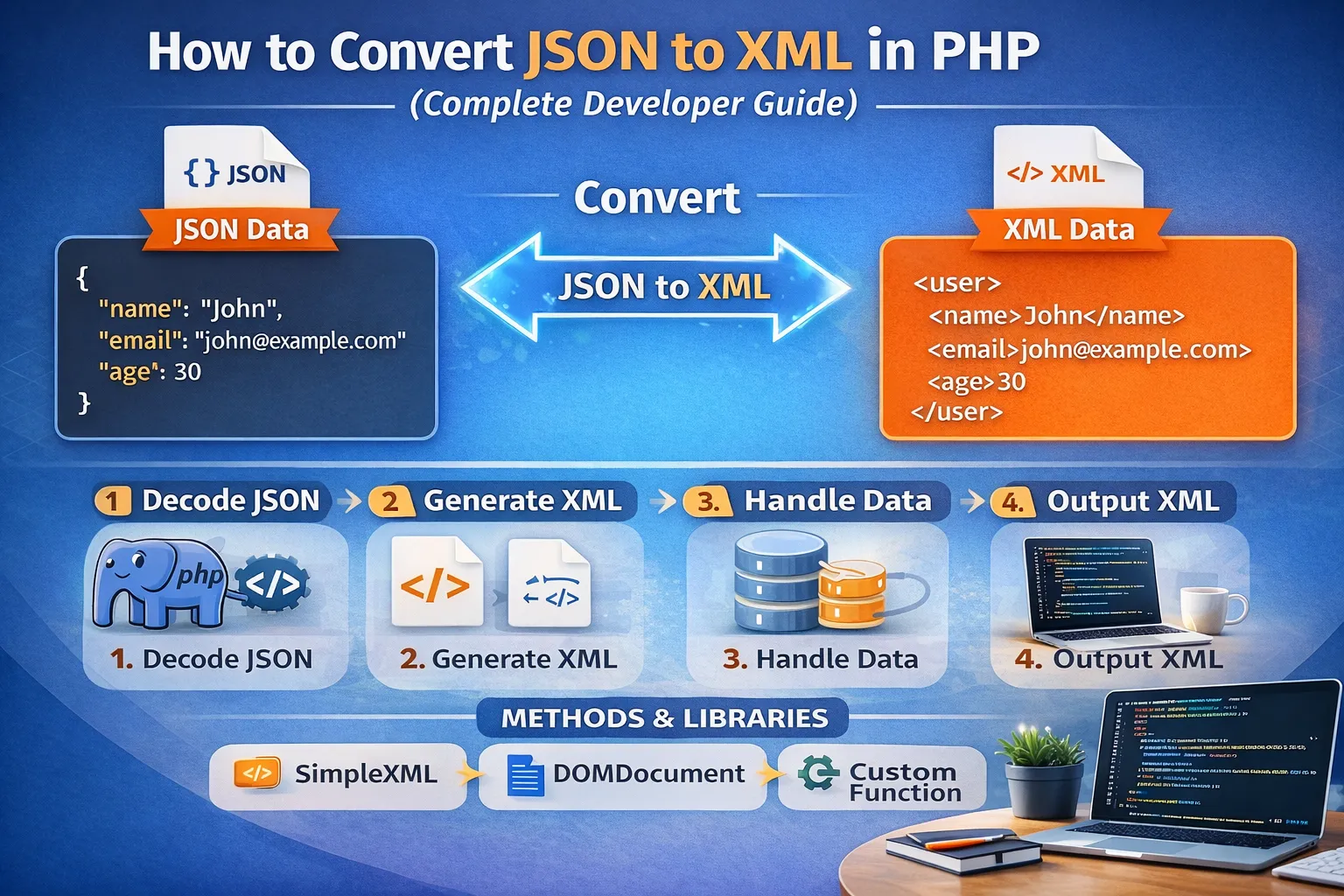
Data exchange plays a critical role in modern web development. Applications constantly communicate with databases, APIs, mobile applications, payment systems, enterprise platforms, and third-party services.
Two of the most widely used formats for exchanging structured data are JSON (JavaScript Object Notation) and XML (Extensible Markup Language).
JSON has become the preferred format for many modern REST APIs because it is lightweight, easy to read, and simple to process. XML, however, continues to play an important role in enterprise applications, SOAP web services, legacy systems, financial platforms, government services, and other systems that depend on structured XML documents.
Because modern applications often need to communicate with older systems, developers frequently encounter situations where JSON data must be converted into XML.
PHP provides several ways to perform this conversion. You can use built-in extensions such as SimpleXML and DOMDocument, or you can create a custom recursive converter when your application requires more control over the generated XML structure.
In this complete guide, you will learn:
-
What JSON and XML are
-
Differences between JSON and XML
-
Why JSON-to-XML conversion is required
-
How
json_decode()works in PHP -
How to convert JSON to XML using SimpleXML
-
How to convert JSON to XML using DOMDocument
-
How to handle nested JSON objects
-
How to convert JSON arrays into XML
-
How to handle XML attributes
-
How to handle empty and null values
-
How to preserve data types
-
How to create a reusable recursive converter
-
How to validate JSON and XML
-
Common JSON-to-XML conversion errors
-
Security considerations
-
SimpleXML vs DOMDocument
-
Performance considerations
-
Real-world API integration examples
-
Best practices for production applications
By the end of this tutorial, you will have a clear understanding of how to convert JSON to XML in PHP and how to choose the right conversion approach for different projects.
Understanding JSON
JSON stands for JavaScript Object Notation.
It is a lightweight data-interchange format designed to represent structured data in a way that is easy for humans to read and easy for machines to parse.
Although JSON was originally derived from JavaScript syntax, it is now language-independent and is supported by virtually every modern programming language.
A simple JSON document looks like this:
{
    "name": "John",
    "email": "john@example.com",
    "age": 30
}
The data contains three properties:
-
name -
email -
age
JSON is commonly used in:
-
REST APIs
-
Web applications
-
Mobile applications
-
JavaScript applications
-
AJAX requests
-
Microservices
-
Cloud services
-
Database APIs
-
Third-party integrations
One of the main reasons JSON became popular is its relatively compact structure.
For example:
{
    "name": "John",
    "age": 30
}
is generally more compact than the equivalent XML representation.
JSON Objects
A JSON object is enclosed in curly braces {}.
For example:
{
    "name": "John",
    "email": "john@example.com"
}
Each property contains a key and a value.
The general structure is:
"key": "value"
JSON values can be:
-
Strings
-
Numbers
-
Booleans
-
Arrays
-
Objects
-
null
For example:
{
    "name": "John",
    "age": 30,
    "active": true,
    "skills": ["PHP", "JavaScript"],
    "address": {
        "city": "Meerut"
    },
    "phone": null
}
When converting JSON into XML, each of these structures may require a different conversion strategy.
Understanding XML
XML stands for Extensible Markup Language.
XML represents structured information using tags and attributes.
A simple XML document looks like this:
<user>
    <name>John</name>
    <email>john@example.com</email>
    <age>30</age>
</user>
Unlike JSON, XML uses opening and closing tags.
For example:
<name>John</name>
Here:
-
<name>is the opening tag -
Johnis the value -
</name>is the closing tag
XML is commonly used in:
-
SOAP APIs
-
Enterprise applications
-
Banking systems
-
Government services
-
Configuration files
-
Legacy applications
-
Document exchange
-
Data integration systems
XML is also capable of representing attributes, namespaces, mixed content, and other structures that are not directly represented in the same way as JSON.
JSON vs XML
Before converting JSON into XML, it is useful to understand how the two formats differ.
| Feature | JSON | XML |
|---|---|---|
| Syntax | Key-value based | Tag based |
| Readability | Simple | More verbose |
| Arrays | Native support | Usually represented with repeated elements |
| Attributes | No native attribute concept | Supports attributes |
| Comments | Not supported in standard JSON | Supports comments |
| Namespaces | No native equivalent | Supported |
| Common API use | REST | SOAP and legacy systems |
| File size | Usually smaller | Usually larger |
| Parsing | Generally lightweight | More verbose |
For example, this JSON:
{
    "user": {
        "name": "John",
        "age": 30
    }
}
could become:
<user>
    <name>John</name>
    <age>30</age>
</user>
The information is similar, but the representation is different.
Why Convert JSON to XML in PHP?
At first glance, developers may wonder why JSON should be converted to XML when JSON is widely used.
The answer is compatibility.
Many existing systems were designed around XML long before JSON became dominant.
1. Legacy API Integration
An older API may require requests in XML format.
Your PHP application might receive data as JSON:
{
    "customer": "John",
    "amount": 250
}
But the external service may expect:
<request>
    <customer>John</customer>
    <amount>250</amount>
</request>
A JSON-to-XML conversion layer allows your modern application to communicate with that service.
2. SOAP Web Services
SOAP commonly uses XML for request and response messages.
For example, a SOAP service may expect:
<CustomerRequest>
    <Name>John</Name>
    <Email>john@example.com</Email>
</CustomerRequest>
If your internal application works with JSON, you may need to transform your data before sending the request.
3. Enterprise Integrations
Large organizations often operate systems built at different times.
A modern application may use:
JSON → REST API
while an older enterprise application uses:
XML → SOAP service
A PHP integration layer can convert between these formats.
4. Payment and Financial Systems
Some financial services and payment integrations still use XML-based request structures.
Your application may collect data in JSON:
{
    "transaction_id": "TX1001",
    "amount": 500
}
and transform it into:
<transaction>
    <transaction_id>TX1001</transaction_id>
    <amount>500</amount>
</transaction>
5. Data Migration
During system migration, one application may export JSON while another expects XML.
Instead of rewriting the entire source application, a conversion layer can transform the data.
Step 1: Decode JSON in PHP
Before converting JSON into XML, you generally need to decode the JSON string into a PHP data structure.
PHP provides the built-in json_decode() function for this purpose.
Example:
<?php

$json = '{"name":"John","email":"john@example.com","age":30}';

$data = json_decode($json, true);

print_r($data);
The second argument is important:
json_decode($json, true);
When true is supplied, JSON objects are converted into associative arrays.
The result is approximately:
Array
(
    [name] => John
    [email] => john@example.com
    [age] => 30
)
Without true, JSON objects are normally decoded into PHP objects.
Checking for JSON Errors
You should not assume that every JSON string is valid.
For example:
$json = '{"name":"John",}';

$data = json_decode($json, true);

if ($data === null && json_last_error() !== JSON_ERROR_NONE) {
    echo "Invalid JSON";
}
A better approach in modern PHP is to use JSON_THROW_ON_ERROR:
try {
    $data = json_decode(
        $json,
        true,
        512,
        JSON_THROW_ON_ERROR
    );
} catch (JsonException $e) {
    echo "Invalid JSON: " . $e->getMessage();
}
This makes error handling clearer and prevents invalid JSON from silently moving into the XML conversion process.
Method 1: Convert JSON to XML Using SimpleXML
PHP's SimpleXML extension is one of the easiest ways to work with XML.
SimpleXML allows you to create XML elements and add values without dealing with the entire XML DOM manually.
A basic example is:
<?php

$json = '{"name":"John","email":"john@example.com","age":30}';

$data = json_decode($json, true);

$xml = new SimpleXMLElement('<user/>');

$xml->addChild('name', $data['name']);
$xml->addChild('email', $data['email']);
$xml->addChild('age', $data['age']);

echo $xml->asXML();
The result is similar to:
<?xml version="1.0"?>
<user>
    <name>John</name>
    <email>john@example.com</email>
    <age>30</age>
</user>
This approach is excellent when the JSON structure is simple and predictable.
Creating a Generic SimpleXML Converter
For dynamic data, you can create a recursive function.
<?php

function arrayToXml($data, &$xml)
{
    foreach ($data as $key => $value) {

        if (is_array($value)) {

            $child = $xml->addChild($key);

            arrayToXml($value, $child);

        } else {

            $xml->addChild(
                $key,
                htmlspecialchars((string)$value, ENT_XML1, 'UTF-8')
            );
        }
    }
}

$json = '{"name":"John","email":"john@example.com","age":30}';

$data = json_decode($json, true);

$xml = new SimpleXMLElement('<user/>');

arrayToXml($data, $xml);

echo $xml->asXML();
The important concept here is recursion.
If a value is an array, the function creates a child node and calls itself again.
If the value is not an array, it creates an XML element containing the value.
Why Recursion Is Important
JSON can contain objects inside objects.
For example:
{
    "user": {
        "name": "John",
        "address": {
            "city": "Meerut",
            "country": "India"
        }
    }
}
The structure has multiple levels.
A recursive converter can automatically process every level.
Conceptually:
JSON Object
    |
    └── user
          |
          ├── name
          |
          └── address
                 |
                 ├── city
                 └── country
Without recursion, you would have to manually write conversion logic for every possible nesting level.
Handling Nested JSON Objects
Consider this JSON:
{
    "user": {
        "name": "John",
        "email": "john@example.com",
        "address": {
            "city": "Meerut",
            "country": "India"
        }
    }
}
A suitable XML representation is:
<root>
    <user>
        <name>John</name>
        <email>john@example.com</email>
        <address>
            <city>Meerut</city>
            <country>India</country>
        </address>
    </user>
</root>
A recursive function makes this possible automatically.
Example:
function arrayToXml($data, &$xml)
{
    foreach ($data as $key => $value) {

        if (is_array($value)) {

            $child = $xml->addChild($key);

            arrayToXml($value, $child);

        } else {

            $xml->addChild(
                $key,
                htmlspecialchars((string)$value, ENT_XML1, 'UTF-8')
            );
        }
    }
}
This pattern works well for many basic JSON structures.
Handling JSON Arrays
Arrays require special attention because JSON has a native array type while XML does not.
Consider:
{
    "products": [
        {
            "name": "Laptop",
            "price": 800
        },
        {
            "name": "Mobile",
            "price": 400
        }
    ]
}
A natural XML representation would be:
<products>
    <product>
        <name>Laptop</name>
        <price>800</price>
    </product>
    <product>
        <name>Mobile</name>
        <price>400</price>
    </product>
</products>
Notice that XML uses repeated <product> elements.
Simply converting numeric array indexes can produce invalid or undesirable XML such as:
<0>...</0>
<1>...</1>
That is why a production converter should distinguish between associative arrays and sequential arrays.
Detecting Associative Arrays
You can create a helper function:
function isAssociativeArray(array $array)
{
    return array_keys($array) !== range(0, count($array) - 1);
}
For example:
$data = [
    "name" => "John",
    "age" => 30
];
This is an associative array.
But:
$data = [
    "Laptop",
    "Mobile"
];
is a sequential array.
This distinction is useful when designing a JSON-to-XML converter.
A Better Array Conversion Strategy
Consider:
{
    "products": [
        {
            "name": "Laptop"
        },
        {
            "name": "Mobile"
        }
    ]
}
A converter could produce:
<products>
    <item>
        <name>Laptop</name>
    </item>
    <item>
        <name>Mobile</name>
    </item>
</products>
However, <item> may not be the XML schema required by your API.
Sometimes the API requires:
<products>
    <product>
        <name>Laptop</name>
    </product>
    <product>
        <name>Mobile</name>
    </product>
</products>
Therefore, automatic JSON-to-XML conversion is not always enough.
You must understand the target XML schema.
Customizing Array Element Names
One solution is to define a special conversion rule.
For example:
function arrayToXml($data, &$xml, $itemName = 'item')
{
    foreach ($data as $key => $value) {

        if (is_array($value)) {

            if (isAssociativeArray($value)) {

                $child = $xml->addChild($key);
                arrayToXml($value, $child, $itemName);

            } else {

                $container = $xml->addChild($key);

                foreach ($value as $item) {

                    $child = $container->addChild($itemName);

                    if (is_array($item)) {
                        arrayToXml($item, $child, $itemName);
                    } else {
                        $child[0] = htmlspecialchars(
                            (string)$item,
                            ENT_XML1,
                            'UTF-8'
                        );
                    }
                }
            }

        } else {

            $xml->addChild(
                $key,
                htmlspecialchars((string)$value, ENT_XML1, 'UTF-8')
            );
        }
    }
}
This gives you greater control over repeated elements.
Handling XML Attributes
JSON does not have a direct equivalent of XML attributes.
For example, XML may contain:
<product id="101" status="active">
    <name>Laptop</name>
</product>
JSON might represent the same information as:
{
    "product": {
        "id": 101,
        "status": "active",
        "name": "Laptop"
    }
}
But this does not tell the converter whether id and status should become XML attributes or child elements.
You therefore need an explicit convention.
For example:
{
    "product": {
        "@attributes": {
            "id": "101",
            "status": "active"
        },
        "name": "Laptop"
    }
}
A custom converter can interpret @attributes specially.
Example:
function addXmlAttributes(SimpleXMLElement $xml, array $attributes)
{
    foreach ($attributes as $name => $value) {
        $xml->addAttribute(
            $name,
            (string)$value
        );
    }
}
This illustrates an important principle:
JSON-to-XML conversion is not always a one-to-one format conversion.
Sometimes you need mapping rules.
Handling Special Characters
XML has strict rules regarding special characters.
Characters such as:
&
<
>
"
'
may require proper escaping depending on where they occur.
Consider:
$name = "John & Sons";
If you directly generate:
<name>John & Sons</name>
the XML is invalid because & must be escaped.
It should become:
<name>John & Sons</name>
With SimpleXML, use appropriate XML escaping:
$xml->addChild(
    'name',
    htmlspecialchars($name, ENT_XML1, 'UTF-8')
);
Using ENT_XML1 is preferable when specifically preparing content for XML.
Handling Quotes and Apostrophes
Quotes can also become important when values are used inside attributes.
For example:
<user name="John "Developer"">
When generating XML programmatically, use the XML library's attribute APIs rather than manually concatenating XML strings whenever possible.
For example:
$xml->addAttribute('name', $name);
This lets the XML library handle the necessary escaping.
Handling Null Values
JSON supports null:
{
    "name": "John",
    "phone": null
}
XML does not have a direct null data type.
You have several options.
Empty Element
<phone/>
Empty String
<phone></phone>
Explicit Nil Attribute
Some schemas use:
<phone xsi:nil="true"/>
The correct choice depends on the target API or XML schema.
This is another reason why generic converters should not blindly assume that every JSON value maps directly to one XML representation.
Handling Boolean Values
JSON supports:
{
    "active": true,
    "verified": false
}
XML stores textual content, so you need a representation such as:
<active>true</active>
<verified>false</verified>
or, depending on the API:
<active>1</active>
<verified>0</verified>
Your conversion logic should follow the receiving system's expected schema.
Handling Numbers
JSON distinguishes numbers from strings.
For example:
{
    "age": 30,
    "price": 99.50
}
XML content is textual:
<age>30</age>
<price>99.50</price>
Although the XML contains text, the receiving application may interpret these values as integers or decimals according to its schema.
Be careful not to accidentally convert numeric values into unwanted formats.
Handling Dates
JSON might contain:
{
    "created_at": "2026-09-15T10:30:00Z"
}
The XML could be:
<created_at>2026-09-15T10:30:00Z</created_at>
However, some XML APIs expect a specific date format.
For example:
<created_at>2026-09-15</created_at>
or a schema-specific date/time representation.
Always check the API documentation before converting date values.
Method 2: Convert JSON to XML Using DOMDocument
DOMDocument provides more detailed control over XML documents.
Unlike SimpleXML, DOMDocument allows you to work directly with the XML document tree.
A basic example is:
<?php

$json = '{"name":"John","email":"john@example.com","age":30}';

$data = json_decode($json, true);

$xml = new DOMDocument('1.0', 'UTF-8');

$root = $xml->createElement('user');

$xml->appendChild($root);

foreach ($data as $key => $value) {

    $element = $xml->createElement($key);

    $element->appendChild(
        $xml->createTextNode((string)$value)
    );

    $root->appendChild($element);
}

$xml->formatOutput = true;

echo $xml->saveXML();
Output:
<?xml version="1.0" encoding="UTF-8"?>
<user>
    <name>John</name>
    <email>john@example.com</email>
    <age>30</age>
</user>
Why Use DOMDocument?
DOMDocument is particularly useful when you need:
-
XML namespaces
-
Attributes
-
Multiple document operations
-
Precise node manipulation
-
Validation workflows
-
More complex XML structures
-
XML transformations
For example, adding an attribute is straightforward:
$element = $xml->createElement('user');

$element->setAttribute('id', '101');

$root->appendChild($element);
This can generate:
<user id="101"/>
SimpleXML vs DOMDocument
Both approaches are useful, but they serve slightly different purposes.
| Feature | SimpleXML | DOMDocument |
|---|---|---|
| Ease of use | Very easy | Moderate |
| Simple XML | Excellent | Good |
| Complex XML | Limited | Excellent |
| Attributes | Easy | Excellent |
| Namespaces | Possible | Strong support |
| Fine-grained control | Limited | Excellent |
| Readability | High | Moderate |
| Large XML manipulation | Depends on use | Powerful |
For a simple conversion script, SimpleXML may be enough.
For a complex enterprise integration, DOMDocument is often a better choice.
Building a Reusable JSON-to-XML Function
A reusable converter can make your application easier to maintain.
For example:
function jsonToXml($json, $rootElement = 'root')
{
    $data = json_decode(
        $json,
        true,
        512,
        JSON_THROW_ON_ERROR
    );

    $xml = new SimpleXMLElement(
        "<{$rootElement}/>"
    );

    arrayToXml($data, $xml);

    return $xml->asXML();
}
Then:
$json = '{
    "name": "John",
    "email": "john@example.com",
    "age": 30
}';

echo jsonToXml($json, 'user');
This approach separates the conversion process from your application logic.
A More Complete Recursive Converter
For practical applications, you may want a converter that handles arrays and scalar values more explicitly.
function convertToXml($data, SimpleXMLElement $xml)
{
    foreach ($data as $key => $value) {

        if (is_array($value)) {

            if (isAssociativeArray($value)) {

                $child = $xml->addChild($key);

                convertToXml($value, $child);

            } else {

                foreach ($value as $item) {

                    $child = $xml->addChild(
                        rtrim($key, 's')
                    );

                    if (is_array($item)) {
                        convertToXml($item, $child);
                    } else {
                        $child[0] = htmlspecialchars(
                            (string)$item,
                            ENT_XML1,
                            'UTF-8'
                        );
                    }
                }
            }

        } else {

            $xml->addChild(
                $key,
                htmlspecialchars(
                    (string)$value,
                    ENT_XML1,
                    'UTF-8'
                )
            );
        }
    }
}
This example demonstrates the general idea, but the exact naming rules should be designed according to your application's XML schema.
Important: Automatic Pluralization Is Not Reliable
The previous example uses:
rtrim($key, 's')
to turn:
products
into:
product
This is only a demonstration.
It should not be treated as a universal solution.
For example:
categories
should become:
category
not:
categorie
Similarly:
status
should not necessarily become:
statu
Therefore, production applications should define explicit mapping rules instead of relying on string manipulation.
Designing an Explicit JSON-to-XML Mapping
Suppose your JSON is:
{
    "products": [
        {
            "name": "Laptop",
            "price": 800
        },
        {
            "name": "Mobile",
            "price": 400
        }
    ]
}
Instead of guessing XML element names, define a target structure:
<catalog>
    <products>
        <product>
            <name>Laptop</name>
            <price>800</price>
        </product>
        <product>
            <name>Mobile</name>
            <price>400</price>
        </product>
    </products>
</catalog>
The mapping is now clear.
For enterprise integrations, explicit mappings are usually safer than completely generic converters.
JSON to XML with DOMDocument and Nested Data
You can also build recursive DOMDocument conversion logic.
function appendArrayToDom(
    DOMDocument $document,
    DOMElement $parent,
    array $data
) {
    foreach ($data as $key => $value) {

        if (is_array($value)) {

            $element = $document->createElement($key);

            $parent->appendChild($element);

            appendArrayToDom(
                $document,
                $element,
                $value
            );

        } else {

            $element = $document->createElement($key);

            $text = $document->createTextNode(
                (string)$value
            );

            $element->appendChild($text);

            $parent->appendChild($element);
        }
    }
}
Then:
$data = json_decode($json, true, 512, JSON_THROW_ON_ERROR);

$document = new DOMDocument('1.0', 'UTF-8');
$document->formatOutput = true;

$root = $document->createElement('user');

$document->appendChild($root);

appendArrayToDom(
    $document,
    $root,
    $data
);

echo $document->saveXML();
DOMDocument is especially useful if the resulting XML needs to be modified further.
XML Namespaces
Some APIs require namespaces.
For example:
<soap:Envelope
    xmlns:soap="http://schemas.xmlsoap.org/soap/envelope/">
JSON has no direct equivalent to XML namespaces.
Therefore, namespace information normally has to come from your target XML schema or mapping configuration.
With DOMDocument, you can create namespace-aware elements:
$envelope = $document->createElementNS(
    'http://schemas.xmlsoap.org/soap/envelope/',
    'soap:Envelope'
);
Namespaces are one reason DOMDocument may be preferable for complex SOAP integrations.
Converting JSON for a SOAP Request
Suppose your application receives:
{
    "customer": {
        "name": "John",
        "email": "john@example.com"
    }
}
The SOAP service might require a structure like:
<CustomerRequest>
    <Customer>
        <Name>John</Name>
        <Email>john@example.com</Email>
    </Customer>
</CustomerRequest>
The conversion process becomes:
JSON input
    ↓
json_decode()
    ↓
PHP array/object
    ↓
XML mapping
    ↓
SOAP-compatible XML
    ↓
External service
The important point is that JSON-to-XML conversion is usually only one step in the integration process.
You may also need:
-
Authentication
-
Headers
-
Namespaces
-
SOAP envelopes
-
Request signing
-
Error handling
-
Logging
-
Retry logic
Validating the Generated XML
After generating XML, you should validate it before sending it to an external API.
A basic approach is:
libxml_use_internal_errors(true);

$xml = simplexml_load_string($xmlString);

if ($xml === false) {

    foreach (libxml_get_errors() as $error) {
        echo $error->message;
    }

    libxml_clear_errors();
}
This helps identify malformed XML.
For example, an unescaped & could cause parsing errors.
JSON Validation Before Conversion
It is equally important to validate the JSON input.
Using exceptions:
try {

    $data = json_decode(
        $json,
        true,
        512,
        JSON_THROW_ON_ERROR
    );

} catch (JsonException $e) {

    throw new RuntimeException(
        'Invalid JSON: ' . $e->getMessage()
    );
}
This is better than continuing with an invalid data structure.
Common JSON-to-XML Conversion Errors
Several problems appear frequently during conversion.
1. Invalid JSON
Example:
{
    "name": "John",
}
The trailing comma makes this invalid JSON.
The converter should reject the input before XML generation begins.
2. Numeric XML Element Names
JSON arrays can contain numeric indexes:
0
1
2
Creating XML elements directly from these values can produce invalid XML names.
Instead of:
<0>...</0>
use meaningful element names:
<item>...</item>
or:
<product>...</product>
3. Invalid XML Element Names
JSON keys may not always be valid XML element names.
For example:
{
    "first-name": "John"
}
may need to be handled according to the XML schema.
Even more problematic are keys that begin with characters XML does not allow for element names.
Do not blindly assume every JSON key can become an XML tag.
4. Special Characters Not Escaped
This is a common source of malformed XML.
Bad:
<name>John & Company</name>
Correct:
<name>John & Company</name>
Use XML APIs and proper escaping instead of manually concatenating XML strings.
5. Incorrect Array Mapping
A JSON array:
{
    "items": [
        "A",
        "B"
    ]
}
does not have one universal XML representation.
It could become:
<items>
    <item>A</item>
    <item>B</item>
</items>
or:
<items>
    <value>A</value>
    <value>B</value>
</items>
The correct structure depends on the target schema.
6. Null Values
A JSON null does not automatically tell you whether XML should contain:
<phone/>
or:
<phone xsi:nil="true"/>
The receiving system determines the correct representation.
7. Boolean Conversion
The API might expect:
<active>true</active>
while another service may require:
<active>1</active>
Always follow the API specification.
8. Data Type Loss
JSON explicitly distinguishes values such as:
30
and:
"30"
XML content is text.
Therefore:
<age>30</age>
does not inherently tell the XML parser whether the value should be treated as an integer or string.
The receiving schema must define the expected type.
9. Unexpected Root Element
XML requires a single root element.
This is valid:
<root>
    <name>John</name>
</root>
A document containing multiple top-level elements is not a well-formed XML document.
Always create an appropriate root element.
10. Encoding Problems
Modern applications commonly use UTF-8.
For example:
$xml = new DOMDocument('1.0', 'UTF-8');
Using UTF-8 helps support international text.
Example:
{
    "name": "José",
    "city": "Delhi"
}
should be handled without accidentally corrupting characters.
Security Considerations
Data conversion may look harmless, but integrations still need security controls.
Validate External Input
Never assume JSON received from an external client is trustworthy.
Validate:
-
Structure
-
Required fields
-
Data types
-
String lengths
-
Allowed values
Avoid Manual XML String Concatenation
Avoid code like:
$xml = "<user><name>" . $name . "</name></user>";
If $name contains special characters, you can generate malformed XML.
Use SimpleXML or DOMDocument instead.
Be Careful with XML Parsing
When parsing XML received from external sources, use appropriate secure XML parsing practices.
XML processing can involve entities, external resources, and other features that should be carefully controlled when processing untrusted documents.
For modern applications, do not enable external entity processing simply because an old example recommends it.
Handling Large JSON Documents
Large JSON files can consume significant memory when decoded entirely into a PHP array.
For example:
$data = json_decode($json, true);
loads the structure into memory.
For small API responses, this is normally fine.
For very large datasets, consider:
-
Streaming approaches
-
Chunk processing
-
Pagination
-
Generator-based workflows
-
Streaming XML writers
-
Processing records incrementally
If you are converting millions of records, loading the entire JSON document into memory may not be appropriate.
Performance Considerations
For small JSON documents, the performance difference between SimpleXML and DOMDocument is usually less important than code simplicity and correctness.
For larger workloads, consider:
-
Memory usage
-
Number of XML nodes
-
Recursion depth
-
Network overhead
-
API limits
-
Logging overhead
The biggest performance improvement often comes from avoiding unnecessary data transformations.
If an upstream API can provide the required XML directly, conversion may not be necessary.
When Should You Use SimpleXML?
SimpleXML is a good choice when:
-
XML is relatively simple
-
You need readable code
-
You are creating basic elements
-
You need a quick conversion
-
The XML schema is not highly complex
Example:
$xml = new SimpleXMLElement('<user/>');

$xml->addChild('name', 'John');
$xml->addChild('email', 'john@example.com');

echo $xml->asXML();
It is simple and easy to understand.
When Should You Use DOMDocument?
DOMDocument is a better choice when:
-
XML is complex
-
You need namespaces
-
You need attributes
-
You need fine-grained control
-
You need to modify existing XML
-
You need advanced XML manipulation
For enterprise or SOAP integrations, DOMDocument often provides the flexibility required.
When Should You Use a Custom Converter?
A custom recursive converter makes sense when:
-
JSON structure changes dynamically
-
You need reusable conversion logic
-
You need custom array rules
-
You need JSON-to-XML mapping rules
-
Different APIs require different XML structures
However, do not build a generic converter simply because you can.
If the target XML structure is fixed, explicit XML construction may actually be safer and easier to maintain.
JSON-to-XML Conversion Is Not Always Reversible
This is an important concept.
Suppose JSON contains:
{
    "name": "John"
}
You can convert it to:
<user>
    <name>John</name>
</user>
But XML may contain information that JSON does not naturally represent.
For example:
<user id="101">
    <name>John</name>
</user>
The attribute:
id="101"
requires a mapping decision.
Likewise, namespaces and mixed content can create information that cannot be represented through a simple JSON object.
Therefore, JSON-to-XML conversion is often a mapping process, not merely a syntax change.
Real-World Example: API Integration
Imagine a PHP application receives this JSON:
{
    "order": {
        "id": "ORD1001",
        "customer": {
            "name": "John",
            "email": "john@example.com"
        },
        "items": [
            {
                "name": "Laptop",
                "quantity": 1,
                "price": 800
            },
            {
                "name": "Mouse",
                "quantity": 2,
                "price": 25
            }
        ]
    }
}
A third-party enterprise API might expect:
<order>
    <id>ORD1001</id>

    <customer>
        <name>John</name>
        <email>john@example.com</email>
    </customer>

    <items>
        <item>
            <name>Laptop</name>
            <quantity>1</quantity>
            <price>800</price>
        </item>

        <item>
            <name>Mouse</name>
            <quantity>2</quantity>
            <price>25</price>
        </item>
    </items>
</order>
This is a good example of why a generic one-line conversion function is not always enough.
The application needs to understand:
-
Root element
-
Nested objects
-
Arrays
-
Repeated elements
-
Field names
-
Data types
-
Target schema
Example: Sending XML with cURL
After generating XML, a PHP application may need to send it to an external API.
For example:
$xmlData = $xml->asXML();

$ch = curl_init('https://example.com/api');

curl_setopt($ch, CURLOPT_POST, true);

curl_setopt($ch, CURLOPT_POSTFIELDS, $xmlData);

curl_setopt($ch, CURLOPT_HTTPHEADER, [
    'Content-Type: application/xml',
    'Accept: application/xml'
]);

curl_setopt($ch, CURLOPT_RETURNTRANSFER, true);

$response = curl_exec($ch);

curl_close($ch);
The exact headers depend on the API.
Some services may require:
Content-Type: application/xml
while others may require:
Content-Type: text/xml
SOAP services may also require SOAP-specific headers and envelopes.
Always follow the API documentation.
Saving Converted XML to a File
You can save generated XML to a file.
With SimpleXML:
$xml->asXML('output.xml');
Or:
file_put_contents(
    'output.xml',
    $xml->asXML()
);
With DOMDocument:
$xml->save('output.xml');
This can be useful for:
-
Data exports
-
Migration
-
Debugging
-
Batch processing
-
Archiving
Pretty-Printing XML
Readable XML is useful during development and debugging.
With DOMDocument:
$xml->formatOutput = true;

echo $xml->saveXML();
This produces formatted output such as:
<?xml version="1.0" encoding="UTF-8"?>
<user>
    <name>John</name>
    <email>john@example.com</email>
</user>
Without formatting, the same XML might appear on one line.
Pretty formatting is mainly for readability and does not change the underlying data.
Debugging JSON-to-XML Conversion
When the generated XML does not work with an external API, do not immediately assume the conversion function is broken.
Check the following.
Step 1: Validate JSON
Make sure the original JSON is valid.
Step 2: Inspect PHP Data
Use:
print_r($data);
to verify that json_decode() produced the expected structure.
Step 3: Inspect XML
Print or save the generated XML.
Step 4: Compare With API Documentation
Compare your XML against the required request example.
Step 5: Check Root Element
Make sure the root element is correct.
Step 6: Check Namespaces
SOAP and enterprise APIs frequently require exact namespace declarations.
Step 7: Check Arrays
Confirm that repeated XML elements are structured correctly.
Step 8: Check Attributes
Verify whether a field should be an attribute or child element.
Step 9: Check Encoding
Ensure UTF-8 is handled correctly.
Step 10: Check HTTP Headers
The API may reject correctly generated XML if the request headers are incorrect.
Common Mistake: Assuming JSON Keys Equal XML Tags
Consider:
{
    "first_name": "John"
}
You might automatically create:
<first_name>John</first_name>
But the API may require:
<FirstName>John</FirstName>
or:
<firstName>John</firstName>
Therefore, field-name transformation may be required.
Do not assume that JSON naming conventions and XML naming conventions are identical.
Common Mistake: Treating Every Array the Same
This:
{
    "tags": ["php", "xml", "json"]
}
is different from:
{
    "address": {
        "city": "Meerut",
        "country": "India"
    }
}
Both may be decoded as PHP arrays when using:
json_decode($json, true);
But semantically they are different.
One is a list.
The other is an object represented as an associative array.
A good converter should recognize this distinction.
Common Mistake: Ignoring the Target XML Schema
A converter can generate perfectly valid XML that is still rejected by an API.
For example:
<user>
    <name>John</name>
</user>
may be well-formed XML.
But the API might require:
<Customer>
    <CustomerName>John</CustomerName>
</Customer>
The first document is valid XML but invalid for the application's schema.
This distinction is critical:
Well-formed XML is not necessarily schema-valid XML.
Best Practices for JSON-to-XML Conversion
1. Validate Input
Always validate JSON before conversion.
2. Use Native PHP XML APIs
Prefer:
-
SimpleXML
-
DOMDocument
instead of manually concatenating XML strings.
3. Use UTF-8
Keep encoding consistent throughout your application.
4. Escape XML Values
Use XML-aware APIs and escaping functions where necessary.
5. Handle Arrays Explicitly
Decide how JSON arrays should map to repeated XML elements.
6. Define Mapping Rules
If the target API has a fixed XML schema, define explicit mappings.
7. Handle Null Values Carefully
Decide how null should be represented.
8. Validate Output
Check generated XML before sending it to external services.
9. Log Conversion Errors
For production integrations, useful error logging can make debugging much easier.
Avoid logging sensitive data such as passwords, payment credentials, access tokens, or other secrets.
10. Test Edge Cases
Test:
-
Empty arrays
-
Empty strings
-
Null values
-
Special characters
-
Unicode
-
Nested objects
-
Large arrays
-
Numeric values
-
Boolean values
-
Unexpected keys
Testing a JSON-to-XML Converter
A production converter should be tested with different input structures.
Test 1: Simple Object
{
    "name": "John"
}
Expected:
<user>
    <name>John</name>
</user>
Test 2: Nested Object
{
    "user": {
        "name": "John"
    }
}
Expected:
<root>
    <user>
        <name>John</name>
    </user>
</root>
Test 3: Array
{
    "items": [
        "Laptop",
        "Mobile"
    ]
}
Expected conceptually:
<items>
    <item>Laptop</item>
    <item>Mobile</item>
</items>
Test 4: Special Character
{
    "company": "John & Sons"
}
Expected:
<company>John & Sons</company>
Test 5: Unicode
{
    "name": "José"
}
The generated XML should preserve the character correctly.
Online JSON to XML Converter vs PHP Conversion
Developers sometimes use online converters for quick testing.
An online JSON-to-XML converter can be useful when:
-
You are debugging a small JSON document
-
You want to inspect possible XML structures
-
You need a quick one-time transformation
-
You are comparing formats
However, production applications should generally perform conversion inside the application when data is sensitive or the conversion must be repeatable.
Avoid sending confidential information, credentials, personal data, payment information, or private API responses to third-party online conversion tools unless you have verified that doing so is permitted and appropriate.
For development, an online formatter can be useful.
For production, controlled application-side conversion is usually safer.
Choosing the Right Conversion Method
A simple decision process can help.
Use SimpleXML if:
Your XML structure is simple and you want concise, readable PHP code.
Use DOMDocument if:
You need advanced XML manipulation, attributes, namespaces, or precise node control.
Use a custom converter if:
You need dynamic JSON processing and custom mapping rules.
Use explicit XML generation if:
The target API has a fixed schema and reliability is more important than generic automation.
Recommended Architecture for Production Applications
For a larger application, avoid putting all conversion logic directly inside a controller.
A cleaner architecture could be:
API Request
    ↓
Validate JSON
    ↓
Decode JSON
    ↓
Application Data Model
    ↓
XML Mapper
    ↓
Validate XML
    ↓
HTTP/SOAP Client
    ↓
External Service
This approach separates responsibilities.
For example:
JsonValidator
JsonDecoder
OrderMapper
XmlBuilder
XmlValidator
ApiClient
Each component has a specific job.
This becomes especially valuable when your application integrates with multiple external services.
Example Production Workflow
Suppose your PHP application receives an order.
Step 1
Receive JSON:
{
    "order_id": "1001",
    "customer": "John",
    "amount": 500
}
Step 2
Validate input.
Step 3
Decode JSON:
$data = json_decode(
    $json,
    true,
    512,
    JSON_THROW_ON_ERROR
);
Step 4
Map application fields to the target XML schema.
Step 5
Generate XML using SimpleXML or DOMDocument.
Step 6
Validate the XML.
Step 7
Send XML to the external service.
Step 8
Record the request status without exposing sensitive information.
This workflow is much more reliable than simply calling a generic conversion function and sending the result.
Frequently Asked Questions
Can PHP convert JSON to XML?
Yes. PHP can convert JSON data into XML using built-in functionality such as json_decode() together with SimpleXML or DOMDocument.
Is there a built-in jsonToXml() function in PHP?
PHP provides JSON functions such as json_decode() and XML libraries such as SimpleXML and DOMDocument, but there is not a universal built-in function that automatically converts every JSON structure into a schema-correct XML document.
You generally need to define how JSON objects and arrays map to XML.
Which is better: SimpleXML or DOMDocument?
SimpleXML is easier for basic XML generation and manipulation.
DOMDocument is more suitable when you need advanced control, namespaces, attributes, and complex XML structures.
Can JSON arrays be converted to XML?
Yes, but you must decide how array items should be represented.
For example:
{
    "products": [
        "Laptop",
        "Mobile"
    ]
}
could become:
<products>
    <product>Laptop</product>
    <product>Mobile</product>
</products>
The exact structure depends on the target XML schema.
Can nested JSON be converted to XML?
Yes. Recursive functions are commonly used to process nested JSON objects and arrays.
How do I handle special characters?
Use XML-aware APIs and proper escaping.
For example:
htmlspecialchars(
    $value,
    ENT_XML1,
    'UTF-8'
);
when appropriate for text content.
Can JSON attributes be converted to XML attributes?
Yes, but JSON does not have native XML-style attributes.
You need to define a mapping convention, such as:
{
    "product": {
        "@attributes": {
            "id": "101"
        }
    }
}
and then implement logic that converts the special structure into an XML attribute.
Why does my generated XML look correct but the API rejects it?
Because valid XML and valid API data are not the same thing.
The API may require:
-
A specific root element
-
Specific element names
-
Specific element order
-
Namespaces
-
Attributes
-
Repeated elements
-
Required fields
-
Particular data formats
Always compare the generated XML against the API's schema or request documentation.
Is JSON-to-XML conversion reversible?
Not always.
XML supports features such as attributes, namespaces, and mixed content that do not have direct equivalents in standard JSON.
Therefore, some XML information may require custom JSON mapping.
Is SimpleXML good for large XML documents?
SimpleXML is convenient, but large datasets can require significant memory depending on how they are processed.
For large or complex XML workflows, consider DOMDocument or streaming techniques where appropriate.
Should I use an online JSON-to-XML converter?
Online converters can be useful for testing and debugging small non-sensitive datasets.
For production or sensitive information, application-side conversion is generally preferable because it gives you control over processing and data handling.
Final JSON-to-XML Checklist
Before deploying a JSON-to-XML integration, verify the following:
-
JSON input is validated
-
json_decode()errors are handled -
Nested objects are supported
-
Arrays have an explicit XML mapping
-
XML element names are valid
-
Special characters are escaped
-
UTF-8 encoding is handled correctly
-
Null values have a defined representation
-
Boolean values match the target API
-
Numeric values are formatted correctly
-
Dates follow the expected format
-
Attributes are mapped correctly
-
Namespaces are included when required
-
The document has one root element
-
Generated XML is well-formed
-
XML matches the target schema
-
HTTP headers are correct
-
Authentication is implemented securely
-
Sensitive information is not unnecessarily logged
-
Error handling is implemented
-
Edge cases have been tested
-
Large payload behavior has been considered
Conclusion
Converting JSON to XML in PHP is a common requirement when modern applications need to communicate with legacy systems, SOAP services, enterprise platforms, payment systems, and other XML-based APIs.
PHP provides several tools for handling this conversion.
For straightforward XML structures, SimpleXML is often the easiest option. It provides a clean API for creating elements and working with XML documents.
For complex integrations that require namespaces, attributes, precise node manipulation, or more advanced XML operations, DOMDocument provides greater control.
For dynamic JSON structures, a recursive custom converter can automate the transformation of nested objects and arrays. However, developers should remember that generic conversion has limitations. JSON and XML do not represent every concept in exactly the same way, especially when arrays, attributes, namespaces, null values, and mixed content are involved.
The most important principle is that JSON-to-XML conversion is not simply about changing syntax. In real-world applications, it is usually a data mapping process.
A reliable implementation should follow this workflow:
JSON
  ↓
Validate
  ↓
Decode
  ↓
Map
  ↓
Generate XML
  ↓
Validate XML
  ↓
Send to API
If the target system has a strict XML schema, do not rely entirely on automatic conversion. Instead, define an explicit mapping between your application's data model and the XML structure expected by the external service.
By understanding JSON structures, XML rules, PHP's json_decode(), SimpleXML, DOMDocument, recursive conversion, array handling, XML escaping, namespaces, validation, and API requirements, you can build JSON-to-XML integrations that are much more reliable and easier to maintain.
Whether you are connecting a modern REST-based PHP application to a legacy SOAP service or migrating structured data between systems, knowing how to convert JSON to XML effectively is a valuable skill for any PHP developer.
Your email address will not be published. Comments are moderated.
0 Comments on This Post
Leave a Reply
Comments (0)
Spread the Word!
Join Our Developer Community!
Get weekly coding tips, tool updates, and exclusive tutorials straight to your inbox.
Request a Tool
×