How XML Attributes Are Converted into JSON Objects
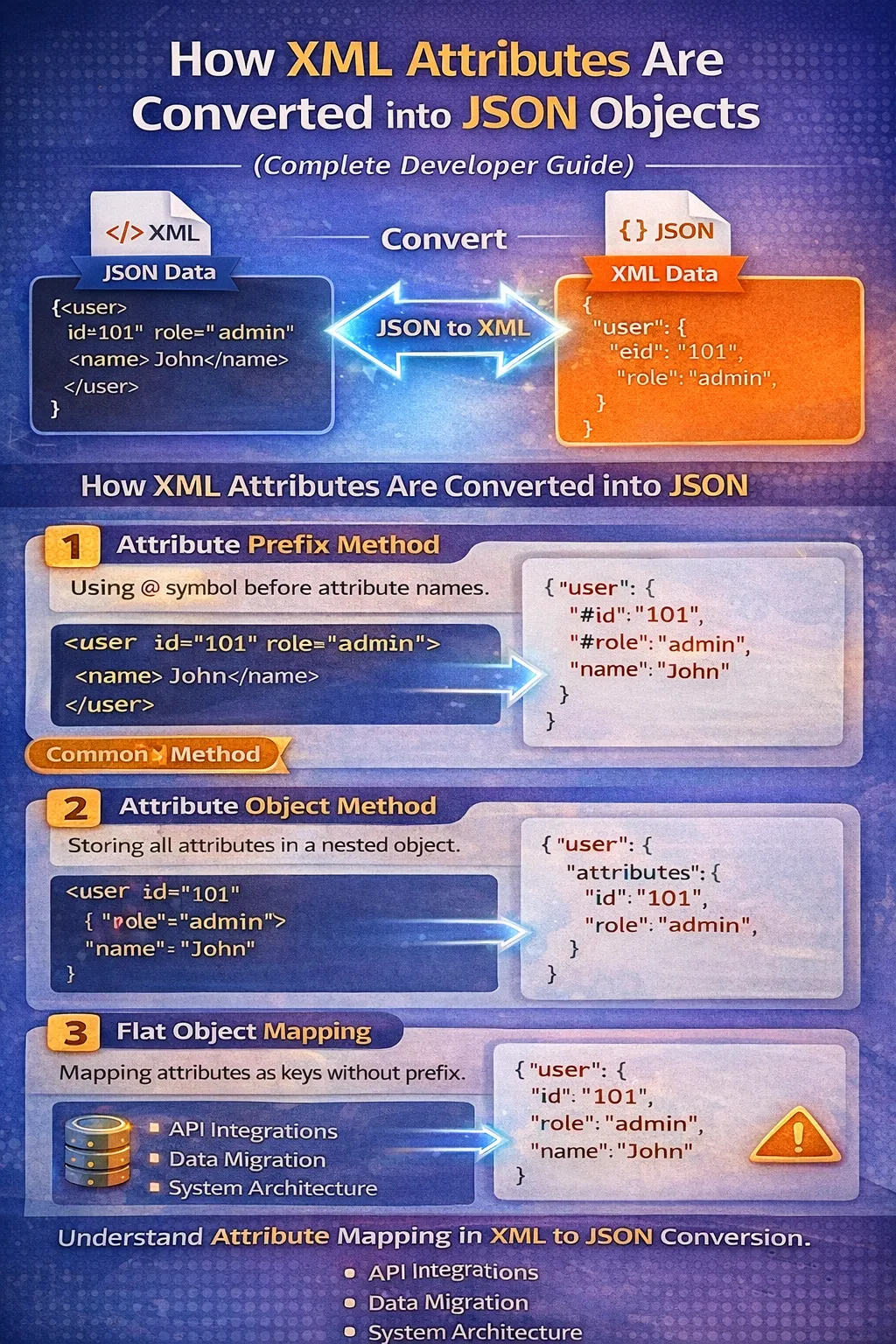
Data interchange formats play a critical role in modern software development. Applications constantly exchange structured information through APIs, microservices, databases, enterprise platforms, and third-party services.
Two of the most widely used formats for structured data are XML (Extensible Markup Language) and JSON (JavaScript Object Notation).
XML has been used extensively in enterprise applications, SOAP APIs, configuration files, document-based systems, and legacy platforms. JSON, meanwhile, has become one of the most common formats for modern web applications, REST APIs, JavaScript applications, and microservices because it is relatively compact, easy to read, and straightforward to parse.
Although XML and JSON can represent many of the same kinds of information, their structures are not identical.
One of the most important differences is that XML supports attributes, while JSON has no native concept of XML-style attributes. JSON represents information primarily through objects, arrays, and key-value pairs.
This difference becomes particularly important when developers need to convert XML data into JSON.
For example, consider this XML:
<user id="101" role="admin">
    <name>John</name>
</user>
The XML contains two different kinds of information:
-
idis an attribute. -
roleis an attribute. -
nameis an element.
When this XML is converted into JSON, the converter must decide how those attributes should be represented.
One possible result is:
{
  "user": {
    "@id": "101",
    "@role": "admin",
    "name": "John"
  }
}
Another converter might produce:
{
  "user": {
    "attributes": {
      "id": "101",
      "role": "admin"
    },
    "name": "John"
  }
}
And another tool might use a flat structure:
{
  "user": {
    "id": "101",
    "role": "admin",
    "name": "John"
  }
}
All three approaches are possible, but they are not semantically identical from a software-development perspective.
In this guide, we will explore how XML attributes are converted into JSON objects, why different converters produce different results, how nested attributes are handled, what happens when names conflict, and which mapping strategy is appropriate for different situations.
What Are XML Attributes?
Before understanding XML-to-JSON conversion, it is important to understand what an XML attribute actually is.
An XML attribute provides additional information about an XML element.
For example:
<user id="101" role="admin">
    <name>John</name>
</user>
Here, user is the XML element.
The element contains two attributes:
id="101"
role="admin"
It also contains a child element:
<name>John</name>
Conceptually, the structure looks like this:
user
├── attributes
│   ├── id = 101
│   └── role = admin
│
└── child element
    └── name = John
Attributes are generally useful for information that describes or identifies an element.
Common examples include:
-
IDs
-
language codes
-
status values
-
types
-
categories
-
configuration settings
-
version information
-
metadata
-
flags
For example:
<book id="B101" language="English" format="digital">
    <title>Programming Guide</title>
</book>
The attributes provide metadata about the book element.
XML Element vs XML Attribute
XML allows information to be represented using elements, attributes, or a combination of both.
Consider this example:
<product id="501" category="electronics">
    <name>Laptop</name>
</product>
Here:
-
productis the main element. -
idis an attribute. -
categoryis an attribute. -
nameis a child element. -
Laptopis the text content of thenameelement.
The same information could also be represented using child elements:
<product>
    <id>501</id>
    <category>electronics</category>
    <name>Laptop</name>
</product>
Both structures contain similar information, but their XML semantics are different.
This difference becomes important during conversion.
A converter cannot simply assume that every piece of XML data should become a normal JSON property without considering how the original XML structure represents that information.
Why XML Attributes Matter During Conversion
At first glance, converting an attribute may seem easy.
For example:
<user id="101">
    <name>John</name>
</user>
A developer might expect:
{
  "user": {
    "id": "101",
    "name": "John"
  }
}
But there is a potential problem.
What happens if the XML contains both an attribute and an element with the same name?
Consider:
<user id="101">
    <id>202</id>
    <name>John</name>
</user>
There are now two different values called id:
-
XML attribute:
id="101" -
XML element:
<id>202</id>
If both are converted into the same JSON key:
{
  "user": {
    "id": "101",
    "id": "202"
  }
}
the structure becomes invalid or ambiguous because JSON objects should not rely on duplicate keys.
This is one reason many XML-to-JSON converters use special conventions for attributes.
Why JSON Does Not Have XML-Style Attributes
JSON uses a different data model from XML.
The basic JSON structures are:
-
Objects
-
Arrays
-
Strings
-
Numbers
-
Booleans
-
null
A JSON object contains key-value pairs:
{
  "name": "John",
  "age": 30
}
There is no separate syntax for an "attribute."
For example, JSON does not have a native equivalent of:
<user id="101">
    <name>John</name>
</user>
Instead, the attribute must be represented using one or more ordinary JSON properties.
For example:
{
  "user": {
    "id": "101",
    "name": "John"
  }
}
The JSON structure itself does not inherently tell us that id originally came from an XML attribute.
That information is lost unless the conversion process preserves it through a naming convention or dedicated structure.
The Basic XML-to-JSON Attribute Mapping
The general process can be understood as follows.
Suppose we have:
<user id="101" role="admin">
    <name>John</name>
</user>
The converter first identifies:
Element:
user

Attributes:
id = 101
role = admin

Child element:
name = John
The converter then creates a JSON object representing user.
A prefix-based converter might generate:
{
  "user": {
    "@id": "101",
    "@role": "admin",
    "name": "John"
  }
}
The @ prefix tells the application:
This property originated as an XML attribute.
This distinction can be very useful when converting the JSON back into XML later.
Common Methods for Converting XML Attributes into JSON
There is no single universal XML-to-JSON mapping that every tool uses.
Several mapping strategies are common.
The three major approaches are:
-
Attribute prefix mapping
-
Dedicated attribute object mapping
-
Flat property mapping
Let's examine each approach in detail.
Method 1: Attribute Prefix Method
The attribute prefix method adds a special character or string before an attribute name.
The most common example is the @ prefix.
Consider this XML:
<user id="101" role="admin">
    <name>John</name>
</user>
The JSON might become:
{
  "user": {
    "@id": "101",
    "@role": "admin",
    "name": "John"
  }
}
Here:
@id     → XML attribute
@role   → XML attribute
name    → XML element
This mapping is easy to understand.
Why Use @?
The main advantage is that the original distinction between attributes and elements is preserved.
For example:
{
  "user": {
    "@id": "101",
    "id": "202"
  }
}
There is no ambiguity.
The application can understand that:
-
@idrepresents an XML attribute. -
idrepresents an XML child element.
This approach is particularly useful when XML may contain attributes and child elements with similar names.
Example of Prefix Mapping
Consider:
<book id="B101" language="English" format="digital">
    <title>Programming Guide</title>
    <author>John Smith</author>
</book>
A prefix-based JSON representation could be:
{
  "book": {
    "@id": "B101",
    "@language": "English",
    "@format": "digital",
    "title": "Programming Guide",
    "author": "John Smith"
  }
}
This representation is compact and preserves the attribute distinction.
Advantages of the Attribute Prefix Method
The prefix approach offers several advantages.
1. Attribute information remains identifiable
Developers can immediately recognize attributes.
2. Naming conflicts are easier to handle
An attribute named id can coexist with an element named id.
3. The JSON remains relatively compact
There is no additional nested attributes object.
4. It can support reverse conversion
If the converter knows that keys beginning with @ represent attributes, it can potentially reconstruct the original XML structure.
Disadvantages of the Attribute Prefix Method
There are also limitations.
Prefixes are conventions
JSON itself does not define @id as an attribute.
The meaning comes from the application's conversion rules.
Developers need to understand the convention
If a frontend developer receives:
{
  "@id": "101"
}
they must know why the @ exists.
API consumers may prefer normal property names
If the JSON is intended to become a public REST API response, attribute-style naming may feel unusual compared with conventional JSON APIs.
Method 2: Dedicated Attribute Object
Another approach is to place all XML attributes inside a dedicated JSON object.
For example:
<user id="101" role="admin">
    <name>John</name>
</user>
could become:
{
  "user": {
    "attributes": {
      "id": "101",
      "role": "admin"
    },
    "name": "John"
  }
}
Here, all attributes are grouped under:
attributes
This makes the distinction very explicit.
Why Use an Attribute Object?
A dedicated object can make the JSON easier to understand when an XML document contains a large number of attributes.
For example:
{
  "product": {
    "attributes": {
      "id": "501",
      "category": "electronics",
      "status": "active",
      "version": "2"
    },
    "name": "Laptop",
    "price": "899"
  }
}
A developer can immediately see that everything under attributes came from XML attributes.
Advantages of Dedicated Attribute Objects
Clear separation
Attributes and elements are kept in different sections.
Easier processing
Code can process:
object.attributes
separately from child elements.
Reduced naming conflicts
An XML attribute called name can coexist with an XML element called name.
For example:
{
  "user": {
    "attributes": {
      "name": "Account Name"
    },
    "name": "John"
  }
}
The two values have distinct locations.
Disadvantages
The structure becomes more verbose.
Compare:
{
  "user": {
    "@id": "101",
    "name": "John"
  }
}
with:
{
  "user": {
    "attributes": {
      "id": "101"
    },
    "name": "John"
  }
}
The second structure is more explicit but requires additional nesting.
Another potential issue is compatibility.
If another application expects:
{
  "user": {
    "@id": "101"
  }
}
then sending:
{
  "user": {
    "attributes": {
      "id": "101"
    }
  }
}
may require additional transformation.
Method 3: Flat Object Mapping
A third approach is to convert XML attributes directly into ordinary JSON properties.
Example:
<user id="101" role="admin">
    <name>John</name>
</user>
could become:
{
  "user": {
    "id": "101",
    "role": "admin",
    "name": "John"
  }
}
This is probably the most intuitive JSON representation for developers who primarily work with JSON.
Why Flat Mapping Is Popular
Modern JSON APIs generally do not distinguish between "attributes" and "elements."
Everything is simply a property.
For example:
{
  "product": {
    "id": "501",
    "category": "electronics",
    "name": "Laptop"
  }
}
This looks natural in JavaScript, PHP, Python, Java, and other programming languages.
However, the approach has one important limitation:
It can lose information about the original XML structure.
Attribute and Element Naming Conflicts
Consider this XML:
<user id="101">
    <id>202</id>
    <name>John</name>
</user>
A flat conversion creates a problem.
Both values want to become:
"id"
This is why blindly flattening XML into JSON can be dangerous.
A prefix-based approach solves the problem:
{
  "user": {
    "@id": "101",
    "id": "202",
    "name": "John"
  }
}
A dedicated attribute object also solves it:
{
  "user": {
    "attributes": {
      "id": "101"
    },
    "id": "202",
    "name": "John"
  }
}
This illustrates an important principle:
XML-to-JSON conversion is not always a simple syntax conversion. It is a data-model transformation.
XML Attributes with Multiple Values
An XML element may contain several attributes.
Example:
<book
    id="B101"
    language="English"
    format="digital"
    status="available">
    <title>Programming Guide</title>
</book>
A prefix-based conversion might be:
{
  "book": {
    "@id": "B101",
    "@language": "English",
    "@format": "digital",
    "@status": "available",
    "title": "Programming Guide"
  }
}
Each attribute becomes a JSON property.
The number of attributes does not fundamentally change the mapping strategy.
Nested XML Attributes
Real-world XML documents are often deeply nested.
For example:
<order id="9001" status="pending">
    <customer id="101" type="premium">
        <name>John</name>
        <email>john@example.com</email>
    </customer>
</order>
A prefix-based JSON representation could be:
{
  "order": {
    "@id": "9001",
    "@status": "pending",
    "customer": {
      "@id": "101",
      "@type": "premium",
      "name": "John",
      "email": "john@example.com"
    }
  }
}
Notice that the attributes remain attached to their corresponding objects.
The order attributes belong to order.
The customer attributes belong to customer.
This relationship is important.
Why Nested Attribute Mapping Matters
Suppose a document contains:
<company id="C100">
    <department id="D200">
        <employee id="E300">
            <name>John</name>
        </employee>
    </department>
</company>
The IDs all have different meanings.
A suitable JSON representation is:
{
  "company": {
    "@id": "C100",
    "department": {
      "@id": "D200",
      "employee": {
        "@id": "E300",
        "name": "John"
      }
    }
  }
}
The nesting preserves the relationship between each ID and the element it describes.
XML Attributes and Text Content
XML elements can contain both attributes and text.
For example:
<message id="M100" priority="high">
    Hello World
</message>
Here:
-
idis an attribute. -
priorityis an attribute. -
Hello Worldis text content.
The converter must represent both.
One possible JSON structure is:
{
  "message": {
    "@id": "M100",
    "@priority": "high",
    "#text": "Hello World"
  }
}
The exact text-content key depends on the converter.
Some tools may use:
#text
while others may use:
value
or another convention.
This is another reason developers should not assume that every XML-to-JSON converter produces identical output.
XML Attributes and Empty Elements
XML can contain empty elements.
For example:
<user id="101" active="true"/>
The element has attributes but no child content.
A converter might produce:
{
  "user": {
    "@id": "101",
    "@active": "true"
  }
}
Depending on the conversion library, empty elements may instead be represented using:
{
  "user": {
    "@id": "101",
    "@active": "true",
    "#text": ""
  }
}
or:
{
  "user": null
}
The exact output depends on the library's configuration and mapping rules.
Therefore, when building an integration, developers should test empty elements explicitly.
XML Attributes and Arrays
XML frequently represents repeated elements.
For example:
<users>
    <user id="101">
        <name>John</name>
    </user>
    <user id="102">
        <name>Sarah</name>
    </user>
    <user id="103">
        <name>David</name>
    </user>
</users>
A natural JSON representation is:
{
  "users": {
    "user": [
      {
        "@id": "101",
        "name": "John"
      },
      {
        "@id": "102",
        "name": "Sarah"
      },
      {
        "@id": "103",
        "name": "David"
      }
    ]
  }
}
The repeated XML elements become a JSON array.
Each array item retains its own attributes.
Single Element vs Array Problem
One common XML-to-JSON issue occurs when an element appears only once.
Consider:
<users>
    <user id="101">
        <name>John</name>
    </user>
</users>
A converter might produce:
{
  "users": {
    "user": {
      "@id": "101",
      "name": "John"
    }
  }
}
But when multiple users exist, it may produce:
{
  "users": {
    "user": [
      {
        "@id": "101",
        "name": "John"
      },
      {
        "@id": "102",
        "name": "Sarah"
      }
    ]
  }
}
This can create an API consistency problem.
Applications may need to handle both:
object
and:
array
depending on how many elements appear in the XML.
Good conversion libraries often provide configuration options to force repeated or potentially repeated XML elements into arrays.
XML Namespaces and JSON Conversion
XML namespaces are another important consideration.
For example:
<user xmlns="http://example.com/users" id="101">
    <name>John</name>
</user>
The XML contains a namespace declaration.
A converter may preserve the namespace information in different ways.
For example:
{
  "user": {
    "@xmlns": "http://example.com/users",
    "@id": "101",
    "name": "John"
  }
}
Other tools may remove namespace declarations or represent namespace prefixes differently.
For example:
<u:user xmlns:u="http://example.com/users" id="101">
    <u:name>John</u:name>
</u:user>
could potentially become a structure containing names such as:
{
  "u:user": {
    "@id": "101",
    "u:name": "John"
  }
}
The exact behavior depends on the parser and converter.
When namespaces are important to the application, they should be explicitly tested.
XML Attribute Data Types
XML attributes are text-based.
For example:
<product id="501" price="899" available="true"/>
XML stores:
id = "501"
price = "899"
available = "true"
A JSON converter may preserve these as strings:
{
  "product": {
    "@id": "501",
    "@price": "899",
    "@available": "true"
  }
}
Some conversion tools or post-processing logic may convert values into JSON types:
{
  "product": {
    "@id": 501,
    "@price": 899,
    "@available": true
  }
}
These outputs are not equivalent from a strict JSON type perspective.
Therefore, developers should decide whether XML attribute values should remain strings or undergo type conversion.
Why Automatic Type Conversion Can Be Risky
Suppose XML contains:
<account accountNumber="001245"/>
If a converter automatically converts numeric-looking values into numbers, it could produce:
{
  "account": {
    "@accountNumber": 1245
  }
}
The leading zeros have disappeared.
That can be incorrect.
An account number is an identifier, not necessarily a mathematical number.
Keeping it as:
{
  "account": {
    "@accountNumber": "001245"
  }
}
may be safer.
This illustrates an important rule:
Do not assume that every numeric-looking XML value should become a JSON number.
XML Boolean Attributes
Consider:
<user active="true"/>
A converter might preserve:
{
  "user": {
    "@active": "true"
  }
}
or convert it to:
{
  "user": {
    "@active": true
  }
}
Both approaches are technically possible.
If the JSON is consumed by JavaScript or another strongly typed application, the expected type should be documented.
Otherwise, code may accidentally compare:
user["@active"] === true
when the actual value is:
"true"
which would produce an unexpected result.
XML to JSON Conversion in JavaScript
JavaScript applications frequently need to consume XML from older APIs.
Suppose an XML API returns:
<user id="101" role="admin">
    <name>John</name>
</user>
After conversion, JavaScript might work with:
{
  "user": {
    "@id": "101",
    "@role": "admin",
    "name": "John"
  }
}
The application can then access:
data.user["@id"]
and:
data.user.name
If the converter instead uses an attributes object:
{
  "user": {
    "attributes": {
      "id": "101",
      "role": "admin"
    },
    "name": "John"
  }
}
JavaScript can access:
data.user.attributes.id
The best structure depends on the application's needs and the conversion library being used.
XML to JSON Conversion in PHP
PHP applications often interact with XML through libraries such as SimpleXML and DOM-based APIs.
Suppose XML contains:
<product id="501" category="electronics">
    <name>Laptop</name>
</product>
When using XML parsing functionality, attributes and child elements are handled differently.
A conceptual PHP workflow may look like:
$xml = simplexml_load_string($xmlString);

$id = (string) $xml['id'];
$category = (string) $xml['category'];
$name = (string) $xml->name;
Here:
$xml['id']
accesses an XML attribute.
While:
$xml->name
accesses a child element.
When building a JSON object, the developer can explicitly decide how attributes should be mapped.
For example:
$data = [
    'product' => [
        '@id' => (string) $xml['id'],
        '@category' => (string) $xml['category'],
        'name' => (string) $xml->name
    ]
];

echo json_encode($data);
This can produce:
{
  "product": {
    "@id": "501",
    "@category": "electronics",
    "name": "Laptop"
  }
}
The important idea is that XML parsing and JSON serialization are separate steps.
XML-to-JSON Conversion in Python
Python applications also frequently process XML data.
A typical conversion workflow involves:
-
Parse XML.
-
Identify elements.
-
Identify attributes.
-
Build Python dictionaries and lists.
-
Serialize the resulting structure as JSON.
Conceptually:
data = {
    "user": {
        "@id": "101",
        "@role": "admin",
        "name": "John"
    }
}
Then the structure can be serialized with Python's JSON functionality.
The key point is that Python dictionaries do not automatically know which values originated from XML attributes.
That distinction must be preserved by the conversion logic.
XML-to-JSON Conversion in Java
Enterprise Java applications often encounter XML because of SOAP services, enterprise integrations, configuration systems, and older APIs.
A Java application may use an XML parser to read attributes:
element.getAttribute("id");
The resulting value can then be added to a JSON object.
Conceptually:
{
  "user": {
    "@id": "101",
    "name": "John"
  }
}
Libraries used for XML and JSON processing may provide their own conventions.
Therefore, developers should check the library's documentation rather than assuming that all Java libraries use the same attribute representation.
How Online XML-to-JSON Converters Handle Attributes
Online XML-to-JSON converters are often useful when developers need to inspect or transform XML quickly.
A typical workflow is:
-
Open an XML-to-JSON conversion tool.
-
Paste XML.
-
Run the conversion.
-
Review the JSON output.
-
Check how attributes were mapped.
-
Validate the resulting JSON.
-
Copy or export the output.
For example, input:
<user id="101" role="admin">
    <name>John</name>
</user>
may generate:
{
  "user": {
    "@id": "101",
    "@role": "admin",
    "name": "John"
  }
}
The important thing is not merely whether the tool produces JSON.
You should also check whether it produces the JSON structure your application expects.
Why Converter Output Can Differ
Two different XML-to-JSON tools can process exactly the same XML and produce different JSON.
For example, Tool A might generate:
{
  "user": {
    "@id": "101",
    "name": "John"
  }
}
Tool B might generate:
{
  "user": {
    "attributes": {
      "id": "101"
    },
    "name": "John"
  }
}
Tool C might generate:
{
  "user": {
    "id": "101",
    "name": "John"
  }
}
This is not necessarily an error.
XML and JSON have different data models, so conversion requires mapping decisions.
The tool must decide how to represent concepts that exist in XML but do not exist natively in JSON.
A Detailed Conversion Example
Let's examine a more realistic XML document.
<catalog>
    <book id="B101" language="English" status="available">
        <title>Programming Guide</title>
        <author id="A10">
            <name>John Smith</name>
        </author>
        <price currency="USD">49.99</price>
    </book>
</catalog>
This document contains:
-
A
catalogelement. -
A
bookelement with three attributes. -
A
titleelement. -
An
authorelement with an attribute. -
A
nameelement. -
A
priceelement with an attribute. -
Text content inside
price.
A prefix-based JSON mapping might be:
{
  "catalog": {
    "book": {
      "@id": "B101",
      "@language": "English",
      "@status": "available",
      "title": "Programming Guide",
      "author": {
        "@id": "A10",
        "name": "John Smith"
      },
      "price": {
        "@currency": "USD",
        "#text": "49.99"
      }
    }
  }
}
This representation preserves the important structural distinctions.
Understanding the Price Example
The price element is particularly interesting:
<price currency="USD">49.99</price>
It has:
-
An attribute:
currency="USD" -
Text content:
49.99
A simple JSON property:
"price": "49.99"
would lose the currency attribute.
A better representation might be:
"price": {
  "@currency": "USD",
  "#text": "49.99"
}
This is one of the more difficult aspects of XML-to-JSON conversion.
A JSON object is needed because the XML node contains both metadata and text.
Another Approach for Mixed Content
An application-oriented JSON model might instead use:
{
  "price": {
    "currency": "USD",
    "value": 49.99
  }
}
This structure may be easier for application developers to consume.
However, it is no longer a purely mechanical XML-to-JSON mapping.
It is a semantic transformation.
The difference is important.
A mechanical converter tries to preserve the original structure.
A semantic transformation redesigns the data for the target application's needs.
Mechanical Conversion vs Semantic Conversion
There are two broad ways to think about XML-to-JSON conversion.
Mechanical Conversion
The goal is to preserve the XML structure as accurately as possible.
For example:
<price currency="USD">49.99</price>
becomes:
{
  "@currency": "USD",
  "#text": "49.99"
}
This is useful when:
-
round-trip conversion matters
-
XML structure needs to be preserved
-
a generic XML-to-JSON converter is being used
-
multiple XML structures must be handled automatically
Semantic Conversion
The goal is to create a JSON model that makes sense for the application.
The same XML could become:
{
  "price": 49.99,
  "currency": "USD"
}
This is often better for a modern REST API but requires application-specific rules.
When Flat Mapping Is Appropriate
Flat mapping can be appropriate when:
-
XML attributes are simple metadata.
-
There are no naming conflicts.
-
The JSON is consumed only by modern applications.
-
Reverse conversion is not required.
-
Simplicity is more important than preserving XML semantics.
For example:
<product id="501" category="electronics">
    <name>Laptop</name>
</product>
can comfortably become:
{
  "product": {
    "id": "501",
    "category": "electronics",
    "name": "Laptop"
  }
}
This is easy for most application developers to understand.
When Prefix Mapping Is Better
Prefix mapping is often preferable when:
-
XML-to-JSON-to-XML round trips matter.
-
Attribute/element distinctions must be preserved.
-
Naming conflicts are possible.
-
You are building a generic conversion system.
-
The source XML contains significant metadata.
Example:
{
  "product": {
    "@id": "501",
    "name": "Laptop"
  }
}
The @ convention clearly communicates the original XML structure.
When an Attribute Object Is Better
A dedicated object may be preferable when:
-
There are many attributes.
-
The application processes metadata separately.
-
You want a very explicit JSON structure.
-
Attribute names may conflict with application properties.
-
Readability is more important than compactness.
For example:
{
  "product": {
    "attributes": {
      "id": "501",
      "category": "electronics",
      "status": "active"
    },
    "name": "Laptop"
  }
}
This structure makes the separation obvious.
Handling XML Comments
XML can contain comments:
<!-- User information -->
<user id="101">
    <name>John</name>
</user>
JSON has no native comment syntax.
Therefore, comments are usually discarded during conversion.
This is another example of XML information that cannot be directly represented in ordinary JSON.
If comments contain information that the application actually needs, they should not be treated as merely comments. Instead, that information should be represented explicitly as data.
Handling XML Processing Instructions
XML can also contain processing instructions:
<?xml version="1.0"?>
and application-specific processing instructions.
JSON has no direct equivalent.
Most converters either ignore these instructions or handle them separately.
Therefore, developers working with XML documents that depend on processing instructions should verify how their chosen parser handles them.
XML Attributes and Security Considerations
XML conversion is not only a data-format problem.
Security also matters.
When parsing untrusted XML, developers should consider XML-specific attacks and parser configuration issues.
One well-known category is XML External Entity (XXE) processing.
An insecure XML parser may process external entities in ways that expose local resources or cause unexpected network requests.
Therefore:
-
Do not blindly parse untrusted XML.
-
Use secure parser settings.
-
Disable unnecessary external entity processing.
-
Keep XML libraries updated.
-
Validate input according to the application's requirements.
Converting XML to JSON does not automatically make unsafe XML safe.
The XML must first be parsed securely.
Validation Before XML-to-JSON Conversion
A good XML-to-JSON workflow should validate the input before processing it.
For example, malformed XML such as:
<user id="101">
    <name>John
</user>
is not properly formed because the name element is not closed.
A converter may reject it or return an error.
Correct XML is:
<user id="101">
    <name>John</name>
</user>
Validating XML first makes troubleshooting much easier.
Validate the JSON After Conversion
Validation should not stop after XML parsing.
The generated JSON should also be validated.
For example:
{
  "user": {
    "@id": "101",
    "name": "John"
  }
}
should be checked for valid JSON syntax.
If the JSON is being sent to an API, it should also be checked against the API's expected schema.
A JSON document can be syntactically valid but still be structurally incorrect for the application.
Common XML Attribute Conversion Problems
Developers frequently encounter several issues.
1. Attribute and Element Name Conflicts
Example:
<user id="101">
    <id>202</id>
</user>
A flat mapping can cause collisions.
2. Unexpected Data Types
XML attributes are text-based, but the target JSON may expect numbers or booleans.
Example:
"active": "true"
versus:
"active": true
3. Single Object vs Array
One XML element may become an object, while multiple instances may become an array.
4. Mixed Content
Elements containing both attributes and text require special handling.
5. Namespaces
Namespace declarations and qualified names can complicate conversion.
6. Empty Elements
Different tools may represent empty XML elements differently.
7. Loss of XML Semantics
A flat JSON structure may lose the distinction between attributes and elements.
Best Practices for XML Attribute Conversion
A reliable XML-to-JSON implementation should follow several best practices.
1. Define a Mapping Strategy First
Before converting data, decide whether your application will use:
-
prefixes
-
attribute objects
-
flat properties
-
custom semantic mappings
Do not let different parts of the system use different conventions.
2. Document the Convention
If your system uses:
@attribute
document it clearly.
For example:
Keys beginning with @ represent XML attributes.
Keys without @ represent XML elements.
#text represents element text content.
This makes integration easier for other developers.
3. Watch for Naming Conflicts
Always check whether an XML element and attribute can have the same name.
If conflicts are possible, avoid blind flat mapping.
4. Test Nested Structures
Do not test only simple XML.
Include:
-
nested elements
-
multiple attributes
-
repeated elements
-
empty elements
-
text content
-
namespaces
-
name conflicts
5. Test Single and Multiple Elements
For repeated XML nodes, test both:
<user id="101"/>
and:
<user id="101"/>
<user id="102"/>
Check whether the converter changes an object into an array.
6. Preserve Important Identifiers
IDs should be treated carefully.
For example:
<account id="00125"/>
should not automatically become:
"id": 125
if the leading zeros are meaningful.
7. Validate Both Formats
Validate:
-
the input XML
-
the generated JSON
This catches problems early.
Choosing the Right Attribute Mapping Strategy
There is no single strategy that is always best.
The correct choice depends on the purpose of the conversion.
| Requirement | Recommended Approach |
|---|---|
| Preserve XML structure | Prefix mapping |
| Avoid name collisions | Prefix or attribute object |
| Simple application JSON | Flat mapping |
| Many metadata fields | Attribute object |
| Round-trip conversion | Prefix or explicit metadata mapping |
| Public REST API | Semantic/flat model |
| Generic converter | Prefix-based mapping |
The key question is:
Do you need to preserve the original XML model, or do you simply need usable JSON data?
If structural fidelity matters, preserve attribute information.
If the goal is to create a clean API model, semantic transformation may be better.
XML Attributes in Legacy API Migration
One of the most common real-world use cases is migrating a legacy XML API to a modern JSON API.
Suppose an old service returns:
<customer id="1001" status="active">
    <name>John Smith</name>
    <email>john@example.com</email>
</customer>
A migration layer might first produce:
{
  "customer": {
    "@id": "1001",
    "@status": "active",
    "name": "John Smith",
    "email": "john@example.com"
  }
}
But the new API might prefer:
{
  "id": "1001",
  "status": "active",
  "name": "John Smith",
  "email": "john@example.com"
}
The migration service therefore performs two steps:
Legacy XML
    ↓
XML Parser
    ↓
Intermediate Representation
    ↓
JSON Transformation
    ↓
Modern JSON API
This approach allows the new API to have a cleaner design without changing the legacy system immediately.
XML Attributes in API Integration
Many applications still integrate with XML-based third-party services.
For example, an external service might return:
<response status="success" requestId="R100">
    <customer id="501">
        <name>John</name>
    </customer>
</response>
An integration service can convert this into:
{
  "response": {
    "@status": "success",
    "@requestId": "R100",
    "customer": {
      "@id": "501",
      "name": "John"
    }
  }
}
The application can then work with JSON rather than parsing XML throughout the rest of the system.
This creates a useful architectural boundary:
External XML
      ↓
Integration Layer
      ↓
Internal JSON
      ↓
Application Services
XML Attribute Conversion in Microservices
Microservices often use JSON for communication.
However, a company may still have older services that produce XML.
An adapter service can convert the XML into JSON before forwarding it.
For example:
Legacy Service
     |
     | XML
     ↓
Integration Adapter
     |
     | JSON
     ↓
Modern Microservice
The adapter may convert:
<order id="9001" status="paid">
    <total currency="USD">125.50</total>
</order>
into:
{
  "order": {
    "@id": "9001",
    "@status": "paid",
    "total": {
      "@currency": "USD",
      "#text": "125.50"
    }
  }
}
Or it could produce a cleaner application model:
{
  "order": {
    "id": "9001",
    "status": "paid",
    "total": 125.50,
    "currency": "USD"
  }
}
The second structure may be better for the microservice, but it requires explicit transformation logic.
XML Attributes in Data Migration
Data migration is another common use case.
Imagine an old XML-based data store contains:
<employee id="E101" department="IT">
    <name>John</name>
    <salary currency="USD">75000</salary>
</employee>
During migration, the JSON database might store:
{
  "id": "E101",
  "department": "IT",
  "name": "John",
  "salary": {
    "amount": 75000,
    "currency": "USD"
  }
}
This is not merely a syntax conversion.
The migration process is redesigning the data model.
That is often the right approach when moving from a legacy XML system to a modern application.
XML Attributes vs JSON Properties
A useful way to understand the difference is to compare the models directly.
XML:
<user id="101">
    <name>John</name>
</user>
JSON:
{
  "user": {
    "id": "101",
    "name": "John"
  }
}
In XML:
id
has a special role because it is an attribute.
In JSON:
"id"
is simply a property.
JSON does not inherently know where the property came from.
This distinction is important when designing systems that need to preserve source-format semantics.
Why There Is No Single Correct XML-to-JSON Output
It is tempting to assume that every XML document has one obvious JSON equivalent.
In practice, this is not always true.
For example:
<product id="501">
    <name>Laptop</name>
</product>
could become:
{
  "product": {
    "@id": "501",
    "name": "Laptop"
  }
}
or:
{
  "product": {
    "attributes": {
      "id": "501"
    },
    "name": "Laptop"
  }
}
or:
{
  "product": {
    "id": "501",
    "name": "Laptop"
  }
}
All are valid JSON.
The question is not:
Which JSON is syntactically valid?
The better question is:
Which JSON representation best preserves the information and requirements of the application?
Common Mistakes Developers Should Avoid
Mistake 1: Assuming Every Converter Uses @
Some developers expect:
"@id": "101"
but their converter produces:
"id": "101"
Always check the converter's rules.
Mistake 2: Ignoring Naming Conflicts
Do not flatten attributes and elements without considering collisions.
Mistake 3: Assuming XML Numbers Become JSON Numbers
XML values are commonly represented as text.
Do not assume:
price="100"
automatically becomes:
"price": 100
Mistake 4: Ignoring Arrays
Repeated XML elements often require JSON arrays.
Mistake 5: Losing Metadata
A conversion such as:
<price currency="USD">49.99</price>
to:
"price": "49.99"
loses the currency information.
Mistake 6: Treating Valid JSON as Correct JSON
A JSON document can be syntactically valid but semantically wrong for the target API.
How to Test XML Attribute Conversion
A good test suite should contain several categories.
Basic Attribute
<user id="101"/>
Expected concept:
user → id attribute
Multiple Attributes
<user id="101" role="admin"/>
Attribute + Child Element
<user id="101">
    <name>John</name>
</user>
Attribute + Same-Named Element
<user id="101">
    <id>202</id>
</user>
Nested Attributes
<order id="9001">
    <customer id="101"/>
</order>
Repeated Elements
<users>
    <user id="101"/>
    <user id="102"/>
</users>
Attribute + Text
<price currency="USD">49.99</price>
Namespace
<user xmlns="http://example.com" id="101"/>
Testing these cases helps reveal whether the chosen converter is suitable for production use.
A Practical XML-to-JSON Conversion Checklist
Before deploying an XML-to-JSON transformation, check the following:
-
Is the XML valid?
-
Are attributes preserved?
-
How are attributes represented?
-
Can attribute and element names conflict?
-
Are repeated elements converted to arrays?
-
How is text content represented?
-
How are empty elements handled?
-
Are namespaces preserved?
-
Are attribute values strings or typed values?
-
Are leading zeros preserved?
-
Are comments ignored?
-
Are processing instructions handled?
-
Is untrusted XML parsed securely?
-
Is the output valid JSON?
-
Does the JSON match the target API schema?
-
Is the mapping documented?
This checklist can prevent many integration problems.
XML Attributes and Round-Trip Conversion
Sometimes an application needs to convert:
XML → JSON → XML
without losing important information.
This is called a round-trip scenario.
Suppose the original XML is:
<user id="101" role="admin">
    <name>John</name>
</user>
If it becomes:
{
  "user": {
    "id": "101",
    "role": "admin",
    "name": "John"
  }
}
the JSON does not inherently reveal that id and role were XML attributes.
Reconstructing the original XML therefore requires additional knowledge.
With:
{
  "user": {
    "@id": "101",
    "@role": "admin",
    "name": "John"
  }
}
the conversion system has much more information available for reconstructing XML.
Therefore, prefix-based or explicit attribute-object representations can be preferable when round-trip fidelity matters.
Should You Convert XML Attributes into JSON Objects?
Technically, XML attributes do not become JSON "attributes."
They become JSON properties within an object.
For example:
<user id="101"/>
might become:
{
  "user": {
    "@id": "101"
  }
}
The JSON object contains a property called @id.
The property represents the original XML attribute because the conversion convention says so.
This distinction is important when explaining XML-to-JSON conversion to beginners.
XML Attributes vs JSON Objects: A Simple Mental Model
A useful mental model is:
XML
│
├── Element
│   ├── Attributes
│   ├── Child Elements
│   └── Text
│
└── ...
After conversion:
JSON
│
└── Object
    ├── Properties representing attributes
    ├── Properties representing elements
    └── Property representing text, if needed
The converter's job is to define how each XML concept maps to the JSON model.
Frequently Asked Questions
What happens to XML attributes when XML is converted to JSON?
XML attributes are generally converted into JSON object properties. Depending on the converter, they may use a prefix such as @, appear inside an attributes object, or become normal properties.
Does JSON support XML attributes?
No. JSON does not have a native attribute concept equivalent to XML attributes. Attributes must be represented as JSON properties or nested structures.
Why do some XML-to-JSON converters use @?
The @ prefix is a convention used by some converters to distinguish XML attributes from child elements.
For example:
{
  "user": {
    "@id": "101",
    "name": "John"
  }
}
Here, @id indicates that id originated as an XML attribute.
Can XML attributes and elements have the same name?
Yes.
For example:
<user id="101">
    <id>202</id>
</user>
This is one reason flat XML-to-JSON conversion can cause naming conflicts.
Are XML attributes always converted into strings?
XML attributes are text-based. Many converters therefore preserve them as strings, although some tools or transformation layers may perform additional type conversion.
Can an XML attribute become a JSON number?
Yes, if the conversion process explicitly performs type conversion.
For example:
<product id="501"/>
could become:
{
  "product": {
    "id": 501
  }
}
But this should only be done when treating the value as a number is appropriate.
How are repeated XML elements converted?
Repeated XML elements are commonly represented as JSON arrays.
For example:
<users>
    <user id="101"/>
    <user id="102"/>
</users>
can become:
{
  "users": {
    "user": [
      {
        "@id": "101"
      },
      {
        "@id": "102"
      }
    ]
  }
}
What happens to XML text content?
Text content may be represented directly as a JSON string or through a special property such as #text, depending on the converter.
For example:
<message id="M1">Hello</message>
could become:
{
  "message": {
    "@id": "M1",
    "#text": "Hello"
  }
}
Which XML-to-JSON mapping method is best?
It depends on the project.
Use prefix or explicit attribute mapping when preserving XML semantics is important.
Use flat or semantic mapping when designing a clean JSON API and the original XML distinction is not needed.
Can online tools convert XML attributes automatically?
Yes. Many XML-to-JSON converters can automatically process attributes. However, developers should inspect the output to understand exactly how the selected tool represents attributes, arrays, text content, namespaces, and empty elements.
Should XML attributes be converted into normal JSON properties?
They can be, but the decision depends on the application's requirements.
For a simple application model:
{
  "id": "101"
}
may be perfectly reasonable.
For structural preservation:
{
  "@id": "101"
}
may be more appropriate.
Final Thoughts
Understanding how XML attributes are converted into JSON objects is an important skill for developers working with APIs, legacy systems, data migration, and integration platforms.
The central challenge is simple:
XML has attributes, while JSON does not have a native attribute concept.
Because of this, an XML-to-JSON converter must use a mapping strategy.
The most common strategies include:
Attribute Prefix Mapping
{
  "@id": "101"
}
This clearly identifies the original XML attribute.
Dedicated Attribute Object
{
  "attributes": {
    "id": "101"
  }
}
This keeps metadata separate from child elements.
Flat Mapping
{
  "id": "101"
}
This creates a simple JSON structure but may lose information about the original XML model.
The right choice depends on your requirements.
If you need XML structure preservation or round-trip conversion, an explicit attribute convention is usually safer.
If you are creating a modern JSON API, a semantic transformation into clean JSON properties may provide a better developer experience.
Developers should also pay attention to:
-
naming conflicts
-
nested attributes
-
repeated elements
-
arrays
-
text content
-
namespaces
-
empty elements
-
data types
-
validation
-
security
-
round-trip requirements
Most importantly, remember that XML-to-JSON conversion is not always a simple one-to-one syntax conversion. It is often a transformation between two different data models.
Once you understand that distinction, XML attribute conversion becomes much easier to reason about.
Whether you are integrating a legacy XML API, migrating enterprise data, building a microservice adapter, or simply converting XML for development work, choosing a consistent attribute-mapping strategy will help you produce predictable and maintainable JSON.
Quick Reference
XML:
<user id="101" role="admin">
    <name>John</name>
</user>
Prefix mapping:
{
  "user": {
    "@id": "101",
    "@role": "admin",
    "name": "John"
  }
}
Attribute object mapping:
{
  "user": {
    "attributes": {
      "id": "101",
      "role": "admin"
    },
    "name": "John"
  }
}
Flat mapping:
{
  "user": {
    "id": "101",
    "role": "admin",
    "name": "John"
  }
}
There is no universal JSON representation for XML attributes. The best representation is the one that preserves the information your application actually needs while remaining consistent, predictable, and easy to maintain.
If you regularly work with XML and JSON, practicing these conversions with real-world examples is one of the best ways to understand the differences between the two formats and avoid unexpected data-loss or mapping problems.
Your email address will not be published. Comments are moderated.
0 Comments on This Post
Leave a Reply
Comments (0)
Spread the Word!
Join Our Developer Community!
Get weekly coding tips, tool updates, and exclusive tutorials straight to your inbox.
Request a Tool
×