PHP Code Style Standards Explained
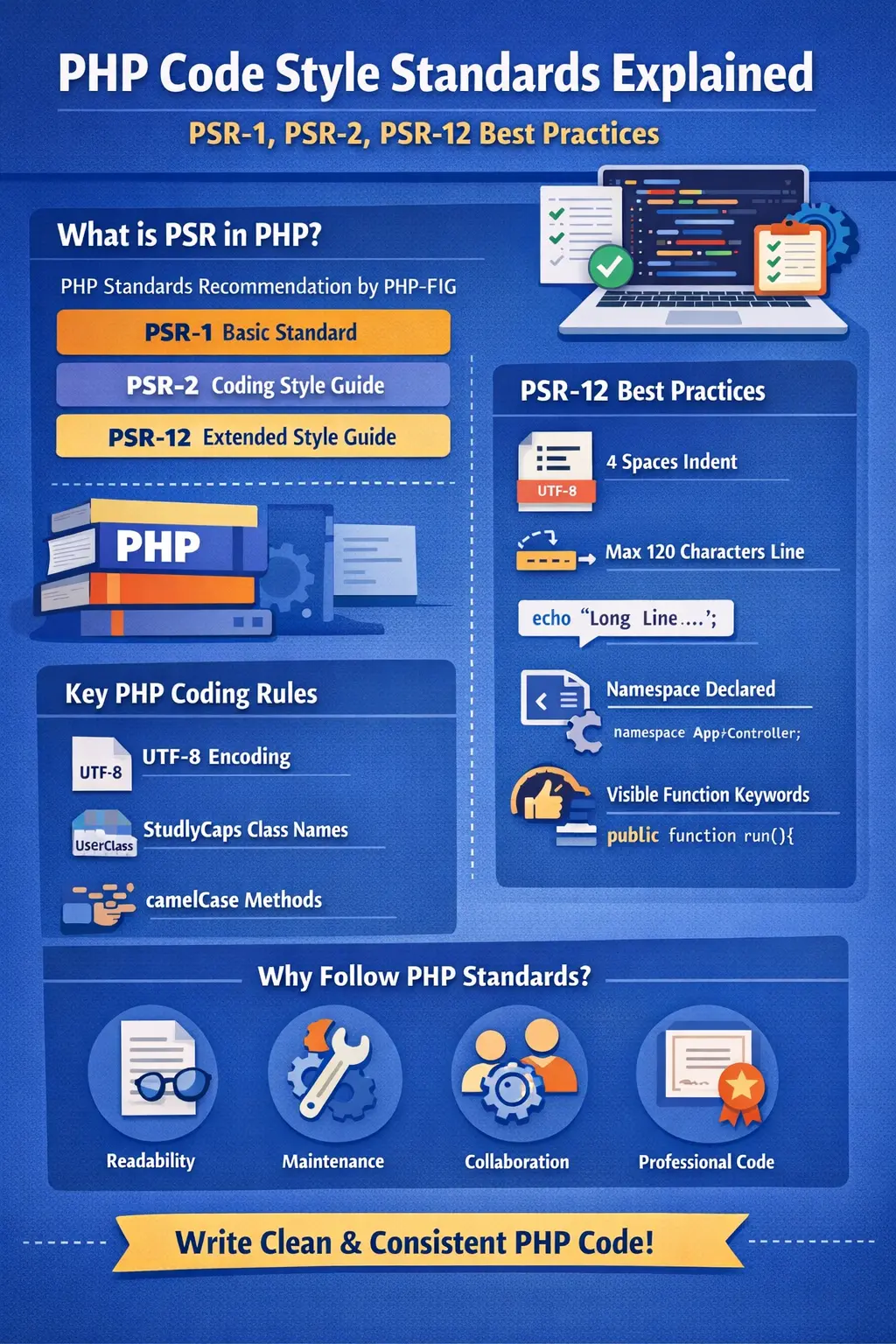
Writing PHP code is easy, but writing clean, readable, and professional PHP code is what separates beginners from experienced developers.
This is where PHP Code Style Standards come into play.
PHP code style standards are a set of rules and guidelines that define how PHP code should be written, formatted, and structured. These standards make code easier to read, debug, maintain, and collaborate on — especially in large projects or team environments.
In this complete guide, you will learn:
-
What PHP code style standards are
-
Why coding standards matter
-
PSR-1, PSR-2, and PSR-12 explained
-
Real PHP examples
-
Best practices for clean PHP code
What Are PHP Code Style Standards?
PHP code style standards define how your PHP code should look, not what it does.
They cover things like:
-
Indentation and spacing
-
Naming conventions
-
File structure
-
Class and method formatting
-
Braces placement
-
Line length
The goal is consistency. When all developers follow the same style, the code becomes predictable and easy to understand.
Why PHP Coding Standards Are Important
1. Better Readability
Clean code is easier to read. When formatting is consistent, developers can quickly understand logic without confusion.
2. Easier Maintenance
Well-formatted code reduces bugs and makes future changes safer.
3. Team Collaboration
In team projects, coding standards ensure everyone writes code the same way.
4. Professional Code Quality
Most companies and open-source projects follow strict PHP standards.
5. Tool Compatibility
Modern tools, linters, and formatters rely on coding standards like PSR-12.
What Is PSR in PHP?
PSR stands for PHP Standards Recommendation.
It is maintained by PHP-FIG (PHP Framework Interop Group).
PSRs define common standards so different PHP frameworks and libraries can work together smoothly.
Important PHP code style PSRs:
-
PSR-1 – Basic Coding Standard
-
PSR-2 – Coding Style Guide (deprecated)
-
PSR-12 – Extended Coding Style Guide
PSR-1: Basic Coding Standard
PSR-1 defines the basic rules every PHP file should follow.
PSR-1 Key Rules
1. PHP Tags
Only use:
<?php
Avoid short tags:
<?
2. File Encoding
Files must be encoded in UTF-8 without BOM.
3. Class Names
Class names must be in StudlyCaps:
class UserProfile {}
4. Method Names
Methods must be in camelCase:
public function getUserData() {}
5. Constants
Constants must be in UPPER_CASE:
define('MAX_LIMIT', 100);
PSR-2: Coding Style Guide (Deprecated)
PSR-2 extended PSR-1 and focused on formatting rules.
⚠️ Note: PSR-2 is now deprecated and replaced by PSR-12, but understanding it helps when working with legacy projects.
PSR-2 Highlights
-
4 spaces for indentation
-
Opening brace on next line for classes
-
One class per file
-
Visibility keywords required
PSR-12: Extended Coding Style Guide (Recommended)
PSR-12 is the current and recommended PHP coding standard.
It improves and modernizes PSR-2.
PSR-12 Formatting Rules Explained
1. Indentation
Use 4 spaces, never tabs:
if ($condition) {
echo "Hello";
}
2. Line Length
-
Soft limit: 120 characters
-
Hard limit: 160 characters
3. Opening PHP Tag
Must be the first line:
<?php
4. Namespaces
Declare namespace after PHP tag:
<?php
namespace App\Controllers;
5. Class Declaration
class UserController
{
public function index()
{
// code
}
}
6. Method Visibility
Always specify visibility:
public function save() {}
protected function validate() {}
private function log() {}
7. Control Structures
Correct spacing:
if ($age > 18) {
echo "Adult";
}
❌ Wrong:
if($age>18){
8. Arrays Formatting
$data = [
'name' => 'John',
'email' => 'john@example.com',
];
9. Anonymous Functions
$sum = function (int $a, int $b): int {
return $a + $b;
};
10. Trailing Commas
Allowed in multi-line arrays:
$list = [
'PHP',
'JavaScript',
'Python',
];
PHP Naming Conventions Best Practices
Variables
$userName = 'John';
$totalAmount = 500;
Functions
function calculateTotal() {}
Classes
class OrderManager {}
Common PHP Code Style Mistakes
❌ Mixing tabs and spaces
❌ Inconsistent brace placement
❌ No visibility keywords
❌ Long unreadable lines
❌ Poor naming conventions
PHP Code Formatter Tools
Using formatter tools saves time and ensures standards compliance.
Popular tools:
-
PHP CS Fixer
-
PHP_CodeSniffer
-
Online PHP Formatter (like DailyCodeTools)
These tools automatically format code according to PSR-12.
How PHP Code Style Improves Performance?
While formatting does not directly affect runtime, it:
-
Reduces bugs
-
Improves debugging speed
-
Makes optimization easier
Clean code leads to better performance indirectly.
PHP Code Style for Beginners
If you are new to PHP:
-
Follow PSR-12
-
Use meaningful names
-
Keep functions small
-
Comment wisely
-
Format code regularly
PHP Code Style in Frameworks
Popular frameworks follow PSR standards:
-
Laravel → PSR-12
-
CodeIgniter 4 → PSR-12
-
Symfony → PSR-12
Learning standards helps you master frameworks faster.
Final Thoughts
PHP code style standards are not optional — they are essential for writing professional PHP code.
By following PSR-1, PSR-2, and PSR-12, you ensure:
-
Clean code
-
Better collaboration
-
Easier maintenance
-
Professional quality
If you want your PHP code to look like expert-level code, start following PSR-12 today.
Your email address will not be published. Comments are moderated.
0 Comments on This Post
Leave a Reply
Comments (0)
Spread the Word!
Join Our Developer Community!
Get weekly coding tips, tool updates, and exclusive tutorials straight to your inbox.
Request a Tool
×