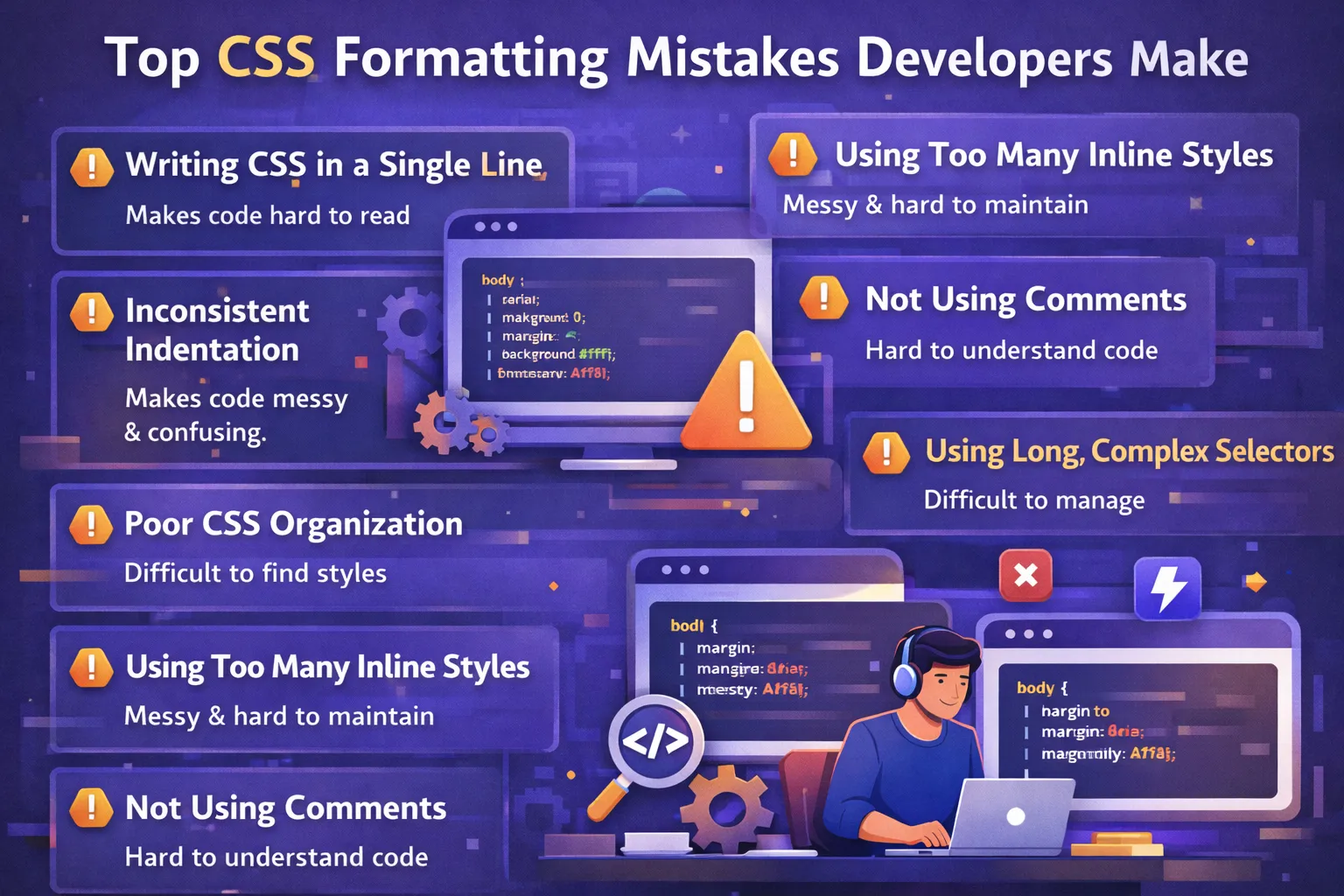
Top 7 Common CSS Formatting Mistakes Developers Make
CSS plays a critical role in modern web development. It controls the layout, spacing, typography, colors, responsiveness, and overall visual appearance of websites and web applications. HTML provides the structure of a page, while CSS turns that structure into a polished and usable interface.
However, writing CSS that works is not always enough.
As a project grows, CSS can quickly become difficult to manage if it is poorly formatted, inconsistently organized, or written without a clear structure. A stylesheet that looks manageable when a project contains only a few components can become confusing when hundreds or thousands of styles are added.
Many developers, especially beginners, make common CSS formatting mistakes that seem harmless at first. These mistakes may not immediately break a website, but they can make code harder to read, maintain, debug, reuse, and scale.
Poorly formatted CSS can also create problems when several developers work on the same codebase. When everyone follows a different formatting style, developers spend more time understanding the existing code instead of improving it.
In this guide, we will explore the top 7 common CSS formatting mistakes developers make, why these mistakes matter, and how to fix them using practical CSS best practices.
We will also look at useful formatting tools, naming conventions, organization strategies, and frequently asked questions about writing clean CSS.
By the end of this guide, you will have a better understanding of how to create CSS that is not only functional but also clean, readable, maintainable, and scalable.
Why CSS Formatting Matters
Before discussing common mistakes, it is important to understand why CSS formatting deserves attention.
CSS formatting is not simply about making code look attractive. Good formatting directly affects how easily developers can understand and work with a stylesheet.
When CSS is properly formatted, developers can quickly identify selectors, properties, values, relationships between components, and sections of a stylesheet.
Consider the following example:
.card{background:#fff;padding:20px;border-radius:8px;box-shadow:0 2px 10px rgba(0,0,0,.1)}
The browser can understand this code perfectly well, but a developer has to work harder to read it.
Now compare it with:
.card {
  background: #fff;
  padding: 20px;
  border-radius: 8px;
  box-shadow: 0 2px 10px rgba(0, 0, 0, 0.1);
}
The second version is easier to scan, edit, and debug.
Good CSS formatting provides several benefits.
Code Readability
Readable code allows developers to understand styles without spending unnecessary time interpreting them.
A developer should be able to open a CSS file and quickly answer questions such as:
-
Which styles belong to the header?
-
Where is the navigation styled?
-
Which class controls the card layout?
-
Where should I change the button color?
-
Which styles are reusable utilities?
Consistent formatting makes these questions easier to answer.
Maintainability
Websites constantly change.
You may need to:
-
change colors
-
update spacing
-
add new components
-
modify responsive layouts
-
remove unused styles
-
redesign an existing section
Well-formatted CSS makes these changes easier and reduces the possibility of introducing mistakes.
Team Collaboration
CSS is often written and maintained by multiple developers.
If one developer uses two spaces, another uses four spaces, and another places several declarations on one line, the codebase quickly becomes inconsistent.
A shared formatting convention gives everyone a common structure to follow.
Easier Debugging
Debugging poorly structured CSS can be frustrating.
If selectors are complicated, declarations are randomly organized, and styles are scattered throughout a large file, finding the source of a visual problem can take a long time.
Organized CSS makes debugging more systematic.
Scalability
Small projects can survive poor CSS organization for a while.
Large projects cannot.
As the number of pages, components, and developers increases, CSS needs a predictable structure. Formatting and organization become increasingly important.
1. Writing CSS in a Single Line
One of the most common CSS formatting mistakes is writing an entire rule on a single line.
For example:
body{margin:0;padding:0;background:#fff;font-family:Arial,sans-serif;}
Although this CSS is valid, it is difficult to read.
Imagine a stylesheet containing hundreds of rules written this way. Finding a particular property or understanding which styles belong to which selector becomes unnecessarily difficult.
Why Single-Line CSS Is a Problem
Single-line CSS creates several problems.
First, it reduces readability.
Second, making changes becomes harder because multiple declarations are packed together.
Third, reviewing changes in version control can become less convenient.
Fourth, debugging is more difficult because there is less visual separation between properties.
Instead of writing:
.card{width:100%;padding:20px;background:#fff;border:1px solid #ddd;border-radius:8px;}
use:
.card {
  width: 100%;
  padding: 20px;
  background: #fff;
  border: 1px solid #ddd;
  border-radius: 8px;
}
Now each declaration is clearly visible.
Why Line Breaks Matter
A CSS rule usually contains several different types of information:
-
layout
-
spacing
-
typography
-
colors
-
borders
-
visual effects
Putting every declaration on its own line creates a clear visual structure.
For example:
.hero {
  display: flex;
  align-items: center;
  justify-content: space-between;
  padding: 60px 20px;
  background: #f5f5f5;
  color: #222;
}
A developer can immediately scan the rule and understand what it does.
Best Practice
Use one declaration per line.
A common structure is:
selector {
  property: value;
  property: value;
  property: value;
}
This simple convention makes CSS much easier to maintain.
When Single-Line CSS Can Be Acceptable
There are situations where developers may intentionally use compact CSS, such as generated or minified production CSS.
For example, build tools may transform readable CSS into compressed output.
However, developers generally should not write source CSS in a compressed format manually.
A better workflow is:
Write readable CSS → format it automatically → minify it during the build process if necessary.
2. Inconsistent Indentation
Another common CSS formatting mistake is inconsistent indentation.
For example:
.container {
margin: 0 auto;
  padding: 20px;
background: #f4f4f4;
    color: #333;
}
The browser does not care about this indentation.
Developers do.
Inconsistent indentation makes a stylesheet look disorganized and makes it harder to understand the hierarchy of the code.
A cleaner version is:
.container {
  margin: 0 auto;
  padding: 20px;
  background: #f4f4f4;
  color: #333;
}
Why Consistent Indentation Matters
Indentation provides visual structure.
When developers look at a CSS file, indentation helps them identify where a rule begins and ends.
It also creates consistency across the project.
Without a shared indentation convention, a team might end up with code like this:
.header {
  padding: 20px;
    background: black;
}

.nav {
      display: flex;
  gap: 20px;
}
Even if the CSS works, it looks unprofessional and is harder to maintain.
Two Spaces vs Four Spaces
There is no universal requirement that every project must use exactly two spaces or four spaces.
Both approaches can work.
For example:
.card {
  padding: 20px;
}
uses two spaces.
A project might instead use:
.card {
    padding: 20px;
}
using four spaces.
The important thing is consistency.
Many modern projects use two spaces because it keeps CSS relatively compact while maintaining readability.
Do Not Mix Tabs and Spaces
Another problem occurs when developers mix tabs and spaces.
One editor might insert tabs while another inserts spaces. This can result in inconsistent visual formatting.
Using a formatter such as Prettier can help standardize the output automatically.
Best Practice
Choose one indentation style and use it throughout the project.
For example:
.component {
  property: value;
}
Then make sure your editor and formatter use the same configuration.
3. Poor CSS Organization
Formatting is not limited to spaces and line breaks.
The way CSS is organized is equally important.
A common mistake is writing styles in a random order:
.button {
  color: white;
}

.header {
  background: black;
}

.card {
  padding: 20px;
}

.navbar {
  display: flex;
}

.footer {
  background: #222;
}
There is nothing technically wrong with this CSS, but the stylesheet becomes harder to navigate as it grows.
A better approach is to organize styles into logical sections.
For example:
/* Layout */

.container {
  max-width: 1200px;
  margin: 0 auto;
}

/* Header */

.header {
  background: #111;
}

.navbar {
  display: flex;
  align-items: center;
}

/* Components */

.card {
  padding: 20px;
}

.button {
  color: white;
}

/* Footer */

.footer {
  background: #222;
}
Group Related Styles
Related components should generally be kept close together.
For example:
.header {
  background: #111;
}

.header-logo {
  font-size: 24px;
}

.header-nav {
  display: flex;
}

.header-button {
  padding: 10px 16px;
}
This makes it easier to understand the structure of the header.
Organize by Purpose
Depending on the project, CSS can be organized into sections such as:
-
Reset or base styles
-
Typography
-
Layout
-
Header
-
Navigation
-
Components
-
Forms
-
Utilities
-
Responsive styles
A larger project may also split these sections into separate files.
For example:
css/
├── reset.css
├── base.css
├── layout.css
├── components.css
├── utilities.css
└── responsive.css
The exact structure should depend on the project's size and architecture.
Avoid Random Ordering
Random ordering becomes particularly problematic when developers need to locate a rule quickly.
Imagine searching for a button style and finding button declarations scattered across the entire stylesheet.
A predictable structure reduces this problem.
Best Practice
Create a logical organization system and use it consistently.
The goal is simple:
A developer should be able to predict where a particular style is located.
4. Using Too Many Inline Styles
Inline CSS is another common problem.
For example:
<p style="color: red; font-size: 20px; margin-top: 20px;">
  Important message
</p>
This may be fine for a quick experiment, but using inline styles throughout an application can create maintenance problems.
Why Inline Styles Can Become Difficult
Imagine ten different elements using:
style="color: red;"
Now suppose the design changes and the color needs to become dark orange.
You may have to search through many HTML files and update every inline declaration.
With a CSS class, the style can be changed in one place.
For example:
.text-highlight {
  color: red;
  font-size: 20px;
  margin-top: 20px;
}
Then:
<p class="text-highlight">
  Important message
</p>
If the color changes, you can update the CSS rule once.
Benefits of CSS Classes
Using classes provides:
-
reusable styles
-
cleaner HTML
-
centralized design rules
-
easier maintenance
-
better consistency
When Inline Styles May Be Useful
Inline styles are not always wrong.
They can be useful in certain situations, especially when styles are dynamically generated by JavaScript or a framework.
For example, a component might calculate a dynamic position or width.
Even then, developers should avoid using inline styles for static design rules when a reusable class or CSS variable would work better.
CSS Variables as an Alternative
CSS custom properties can help centralize repeated values.
For example:
:root {
  --primary-color: #2563eb;
  --spacing-md: 20px;
}

.button {
  background: var(--primary-color);
  padding: var(--spacing-md);
}
Now the values can be reused across the stylesheet.
Best Practice
Use classes for reusable styling and keep inline styles limited to cases where they provide a genuine benefit.
5. Not Using Comments
Comments are often ignored in CSS, especially by beginners.
Developers may think that CSS is self-explanatory.
Small stylesheets might be.
Large stylesheets are not.
Comments can help developers understand the purpose of different sections.
For example:
/* Header Section */

.header {
  background: #111;
}

/* Main Navigation */

.navbar {
  display: flex;
  align-items: center;
}

/* Product Card */

.product-card {
  padding: 20px;
}
These comments make the stylesheet easier to navigate.
Comments for Complex Logic
Comments are particularly useful when a CSS rule exists for a non-obvious reason.
For example:
.modal {
  position: fixed;
  z-index: 1000;
}
A developer might understand the rule, but if a specific z-index value exists because the modal needs to appear above a third-party widget, a comment could explain the reason.
/* Must remain above the third-party chat widget. */
.modal {
  position: fixed;
  z-index: 1000;
}
The comment provides useful context.
Avoid Unnecessary Comments
Comments should not explain obvious CSS.
For example:
/* Set the color to red */
.error {
  color: red;
}
This adds little value.
A better comment explains intent:
/* Error state used for failed form validation. */
.error {
  color: red;
}
Comments as Section Dividers
Comments can also divide large stylesheets:
/* =========================
   Layout
   ========================= */

.container {
  max-width: 1200px;
}

/* =========================
   Components
   ========================= */

.card {
  padding: 20px;
}
The exact comment style is a matter of preference.
Best Practice
Use comments when they provide context, explain non-obvious decisions, or divide a large stylesheet into logical sections.
6. Using Long and Complex Selectors
CSS selectors can become unnecessarily complicated.
For example:
div.container ul li a span.text {
  color: red;
}
This selector tells the browser to find a span with the class text inside an anchor, inside a list item, inside a ul, inside a div with the class container.
The code works, but the selector is tightly coupled to the HTML structure.
If the HTML structure changes, the CSS may stop working.
A Simpler Alternative
Instead, give the element a meaningful class:
.highlight-text {
  color: red;
}
Then:
<span class="highlight-text">Important text</span>
The relationship is much clearer.
Why Complex Selectors Cause Problems
Long selectors can lead to:
-
difficult maintenance
-
higher specificity
-
unexpected overrides
-
tightly coupled HTML and CSS
-
harder debugging
For example:
.page .content .article .post .title strong {
  color: blue;
}
This is much harder to manage than:
.post-title {
  color: blue;
}
Specificity Problems
Complex selectors can also increase specificity.
Consider:
.card .content .title {
  color: blue;
}
Later, a developer writes:
.title {
  color: red;
}
The second rule may not override the first because the first selector has greater specificity.
This can lead developers to add even more specific selectors:
.page .card .content .title {
  color: red;
}
Eventually, the stylesheet becomes difficult to control.
Avoid Using !important as a Solution
When specificity problems occur, some developers immediately use:
color: red !important;
While !important has legitimate uses, relying on it to fix poorly organized CSS can create additional maintenance problems.
A better solution is usually to simplify the selector structure and establish a predictable cascade.
Better Selector Example
Instead of:
main .container .products .product-card .product-title a {
  color: #222;
}
use:
.product-title {
  color: #222;
}
This is easier to understand and less dependent on HTML structure.
Best Practice
Prefer short, meaningful, and intentional selectors.
Do not make selectors more complicated than necessary.
7. Ignoring CSS Naming Conventions
Naming is one of the most important parts of maintainable CSS.
Unfortunately, developers sometimes create vague class names such as:
.redText {}
.bigBox {}
.box1 {}
.x1 {}
These names may make sense temporarily, but they do not communicate the purpose of the component.
Consider:
.redText {
  color: red;
}
What does this class actually represent?
Is it an error message?
A warning?
A heading?
A label?
The name describes the current appearance rather than the purpose.
A better approach is:
.error-message {
  color: red;
}
Now the class communicates meaning.
Semantic Naming
Semantic names describe what an element represents.
Examples include:
.error-message {}
.product-card {}
.main-navigation {}
.search-form {}
.profile-avatar {}
.checkout-summary {}
These names remain useful even when the design changes.
For example, if the error message changes from red to dark orange, the class can remain:
.error-message {
  color: darkorange;
}
The name still makes sense.
BEM Naming
BEM is a popular CSS naming methodology.
BEM stands for:
Block Element Modifier
For example:
.card {}
.card__title {}
.card__button {}
.card--featured {}
Here:
-
cardis the block -
card__titleis an element -
card--featuredis a modifier
HTML might look like:
<article class="card card--featured">
  <h2 class="card__title">Product Name</h2>
  <button class="card__button">Buy Now</button>
</article>
BEM is not mandatory, but it can provide a predictable naming system for larger projects.
Utility Classes
Another approach is using small utility classes.
For example:
.text-center {
  text-align: center;
}

.mt-20 {
  margin-top: 20px;
}

.flex {
  display: flex;
}
Utility-based approaches are common in modern frontend development.
The important point is to choose a system that fits the project and apply it consistently.
Avoid Names Based Only on Appearance
Names such as:
.red {}
.blue-box {}
.large-text {}
can become problematic when the design changes.
Instead, consider names based on purpose:
.error {}
.sidebar {}
.page-title {}
Best Practice
Use class names that describe the purpose, component, or role of the element rather than its temporary visual appearance.
Additional CSS Formatting Practices Developers Should Follow
The seven mistakes above are among the most common formatting problems, but clean CSS involves several other habits as well.
Keep Property Formatting Consistent
Write declarations consistently:
.button {
  padding: 10px 20px;
  margin: 10px 0;
  color: #fff;
  background: #2563eb;
}
Avoid randomly mixing styles such as:
.button {
padding:10px 20px;
 margin : 10px 0;
color:#fff;
}
The browser may still accept it, but the code is harder to read.
Use Consistent Spacing Around Colons
Prefer:
color: red;
margin: 20px;
instead of:
color:red;
margin:20px;
The additional space improves readability.
Keep a Consistent Brace Style
Use:
.card {
  padding: 20px;
}
rather than switching between multiple styles.
Consistency matters more than personal preference.
Avoid Excessive Blank Lines
Blank lines can improve readability, but too many create unnecessary scrolling.
For example:
.card {

  padding: 20px;


  background: white;


  border-radius: 8px;

}
is unnecessarily spaced.
A cleaner structure is:
.card {
  padding: 20px;
  background: white;
  border-radius: 8px;
}
Use blank lines primarily between related rules or major sections.
Organize Related Declarations
Developers can choose different property-ordering systems.
For example, one approach is to group layout-related properties first:
.card {
  display: flex;
  position: relative;
  width: 100%;
  padding: 20px;
  margin: 20px;
  color: #222;
  background: #fff;
  border: 1px solid #ddd;
}
Another team may follow a different ordering convention.
There is no single universal ordering rule.
The key is to use a consistent approach.
Use Shorthand Properties Carefully
CSS shorthand can reduce repetitive code.
For example:
margin: 10px 20px;
is shorter than:
margin-top: 10px;
margin-right: 20px;
margin-bottom: 10px;
margin-left: 20px;
Similarly:
padding: 10px 20px;
can be useful.
However, developers should understand how shorthand works before using it, especially when some individual properties need to retain different values.
Avoid Duplicate CSS Rules
Duplicate rules can make styles difficult to understand.
For example:
.button {
  padding: 10px;
}

.button {
  color: white;
}

.button {
  background: blue;
}
Although valid, these declarations would generally be easier to maintain as:
.button {
  padding: 10px;
  color: white;
  background: blue;
}
Unless there is a deliberate cascade reason, grouping related declarations is usually clearer.
Use CSS Variables for Repeated Values
Modern CSS supports custom properties.
For example:
:root {
  --primary-color: #2563eb;
  --text-color: #222;
  --border-radius: 8px;
  --spacing-md: 20px;
}
Then:
.button {
  color: white;
  background: var(--primary-color);
  border-radius: var(--border-radius);
  padding: var(--spacing-md);
}
This makes repeated design values easier to manage.
If the primary color changes, you can update the variable instead of searching through the entire stylesheet.
Keep Responsive CSS Organized
Responsive styles can become messy when media queries are scattered randomly.
For example:
.card {
  padding: 30px;
}

@media (max-width: 768px) {
  .card {
    padding: 20px;
  }
}

.header {
  display: flex;
}

@media (max-width: 768px) {
  .header {
    display: block;
  }
}
Depending on the project, it may be clearer to group responsive overrides together:
.card {
  padding: 30px;
}

.header {
  display: flex;
}

@media (max-width: 768px) {
  .card {
    padding: 20px;
  }

  .header {
    display: block;
  }
}
This makes mobile-specific styles easier to find.
Avoid Overusing IDs for Styling
IDs can be used for styling, but classes are generally more reusable.
Instead of:
#main-button {
  background: blue;
}
consider:
.primary-button {
  background: blue;
}
A class can be applied to multiple components.
This also helps keep specificity more manageable.
Avoid Unnecessary Selector Nesting
Deep nesting can make CSS difficult to maintain.
For example:
.page .content .sidebar .menu ul li a {
  color: #222;
}
A simpler class-based structure is often easier:
.sidebar-link {
  color: #222;
}
This reduces dependency on the exact HTML structure.
CSS Formatting and Performance
CSS formatting primarily improves maintainability and readability, but developers often wonder whether formatting affects website performance.
Readable CSS may contain additional whitespace and line breaks.
For example:
.card {
  padding: 20px;
  margin: 10px;
}
contains more whitespace than:
.card{padding:20px;margin:10px}
However, production workflows can use minification to reduce file size.
A build process may transform readable source CSS into compressed CSS before deployment.
Therefore, developers do not generally need to sacrifice readability in their source files just to reduce production file size.
A common workflow is:
Readable source → automated processing → optimized production CSS
This gives developers maintainable code while allowing production assets to be optimized.
Tools That Help Maintain Clean CSS
Developers do not have to format CSS manually.
Several tools can automate formatting and catch common problems.
Prettier
Prettier is a popular code formatter that can automatically format CSS and many other programming languages.
Instead of manually fixing spacing and indentation, developers can run the formatter and receive consistent output.
For example, messy CSS such as:
.card{padding:20px;color:white;background:blue}
can be automatically transformed into a readable format.
Prettier is particularly useful for teams because everyone can use the same formatting rules.
Stylelint
Stylelint is a CSS linter designed to identify problems and enforce coding conventions.
Depending on the configuration, it can detect issues related to:
-
formatting
-
syntax
-
duplicate properties
-
invalid values
-
selector patterns
-
naming conventions
-
unnecessary complexity
A linter can help catch problems before they become part of the production codebase.
VS Code
Visual Studio Code provides several features that make CSS formatting easier.
Developers can configure:
-
indentation
-
formatting
-
syntax highlighting
-
linting
-
extensions
-
format-on-save
With automatic formatting enabled, CSS can be formatted whenever a file is saved.
This reduces the amount of manual cleanup required.
CSS Beautifiers
Online and editor-based CSS beautifiers can convert compressed or poorly formatted CSS into a more readable structure.
For example:
.container{width:100%;padding:20px;color:#333}
can be transformed into:
.container {
  width: 100%;
  padding: 20px;
  color: #333;
}
These tools can be useful when working with legacy stylesheets.
However, developers should still understand the underlying formatting rules instead of relying entirely on automatic tools.
Git Hooks and Automated Formatting
Teams can integrate formatting and linting into development workflows.
For example, a project may automatically run a formatter before code is committed.
This helps prevent poorly formatted CSS from entering the shared codebase.
A typical workflow might look like:
Developer writes CSS
        ↓
Formatter runs
        ↓
Linter checks CSS
        ↓
Developer commits changes
        ↓
CI checks project
        ↓
Code is merged
Automation is especially useful for larger teams.
A Practical CSS Structure Example
Here is an example of a clean CSS structure:
/* =========================
   Base
   ========================= */

:root {
  --primary-color: #2563eb;
  --text-color: #222;
  --border-color: #ddd;
  --spacing-md: 20px;
}

* {
  box-sizing: border-box;
}

body {
  margin: 0;
  font-family: Arial, sans-serif;
  color: var(--text-color);
}


/* =========================
   Layout
   ========================= */

.container {
  width: min(100% - 40px, 1200px);
  margin: 0 auto;
}


/* =========================
   Header
   ========================= */

.header {
  display: flex;
  align-items: center;
  justify-content: space-between;
  padding: var(--spacing-md);
}


/* =========================
   Components
   ========================= */

.card {
  padding: var(--spacing-md);
  background: #fff;
  border: 1px solid var(--border-color);
  border-radius: 8px;
}

.button {
  display: inline-block;
  padding: 10px 18px;
  color: #fff;
  background: var(--primary-color);
  border: 0;
  border-radius: 6px;
}


/* =========================
   Utilities
   ========================= */

.text-center {
  text-align: center;
}

.hidden {
  display: none;
}


/* =========================
   Responsive
   ========================= */

@media (max-width: 768px) {
  .header {
    flex-direction: column;
  }

  .container {
    width: min(100% - 24px, 1200px);
  }
}
This example demonstrates several good practices:
-
consistent indentation
-
logical sections
-
meaningful class names
-
CSS variables
-
reusable components
-
simple selectors
-
responsive organization
-
readable declarations
Before and After: A Complete Example
Consider this poorly formatted CSS:
body{margin:0;padding:0;font-family:Arial;background:#fff}.container{width:100%;padding:20px}.redText{color:red}.box1{background:#eee;padding:20px}.container div ul li a{color:blue}
There are several problems here.
The CSS:
-
uses single-line formatting
-
contains vague names
-
uses a complex selector
-
has little visual organization
-
is difficult to modify
A cleaner version could be:
/* Base */

body {
  margin: 0;
  padding: 0;
  font-family: Arial, sans-serif;
  background: #fff;
}


/* Layout */

.container {
  width: 100%;
  padding: 20px;
}


/* Components */

.info-message {
  color: red;
}

.content-card {
  padding: 20px;
  background: #eee;
}


/* Navigation */

.navigation-link {
  color: blue;
}
The second version communicates much more information to the developer.
The names explain purpose.
The sections explain organization.
The formatting improves readability.
The selectors are easier to maintain.
CSS Formatting Checklist
Before considering a stylesheet complete, developers can use a simple checklist.
Formatting
-
Is each CSS declaration on its own line?
-
Is indentation consistent?
-
Are spaces used consistently?
-
Are braces formatted consistently?
-
Are unnecessary blank lines removed?
Organization
-
Are related rules grouped together?
-
Are major sections clearly separated?
-
Are responsive styles easy to locate?
-
Are duplicate declarations avoided?
Naming
-
Are class names meaningful?
-
Do names describe purpose rather than appearance?
-
Is a naming convention being followed?
-
Are vague names such as
.box1avoided?
Selectors
-
Are selectors reasonably short?
-
Is unnecessary nesting avoided?
-
Is specificity kept manageable?
-
Is
!importantbeing avoided unless genuinely necessary?
Maintainability
-
Are reusable classes being used?
-
Are CSS variables helpful for repeated values?
-
Are comments included where context is needed?
-
Can another developer understand the stylesheet quickly?
Tools
-
Is CSS being automatically formatted?
-
Is linting enabled?
-
Is formatting consistent across the team?
-
Is the project using a shared configuration?
Common Questions About CSS Formatting
Does CSS Formatting Affect How the Browser Renders a Website?
Whitespace and formatting generally do not change how valid CSS rules are interpreted by the browser.
For example:
.button {
  color: red;
}
and:
.button{color:red}
can produce the same visual result.
The main difference is developer readability and maintainability.
Production build tools can also minify CSS when smaller files are desired.
Should Every CSS Property Be on a New Line?
For normal source CSS, putting each declaration on its own line is a widely used convention because it improves readability.
For example:
.card {
  padding: 20px;
  margin: 10px;
  color: #222;
}
is easier to maintain than placing everything on one line.
Should I Use Two Spaces or Four Spaces?
Either can work.
The most important rule is consistency.
If your team uses two spaces, use two spaces throughout the project. If the project uses four spaces, follow that convention.
Automated formatters can enforce the chosen style.
Should I Always Use Comments in CSS?
No.
Comments are most useful when they explain something that is not immediately obvious.
Good uses include:
-
section headings
-
explanations of unusual CSS behavior
-
browser-specific workarounds
-
design-system decisions
-
complex layout logic
Avoid comments that simply repeat what the CSS already says.
Is Inline CSS Always Bad?
No.
Inline CSS can be useful in specific situations, especially when styles are dynamically generated.
However, for reusable static styles, classes and reusable CSS rules are generally easier to maintain.
Should I Use BEM for Every Project?
Not necessarily.
BEM is one naming methodology among several.
It can be useful for larger applications where predictable naming is important. Smaller projects may use simpler component-based or utility-based naming.
The important thing is to establish a consistent approach.
Should I Avoid !important Completely?
No.
!important has legitimate use cases, but it should not become the default solution for CSS conflicts.
If you constantly need !important, it may indicate problems with selector specificity or stylesheet organization.
Should CSS Properties Follow a Specific Order?
There are different conventions for property ordering.
Some teams group properties by category, such as:
-
positioning
-
box model
-
typography
-
visual styles
-
animation
Other teams use alphabetical ordering or rely on formatter configurations.
There is no single ordering system that every developer must use.
Consistency is the important part.
How Beginners Can Improve Their CSS Formatting
Beginners do not need to learn a complicated architecture immediately.
Start with a few simple habits.
Habit 1: Write One Declaration Per Line
Instead of:
.title{font-size:30px;color:#222;margin-bottom:20px}
write:
.title {
  font-size: 30px;
  color: #222;
  margin-bottom: 20px;
}
Habit 2: Use Meaningful Names
Instead of:
.redText {}
use:
.error-message {}
Habit 3: Group Related Components
Keep header styles near other header styles and card styles near other card styles.
Habit 4: Avoid Deep Selectors
Prefer:
.card-title {}
over a selector that depends on five levels of HTML nesting.
Habit 5: Format Automatically
Use a formatter so you do not have to manually fix indentation every time.
Habit 6: Review Your CSS
After completing a component, take a moment to ask:
Could another developer understand this code quickly?
That simple question can significantly improve code quality.
CSS Formatting for Team Projects
Formatting becomes even more important when working with a team.
Suppose four developers contribute to the same stylesheet.
Developer A writes:
.card {
  padding: 20px;
}
Developer B writes:
.card{padding:20px}
Developer C writes:
.card {
    padding: 20px;
    background: white;
}
Developer D uses tabs.
All four versions may work, but the resulting stylesheet becomes inconsistent.
A shared formatting configuration solves this problem.
The team can agree on:
-
indentation
-
line breaks
-
naming conventions
-
selector patterns
-
linting rules
-
property ordering
-
formatting tools
Then developers can focus on building features instead of debating formatting differences in every code review.
CSS Formatting in Code Reviews
Code reviews are another reason to maintain consistent formatting.
When formatting is inconsistent, reviewers may spend time discussing:
-
indentation
-
spacing
-
line breaks
-
unnecessary nesting
-
naming
Automated formatting can handle many of these issues.
Then human reviewers can focus on more important questions:
-
Does the CSS solve the design requirement?
-
Is the selector maintainable?
-
Is the responsive behavior correct?
-
Does the component introduce unnecessary duplication?
-
Could the style affect other components?
-
Is the specificity appropriate?
This makes code reviews more efficient.
The Difference Between Formatting and Architecture
It is useful to understand that CSS formatting and CSS architecture are not the same thing.
Formatting focuses on how code is written and presented.
For example:
.card {
  padding: 20px;
}
Architecture focuses on larger questions such as:
-
How should styles be divided into files?
-
How should components be named?
-
How should themes be implemented?
-
How should responsive styles be organized?
-
How should reusable utilities work?
-
How should specificity be managed?
A project can have beautifully formatted CSS but poor architecture.
Likewise, a project can have a good architecture but inconsistent formatting.
Good CSS development requires attention to both.
Final Best Practices for Clean CSS
If you want to maintain clean CSS over the long term, follow these principles:
1. Keep Formatting Consistent
Use the same indentation, spacing, and brace style throughout the project.
2. Use One Declaration Per Line
This keeps individual properties easy to identify and modify.
3. Organize Styles Logically
Group styles by layout, components, utilities, responsive behavior, or another structure appropriate to the project.
4. Use Meaningful Names
Choose names based on purpose rather than temporary visual properties.
5. Keep Selectors Simple
Avoid unnecessarily deep or highly specific selectors.
6. Minimize Inline Styles
Use reusable classes for static styles whenever practical.
7. Use Comments Strategically
Explain sections and non-obvious decisions without commenting on every obvious declaration.
8. Use CSS Variables
Centralize repeated design values such as colors, spacing, and border radii where appropriate.
9. Automate Formatting
Use tools such as Prettier and editor formatting features.
10. Use Linting
A CSS linter can identify common errors and enforce project conventions.
11. Keep Responsive Styles Organized
Make it easy for developers to find and understand mobile and tablet overrides.
12. Avoid Unnecessary Complexity
If a CSS rule can be expressed clearly with a simple class, there is often little benefit in creating a complicated selector.
Conclusion
CSS formatting is an important part of writing professional front-end code.
A stylesheet may technically work even when it contains inconsistent indentation, long selectors, vague class names, scattered rules, and excessive inline styles. However, code that merely works is not always code that is easy to maintain.
As websites become larger and development teams grow, CSS needs to remain understandable.
The most common CSS formatting mistakes include:
-
Writing CSS in a single line
-
Using inconsistent indentation
-
Poorly organizing styles
-
Using too many inline styles
-
Not using comments when they are useful
-
Creating long and complex selectors
-
Ignoring naming conventions
Avoiding these mistakes can make your stylesheets easier to read, debug, reuse, and maintain.
Good CSS is not about following one perfect formatting style. Different teams and projects may use different conventions. What matters most is consistency, clarity, simplicity, and maintainability.
Use meaningful class names, keep selectors manageable, organize related styles, and automate formatting wherever possible. Tools such as formatters and linters can take care of many repetitive tasks, allowing developers to focus on writing better interfaces.
Whether you are building a small personal website, a business application, or a large frontend project, clean CSS formatting is a valuable development habit.
The goal is simple:
Write CSS that is easy to understand today and easy to change tomorrow.
Your email address will not be published. Comments are moderated.
0 Comments on This Post
Leave a Reply
Comments (0)
Spread the Word!
Join Our Developer Community!
Get weekly coding tips, tool updates, and exclusive tutorials straight to your inbox.
Request a Tool
×