What is JSON? A Beginner’s Guide with Examples
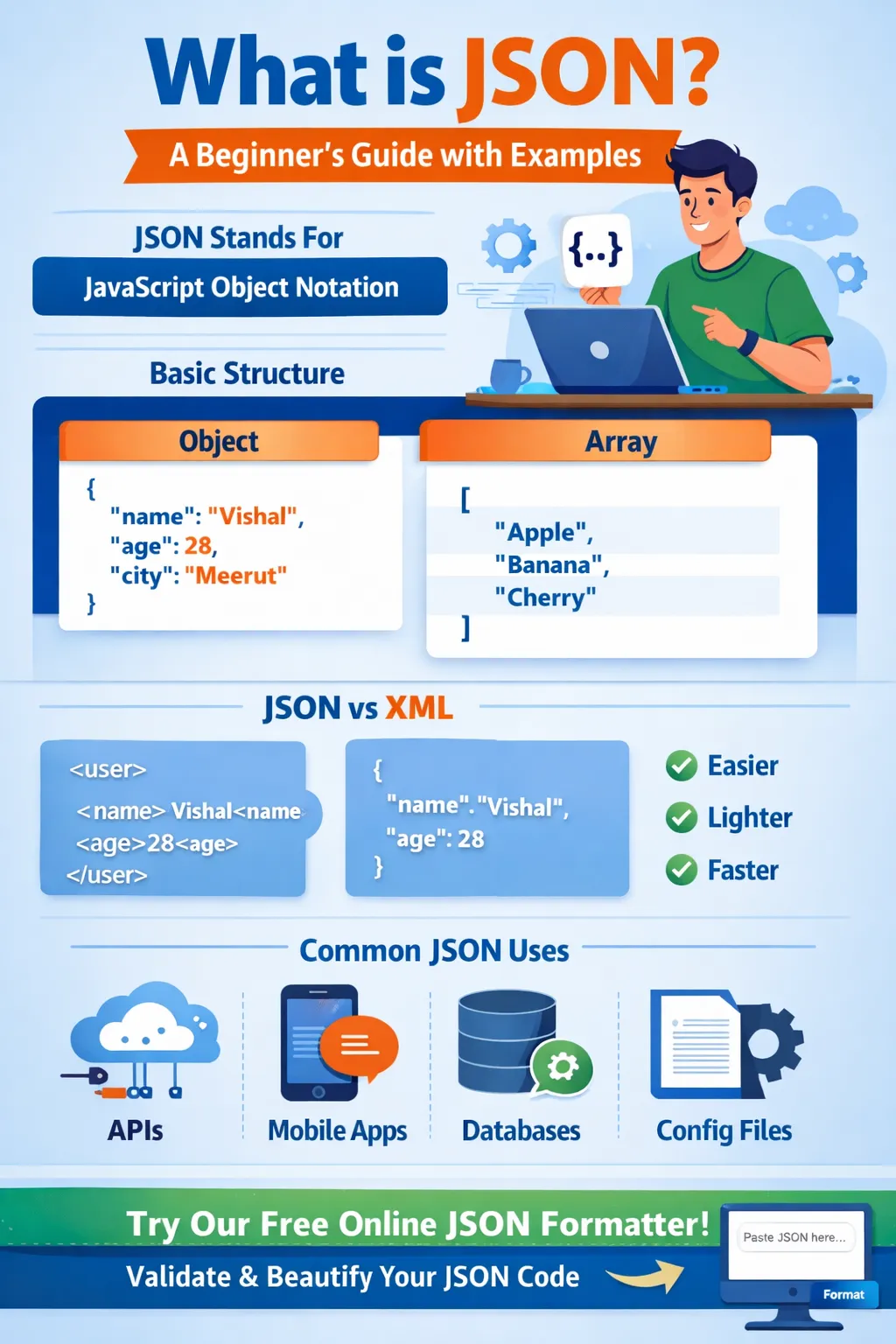
If you are starting your journey in web development, programming, or APIs, you will hear one word again and again — JSON.
But what exactly is JSON?
Why is it so popular?
And why do developers around the world use it every day?
In this complete beginner-friendly guide, we will explain:
-
What JSON is
-
Why it is important
-
JSON structure and syntax
-
Real JSON format examples
-
JSON objects and arrays
-
JSON vs XML comparison
-
How JSON works in APIs
-
Common mistakes beginners make
-
Practical real-world use cases
By the end of this guide, you will clearly understand JSON format and how to use it confidently.
1️⃣ What is JSON?
JSON stands for JavaScript Object Notation.
It is a lightweight data format used to store and exchange data between systems.
In simple words:
👉 JSON is a structured way to represent data in text format.
Even though it comes from JavaScript, JSON is language-independent. Almost every programming language supports JSON today — including PHP, Python, Java, C#, and many more.
2️⃣ Why is JSON So Popular?
JSON became popular because it is:
✔ Easy to read
✔ Easy to write
✔ Lightweight
✔ Fast to transmit
✔ Human-readable
✔ Machine-friendly
Compared to older formats like XML, JSON is cleaner and less complex.
Example:
Instead of writing long structured tags like XML, JSON keeps things simple and minimal.
That’s why modern APIs, web apps, mobile apps, and cloud services use JSON everywhere.
3️⃣ Basic JSON Structure Explained
JSON is built using two main structures:
-
Objects
-
Arrays
Let’s understand both.
4️⃣ JSON Object Example
A JSON object is written inside curly brackets { }.
It contains key-value pairs.
Example:
{
"name": "John",
"age": 28,
"city": "New York"
}
Explanation:
-
"name" is the key
-
"John" is the value
-
Keys are always in double quotes
-
Values can be string, number, boolean, array, or another object
5️⃣ JSON Data Types
JSON supports these data types:
-
String → "Hello"
-
Number → 100
-
Boolean → true / false
-
Null → null
-
Object → { }
-
Array → [ ]
Example with all types:
{
"name": "Seth",
"age": 25,
"isStudent": true,
"marks": null,
"skills": ["PHP", "JavaScript", "API"],
"address": {
"city": "New York",
"pin": 110001
}
}
6️⃣ JSON Array Example
An array is written inside square brackets [ ].
Example:
{
"students": [
"John",
"Seth",
"Roman"
]
}
Arrays are useful when you want to store multiple values.
7️⃣ Real-World JSON Format Example (API Response)
When you use a weather app or login system, the server sends data in JSON format.
Example API response:
{
"status": "success",
"user": {
"id": 101,
"name": "Seth",
"email": "user@example.com"
},
"token": "abc123xyz"
}
This is how backend and frontend communicate.
8️⃣ JSON vs XML – Which is Better?
Earlier, XML was used widely.
Example XML:
Seth
28
JSON version:
{
"name": "Seth",
"age": 28
}
JSON is:
✔ Smaller
✔ Faster
✔ Easier to parse
✔ Less complex
That’s why modern systems prefer JSON.
9️⃣ How JSON Works in Web Development
When you submit a form:
-
Data goes to server
-
Server processes it
-
Server sends JSON response
-
Frontend reads JSON and updates UI
In PHP:
echo json_encode($data);
In JavaScript:
fetch('/api')
.then(response => response.json())
.then(data => console.log(data));
🔟 Common JSON Syntax Rules (Very Important)
✔ Keys must be in double quotes
✔ No trailing commas
✔ Strings must use double quotes
✔ JSON is case-sensitive
Wrong:
{name: 'Seth'}
Correct:
{"name": "Seth"}
11️⃣ Common Beginner Mistakes
❌ Using single quotes
❌ Missing comma
❌ Trailing comma
❌ Forgetting double quotes around keys
❌ Invalid nesting
Always validate your JSON before using it.
12️⃣ Why JSON Validation is Important
If JSON is invalid:
-
APIs break
-
Apps crash
-
Data fails to load
-
Errors occur in JavaScript
That’s why developers use JSON validators and formatters.
13️⃣ Real Use Cases of JSON
JSON is used in:
✔ REST APIs
✔ Mobile Apps
✔ Payment Gateways
✔ Authentication Systems
✔ Databases (MongoDB)
✔ Configuration Files
✔ AI APIs
✔ Cloud Services
Almost every modern web system uses JSON.
14️⃣ How to Practice JSON as a Beginner
You can:
-
Create simple objects
-
Create nested arrays
-
Practice API responses
-
Validate and format messy JSON
-
Convert JSON to readable format
15️⃣ JSON and Modern Development
Today:
-
React uses JSON APIs
-
Angular consumes JSON
-
Vue works with JSON
-
PHP returns JSON
-
Python Flask returns JSON
-
Node.js heavily uses JSON
Learning JSON is mandatory for every developer.
16️⃣ Final Thoughts
JSON is one of the most important technologies in modern programming.
If you understand:
✔ JSON structure
✔ Objects
✔ Arrays
✔ Data types
✔ Syntax rules
You are already ahead of many beginners.
Master JSON and APIs become easy.
🚀 Try It Yourself Now
Instead of just reading, practice with real data.
👉 Try our Free Online JSON Formatter & Validator
Paste your JSON code, beautify it, fix syntax errors, and convert messy data into readable structured format instantly.
Start learning by doing.
Your email address will not be published. Comments are moderated.
0 Comments on This Post
Leave a Reply
Comments (0)
Spread the Word!
Join Our Developer Community!
Get weekly coding tips, tool updates, and exclusive tutorials straight to your inbox.
Request a Tool
×