XML vs JSON: Which Data Format is Better for Modern APIs?
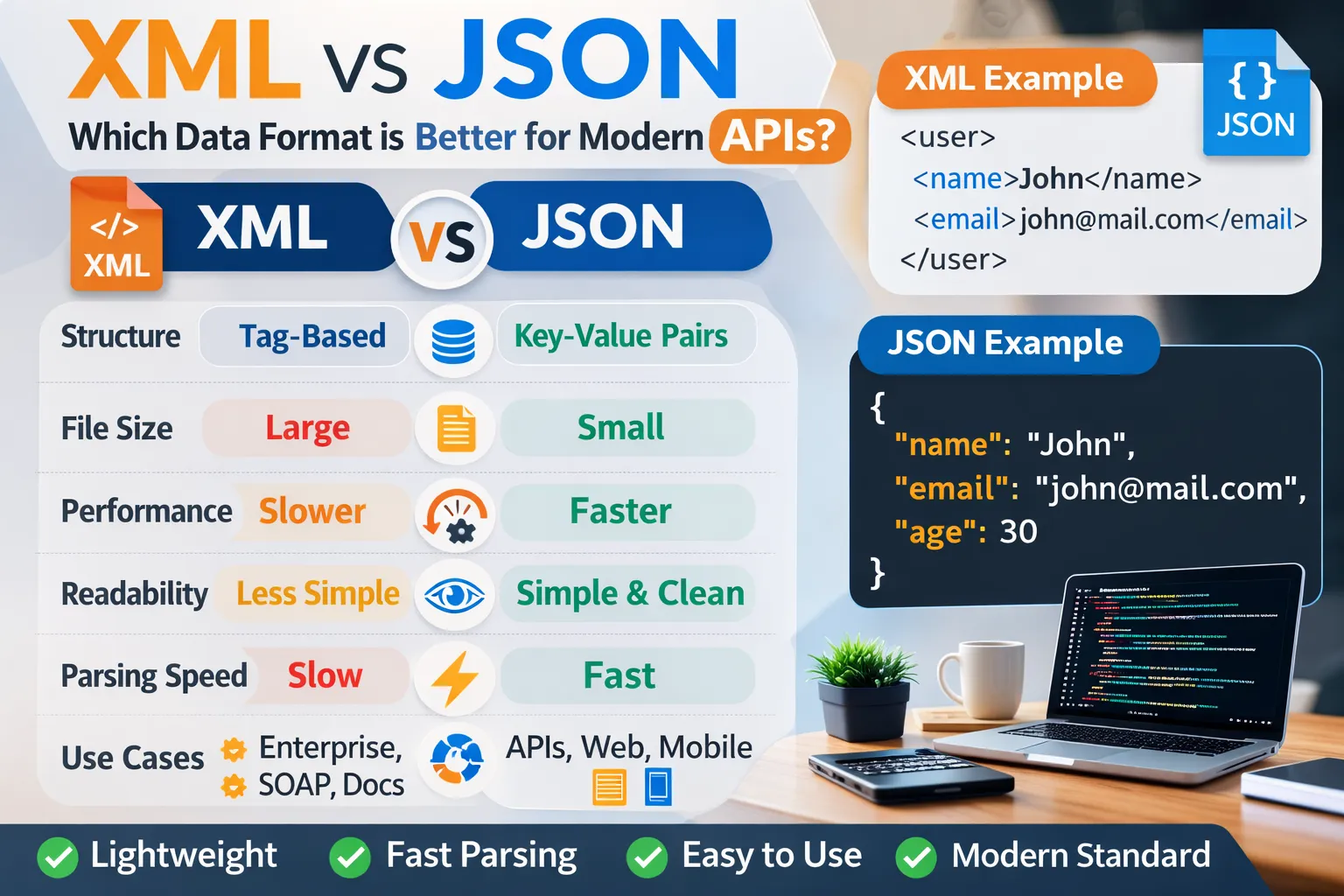
Data exchange is the backbone of modern web applications. Every website, mobile application, or web service communicates with servers and APIs to retrieve or send data.
Two of the most widely used formats for structuring and transmitting data are XML (Extensible Markup Language) and JSON (JavaScript Object Notation).
Both formats are designed to store structured data and allow systems to exchange information across different platforms.
However, over time, JSON has become the preferred format for modern APIs due to its simplicity and performance advantages.
In this guide, we will explore:
-
What XML is
-
What JSON is
-
Key differences between XML and JSON
-
Performance comparison
-
Advantages and disadvantages
-
Which format is better for modern APIs
By the end of this article, you will clearly understand which data format best fits your development needs.
What is XML?
XML stands for Extensible Markup Language. It was designed to store and transport structured data in a human-readable format.
XML uses tags similar to HTML to define elements and organize data.
Example XML:
<user>
<name>John</name>
<email>john@example.com</email>
<age>30</age>
</user>
XML became popular in early web development and enterprise systems because it is highly structured and flexible.
Key Characteristics of XML
-
Uses custom tags
-
Supports attributes and elements
-
Highly structured
-
Platform independent
-
Self-descriptive format
XML is still widely used in:
-
SOAP APIs
-
Enterprise integrations
-
Configuration files
-
Document storage systems
However, XML tends to be verbose, which increases file size and parsing time.
What is JSON?
JSON stands for JavaScript Object Notation. It is a lightweight data-interchange format that is easy for both humans and machines to read and write.
JSON is based on JavaScript object syntax and works naturally with JavaScript applications.
Example JSON:
{
"name": "John",
"email": "john@example.com",
"age": 30
}
JSON became extremely popular with the rise of REST APIs and modern web applications.
Key Characteristics of JSON
-
Lightweight format
-
Uses key-value pairs
-
Faster to parse
-
Easy to integrate with JavaScript
-
Smaller file size compared to XML
Most modern APIs such as RESTful APIs return JSON data.
Difference Between XML and JSON
Understanding the difference between XML and JSON helps developers decide which format to use.
1 Structure
XML uses nested tags to represent data.
Example:
<product>
<name>Laptop</name>
<price>1200</price>
</product>
JSON uses key-value pairs.
Example:
{
"product": {
"name": "Laptop",
"price": 1200
}
}
JSON structure is generally simpler and easier to read.
2 Readability
Both XML and JSON are human-readable formats. However, JSON tends to be cleaner because it requires fewer characters.
XML includes opening and closing tags which increase complexity.
3 Data Size
XML files are typically larger than JSON files because of repeated tag names.
Example:
XML requires both opening and closing tags:
<name>John</name>
JSON only needs a key-value pair:
"name": "John"
Because of this difference, JSON reduces bandwidth usage.
4 Parsing Speed
Parsing JSON is usually faster than parsing XML.
JSON can be directly converted into JavaScript objects using built-in functions.
Example:
JSON.parse(jsonString);
XML requires a parser such as DOMParser.
Therefore, JSON generally performs better in web applications.
5 Data Types Support
JSON supports native data types such as:
-
strings
-
numbers
-
arrays
-
objects
-
booleans
-
null
XML treats everything as text unless explicitly processed.
This makes JSON more efficient for data processing.
6 Schema Support
XML supports schema definitions such as:
-
DTD
-
XML Schema
These allow strict validation of XML data structures.
JSON also supports validation using JSON Schema, but it is less commonly used in simple APIs.
JSON vs XML Performance Comparison
Performance is one of the biggest reasons developers prefer JSON today.
File Size
JSON files are typically 20–50% smaller than XML files.
Smaller files lead to:
-
Faster network transmission
-
Reduced bandwidth usage
-
Faster loading times
Parsing Speed
JSON parsing is faster because JavaScript engines can directly convert JSON strings into objects.
XML requires additional parsing steps which increase processing time.
Memory Usage
JSON consumes less memory because it has fewer structural characters compared to XML.
Advantages of XML
Even though JSON is more popular today, XML still has several advantages.
Strong Validation Support
XML supports strict schemas which help validate complex documents.
Document-Oriented Format
XML is better suited for document-heavy systems.
Widely Used in Enterprise Systems
Many legacy enterprise applications still rely on XML.
Metadata Support
XML supports attributes that can store additional metadata.
Advantages of JSON
JSON has become the preferred format for modern development.
Lightweight
JSON requires fewer characters, making files smaller.
Faster Performance
JSON parsing is faster in most programming languages.
Easy to Read and Write
Developers find JSON easier to understand compared to XML.
Native JavaScript Support
JSON works directly with JavaScript objects.
When to Use XML
XML may be a better choice in certain situations:
-
Enterprise-level systems
-
Document storage
-
SOAP web services
-
Complex data validation scenarios
When to Use JSON
JSON is ideal for modern development environments such as:
-
REST APIs
-
Web applications
-
Mobile applications
-
Microservices
-
JavaScript-based systems
Real-World API Usage
Most modern APIs prefer JSON as the response format.
Popular APIs using JSON include:
-
Social media APIs
-
Payment gateways
-
Cloud platforms
-
Web applications
XML is still used in some enterprise APIs and SOAP-based services.
Converting XML to JSON
Sometimes developers need to convert XML data into JSON format to make it easier to process.
This usually happens when integrating older APIs with modern applications.
Conversion can be done using:
-
JavaScript parsers
-
Programming libraries
-
Online conversion tools
Online tools make this process quick and convenient for developers.
XML vs JSON: Which One is Better?
There is no universal answer because both formats serve different purposes.
However, in modern web development, JSON is generally considered the better choice because it is:
-
Faster
-
Smaller
-
Easier to parse
-
More compatible with JavaScript
For REST APIs and web applications, JSON is usually the preferred option.
XML remains relevant for legacy systems and enterprise applications.
Conclusion
Both XML and JSON are powerful data formats designed for storing and exchanging structured data.
XML offers strong validation and structured document support, making it suitable for enterprise environments.
JSON, on the other hand, is lightweight, fast, and easy to integrate with modern programming languages.
For most modern APIs and web applications, JSON is the better choice due to its performance advantages and developer-friendly structure.
Understanding the differences between XML and JSON allows developers to select the right format for their applications and build more efficient systems.
Your email address will not be published. Comments are moderated.
0 Comments on This Post
Leave a Reply
Comments (0)
Spread the Word!
Join Our Developer Community!
Get weekly coding tips, tool updates, and exclusive tutorials straight to your inbox.
Request a Tool
×