10 AI Coding Tools Every Developer Should Try in 2026 — Free & Paid Options
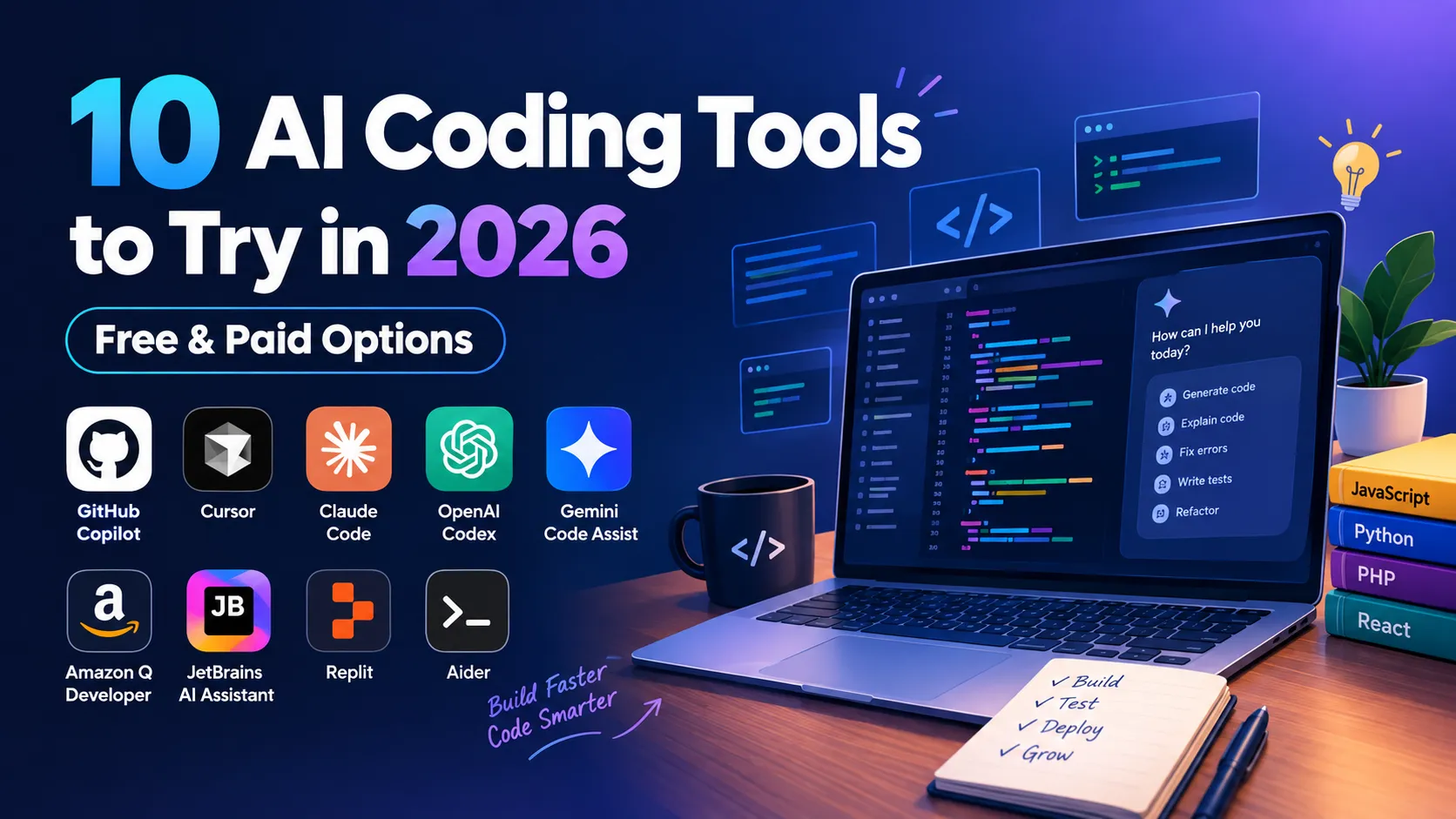
Software development has always been about finding better ways to turn ideas into working products. From command-line compilers to modern IDEs, every generation of developers has adopted tools that make programming faster and easier.
In 2026, artificial intelligence has become one of the biggest changes in that workflow.
AI coding tools are no longer limited to suggesting the next line of code. Modern coding assistants can understand project files, explain unfamiliar code, generate functions, write tests, find bugs, refactor existing code, create documentation, work with Git, and in some cases handle much larger development tasks through coding agents.
That creates a new opportunity for developers.
Instead of spending hours writing repetitive boilerplate, searching for simple syntax examples, or trying to understand an unfamiliar error, developers can ask an AI assistant for help and spend more time reviewing the solution and making important engineering decisions.
But there is also a problem.
There are now so many AI coding tools that choosing one can be confusing.
You may have heard about GitHub Copilot, Cursor, Claude Code, OpenAI Codex, JetBrains AI Assistant, Replit, Aider, Gemini-related developer tools, Amazon Q Developer, and several newer AI-first development environments.
They do not all work in the same way.
Some are traditional IDE assistants. Some are AI-first code editors. Some are terminal-based agents. Some are designed for cloud development. Others focus on specific developer ecosystems.
So, which ones are actually worth trying?
In this guide, we will look at 10 AI coding tools that developers should know about in 2026. Instead of simply listing features, we will look at how these tools fit into real development workflows, what they are useful for, where they can save time, and what developers should be careful about.
Whether you are a PHP developer, Laravel developer, CodeIgniter developer, React developer, Node.js developer, Python programmer, freelancer, student, or full-stack engineer, there is a good chance that AI-assisted development will become part of your everyday workflow.
What Are AI Coding Tools?
AI coding tools are software development applications that use artificial intelligence and large language models to assist developers with programming tasks.
The simplest example is code autocomplete.
You start typing a function, and the AI predicts what you are likely to write next.
But modern tools have gone much further.
A developer can now ask an AI assistant questions such as:
"Explain why this API is returning a 500 error."
"Refactor this function without changing its output."
"Create unit tests for this service."
"Find all places where this database table is being used."
"Add pagination to this API."
"Convert this JavaScript function to TypeScript."
"Explain this legacy PHP code."
"Create a React component based on this API response."
These are much more useful than simple autocomplete because they involve understanding intent.
Modern AI coding tools can assist with:
- Code generation
- Code completion
- Debugging
- Error explanation
- Refactoring
- Unit testing
- Documentation
- API development
- Database queries
- SQL optimization
- Regular expressions
- Git workflows
- Code review
- Project analysis
- Multi-file editing
- Application prototyping
- Legacy-code understanding
- Framework learning
The biggest change, however, is the growth of AI coding agents.
AI Coding Assistants vs AI Coding Agents
The terms "AI coding assistant" and "AI coding agent" are often used interchangeably, but there is an important difference.
A traditional coding assistant usually helps you with a specific coding action.
For example, you might highlight a function and ask:
"Explain this code."
Or you might type:
"Create a function that validates a phone number."
The AI responds, and you decide what to do next.
An AI coding agent can operate at a higher level.
You could give it a task such as:
"Add password reset functionality to this application. Create the database changes, backend endpoints, email flow, frontend form, validation, and tests."
An agent may then inspect the project, identify relevant files, make changes, run commands or tests where permitted, examine errors, and continue working through the task.
That is a major shift in how developers interact with software.
Instead of communicating with AI one function at a time, developers can increasingly communicate in terms of features and outcomes.
However, this does not mean developers should blindly give AI control of a production application.
The larger the task, the more important code review becomes.
Why AI Coding Tools Are Important in 2026
The modern software development process contains a lot of repetitive work.
A developer building a web application may need to create:
- Database tables
- Models
- Controllers
- Routes
- API endpoints
- Validation
- Authentication
- Frontend components
- Forms
- Error handling
- Tests
- Documentation
None of these tasks are necessarily difficult individually, but together they consume a lot of development time.
AI can reduce some of that repetitive work.
Imagine a developer building a customer management system.
Instead of manually creating every CRUD operation from scratch, the developer can ask an AI tool to generate the basic structure.
The developer then reviews the implementation and adapts it to the application's requirements.
This changes the role of AI from simply "writing code" to helping with the development process.
The developer still makes the important decisions.
AI simply handles more of the repetitive work.
1. GitHub Copilot
GitHub Copilot is one of the most established names in AI-assisted programming.
It started primarily as an AI pair-programming tool that suggested code directly inside development environments. Over time, it has expanded into a much broader development assistant with chat, code explanations, coding agents, code review-related capabilities, CLI workflows, and multiple model options.
GitHub's current Copilot lineup includes Free, Pro, Pro+, and Max options for individuals, along with Business and Enterprise offerings. The current plans use GitHub AI Credits for several AI interactions, while code completion and next-edit suggestions have separate treatment.
What Makes GitHub Copilot Useful?
The biggest advantage of Copilot is that it fits naturally into existing developer workflows.
If you already use GitHub, VS Code, JetBrains IDEs, or other supported environments, you do not necessarily need to completely change how you work.
Copilot can help with:
- Writing functions
- Completing code
- Explaining code
- Generating tests
- Debugging
- Writing documentation
- Creating Git-related content
- Reviewing code
- Working with coding agents
For example, a PHP developer might write a comment explaining that they need an API endpoint to return paginated customer records.
Copilot can generate an initial implementation.
The developer can then modify the generated code to match the application's existing architecture.
GitHub Copilot for Beginners
Copilot can also be useful for beginners.
A new developer can ask:
"Explain this PHP function line by line."
Or:
"Why does this JavaScript code return undefined?"
That makes it more than a code generator.
It can also become a learning assistant.
However, beginners should avoid turning programming into copy-and-paste development.
Understanding the code is still important.
GitHub Copilot for Professional Developers
For experienced developers, the biggest benefit may not be generating complete applications.
It is reducing small interruptions.
A developer may already know exactly what they want to build but not want to manually write every repetitive function, test, comment, or configuration block.
That is where an AI pair programmer becomes valuable.
2. Cursor
Cursor has become one of the most talked-about AI-first development environments.
The key difference between Cursor and a traditional AI extension is its focus on making AI a central part of the editor.
Instead of thinking of AI as an extra button inside your IDE, Cursor is designed around AI-assisted development.
It can work with project context, help developers navigate codebases, edit multiple files, and perform agent-oriented development tasks.
Cursor's current plans include a free Hobby option, Pro, Pro+, Ultra, team plans, and a Start plan specifically for developers in India. The India Start plan is currently ₹649/month and includes expanded access to Cursor's own models and cloud agents.
Why Project Context Matters
Imagine a project containing 200 files.
You need to change how authentication works.
In a traditional workflow, you might search through the project manually.
You may need to locate:
- Authentication middleware
- Login controller
- User model
- Database queries
- API routes
- Frontend login page
- Token handling
- Tests
An AI-aware editor can help you understand where these pieces are connected.
You can ask questions about the project and then request changes.
That is one of the major advantages of AI-first development.
Cursor for Full-Stack Developers
Cursor is particularly interesting for developers who work across frontend and backend code.
For example, a developer might say:
"Add a phone-number field to user registration, update the backend validation, update the database migration, modify the React form, and update the API response."
That is a multi-file task.
Instead of treating every file as an isolated problem, an AI-first editor can help coordinate the changes.
Cursor for Indian Developers
The introduction of Cursor Start in India is particularly interesting because the company now offers a local ₹649/month plan with INR billing and UPI/card payment support.
That makes AI-agent-based development more accessible to developers who prefer paying in INR.
Of course, developers should still compare actual usage limits against their workload before subscribing.
3. Claude Code
Claude Code represents a different approach to AI-assisted programming.
Instead of being primarily centered around a graphical editor, it is designed around terminal-based development.
For developers who spend a lot of time with Git, Linux, servers, CLI tools, build systems, and repositories, this type of workflow can feel natural.
The interesting part is the level at which you can interact with the tool.
Instead of:
"Write this function."
You can think in terms of:
"Understand this repository and help me implement this feature."
Why Terminal-Based AI Is Interesting
Many experienced developers already spend a significant amount of time in terminals.
They use commands such as:
git
npm
composer
php
python
docker
ssh
mysql
and various build and deployment tools.
A terminal-oriented coding agent can fit directly into that workflow.
Working With Legacy Projects
One of the strongest use cases for repository-aware AI is legacy code.
Imagine receiving a PHP project created several years ago.
The project has:
- Old controllers
- Repeated database queries
- Custom helper functions
- Inconsistent naming
- Limited documentation
- Several third-party libraries
Understanding such a project manually can take a long time.
An AI coding agent can help explain the project structure and locate related functionality.
It does not magically make legacy code good, but it can reduce the time required to understand it.
Important Safety Consideration
Terminal-based agents can potentially interact with files and execute commands depending on their configuration.
That means developers need to understand permissions.
Production servers should not be treated like a playground for an AI agent.
Use version control, backups, staging environments, and appropriate permissions.
4. OpenAI Codex
OpenAI Codex represents another important direction in AI-assisted software development: coding agents that can work on larger development tasks.
Traditional code completion focuses on predicting what the developer will type next.
Agentic coding focuses more on completing a task.
For example:
"Add search and pagination to the existing products API."
That sounds simple, but implementing it might involve:
- Backend controller
- Database query
- Validation
- API response
- Frontend state
- Pagination UI
- Tests
- Documentation
A coding agent can help work through these connected tasks.
Why Codex-Style Development Is Different
The developer does not necessarily need to describe every line of code.
Instead, the developer can describe the expected behavior.
That is closer to how software requirements are normally written.
For example:
"Users should be able to search products by name, filter by category, and paginate results. Existing API clients should continue working."
That gives the AI a goal rather than a specific implementation.
The developer can then review what was produced.
Where Human Developers Still Matter
The developer must decide whether the solution is actually appropriate.
Maybe the AI creates a database query that works but performs poorly on millions of records.
Maybe it introduces a dependency that the project does not need.
Maybe it changes an API response and breaks an existing mobile application.
The AI can write the code.
The developer understands the consequences.
That distinction is extremely important.
5. JetBrains AI Assistant
JetBrains has been one of the most popular IDE ecosystems among professional developers.
Its products include IntelliJ IDEA, PhpStorm, WebStorm, PyCharm, Rider, GoLand, and several other specialized development environments.
JetBrains AI Assistant brings AI capabilities directly into those IDEs.
The current AI Assistant includes AI chat, in-editor assistance, and coding agents capable of handling multi-step development tasks across multiple files.
Why IDE Integration Matters
Many developers do not want to change their entire development environment just because AI has become popular.
A PHP developer may have spent years becoming comfortable with PhpStorm.
They already use:
- Debugging
- Git integration
- Database tools
- Code inspections
- Refactoring
- Project navigation
- Framework support
Adding AI to that environment can be more convenient than learning an entirely new editor.
Useful Tasks
JetBrains AI Assistant can help with:
- Code explanations
- Code generation
- Refactoring
- Documentation
- Test generation
- Commit messages
- Project questions
- Multi-step development tasks
For PHP developers, this can be particularly useful.
Imagine selecting a complicated service class and asking:
"Explain what this class does and identify places where the code could be simplified."
That can provide a useful starting point for a manual refactoring review.
Who Should Try It?
If you already use a JetBrains IDE, AI Assistant is worth exploring before completely switching editors.
It allows you to experiment with AI-assisted development while keeping the development environment you already understand.
6. Gemini and Google's AI Development Tools
Google's AI development ecosystem has also evolved rapidly.
Gemini-based coding assistance has been integrated into Google's developer products, IDE workflows, and command-line experiences.
However, this is one area where developers need to pay attention to current product changes.
Google's documentation notes that individual Gemini Code Assist and Gemini CLI workflows changed in 2026, with affected individual users directed toward Google's Antigravity platform and Antigravity CLI. Gemini Code Assist Standard and Enterprise continue as Google Cloud developer offerings.
This is a good example of why developers should avoid publishing static statements such as "this exact free plan will always exist."
AI developer products are evolving extremely quickly.
What Makes Google's Ecosystem Interesting?
Google has a large developer ecosystem involving:
- Android
- Google Cloud
- Firebase
- APIs
- Kubernetes
- Data services
- Web development
- AI development
Developers working within this ecosystem can benefit from tools designed around Google's services.
AI as a Learning Tool
One of the most useful applications of Gemini-style assistants is learning.
For example, a developer who understands PHP but wants to learn Python can ask:
"Explain this PHP class and show how the same design would be implemented using Python."
That is a practical way to use AI without blindly asking it to build an entire application.
7. Amazon Q Developer
Amazon Q Developer is designed around software development with a strong connection to AWS.
It can help developers write code, understand applications, troubleshoot problems, and work with AWS-related development workflows.
AWS applications can become complicated because developers may need to work with compute, databases, networking, authentication, storage, serverless functions, queues, monitoring, and permissions.
An AI assistant can help developers understand those services and troubleshoot issues.
What Can Amazon Q Developer Help With?
Depending on the workflow, developers can use it for:
- Code generation
- Code explanation
- Debugging
- AWS development
- IDE assistance
- Application modernization
- Security-related development tasks
AWS currently provides Amazon Q Developer as a coding assistant with a Free Tier and IDE integrations. AWS has also announced that support for Amazon Q Developer IDE plugins will end on April 30, 2027, directing developers toward Kiro for similar capabilities.
That announcement is worth mentioning because it demonstrates just how quickly the AI development ecosystem is changing.
Why AWS Developers Should Pay Attention
If you work extensively with AWS, general-purpose coding assistance may not be enough.
Cloud-specific context can be useful when dealing with:
- IAM
- Lambda
- S3
- EC2
- CloudWatch
- API Gateway
- DynamoDB
- ECS
- Infrastructure configuration
But cloud infrastructure should always be reviewed carefully.
A small configuration mistake can create security or unexpected cost problems.
8. Replit
Replit takes a different approach to software development.
Instead of focusing primarily on a locally installed IDE, Replit provides a browser-based development environment combined with collaboration, deployment, and AI-assisted development.
This makes it particularly interesting for beginners and rapid prototyping.
Why Browser-Based Development Matters
Setting up a development environment can sometimes be harder than writing the application itself.
A beginner may need to install:
- Node.js
- npm
- Git
- A code editor
- Database software
- Environment variables
- Framework dependencies
A browser-based environment reduces some of that initial setup.
That makes tools like Replit useful for education and experimentation.
Replit for Prototyping
Imagine you have an idea for a small SaaS application.
You do not yet know whether the idea is worth spending several weeks developing.
An AI-assisted browser environment can help create a prototype quickly.
The prototype may not be production-ready.
That is okay.
The purpose is to validate the idea.
If the idea works, the developer can later move toward a more structured production architecture.
Who Should Use Replit?
Replit can be particularly useful for:
- Beginners
- Students
- Teachers
- Hackathons
- Prototypes
- Small applications
- Quick experiments
Experienced developers can also use it when they need to build and test something quickly without setting up a full local environment.
9. Aider
Aider is an interesting option for developers who prefer open-source and terminal-oriented workflows.
Rather than forcing developers into a specific AI-first editor, Aider is designed to work with existing Git repositories from the command line.
This gives experienced developers more control over their workflow.
Why Open-Source AI Coding Tools Matter
Not every developer wants to use a closed development environment.
Some developers care about:
- Model flexibility
- Local workflows
- Git integration
- Terminal control
- Transparency
- Customization
Aider fits into this style of development.
Aider and Git
Git integration is an important part of the workflow.
When AI modifies multiple files, developers need a way to inspect what changed.
Git provides that safety net.
A developer can review a diff and decide whether the changes make sense.
This is exactly how AI-assisted development should ideally work.
AI makes changes.
The developer reviews them.
Version control records the changes.
Tests verify the behavior.
The developer decides whether the changes should remain.
Who Should Try Aider?
Aider is particularly interesting for developers who already enjoy terminal-based development and want more flexibility in how AI models are used.
It may not be the easiest starting point for a complete beginner, but experienced developers may appreciate the control.
10. AI-First Coding Environments and Agentic Development
The tenth category is slightly different.
Instead of focusing on one specific product, it is the growing category of AI-first development environments.
Products in this category are increasingly designed around AI agents rather than traditional autocomplete.
The idea is simple:
Instead of asking AI to write one function, give it a software task.
For example:
"Create a dashboard that shows user registrations, revenue, active subscriptions, and recent transactions. Use the existing API and follow the current application's design system."
That is much closer to a product requirement than a coding instruction.
Why This Category Matters
This could become one of the most important changes in software development.
Developers may increasingly spend less time manually translating every requirement into code.
Instead, they will:
- Understand the requirement.
- Break it into tasks.
- Give tasks to AI.
- Review the implementation.
- Run tests.
- Fix problems.
- Deploy the final application.
This does not remove software engineering.
It changes where the developer spends their time.
AI Coding Tools Comparison
Here is a simple way to understand the different approaches.
GitHub Copilot focuses heavily on AI assistance inside the GitHub and IDE ecosystem.
Cursor focuses on an AI-first editor and agentic workflows.
Claude Code focuses on terminal-based repository work.
OpenAI Codex focuses on AI-assisted software engineering tasks.
JetBrains AI Assistant integrates AI directly into JetBrains IDEs.
Google's developer AI ecosystem provides coding assistance connected to Google's broader platforms.
Amazon Q Developer focuses strongly on AWS development.
Replit combines browser-based development with AI and deployment.
Aider provides a terminal-oriented open-source approach.
AI-first development environments focus increasingly on agents that can handle larger tasks.
There is no universal winner because developers have very different workflows.
Which AI Coding Tool Is Best for Beginners?
Beginners should generally look for a tool that explains code instead of only generating it.
The most valuable questions for a beginner are often:
"Why does this code work?"
"What does this function do?"
"Why am I getting this error?"
"Can you show me a simpler version?"
"What should I learn before using this framework?"
AI becomes much more useful when it teaches rather than simply produces.
For example, copying a complete React application from AI may give a beginner a working project.
But if they cannot explain the component structure, state management, API calls, and routing, they have not really learned React.
A better approach is to use AI as a programming tutor.
Which AI Coding Tools Are Useful for PHP Developers?
PHP developers have many opportunities to use AI coding assistants.
A modern PHP application may involve:
- PHP
- Laravel or CodeIgniter
- MySQL
- REST APIs
- JavaScript
- React
- Authentication
- Payment gateways
- Cron jobs
- Queues
- Email services
- Third-party APIs
AI can help generate boilerplate for many of these components.
For example, you could ask an AI assistant:
"Create a CodeIgniter 4 REST API for managing products. Use the existing model structure, validate name and price, return JSON responses, and use the project's existing authentication middleware."
That is much more useful than:
"Make product API."
The more relevant context you provide, the more likely the result will fit your project.
Which AI Coding Tools Are Useful for React Developers?
React developers can use AI for many repetitive tasks.
For example:
- Components
- Hooks
- API services
- Forms
- Validation
- State management
- TypeScript types
- CSS
- Testing
- Documentation
AI is particularly useful when a developer knows the desired behavior but does not want to manually write repetitive JSX.
However, generated React code should be reviewed for unnecessary state, incorrect effect usage, accessibility issues, performance problems, and poor component structure.
AI can generate a component.
It cannot automatically understand your entire product's design philosophy.
That is still the developer's responsibility.
AI Coding Tools for Freelancers
Freelancers are among the developers who can potentially benefit significantly from AI coding tools.
Freelancers often switch between projects.
One client might use Laravel.
Another might use CodeIgniter.
Another might need React.
Another may have a Node.js API.
Another might have an old PHP application.
The ability to quickly understand unfamiliar code can save a lot of time.
AI can help freelancers:
- Understand existing projects
- Generate boilerplate
- Debug client applications
- Create API endpoints
- Write documentation
- Generate tests
- Refactor repetitive code
- Explain unfamiliar frameworks
But freelancers should be especially careful with client confidentiality.
Client source code, credentials, API keys, private databases, customer information, and proprietary business logic should not be casually shared with AI services.
Always understand the privacy settings and terms of the tool you are using.
AI Coding Tools for Large Codebases
Large projects are where project-aware AI can become particularly interesting.
A large codebase may contain thousands of files.
Developers can spend a considerable amount of time simply finding where something happens.
For example:
"Where is the subscription cancellation flow?"
That question may involve:
- Frontend page
- API service
- Backend controller
- Database model
- Payment integration
- Email notification
- Background job
An AI assistant with project context can help developers navigate this complexity.
But large projects also create more risk.
One incorrect change can affect multiple systems.
That is why AI-assisted development should be combined with:
- Git
- Code review
- Automated tests
- Staging environments
- CI/CD
- Backups
- Monitoring
Free vs Paid AI Coding Tools
One of the biggest questions developers ask is whether they should pay for AI coding tools.
For many beginners, free plans are enough.
If you only use AI occasionally, you may not need a subscription.
For example, if you use AI for:
- Error explanations
- Small functions
- Learning
- Documentation
- Occasional debugging
a free plan may be perfectly reasonable.
The situation changes when AI becomes part of your everyday development workflow.
If you are asking an agent to work on repositories for several hours every day, usage limits become much more important.
Paid plans can provide:
- Higher usage limits
- More models
- Agent capabilities
- Larger context
- Advanced integrations
- Cloud agents
- Team features
But developers should compare actual usage rather than simply buying the most expensive plan.
How Much Should Developers Spend on AI Coding Tools?
There is no universal answer.
A student may not want to spend anything.
A freelancer may be comfortable paying for one tool if it saves several hours every month.
A software company may spend considerably more because the tool is used by an entire engineering team.
The important question is not:
"Which AI tool is cheapest?"
A better question is:
"Does this tool save enough time or improve my workflow enough to justify its cost?"
For example, if a tool costs $20 per month but saves several hours of repetitive development work, that may be meaningful.
But if you barely use it, even a cheap subscription may not be worthwhile.
The Biggest Mistake Developers Make With AI
One of the biggest mistakes is assuming that AI-generated code is automatically correct.
It is not.
AI can confidently produce incorrect solutions.
For example, it may:
- Use an outdated framework API
- Invent a library method
- Misunderstand a database schema
- Introduce a security vulnerability
- Create inefficient SQL
- Ignore an existing project convention
- Add unnecessary dependencies
- Break an existing API
This is why experienced developers often get more value from AI than complete beginners.
Experienced developers can recognize when something looks wrong.
They understand architecture.
They know when a database query is suspicious.
They know when authentication logic is unsafe.
They know when a dependency is unnecessary.
AI gives them speed.
Their experience provides judgment.
How to Write Better Prompts for AI Coding Tools
Good AI coding starts with good instructions.
Compare these two prompts.
"Create login API."
Now compare:
"Create a PHP REST API login endpoint using the existing project architecture. Accept email and password, validate both fields, verify the password against the stored password hash, return JSON responses, use appropriate HTTP status codes, and do not expose sensitive information in error messages."
The second prompt gives the AI much more context.
Good coding prompts often include:
- Programming language
- Framework
- Existing architecture
- Input requirements
- Output requirements
- Security requirements
- Database structure
- Existing conventions
- Expected error handling
- Testing requirements
You do not need to write a huge prompt every time.
But important tasks deserve enough context.
How Developers Should Review AI-Generated Code
AI-generated code should be reviewed like code written by another developer.
Ask:
Does this code actually solve the requirement?
Does it follow the existing architecture?
Are there security issues?
Are database queries safe?
Is authentication handled correctly?
Are errors handled properly?
Are edge cases covered?
Are tests included?
Are dependencies necessary?
Could the code be simpler?
Will this work with the current version of the framework?
This mindset makes AI much safer and more useful.
AI Coding and Security
Security deserves special attention.
AI-generated code can contain security vulnerabilities.
Developers should be particularly careful with:
- Authentication
- Authorization
- Password handling
- SQL queries
- File uploads
- Payment systems
- API keys
- JWT tokens
- Session management
- User input
- Permissions
- Admin functionality
For example, if AI generates a database query, do not simply assume it is secure.
Check whether user input is safely handled.
If AI generates authentication code, verify password hashing, session management, token handling, expiration, authorization, and access controls.
Security should never be outsourced completely to an AI model.
AI Coding and Testing
One of the best ways to use AI is to generate tests.
Developers can ask AI to create tests for:
- Normal inputs
- Invalid inputs
- Empty values
- Boundary values
- Authentication failures
- Permission failures
- Database errors
- API errors
For example, if an API accepts a quantity between 1 and 100, tests should not only check quantity 50.
They should also test:
0
1
100
101
negative numbers
missing values
invalid strings
Testing forces developers to think about edge cases.
AI can help generate these scenarios.
AI Coding and Legacy Applications
Legacy applications are one of the most interesting use cases for AI.
Many businesses still operate applications written years ago.
These systems may use old PHP versions, outdated frameworks, custom database structures, or undocumented business logic.
Replacing such systems is expensive.
AI can help developers understand them.
For example:
"Explain this controller."
"Find all database queries related to orders."
"Where is the invoice generation process?"
"Which files handle user authentication?"
"Identify duplicate validation logic."
These questions can reduce the amount of time developers spend searching through unfamiliar code.
AI does not automatically modernize legacy software.
But it can make the discovery and analysis phase easier.
Will AI Replace Programmers?
This question has been discussed heavily since AI coding tools became popular.
The more useful way to look at the situation is to separate programming tasks from software engineering.
AI can automate many programming tasks.
It can generate functions.
It can create components.
It can write tests.
It can explain errors.
It can modify files.
But software development involves much more.
Someone still needs to understand what the customer actually wants.
Someone needs to design the architecture.
Someone needs to decide how data should be stored.
Someone needs to think about security.
Someone needs to determine what happens when something fails.
Someone needs to review the final implementation.
Someone needs to maintain the application six months later.
AI is changing how developers perform these tasks, but it does not remove the need for engineering judgment.
The New Skill: AI-Assisted Development
A new skill is becoming increasingly valuable: knowing how to work effectively with coding AI.
This does not mean learning hundreds of complicated prompts.
It means understanding how to divide a software problem into useful tasks.
For example, instead of asking:
"Build my entire ecommerce website."
A developer might break the project into:
- Analyze the existing project structure.
- Design the database schema.
- Create product management APIs.
- Create authentication.
- Build the product listing interface.
- Build the shopping cart.
- Add checkout.
- Integrate payments.
- Add order management.
- Write tests.
- Review security.
This workflow makes AI much more useful.
The developer remains the architect.
AI becomes the implementation assistant.
The Future of AI Coding in 2026 and Beyond
AI coding is moving toward more autonomous development workflows.
The traditional development loop looks something like:
Requirement → Developer → Code → Test → Debug → Deploy
The AI-assisted loop increasingly looks like:
Requirement → Developer + AI → Implementation → AI-assisted testing → Developer review → Deployment
The developer remains involved, but more implementation work can be delegated.
Future coding tools are likely to become better at understanding:
- Entire repositories
- Business requirements
- APIs
- Databases
- Infrastructure
- Tests
- Documentation
- Development history
The biggest change may not be that AI writes more code.
It may be that developers communicate with software systems at a higher level.
Instead of thinking:
"Which line should I write?"
Developers may increasingly think:
"What behavior should the application have?"
That is a significant shift.
Final Thoughts
AI coding tools have moved far beyond simple autocomplete.
In 2026, developers can choose from traditional coding assistants, AI-first editors, terminal agents, cloud development platforms, IDE-integrated assistants, and increasingly autonomous coding agents.
GitHub Copilot is deeply connected with the GitHub ecosystem.
Cursor focuses heavily on AI-first and agentic development.
Claude Code provides a terminal-oriented approach.
OpenAI Codex represents the growing category of software engineering agents.
JetBrains AI Assistant brings coding agents directly into established professional IDEs.
Google's developer AI ecosystem continues to evolve rapidly.
Amazon Q Developer focuses heavily on AWS development workflows.
Replit combines browser development with AI assistance and deployment.
Aider provides an open-source, terminal-focused approach.
And the broader AI-first development category is moving toward tools that can work on larger software tasks rather than isolated lines of code.
But there is an important lesson behind all of this.
The best AI coding workflow is not necessarily the one where AI writes the most code.
It is the one where AI removes repetitive work while the developer maintains control over architecture, security, quality, and business logic.
A good developer using AI should not simply ask:
"Can AI write this?"
The better question is:
"Which part of this task can AI handle effectively, and where does human judgment matter most?"
That mindset makes AI much more useful.
For beginners, AI can become a programming tutor.
For freelancers, it can become a productivity assistant.
For experienced developers, it can become a pair programmer.
For teams, it can become part of the development workflow.
And for large projects, AI agents may increasingly become another layer of software engineering infrastructure.
The important thing is to start experimenting.
Try a free option first.
Use it on a real project.
Give it a small task.
Review the result.
Run your tests.
Then gradually increase the complexity of the work you delegate.
Do not blindly trust generated code.
Do not stop learning programming fundamentals.
Do not ignore security.
And do not assume that the most expensive AI tool is automatically the right one for you.
The developers who get the most value from AI are likely to be those who combine strong programming fundamentals with the ability to use AI intelligently.
AI can generate code incredibly quickly.
But understanding what should be built, why it should be built, and whether the final implementation is actually good still matters.
That is why the future of software development is not simply about AI writing code.
It is about developers learning how to work effectively with increasingly capable AI systems.
Frequently Asked Questions
What are AI coding tools?
AI coding tools are software applications that use artificial intelligence to help developers write, understand, debug, test, refactor, and document code. Modern tools can also work with larger project-level tasks.
Which AI coding tools should developers try in 2026?
Developers can explore tools such as GitHub Copilot, Cursor, Claude Code, OpenAI Codex, JetBrains AI Assistant, Google's current AI development tools, Amazon Q Developer, Replit, and Aider. The best fit depends on the developer's workflow and technology stack.
Are AI coding tools free?
Some AI coding tools provide free plans or limited free usage, while others require subscriptions for advanced capabilities. Plans and usage limits change frequently, so developers should check the current official pricing before subscribing.
Is Cursor available in India?
Yes. Cursor currently offers a Start plan for developers in India at ₹649 per month, with INR billing and UPI/card payment options.
Is GitHub Copilot free?
GitHub currently offers Copilot Free with limited AI-powered coding assistance. Paid individual plans provide higher usage and additional capabilities.
Can AI coding tools build complete applications?
Modern AI coding agents can create substantial parts of applications and can work across multiple files. However, production applications still require architecture, testing, security review, deployment, and human oversight.
Are AI coding tools useful for PHP developers?
Yes. PHP developers can use AI coding assistants for controllers, models, APIs, validation, database queries, tests, documentation, debugging, and refactoring.
Are AI coding tools useful for React developers?
Yes. React developers can use them for components, hooks, API integration, state management, TypeScript types, forms, testing, and debugging.
Can beginners use AI coding tools?
Absolutely. AI can explain programming concepts, errors, functions, frameworks, and examples. Beginners should use AI to understand programming rather than simply copy generated applications.
Can AI replace software developers?
AI can automate many programming tasks, but software development involves requirements, architecture, security, testing, deployment, maintenance, and business decisions. Human engineering judgment remains important.
Is AI-generated code safe?
Not automatically. Developers should review AI-generated code for bugs, security vulnerabilities, incorrect assumptions, dependency problems, and performance issues before using it in production.
Should I use one AI coding tool or multiple tools?
It depends on your workflow. Some developers prefer one integrated tool, while others use different tools for different tasks. For example, an IDE assistant may be useful for everyday coding while a terminal agent may be useful for repository-level work.
What is the biggest advantage of AI coding tools?
The biggest advantage is reducing the amount of repetitive development work. AI can help developers generate boilerplate, explain code, debug errors, create tests, and explore solutions more quickly.
What is the biggest limitation of AI coding tools?
AI can generate convincing but incorrect code. Developers still need to understand the requirements, review the implementation, test the software, and make the final engineering decisions.
How should developers use AI coding tools professionally?
Use AI as an assistant rather than an unquestioned replacement for development judgment. Give clear requirements, provide relevant project context, review changes, use Git, run tests, and pay special attention to security-sensitive code.
Will AI coding become a standard developer skill?
AI-assisted development is already becoming part of many modern software workflows. Developers who understand how to use AI effectively while maintaining strong programming fundamentals can integrate it into their existing development process.
Your email address will not be published. Comments are moderated.
0 Comments on This Post
Leave a Reply
Comments (0)
Spread the Word!
Join Our Developer Community!
Get weekly coding tips, tool updates, and exclusive tutorials straight to your inbox.
Request a Tool
×