GDPR Compliance Checklist for Websites (2026 Updated)
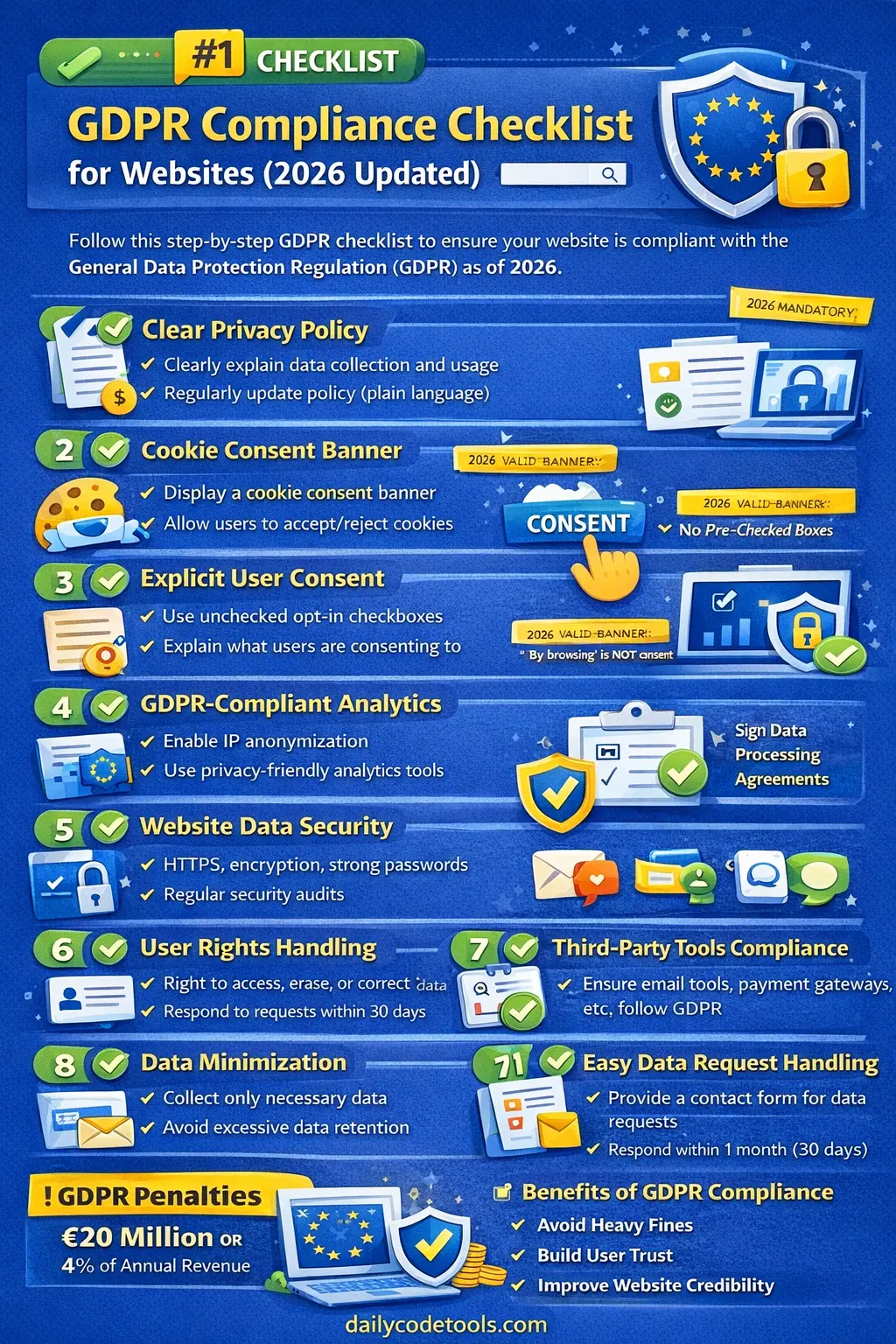
As websites continue to collect, process, analyze, and store increasing amounts of information about visitors and customers, data privacy has become a core part of responsible web development.
For website owners, GDPR compliance is no longer something that should be considered only after a privacy complaint or security incident. Privacy should be considered when a website is designed, developed, launched, and maintained.
Whether you operate a:
-
Blog
-
Business website
-
eCommerce store
-
SaaS platform
-
Membership website
-
Online community
-
Portfolio website
-
News website
-
Tools website
-
Educational platform
-
Booking website
-
Web application
you may need to consider GDPR and other applicable privacy requirements if your website processes personal data and falls within the relevant territorial scope of the regulation.
The General Data Protection Regulation (GDPR) is one of the world's most influential data protection frameworks. It became applicable on May 25, 2018, and introduced extensive requirements concerning personal data, transparency, security, user rights, accountability, and organizational responsibility.
For website owners and developers, GDPR compliance is not simply about adding a privacy policy or displaying a cookie banner.
A genuinely privacy-aware website should be able to answer questions such as:
-
What personal data do we collect?
-
Why do we collect it?
-
What is our lawful basis for processing it?
-
Where is the data stored?
-
Who can access it?
-
Which third-party companies receive it?
-
How long do we keep it?
-
How can users exercise their rights?
-
What happens if someone requests deletion?
-
How do we protect personal information from unauthorized access?
-
What happens if a personal data breach occurs?
This 2026 GDPR compliance checklist for websites explains the major areas website owners, developers, marketers, and administrators should review when building or auditing a privacy-conscious website.
Important: This article is a practical technical and operational checklist, not legal advice. GDPR obligations depend on the organization's activities, processing operations, legal bases, territorial scope, and other circumstances. For complex or high-risk processing, consult a qualified privacy professional or lawyer.
🔐 What Is Website GDPR Compliance?
Website GDPR compliance means designing and operating a website in a way that supports the applicable requirements of the General Data Protection Regulation.
The GDPR is based on several important principles, including:
-
Lawfulness, fairness, and transparency
-
Purpose limitation
-
Data minimization
-
Accuracy
-
Storage limitation
-
Integrity and confidentiality
-
Accountability
These principles affect both business processes and technical implementation.
For example, if a website collects an email address, the owner should know:
Why is the email address being collected?
If the answer is "for account creation," the system should use the information for that purpose appropriately.
If the website later starts using the same address for marketing, the organization needs to determine the appropriate lawful basis and transparency requirements for that additional processing.
GDPR compliance therefore requires more than simply collecting data securely.
It requires understanding the entire lifecycle of personal information.
🌍 Does GDPR Apply to Every Website?
This is an important point that is often explained incorrectly.
Simply having a website or collecting one piece of personal information does not automatically mean that every GDPR requirement applies to every website in every situation.
GDPR applicability depends on factors including the organization involved, its activities, the nature of the processing, and the territorial scope of the regulation.
GDPR can apply to organizations established in the European Union.
It can also apply to certain organizations outside the EU where they offer goods or services to individuals in the EU or monitor their behavior, subject to the regulation's territorial rules.
For example, a company based in India may need to consider GDPR if it operates an online service that falls within the regulation's scope and targets or serves individuals in the EU.
However, website owners should not assume:
"We have one European visitor, therefore GDPR automatically applies to everything."
The actual circumstances matter.
This distinction is important because good privacy guidance should be accurate rather than making universal legal claims.
🧾 What Counts as Personal Data?
Personal data generally means information relating to an identified or identifiable natural person.
Websites can collect personal data intentionally or automatically.
Common examples include:
-
Name
-
Email address
-
Phone number
-
Postal address
-
Account username
-
Customer ID
-
IP address in relevant circumstances
-
Online identifiers
-
Location information
-
Device identifiers
-
Login information
-
Purchase history
-
User-generated content
-
Customer support conversations
-
Usage and behavioral information
A website may collect personal data through:
-
Contact forms
-
Registration forms
-
Login systems
-
Newsletter subscriptions
-
Checkout pages
-
Cookies
-
Analytics tools
-
Advertising technologies
-
Chat widgets
-
Customer support systems
-
Social login
-
APIs
-
Mobile applications
Some categories of personal information are subject to additional protection under GDPR.
These include certain special categories of personal data, such as health information, biometric data used for identification, genetic data, political opinions, religious or philosophical beliefs, racial or ethnic origin, trade union membership, and information concerning sex life or sexual orientation.
If your website processes sensitive information, privacy requirements can become significantly more complex.
🧩 GDPR Compliance Checklist
The following checklist provides a practical framework for reviewing a website.
✅ 1. Create a Clear and Accurate Privacy Policy
A privacy policy is one of the most visible parts of a website's privacy framework.
However, simply copying a generic privacy policy from another website is not enough.
Your privacy notice should accurately describe your actual processing activities.
Depending on the circumstances, users may need clear information about:
-
Who operates the website
-
What personal data is collected
-
Why the data is collected
-
The legal basis for processing
-
How data is used
-
How long information is retained
-
Who receives the information
-
Relevant international transfers
-
User rights
-
How users can exercise their rights
-
Contact information
-
Relevant supervisory authority information where appropriate
The privacy policy should match the actual behavior of the website.
For example, if your website uses:
Google Analytics
Email marketing
Payment processing
Contact forms
Cloud hosting
Customer support software
Advertising platforms
the privacy documentation should reflect the relevant processing activities.
Use Plain Language
Privacy information should be understandable.
Avoid unnecessarily complicated legal terminology.
Instead of writing a huge paragraph filled with technical legal phrases, explain:
-
What information is collected
-
Why it is needed
-
What happens to it
-
Who receives it
-
How users can exercise their rights
A privacy policy should be accurate first and readable second—not a document designed simply to appear complicated.
✅ 2. Identify Every Type of Personal Data Your Website Collects
Before deciding whether your website is privacy-friendly, create a complete inventory.
Start with obvious sources:
Contact Forms
Name
Email
Message
Phone number
User Accounts
Name
Email
Username
Password hash
Profile information
Orders
Customer information
Billing information
Shipping information
Order history
Analytics
IP-related information
Device information
Browser information
Page activity
Identifiers
Customer Support
Email
Messages
Attachments
Support history
Then investigate less obvious sources.
Your website may also collect information through:
-
Server logs
-
CDN systems
-
Error monitoring
-
Security tools
-
Hosting providers
-
Plugins
-
Embedded videos
-
Social widgets
-
Advertising scripts
-
CAPTCHA systems
-
Chat systems
A complete data inventory is one of the most useful first steps in a privacy audit.
✅ 3. Determine the Purpose of Each Data Collection
For every piece of personal information, ask:
Why do we need this?
For example:
| Data | Possible Purpose |
|---|---|
| Account communication | |
| Name | Personalization or customer service |
| Address | Product delivery |
| Payment information | Transaction processing |
| IP address | Security and technical operations |
| Analytics information | Understanding website usage |
| Support messages | Customer assistance |
If you cannot explain why a field is collected, that field deserves review.
Purpose limitation means personal data should not simply be collected without a defined reason and then reused for unrelated purposes without considering the applicable requirements.
✅ 4. Establish the Correct Lawful Basis
GDPR requires a lawful basis for processing personal data.
Common legal bases include:
-
Consent
-
Contract
-
Legal obligation
-
Vital interests
-
Public task
-
Legitimate interests
The correct legal basis depends on the processing activity.
For example, processing an address may be necessary to deliver a product.
Sending optional marketing communications may involve a different legal basis.
Security-related processing may be assessed differently from advertising tracking.
Therefore, website owners should not use "consent" automatically for every processing activity.
Developers and website owners should document the reasoning behind the selected lawful basis.
✅ 5. Implement Consent Correctly When Consent Is Required
Where consent is the appropriate legal basis, it needs to be meaningful.
Depending on the circumstances, consent should be:
-
Freely given
-
Specific
-
Informed
-
Unambiguous
-
Based on an affirmative action
-
Easy to withdraw
For example, an optional marketing checkbox should not be secretly selected in advance simply to increase subscription numbers.
A better design might be:
<input type="checkbox" id="marketing-consent">

<label for="marketing-consent">
    I would like to receive marketing emails.
</label>
The exact implementation depends on the processing and legal requirements.
🚫 6. Avoid Forced or Bundled Consent
A common mistake is making users agree to unnecessary processing before they can access a basic service.
For example:
☑ I agree to receive marketing emails
☑ I agree to personalized advertising
☑ I agree to analytics tracking
☑ I agree to the privacy policy
when only the privacy policy acknowledgement is actually necessary for the service.
Consent should not be used as a mechanism to pressure users into unrelated processing.
Where multiple purposes require consent, choices may need to be separated so that users can make meaningful decisions.
🍪 7. Review Cookies and Similar Tracking Technologies
Cookies are one of the most common privacy issues on modern websites.
A website may use cookies for:
-
Authentication
-
Session management
-
Language preferences
-
Analytics
-
Advertising
-
Personalization
-
Performance monitoring
Not every cookie has the same legal status.
A technically necessary session cookie is different from an advertising cookie used to track users across services.
Website owners should therefore categorize their cookies and similar technologies.
A useful inventory can include:
| Cookie / Technology | Purpose | Provider | Type | Retention |
|---|---|---|---|---|
| Session cookie | Login/session | Website | Necessary | Session |
| Analytics ID | Usage measurement | Analytics provider | Optional depending on use | Defined period |
| Advertising ID | Advertising | Ad provider | Optional | Defined period |
🚫 8. Do Not Rely on "By Continuing to Browse"
A statement such as:
"By continuing to browse this website, you agree to cookies."
is generally not a reliable substitute for a properly designed consent mechanism where consent is legally required.
Users should have meaningful information and control where applicable.
For optional tracking technologies, websites should ensure the technical implementation matches the required consent model.
The important part is not simply displaying a banner.
The website must also behave accordingly.
⚙️ 9. Block Optional Tracking Until the Appropriate Choice Is Made
One of the most common technical mistakes is displaying a consent banner while loading optional trackers immediately in the background.
For example:
<script src="analytics.js"></script>
may execute before the user has made a relevant choice.
A privacy-aware implementation can load optional scripts only after the appropriate permission or legal condition is satisfied.
Conceptually:
Visitor arrives
      ↓
Consent interface
      ↓
User choice
      ↓
Necessary technologies continue
      ↓
Optional technologies load according to the choice
The exact implementation depends on the technologies and legal requirements involved.
📊 10. Audit Your Analytics Tools
Analytics platforms can collect substantial information.
Review:
-
What data is collected
-
Which identifiers are used
-
Whether IP-related information is processed
-
Whether user-level tracking occurs
-
Whether cookies are used
-
Whether data is shared with third parties
-
Where processing occurs
-
How long information is retained
Do not assume that changing one analytics setting automatically makes an entire implementation GDPR compliant.
The overall processing context matters.
Privacy-focused analytics solutions can sometimes simplify the architecture, but every provider still needs to be evaluated for your particular use case.
📣 11. Review Advertising and Retargeting
Advertising systems can involve multiple third parties.
A typical advertising ecosystem might look like:
Visitor
   ↓
Website
   ↓
Advertising Script
   ↓
Advertising Platform
   ↓
Measurement / Targeting Systems
This can create privacy considerations around:
-
Tracking
-
Identifiers
-
Profiling
-
Cookies
-
Consent
-
Data sharing
-
International transfers
Website owners should know exactly which advertising technologies are installed.
A common problem is forgetting about scripts added through:
-
WordPress plugins
-
Tag managers
-
Themes
-
Marketing platforms
-
Ad networks
-
Third-party widgets
🔒 12. Use HTTPS Everywhere
HTTPS should be standard for modern websites.
It protects data transmitted between browsers and servers against many forms of network interception.
Ensure that:
-
HTTP redirects to HTTPS
-
Login pages use HTTPS
-
Forms use HTTPS
-
APIs use HTTPS
-
Administrative pages use HTTPS
-
Cookies use appropriate security attributes
HTTPS is essential, but it is only one component of website security.
It does not by itself make a website GDPR compliant.
🔑 13. Secure User Accounts
If your website has user accounts, implement strong security controls.
Consider:
-
Secure password hashing
-
Multi-factor authentication where appropriate
-
Strong session management
-
Account lockout or abuse protection
-
Secure password reset
-
Session expiration
-
Authorization checks
-
Rate limiting
-
Login monitoring
Passwords should never be stored as plain text.
For PHP applications, use platform-supported password hashing functions rather than inventing a custom algorithm.
🛡️ 14. Implement Proper Access Control
Not every employee or administrator should have access to every customer's data.
Use the principle of least privilege.
For example:
Support Agent
→ Customer support records

Finance Team
→ Billing information

Developer
→ Technical systems

Administrator
→ Authorized administrative functions
Access should be based on actual job requirements.
Review administrator accounts regularly.
Remove access when employees leave the organization or no longer require it.
📝 15. Review Server and Application Logs
Logs are useful, but they can accidentally become a hidden personal-data database.
Avoid logging unnecessary:
-
Passwords
-
Access tokens
-
API keys
-
Payment details
-
Full personal messages
-
Sensitive personal information
For example, avoid logging:
POST /login
email=user@example.com
password=123456
Instead, log useful technical information without exposing secrets.
Logs should also have appropriate retention and access controls.
🗄️ 16. Encrypt Sensitive Data Where Appropriate
Encryption can help protect personal information.
Consider encryption for:
-
Databases
-
Backups
-
File storage
-
Sensitive application fields
-
Data transfers
However, encryption requirements should be based on risk and the nature of the processing.
Encryption should be combined with:
-
Access control
-
Authentication
-
Monitoring
-
Secure configuration
-
Vulnerability management
-
Backup protection
📦 17. Implement Data Minimization
Do not collect information simply because it might be useful someday.
For example, if a newsletter only needs an email address, adding:
Phone number
Home address
Date of birth
Gender
Employer
may be unnecessary.
Data minimization can improve:
-
Privacy
-
Security
-
Performance
-
Database simplicity
-
User experience
-
Deletion workflows
Less unnecessary data means less data that can be exposed during a security incident.
🕒 18. Create a Data Retention Policy
GDPR includes the principle of storage limitation.
Organizations should not retain personal information indefinitely without a reason.
Create retention rules for relevant categories of information.
For example:
Account records → Retain according to account and legal requirements

Marketing records → Retain according to marketing/privacy requirements

Application logs → Defined operational period

Temporary uploads → Automatic cleanup

Expired sessions → Automatic removal
Retention periods should be based on the purpose of processing and applicable legal, contractual, operational, and regulatory requirements.
Avoid inventing arbitrary retention periods simply to fill a policy.
🗑️ 19. Build a Reliable Data Deletion Process
If your website supports user accounts, plan how data deletion will work.
A real application may store user information in:
-
Primary database
-
Secondary database
-
Search index
-
Object storage
-
Cache
-
Analytics system
-
Customer support system
-
Email platform
-
Logs
-
Backups
Deleting a row from the primary database does not necessarily remove every copy.
Create a documented deletion workflow.
For example:
Deletion Request
      ↓
Identity Verification
      ↓
Identify Data Sources
      ↓
Delete / Anonymize Where Required
      ↓
Notify Relevant Systems
      ↓
Record Completion
Remember that the right to erasure is not absolute in every circumstance. Some data may need to be retained because of legal obligations or other applicable exceptions.
👤 20. Support User Privacy Rights
Depending on the circumstances, individuals may have rights including:
-
Right to access
-
Right to rectification
-
Right to erasure
-
Right to restriction of processing
-
Right to data portability
-
Right to object
-
Rights related to automated decision-making and profiling in applicable situations
Website owners should create a practical process for handling requests.
A request might arrive through:
privacy@example.com
or through a privacy request form.
The important point is that someone should know:
-
Who receives the request
-
How identity is verified
-
Which systems are checked
-
Who handles the request
-
How the response is documented
⏱️ 21. Understand GDPR Response Deadlines
A common mistake is saying:
"GDPR gives every website exactly 30 days to respond."
The GDPR generally requires action on qualifying data subject requests without undue delay and in any event within one month of receipt, subject to the regulation's rules.
In certain circumstances, the period can be extended by up to two further months, particularly where requests are complex or numerous, with the individual informed as required.
Therefore, websites should not simply advertise "30 days" without understanding the applicable requirements.
A good operational process should include:
Request received
      ↓
Identity verification
      ↓
Scope determination
      ↓
Data collection
      ↓
Review
      ↓
Response
📩 22. Provide a Clear Privacy Contact Method
Users should have a practical way to ask privacy questions.
Possible methods include:
-
Privacy email
-
Contact form
-
Dedicated privacy portal
-
Account privacy dashboard
Make sure the contact information is monitored.
A privacy email address that nobody checks is not useful.
🔄 23. Review Third-Party Services
Modern websites rarely operate alone.
You may use:
-
Hosting providers
-
Cloud storage
-
Email providers
-
Payment gateways
-
Analytics services
-
Customer support tools
-
CRM systems
-
Marketing platforms
-
Chat widgets
-
Security services
-
CAPTCHA providers
Create a third-party service inventory.
For every provider, ask:
-
What information do they receive?
-
Why do they receive it?
-
Where is it processed?
-
What security controls exist?
-
What contractual terms apply?
-
How long is information retained?
-
Can information be deleted?
-
Are international transfers involved?
📑 24. Review Data Processing Agreements
Where applicable, organizations may need appropriate contractual arrangements with processors.
A Data Processing Agreement (DPA) can define responsibilities between organizations when one party processes personal data on behalf of another.
Do not assume that every third-party service automatically satisfies your obligations.
Website owners should review relevant provider documentation and contractual terms.
Developers can help by maintaining an accurate list of services and the data each service receives.
🌍 25. Review International Data Transfers
International data transfers can create additional GDPR considerations.
For example:
EU User
   ↓
Website
   ↓
Cloud Provider
   ↓
Analytics Provider
   ↓
Support Platform
If personal data is transferred outside the European Economic Area or otherwise involves international transfer mechanisms, the organization may need to assess the applicable GDPR requirements.
Developers should document:
-
Provider
-
Data type
-
Destination
-
Storage region
-
Processing region
-
APIs involved
Legal teams can then evaluate the appropriate legal mechanisms.
📋 26. Maintain Records of Processing Activities
GDPR includes accountability requirements.
Organizations may need to maintain records of processing activities depending on their circumstances.
Technical teams can support this by documenting:
-
Systems
-
Databases
-
Data categories
-
Processing purposes
-
Third-party services
-
Retention
-
Security measures
-
Data flows
Even when a particular organization qualifies for an exemption from a specific record-keeping obligation, maintaining useful internal documentation can still be valuable for privacy governance.
🧑💻 27. Control Developer and Administrator Access
Website administrators can often access large amounts of personal data.
Review:
-
Admin accounts
-
Database access
-
Hosting access
-
SSH access
-
Cloud dashboards
-
API keys
-
Deployment systems
-
Monitoring tools
Use:
-
Strong authentication
-
MFA
-
Least privilege
-
Individual accounts
-
Access reviews
-
Audit logs
Avoid sharing one administrator password across the entire team.
🧪 28. Avoid Using Real User Data in Development
Development environments should not automatically contain production customer information.
Instead, consider:
-
Synthetic data
-
Anonymized datasets
-
Pseudonymized datasets
-
Sanitized exports
For example:
Production
   ↓
Sanitization
   ↓
Test Dataset
   ↓
Development
This reduces unnecessary exposure of personal information.
🔍 29. Perform Regular Security Testing
A privacy-friendly website also needs strong security.
Review common vulnerabilities such as:
-
SQL injection
-
Cross-site scripting
-
CSRF
-
Broken access control
-
Authentication weaknesses
-
Insecure file uploads
-
Exposed API keys
-
Misconfigured cloud storage
-
Vulnerable dependencies
Use appropriate security testing during development and after significant changes.
📦 30. Keep Software Dependencies Updated
Outdated software can contain known vulnerabilities.
Regularly review:
-
PHP
-
WordPress
-
Plugins
-
Themes
-
JavaScript libraries
-
Frameworks
-
Composer packages
-
npm packages
-
Database systems
-
Operating systems
-
Container images
Security maintenance should be part of normal website operations.
🚨 31. Prepare for Personal Data Breaches
A personal data breach may involve:
-
Unauthorized access
-
Accidental disclosure
-
Lost devices
-
Compromised accounts
-
Stolen credentials
-
Database leaks
-
Misconfigured storage
-
Malware
-
API vulnerabilities
Your organization should have an incident response process.
A practical technical workflow can look like:
Detect
  ↓
Contain
  ↓
Investigate
  ↓
Assess
  ↓
Remediate
  ↓
Document
  ↓
Notify where legally required
Under GDPR, certain personal data breaches may need to be notified to the relevant supervisory authority without undue delay and, where required, within 72 hours after becoming aware of the breach.
The 72-hour requirement should not be interpreted as:
"Every security incident must always be reported within 72 hours."
The notification requirement depends on the nature and risk of the personal data breach.
📢 32. Create a Breach Response Team
A breach response process should involve appropriate people.
Depending on the organization, this could include:
-
Security team
-
Developers
-
IT/DevOps
-
Privacy team
-
Legal team
-
Management
-
Communications team
Developers should know who to contact if they discover:
Database exposure
Credential leak
Unauthorized access
Malware
API vulnerability
Personal data disclosure
Speed matters during security incidents.
🤖 33. Review AI and Automated Processing
Modern websites increasingly use AI.
AI-powered features may process:
-
Customer messages
-
Uploaded files
-
User prompts
-
Support tickets
-
Documents
-
Personal profiles
-
Behavioral data
Before sending personal information to an external AI service, understand:
-
What data is sent
-
Why it is sent
-
Where it is processed
-
How it is retained
-
What provider terms apply
-
Whether additional privacy requirements apply
Do not assume that an AI API is automatically suitable for processing personal data simply because it is technically available.
🧠 34. Review Automated Decision-Making and Profiling
Some websites use automated systems to:
-
Score users
-
Recommend products
-
Detect fraud
-
Determine eligibility
-
Personalize content
-
Evaluate behavior
Certain forms of automated decision-making and profiling can raise additional GDPR considerations.
If an automated system significantly affects individuals, it should receive additional privacy and legal review.
Developers should document:
-
Inputs
-
Processing logic
-
Outputs
-
Human oversight
-
Data sources
⚠️ Common GDPR Mistakes Websites Should Avoid
❌ Copy-Pasting a Privacy Policy
A generic policy may describe services your website does not use while missing services that you actually operate.
❌ Installing Tracking Scripts Without Reviewing Them
Third-party scripts can collect information outside the website owner's immediate awareness.
❌ Loading Analytics Before the Appropriate Consent
A banner is not enough if optional tracking already starts before the user's choice.
❌ Collecting Excessive Information
More data is not always better.
❌ Keeping Data Forever
Storage should have a purpose and appropriate retention rules.
❌ Storing Passwords in Plain Text
This is a serious security failure.
❌ Logging Sensitive Data
Debugging should not create another source of personal-data exposure.
❌ Sharing Production Data With Developers
Use safer test datasets where possible.
❌ Giving Everyone Administrator Access
Access should follow least privilege.
❌ Ignoring User Requests
Organizations need a clear process for handling applicable data subject requests.
💰 What Are the GDPR Penalties?
GDPR provides a tiered administrative fine structure.
For certain infringements, fines can reach:
€20 million or 4% of the total worldwide annual turnover of the preceding financial year, whichever is higher.
Other infringements can be subject to lower maximums, including:
€10 million or 2% of worldwide annual turnover, whichever is higher.
The actual penalty depends on the specific circumstances.
Regulators may consider factors such as:
-
Nature of the infringement
-
Severity
-
Duration
-
Number of affected individuals
-
Intent or negligence
-
Mitigation efforts
-
Previous violations
-
Cooperation with authorities
-
Categories of personal data involved
The important lesson is that organizations should not treat privacy compliance as something that only matters after receiving a fine.
📈 Does GDPR Compliance Improve SEO?
Privacy compliance should not be marketed as a direct Google ranking factor.
There is no simple rule saying:
"GDPR compliant website = higher Google ranking."
However, privacy-friendly development can indirectly support a better website.
For example:
-
Clear consent interfaces can improve user experience.
-
Good security practices protect users.
-
Faster privacy-friendly analytics implementations can reduce unnecessary scripts.
-
Clear privacy information can increase trust.
-
Better technical architecture can reduce unnecessary data collection.
SEO should therefore be treated separately from legal compliance.
A website should comply with applicable privacy requirements because it is the responsible and legally appropriate thing to do—not because compliance is guaranteed to increase rankings.
🚀 Benefits of a Privacy-Friendly Website
A strong privacy program can provide several practical benefits.
Better User Trust
Users are more likely to trust businesses that explain how their information is handled.
Lower Security Risk
Data minimization reduces the amount of information available during a security incident.
Cleaner Architecture
Knowing where data flows often leads to better database and API design.
Easier Maintenance
Documented systems are easier to audit and update.
Better Internal Controls
Access reviews and retention policies reduce unnecessary exposure.
Stronger Brand Reputation
Transparent privacy practices can contribute to a professional reputation.
📋 2026 GDPR Website Audit Checklist
Use the following checklist during a website privacy audit.
Privacy Documentation
-
Privacy policy exists
-
Privacy policy accurately describes actual processing
-
Contact information is available
-
User rights are explained
-
Retention information is documented
-
Third-party services are reviewed
Data Collection
-
All forms have been reviewed
-
User account data is documented
-
Analytics data is documented
-
Server logs are reviewed
-
Tracking technologies are inventoried
-
Unnecessary data fields are removed
Legal Basis
-
Processing activities have been identified
-
Appropriate lawful bases are documented
-
Consent is used only where appropriate
-
Legitimate-interest processing is assessed where relevant
Cookies and Tracking
-
Cookies have been inventoried
-
Necessary and optional technologies are distinguished
-
Consent behavior has been reviewed
-
Optional tracking is handled appropriately
-
Users can change relevant preferences where required
Security
-
HTTPS is enabled
-
Passwords are securely hashed
-
Admin accounts use strong authentication
-
MFA is enabled where appropriate
-
Access control is implemented
-
Sensitive logs are minimized
-
Dependencies are updated
-
Backups are protected
User Rights
-
Privacy request contact exists
-
Identity verification process exists
-
Data access process exists
-
Correction process exists
-
Deletion process exists
-
Objection process exists where applicable
-
Portability process exists where applicable
Third Parties
-
Hosting provider reviewed
-
Analytics provider reviewed
-
Payment provider reviewed
-
Email provider reviewed
-
Chat provider reviewed
-
Advertising providers reviewed
-
Relevant contracts/DPA reviewed
-
International transfers assessed
Data Retention
-
Retention periods are documented
-
Old records are reviewed
-
Temporary data is cleaned automatically
-
Logs have defined retention
-
Backups have lifecycle controls
Incident Response
-
Breach response process exists
-
Security contacts are documented
-
Incident logging is available
-
Relevant notification procedures are documented
🧭 A Practical GDPR Audit for Small Websites
Small websites often assume that GDPR is relevant only to large companies.
That is not a safe assumption.
A small website may still use:
Contact form
+
Analytics
+
Cookies
+
Email service
+
Hosting
That can create multiple personal-data processing activities.
A small website can perform a practical audit in five stages.
Stage 1: Scan the Website
Identify:
-
Forms
-
Cookies
-
Scripts
-
Trackers
-
Embedded services
-
Login systems
Stage 2: Inspect the Backend
Review:
-
Database tables
-
Logs
-
User accounts
-
APIs
-
Admin accounts
-
Backups
Stage 3: Review Vendors
Create a list of:
-
Hosting
-
Analytics
-
Email
-
Payment
-
Advertising
-
Support
-
Monitoring
Stage 4: Review User Rights
Ask:
"If a user asks for their data, can we actually find it?"
Then ask:
"If a user asks for deletion, can we identify the systems that need to be handled?"
Stage 5: Fix the Highest-Risk Issues
Prioritize:
-
Security vulnerabilities
-
Unnecessary data collection
-
Uncontrolled third-party tracking
-
Missing privacy documentation
-
Weak access control
-
Missing retention/deletion processes
🏗️ GDPR Checklist for Developers
Developers can use this technical checklist before deploying a website.
[ ] HTTPS configured
[ ] Secure cookies configured
[ ] Password hashing implemented
[ ] Authentication secured
[ ] Authorization enforced server-side
[ ] API endpoints protected
[ ] Sensitive data minimized
[ ] Logs reviewed
[ ] Secrets removed from source code
[ ] Dependencies updated
[ ] Production data protected
[ ] Third-party APIs documented
[ ] Analytics reviewed
[ ] Cookie behavior reviewed
[ ] Data export process considered
[ ] Deletion workflow considered
[ ] Retention rules documented
[ ] Backup retention reviewed
[ ] Incident response documented
This checklist does not replace legal advice, but it provides a useful engineering starting point.
🔄 GDPR Compliance Is an Ongoing Process
One of the biggest mistakes organizations make is treating GDPR as a one-time project.
You may make your website privacy-friendly today and then add five new services next month.
For example:
January
→ Analytics

March
→ Live Chat

May
→ Advertising Pixel

July
→ CRM

September
→ AI API
Every new integration can change the privacy landscape.
Therefore, GDPR compliance should be part of the normal development lifecycle.
Whenever a new feature is introduced, ask:
-
Does it collect personal data?
-
What data does it collect?
-
Why?
-
Who receives it?
-
Where is it stored?
-
How long is it retained?
-
Does consent need to change?
-
Does the privacy policy need updating?
-
Does the security model need updating?
🧪 Privacy Testing Before Launch
Before deploying a new website feature, perform a privacy test.
Test 1: New User
Visit the website as a first-time user.
Check:
-
Cookies
-
Tracking
-
Consent interface
-
Forms
-
Privacy information
Test 2: Registered User
Check:
-
Account information
-
Privacy settings
-
Data access
-
Account deletion
Test 3: Administrator
Check:
-
Access controls
-
Audit logs
-
Database permissions
Test 4: API
Inspect:
-
Request data
-
Response data
-
Authentication
-
Authorization
-
Logs
Test 5: Third Parties
Check browser/network activity to understand which external systems receive information.
🏁 Final Thoughts
GDPR compliance in 2026 should not be treated as a simple checkbox exercise.
A privacy-friendly website is not created merely by adding:
Privacy Policy
+
Cookie Banner
A strong privacy program considers the complete lifecycle of personal data.
That means understanding:
-
What information is collected
-
Why it is collected
-
What lawful basis applies
-
How users are informed
-
When consent is required
-
Which cookies and tracking technologies are used
-
Where data is stored
-
Who receives it
-
How it is protected
-
How long it is retained
-
How applicable user rights are handled
-
How data is deleted or otherwise managed
-
What happens during a security incident
For developers, GDPR means privacy needs to be considered at the architecture level.
For website owners, it means understanding how the website actually processes information rather than relying only on generic documents.
For marketers, it means understanding that tracking and personalization need to operate within the applicable privacy framework.
For businesses, it means creating accountability across the entire organization.
The most effective approach is to make privacy part of the normal website development process.
Collect less.
Explain clearly.
Protect what you collect.
Limit access.
Review third parties.
Respect user rights.
Delete or retain information according to documented requirements.
Keep your privacy practices aligned with how your website actually works.
GDPR compliance is ultimately about responsible handling of personal information.
A website that respects privacy is better positioned to build user trust, reduce unnecessary data exposure, improve internal data management, and adapt to an increasingly privacy-conscious digital environment.
In 2026 and beyond, privacy should not be treated as something added after a website is launched.
Privacy should be part of the website's architecture from the beginning.
Your email address will not be published. Comments are moderated.
0 Comments on This Post
Leave a Reply
Comments (0)
Spread the Word!
Join Our Developer Community!
Get weekly coding tips, tool updates, and exclusive tutorials straight to your inbox.
Request a Tool
×