Common JSON Errors and How to Fix Them
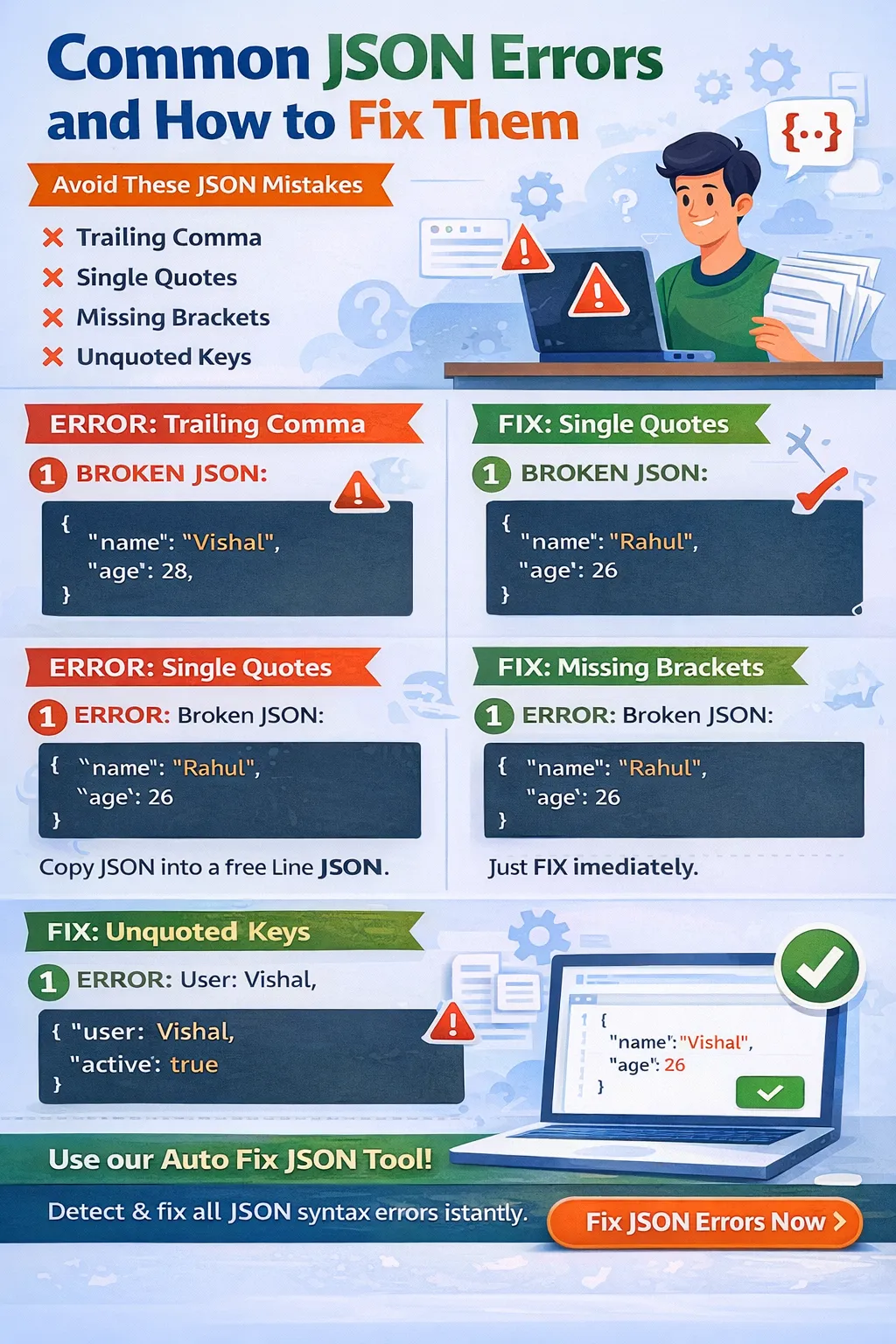
If you've ever seen an error like:
-
Invalid JSON -
Unexpected token -
JSON Parse Error -
SyntaxError: Unexpected string -
Unexpected end of JSON input -
Expected property name or '}' -
JSON.parse() failed -
Unexpected character
don't worry — you're not alone.
JSON errors are extremely common. They happen to beginners learning APIs, frontend developers working with JavaScript, backend developers building REST APIs, and even experienced developers when a large JSON payload is edited manually.
The good news is that most JSON syntax errors are easy to understand once you know the rules.
JSON is a very strict data format. A single missing quotation mark, comma, colon, bracket, or brace can make an otherwise large JSON document invalid.
For example, this looks almost correct:
{
  "name": "Seth",
  "age": 28,
}
But it is invalid JSON because of the comma after 28.
The corrected version is:
{
  "name": "Seth",
  "age": 28
}
That tiny difference can be enough to cause an API request to fail or make a JavaScript application throw a parsing error.
In this complete guide, you'll learn:
-
What JSON is
-
What an invalid JSON error means
-
How JSON syntax works
-
The most common JSON errors
-
Real broken JSON examples
-
Corrected versions of each example
-
Why JSON parsing errors happen
-
How to understand common error messages
-
How to debug large JSON files
-
How to fix JSON online
-
How to validate JSON before using an API
-
How JavaScript handles JSON errors
-
Common API response problems
-
How to avoid JSON syntax errors in future
-
When an online JSON formatter or validator can help
Let's break everything down step by step.
What Is JSON?
JSON stands for JavaScript Object Notation.
Despite its name, JSON is not limited to JavaScript. It is a lightweight text-based data format commonly used to exchange structured data between applications.
For example, an API might return:
{
  "name": "Seth",
  "age": 28,
  "country": "India"
}
This data can be read by JavaScript, Python, PHP, Java, C#, Go, Ruby, and many other programming languages.
JSON is popular because it is:
-
Easy for humans to read
-
Easy for machines to parse
-
Lightweight
-
Language-independent
-
Widely supported
-
Commonly used by APIs
-
Suitable for configuration files and data exchange
You will often see JSON when working with:
-
REST APIs
-
Web applications
-
Mobile applications
-
Configuration files
-
Databases
-
Authentication systems
-
Payment APIs
-
Third-party integrations
-
Webhooks
-
Server responses
-
AJAX and Fetch requests
What Does "Invalid JSON" Mean?
An invalid JSON error means that the text you're trying to parse does not follow the official JSON syntax rules.
JSON is strict.
Programming languages such as JavaScript sometimes allow syntax that JSON does not.
For example, JavaScript can use single quotes:
const name = 'Seth';
But valid JSON requires double quotes:
{
  "name": "Seth"
}
Similarly, JavaScript may allow trailing commas in many situations:
const user = {
  name: "Seth",
  age: 28,
};
But standard JSON does not allow the final comma:
{
  "name": "Seth",
  "age": 28
}
This difference is one of the biggest reasons developers confuse JavaScript object syntax with JSON syntax.
JSON Syntax Rules You Need to Know
Before looking at individual errors, it helps to understand a few basic JSON rules.
Valid JSON supports:
-
Objects
-
Arrays
-
Strings
-
Numbers
-
Booleans
-
null
A JSON object uses curly braces:
{
  "name": "Seth"
}
A JSON array uses square brackets:
[
  "PHP",
  "JavaScript",
  "Python"
]
An object contains key-value pairs:
{
  "name": "Seth",
  "age": 28
}
Keys must be enclosed in double quotes.
Values can be strings, numbers, booleans, objects, arrays, or null.
For example:
{
  "name": "Seth",
  "age": 28,
  "developer": true,
  "website": null
}
Once these rules are clear, most JSON errors become much easier to identify.
1. Trailing Comma Error
One of the most common JSON mistakes is a trailing comma.
Broken JSON Example
{
  "name": "Seth",
  "age": 28,
}
The problem is the comma after 28.
The comma tells the parser that another property is coming.
But there is no property after 28.
Therefore, the JSON is invalid.
Fixed Version
{
  "name": "Seth",
  "age": 28
}
Remember
The final property in an object should not have a trailing comma.
Incorrect:
{
  "name": "Seth",
}
Correct:
{
  "name": "Seth"
}
The same rule applies to arrays.
Incorrect:
[
  "PHP",
  "JavaScript",
]
Correct:
[
  "PHP",
  "JavaScript"
]
Trailing commas are especially common when developers copy JavaScript objects and paste them into an API request expecting JSON.
2. Single Quotes Instead of Double Quotes
JSON strings must use double quotation marks.
Broken JSON
{
  'name': 'Seth',
  'age': 28
}
This may look familiar if you work with JavaScript or another programming language.
However, it is not valid standard JSON.
Fixed Version
{
  "name": "Seth",
  "age": 28
}
Use double quotes around:
-
Object keys
-
String values
For example:
{
  "name": "Seth",
  "city": "Delhi",
  "language": "English"
}
Incorrect
{
  'name': 'Seth'
}
Correct
{
  "name": "Seth"
}
If you receive an error such as:
Unexpected token '
check whether single quotes were used.
3. Unquoted Keys
Another common JSON error is forgetting quotation marks around object keys.
Broken JSON
{
  name: "Seth",
  age: 28
}
The keys name and age are not quoted.
JSON requires object property names to be strings.
Fixed Version
{
  "name": "Seth",
  "age": 28
}
Every key must be surrounded by double quotes.
Incorrect:
{
  username: "seth123"
}
Correct:
{
  "username": "seth123"
}
This mistake often happens when developers confuse JSON with a JavaScript object literal.
4. Missing Colon Between Key and Value
Every JSON object property needs a colon between the key and its value.
Broken JSON
{
  "name" "Seth"
}
There is no colon between "name" and "Seth".
Fixed Version
{
  "name": "Seth"
}
The basic structure is:
"key": value
For example:
{
  "name": "Seth",
  "age": 28,
  "active": true
}
A missing colon can result in errors such as:
Unexpected string
or:
Expected ':' after property name
When you see an unexpected string error, check the property immediately before the location reported by the parser.
5. Missing Closing Curly Brace
JSON objects start with { and must end with }.
Broken JSON
{
  "user": {
    "name": "Seth",
    "age": 25
The JSON contains two opening braces:
{
  "user": {
Therefore, two closing braces are required.
Fixed Version
{
  "user": {
    "name": "Seth",
    "age": 25
  }
}
A useful debugging technique is to count opening and closing braces.
For every:
{
you generally need a corresponding:
}
Nested objects can make this difficult to see manually, especially in large JSON files.
That is why formatting the JSON can make debugging much easier.
6. Missing Closing Square Bracket
Arrays use square brackets.
An array starts with:
[
and ends with:
]
Broken JSON
{
  "skills": [
    "PHP",
    "JavaScript",
    "Python"
}
The array was opened but never closed.
Fixed Version
{
  "skills": [
    "PHP",
    "JavaScript",
    "Python"
  ]
}
Notice that the array closes before the object closes.
The structure is:
{
  "skills": [
    ...
  ]
}
When debugging nested JSON, indentation makes these relationships much easier to understand.
7. Extra Comma in an Array
Trailing commas are also invalid inside arrays.
Broken JSON
{
  "skills": ["PHP", "JavaScript",]
}
The final comma after "JavaScript" is invalid.
Fixed Version
{
  "skills": ["PHP", "JavaScript"]
}
For a multi-line array:
Incorrect
{
  "skills": [
    "PHP",
    "JavaScript",
    "Python",
  ]
}
Correct
{
  "skills": [
    "PHP",
    "JavaScript",
    "Python"
  ]
}
Always check the final array item when you encounter an unexpected token near ].
8. Missing Comma Between Properties
A comma is required between separate properties in an object.
Broken JSON
{
  "name": "Seth"
  "age": 28
}
There is no comma after "Seth".
Fixed Version
{
  "name": "Seth",
  "age": 28
}
The basic pattern is:
"property1": value,
"property2": value
However, remember that the final property does not need a comma.
Correct:
{
  "name": "Seth",
  "age": 28
}
Incorrect:
{
  "name": "Seth"
  "age": 28
}
9. Missing Comma Between Array Items
The same rule applies to arrays.
Broken JSON
[
  "PHP"
  "JavaScript"
]
There is no comma between the two strings.
Fixed Version
[
  "PHP",
  "JavaScript"
]
Every item except the final item must be separated by a comma.
For example:
[
  "HTML",
  "CSS",
  "JavaScript",
  "PHP"
]
10. Incorrect String Quotation
Strings must start and end with matching double quotes.
Broken JSON
{
  "name": "Seth
}
The string starts with:
"
but never closes.
Fixed Version
{
  "name": "Seth"
}
This problem can be harder to identify when the string contains a lot of text.
For example:
{
  "message": "Welcome to our website
}
The closing quotation mark is missing.
Correct:
{
  "message": "Welcome to our website"
}
11. Unescaped Double Quotes Inside a String
Sometimes developers use double quotes inside a JSON string without escaping them.
Broken JSON
{
  "message": "He said "Hello" to me"
}
The parser thinks the string ends before Hello.
Fixed Version
{
  "message": "He said \"Hello\" to me"
}
In JSON, an embedded double quote must be escaped with a backslash.
Common JSON escape sequences include:
\"   Double quote
\\   Backslash
\/   Slash
\b   Backspace
\f   Form feed
\n   New line
\r   Carriage return
\t   Tab
For example:
{
  "message": "Hello\nWorld"
}
The \n represents a newline.
12. Invalid Escape Sequence
Not every backslash combination is valid in JSON.
Broken JSON
{
  "path": "\q\test"
}
\q is not a standard JSON escape sequence.
Better Version
If the intention is to represent a Windows-style path, backslashes need to be escaped:
{
  "path": "C:\\Users\\Seth\\Documents"
}
This is a common source of confusion when JSON contains file paths.
Remember:
\
is a special character in JSON strings.
If you need a literal backslash, use:
\\
13. Using Comments Inside JSON
Standard JSON does not support comments.
Broken JSON
{
  "name": "Seth",
  // User name
  "age": 28
}
The // User name line makes the JSON invalid.
Similarly, this is invalid:
{
  "name": "Seth",
  /* User information */
  "age": 28
}
Fixed Version
Remove the comment:
{
  "name": "Seth",
  "age": 28
}
Some configuration formats that look like JSON may support comments, but standard JSON itself does not.
This distinction is important when moving data between different tools.
14. Invalid Boolean Values
JSON supports two boolean values:
true
false
They must be lowercase.
Broken JSON
{
  "active": True
}
Fixed Version
{
  "active": true
}
Likewise:
{
  "verified": false
}
is valid.
But:
{
  "verified": False
}
is not valid standard JSON.
15. Invalid Null Value
JSON uses:
null
for an empty or missing value.
Broken JSON
{
  "middleName": NULL
}
Fixed Version
{
  "middleName": null
}
null must be lowercase.
It is different from a string containing the word "null":
{
  "value": null
}
versus:
{
  "value": "null"
}
The first is a JSON null value.
The second is a string.
16. Using undefined
undefined is not a valid JSON value.
Broken JSON
{
  "name": "Seth",
  "website": undefined
}
Fixed Version
If the value is intentionally empty:
{
  "name": "Seth",
  "website": null
}
Alternatively, omit the property completely if that matches the API's expected structure:
{
  "name": "Seth"
}
This is particularly important when converting JavaScript objects into JSON.
17. NaN and Infinity Are Not Standard JSON Numbers
JavaScript supports special numeric values such as:
NaN
Infinity
-Infinity
But standard JSON does not.
For example:
{
  "value": NaN
}
is invalid JSON.
If an API requires a valid JSON number, use an actual number or another representation appropriate for the API.
For example:
{
  "value": 0
}
or:
{
  "value": null
}
depending on the application's requirements.
18. Numbers With Invalid Formatting
JSON numbers have strict formatting rules.
For example, leading zeros are not permitted for ordinary decimal numbers.
Invalid
{
  "age": 028
}
Valid
{
  "age": 28
}
JSON numbers can be integers or decimals, and they can use scientific notation.
Valid examples include:
{
  "integer": 25,
  "decimal": 25.5,
  "negative": -10,
  "scientific": 1.5e3
}
If a number is actually an identifier, such as a phone number or account-like value, storing it as a string may be more appropriate:
{
  "phone": "+91-9876543210"
}
This also avoids accidentally losing formatting or significant leading zeros.
19. Extra Text Before the JSON
A JSON document cannot simply contain random text before the object.
Broken Example
Here is your JSON:

{
  "name": "Seth"
}
If a parser expects JSON from the first character, the text before { can cause a parsing error.
Valid JSON
{
  "name": "Seth"
}
This issue is particularly common when API responses accidentally contain:
-
Debug messages
-
HTML
-
PHP warnings
-
Server errors
-
Logging output
-
Human-readable text
For example, a server might return:
Warning: Something went wrong

{"status":"error"}
A JSON parser may fail because the response is not pure JSON.
20. HTML Instead of JSON
Sometimes the problem isn't your JSON syntax at all.
Your application may expect JSON, but the server may actually return HTML.
For example:
<!DOCTYPE html>
<html>
  <body>
    <h1>404 Not Found</h1>
  </body>
</html>
If JavaScript tries:
JSON.parse(response)
it can fail because the response is HTML rather than JSON.
This commonly happens when:
-
An API URL is incorrect
-
A server route does not exist
-
Authentication fails
-
A reverse proxy returns an error page
-
A server crashes
-
A request is redirected
-
A web server returns an HTML error page
If the error says something similar to:
Unexpected token '<'
check the actual HTTP response body.
A < character at the beginning is often a clue that HTML was returned instead of JSON.
21. Empty JSON Response
Another common API problem is receiving an empty response.
For example:
""
or no response body at all.
If code expects JSON and attempts to parse an empty response, you may see an error such as:
Unexpected end of JSON input
The solution depends on the API contract.
If an endpoint should always return JSON, the backend should return a valid JSON response.
For example:
{
  "status": "success"
}
If an endpoint intentionally returns no body, the client should handle that response appropriately instead of always trying to parse it as JSON.
22. Unexpected End of JSON Input
Unexpected end of JSON input is one of the most common JSON parsing errors.
It generally means the parser reached the end of the input before the JSON structure was complete.
For example:
{
  "name": "Seth"
The object never closes.
Correct:
{
  "name": "Seth"
}
Another example:
[
  "PHP",
  "JavaScript"
Correct:
[
  "PHP",
  "JavaScript"
]
This error can also occur when:
-
A response is empty
-
A JSON string is truncated
-
A network response is incomplete
-
A closing quote is missing
-
A closing bracket is missing
-
A closing brace is missing
When you see this error, inspect the end of the JSON first.
23. Unexpected Token Error
An error such as:
Unexpected token
means the parser encountered a character or value that does not make sense at that position.
For example:
{
  "name": "Seth",
  "age": 28,
}
The parser may complain about the closing brace because it encountered it where another property was expected after the comma.
Another example:
{
  name: "Seth"
}
The parser encounters n where it expects a quoted property name.
The exact error message depends on the programming language, parser, browser, library, and location of the error.
24. JSON.parse() Error in JavaScript
JavaScript commonly uses JSON.parse() to convert a JSON string into a JavaScript value.
For example:
const json = '{"name":"Seth","age":28}';

const user = JSON.parse(json);

console.log(user.name);
This works because the JSON string is valid.
But this fails:
const json = '{"name":"Seth","age":28,}';

const user = JSON.parse(json);
The trailing comma makes the JSON invalid.
You may receive an error similar to:
SyntaxError: Unexpected token '}'
The exact wording can vary between environments.
25. How to Safely Handle JSON.parse()
If you're parsing JSON from an external source, you can use try...catch.
try {
  const user = JSON.parse(jsonData);
  console.log(user);
} catch (error) {
  console.error("Invalid JSON:", error);
}
This prevents an invalid JSON response from crashing the normal execution flow of your code.
However, try...catch does not fix invalid JSON.
It only allows your application to handle the error gracefully.
The underlying JSON still needs to be corrected or the response needs to be handled differently.
26. Broken API Response Example
Imagine an API returns:
{
  "status": "success",
  "data": [
    {
      "id": 1,
      "name": "Seth"
    },
  ]
}
The problem is the trailing comma after the object inside the array.
Fixed API Response
{
  "status": "success",
  "data": [
    {
      "id": 1,
      "name": "Seth"
    }
  ]
}
This small issue can cause the entire API response to fail parsing.
That is why validating API responses is important, particularly when the response is generated manually or by custom backend code.
27. JSON Request vs JSON Response
It is useful to understand the difference between a JSON request and a JSON response.
A JSON request is data your application sends to a server.
For example:
{
  "username": "seth123",
  "password": "example"
}
A JSON response is data the server sends back.
For example:
{
  "status": "success",
  "userId": 123
}
Both must follow valid JSON syntax if the API expects standard JSON.
A malformed request can cause the server to reject the request.
A malformed response can cause the client application to fail while parsing it.
28. Content-Type and JSON
When sending JSON through an HTTP API, the request often uses a content type such as:
application/json
For example, JavaScript may send:
fetch("/api/users", {
  method: "POST",
  headers: {
    "Content-Type": "application/json"
  },
  body: JSON.stringify({
    name: "Seth",
    age: 28
  })
});
Notice that the JavaScript object is converted into a JSON string using:
JSON.stringify()
This is different from manually writing JSON.
Using serialization tools such as JSON.stringify() can reduce syntax mistakes when constructing JSON from application data.
29. JSON.stringify() vs JSON.parse()
These two JavaScript methods are often confused.
JSON.stringify()
Converts a JavaScript value into a JSON string.
Example:
const user = {
  name: "Seth",
  age: 28
};

const json = JSON.stringify(user);

console.log(json);
Result:
{"name":"Seth","age":28}
JSON.parse()
Converts a valid JSON string into a JavaScript value.
Example:
const json = '{"name":"Seth","age":28}';

const user = JSON.parse(json);

console.log(user.name);
Simple rule:
JavaScript value → JSON string = JSON.stringify()

JSON string → JavaScript value = JSON.parse()
Understanding this difference can eliminate many JSON-related bugs.
30. How to Find the Exact JSON Error
When working with a large JSON file, manually scanning every character can be frustrating.
Instead, use a systematic process.
Step 1: Check the Error Position
If the parser gives a line and column number, start there.
For example:
Unexpected token at line 18, column 12
Go directly to that location.
However, remember that the actual mistake can sometimes be before the reported character.
For example, a missing comma on line 17 may cause the parser to complain when it reaches line 18.
So inspect a few lines above the reported location as well.
Step 2: Check Quotes
Look for:
-
Missing opening quotes
-
Missing closing quotes
-
Single quotes
-
Unescaped double quotes
-
Accidental smart quotes
Correct JSON uses standard double quotation marks:
"
Be careful with typographic quotation marks such as:
“ ”
These are not the same as standard JSON quotation marks.
Step 3: Check Commas
Look for:
-
Missing commas
-
Trailing commas
-
Double commas
-
Commas in the wrong place
For example:
{
  "name": "Seth",,
  "age": 28
}
has two commas.
Correct:
{
  "name": "Seth",
  "age": 28
}
Step 4: Check Brackets and Braces
Verify:
{ }
[ ]
Every object and array should be properly closed.
Nested structures can become confusing:
{
  "user": {
    "profile": {
      "name": "Seth"
    }
  }
}
Formatting the JSON makes the nesting easier to see.
Step 5: Check Colons
Every object key needs a colon.
Correct:
{
  "name": "Seth"
}
Incorrect:
{
  "name" "Seth"
}
Step 6: Check the Data Types
Make sure values are valid JSON types.
Valid:
{
  "name": "Seth",
  "age": 28,
  "active": true,
  "verified": false,
  "website": null
}
Invalid examples include:
{
  "active": True,
  "value": undefined,
  "data": NaN
}
How to Fix JSON Online
When a JSON file contains only a few lines, manual debugging may be easy.
But if you're dealing with hundreds or thousands of lines, an online JSON formatter or validator can save considerable time.
A typical JSON fixing workflow is:
Step 1 — Copy Your JSON
Copy the complete JSON content.
Try to copy the entire object or array rather than only a small section.
Step 2 — Open a JSON Formatter or Validator
Use a JSON validation or formatting tool.
Step 3 — Paste the JSON
Paste your JSON into the editor.
Step 4 — Validate
Click the validation or formatting option.
The tool may identify:
-
Invalid syntax
-
Line number
-
Column number
-
Missing brackets
-
Invalid commas
-
Invalid quotes
-
Other parsing problems
Step 5 — Review the Error
Use the reported location as a starting point.
Remember that the real mistake can sometimes be immediately before the reported position.
Step 6 — Correct the JSON
Fix the syntax issue.
Step 7 — Validate Again
Run the validator again.
Continue until the JSON passes validation.
Step 8 — Format the JSON
Once valid, beautify or format the JSON so the structure is easier to read.
Step 9 — Use It in Your Application
You can then use the corrected JSON in your API request, configuration, application, or development workflow.
Why Formatting JSON Helps
Minified JSON is difficult to debug.
For example:
{"user":{"name":"Seth","age":28,"skills":["PHP","JavaScript","Python"]}}
It is valid, but a large payload can become difficult to inspect.
Formatted JSON is easier to understand:
{
  "user": {
    "name": "Seth",
    "age": 28,
    "skills": [
      "PHP",
      "JavaScript",
      "Python"
    ]
  }
}
Formatting helps you visually identify:
-
Nested objects
-
Arrays
-
Missing braces
-
Incorrect indentation
-
Commas
-
Property relationships
For large JSON documents, readability can significantly improve debugging.
Beautify vs Validate vs Minify
JSON tools often provide several features.
JSON Validator
A validator checks whether your data follows JSON syntax rules.
Its main purpose is to answer:
Is this valid JSON?
JSON Beautifier
A beautifier formats JSON with indentation and line breaks.
Example:
{"name":"Seth","age":28}
becomes:
{
  "name": "Seth",
  "age": 28
}
JSON Minifier
A minifier removes unnecessary whitespace.
For example:
{
  "name": "Seth",
  "age": 28
}
becomes:
{"name":"Seth","age":28}
Minification can reduce the size of data sent over a network, while beautification improves readability.
Common JSON Errors in APIs
JSON errors become particularly important when working with APIs.
A malformed JSON request may result in:
400 Bad Request
or another API-specific error.
For example, suppose the API expects:
{
  "email": "user@example.com",
  "name": "Seth"
}
But the client sends:
{
  "email": "user@example.com"
  "name": "Seth"
}
The missing comma makes the JSON invalid.
The server may reject the entire request before it reaches the application's business logic.
This means that a JSON syntax problem can sometimes look like an API problem even though the API endpoint itself is working correctly.
JSON Errors vs API Errors
These are not always the same thing.
A JSON syntax error means the data itself is malformed.
An API error may mean:
-
Invalid authentication
-
Missing required field
-
Incorrect endpoint
-
Unsupported HTTP method
-
Permission problem
-
Rate limit
-
Server failure
-
Validation failure
-
Incorrect data type
For example, this can be valid JSON:
{
  "age": "twenty-eight"
}
But an API might require age to be a number.
In that case, the JSON is syntactically valid, but the API rejects the data because it doesn't match the API's expected schema.
This distinction is important.
Valid JSON does not automatically mean valid API data.
Syntax Validation vs Schema Validation
There are two different levels of validation.
Syntax Validation
Checks whether the data is valid JSON.
For example:
{
  "name": "Seth",
  "age": 28
}
is syntactically valid.
Schema Validation
Checks whether the JSON has the expected structure and data types.
Suppose an API requires:
name = string
age = number
email = string
This JSON is syntactically valid:
{
  "name": "Seth",
  "age": "twenty-eight"
}
But it may fail schema validation because age is a string instead of a number.
So when debugging an API, ask two questions:
-
Is the JSON syntactically valid?
-
Does the JSON match the API's required structure?
Real-World JSON Debugging Example
Suppose you have this API payload:
{
  "user": {
    "name": "Seth",
    "email": "seth@example.com",
    "roles": [
      "admin",
      "editor",
    ],
    "settings": {
      "notifications": true,
      "theme": "dark"
    }
  }
}
At first glance, it looks correct.
But the roles array contains a trailing comma:
"editor",
That makes the JSON invalid.
Corrected Version
{
  "user": {
    "name": "Seth",
    "email": "seth@example.com",
    "roles": [
      "admin",
      "editor"
    ],
    "settings": {
      "notifications": true,
      "theme": "dark"
    }
  }
}
The corrected JSON can now be parsed as standard JSON.
Another Real-World Example
Consider:
{
  "product": {
    "id": 1001,
    "name": "Laptop",
    "price": 799.99,
    "available": true,
    "tags": [
      "computer",
      "electronics"
    ]
  }
There is one opening object for the root and another for product.
The product object closes, but the root object does not.
Fixed Version
{
  "product": {
    "id": 1001,
    "name": "Laptop",
    "price": 799.99,
    "available": true,
    "tags": [
      "computer",
      "electronics"
    ]
  }
}
This is why counting opening and closing braces is useful when debugging nested JSON.
How to Avoid JSON Errors
Prevention is easier than debugging a huge JSON file later.
Here are some practical habits.
1. Use Double Quotes
Always remember:
"name": "Seth"
not:
'name': 'Seth'
2. Avoid Trailing Commas
Before submitting JSON, check the final item of every object and array.
3. Use a Formatter
Formatted JSON is much easier to inspect than minified JSON.
4. Validate Before Sending
If you're manually creating a large JSON payload, validate it before making the API request.
5. Use JSON.stringify() in JavaScript
Instead of manually constructing JSON strings, create a JavaScript object and serialize it.
For example:
const data = {
  name: "Seth",
  age: 28
};

const json = JSON.stringify(data);
This is generally safer than manually building:
const json = '{"name":"' + name + '","age":' + age + '}';
6. Check API Documentation
An API may require specific:
-
Field names
-
Data types
-
Nested structures
-
Required fields
-
Optional fields
-
Array formats
A JSON parser only checks syntax. It does not know whether your application data makes sense.
7. Inspect API Responses
If a client reports a JSON parsing error, inspect the actual HTTP response.
Don't assume the server returned JSON simply because the endpoint is supposed to return JSON.
The server could have returned:
-
HTML
-
Plain text
-
An empty body
-
A proxy error
-
A server-side warning
-
A different error format
JSON Debugging Checklist
When you get an invalid JSON error, use this checklist:
Syntax
-
Are all keys in double quotes?
-
Are all string values in double quotes?
-
Are commas placed correctly?
-
Are there trailing commas?
-
Are colons present after keys?
-
Are all objects closed with
}? -
Are all arrays closed with
]? -
Are quotation marks balanced?
-
Are embedded quotes escaped?
-
Are escape sequences valid?
-
Are comments removed?
-
Are values valid JSON types?
API
-
Is the endpoint correct?
-
Is the response actually JSON?
-
Is the
Content-Typecorrect? -
Is the response empty?
-
Is authentication working?
-
Does the JSON match the API schema?
-
Is the HTTP status code what you expect?
This checklist can solve many JSON-related problems quickly.
Common JSON Error Messages and What They Mean
Different tools may use different wording, but these messages often point toward similar problems.
Unexpected token
Usually means the parser found an invalid character or value.
Check the reported location and the preceding characters.
Unexpected string
Often indicates a missing comma, colon, or quotation mark.
For example:
{
  "name": "Seth"
  "age": 28
}
The parser encounters "age" unexpectedly because the previous property was not followed by a comma.
Unexpected end of JSON input
Often indicates:
-
Missing closing brace
-
Missing closing bracket
-
Missing quotation mark
-
Truncated response
-
Empty response
Invalid JSON
This is a broad error indicating that the content does not follow JSON syntax.
Use a validator to locate the specific problem.
Expected property name
Often occurs when an object contains an invalid property definition.
For example:
{
  name: "Seth"
}
The key should be:
{
  "name": "Seth"
}
Why One Small JSON Error Can Break Everything
JSON is often used as a complete data structure.
A parser usually cannot simply ignore one incorrect comma or missing quote.
For example:
{
  "name": "Seth",
  "age": 28,
}
A human reader can easily understand what the developer intended.
A strict parser, however, follows formal syntax rules.
The trailing comma changes the structure from valid JSON to invalid JSON.
This is why a tiny character can produce a large application error.
Should You Manually Fix JSON?
It depends on the size of the data.
For a small object:
{
  "name": "Seth",
  "age": 28,
}
manual correction is easy.
For a 5,000-line JSON file, manually searching for a missing comma or bracket is much harder.
In that situation, a JSON validator or formatter can help identify the location of the syntax problem.
For large API payloads, automated validation can also become part of your development workflow.
Can JSON Be Auto-Fixed?
Some tools can automatically correct certain formatting or syntax issues, but automatic fixing should be used carefully.
For example, a tool may be able to identify a trailing comma:
{
  "name": "Seth",
}
and suggest:
{
  "name": "Seth"
}
However, not every JSON problem can be safely auto-fixed.
Consider:
{
  "price": 100
  "quantity": 2
}
A missing comma is relatively obvious.
But if the data has an incorrect value or ambiguous structure, automatically changing it could alter the intended meaning.
Therefore, always review automatic corrections before using the result in production.
When to Use an Online JSON Tool
An online JSON formatter or validator can be useful when:
-
You receive malformed API data
-
You are learning JSON
-
You copied JSON from documentation
-
You are debugging a webhook
-
You are working with a large payload
-
You need to beautify minified JSON
-
You need to verify syntax before an API request
-
You need to quickly identify a parsing error
-
You want to inspect deeply nested data
A good JSON tool can combine several useful functions:
-
JSON validation
-
JSON formatting
-
JSON beautification
-
JSON minification
-
Error detection
-
Syntax highlighting
-
Structured viewing
Fix JSON Online Instantly
If you don't want to manually inspect every comma, quote, bracket, and colon, you can use an online JSON formatter and validator.
A JSON fixing workflow is simple:
-
Copy your JSON.
-
Open a JSON formatter or validator.
-
Paste your JSON.
-
Click Validate or Format.
-
Review the reported error.
-
Correct the invalid syntax.
-
Validate the JSON again.
-
Format the corrected JSON.
-
Copy the final version into your application or API request.
For a quick JSON workflow, use our Auto Fix JSON Tool at Daily Code Tools.
It can help you work with JSON by providing functions such as:
-
Detecting JSON syntax errors
-
Formatting JSON
-
Beautifying JSON
-
Validating JSON
-
Identifying malformed structures
-
Fixing minor syntax problems
-
Minifying JSON
The goal is simple: paste your JSON, identify the problem, correct it, and validate the result before using it.
Example: Fixing JSON Step by Step
Let's take this broken JSON:
{
  "name": "Seth",
  "age": 28,
  "skills": [
    "PHP",
    "JavaScript",
    "Python",
  ],
}
There are two trailing commas.
The first is here:
"Python",
The second is here:
],
Step 1: Remove the Array Trailing Comma
{
  "name": "Seth",
  "age": 28,
  "skills": [
    "PHP",
    "JavaScript",
    "Python"
  ],
}
Step 2: Remove the Object Trailing Comma
{
  "name": "Seth",
  "age": 28,
  "skills": [
    "PHP",
    "JavaScript",
    "Python"
  ]
}
Now the JSON is structurally valid.
This example demonstrates why an error may exist in more than one place.
Fixing the first error does not necessarily mean the entire document is valid.
Always validate again after making corrections.
JSON and Security
Invalid JSON is primarily a syntax problem, but JSON handling can also matter for application security.
Developers should avoid blindly trusting data received from external sources.
Even valid JSON can contain unexpected values.
For example:
{
  "username": "example",
  "message": "<unexpected input>"
}
Your application should still validate and safely process the data.
JSON validation confirms the structure is valid. It does not automatically make the content safe for every context.
Depending on your application, you may need:
-
Input validation
-
Authentication
-
Authorization
-
Schema validation
-
Output encoding
-
Rate limiting
-
Error handling
-
Appropriate logging
JSON syntax validation is one part of a larger secure development process.
JSON in Different Programming Languages
JSON is language-independent, but each programming language provides its own tools for handling it.
JavaScript
JavaScript commonly uses:
JSON.parse()
and:
JSON.stringify()
Python
Python commonly uses the json module:
import json

data = json.loads(json_string)
PHP
PHP provides:
json_decode()
and:
json_encode()
Java
Java applications commonly use libraries such as Jackson or Gson.
C#
.NET provides built-in JSON serialization options, including System.Text.Json.
The syntax of the JSON itself remains the same even though the programming language used to process it changes.
JSON vs JavaScript Object
This is one of the most important concepts for beginners.
A JavaScript object can look like:
const user = {
  name: "Seth",
  age: 28
};
But JSON must be:
{
  "name": "Seth",
  "age": 28
}
The JavaScript object uses identifiers for keys.
JSON requires keys to be strings enclosed in double quotes.
JavaScript also supports features that JSON does not, such as:
-
Functions
-
undefined -
Comments
-
Certain non-standard values
-
Syntax such as trailing commas
Do not assume that anything accepted as a JavaScript object is automatically valid JSON.
A Quick JSON Rules Cheat Sheet
Here is a simple reference you can save.
| Rule | Valid | Invalid |
|---|---|---|
| Keys | "name" |
name |
| Strings | "Seth" |
'Seth' |
| Boolean | true |
True |
| Null | null |
NULL |
| Separator | : |
Missing : |
| Final comma | No | Yes |
| Object | {} |
Unclosed { |
| Array | [] |
Unclosed [ |
| Comments | Not supported | // comment |
| Undefined | Not supported | undefined |
Keeping these rules in mind will prevent most beginner-level JSON syntax errors.
10-Second JSON Validation Checklist
Before sending JSON to an API, quickly check:
✓ Double quotes?
✓ Keys quoted?
✓ Colon after every key?
✓ Commas between properties?
✓ No trailing commas?
✓ Braces closed?
✓ Brackets closed?
✓ Strings closed?
✓ Valid true/false/null?
✓ No comments?
If all ten checks pass, you've eliminated many common syntax mistakes.
Final Thoughts
JSON errors are extremely common, but most of them are straightforward once you understand the syntax rules.
The most frequent problems include:
-
Trailing commas
-
Single quotes
-
Unquoted keys
-
Missing commas
-
Missing colons
-
Missing brackets
-
Missing braces
-
Unclosed strings
-
Invalid escape sequences
-
Comments inside JSON
-
Invalid boolean values
-
Invalid
nullformatting -
undefined -
NaN -
Unexpected HTML responses
-
Empty API responses
The important thing is not to panic when you see an error such as:
Invalid JSON
or:
Unexpected token
Start by checking the location reported by the parser.
Then inspect the surrounding lines.
Look for missing commas, extra commas, quotation marks, brackets, braces, and colons.
If the JSON is large, format it first so the structure becomes easier to understand.
And if you're working with an API, remember that valid JSON and valid API data are two different things. Your JSON can be syntactically correct while still failing the API's schema or validation rules.
A JSON validator can quickly confirm whether the syntax is valid, while a formatter can make complex structures easier to read and debug.
The key JSON rules are simple:
Use double quotes.
Quote your keys.
Use colons between keys and values.
Use commas between items.
Don't add trailing commas.
Close every object and array.
Escape special characters correctly.
Validate JSON before sending important API requests.
Once these rules become familiar, JSON parsing errors become much less intimidating.
Don't let a small comma, missing quote, or forgotten bracket stop your project.
Validate. Fix. Format. Done.
Your email address will not be published. Comments are moderated.
0 Comments on This Post
Leave a Reply
Comments (0)
Spread the Word!
Join Our Developer Community!
Get weekly coding tips, tool updates, and exclusive tutorials straight to your inbox.
Request a Tool
×