How to Convert JSON to SQL INSERT Statements (Step-by-Step Guide)
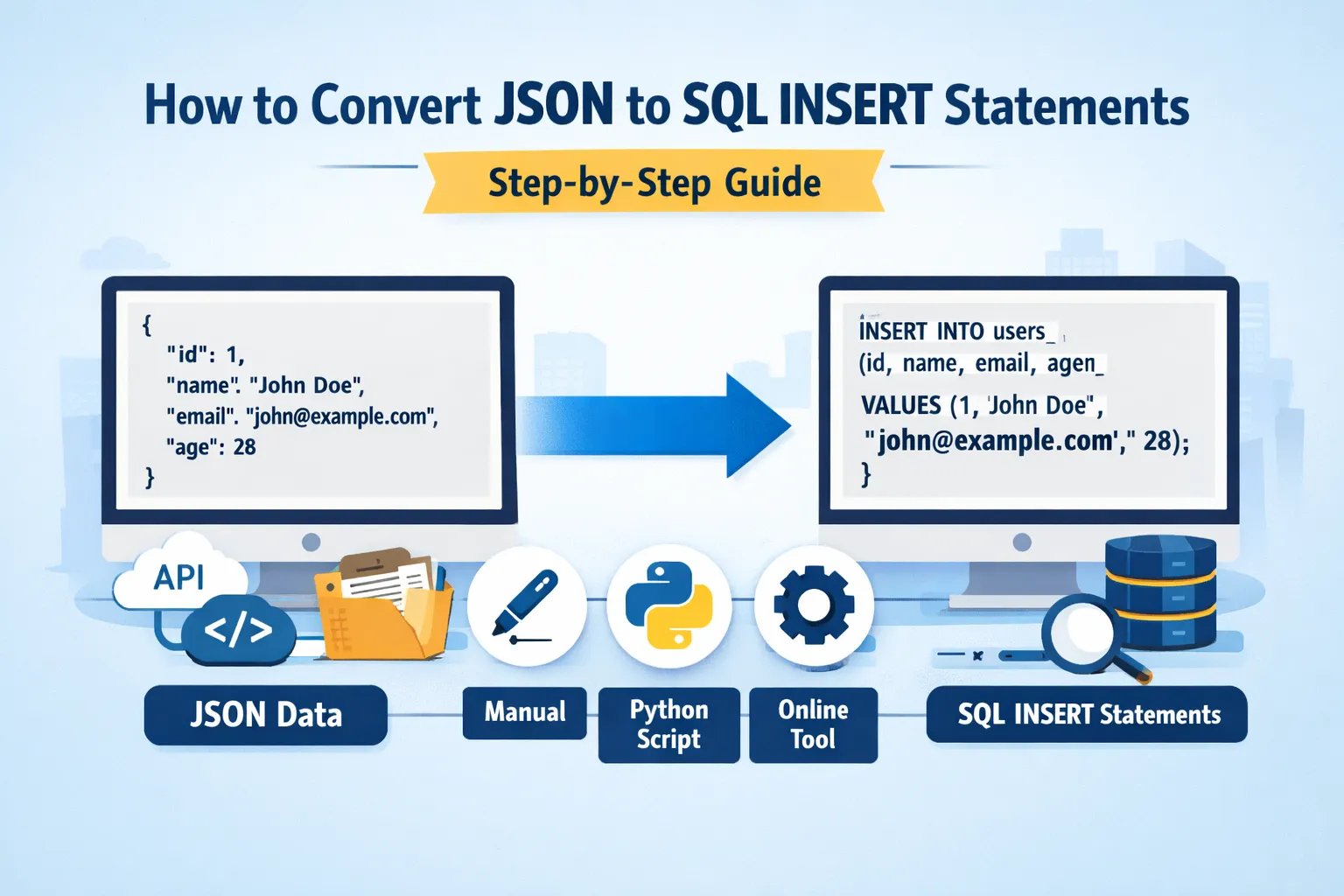
In modern software development, data is frequently transferred between systems using different formats. One of the most popular data formats used in APIs, web applications, and microservices is JSON (JavaScript Object Notation). JSON is lightweight, human-readable, and easy to parse, which makes it ideal for data exchange between applications.
However, relational databases such as MySQL, PostgreSQL, SQL Server, and Oracle rely on structured tables rather than JSON documents. Because of this difference in structure, developers often need to convert JSON data into SQL INSERT statements before storing it in a relational database.
This guide will explain how to convert JSON to SQL INSERT statements step-by-step. Whether you are a beginner learning SQL or an experienced developer working with data migration, this tutorial will help you understand the process and choose the best method.
You will learn:
• What JSON and SQL INSERT statements are
• How to manually convert JSON into SQL queries
• How to automate the process using scripts
• Tools that simplify JSON-to-SQL conversion
• Best practices for working with structured data
• Common mistakes and how to avoid them
By the end of this guide, you will have a complete understanding of how to efficiently transform JSON data into SQL database records.
Understanding JSON Data Structure
JSON stands for JavaScript Object Notation and is commonly used to exchange data between web applications and servers. JSON structures data using key-value pairs.
A simple JSON example looks like this:
{
"id": 1,
"name": "John Doe",
"email": "john@example.com",
"age": 28
}
This JSON object contains four fields: id, name, email, and age.
JSON can also contain arrays and nested objects. For example:
{
"id": 1,
"name": "John Doe",
"skills": ["Python", "SQL", "JavaScript"],
"address": {
"city": "New York",
"country": "USA"
}
}
This structure is more complex and requires additional steps when converting to SQL.
Understanding SQL INSERT Statements
SQL INSERT statements are used to add records into database tables.
A typical SQL INSERT statement looks like this:
INSERT INTO users (id, name, email, age)
VALUES (1, 'John Doe', 'john@example.com', 28);
Here:
• users is the table name
• id, name, email, age are columns
• VALUES represent the data being inserted
The goal of converting JSON to SQL is to map JSON fields to database columns.
Why Convert JSON to SQL INSERT Statements
There are many real-world situations where developers need to convert JSON into SQL.
Data Migration
Companies migrating from NoSQL or API-based systems often store data in JSON format. To move this data into relational databases, conversion to SQL INSERT statements is required.
API Data Import
Many APIs return JSON responses. If you want to store that data in a database, you must transform the JSON structure into SQL commands.
Database Backup and Restoration
Sometimes JSON backups are used to restore relational database records.
Data Integration
Businesses frequently integrate multiple systems where JSON data must be inserted into SQL tables.
Method 1: Manually Converting JSON to SQL
Manual conversion works well for small datasets or simple JSON structures.
Step 1: Analyze the JSON Structure
Example JSON:
{
"id": 101,
"name": "Alice",
"email": "alice@example.com",
"country": "Canada"
}
Step 2: Create the SQL Table
Before inserting data, ensure the table exists.
CREATE TABLE users (
id INT,
name VARCHAR(100),
email VARCHAR(100),
country VARCHAR(50)
);
Step 3: Map JSON Keys to Columns
JSON keys become column names.
Step 4: Write the INSERT Query
INSERT INTO users (id, name, email, country)
VALUES (101, 'Alice', 'alice@example.com', 'Canada');
This approach works for a few records but becomes inefficient for large datasets.
Method 2: Converting JSON Arrays to Multiple INSERT Statements
JSON arrays contain multiple records.
Example:
[
{"id":1,"name":"John","age":30},
{"id":2,"name":"Sarah","age":25},
{"id":3,"name":"Mike","age":35}
]
You would generate multiple SQL statements:
INSERT INTO users (id, name, age) VALUES (1, 'John', 30);
INSERT INTO users (id, name, age) VALUES (2, 'Sarah', 25);
INSERT INTO users (id, name, age) VALUES (3, 'Mike', 35);
Alternatively, you can use bulk insertion:
INSERT INTO users (id, name, age) VALUES
(1,'John',30),
(2,'Sarah',25),
(3,'Mike',35);
Bulk insertion is faster and more efficient.
Method 3: Using Python to Convert JSON to SQL
Automation is the best solution when working with large JSON files.
Python is commonly used for data processing.
Example Python script:
import json
with open("data.json") as f:
data = json.load(f)
for item in data:
query = f"INSERT INTO users (id, name, age) VALUES ({item['id']}, '{item['name']}', {item['age']});"
print(query)
This script reads JSON data and generates SQL statements automatically.
Advantages:
• Handles large files
• Reduces manual work
• Minimizes human errors
Method 4: Using JavaScript (Node.js)
If you are working with web applications, JavaScript can convert JSON to SQL.
Example:
const data = [
{id:1, name:"John", age:30},
{id:2, name:"Sarah", age:25}
];
data.forEach(user => {
console.log(`INSERT INTO users (id,name,age) VALUES (${user.id}, '${user.name}', ${user.age});`);
});
This approach works well when JSON originates from APIs.
Method 5: Using Online JSON to SQL Converter Tools
Several online tools automatically generate SQL INSERT statements.
Typical workflow:
-
Paste JSON data
-
Select database type
-
Generate SQL
-
Copy the SQL queries
These tools are useful for quick conversions.
However, they may not be suitable for sensitive or confidential data.
Handling Nested JSON Data
Nested JSON structures require additional processing.
Example:
{
"id": 1,
"name": "John",
"address": {
"city": "New York",
"zip": "10001"
}
}
You may need separate tables.
Example tables:
Users table
id
name
Address table
user_id
city
zip
Corresponding SQL statements:
INSERT INTO users (id,name) VALUES (1,'John');
INSERT INTO address (user_id,city,zip) VALUES (1,'New York','10001');
This process is called normalization.
Handling JSON with Arrays
Example:
{
"id": 1,
"name": "John",
"skills": ["Python","SQL","JavaScript"]
}
Skills should be stored in another table.
Example:
INSERT INTO users (id,name) VALUES (1,'John');
INSERT INTO skills (user_id, skill) VALUES
(1,'Python'),
(1,'SQL'),
(1,'JavaScript');
Best Practices for JSON to SQL Conversion
Maintain Consistent Schema
Ensure JSON keys match database columns.
Validate JSON Before Conversion
Invalid JSON can break scripts.
Escape Special Characters
Strings containing quotes can cause SQL errors.
Example:
O'Reilly
Must be escaped:
'O''Reilly'
Use Bulk Inserts for Large Data
Bulk queries improve performance.
Avoid SQL Injection
Never directly insert untrusted JSON into SQL queries.
Common Mistakes Developers Make
Ignoring Data Types
JSON values must match SQL column types.
Example:
"age": "30"
If age is an integer column, convert the value before inserting.
Forgetting Null Values
Example:
"phone": null
SQL should use:
NULL
Poor Handling of Nested Data
Complex JSON requires table design adjustments.
Inefficient Queries
Thousands of single INSERT statements slow down databases.
Use batch insertion whenever possible.
Performance Optimization Tips
When converting large JSON files, performance becomes important.
Recommended strategies include:
• Using batch inserts
• Processing JSON in chunks
• Using database import utilities
• Avoiding unnecessary transformations
These techniques significantly improve speed and efficiency.
Real-World Example
Suppose you downloaded user data from an API.
JSON file:
[
{"id":101,"name":"Emma","country":"UK"},
{"id":102,"name":"Liam","country":"USA"},
{"id":103,"name":"Olivia","country":"Australia"}
]
SQL output:
INSERT INTO users (id,name,country) VALUES
(101,'Emma','UK'),
(102,'Liam','USA'),
(103,'Olivia','Australia');
This query inserts three records in one operation.
When to Use JSON Columns Instead
Modern databases support JSON data types.
Examples include:
• MySQL JSON columns
• PostgreSQL JSONB
Instead of converting JSON to relational tables, you can store JSON directly.
Example:
INSERT INTO products (data)
VALUES ('{"name":"Laptop","price":900}');
However, this approach depends on the project requirements.
Advantages of Converting JSON to SQL
-
Structured relational data
-
Faster querying using indexes
-
Better compatibility with legacy systems
-
Easier data analysis using SQL queries
Limitations
Despite its benefits, conversion has challenges.
• Complex nested JSON requires additional logic
• Schema design must be planned carefully
• Large files may require optimized scripts
Future Trends
With the rise of big data and microservices, JSON continues to dominate data exchange formats.
However, relational databases remain critical for transactional systems.
As a result, JSON-to-SQL conversion will remain an important skill for developers, data engineers, and database administrators.
Conclusion
Converting JSON to SQL INSERT statements is a common task in modern development workflows. Whether you are importing API data, migrating systems, or processing structured datasets, understanding this conversion process is essential.
The best approach depends on the size and complexity of your data.
For small datasets, manual conversion works well. For larger datasets, automated scripts using languages like Python or JavaScript provide efficiency and accuracy.
Developers should also follow best practices such as validating JSON data, handling nested structures properly, escaping special characters, and using bulk insertion for better performance.
By mastering these techniques, you can seamlessly move data between JSON-based systems and relational databases while maintaining efficiency and data integrity.
Your email address will not be published. Comments are moderated.
0 Comments on This Post
Leave a Reply
Comments (0)
Spread the Word!
Join Our Developer Community!
Get weekly coding tips, tool updates, and exclusive tutorials straight to your inbox.
Request a Tool
×