How to Check Website Age Instantly (Step-by-Step Guide)
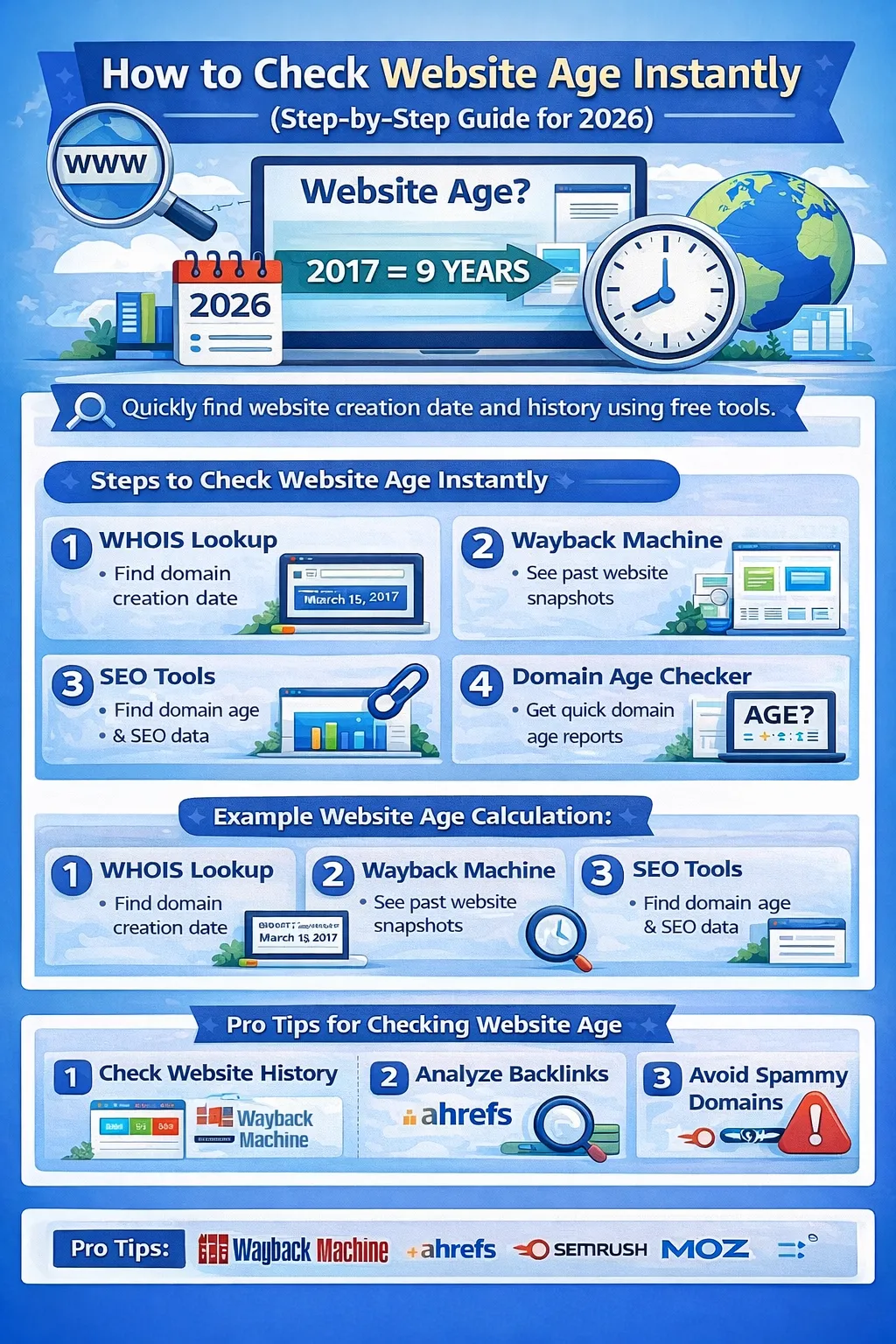
When analyzing websites for SEO, one of the first things many marketers check is website age. The age of a website can reveal important information about its credibility, authority, and online history.
Older websites often have:
-
stronger backlink profiles
-
more indexed content
-
higher trust from search engines
If you want to know how old a website is, several online tools can help you check this instantly.
In this guide, we’ll explain how to check website age step-by-step, the best tools to use, and why website age matters for SEO.
What Is Website Age?
Website age refers to the amount of time that has passed since a website’s domain was first registered.
For example:
-
Domain registered in 2018
-
Current year 2026
-
Website age = 8 years
Website age is usually determined using domain registration data stored in the global WHOIS database.
Why Checking Website Age Is Important
Checking website age can provide useful insights for several purposes.
1. SEO Analysis
SEO professionals often analyze domain age to understand how long a website has been building authority.
Search engines like Google tend to trust websites with a long and consistent history.
Older websites usually have:
-
more backlinks
-
larger content libraries
-
higher credibility
2. Competitor Research
Checking competitor website age can help you understand:
-
how long they’ve been ranking
-
how long it took them to build authority
-
their growth timeline
3. Domain Buying
If you plan to buy a domain, knowing its age helps determine whether it has potential SEO value.
Older domains may already have:
-
backlinks
-
search engine trust
-
brand recognition
4. Website Credibility
Users often trust older websites more than newly created ones.
Checking website age helps determine whether a site is:
-
newly launched
-
well established
-
previously inactive
How to Check Website Age Instantly
There are several easy methods for checking website age.
Below are the most reliable ones.
Method 1: Check Website Age Using WHOIS
One of the fastest ways to check website age is through a WHOIS lookup.
The WHOIS database stores domain registration information.
Steps
-
Visit a WHOIS lookup website
-
Enter the domain name
-
Click search
-
Look for the Creation Date
This date shows when the domain was first registered.
Method 2: Use Wayback Machine
Another useful method is checking website history through the Wayback Machine.
This tool archives snapshots of websites over time.
Steps
-
Open the Wayback Machine
-
Enter the website URL
-
View the earliest snapshot available
The earliest snapshot indicates when the website was active.
Method 3: Use SEO Tools
Professional SEO tools provide additional insights about domains.
Popular tools include:
-
Ahrefs
-
SEMrush
-
Moz
These platforms provide:
-
domain age
-
backlink data
-
domain authority
-
traffic estimates
Method 4: Use Domain Age Checker Tools
Several websites provide instant domain age reports.
These tools show:
-
domain registration date
-
domain age
-
expiration date
Most of them pull data from the WHOIS database.
Example of Website Age Calculation
Example:
Domain creation date: March 15, 2017
Current year: 2026
Website age = 9 years
Website Age vs Domain Authority
Many beginners think website age automatically improves rankings.
However, there is a difference between domain age and domain authority.
Website Age
Time since domain registration.
Domain Authority
SEO metric predicting ranking strength.
Domain authority is calculated by SEO platforms such as Moz.
A new domain can still rank well if it has strong SEO.
Tips for Evaluating Website Age
When checking website age, follow these best practices.
Always Check Website History
Use the Wayback Machine to see how the website looked in the past.
Analyze Backlinks
Tools like Ahrefs help analyze backlink quality.
Avoid Spam Domains
Some older domains may have been used for spam.
Such domains may be penalized by Google.
Frequently Asked Questions
How can I check website age for free?
You can check website age using:
-
WHOIS lookup tools
-
Wayback Machine
-
domain age checker websites
Is website age important for SEO?
Website age alone is not a ranking factor, but older websites often have stronger authority.
Can a new website rank in Google?
Yes. With high-quality content, strong backlinks, and good SEO, new websites can rank successfully.
Final Thoughts
Checking website age is an important step in SEO analysis, domain research, and competitor evaluation.
Using tools like WHOIS, Wayback Machine, Ahrefs, and SEMrush, you can instantly discover when a website was first registered and how it evolved over time.
Understanding website age helps you make smarter decisions when analyzing websites, buying domains, or developing SEO strategies.
Your email address will not be published. Comments are moderated.
0 Comments on This Post
Leave a Reply
Comments (0)
Spread the Word!
Join Our Developer Community!
Get weekly coding tips, tool updates, and exclusive tutorials straight to your inbox.
Request a Tool
×