Complete Guide to Free Online Image Editing for Social Media and eCommerce
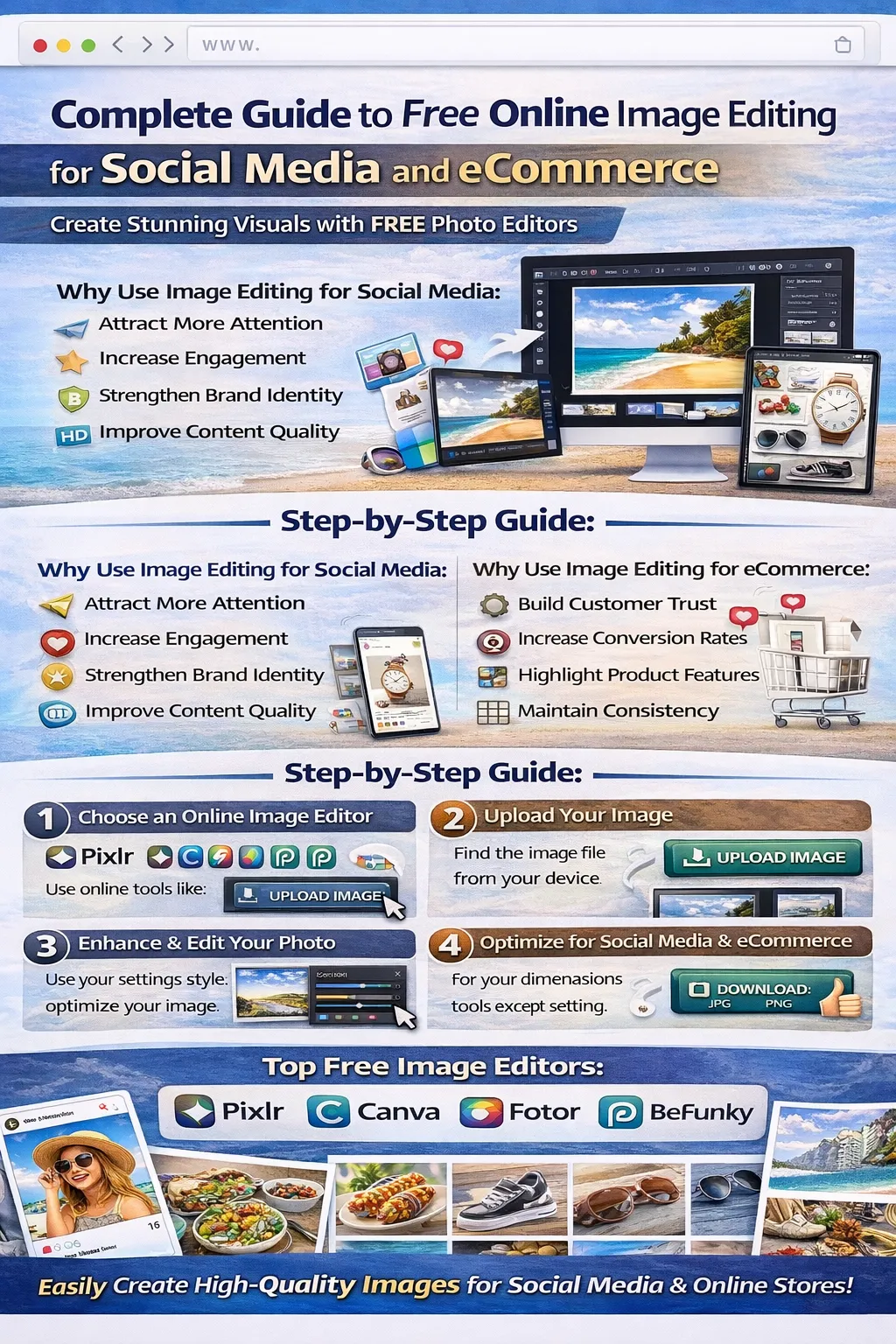
Visual content plays a crucial role in the digital world. Whether you are managing a social media account or running an eCommerce store, high-quality images can significantly impact user engagement and sales.
Images help businesses attract attention, build brand identity, and communicate messages effectively. However, creating professional-looking visuals does not always require expensive software or advanced design skills.
Today, many free online image editing tools allow users to edit photos quickly and easily directly from their web browser. These tools provide powerful features such as cropping, resizing, background removal, color adjustments, filters, and image optimization.
This guide will help you understand how to use free online image editors to create stunning visuals for social media platforms and eCommerce websites.
Why Image Editing is Important for Social Media
Social media platforms rely heavily on visual content. High-quality images can dramatically improve engagement and reach.
Attract More Attention
Eye-catching images stand out in crowded social media feeds and encourage users to stop scrolling.
Increase Engagement
Posts with high-quality visuals receive more likes, comments, and shares.
Strengthen Brand Identity
Consistent image style, colors, and layouts help build a recognizable brand identity.
Improve Content Quality
Well-edited images appear professional and trustworthy.
Why Image Editing is Important for eCommerce
For online stores, product images directly influence purchasing decisions.
Build Customer Trust
Clear and professional product images make products appear reliable and high quality.
Increase Conversion Rates
Good product photography can significantly improve sales.
Highlight Product Features
Image editing helps emphasize important product details.
Maintain Consistency
Consistent backgrounds and lighting create a professional store appearance.
Features to Look for in an Online Image Editor
When choosing an online image editing tool, consider the following features.
Image Cropping and Resizing
This allows you to adjust image dimensions for different platforms such as Instagram, Facebook, or product listings.
Brightness and Color Adjustments
Adjusting brightness, contrast, and saturation improves the visual quality of images.
Filters and Effects
Filters help create attractive visual styles for social media content.
Background Removal
This feature is essential for eCommerce product images.
High-Quality Export
The ability to download images in high resolution ensures professional results.
Best Free Online Image Editing Tools
Here are some popular tools that offer powerful editing features.
Pixlr
Pixlr is a powerful browser-based image editor suitable for beginners and professionals.
Features include:
-
Advanced editing tools
-
Layer support
-
Filters and overlays
-
Quick image enhancements
Pixlr is ideal for fast social media edits.
Canva Photo Editor
Canva is widely used for designing social media graphics and editing photos.
Key features include:
-
Drag-and-drop editing
-
Social media templates
-
Image filters and effects
-
High-quality downloads
Canva is perfect for beginners and marketers.
Fotor
Fotor offers simple yet powerful editing features.
Main features include:
-
One-click photo enhancement
-
Beauty retouch tools
-
HDR effects
-
Social media image templates
Fotor is great for quick improvements.
BeFunky
BeFunky provides creative photo editing and graphic design tools.
Features include:
-
Artistic filters
-
Collage maker
-
Photo retouch tools
-
Creative overlays
This tool is perfect for social media creators.
Photopea
Photopea is a professional-level image editor that works directly in the browser.
Features include:
-
Photoshop-like interface
-
PSD file support
-
Advanced editing tools
-
Layer-based editing
Photopea is ideal for experienced designers.
How to Edit Images for Social Media
Follow these steps to create engaging social media visuals.
Step 1: Choose the Right Image Size
Each social media platform uses different image sizes.
For example:
Instagram posts usually work best with square images, while Facebook cover photos require wide images.
Using correct dimensions ensures your images look perfect.
Step 2: Crop and Resize the Image
Use the crop tool to remove unnecessary parts of the image and focus on the main subject.
Resize the image according to platform requirements.
Step 3: Adjust Colors and Lighting
Improve the visual appeal by adjusting:
-
Brightness
-
Contrast
-
Saturation
-
Highlights and shadows
These adjustments make images look more vibrant and professional.
Step 4: Apply Filters
Filters help create a consistent visual style across social media posts.
Choose subtle filters that enhance the image without making it look unnatural.
Step 5: Add Text or Graphics
Adding text overlays, icons, or graphics can help communicate messages clearly.
This is useful for promotional posts and announcements.
How to Edit Images for eCommerce
Product image editing requires a slightly different approach.
Step 1: Remove the Background
Most eCommerce websites prefer product images with clean white or transparent backgrounds.
Use the background removal feature in online editors.
Step 2: Adjust Lighting and Colors
Ensure that product colors appear accurate and natural.
Adjust brightness, contrast, and color balance if necessary.
Step 3: Highlight Product Details
Zooming in or cropping can help focus on important product features.
Step 4: Optimize Image Size
Large images can slow down websites.
Optimize images for web performance while maintaining high quality.
Tips for Creating Better Social Media and eCommerce Images
Follow these tips to improve your visual content.
Use High-Resolution Images
Always start with high-quality photos to achieve better editing results.
Maintain Consistent Branding
Use consistent colors, filters, and layouts across all images.
Avoid Over-Editing
Excessive filters and effects can make images look unnatural.
Test Different Styles
Experiment with editing styles to find what works best for your audience.
Benefits of Using Free Online Image Editors
Online editing tools offer many advantages.
Easy to Use
Most tools have simple interfaces suitable for beginners.
No Software Installation
All editing happens directly in your web browser.
Accessible Anywhere
You can edit images from any device with internet access.
Cost Effective
Many powerful editing tools are available for free.
Common Mistakes to Avoid
When editing images for social media or eCommerce, avoid these mistakes.
-
Using low-resolution images
-
Applying too many filters
-
Ignoring proper image dimensions
-
Over-compressing images
Avoiding these issues will improve visual quality.
Conclusion
Image editing is essential for creating engaging social media content and professional eCommerce product listings. High-quality visuals help attract customers, build trust, and improve engagement.
With free online image editors such as Pixlr, Canva, Fotor, BeFunky, and Photopea, anyone can edit images easily without installing complex software.
By learning the right editing techniques and using powerful online tools, you can create stunning visuals that enhance your brand presence and improve digital marketing results.
Start using these free online tools today to transform your images for social media and eCommerce success.
Your email address will not be published. Comments are moderated.
0 Comments on This Post
Leave a Reply
Comments (0)
Spread the Word!
Join Our Developer Community!
Get weekly coding tips, tool updates, and exclusive tutorials straight to your inbox.
Request a Tool
×