How to Find Domain Registration Date Using WHOIS Lookup
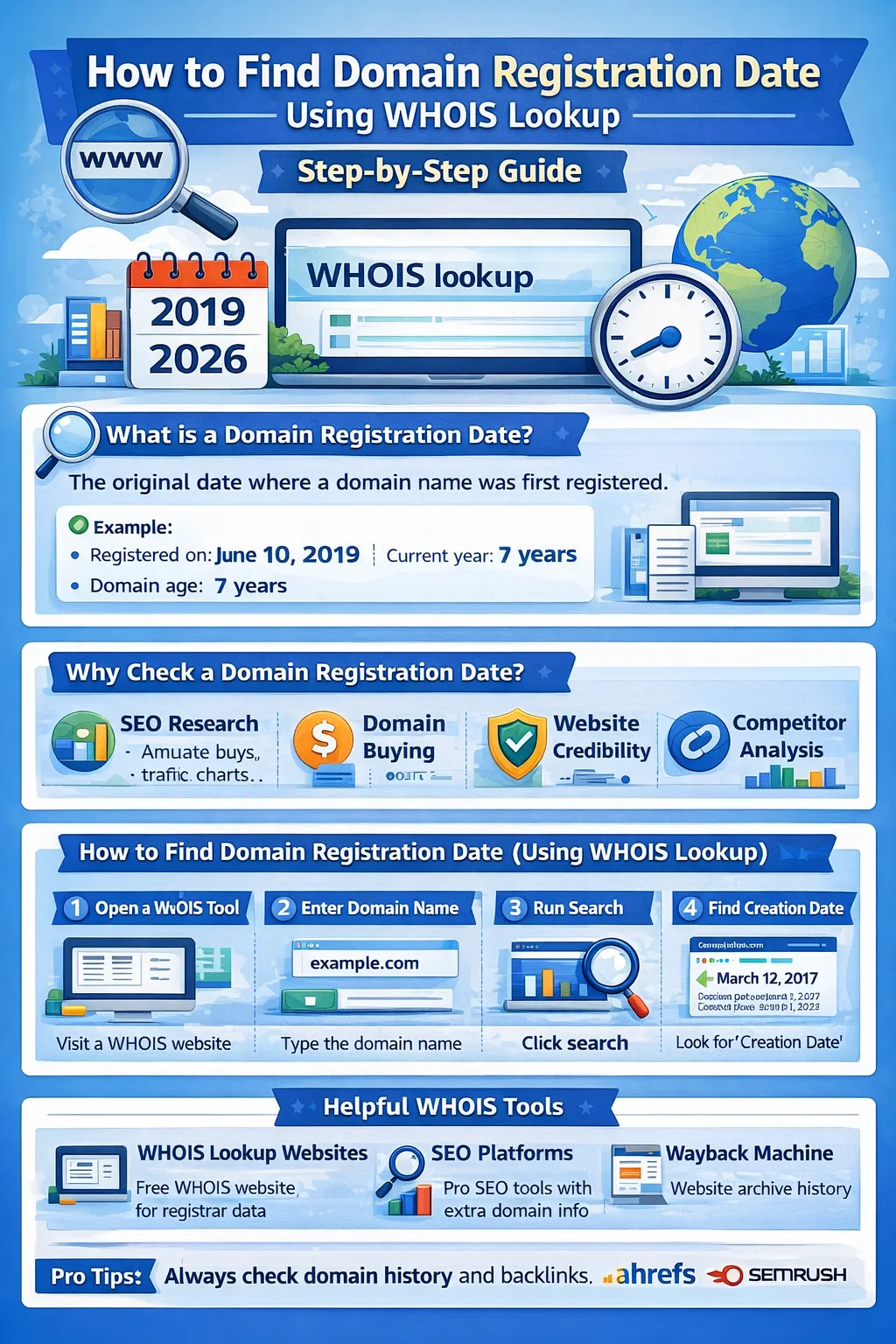
If you want to analyze a website, purchase a domain, or study competitor SEO strategies, one important piece of information you should know is the domain registration date.
The easiest way to find this information is through a WHOIS lookup.
The WHOIS system is a global database that stores information about domain names, including their registration dates, expiration dates, registrars, and sometimes owner details.
In this complete guide, you will learn:
-
What a domain registration date is
-
What WHOIS lookup means
-
How to check domain registration dates step by step
-
Best WHOIS lookup tools
-
Why domain registration date matters for SEO
Let’s begin.
What Is a Domain Registration Date?
A domain registration date is the date when a domain name was officially registered for the first time.
For example:
-
Domain registered: June 10, 2019
-
Current year: 2026
-
Domain age: 7 years
This date helps determine how long a website has existed online.
Search engines like Google sometimes consider the historical activity of websites when evaluating trust and authority.
What Is WHOIS Lookup?
A WHOIS lookup is a tool used to retrieve domain registration details from the global domain database.
The WHOIS database contains information such as:
-
Domain registration date
-
Domain expiration date
-
Registrar name
-
Domain status
-
Name servers
-
Registrant information (sometimes hidden)
WHOIS lookup tools allow anyone to access this data quickly.
Why Domain Registration Date Matters
Checking the domain registration date can be useful for several reasons.
1. SEO Research
SEO professionals often analyze domain age to understand how long a website has been active.
Older domains sometimes perform better in search results because they may have:
-
more backlinks
-
stronger authority
-
consistent content history
SEO tools like Ahrefs and SEMrush help analyze these factors.
2. Domain Buying and Investing
Before purchasing a domain, it is important to check:
-
when the domain was created
-
whether it has a long history
-
if it has previous SEO value
Older domains may already have backlinks or established traffic.
3. Website Credibility
Older websites often appear more trustworthy than newly registered ones.
Knowing the registration date helps determine whether a website is:
-
well established
-
newly launched
-
recently transferred
4. Competitor Analysis
When studying competitors, checking domain registration dates helps understand:
-
how long they have been building authority
-
their growth timeline
This information helps marketers develop better SEO strategies.
How to Find Domain Registration Date Using WHOIS
Checking a domain registration date is simple.
Follow these steps.
Step 1: Open a WHOIS Lookup Tool
Visit any WHOIS lookup website.
These tools connect to the global WHOIS database.
Step 2: Enter the Domain Name
Type the domain name you want to analyze.
Example:
example.com
Step 3: Run the Search
Click the search or lookup button.
Within seconds, the tool retrieves the domain’s registration information.
Step 4: Find the Creation Date
Look for fields such as:
-
Creation Date
-
Registered On
-
Domain Registration Date
This indicates when the domain was first registered.
Example WHOIS Result
Typical WHOIS results may show:
Creation Date: March 12, 2017
Updated Date: January 5, 2024
Expiration Date: March 12, 2027
Registrar: Domain registrar company
The creation date is the domain registration date.
Best WHOIS Lookup Tools
Here are some popular tools used to check domain registration details.
1. WHOIS Lookup Websites
Many websites provide free WHOIS searches.
They display:
-
domain creation date
-
registrar details
-
expiration date
These tools directly access the WHOIS database.
2. SEO Platforms
Professional SEO platforms also show domain data.
Popular examples include:
-
Ahrefs
-
SEMrush
These platforms provide additional insights such as:
-
backlink profiles
-
domain authority
-
organic traffic
3. Website History Tools
Sometimes a domain may be older than its visible content.
Tools like the Wayback Machine allow you to see historical versions of websites.
This helps verify how the domain was used in the past.
WHOIS Data Fields Explained
When performing a WHOIS lookup, you may see several fields.
Here is what they mean.
Creation Date
The original registration date of the domain.
Expiration Date
The date when the domain registration will expire unless renewed.
Registrar
The company where the domain was registered.
Name Servers
Servers responsible for directing traffic to the website.
Domain Status
Shows whether the domain is active, locked, or pending deletion.
Privacy Protection in WHOIS
Many domain owners enable WHOIS privacy protection.
This hides personal information such as:
-
owner name
-
email address
-
phone number
However, the domain registration date is still visible in most cases.
Limitations of WHOIS Data
Although WHOIS is useful, it has some limitations.
Privacy Restrictions
Some information may be hidden due to privacy regulations.
Domain Transfers
If a domain changes ownership, WHOIS may show updated details.
Incomplete Records
Older domains sometimes have incomplete historical data.
Tips for Analyzing Domain Registration Dates
Here are some best practices.
Always Verify Domain History
Use tools like the Wayback Machine to review past website content.
Check Backlinks
Tools such as Ahrefs help identify backlink profiles.
Avoid Spam Domains
Domains previously used for spam or black-hat SEO may harm your website.
Frequently Asked Questions
How do I find a domain registration date?
You can find it by performing a WHOIS lookup and checking the creation date field.
Is WHOIS lookup free?
Yes, most WHOIS lookup tools are free.
Can WHOIS show domain owner details?
Sometimes, but many domains use privacy protection.
Does domain registration date affect SEO?
Domain age alone does not determine rankings, but older domains often have stronger authority and backlinks.
Final Thoughts
Finding a domain’s registration date is an important step in website research, SEO analysis, and domain investment.
Using a simple WHOIS lookup, you can quickly discover when a domain was created and gain insights into its history.
Combining WHOIS data with tools like Wayback Machine, Ahrefs, and SEMrush can help you fully understand a domain’s past and its potential SEO value.
Your email address will not be published. Comments are moderated.
0 Comments on This Post
Leave a Reply
Comments (0)
Spread the Word!
Join Our Developer Community!
Get weekly coding tips, tool updates, and exclusive tutorials straight to your inbox.
Request a Tool
×