How to Format JSON Online (Step-by-Step Guide)
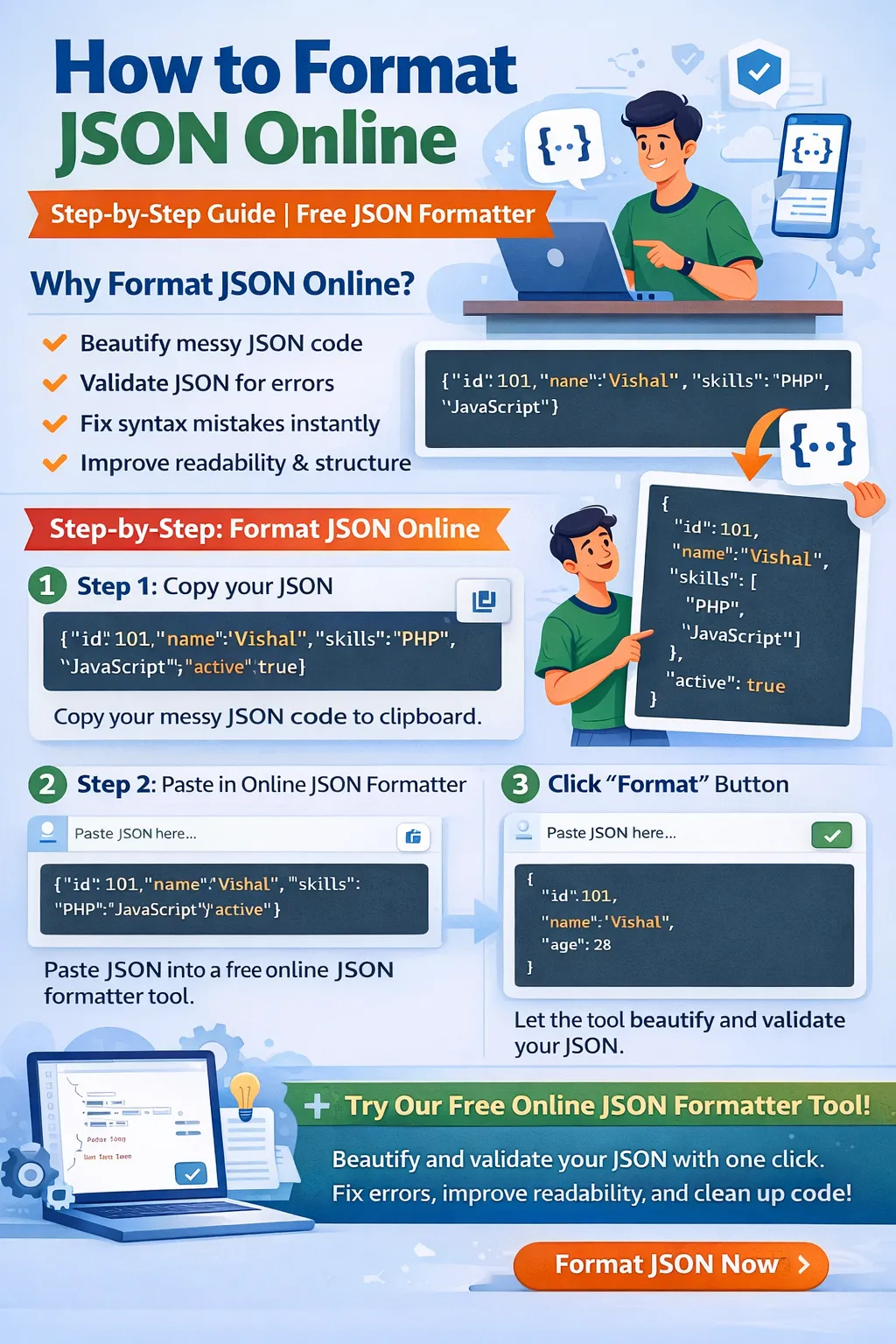
If you're working with APIs, web development, or backend systems, you've probably seen messy JSON like this:
{"name":"Seth","age":28,"skills":["PHP","JavaScript"],"active":true}
Hard to read, right?
Now imagine debugging 500+ lines of this.
That’s where formatting JSON online becomes extremely useful.
In this guide, you’ll learn:
-
Why messy JSON is a problem
-
What a JSON formatter does
-
How to beautify JSON online
-
How to validate JSON errors
-
Step-by-step tutorial
-
Why developers prefer online tools
-
Best practices
-
How to use our free JSON formatter
Let’s start.
🚨 Problem: Messy JSON is Hard to Read
When JSON is compressed (minified), it:
-
Has no line breaks
-
No indentation
-
No structure visibility
-
Hard to debug
-
Easy to miss syntax errors
Example messy JSON:
{"user":{"id":101,"name":"Seth","email":"Seth@email.com","roles":["admin","editor"],"active":true}}
Now formatted version:
{
"user": {
"id": 101,
"name": "Seth",
"email": "Seth@email.com",
"roles": [
"admin",
"editor"
],
"active": true
}
}
See the difference?
Formatting makes it:
✔ Readable
✔ Structured
✔ Easy to debug
✔ Professional
💡 Solution: Use a JSON Formatter Online
Instead of manually formatting, you can use a JSON formatter free online tool.
A good JSON formatter tool can:
-
Beautify JSON
-
Validate JSON
-
Detect syntax errors
-
Fix minor issues
-
Minify JSON
-
Improve readability
🛠 What is a JSON Formatter?
A JSON formatter is an online tool that:
-
Takes messy JSON input
-
Organizes it with indentation
-
Adds proper spacing
-
Highlights syntax
-
Detects errors
It saves time and reduces debugging frustration.
🧑💻 Step-by-Step: How to Format JSON Online
Follow these simple steps:
Step 1: Copy Your JSON Data
Example messy JSON:
{"product":{"id":2001,"name":"Laptop","price":75000,"inStock":true}}
Copy the full JSON string.
Step 2: Open an Online JSON Formatter Tool
Use a reliable tool that supports:
-
Beautify
-
Validate
-
Minify
-
Error detection
Step 3: Paste JSON Into Input Box
Paste your messy JSON into the tool’s editor.
Step 4: Click “Format” or “Beautify”
The tool will instantly:
-
Add indentation
-
Arrange structure
-
Fix minor formatting
-
Show errors if present
Step 5: Copy the Clean JSON
Once formatted:
-
Copy cleaned version
-
Use in API
-
Debug easily
-
Save in project
Done ✔
🔍 What If JSON Has Errors?
Common JSON errors include:
❌ Missing comma
❌ Extra comma
❌ Single quotes
❌ Missing double quotes
❌ Invalid nesting
Example incorrect JSON:
{"name": "Seth", age: 28}
Error → Missing quotes around age.
Correct:
{"name": "Seth", "age": 28}
A JSON validator online will instantly highlight such errors.
⚡ Why Use an Online JSON Formatter Instead of Manual Editing?
Manual formatting:
-
Time consuming
-
Error-prone
-
Difficult for nested data
-
Not scalable
Online JSON formatter:
✔ Instant results
✔ Accurate validation
✔ No installation required
✔ Free to use
✔ Works on mobile and desktop
📱 Who Should Use JSON Formatter Tools?
-
Web Developers
-
Backend Developers
-
API Developers
-
Students learning JSON
-
QA Testers
-
Data Analysts
-
DevOps Engineers
If you work with APIs, you need this tool daily.
🚀 Real-World Example: API Debugging
Imagine API response:
{"status":"success","data":[{"id":1,"name":"Seth"},{"id":2,"name":"John"}]}
Hard to inspect quickly.
After formatting:
{
"status": "success",
"data": [
{
"id": 1,
"name": "Seth"
},
{
"id": 2,
"name": "John"
}
]
}
Now debugging becomes easy.
🔐 Is Online JSON Formatting Safe?
Good question.
Always use a trusted website that:
-
Does not store data
-
Uses secure HTTPS
-
Processes locally in browser
Avoid pasting sensitive data into unknown tools.
🏆 Features of a Good JSON Formatter
A professional JSON formatter free tool should offer:
✔ Beautify JSON
✔ Validate JSON
✔ Minify JSON
✔ Syntax highlighting
✔ Copy button
✔ Clear button
✔ Error highlighting
✔ Fast performance
📈 Why This Tool is Important for Developers
Formatting JSON improves:
-
Code quality
-
Debugging speed
-
Collaboration
-
Documentation clarity
-
API testing workflow
It saves hours every week.
🧠 Pro Tips for Beginners
✔ Always validate before sending API request
✔ Format JSON before sharing
✔ Use consistent indentation
✔ Never use single quotes
✔ Avoid trailing commas
🎯 Format JSON Online Free – Try It Now
If you’re tired of messy JSON, don’t struggle manually.
👉 Use our Free Online JSON Formatter Tool
With our tool, you can:
✔ Beautify JSON instantly
✔ Validate syntax errors
✔ Fix formatting issues
✔ Convert minified JSON to readable format
✔ Work faster and smarter
It’s completely free and beginner-friendly.
Your email address will not be published. Comments are moderated.
0 Comments on This Post
Leave a Reply
Comments (0)
Spread the Word!
Join Our Developer Community!
Get weekly coding tips, tool updates, and exclusive tutorials straight to your inbox.
Request a Tool
×