OWASP Top 10 Explained for Beginners
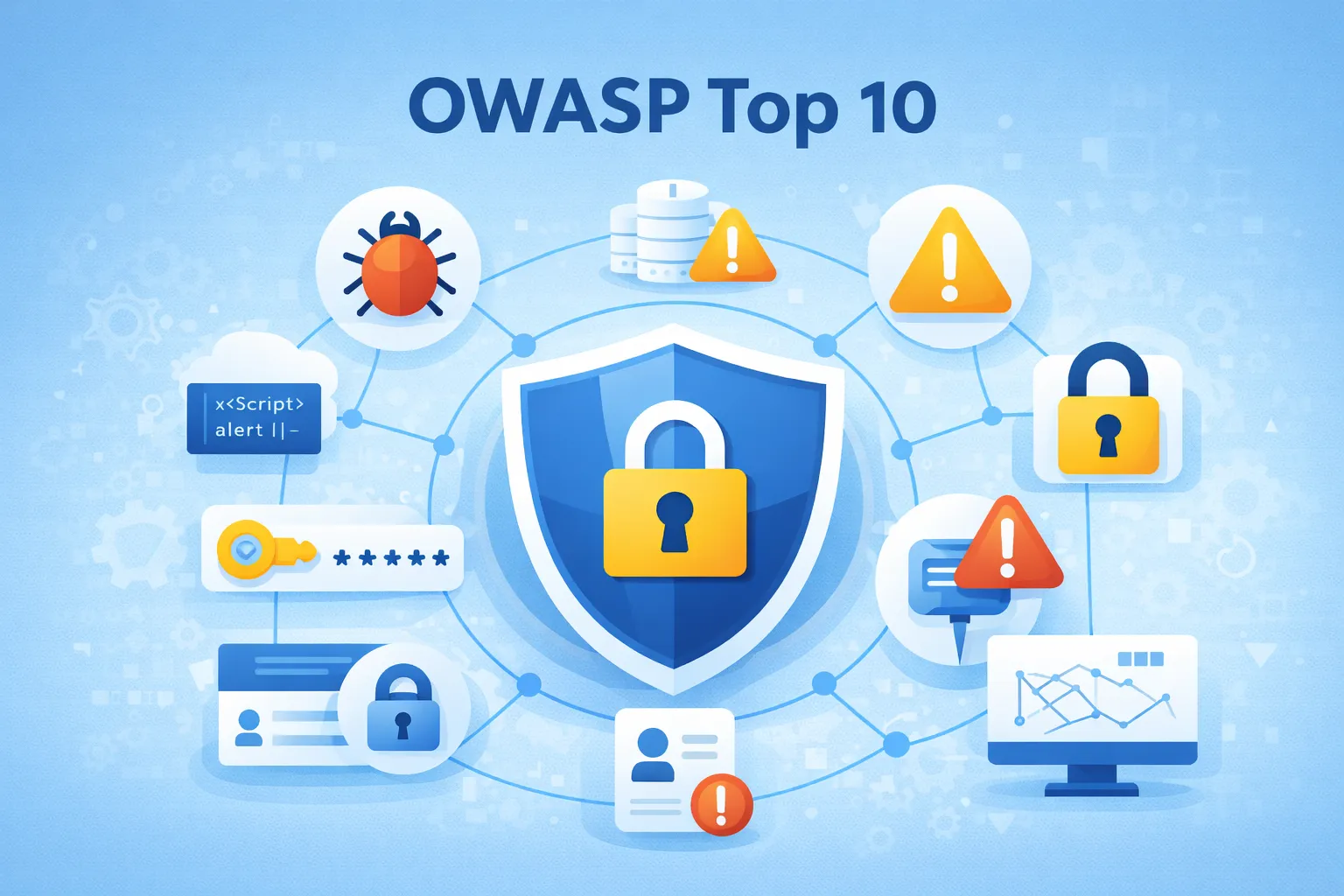
OWASP Top 10 Explained: A Complete Global Guide to Web Application Security in 2026
If you are serious about web security, application security, or secure software development, there is one organization you should know: OWASP — the Open Worldwide Application Security Project.
The OWASP Top 10 is one of the best-known awareness resources for web application security. It helps developers, security engineers, testers, architects, technology leaders, and businesses understand some of the most important security risks affecting modern web applications.
For beginners, the OWASP Top 10 can work as a practical starting point. For experienced developers, it provides a useful security checklist that can be incorporated into application design, development, testing, deployment, and maintenance.
However, the OWASP Top 10 should not be treated as a complete security standard or a guarantee that an application is secure. Modern applications are complex. They use APIs, cloud services, third-party libraries, identity providers, databases, containers, CI/CD pipelines, external integrations, and sometimes artificial intelligence.
That means application security requires a layered approach.
In this comprehensive guide, we will explain the OWASP Top 10 in simple language, discuss practical examples, explain prevention strategies, explore how the risks affect businesses, and provide a practical security checklist for developers and website owners.
What Is OWASP?
OWASP stands for Open Worldwide Application Security Project.
It is a global nonprofit community focused on improving the security of software and applications.
OWASP provides security resources, educational material, projects, testing guidance, documentation, tools, and community-driven research that developers and security professionals can use to improve application security.
One of its most widely recognized resources is the OWASP Top 10.
The Top 10 is designed primarily as an awareness document. It highlights major categories of application security risks so organizations can understand where security weaknesses may exist and what kinds of controls can reduce those risks.
The important point is that OWASP Top 10 is not simply a list of hacking techniques.
It represents broader classes of application security problems.
For example, an application might have:
-
Poor authorization
-
Weak authentication
-
Unsafe input handling
-
Poor security architecture
-
Misconfigured servers
-
Vulnerable dependencies
-
Weak logging
-
Unsafe data handling
-
Server-side request vulnerabilities
These problems can appear in websites, APIs, SaaS platforms, eCommerce systems, mobile backends, dashboards, content management systems, and enterprise applications.
What Is the OWASP Top 10?
The OWASP Top 10 is a list of important web application security risk categories.
The current widely used OWASP Top 10 release is organized into these ten categories:
-
Broken Access Control
-
Cryptographic Failures
-
Injection
-
Insecure Design
-
Security Misconfiguration
-
Vulnerable and Outdated Components
-
Identification and Authentication Failures
-
Software and Data Integrity Failures
-
Security Logging and Monitoring Failures
-
Server-Side Request Forgery (SSRF)
The list is useful because it translates complicated security problems into recognizable categories.
However, developers should avoid thinking:
“If I fix these ten items, my application is 100% secure.”
No application can be guaranteed to be completely secure simply because it follows a checklist.
Security is an ongoing process.
Why Is the OWASP Top 10 Important?
Modern web applications process valuable information.
A typical website may handle:
-
Customer names
-
Email addresses
-
Phone numbers
-
Account credentials
-
Orders
-
Payments
-
Business documents
-
Private messages
-
API keys
-
Authentication tokens
-
Internal business data
A vulnerability can therefore affect much more than a single web page.
A successful attack may result in:
-
Unauthorized account access
-
Data exposure
-
Financial loss
-
Website defacement
-
Malware distribution
-
Service disruption
-
Privacy problems
-
Reputation damage
-
Regulatory consequences
-
Recovery and investigation costs
OWASP Top 10 helps teams think about these risks before they become incidents.
It is especially useful during:
-
Application design
-
Secure coding
-
Code review
-
Security testing
-
Penetration testing
-
Deployment reviews
-
Dependency management
-
Incident investigation
-
Developer training
OWASP Top 10 Is Not a Complete Security Checklist
This distinction is important.
The OWASP Top 10 focuses on major application security risks, but modern security extends beyond the application itself.
For example, an application may have excellent code but still be exposed because:
-
The cloud storage bucket is publicly accessible.
-
An administrator uses a compromised password.
-
A third-party service has been compromised.
-
An API key is accidentally committed to a public repository.
-
A server is running outdated software.
-
Backups are not protected.
-
Logging is disabled.
-
A developer account has excessive privileges.
-
DNS or domain credentials are compromised.
Therefore, OWASP Top 10 should be combined with:
-
Secure development practices
-
Infrastructure security
-
Identity security
-
Cloud security
-
API security
-
Dependency management
-
Vulnerability management
-
Monitoring
-
Backup strategy
-
Incident response
-
Security awareness training
The OWASP Top 10 Explained
1. Broken Access Control
Broken Access Control occurs when an application fails to properly enforce what an authenticated user is allowed to access or perform.
Authentication answers:
“Who are you?”
Authorization answers:
“What are you allowed to do?”
These are different security controls.
A user may be correctly logged in but still attempt to access information belonging to another user.
Simple Example
Imagine an application uses URLs such as:
/account/1001
/account/1002
User 1001 is logged in.
If changing the URL from:
/account/1001
to:
/account/1002
allows the first user to view the second user's private account information, the application has an authorization problem.
This type of issue is often associated with IDOR-style access control failures.
Another Example
Suppose a normal customer can access:
/admin/users
simply by entering the URL manually.
If the application only checks whether the person is logged in but does not verify their role, an attacker may gain access to administrative functionality.
Why It Matters
Broken access control can expose:
-
Customer records
-
Invoices
-
Orders
-
Private documents
-
Administrative functions
-
Internal APIs
-
Configuration information
How to Prevent Broken Access Control
Use authorization checks on the server side.
Do not rely on:
-
Hidden buttons
-
Hidden form fields
-
JavaScript restrictions
-
Frontend routing
-
Obscure URLs
Security decisions should be enforced by the backend.
Useful practices include:
-
Deny access by default
-
Verify permissions for every sensitive action
-
Implement role-based or attribute-based access control
-
Avoid trusting user-supplied object IDs
-
Check ownership of resources
-
Protect administrative endpoints
-
Test unauthorized access scenarios
-
Use least privilege
A hidden admin button is not a security control.
2. Cryptographic Failures
Cryptographic Failures occur when sensitive information is inadequately protected.
This category includes problems involving:
-
Password storage
-
Sensitive data transmission
-
Encryption
-
Cryptographic keys
-
Weak algorithms
-
Poor key management
-
Improper handling of sensitive information
One common misconception is that encryption and hashing are the same.
They are not.
Encryption vs Hashing
Encryption is generally designed to allow authorized parties to recover the original information using a key.
Hashing is designed as a one-way transformation.
Passwords should normally be stored using an appropriate password hashing algorithm rather than reversible encryption.
Modern applications commonly use password hashing approaches such as:
-
Argon2
-
bcrypt
-
scrypt
Never Store Passwords as Plain Text
Bad:
password = MyPassword123
Better:
password_hash = <strong password hash>
The application should verify passwords using the appropriate password-hashing verification mechanism rather than decrypting stored passwords.
HTTPS Is Also Important
Sensitive information should be protected while traveling between the browser and server.
HTTPS uses TLS to protect network communication.
Without appropriate transport security, attackers on an unsafe network may potentially intercept or manipulate traffic.
Good Cryptographic Practices
-
Use HTTPS everywhere
-
Use modern TLS configurations
-
Hash passwords using appropriate password-hashing algorithms
-
Protect cryptographic keys
-
Avoid hardcoding secrets in source code
-
Rotate exposed credentials
-
Minimize sensitive data collection
-
Avoid storing information that the business does not actually need
-
Use established cryptographic libraries instead of implementing cryptography yourself
3. Injection
Injection occurs when untrusted data is interpreted as part of a command or query.
Injection can affect many technologies.
Examples include:
-
SQL injection
-
Command injection
-
LDAP injection
-
NoSQL injection
-
Expression-language injection
-
Template injection
Cross-site scripting is also historically associated with injection-style problems, although modern OWASP categorization treats XSS within the broader Injection category.
SQL Injection
Consider a login system that builds SQL using raw user input.
A vulnerable approach might conceptually look like:
$sql = "SELECT * FROM users WHERE email = '$email'";
If $email is inserted directly into SQL without proper parameterization, malicious input may alter the intended query.
Better Approach
Use parameterized queries or a trusted database abstraction layer.
For example, with a framework such as CodeIgniter, use its database/query-building mechanisms rather than constructing SQL from untrusted strings.
The goal is to ensure that user data remains data, rather than becoming executable SQL syntax.
Cross-Site Scripting
XSS occurs when an attacker can cause malicious browser-side code to execute in another user's browser.
Possible consequences include:
-
Session abuse
-
Account compromise
-
Data theft
-
Malicious page modification
-
Phishing
-
Unauthorized actions
Prevention
Use:
-
Context-aware output encoding
-
Safe templating systems
-
Input validation where appropriate
-
Content Security Policy where practical
-
Secure cookie settings
-
Safe DOM APIs
-
Avoidance of unsafe HTML injection
Do not assume that filtering a few characters is enough.
4. Insecure Design
Insecure Design is different from a simple coding bug.
The problem may exist because the application's security model was never properly designed.
A developer can write technically correct code while implementing an insecure business process.
Example
Imagine a financial application where a user can transfer money.
The application correctly validates the request format.
However, the design allows unlimited transfers without:
-
Transaction limits
-
Additional verification
-
Fraud detection
-
Rate limiting
-
Risk-based authentication
The code may work exactly as designed.
The design itself is the problem.
Threat Modeling
Threat modeling helps teams ask security questions before implementation.
For example:
-
What are we protecting?
-
Who could attack the system?
-
What happens if an account is compromised?
-
Which actions are high risk?
-
What data is sensitive?
-
Which components are trusted?
-
Where can an attacker influence data?
-
What happens if a third-party service becomes unavailable?
Secure Design Principles
Important principles include:
-
Least privilege
-
Defense in depth
-
Secure defaults
-
Fail securely
-
Separation of duties
-
Explicit authorization
-
Rate limiting
-
Abuse-case analysis
-
Threat modeling
Security should be considered during architecture, not added only after development is complete.
5. Security Misconfiguration
Security Misconfiguration occurs when systems are configured in an unsafe way.
This is one of the most practical security problems because even secure software can become vulnerable through incorrect configuration.
Examples include:
-
Default passwords
-
Unnecessary services
-
Debug mode enabled in production
-
Detailed error messages exposed publicly
-
Open cloud storage
-
Incorrect file permissions
-
Missing security headers
-
Exposed administration interfaces
-
Unnecessary ports
-
Outdated server configurations
-
Overly permissive CORS settings
Example: Debug Mode
During development, an application may show detailed errors.
That can be useful for developers.
But exposing stack traces, file paths, SQL queries, environment details, or secrets in production can provide attackers with valuable information.
Production Security Checklist
Before deploying an application:
-
Disable development/debug output
-
Remove default credentials
-
Review server permissions
-
Disable unnecessary services
-
Restrict administrative interfaces
-
Configure security headers
-
Protect environment variables
-
Review cloud permissions
-
Secure database access
-
Keep software updated
-
Test the production configuration
Security configuration should be reviewed regularly, not only once.
6. Vulnerable and Outdated Components
Modern applications rarely consist entirely of code written by one developer.
They often depend on:
-
PHP packages
-
JavaScript libraries
-
Frameworks
-
Plugins
-
CMS extensions
-
Operating systems
-
Web servers
-
Database systems
-
Container images
-
Cloud services
These dependencies can contain vulnerabilities.
Why Dependencies Matter
Suppose your application uses a third-party package.
A vulnerability is discovered in that package.
Even if your own application code is secure, an attacker may exploit the vulnerable component.
Dependency Management
Developers should:
-
Maintain an inventory of dependencies
-
Monitor security advisories
-
Update supported components
-
Remove unnecessary packages
-
Pin versions appropriately
-
Test updates before production
-
Scan dependencies automatically
-
Avoid abandoned libraries
For PHP projects, dependency management with tools such as Composer can help teams maintain a more controlled software supply chain.
Do Not Ignore Small Dependencies
A small JavaScript plugin can become a security problem if:
-
It is abandoned
-
It contains vulnerable code
-
It loads untrusted external resources
-
It has excessive permissions
-
It is compromised upstream
Third-party code should therefore be treated as part of your security boundary.
7. Identification and Authentication Failures
Authentication is the process of verifying identity.
Authentication problems can allow attackers to gain access to legitimate accounts.
Common weaknesses include:
-
Weak passwords
-
Credential stuffing
-
Brute-force attacks
-
Poor password reset flows
-
Session management weaknesses
-
Missing multi-factor authentication
-
Predictable session identifiers
-
Long-lived sessions
-
Insecure account recovery
Strong Authentication
A secure authentication system should consider:
-
Strong password policies
-
Multi-factor authentication
-
Secure password hashing
-
Login rate limiting
-
Account recovery protection
-
Session expiration
-
Secure cookies
-
Reauthentication for sensitive actions
Multi-Factor Authentication
MFA adds another layer of protection.
For example:
-
Something you know — password
-
Something you have — security key or authenticator
-
Something you are — biometric factor
MFA can significantly reduce the impact of stolen passwords, although it does not eliminate every authentication risk.
Secure Password Storage
Never store user passwords in plain text.
Use established password hashing mechanisms such as bcrypt or Argon2 where appropriate.
Do not invent your own password encryption algorithm.
8. Software and Data Integrity Failures
Modern software often depends on external code and data.
This introduces supply-chain risk.
Software and Data Integrity Failures can occur when applications trust software, updates, plugins, packages, or data without sufficiently verifying their integrity.
Example
Imagine a deployment pipeline automatically downloads a package from an external source and installs it into production without appropriate controls.
If that package is compromised, malicious code could enter the application.
Common Risk Areas
-
CI/CD pipelines
-
Package repositories
-
Third-party libraries
-
Automatic updates
-
Container images
-
Browser dependencies
-
Deployment scripts
-
Build systems
Prevention
Use:
-
Trusted package sources
-
Dependency locking
-
Integrity verification
-
Access controls
-
Secure build pipelines
-
Code review
-
Artifact management
-
Software composition analysis
-
Protected CI/CD credentials
Developers should also avoid committing secrets such as:
API_KEY=...
DATABASE_PASSWORD=...
PRIVATE_KEY=...
to public repositories.
If a secret is accidentally exposed, it should be treated as compromised and rotated.
9. Security Logging and Monitoring Failures
Security controls are not enough if nobody knows when an attack is happening.
Logging and monitoring help organizations detect suspicious behavior and investigate incidents.
Useful events may include:
-
Failed login attempts
-
Successful administrator logins
-
Password changes
-
Permission changes
-
API authentication failures
-
Sensitive data access
-
Account recovery attempts
-
Configuration changes
-
Unexpected administrative actions
What Good Logging Looks Like
Security logs should provide enough context to investigate an event.
Depending on the application, this may include:
-
Timestamp
-
Event type
-
Account identifier
-
Source information
-
Request or transaction identifier
-
Result of the operation
However, logging must also respect privacy.
Do not casually log:
-
Passwords
-
Authentication tokens
-
Payment-card information
-
Private user content
-
Sensitive personal information
Monitoring
Logs become more valuable when systems can alert teams to suspicious patterns.
Examples:
-
Hundreds of failed logins
-
Sudden administrator activity
-
Unusual geographic access
-
Large data exports
-
Repeated authorization failures
-
Unexpected API traffic
The goal is not to collect every possible event forever.
The goal is to collect useful security information and respond to meaningful signals.
10. Server-Side Request Forgery (SSRF)
Server-Side Request Forgery, or SSRF, occurs when an attacker can influence a server into making requests to unintended destinations.
This becomes particularly dangerous when the server can access internal resources that are not directly available to the public internet.
Example
Imagine a website provides a feature:
Enter image URL:
https://example.com/image.jpg
The server downloads the image.
If the application accepts arbitrary URLs without sufficient controls, an attacker may attempt to make the server request an internal service instead.
The risk becomes more serious in cloud environments where internal services may expose sensitive metadata or administrative functionality.
Prevention
Applications that fetch remote resources should:
-
Validate URLs
-
Restrict allowed protocols
-
Use allowlists where practical
-
Restrict outbound network access
-
Prevent access to internal network ranges
-
Carefully handle redirects
-
Validate resolved destinations
-
Use network segmentation
-
Avoid unnecessary server-side URL fetching
SSRF is particularly important for applications that process:
-
Webhooks
-
Image URLs
-
URL previews
-
Import functions
-
PDF generators
-
Remote file downloads
-
API integrations
OWASP Top 10 in Simple Language
For beginners, the ten categories can be remembered like this:
| OWASP Risk | Simple Meaning |
|---|---|
| Broken Access Control | Users can access things they should not |
| Cryptographic Failures | Sensitive information is not protected properly |
| Injection | Untrusted input becomes executable commands or queries |
| Insecure Design | Security weaknesses exist in the application design |
| Security Misconfiguration | Systems are configured unsafely |
| Vulnerable Components | Old or vulnerable software is being used |
| Authentication Failures | Login and identity controls can be bypassed or abused |
| Integrity Failures | Software or data is not sufficiently trusted or verified |
| Logging Failures | Attacks are difficult to detect or investigate |
| SSRF | Server is tricked into making unintended requests |
This table is a learning aid—not a substitute for security testing.
OWASP Top 10 for PHP Developers
If you build websites or applications with PHP, the OWASP principles are highly relevant.
PHP applications frequently interact with:
-
Databases
-
Forms
-
File uploads
-
Sessions
-
APIs
-
Authentication systems
-
External services
These are common security boundaries.
Use Prepared Queries
Avoid constructing SQL queries directly from user input.
Prefer parameterized queries or your framework's database abstraction features.
For CodeIgniter applications, use the framework's query builder and database features appropriately rather than concatenating untrusted values into SQL.
Validate and Sanitize Input
Input validation should be based on what the application expects.
For example:
If a field should contain an integer, validate it as an integer.
If a field should contain an email address, validate its expected format.
If a field should contain a URL, validate the URL and also consider whether the destination itself should be allowed.
Validation is not a replacement for output encoding or authorization.
Each security control has a different purpose.
Protect CSRF-Sensitive Actions
Cross-Site Request Forgery can cause an authenticated user's browser to submit unwanted actions.
For state-changing requests, applications should use appropriate CSRF protection.
Examples include:
-
Changing an email address
-
Changing a password
-
Updating account information
-
Creating orders
-
Deleting content
-
Changing administrator settings
Framework-provided CSRF protection should be configured correctly rather than replaced with a custom, weak implementation.
Secure File Uploads
File uploads are a major security boundary.
A secure upload system should consider:
-
Allowed file types
-
File size limits
-
Content validation
-
Randomized filenames
-
Storage location
-
Execution permissions
-
Authentication and authorization
-
Malware scanning where appropriate
-
Direct-access restrictions
Do not assume that checking only the file extension makes an upload safe.
For example:
image.jpg
does not necessarily mean the file actually contains a safe JPEG image.
The backend should validate uploaded content appropriately.
Protect Sessions
Applications should protect session identifiers.
Important considerations include:
-
Secure cookies
-
HttpOnly cookies
-
Appropriate SameSite settings
-
Session expiration
-
Session regeneration after authentication
-
Logout invalidation
-
Protection against session fixation
Sensitive applications may also require reauthentication before high-risk operations.
Never Trust the Frontend
One of the most important lessons in application security is:
The client is not a trusted security boundary.
An attacker can modify requests using:
-
Browser developer tools
-
Interception proxies
-
Custom scripts
-
API clients
-
Automated tools
Therefore, if the frontend sends:
role=admin
the backend must not simply trust it.
Authorization must be enforced server-side.
OWASP Top 10 and APIs
Modern applications increasingly rely on APIs.
APIs can expose:
-
User profiles
-
Orders
-
Payments
-
Search
-
Files
-
Administrative actions
-
Internal services
A vulnerable API can therefore become a direct path into an application.
Important API security controls include:
-
Strong authentication
-
Authorization
-
Rate limiting
-
Input validation
-
Output filtering
-
Schema validation
-
Secure error handling
-
API inventory
-
Version management
-
Logging
-
Abuse detection
An API endpoint should not be considered safe simply because it is difficult to find.
OWASP Top 10 and Cloud Applications
Cloud environments introduce additional complexity.
A web application may depend on:
-
Virtual machines
-
Containers
-
Managed databases
-
Object storage
-
Serverless functions
-
Secrets managers
-
Identity services
-
CDN systems
-
External APIs
A coding vulnerability is only one part of the security picture.
Cloud misconfiguration can also create major exposure.
Examples include:
-
Public storage
-
Excessive IAM permissions
-
Exposed credentials
-
Unrestricted security groups
-
Public management interfaces
-
Insecure service-to-service permissions
The principle of least privilege is especially important in cloud environments.
OWASP Top 10 and Third-Party Services
Businesses often integrate their websites with external providers.
Examples include:
-
Payment gateways
-
Email providers
-
Analytics platforms
-
Authentication services
-
CRM systems
-
Cloud storage
-
Advertising platforms
-
Marketing tools
-
Customer-support systems
Every integration creates another dependency.
Before integrating a service, consider:
-
What data does it receive?
-
What permissions does it require?
-
How are credentials protected?
-
What happens if the provider is compromised?
-
Can access be revoked?
-
Is the integration still required?
-
Is sensitive data being shared unnecessarily?
Third-party security is increasingly important because attackers can target weaker points in a larger technology ecosystem.
Common Web Application Attacks Related to OWASP Risks
OWASP categories cover broad risks, but developers should recognize common attack techniques.
SQL Injection
Attacker attempts to manipulate database queries.
Primary defense:
-
Parameterized queries
-
Safe database APIs
-
Input validation
-
Least-privilege database accounts
XSS
Attacker attempts to execute malicious browser-side code.
Primary defenses:
-
Output encoding
-
Safe templating
-
Content Security Policy
-
Safe DOM manipulation
-
Secure handling of user-generated content
Credential Stuffing
Attackers reuse usernames and passwords obtained from unrelated breaches.
Defenses include:
-
MFA
-
Rate limiting
-
Bot detection
-
Strong authentication
-
Detection of suspicious login behavior
Brute Force
Attackers repeatedly guess credentials.
Defenses include:
-
Rate limiting
-
MFA
-
Login protection
-
Strong passwords
-
Monitoring
File Upload Abuse
Attackers attempt to upload dangerous files.
Defenses include:
-
Strict validation
-
Safe storage
-
Random filenames
-
No script execution in upload directories
-
File size restrictions
DDoS
Distributed Denial-of-Service attacks attempt to overwhelm resources.
Defenses may include:
-
CDN
-
DDoS protection
-
Rate limiting
-
Traffic filtering
-
Scalable infrastructure
-
Monitoring
DDoS is not specifically one of the OWASP Top 10 categories, but availability remains an important part of application security.
How to Implement OWASP Security in a Real Project
Security becomes much more effective when it is integrated into the software development lifecycle.
Stage 1: Requirements
Before writing code, identify:
-
Sensitive data
-
User roles
-
Important business processes
-
External integrations
-
Security requirements
-
Compliance considerations
Stage 2: Design
Create security controls before implementation.
Consider:
-
Authentication
-
Authorization
-
Data flows
-
Trust boundaries
-
Abuse cases
-
Threat modeling
-
Rate limits
-
Failure behavior
Stage 3: Development
Developers should use secure coding practices.
Examples:
-
Parameterized queries
-
Output encoding
-
Secure session handling
-
CSRF protection
-
Secure password hashing
-
Input validation
-
Safe file uploads
-
Proper authorization
Stage 4: Testing
Security testing should happen before production.
Testing may include:
-
Automated security scanning
-
Dependency scanning
-
Static analysis
-
Dynamic testing
-
Manual security testing
-
Penetration testing
-
Authorization testing
Stage 5: Deployment
Production configuration should be hardened.
Check:
-
HTTPS
-
Security headers
-
Secrets
-
File permissions
-
Debug settings
-
Database access
-
Firewall rules
-
Cloud permissions
Stage 6: Monitoring
After deployment, continue watching the system.
Security is not finished when the application goes live.
Monitor:
-
Authentication failures
-
Suspicious traffic
-
Server errors
-
Privilege changes
-
Dependency alerts
-
Unexpected API usage
Stage 7: Incident Response
Prepare for the possibility that prevention may fail.
A basic incident response plan should identify:
-
Who receives security alerts?
-
Who can disable compromised accounts?
-
Who controls server access?
-
How are backups restored?
-
How are credentials rotated?
-
Who communicates with customers?
-
When should legal or regulatory teams be involved?
A company without an incident response plan may waste valuable time during an actual breach.
Security Testing Tools
Developers and security teams can use many tools to test web applications.
Common examples include:
OWASP ZAP
OWASP ZAP is an open-source web application security testing tool.
It can help identify certain classes of web application security issues during authorized testing.
Burp Suite
Burp Suite is widely used for web application security testing, request inspection, manual testing, and penetration testing.
Dependency Scanners
Dependency scanning tools help identify known vulnerabilities in third-party packages.
Examples vary by programming language and ecosystem.
For PHP applications, dependency management and auditing should be part of the normal development process.
Static Analysis
Static analysis examines source code without necessarily executing the complete application.
It can help identify:
-
Dangerous patterns
-
Injection risks
-
Weak code structures
-
Configuration issues
No automated scanner detects everything, so tools should supplement—not replace—developer review and professional testing.
How Businesses Can Use the OWASP Top 10
OWASP is not only for developers.
Business owners can use it to ask better questions.
For example:
About customer data
-
Where is customer data stored?
-
Who can access it?
-
Is sensitive information encrypted appropriately?
-
How long is it retained?
About accounts
-
Is MFA available?
-
How are administrator accounts protected?
-
What happens after repeated failed logins?
About software
-
Are dependencies regularly updated?
-
Are unsupported plugins removed?
About monitoring
-
Are security events logged?
-
Who reviews security alerts?
About recovery
-
Are backups available?
-
Are backups isolated from production?
-
Have restoration procedures actually been tested?
These questions can reveal weaknesses even when business owners are not security specialists.
OWASP Top 10 for Small Businesses
Small businesses often operate with limited technical resources.
That does not mean security has to be complicated.
A practical baseline can include:
-
Use HTTPS.
-
Enable MFA for administrators.
-
Use strong, unique passwords.
-
Keep CMS, plugins, frameworks, and servers updated.
-
Remove unused software.
-
Back up important data.
-
Test backup restoration.
-
Use a WAF or appropriate CDN protection where useful.
-
Monitor suspicious login activity.
-
Restrict administrator access.
-
Protect database credentials.
-
Review third-party integrations.
-
Train employees against phishing.
-
Prepare a basic incident response plan.
A small company does not need an enormous security department to start improving its security posture.
Consistency is often more important than complexity.
OWASP Top 10 for eCommerce Websites
eCommerce businesses have additional security considerations because they process customer and transaction information.
Important controls include:
-
Strong authentication
-
Secure checkout
-
HTTPS
-
Secure payment integrations
-
Authorization checks
-
Fraud monitoring
-
Secure APIs
-
Input validation
-
Dependency updates
-
Secure administrator accounts
-
Backup and recovery
-
Monitoring
Businesses should avoid storing sensitive payment information unless there is a legitimate and properly secured reason to do so.
Using established payment providers can reduce certain risks, but integration security still remains the responsibility of the application owner.
OWASP Top 10 for SaaS Applications
SaaS applications often have multiple organizations and users sharing infrastructure.
This makes authorization particularly important.
Developers should carefully test:
-
Tenant isolation
-
User permissions
-
Organization membership
-
API access
-
Administrative functions
-
File access
-
Data exports
A user from Organization A should never be able to retrieve Organization B's information merely by changing an identifier in an API request.
Multi-tenant authorization should be treated as a critical security boundary.
OWASP Top 10 and SEO
Website security and SEO are related, but the relationship is often misunderstood.
It is not accurate to say:
“Secure websites automatically rank higher.”
Search visibility depends on many factors.
However, security problems can indirectly and sometimes seriously affect organic search performance.
For example, a compromised website may:
-
Inject spam pages
-
Redirect visitors
-
Serve malicious content
-
Become unavailable
-
Display browser security warnings
-
Lose user trust
-
Accumulate cleanup and recovery problems
A website that has been hacked can therefore suffer both security and search-related consequences.
HTTPS is also an important part of a modern website's technical setup.
The primary objective of security should still be protecting users, data, and systems, not manipulating search rankings.
Web Security and User Trust
Security is also a business issue.
Visitors expect websites to protect their information.
Consider two websites.
One has:
-
HTTPS
-
Secure login
-
Clear privacy practices
-
Reliable checkout
-
Professional security controls
The other:
-
Shows browser security warnings
-
Has broken pages
-
Redirects unexpectedly
-
Requests unnecessary information
-
Uses outdated software
Users are naturally more likely to trust the first website.
Trust affects:
-
Sign-ups
-
Purchases
-
Customer retention
-
Brand perception
-
Business relationships
Security therefore contributes to the overall quality and credibility of a digital business.
Privacy and Data Minimization
Good application security should be combined with good privacy practices.
One useful principle is:
Do not collect sensitive information simply because you can.
If a business does not need a particular piece of information, not collecting it can reduce potential exposure.
Ask:
-
What data do we collect?
-
Why do we collect it?
-
Who can access it?
-
How long do we retain it?
-
Where is it stored?
-
Is it shared with third parties?
-
How is it deleted?
Organizations operating internationally may have obligations under different privacy and data-protection frameworks.
Examples include privacy regimes in the European Union, United States, United Kingdom, India, Brazil, and other jurisdictions.
The exact legal requirements depend on factors such as location, business activities, data types, and the organization's role in processing data.
For legal compliance decisions, organizations should obtain qualified legal advice.
Security Headers
HTTP security headers can provide additional browser-side protections.
Depending on the application, useful headers may include:
-
Content-Security-Policy
-
Strict-Transport-Security
-
X-Content-Type-Options
-
Referrer-Policy
-
Permissions-Policy
The correct configuration depends on the website.
Security headers should not simply be copied blindly.
For example, an overly restrictive Content Security Policy can break legitimate functionality, while an ineffective policy may provide little protection.
Test headers carefully in staging before production deployment.
Web Application Firewall
A Web Application Firewall (WAF) can inspect incoming web traffic and block or challenge certain malicious requests.
A WAF can provide an additional layer against:
-
Automated attacks
-
Suspicious requests
-
Certain injection attempts
-
Malicious bots
-
Abusive traffic patterns
However:
A WAF is not a replacement for secure code.
If an application has broken authorization, weak authentication, or insecure business logic, a WAF may not be able to solve the underlying problem.
Think of a WAF as one layer in defense-in-depth.
Backups Are Part of Security
Security is not only about preventing attacks.
It is also about recovering from them.
A strong backup strategy should consider:
-
Backup frequency
-
Backup location
-
Access controls
-
Encryption
-
Retention
-
Isolation
-
Restoration testing
A backup that has never been tested may not be a reliable backup.
Organizations should periodically verify that backups can actually be restored.
For ransomware scenarios, keeping production and backup environments sufficiently separated is particularly important.
Security Monitoring and Alerting
A website should not operate without visibility into important security events.
At minimum, organizations should understand:
-
Who is logging in?
-
Who is failing authentication?
-
Which administrator actions are occurring?
-
Are there unusual traffic patterns?
-
Are important services failing?
-
Are dependencies vulnerable?
-
Are unexpected files appearing?
For larger organizations, centralized logging and security monitoring can provide deeper visibility.
For smaller websites, even basic alerts for administrator login attempts and critical application errors can be useful.
Employee and Developer Security Training
Technology alone cannot solve every security problem.
Employees can become targets through:
-
Phishing
-
Social engineering
-
Credential theft
-
Malicious attachments
-
Fake login pages
-
Impersonation
-
Fraudulent support requests
Developers also need specialized security training.
They should understand:
-
Authorization
-
Authentication
-
Secure password storage
-
SQL injection
-
XSS
-
CSRF
-
Secure file uploads
-
Secrets management
-
Dependency security
-
API security
Security awareness should be an ongoing process rather than a one-time presentation.
Global Web Security Trends in 2026
The web application threat landscape continues to evolve.
Several areas deserve particular attention.
Artificial Intelligence
AI can help defenders with:
-
Code analysis
-
Vulnerability detection
-
Security monitoring
-
Alert prioritization
-
Threat analysis
At the same time, attackers can use automation and AI-assisted techniques to increase the speed and scale of reconnaissance, phishing, social engineering, and content generation.
Organizations therefore need to consider both the defensive and offensive implications of AI.
API Security
Applications increasingly communicate through APIs.
As API usage grows, organizations need better visibility into:
-
Public endpoints
-
Internal endpoints
-
Authentication
-
Authorization
-
Data exposure
-
Rate limiting
-
API versions
An undocumented API can still be a security risk.
Software Supply Chain Security
Applications depend on increasingly large software ecosystems.
A vulnerability in a dependency can affect thousands of downstream applications.
Organizations should therefore maintain visibility into:
-
Dependencies
-
Build systems
-
Packages
-
Container images
-
Deployment pipelines
Cloud and Identity Security
Cloud environments make identity extremely important.
An attacker who obtains a privileged cloud credential may potentially access many services.
Organizations should implement:
-
Least privilege
-
MFA
-
Strong credential management
-
Short-lived credentials where appropriate
-
Access reviews
-
Monitoring
Automated Attacks
Attackers increasingly automate:
-
Scanning
-
Credential attacks
-
Vulnerability discovery
-
Bot activity
-
Reconnaissance
Web applications should therefore be designed with abuse resistance in mind.
Rate limiting, monitoring, strong authentication, and secure authorization are increasingly important.
A Practical OWASP Security Checklist
Use this checklist during application development and maintenance.
Authentication
-
Strong password hashing
-
MFA for privileged users
-
Login rate limiting
-
Secure password reset
-
Secure session management
-
Secure cookies
Authorization
-
Server-side permission checks
-
Role-based access control
-
Resource ownership checks
-
Admin endpoint protection
-
Least privilege
Input and Output
-
Input validation
-
Parameterized database queries
-
Context-aware output encoding
-
Safe file uploads
-
Secure error handling
Infrastructure
-
HTTPS
-
Secure server configuration
-
Security headers
-
Firewall/network controls
-
WAF where appropriate
-
Debug mode disabled in production
Dependencies
-
Dependency inventory
-
Regular updates
-
Vulnerability scanning
-
Remove unused libraries
-
Review third-party components
Monitoring
-
Security logging
-
Authentication monitoring
-
Administrator activity monitoring
-
Alerting
-
Incident investigation process
Recovery
-
Regular backups
-
Protected backups
-
Restoration testing
-
Incident response plan
-
Credential rotation procedure
How Often Should You Perform Security Reviews?
There is no single schedule that fits every organization.
Security reviews should happen:
-
During initial design
-
Before major releases
-
After major architectural changes
-
When adding important integrations
-
When vulnerabilities are discovered
-
When dependencies change
-
After security incidents
-
Periodically according to organizational risk
High-risk applications may require much more frequent testing than simple informational websites.
What Developers Should Do First
If you are a developer and want to start improving an existing application, do not attempt to fix everything simultaneously.
Start with the highest-impact areas.
Step 1: Protect Administrator Accounts
Enable MFA and remove unnecessary administrator access.
Step 2: Check Authentication
Review password storage, sessions, password reset, login protection, and account recovery.
Step 3: Review Authorization
Test whether users can access other users' records or administrative functions.
Step 4: Review Database Queries
Search the codebase for SQL queries that concatenate user-controlled input.
Step 5: Update Dependencies
Identify outdated frameworks, packages, plugins, and libraries.
Step 6: Review File Uploads
Make sure uploaded files cannot become executable server-side content.
Step 7: Enable Monitoring
Make sure important authentication and administrative events are visible.
Step 8: Test Backups
Do not assume backups work. Restore one.
Step 9: Perform Security Testing
Use authorized automated and manual security testing.
Step 10: Document the Process
Create a security checklist and repeat it for future releases.
Common OWASP Mistakes Developers Make
Mistake 1: Trusting Frontend Validation
Frontend validation improves user experience.
It is not sufficient security.
Attackers can bypass browser-side validation and send requests directly to the backend.
Mistake 2: Assuming Login Means Authorization
A logged-in user is not automatically authorized to perform every action.
Every sensitive operation needs appropriate permission checks.
Mistake 3: Relying Only on a WAF
A WAF can help, but it cannot fix insecure business logic.
Mistake 4: Storing Passwords Incorrectly
Passwords should never be stored as plain text.
Mistake 5: Ignoring Dependencies
A secure application can become vulnerable because of an outdated third-party package.
Mistake 6: Logging Sensitive Data
Logs can become another source of data exposure.
Never treat logging as a free-for-all.
Mistake 7: Not Testing Backups
A backup that cannot be restored is not a dependable recovery strategy.
Mistake 8: Assuming HTTPS Solves Everything
HTTPS protects communication in transit.
It does not prevent:
-
SQL injection
-
Broken authorization
-
Weak passwords
-
Vulnerable plugins
-
Insecure business logic
HTTPS is necessary for modern websites, but it is only one security layer.
OWASP Top 10 vs Complete Cybersecurity
It is useful to understand the difference.
OWASP Top 10 focuses on major application security risks.
Cybersecurity is much broader.
Cybersecurity may include:
-
Endpoint security
-
Network security
-
Identity security
-
Cloud security
-
Email security
-
Application security
-
Data security
-
Physical security
-
Security operations
-
Incident response
-
Business continuity
Therefore, learning OWASP Top 10 is an excellent foundation for web application security, but it is not the entire field of cybersecurity.
Frequently Asked Questions
What is OWASP Top 10?
OWASP Top 10 is a widely recognized awareness resource that identifies major categories of web application security risks.
It helps developers, organizations, testers, and security professionals understand common application security weaknesses.
Is OWASP Top 10 a security standard?
The OWASP Top 10 is best understood as an application security awareness and risk guide rather than a complete certification or universal security standard.
Organizations may use it as part of a broader security program.
Is OWASP Top 10 enough to secure a website?
No.
It provides a useful foundation, but complete security requires additional controls covering infrastructure, identity, cloud services, dependencies, monitoring, backups, privacy, and incident response.
Is OWASP Top 10 only for developers?
No.
It is useful for:
-
Developers
-
Security professionals
-
QA engineers
-
Penetration testers
-
Architects
-
DevOps teams
-
CTOs
-
Product managers
-
Business owners
Anyone responsible for software risk can benefit from understanding its principles.
Is SQL Injection still dangerous?
Yes.
SQL injection remains an important application security concern when applications construct database queries unsafely.
Parameterized queries and appropriate database abstraction mechanisms are fundamental defenses.
What is the difference between authentication and authorization?
Authentication verifies who you are.
Authorization determines what you are allowed to do.
For example, logging into an admin dashboard is authentication.
Being allowed to delete another user's account is authorization.
Is HTTPS enough for website security?
No.
HTTPS protects data during transmission, but it does not protect against vulnerabilities in application logic, authentication, authorization, dependencies, databases, or server configuration.
Does OWASP Top 10 apply to APIs?
Yes.
Many OWASP security principles are highly relevant to APIs, especially authentication, authorization, input validation, data exposure, configuration, and logging.
Organizations should also consider API-specific security guidance.
What is Broken Access Control?
Broken Access Control occurs when an application fails to properly enforce permissions.
For example, a user may be able to access another customer's private record simply by changing an identifier in a URL or API request.
What is SQL Injection?
SQL injection occurs when attacker-controlled input is improperly incorporated into database queries.
The main defense is to use parameterized queries and safe database APIs.
What is XSS?
Cross-Site Scripting, or XSS, occurs when an attacker can cause malicious script content to execute in another user's browser.
Output encoding, safe templating, and appropriate browser security controls can reduce the risk.
What is SSRF?
SSRF stands for Server-Side Request Forgery.
It occurs when an attacker can manipulate a server into making requests to unintended destinations.
This can become especially serious when internal services or cloud metadata endpoints are reachable from the server.
Why are outdated components dangerous?
Third-party libraries, frameworks, plugins, and server components may contain publicly known vulnerabilities.
Keeping dependencies supported and updated reduces exposure to known security problems.
Should small businesses care about OWASP?
Yes.
Small businesses also operate websites, APIs, online stores, customer portals, and administrative systems.
A practical security baseline can significantly reduce common risks.
How can I test my website against OWASP risks?
Authorized testing can involve:
-
Manual security review
-
Dependency scanning
-
Static analysis
-
Dynamic application testing
-
OWASP ZAP
-
Burp Suite
-
Professional penetration testing
Only test systems you own or have explicit permission to assess.
How often should a website be security tested?
Testing frequency depends on application risk, development activity, regulatory requirements, and infrastructure complexity.
Security reviews are particularly important after major application changes, new integrations, significant dependency updates, or security incidents.
Can a WAF prevent OWASP vulnerabilities?
A WAF can block or reduce some malicious traffic, but it cannot reliably fix every application vulnerability.
Secure application design and coding remain essential.
Does OWASP Top 10 apply to PHP and CodeIgniter?
Yes.
The principles apply regardless of programming language or framework.
For PHP and CodeIgniter applications, developers should pay particular attention to:
-
Database query safety
-
CSRF protection
-
Authentication
-
Authorization
-
Session management
-
Input validation
-
Output encoding
-
File uploads
-
Dependency updates
-
Secure configuration
Framework security features should be configured correctly rather than assumed to be automatically sufficient.
Final Thoughts
The OWASP Top 10 provides developers and businesses with a practical way to understand major web application security risks.
Its greatest value is not memorizing ten names.
The real goal is learning to think about security throughout the entire application lifecycle.
A secure application begins with secure design.
It continues with secure coding, strong authentication, proper authorization, safe data handling, dependency management, secure configuration, testing, monitoring, backups, and incident response.
For developers, the most important lesson is simple:
Do not trust user input, do not trust the client, do not assume authentication means authorization, and do not treat security as a feature that can be added at the very end.
For business owners, security should be viewed as part of business reliability and customer trust—not simply as a technical expense.
In a world of APIs, cloud services, third-party integrations, automated attacks, and rapidly changing software ecosystems, application security needs continuous attention.
The OWASP Top 10 is an excellent place to start.
But the strongest security strategy goes beyond the Top 10 and builds multiple layers of protection around the application, its users, its data, and the infrastructure that supports it.
Secure software is not created by following one checklist once. It is created by making security part of how software is designed, developed, tested, deployed, monitored, and maintained.
Your email address will not be published. Comments are moderated.
0 Comments on This Post
Leave a Reply
Comments (0)
Spread the Word!
Join Our Developer Community!
Get weekly coding tips, tool updates, and exclusive tutorials straight to your inbox.
Request a Tool
×