Web Security Testing Tools You Should Use
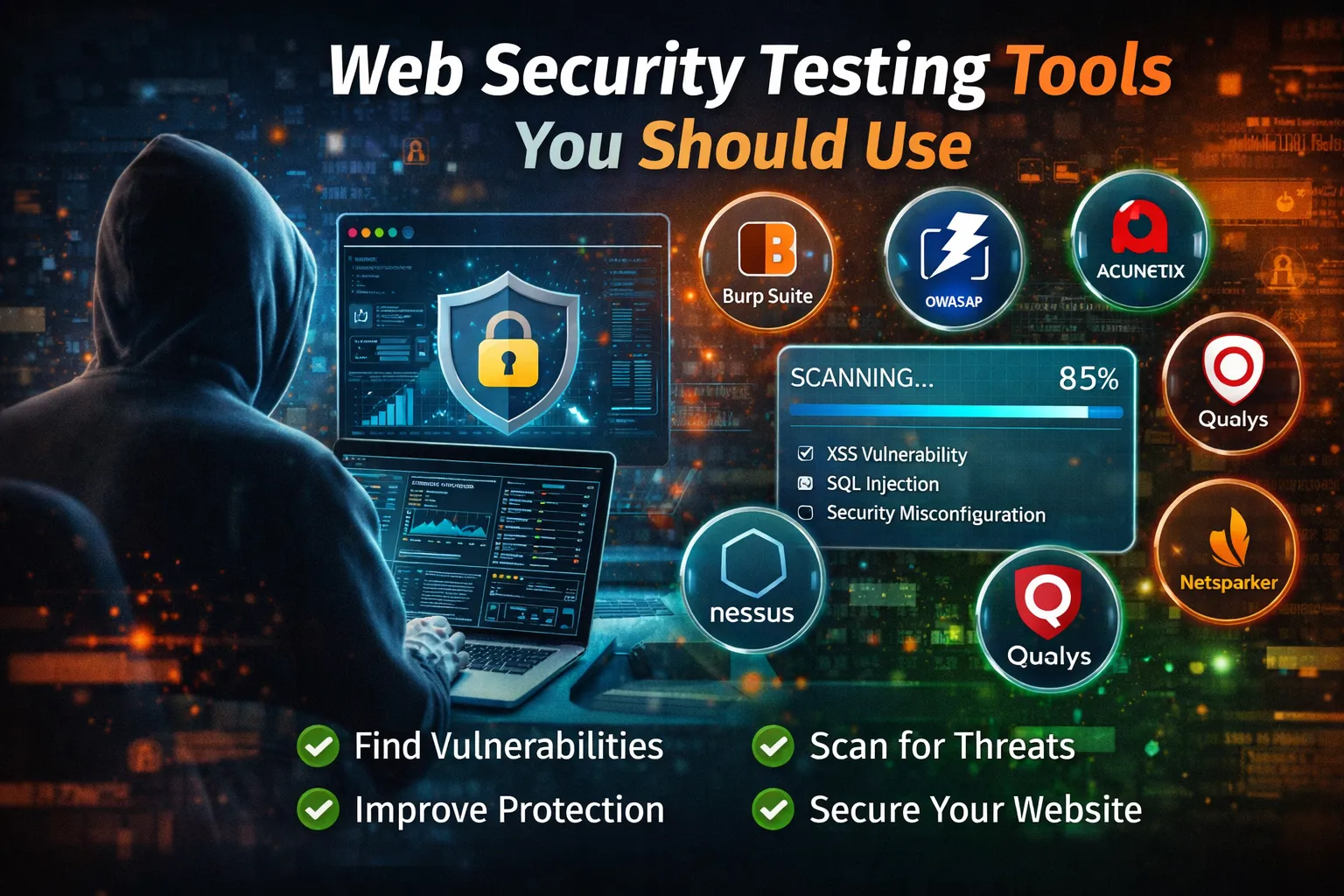
In today's connected world, almost every organization depends on web applications.
Businesses use websites to sell products, accept payments, manage customers, communicate with users, process documents, provide APIs, store information, and deliver digital services.
From a small personal blog to a global eCommerce platform, every internet-facing application has an attack surface.
That attack surface may include:
-
Websites
-
Login pages
-
APIs
-
Admin panels
-
Databases
-
Cloud services
-
File upload systems
-
Authentication systems
-
Third-party integrations
-
JavaScript applications
-
Mobile application APIs
-
Development environments
-
Server infrastructure
-
Software dependencies
Attackers continuously search for weaknesses in these systems.
A vulnerable application may expose sensitive information, allow unauthorized access, compromise user accounts, or become an entry point into a larger infrastructure.
This is why modern application security cannot depend only on passwords, firewalls, or antivirus software.
Security needs to be tested continuously.
This is where web security testing tools become extremely valuable.
Web security testing tools help developers, security engineers, penetration testers, DevSecOps teams, and website owners discover vulnerabilities before attackers can exploit them.
However, security tools are not magic buttons.
A scanner may identify a potential vulnerability, but humans still need to understand the context, validate the finding, determine its impact, and fix the underlying problem.
The strongest security programs therefore combine:
Automated scanning + manual testing + secure development + dependency monitoring + continuous monitoring.
In this comprehensive guide, we will explore the best web security testing tools and techniques to consider in 2026.
You will learn:
-
What web security testing is
-
Why security testing matters
-
Types of web security testing tools
-
The difference between DAST, SAST, SCA and penetration testing
-
The current OWASP Top 10
-
Best web application security testing tools
-
Burp Suite
-
OWASP ZAP
-
Nuclei
-
Nikto
-
SQLMap
-
Metasploit
-
Nessus
-
Qualys
-
Invicti
-
Semgrep
-
Snyk
-
OWASP Web Security Testing Guide
-
API security testing
-
Security headers testing
-
Cloud security testing
-
CI/CD security testing
-
How beginners can start
-
How developers can integrate security into development
-
How enterprises can build a security testing workflow
-
Common mistakes
-
How frequently websites should be tested
-
FAQs about web security testing
Important: Security testing should only be performed on websites, applications, APIs, systems, and infrastructure that you own or have explicit authorization to test. Never scan or attack third-party systems without permission.
🔐 What Is Web Security Testing?
Web security testing is the process of evaluating a website or web application for vulnerabilities, weaknesses, insecure configurations, and design flaws.
The goal is to discover security problems before malicious attackers discover and exploit them.
Security testing can involve:
-
Automated vulnerability scanning
-
Manual penetration testing
-
Source-code analysis
-
Dependency analysis
-
API testing
-
Authentication testing
-
Authorization testing
-
Configuration reviews
-
Cloud security testing
-
Security header analysis
-
Infrastructure scanning
-
Continuous monitoring
For example, a security test may identify that:
-
An admin page is accessible without proper authorization
-
An application exposes excessive error information
-
A dependency contains a known vulnerability
-
A security header is missing
-
An API accepts unauthorized requests
-
Sensitive information is stored insecurely
-
A cloud resource has overly permissive access
-
An application has an injection vulnerability
-
Authentication controls are weak
The purpose is not simply to generate a list of vulnerabilities.
The real objective is:
Find → Validate → Prioritize → Fix → Retest → Monitor
🌐 Why Web Security Testing Matters in 2026
Modern web applications are significantly more complex than traditional websites.
A modern application may combine:
Frontend
   ↓
API
   ↓
Backend
   ↓
Database
   ↓
Cloud Infrastructure
   ↓
Third-Party Services
   ↓
External APIs
A weakness in any part of this chain can potentially create security risk.
The software supply chain has also become increasingly important.
Applications commonly depend on:
-
Open-source packages
-
Frameworks
-
Libraries
-
Container images
-
Cloud services
-
CI/CD tools
-
Third-party APIs
-
Build systems
The current OWASP Top 10:2025 specifically includes Software Supply Chain Failures as A03, reflecting the broader security risk across dependencies, build systems, and distribution infrastructure.
Security testing therefore needs to go beyond checking only the visible website.
🚨 What Can Happen If You Do Not Test Your Website?
A vulnerability that remains undiscovered can potentially result in:
Data Exposure
Sensitive customer or business information may become accessible.
Account Takeover
Weak authentication or session controls may allow unauthorized access.
Unauthorized Actions
Attackers may perform actions they should not be allowed to perform.
Malware Injection
A compromised website may be modified to distribute malicious content.
Financial Loss
Security incidents can result in fraud, operational disruption, recovery costs, and lost revenue.
Reputation Damage
Customers may lose confidence in a company after a security incident.
Compliance Problems
Certain industries and organizations may have regulatory or contractual security requirements.
Operational Disruption
A compromised application may become unavailable or require emergency shutdown.
Security testing does not eliminate all risk, but it significantly improves an organization's ability to discover and reduce weaknesses.
🧠 Understanding the OWASP Top 10 in 2026
One of the most useful resources for understanding web application security is the OWASP Top 10.
The current released version is OWASP Top 10:2025.
The current categories are:
-
Broken Access Control
-
Security Misconfiguration
-
Software Supply Chain Failures
-
Cryptographic Failures
-
Injection
-
Insecure Design
-
Authentication Failures
-
Software or Data Integrity Failures
-
Security Logging and Alerting Failures
-
Mishandling of Exceptional Conditions
OWASP describes the Top 10 as a standard awareness document representing a broad consensus about important web application security risks.
🔓 1. Broken Access Control
Broken access control occurs when users can perform actions or access resources they should not be permitted to access.
For example:
User A
   ↓
/account/123
If User A can change the URL to:
/account/124
and access User B's private information, the application may have an authorization problem.
Security testing should therefore verify permissions at the server side.
Never assume that hiding a button in the frontend provides security.
⚙️ 2. Security Misconfiguration
Security misconfiguration is one of the major risks identified by the current OWASP Top 10.
Examples include:
-
Debug mode enabled in production
-
Default credentials
-
Unnecessary services
-
Exposed administrative interfaces
-
Excessive permissions
-
Verbose error messages
-
Incorrect cloud storage permissions
-
Missing security headers
-
Insecure server configuration
OWASP's 2025 analysis moved Security Misconfiguration to A02 and reported that all applications in its tested dataset had some form of misconfiguration, although the specific types and severity varied.
This is one reason configuration testing is just as important as vulnerability scanning.
📦 3. Software Supply Chain Failures
Modern applications rarely contain only code written by the development team.
They depend on external components.
Examples include:
-
npm packages
-
Composer packages
-
Python packages
-
Java dependencies
-
Container images
-
Plugins
-
Frameworks
A vulnerable or compromised dependency can introduce security risk into an otherwise carefully written application.
Security tools should therefore inspect dependencies and software supply chains.
🔐 4. Cryptographic Failures
Sensitive information needs appropriate protection.
Potential problems include:
-
Weak encryption
-
Insecure TLS configuration
-
Passwords stored improperly
-
Sensitive data transmitted without encryption
-
Poor key management
-
Hard-coded secrets
Security testing should verify that sensitive information is protected appropriately both in transit and at rest.
💉 5. Injection
Injection vulnerabilities occur when untrusted input is interpreted as commands or queries.
Examples include:
-
SQL injection
-
Command injection
-
Cross-site scripting
-
LDAP injection
-
Template injection
Modern frameworks and parameterized queries can reduce risk, but security testing remains important.
🏗️ 6. Insecure Design
Some vulnerabilities are not caused by a coding mistake.
The underlying application design itself may be insecure.
Examples include:
-
Missing business rules
-
Unlimited password reset attempts
-
Weak transaction validation
-
Missing rate limits
-
Poor authorization architecture
-
Insecure workflow design
OWASP's 2025 guidance emphasizes moving security earlier into requirements and design, including threat modeling and secure design patterns.
This is why security testing should not begin only after development is finished.
🔑 7. Authentication Failures
Authentication determines whether a user is who they claim to be.
Potential problems include:
-
Weak password policies
-
Session fixation
-
Poor password recovery
-
Hard-coded credentials
-
Missing multi-factor authentication where appropriate
-
Improper session invalidation
-
Insecure token handling
OWASP's current A07 category includes issues such as improper authentication, session fixation, hard-coded credentials, and certificate validation problems.
🧬 8. Software or Data Integrity Failures
Applications must ensure that software and important data have not been modified unexpectedly.
This can involve:
-
Untrusted plugins
-
Unsafe update mechanisms
-
Compromised dependencies
-
Insecure CI/CD pipelines
-
Unsigned or improperly validated software
-
Untrusted serialized data
Supply-chain security and deployment integrity are increasingly important in modern applications.
📊 9. Security Logging and Alerting Failures
Finding a vulnerability is only part of security.
Organizations also need to detect suspicious activity.
Important events may include:
-
Failed login attempts
-
Privilege changes
-
Password resets
-
Administrative actions
-
Sensitive transactions
-
API abuse
-
Security control failures
OWASP emphasizes that inadequate logging and alerting can make attacks difficult to detect and investigate.
⚠️ 10. Mishandling of Exceptional Conditions
Applications need to handle unexpected conditions safely.
Examples include:
-
Database failures
-
Invalid requests
-
Timeouts
-
Resource exhaustion
-
Unexpected input
-
Service failures
Poor exception handling can expose sensitive information or create security weaknesses.
🧪 Main Types of Web Security Testing
Not every security tool performs the same type of testing.
Understanding these categories will help you select the right tools.
🔍 DAST — Dynamic Application Security Testing
DAST tests an application while it is running.
The tool interacts with the application from the outside, similar to how a user or attacker might interact with it.
DAST can help identify:
-
Injection
-
Authentication issues
-
Security headers
-
Configuration problems
-
Some access-control issues
-
Web application vulnerabilities
Examples include:
-
Burp Suite
-
OWASP ZAP
-
Invicti
DAST is particularly useful because it tests the actual deployed application.
🧑💻 SAST — Static Application Security Testing
SAST analyzes source code without necessarily running the application.
It can identify patterns associated with:
-
Injection
-
Hard-coded secrets
-
Unsafe functions
-
Authentication problems
-
Insecure coding practices
Examples include:
-
Semgrep
-
SonarQube
-
CodeQL
-
Commercial SAST platforms
SAST can be integrated into development workflows and CI/CD pipelines.
📦 SCA — Software Composition Analysis
SCA focuses on third-party dependencies.
For example, a PHP project may use:
Composer
A JavaScript application may use:
npm
An application may contain hundreds of dependencies.
SCA tools help identify known vulnerabilities and dependency risks.
Examples include:
-
Snyk
-
OWASP Dependency-Check
-
GitHub Dependabot
-
Dependency-Track
🧑🔬 Penetration Testing
Penetration testing involves authorized security professionals attempting to identify and validate security weaknesses.
Unlike simple automated scanning, penetration testing can evaluate:
-
Business logic
-
Access control
-
Authentication
-
Application workflows
-
APIs
-
Complex attack chains
Human expertise remains extremely important.
🏆 Best Web Security Testing Tools in 2026
Below is a practical list of tools covering different security-testing needs.
🥇 1. Burp Suite
Burp Suite from PortSwigger is one of the most widely used platforms for web application security testing.
It provides a broad collection of tools for analyzing and testing HTTP and HTTPS traffic.
Key Capabilities
-
HTTP interception
-
Request modification
-
Repeater-based testing
-
Automated scanning in applicable editions
-
Authentication testing
-
Session analysis
-
API testing
-
Manual penetration testing
-
Extensibility
Best For
-
Security professionals
-
Penetration testers
-
Developers learning application security
-
Bug bounty researchers
-
Advanced web application testing
Burp Suite is particularly valuable because it allows testers to combine automation with detailed manual analysis.
🥈 2. OWASP ZAP
OWASP ZAP, or Zed Attack Proxy, is a popular open-source web application security testing tool.
It is particularly attractive for developers and beginners because it is free and backed by the OWASP community.
Features
-
Automated scanning
-
Passive analysis
-
Active scanning
-
HTTP interception
-
Spidering
-
API testing
-
Authentication testing
-
Extensibility
Best For
-
Beginners
-
Developers
-
Students
-
Security testers
-
Open-source projects
ZAP can be an excellent starting point for learning how DAST tools work.
🥉 3. Nuclei
Nuclei is a fast, template-driven vulnerability scanner from ProjectDiscovery.
It can scan applications, APIs, cloud infrastructure, networks, and other targets using templates.
ProjectDiscovery describes Nuclei as a tool for finding vulnerabilities and misconfigurations across web applications, APIs, cloud environments, and infrastructure. Its ecosystem includes a large community-maintained template library.
Best For
-
Security automation
-
DevSecOps
-
Continuous scanning
-
Vulnerability validation
-
Security researchers
-
Large authorized asset inventories
Nuclei is particularly powerful when incorporated into automated security workflows.
🔧 4. Nikto
Nikto is a long-established web server scanner.
It can identify various potentially dangerous server configurations and outdated or insecure components.
Useful For
-
Basic web server assessments
-
Configuration checks
-
Legacy environments
-
Security education
Nikto is not a replacement for a complete penetration test.
It is better viewed as one component of a broader security assessment.
💉 5. SQLMap
SQLMap is a specialized open-source tool for authorized SQL injection testing.
It is useful for security professionals investigating whether applications are vulnerable to SQL injection.
Use Cases
-
SQL injection assessment
-
Database identification
-
Injection validation
-
Authorized penetration testing
Because SQLMap can perform aggressive testing, it should only be used against systems where you have explicit permission.
🧰 6. Metasploit Framework
Metasploit is a penetration testing framework that provides a large collection of security-testing modules.
It is widely used for:
-
Security assessments
-
Vulnerability validation
-
Exploit research
-
Penetration testing
-
Security training
Metasploit is more than a web scanner.
It is a broader penetration-testing framework and is therefore better suited to experienced security professionals.
🛡️ 7. Nessus
Nessus is a vulnerability assessment platform widely used to identify vulnerabilities and configuration weaknesses across systems and infrastructure.
It is not exclusively a web application scanner.
It can be useful for broader infrastructure assessments where websites are only one component of the environment.
Useful For
-
Servers
-
Network infrastructure
-
Vulnerability management
-
Configuration assessment
-
Enterprise environments
☁️ 8. Qualys
Qualys provides cloud-based security and compliance capabilities across applications, endpoints, infrastructure, and cloud environments.
It is commonly used by organizations that need centralized visibility and vulnerability management.
Best For
-
Enterprises
-
Vulnerability management
-
Cloud environments
-
Large infrastructures
-
Compliance programs
🏢 9. Invicti
Invicti provides automated web application and API security testing.
It is designed for organizations that want to integrate application security testing into development and security workflows.
Capabilities can include automated vulnerability discovery and validation-oriented workflows.
Best For
-
Professional development teams
-
Security teams
-
Large websites
-
APIs
-
Enterprise application security
🧑💻 10. Semgrep
Semgrep focuses strongly on code analysis and developer-centric application security.
It can help identify insecure coding patterns during development.
Useful For
-
SAST
-
Secure code review
-
CI/CD
-
Developer workflows
-
Security automation
The major advantage of code-analysis tools is that they can detect problems before vulnerable code reaches production.
📦 11. Snyk
Snyk focuses heavily on developer security and software dependencies.
It can help organizations identify vulnerabilities across:
-
Open-source dependencies
-
Container images
-
Infrastructure as code
-
Application code
This makes it particularly useful for modern software development environments.
🧪 12. OWASP Dependency-Check
Dependency-Check is designed to identify publicly disclosed vulnerabilities associated with project dependencies.
It is especially useful for teams that want to incorporate dependency analysis into development pipelines.
For applications with large dependency trees, automated dependency monitoring can significantly improve visibility.
🔗 13. OWASP Dependency-Track
Dependency-Track takes a broader software-supply-chain approach.
It helps organizations understand the security risk associated with components used throughout their applications.
This becomes particularly useful for organizations managing many applications and dependencies.
🧬 14. GitHub CodeQL
CodeQL enables developers and security teams to analyze source code using queries that identify security-relevant patterns.
It can be integrated into development workflows and code repositories.
Best For
-
Developer security
-
CI/CD
-
Source-code analysis
-
Large codebases
-
Automated security checks
🌐 15. Browser-Based Security Header Testing
Security headers are an important part of web application hardening.
Common headers include:
-
Content-Security-Policy
-
Strict-Transport-Security
-
X-Content-Type-Options
-
Referrer-Policy
-
Permissions-Policy
Security-header testing tools can help identify missing or incorrectly configured headers.
However, security headers should be configured based on the application's actual requirements.
Adding every possible header without understanding its behavior can break functionality.
🔌 API Security Testing Tools
Modern applications increasingly depend on APIs.
An application may have:
Website
   ↓
REST API
   ↓
Database
or:
Mobile App
   ↓
API
   ↓
Backend
API security testing should therefore be part of the security program.
Test areas can include:
-
Authentication
-
Authorization
-
Rate limiting
-
Input validation
-
Schema validation
-
Error handling
-
Sensitive data exposure
-
Object-level authorization
-
Token management
-
HTTP methods
-
API versioning
Tools such as Burp Suite, OWASP ZAP, Nuclei, Postman, and specialized API security platforms can help depending on the testing objective.
🧪 Testing Authentication
Authentication deserves special attention because compromised accounts can provide attackers with legitimate access.
Security testing should examine:
Login
Can unauthorized users bypass authentication?
Password Reset
Can password-reset mechanisms be abused?
Session Management
Are sessions properly invalidated after logout?
Multi-Factor Authentication
Is MFA implemented correctly where required?
Rate Limiting
Can an attacker make unlimited authentication attempts?
Account Recovery
Can recovery mechanisms be manipulated?
🔐 Testing Authorization
Authentication asks:
"Who are you?"
Authorization asks:
"What are you allowed to do?"
These are different.
An application may correctly authenticate a user but still incorrectly authorize them.
For example:
User
 ↓
Authenticated
 ↓
Access /admin
If a normal user can access administrative functionality, the application has an authorization problem.
This is why access-control testing is one of the most important areas of web security.
🧪 Testing File Upload Security
File uploads are common attack surfaces.
Examples include:
-
Profile pictures
-
Documents
-
PDFs
-
Product images
-
CSV files
-
Attachments
A secure upload system should consider:
-
File type validation
-
File size limits
-
Filename handling
-
Storage location
-
Permissions
-
Malware scanning where appropriate
-
Content validation
-
Execution prevention
Never assume that checking only the file extension is sufficient.
🧪 Testing Error Handling
Error messages can reveal valuable information.
For example, a production application should generally avoid exposing internal information such as:
Database credentials
File paths
Stack traces
Internal IP addresses
Framework versions
SQL queries
Environment variables
Security testing should intentionally trigger controlled errors and verify that the application handles them safely.
🛠️ Security Testing in CI/CD
Modern development teams should avoid waiting until the end of development to test security.
A better approach integrates security into the development lifecycle.
For example:
Developer writes code
        ↓
SAST
        ↓
Dependency Scan
        ↓
Build
        ↓
Automated Tests
        ↓
Deploy to Staging
        ↓
DAST
        ↓
Security Review
        ↓
Production
        ↓
Continuous Monitoring
This approach is commonly associated with DevSecOps.
The objective is not to slow development.
The objective is to discover security problems as early as possible.
🚀 Shift Security Left — But Don't Forget Production
"Shift left" means moving security activities earlier into the development lifecycle.
For example:
Instead of finding a vulnerability after production deployment:
Production
   ↓
Vulnerability discovered
   ↓
Emergency fix
you can identify it during development:
Code
 ↓
Security scan
 ↓
Developer fixes issue
 ↓
Testing
 ↓
Production
However, shifting security left does not mean production testing is unnecessary.
Production environments can differ from development environments.
Therefore, organizations should combine:
Pre-production security testing + production monitoring + periodic security assessment.
🤖 AI and Web Security Testing in 2026
Artificial intelligence is increasingly being incorporated into application security workflows.
AI can potentially help with:
-
Code review
-
Vulnerability triage
-
Log analysis
-
Threat modeling
-
Security documentation
-
Test generation
-
Alert prioritization
-
Dependency analysis
-
Security workflow automation
However, AI-generated security results should be validated.
AI can produce:
-
False positives
-
False negatives
-
Incorrect assumptions
-
Incomplete remediation recommendations
Therefore:
AI should assist security professionals, not replace security validation.
☁️ Cloud Security Testing
Modern applications often run in cloud environments.
Cloud security testing should consider more than the web application itself.
Important areas include:
-
IAM permissions
-
Storage permissions
-
Network security groups
-
Public exposure
-
Secrets
-
Containers
-
Kubernetes
-
Serverless functions
-
Cloud APIs
-
Logging
-
Encryption
-
Configuration
A perfectly coded application can still be exposed if its cloud infrastructure is incorrectly configured.
📊 How to Prioritize Vulnerabilities
Finding 100 security issues does not mean all 100 deserve the same immediate attention.
Prioritize vulnerabilities based on factors such as:
Severity
How technically serious is the issue?
Exploitability
How difficult is exploitation?
Exposure
Is the affected system publicly accessible?
Data Sensitivity
Does the application process sensitive information?
Business Impact
Could exploitation affect revenue or operations?
Authentication Requirements
Does exploitation require an authenticated account?
Attack Complexity
Does exploitation require special conditions?
A practical prioritization model is:
Risk = Likelihood × Impact
The exact scoring methodology can be more sophisticated, but this concept is useful for understanding why vulnerability severity alone is not always enough.
⚠️ False Positives and False Negatives
Automated security tools are not perfect.
False Positive
The scanner reports a vulnerability that does not actually exist.
False Negative
A real vulnerability exists, but the scanner fails to identify it.
This is why automated scanning should be combined with manual review.
A mature security process does not simply ask:
"How many vulnerabilities did the scanner find?"
It asks:
"What risks actually exist, how severe are they, and have they been properly remediated?"
🔄 Security Testing Workflow
A practical security testing process can look like this:
Step 1: Define Scope
Identify exactly what you are authorized to test.
For example:
example.com
api.example.com
staging.example.com
Avoid testing unrelated third-party systems.
Step 2: Map the Attack Surface
Identify:
-
Domains
-
Subdomains
-
APIs
-
Login pages
-
Admin areas
-
File uploads
-
External services
-
Cloud resources
Step 3: Perform Automated Scanning
Use appropriate tools such as:
-
OWASP ZAP
-
Burp Suite
-
Nuclei
-
Nikto
-
Vulnerability management platforms
Step 4: Perform Code and Dependency Analysis
Use:
-
SAST
-
SCA
-
Secret scanning
-
Dependency monitoring
Step 5: Manually Validate Important Findings
Do not blindly trust every scanner result.
Confirm the issue and understand its impact.
Step 6: Remediate
Fix the underlying problem rather than simply hiding the scanner warning.
Step 7: Retest
Run the relevant security test again.
Step 8: Monitor
Continue monitoring the application for new vulnerabilities and suspicious behavior.
📅 How Often Should You Test a Website?
There is no single schedule that applies to every website.
Testing frequency should reflect risk and change.
Small Informational Website
Consider periodic scans and testing after major changes.
Business Website
Test regularly and after significant application updates.
eCommerce Website
Test more frequently because the application handles customer and potentially payment-related workflows.
SaaS Platform
Security should be integrated continuously into development and deployment.
Enterprise Application
Use a structured security program involving automated scanning, code analysis, dependency monitoring, penetration testing, threat modeling, and continuous monitoring.
Security testing should definitely be repeated after:
-
Major application changes
-
Authentication changes
-
API changes
-
Infrastructure migrations
-
New integrations
-
Major dependency updates
-
Cloud architecture changes
-
Security incidents
🧑💻 Best Tools for Beginners
If you are new to web security, do not start by trying to master every tool.
A better learning path is:
Beginner Level
Start with:
-
OWASP Top 10
-
OWASP ZAP
-
Browser developer tools
-
Security headers
-
Basic HTTP concepts
Intermediate Level
Learn:
-
Burp Suite
-
Nuclei
-
API security
-
Authentication testing
-
Authorization testing
-
Dependency scanning
Advanced Level
Explore:
-
Metasploit
-
Advanced Burp workflows
-
Source-code analysis
-
Cloud security
-
CI/CD security
-
Threat modeling
-
Manual penetration testing
The goal is to understand security concepts rather than simply memorizing commands.
🏆 Best Web Security Testing Tool by Use Case
| Security Need | Recommended Tools |
|---|---|
| Beginner web testing | OWASP ZAP |
| Manual web testing | Burp Suite |
| Automated web scanning | Burp Suite, ZAP, Invicti |
| Template-based scanning | Nuclei |
| Web server assessment | Nikto |
| SQL injection testing | SQLMap |
| Penetration testing framework | Metasploit |
| Infrastructure vulnerability assessment | Nessus |
| Enterprise vulnerability management | Qualys |
| Source-code security | Semgrep, CodeQL |
| Dependency security | Snyk, Dependency-Check |
| Software supply chain | Dependency-Track |
| API security | Burp Suite, ZAP, Nuclei |
| Security headers | Header analysis tools |
| Cloud security | Cloud-native and specialized CSPM tools |
No single tool can comprehensively test every layer of a modern application.
🧩 Why You Should Use Multiple Security Tools
Consider a modern application:
Source Code
     ↓
Dependencies
     ↓
Build System
     ↓
Application
     ↓
API
     ↓
Server
     ↓
Cloud
Different tools inspect different layers.
For example:
Semgrep
   ↓
Source Code

Snyk / Dependency-Check
   ↓
Dependencies

Burp Suite / ZAP
   ↓
Running Application

Nuclei
   ↓
Known Vulnerabilities / Misconfigurations

Nessus / Qualys
   ↓
Infrastructure

Cloud Security Tools
   ↓
Cloud Environment
This layered approach provides significantly better visibility than relying on one scanner.
🛡️ Security Testing Is Not the Same as Security
This is an important distinction.
A scanner can find vulnerabilities.
But security also requires:
-
Secure architecture
-
Secure coding
-
Strong authentication
-
Access control
-
Patch management
-
Backups
-
Monitoring
-
Incident response
-
Employee awareness
-
Infrastructure security
Think of security testing as one part of a larger security program.
❌ Common Web Security Testing Mistakes
Mistake 1: Running a Scanner Once
A website changes over time.
One scan does not provide permanent security.
Mistake 2: Using Only Automated Tools
Automation is powerful, but it cannot understand every business-logic flaw.
Mistake 3: Ignoring APIs
Modern applications often expose more functionality through APIs than through visible webpages.
Mistake 4: Ignoring Dependencies
Third-party packages can introduce vulnerabilities.
Mistake 5: Ignoring Configuration
Security misconfiguration is a major modern application-security concern.
Mistake 6: Fixing Only the Scanner Output
If a scanner reports a vulnerable endpoint, fix the underlying design or coding issue.
Do not simply hide the endpoint from the scanner.
Mistake 7: Ignoring Logging
A vulnerability that cannot be detected or investigated can remain dangerous even after other security controls are implemented.
Mistake 8: Testing Without Authorization
Never scan or exploit systems that you do not own or have permission to assess.
Security testing without authorization can cause disruption and may violate laws, contracts, or acceptable-use policies.
🌍 Building a Global Web Security Strategy
Organizations serving users across multiple countries should think beyond a single server.
A global security strategy may include:
Global Users
      ↓
CDN / Edge Security
      ↓
Web Application Firewall
      ↓
Load Balancer
      ↓
Application
      ↓
API
      ↓
Database
Additional layers may include:
-
Identity management
-
Rate limiting
-
DDoS protection
-
Bot protection
-
Centralized logging
-
Security monitoring
-
Vulnerability management
-
Backup infrastructure
The exact architecture depends on application size, risk, budget, and compliance requirements.
📈 Web Security and User Trust
Security is also a business issue.
Users expect websites to protect their information.
A secure website can help establish trust through:
-
HTTPS
-
Secure authentication
-
Privacy controls
-
Reliable availability
-
Safe payment processing
-
Transparent security practices
However, security should not be treated only as a marketing feature.
It should be built into the application's architecture and operations.
🔎 Does Website Security Affect SEO?
Security can contribute to the overall technical quality and user experience of a website.
HTTPS is now a standard requirement for modern websites.
Security problems can also create indirect SEO consequences.
For example, if a website is compromised and begins serving:
-
Malware
-
Spam
-
Unwanted redirects
-
Hacked pages
the consequences can be serious.
However, it is important not to claim that simply running a security scanner will increase Google rankings.
Security testing is primarily about reducing risk and protecting users.
Better SEO can be a secondary benefit of a healthy, reliable, secure website.
🚀 Recommended Security Stack for a Small Website
A small website does not necessarily need dozens of expensive tools.
A practical baseline could include:
HTTPS
+
Strong Authentication
+
Automatic Backups
+
Dependency Updates
+
OWASP ZAP
+
Security Headers Review
+
Regular Vulnerability Scanning
+
Server Monitoring
For a small WordPress website, for example, keeping the CMS, themes, plugins, and server environment updated can be just as important as running a vulnerability scanner.
🚀 Recommended Security Stack for Developers
Developers can build security directly into the development workflow.
A practical stack might look like:
Git
 ↓
SAST
 ↓
Secret Scanning
 ↓
Dependency Scanning
 ↓
Automated Tests
 ↓
Staging
 ↓
DAST
 ↓
Production Monitoring
Tools can include:
-
Semgrep
-
CodeQL
-
Snyk
-
Dependency-Check
-
OWASP ZAP
-
Burp Suite
-
Nuclei
The exact combination should depend on the programming language, application architecture, and risk profile.
🏢 Recommended Security Stack for Enterprises
Large organizations typically need multiple layers.
A mature security program may include:
Application Security
-
SAST
-
DAST
-
SCA
-
API security testing
-
Manual penetration testing
Infrastructure Security
-
Vulnerability management
-
Configuration management
-
Network monitoring
Cloud Security
-
IAM analysis
-
Cloud configuration monitoring
-
Container security
-
Kubernetes security
Operational Security
-
Centralized logs
-
SIEM
-
Alerting
-
Incident response
Governance
-
Security policies
-
Risk management
-
Compliance
-
Security training
This approach creates defense in depth.
🧠 The Most Important Lesson About Security Tools
The most expensive security tool is not automatically the best tool.
The most important factor is whether your organization understands:
What needs protection?
What can go wrong?
How likely is exploitation?
What would the impact be?
How will we detect it?
How will we fix it?
How will we verify the fix?
A free tool used correctly can sometimes provide more value than an expensive platform that nobody understands or monitors.
🔮 The Future of Web Security Testing
Web application security is becoming increasingly automated and integrated into development.
Future security workflows will continue to combine:
-
AI-assisted analysis
-
Automated vulnerability discovery
-
Cloud security
-
API security
-
Software supply-chain monitoring
-
Continuous scanning
-
Runtime detection
-
Automated remediation workflows
At the same time, human expertise will remain essential for areas such as:
-
Business logic
-
Threat modeling
-
Architecture
-
Risk assessment
-
Complex attack chains
-
Security strategy
Automation can find patterns.
Security professionals understand context.
The combination is much stronger.
🏁 Final Thoughts
Web security testing is no longer something that should happen only before a major product launch.
Modern websites and web applications change continuously.
New code is deployed.
Dependencies are updated.
APIs are added.
Cloud configurations change.
Third-party services are integrated.
New vulnerabilities are discovered.
That means security must also be continuous.
The best approach is not to depend on a single security scanner.
Instead, build layers.
Start with secure design and coding.
Then add:
SAST → SCA → DAST → Manual Testing → Infrastructure Scanning → Monitoring
Use the right tool for the right job.
For beginners, OWASP ZAP is an excellent place to learn.
For professional web application testing, Burp Suite is one of the most powerful options.
For automated template-based vulnerability detection, Nuclei is highly useful.
For source-code analysis, tools such as Semgrep and CodeQL can help developers identify security weaknesses earlier.
For dependency security, Snyk and OWASP dependency tools can provide valuable visibility.
For broader infrastructure vulnerability management, platforms such as Nessus and Qualys can be appropriate.
And for professional automated web application security programs, platforms such as Invicti can provide additional capabilities.
Most importantly, remember that tools are only part of the solution.
A secure application requires:
-
Secure architecture
-
Secure coding
-
Strong authentication
-
Correct authorization
-
Safe configuration
-
Dependency management
-
Encryption
-
Logging
-
Monitoring
-
Backups
-
Continuous testing
-
Incident response
The goal of web security testing is not to achieve a meaningless score of "100% secure."
Perfect security does not exist.
The goal is to continuously reduce risk, identify weaknesses early, protect users, and make it increasingly difficult for attackers to compromise your application.
In 2026, that mindset is more important than ever.
Frequently Asked Questions About Web Security Testing Tools
What are web security testing tools?
Web security testing tools are software applications used to identify vulnerabilities, insecure configurations, coding weaknesses, and other security risks in websites, APIs, web applications, and supporting infrastructure.
Which is the best web security testing tool?
There is no single best tool for every situation.
Burp Suite is excellent for professional web application testing.
OWASP ZAP is a strong free and open-source option.
Nuclei is useful for automated template-based vulnerability scanning.
Semgrep and CodeQL are useful for source-code security.
Snyk and dependency-analysis tools are useful for software supply-chain security.
Is OWASP ZAP free?
Yes. OWASP ZAP is an open-source security testing project and is widely used for learning and authorized application security testing.
Is Burp Suite free?
Burp Suite has different editions and capabilities. The free/community edition provides useful manual testing functionality, while professional and enterprise offerings provide additional capabilities.
Is Nuclei safe to use?
Nuclei is a security testing tool. Whether a scan is appropriate depends on the target and authorization.
Only use it against systems you own or are explicitly authorized to test.
Can security tools find every vulnerability?
No.
Automated scanners can miss vulnerabilities, especially complex business-logic and authorization problems.
Manual testing and secure design reviews remain important.
Can security testing prevent hacking?
Security testing can reduce risk by identifying and helping remediate vulnerabilities, but no tool can guarantee that a website will never be compromised.
Security is a continuous process.
How often should I perform web security testing?
Test regularly and whenever significant changes are introduced.
Important triggers include:
-
New application releases
-
Major API changes
-
Authentication changes
-
New dependencies
-
Infrastructure migrations
-
Cloud configuration changes
-
Security incidents
Higher-risk applications generally require more frequent and continuous testing.
What is the difference between SAST and DAST?
SAST analyzes source code or related artifacts to identify security weaknesses.
DAST tests a running application from the outside.
Using both provides broader coverage.
What is SCA?
SCA stands for Software Composition Analysis.
It examines third-party dependencies and helps identify known vulnerabilities and software supply-chain risks.
Should small websites use security testing tools?
Yes.
Small websites can still have vulnerabilities.
However, they usually do not need a large enterprise security platform.
A practical combination of secure configuration, updates, backups, HTTPS, basic scanning, dependency management, and monitoring can provide a strong starting point.
Should developers learn penetration testing?
Developers do not necessarily need to become professional penetration testers.
However, understanding common vulnerabilities, authentication, authorization, secure coding, APIs, and threat modeling can significantly improve the security of the applications they build.
What is the OWASP Top 10?
The OWASP Top 10 is a widely recognized awareness document covering major web application security risks.
The current release is OWASP Top 10:2025, with categories including Broken Access Control, Security Misconfiguration, Software Supply Chain Failures, Cryptographic Failures, Injection, Insecure Design, Authentication Failures, Software or Data Integrity Failures, Security Logging and Alerting Failures, and Mishandling of Exceptional Conditions.
Is a vulnerability scanner enough for a penetration test?
No.
A vulnerability scanner and a penetration test are different.
A scanner primarily automates detection.
A penetration test involves human-driven investigation and validation of vulnerabilities, attack paths, business logic, authorization, and application behavior.
What should I test first?
Start with your highest-risk attack surfaces:
-
Authentication
-
Authorization
-
Public APIs
-
Administrative interfaces
-
File uploads
-
Sensitive data
-
Dependencies
-
Cloud configuration
-
Security headers
-
Logging and monitoring
Then expand testing based on your application's architecture and risk profile.
Security Testing Checklist
Before considering your application reasonably tested, review the following:
-
HTTPS is correctly configured
-
Authentication is properly implemented
-
Authorization is tested
-
Sessions are securely managed
-
Password recovery is protected
-
Rate limiting is implemented where appropriate
-
Input validation is performed server-side
-
Output is safely encoded
-
SQL queries use safe parameterization
-
File uploads are restricted
-
Security headers are reviewed
-
Debug mode is disabled in production
-
Error messages do not expose sensitive information
-
Dependencies are regularly reviewed
-
Secrets are not hard-coded
-
APIs are tested
-
Cloud permissions are reviewed
-
Backups exist
-
Security logs are monitored
-
Vulnerability scans are repeated
-
Critical findings are manually validated
-
Remediated vulnerabilities are retested
-
Security testing is performed only within authorized scope
Final Security Principle
The strongest security strategy is not:
"Find vulnerabilities once."
It is:
"Continuously discover, prioritize, fix, verify, and monitor security risks."
That mindset turns web security testing from a one-time technical exercise into an ongoing part of modern software development.
For websites, APIs, SaaS applications, eCommerce platforms, enterprise systems, and cloud applications, continuous security testing is one of the most effective ways to reduce avoidable security risk while building trust with users around the world.
Your email address will not be published. Comments are moderated.
0 Comments on This Post
Leave a Reply
Comments (0)
Spread the Word!
Join Our Developer Community!
Get weekly coding tips, tool updates, and exclusive tutorials straight to your inbox.
Request a Tool
×