How HTTPS Improves Web Security & SEO
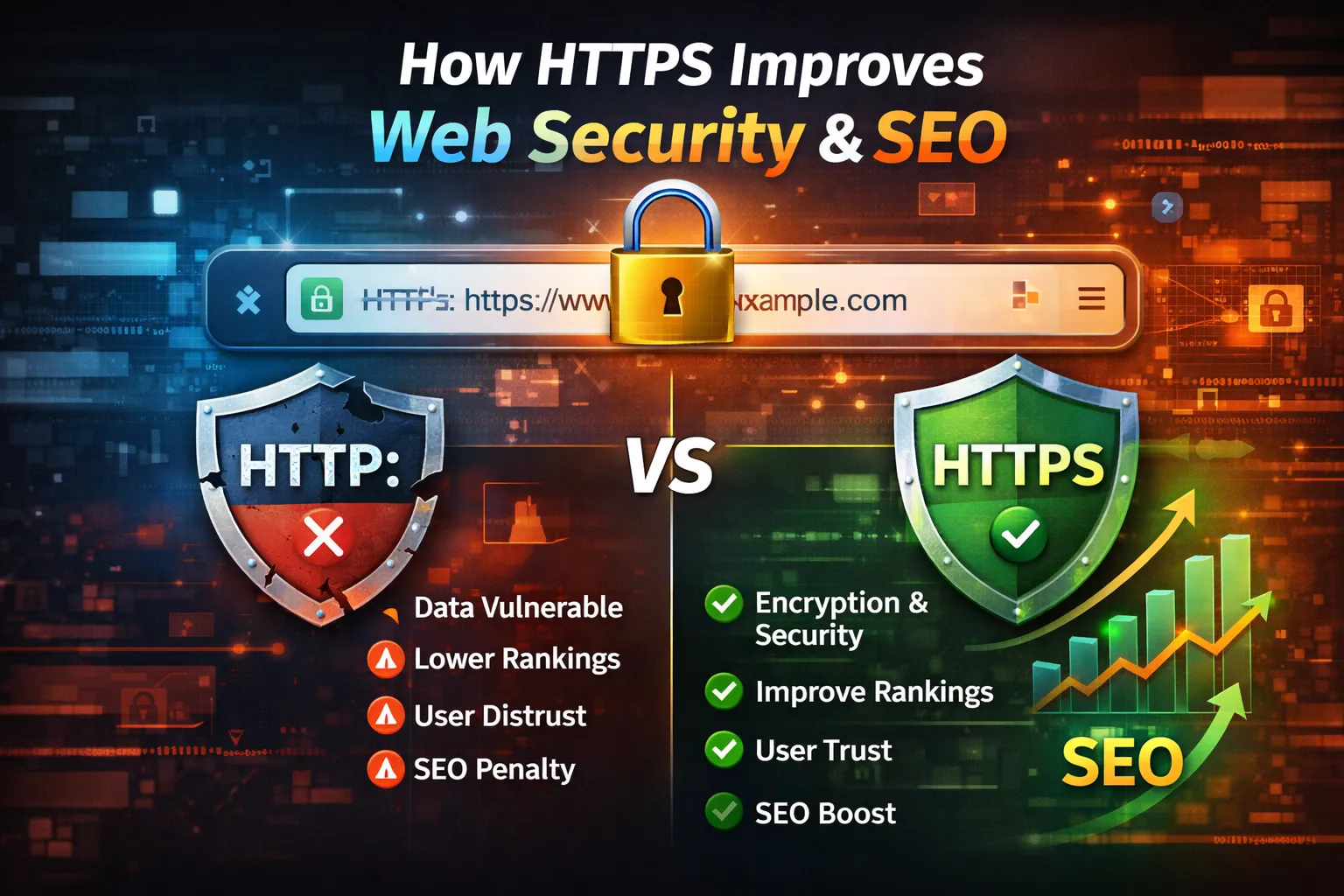
In today's digital-first world, website security is no longer optional—it's a necessity. Every day, billions of users browse websites, shop online, log into accounts, submit contact forms, and share sensitive personal information. Without proper protection, this data can be intercepted, modified, or stolen by cybercriminals.
This is where HTTPS (HyperText Transfer Protocol Secure) plays a critical role.
HTTPS encrypts communication between a visitor's browser and your web server, ensuring that sensitive information such as passwords, payment details, personal data, and login credentials remains protected. It not only safeguards users but also enhances your website's credibility and trustworthiness.
Beyond security, HTTPS has become a vital component of modern Search Engine Optimization (SEO). Google has officially confirmed HTTPS as a ranking signal, and major browsers like Google Chrome, Microsoft Edge, Mozilla Firefox, and Safari now warn users when they visit websites that do not use HTTPS.
If your website still uses HTTP, you could face several challenges:
- Browser security warnings that discourage visitors.
- Reduced trust among users.
- Lower search engine rankings.
- Increased vulnerability to cyberattacks.
- Potential loss of customer data.
Whether you run a personal blog, a business website, an online store, or a web application, implementing HTTPS is one of the most important steps you can take to improve security, user experience, and search visibility.
In this comprehensive guide, you'll learn:
- What HTTPS is and how it works.
- The key differences between HTTP and HTTPS.
- How HTTPS protects websites from cyber threats.
- Why HTTPS is essential for SEO in 2026.
- The business benefits of using HTTPS.
- Step-by-step instructions to enable HTTPS.
- Common HTTPS mistakes to avoid.
- Best practices for maintaining a secure website.
By the end of this article, you'll understand why HTTPS has become the global standard for secure websites and why every modern website should use it.
What is HTTPS?
HTTPS (HyperText Transfer Protocol Secure) is the secure version of the standard HTTP protocol used to transfer information between a web browser and a website's server.
The key difference is that HTTPS uses SSL (Secure Sockets Layer) or its successor TLS (Transport Layer Security) to encrypt all communication between the browser and the server.
This encryption ensures that the data exchanged cannot be easily read, intercepted, or modified by unauthorized parties.
When a website uses HTTPS, you'll typically notice:
- A padlock icon in the browser's address bar.
- A URL beginning with https:// instead of http://.
- A secure connection verified by a digital SSL/TLS certificate.
For example:
http://example.com
This connection is not encrypted and is vulnerable to interception.
https://example.com
This connection is encrypted, authenticated, and secure.
How HTTPS Works
Understanding how HTTPS works helps explain why it is so effective.
When a user visits an HTTPS-enabled website, the following process occurs:
Step 1: Browser Requests a Secure Connection
The user's browser sends a request to the website asking for a secure connection.
Step 2: Server Sends SSL/TLS Certificate
The web server responds by sending its SSL/TLS certificate, which contains information verifying the website's identity.
Step 3: Certificate Verification
The browser checks whether the certificate:
- Is issued by a trusted Certificate Authority (CA).
- Has not expired.
- Matches the website's domain.
If everything is valid, the browser proceeds.
Step 4: Encryption Begins
The browser and server establish an encrypted communication channel using cryptographic keys.
Step 5: Secure Data Transfer
All future communication—including passwords, payment details, cookies, and personal information—is encrypted before being transmitted.
Even if someone intercepts the data, they cannot easily read or modify it.
HTTP vs HTTPS
Understanding the differences between HTTP and HTTPS highlights why secure communication is essential.
| Feature | HTTP | HTTPS |
|---|---|---|
| Data Encryption | ❌ No | ✅ Yes |
| SSL/TLS Certificate | ❌ Not Required | ✅ Required |
| Browser Trust | ❌ Shows "Not Secure" warning | ✅ Displays padlock icon |
| SEO Benefits | ❌ Limited | ✅ Positive ranking signal |
| Data Integrity | ❌ Vulnerable | ✅ Protected |
| Authentication | ❌ None | ✅ Verified |
| Suitable for Login & Payments | ❌ No | ✅ Yes |
| User Trust | Low | High |
Today, HTTPS is the expected standard for nearly every website, regardless of whether it processes payments or simply publishes information.
Why HTTPS Matters More Than Ever in 2026
Cybersecurity threats continue to evolve, and user expectations have changed significantly.
Modern websites face challenges such as:
- Credential theft
- Session hijacking
- Data interception
- Phishing attacks
- Browser security enforcement
- Privacy regulations
At the same time, users are increasingly aware of online security. Many will leave a website immediately if they see a "Not Secure" warning in their browser.
Search engines also prioritize secure websites because they provide a safer browsing experience.
For these reasons, HTTPS is no longer considered a premium feature—it is a fundamental requirement for every modern website.
Why Website Security Matters
Every time someone visits your website, information is exchanged between the visitor's browser and your web server. This may include:
- Login credentials
- Personal information
- Contact form submissions
- Payment details
- Cookies and session IDs
- Business data
- API requests
If this information is sent without encryption, attackers can intercept, steal, or modify it. HTTPS protects this communication by creating an encrypted and authenticated connection between the browser and the server.
Let's explore the major security benefits of HTTPS.
1. Data Encryption
The primary purpose of HTTPS is encryption.
Encryption converts readable information into an unreadable format before it is transmitted across the internet. Only the intended browser and server can decrypt and understand the data.
Why Encryption Matters
Without encryption, anyone monitoring the network could potentially view sensitive information such as:
- Usernames
- Passwords
- Credit card numbers
- Email addresses
- Personal messages
- Banking details
With HTTPS enabled, this information is encrypted before leaving the user's device.
Real-World Example
Imagine you're logging into your online banking account while connected to public Wi-Fi at an airport.
If the website uses HTTP, an attacker connected to the same network may be able to intercept your login details.
If the website uses HTTPS, the transmitted data is encrypted, making it extremely difficult for attackers to read or misuse.
2. Protection Against Man-in-the-Middle (MITM) Attacks
A Man-in-the-Middle (MITM) attack occurs when a malicious actor secretly intercepts communication between a user and a website.
The attacker attempts to:
- Read sensitive information
- Modify transmitted data
- Redirect users to fake websites
- Inject malicious scripts
HTTPS prevents these attacks by encrypting communication and verifying the identity of the server.
Example
Without HTTPS:
User
   ↓
Attacker
   ↓
Website
The attacker can potentially view or alter the information.
With HTTPS:
User
   ⇄ Encrypted Connection ⇄
Website
Even if someone intercepts the traffic, they cannot easily decrypt the data.
3. Data Integrity
HTTPS ensures that information remains unchanged while traveling between the browser and the server.
Without HTTPS, attackers may alter:
- Website content
- Download files
- Images
- JavaScript code
- Forms
- Advertisements
This can lead to malware infections or users receiving false information.
Benefits of Data Integrity
- Prevents unauthorized content modification
- Stops malicious code injection
- Ensures files are delivered exactly as intended
- Protects website reputation
4. Website Authentication
HTTPS uses SSL/TLS certificates to verify a website's identity.
Before establishing a secure connection, the browser checks whether the certificate:
- Matches the domain name
- Is issued by a trusted Certificate Authority (CA)
- Has not expired
- Has not been revoked
Only after successful verification does the browser establish the secure connection.
Why Authentication Matters
Authentication helps users avoid fake websites that imitate legitimate businesses.
For example:
A phishing website may look identical to your bank's website but exist solely to steal credentials.
HTTPS certificates help browsers verify that users are communicating with the genuine website.
5. Protection Against Phishing
Phishing attacks trick users into revealing sensitive information by pretending to be trusted websites.
While HTTPS alone cannot eliminate phishing, it significantly improves trust and allows browsers to detect suspicious or invalid certificates.
Modern browsers warn users when:
- Certificates are invalid
- Certificates have expired
- The domain name doesn't match the certificate
- The connection isn't secure
These warnings help users avoid fraudulent websites.
6. Safer Online Payments
E-commerce websites process sensitive financial information such as:
- Credit card numbers
- Debit card details
- Billing addresses
- Payment confirmations
Payment gateways require encrypted communication to protect customer data.
Without HTTPS, financial transactions become vulnerable to interception.
Industries That Require HTTPS
- Online stores
- Banking websites
- Subscription platforms
- Donation websites
- Ticket booking portals
- Online education platforms
Today, HTTPS is considered mandatory for any website handling financial transactions.
7. Secure Login Systems
Most websites require users to log in.
Examples include:
- Email accounts
- Social media platforms
- Business dashboards
- Membership websites
- Educational portals
- Admin panels
HTTPS protects:
- Usernames
- Passwords
- Session cookies
- Authentication tokens
Without encryption, attackers could steal login credentials and gain unauthorized access.
8. Cookie and Session Protection
Websites use cookies to remember users after login.
These cookies often contain session identifiers that keep users authenticated.
If transmitted over HTTP, attackers may steal session cookies and impersonate users.
HTTPS allows websites to use:
- Secure Cookies
- HttpOnly Cookies
- SameSite Protection
These features significantly reduce session hijacking risks.
9. Protection for API Communication
Modern websites rely heavily on APIs for:
- Mobile applications
- Payment processing
- Authentication
- Maps
- AI services
- Chat systems
HTTPS ensures API requests remain confidential and cannot be modified during transmission.
Without HTTPS:
- API keys may be exposed.
- Responses can be altered.
- Sensitive user data may leak.
10. Better Browser Security
Modern browsers actively discourage users from visiting unsecured websites.
If a site uses HTTP, browsers may display messages such as:
- Not Secure
- Your connection is not private
- Potential security risk ahead
These warnings can reduce visitor confidence and increase bounce rates.
HTTPS replaces these warnings with a secure padlock icon, reassuring users that the connection is protected.
Real-World Security Benefits of HTTPS
Organizations that migrate to HTTPS often experience:
- Stronger protection against cyberattacks
- Increased customer confidence
- Fewer security incidents
- Safer online transactions
- Better compliance with modern security standards
Whether you're running a personal blog or a large e-commerce platform, HTTPS provides a strong foundation for protecting both your users and your business.
Common Cyber Threats Prevented by HTTPS
| Cyber Threat | HTTP | HTTPS |
|---|---|---|
| Data Snooping | ❌ Vulnerable | ✅ Protected |
| Password Theft | ❌ High Risk | ✅ Encrypted |
| Session Hijacking | ❌ Possible | ✅ Much Safer |
| MITM Attacks | ❌ Vulnerable | ✅ Strong Protection |
| Content Tampering | ❌ Possible | ✅ Prevented |
| Credential Theft | ❌ High Risk | ✅ Encrypted |
| Browser Trust | ❌ Low | ✅ High |
Website security is no longer separate from Search Engine Optimization (SEO). Search engines want to provide users with safe, trustworthy, and high-quality websites. As a result, HTTPS has become an important part of modern SEO strategy.
Although HTTPS alone won't take your website to the top of Google, it creates a strong technical foundation that supports better rankings, improved user experience, and higher visitor trust.
Let's explore how HTTPS contributes to SEO success.
1. HTTPS is a Google Ranking Signal
Google officially announced that HTTPS is a ranking signal, meaning secure websites receive a small ranking advantage over similar websites that still use HTTP.
While content quality, backlinks, and user experience remain more significant ranking factors, HTTPS demonstrates that your website follows modern security standards.
Why This Matters
Search engines aim to recommend websites that users can trust. A secure connection reduces the risk of data theft and creates a safer browsing experience.
SEO Benefits
- Better search visibility
- Improved trust signals
- Future-proof optimization
- Compliance with Google's recommendations
Example
Imagine two websites with nearly identical content and SEO quality.
- Website A uses HTTP
- Website B uses HTTPS
All else being equal, Website B may have a slight ranking advantage because it provides a secure browsing experience.
2. Builds User Trust
SEO isn't only about keywords—it also depends on how users interact with your website.
Modern browsers display a padlock icon for HTTPS websites, while HTTP websites often show a "Not Secure" warning.
Visitors are naturally more comfortable browsing and sharing information on websites that appear secure.
HTTPS Helps Users Feel Safe
Visitors are more likely to:
- Read multiple pages
- Create an account
- Submit contact forms
- Subscribe to newsletters
- Complete online purchases
This increased confidence often results in better user engagement.
3. Reduces Bounce Rate
Bounce rate measures how many users leave a website after viewing only one page.
If visitors immediately see a browser warning indicating that a website isn't secure, many will leave without exploring further.
HTTPS helps remove this barrier.
Lower Bounce Rate Can Lead To
- Longer browsing sessions
- More page views
- Higher engagement
- Better conversion opportunities
Although bounce rate is not a direct ranking factor, positive user behavior often supports stronger SEO performance.
4. Improves Conversion Rates
Trust directly influences conversions.
Whether your goal is:
- Selling products
- Generating leads
- Collecting email subscribers
- Receiving contact inquiries
Users are far more willing to interact with secure websites.
Example
An online store asking customers to enter payment information without HTTPS will likely lose sales because customers won't trust the connection.
HTTPS helps reassure users that their information is protected.
5. Preserves Referral Data
Referral data tells analytics platforms where your visitors came from.
When users move from an HTTPS website to an HTTP website, referral information may be lost.
This means traffic may appear as Direct Traffic instead of showing its actual source.
By using HTTPS, you preserve valuable marketing data from sources such as:
- Google Search
- Social media platforms
- News websites
- Partner websites
- Email campaigns
Accurate referral data helps you measure the effectiveness of your marketing efforts.
6. Supports Better Core Web Vitals
Google's Core Web Vitals focus on delivering a smooth and responsive user experience.
While HTTPS doesn't directly improve metrics like Largest Contentful Paint (LCP) or Interaction to Next Paint (INP), it works alongside other modern web technologies that enhance performance.
Many optimization techniques—such as HTTP/2 and HTTP/3—are commonly deployed over secure HTTPS connections.
Benefits include:
- Faster page delivery
- Improved loading efficiency
- Better browsing experience
- Reduced latency
Together, these improvements contribute to a stronger technical SEO foundation.
7. Improves Crawl Efficiency
Search engine bots prefer websites that are technically well maintained.
Migrating entirely to HTTPS—with proper redirects and updated internal links—helps crawlers understand the preferred version of your website.
A properly configured HTTPS website should include:
- 301 redirects from HTTP to HTTPS
- Updated canonical tags
- HTTPS URLs in XML sitemaps
- HTTPS internal links
- Updated robots.txt references
These practices reduce duplicate content issues and help search engines crawl your site more efficiently.
8. Enhances Website Authority
Website authority isn't determined by HTTPS alone, but security contributes to overall trust.
A secure website appears more professional and credible to:
- Visitors
- Customers
- Business partners
- Advertisers
- Search engines
When combined with high-quality content, backlinks, and excellent user experience, HTTPS strengthens your site's overall reputation.
9. Essential for E-commerce SEO
If you operate an online store, HTTPS is practically mandatory.
Customers expect secure payment processing and protection of personal information.
Search engines also prioritize secure shopping experiences.
HTTPS helps protect:
- Customer accounts
- Checkout pages
- Payment gateways
- Billing information
- Order confirmations
For e-commerce businesses, security and SEO go hand in hand.
10. Better Mobile User Experience
A large percentage of internet traffic now comes from smartphones and tablets.
Mobile users are especially cautious about entering personal information on websites.
HTTPS helps create a smoother mobile experience by:
- Displaying security indicators
- Preventing browser warnings
- Supporting secure payment methods
- Improving confidence on mobile devices
This can increase user satisfaction and encourage repeat visits.
SEO Advantages of HTTPS
| SEO Factor | Without HTTPS | With HTTPS |
|---|---|---|
| Google Ranking Signal | ❌ Missing | ✅ Supported |
| User Trust | Low | High |
| Browser Security Indicators | Warning Messages | Secure Padlock |
| Referral Data | May Be Lost | Preserved |
| Conversion Potential | Lower | Higher |
| Technical SEO | Weaker | Stronger |
| E-commerce Readiness | Poor | Excellent |
| Overall Website Credibility | Lower | Higher |
HTTPS and Google's Helpful Content System
Google increasingly rewards websites that demonstrate trust, reliability, and a positive user experience.
HTTPS complements these goals by:
- Protecting user information.
- Reducing security concerns.
- Supporting trustworthy online interactions.
- Aligning with modern web standards.
While HTTPS won't replace quality content, it strengthens the overall credibility of your website.
Real-World SEO Impact
Many websites that migrate from HTTP to HTTPS report improvements such as:
- Increased organic traffic
- Higher user engagement
- Improved customer confidence
- Better lead generation
- Stronger conversion rates
- More accurate analytics data
Results vary depending on content quality, technical SEO, competition, and backlink profile, but HTTPS removes an important barrier to growth.
SEO Best Practices After Migrating to HTTPS
Once HTTPS is enabled, make sure to complete these important tasks:
- Redirect every HTTP page to its HTTPS version using 301 redirects.
- Update all internal links to use HTTPS.
- Regenerate and submit your HTTPS XML sitemap.
- Update your Google Search Console property (if needed).
- Update canonical URLs.
- Fix mixed-content issues (HTTP images, scripts, or stylesheets on HTTPS pages).
- Update robots.txt references.
- Monitor crawl errors and indexing after migration.
These steps help search engines recognize the HTTPS version as the preferred version of your website.
How to Enable HTTPS on Your Website
Migrating from HTTP to HTTPS is one of the most important upgrades you can make for your website. The process is straightforward, but it's important to do it correctly to avoid SEO issues.
Follow these steps to ensure a smooth migration.
Step 1: Get an SSL/TLS Certificate
The first step is obtaining an SSL certificate for your domain.
Most hosting providers offer free SSL certificates through Let's Encrypt, while businesses that require advanced validation can purchase premium SSL certificates from commercial Certificate Authorities (CAs).
Common SSL Providers
- Let's Encrypt (Free)
- Sectigo
- DigiCert
- GlobalSign
- GoDaddy SSL
- GeoTrust
Types of SSL Certificates
| Certificate Type | Best For |
|---|---|
| Domain Validation (DV) | Blogs & Personal Websites |
| Organization Validation (OV) | Business Websites |
| Extended Validation (EV) | Banks & Large Enterprises |
| Wildcard SSL | Unlimited Subdomains |
| Multi-Domain SSL | Multiple Websites |
For most websites, a free DV certificate is sufficient.
Step 2: Install the SSL Certificate
After obtaining the certificate, install it on your web server.
Many hosting providers offer one-click SSL installation through cPanel, Plesk, or their custom dashboards.
Once installed, verify that your website opens correctly using:
https://yourdomain.com
If the padlock icon appears, your SSL certificate has been installed successfully.
Step 3: Force HTTPS Using 301 Redirects
Simply installing SSL is not enough.
Every HTTP page should permanently redirect to its HTTPS version using 301 redirects.
Example:
http://example.com/page
        ↓
301 Redirect
        ↓
https://example.com/page
Why this matters:
- Prevents duplicate content
- Transfers SEO value
- Improves indexing
- Ensures visitors always use HTTPS
Step 4: Update Internal Links
After enabling HTTPS, update every internal URL on your website.
This includes:
- Navigation menus
- Blog links
- Images
- CSS files
- JavaScript files
- Canonical URLs
- XML Sitemap
Avoid mixing HTTP and HTTPS resources.
Step 5: Fix Mixed Content Errors
A website may still show security warnings even after installing SSL.
This usually happens because some resources are still loaded over HTTP.
Examples:
❌ HTTP Images
❌ HTTP JavaScript
❌ HTTP CSS Files
❌ HTTP Fonts
Modern browsers block these insecure resources.
Always use HTTPS for:
- Images
- Videos
- Scripts
- Stylesheets
- APIs
- Fonts
Step 6: Update Google Search Console
After migrating:
- Add the HTTPS property in Google Search Console.
- Submit a new XML sitemap.
- Monitor indexing status.
- Check for crawl errors.
- Verify redirects.
This helps Google recognize HTTPS as the preferred version.
Step 7: Update Google Analytics
Ensure your analytics tools are tracking the HTTPS version.
Check:
- Default URL
- Referral tracking
- Property settings
- Goals
- Events
This keeps reporting accurate after migration.
HTTPS Best Practices
To maximize both security and SEO, follow these recommendations:
Use Strong Encryption
Always use modern TLS versions.
Avoid outdated SSL protocols.
Enable HSTS
HTTP Strict Transport Security (HSTS) tells browsers to always use HTTPS.
Benefits include:
- Better security
- Prevents downgrade attacks
- Faster future connections
Renew SSL Certificates Before Expiration
Expired certificates cause browser warnings and reduce user trust.
Enable automatic renewal whenever possible.
Monitor Certificate Health
Regularly check:
- Expiration dates
- Certificate validity
- Domain coverage
- Configuration
Secure Cookies
Enable:
- Secure Cookies
- HttpOnly Cookies
- SameSite Cookies
These settings improve session security.
Keep Server Software Updated
Regularly update:
- Apache
- Nginx
- PHP
- Operating System
- CMS
- Plugins
Security updates protect against known vulnerabilities.
Common HTTPS Migration Mistakes
Many website owners unknowingly make mistakes during migration.
Avoid these common issues.
❌ Forgetting 301 Redirects
Without redirects:
- Duplicate pages appear.
- SEO authority is split.
- Users may access the insecure version.
❌ Leaving HTTP Internal Links
Internal links should always point directly to HTTPS pages.
❌ Ignoring Mixed Content
Mixed content removes the secure padlock and may break page functionality.
❌ Forgetting Canonical Tags
Canonical URLs should reference the HTTPS version.
Incorrect canonicals confuse search engines.
❌ Not Updating XML Sitemap
Your sitemap should only contain HTTPS URLs.
❌ Blocking HTTPS Pages
Check robots.txt to ensure HTTPS pages remain crawlable.
❌ Ignoring Certificate Expiration
Expired SSL certificates may result in:
- Browser warnings
- Traffic loss
- Lower user trust
Benefits of HTTPS for Different Website Types
Personal Blogs
- Better SEO
- More reader trust
- Improved browser compatibility
Business Websites
- Professional appearance
- Secure contact forms
- Better credibility
E-commerce Stores
- Secure payments
- Customer confidence
- PCI compliance support
Educational Websites
- Protect student accounts
- Secure online learning
- Safe file downloads
SaaS Platforms
- Secure authentication
- API protection
- Customer data security
HTTPS Security Checklist
Before considering your migration complete, verify the following:
- ✅ SSL certificate installed
- ✅ HTTPS working correctly
- ✅ HTTP redirects enabled
- ✅ Mixed content fixed
- ✅ XML sitemap updated
- ✅ Canonical URLs updated
- ✅ Google Search Console updated
- ✅ Analytics verified
- ✅ Internal links updated
- ✅ SSL auto-renew enabled
- ✅ HSTS configured (if appropriate)
- ✅ Website tested on desktop and mobile
Frequently Asked Questions (FAQs)
Does HTTPS Improve SEO?
Yes. Google has confirmed HTTPS as a ranking signal. While it's only one of many ranking factors, it contributes to a stronger technical SEO foundation and improves user trust.
Is HTTPS Required for Every Website?
Yes.
Even if your website doesn't collect passwords or payment information, HTTPS protects user privacy and prevents browser security warnings.
Is HTTPS Free?
Yes.
Most hosting providers include free SSL certificates through Let's Encrypt, making HTTPS accessible to nearly every website owner.
Will HTTPS Slow Down My Website?
No.
Modern HTTPS connections are highly optimized. In many cases, websites using HTTP/2 or HTTP/3 over HTTPS perform just as well—or even better—than older HTTP setups.
What Happens If My SSL Certificate Expires?
Visitors may see browser warnings such as:
- "Your connection is not private"
- "This site is not secure"
These warnings can significantly reduce trust and traffic. Enable automatic renewal whenever possible.
Can HTTPS Prevent All Cyber Attacks?
No.
HTTPS secures data in transit, but it does not protect against every threat. You should also:
- Use strong passwords
- Enable two-factor authentication
- Keep software updated
- Use a Web Application Firewall (WAF)
- Perform regular backups
A layered security approach is always recommended.
Final Thoughts
HTTPS has evolved from a recommended feature to a fundamental requirement for every website. It protects user data through encryption, verifies website authenticity, and helps defend against common cyber threats such as interception and tampering.
Beyond security, HTTPS also supports modern SEO by aligning with Google's recommendations, improving user trust, preserving referral data, and strengthening your website's technical foundation. While HTTPS alone won't guarantee top rankings, it complements high-quality content, fast loading speeds, and a strong backlink profile.
Whether you run a personal blog, a business website, an e-commerce store, or a SaaS platform, implementing HTTPS is one of the most valuable long-term investments you can make. Combined with regular maintenance, updated software, and good security practices, it helps create a safer, faster, and more trustworthy experience for both users and search engines.
Your email address will not be published. Comments are moderated.
0 Comments on This Post
Leave a Reply
Comments (0)
Spread the Word!
Join Our Developer Community!
Get weekly coding tips, tool updates, and exclusive tutorials straight to your inbox.
Request a Tool
×