10 Best Web Security Testing Tools for Developers
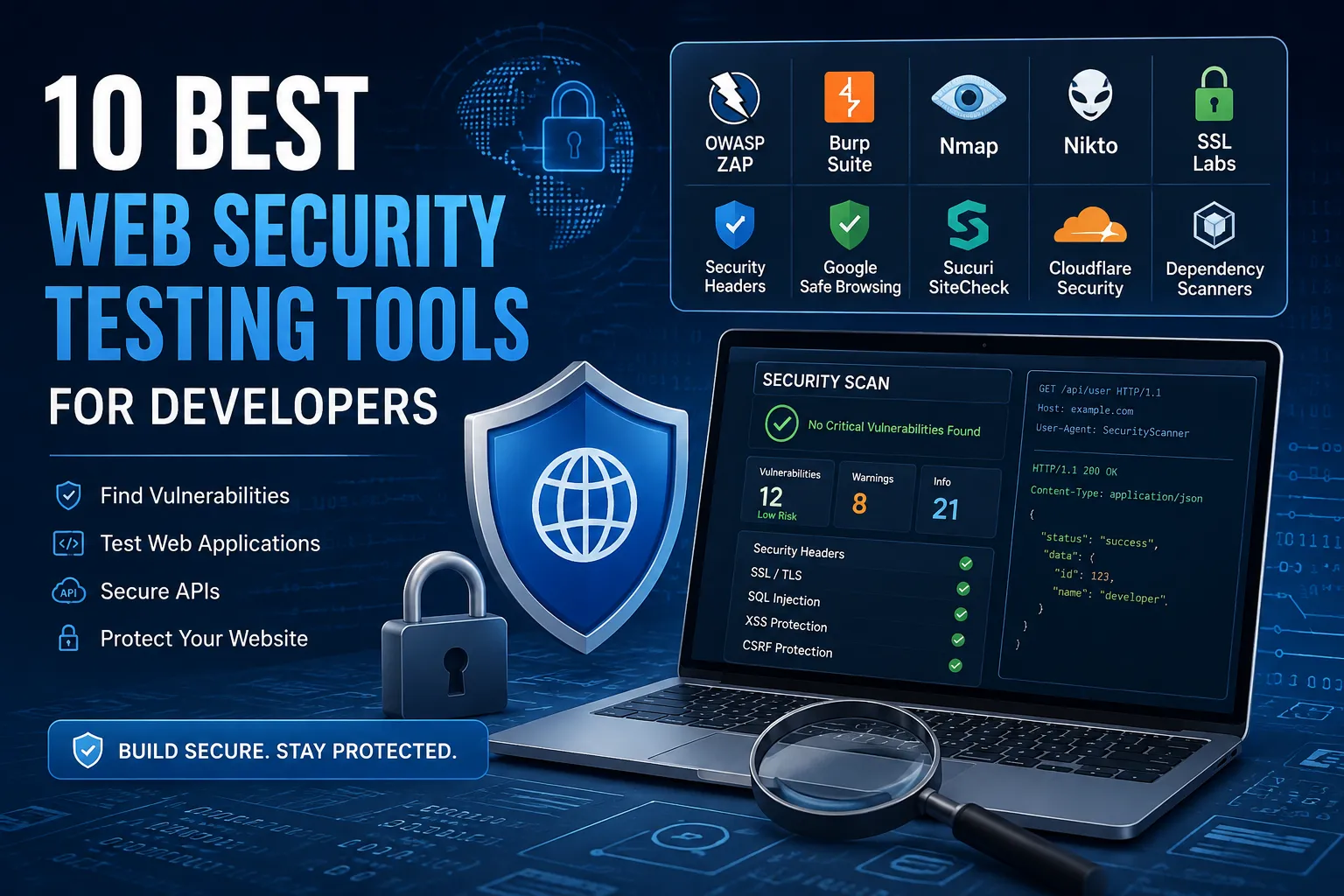
10 Best Web Security Testing Tools for Developers
Modern websites and web applications handle sensitive information such as usernames, passwords, personal data, payment information, business records, and authentication credentials. As applications become more complex, identifying security vulnerabilities before attackers discover them has become an essential part of modern software development.
This is where web security testing tools become useful.
Web security testing tools help developers, security professionals, and website owners identify vulnerabilities, configuration problems, exposed information, insecure headers, outdated components, authentication weaknesses, and other security issues in web applications.
These tools can support security assessments for websites, APIs, web servers, and development environments. However, automated tools are not a replacement for secure coding, manual testing, code review, or professional penetration testing.
In this guide, we will explain what web security testing is, how website security testing works, the 10 best web security testing tools for developers, automated versus manual security testing, how to choose the right tool, and a practical website security testing checklist.
Important: Security testing should only be performed against websites, applications, APIs, and infrastructure that you own or have explicit permission to test.
What Are Web Security Testing Tools?
Web security testing tools are software applications and online services designed to help identify security vulnerabilities, weaknesses, and misconfigurations in websites and web applications.
Depending on the tool, they can help analyze:
-
HTTP requests and responses
-
Security headers
-
HTTPS and TLS configuration
-
Authentication mechanisms
-
Session management
-
Input validation
-
Common web vulnerabilities
-
Server configuration
-
Exposed services
-
Application dependencies
-
Known vulnerabilities
-
Website reputation
-
API security
-
Source code security
Some tools are designed for automated vulnerability scanning, while others provide detailed functionality for manual security testing.
Why Is Web Security Testing Important?
A website can appear to work perfectly while still containing serious security weaknesses.
For example, an application might have:
-
Weak authentication
-
Missing CSRF protection
-
Improper access control
-
Insecure file uploads
-
SQL injection vulnerabilities
-
XSS vulnerabilities
-
Exposed configuration files
-
Outdated dependencies
-
Missing security headers
-
Incorrect server permissions
Security testing helps developers identify these weaknesses before they are exploited.
Regular testing can help:
-
Reduce security risks
-
Protect sensitive information
-
Improve application security
-
Detect configuration mistakes
-
Identify outdated components
-
Support compliance requirements
-
Improve developer awareness
-
Reduce the chance of successful attacks
How Does Website Security Testing Work?
Website security testing usually involves multiple stages.
1. Identify the Application
First understand the system being tested.
Identify:
-
Website domains
-
Web applications
-
APIs
-
Authentication systems
-
Application technologies
-
Third-party services
Testing should remain within the authorized scope.
2. Review the Configuration
Check:
-
HTTPS
-
TLS
-
Security headers
-
Cookies
-
Server configuration
-
Error handling
-
Directory listing
-
Publicly exposed files
3. Identify Potential Vulnerabilities
Automated scanners can help identify common security weaknesses.
Examples include:
-
SQL injection indicators
-
XSS indicators
-
Security misconfigurations
-
Vulnerable components
-
Missing security controls
4. Perform Manual Testing
Automated scanners cannot understand every application workflow.
Manual testing is particularly important for:
-
Access control
-
Business logic
-
Authentication workflows
-
Authorization
-
Session management
-
Complex APIs
5. Validate Findings
Automated scanners can sometimes produce false positives.
Every important finding should be reviewed and validated before being treated as a confirmed vulnerability.
6. Fix and Retest
After vulnerabilities are fixed:
-
Verify the fix.
-
Test the affected functionality.
-
Check for regressions.
-
Repeat security testing where necessary.
10 Best Web Security Testing Tools
There is no single tool that can identify every web security vulnerability.
The following tools serve different purposes and can complement each other.
1. OWASP ZAP
OWASP ZAP, also known as Zed Attack Proxy, is a popular open-source web application security testing tool.
It is widely used by developers, security professionals, and penetration testers for authorized web application assessments.
Useful For
-
Web application security testing
-
HTTP traffic analysis
-
Vulnerability discovery
-
Automated scanning
-
Manual security testing
-
API testing
Why Developers Use It
OWASP ZAP is open source and provides an accessible way for developers to learn about web application security testing.
It can be especially useful during development and security assessment workflows.
2. Burp Suite
Burp Suite is one of the most widely used platforms for professional web application security testing.
It provides tools for inspecting and analyzing HTTP requests and responses.
Useful For
-
Web application testing
-
API testing
-
Authentication testing
-
Session analysis
-
Request inspection
-
Security assessment
Burp Suite is particularly useful when testers need detailed control over application requests during authorized testing.
3. Nmap
Nmap is a network discovery and security auditing tool.
Although it is not exclusively a web security tool, it can help security professionals understand which services and ports are exposed by an authorized system.
Useful For
-
Network discovery
-
Service identification
-
Security auditing
-
Port analysis
-
Infrastructure assessment
Nmap is generally used as part of broader security assessments rather than as a complete web application vulnerability scanner.
4. Nikto
Nikto is an open-source web server scanner designed to identify potentially dangerous files, outdated server software, and common web server configuration problems.
Useful For
-
Web server assessment
-
Configuration checks
-
Outdated software detection
-
Potentially exposed files
-
Server security reviews
Nikto can provide useful initial information, but findings should always be verified.
5. SSL Labs
SSL Labs provides tools for analyzing SSL/TLS configurations.
TLS configuration is an important part of website security because HTTPS protects communication between browsers and servers.
Useful For
-
TLS configuration analysis
-
Certificate validation
-
HTTPS configuration review
-
Encryption assessment
A properly configured HTTPS environment helps protect sensitive information during transmission.
6. SecurityHeaders
Security header analysis tools can help website owners review HTTP response headers.
Common security headers include:
-
Content-Security-Policy
-
Strict-Transport-Security
-
X-Content-Type-Options
-
Referrer-Policy
-
Permissions-Policy
-
X-Frame-Options where appropriate
Why Security Headers Matter
Security headers allow browsers to enforce additional security controls and can reduce the impact of certain classes of attacks.
7. Google Safe Browsing
Google Safe Browsing can help identify websites associated with dangerous content such as malware or phishing.
Website owners should investigate any security warning associated with their domain immediately.
A security reputation check can be particularly useful after a suspected website compromise.
8. Sucuri SiteCheck
Sucuri provides website security services and scanning capabilities.
Website owners can use its services to help identify:
-
Malware indicators
-
Website security issues
-
Suspicious content
-
Website reputation problems
It can be useful as an additional layer of website monitoring and security assessment.
9. Cloudflare Security Tools
Cloudflare provides several security and infrastructure services that can help protect websites.
Its security ecosystem includes:
-
Web Application Firewall
-
DDoS protection
-
Bot management
-
CDN
-
TLS support
-
Traffic filtering
A WAF can help block many known malicious traffic patterns before they reach the application.
However, a WAF should not replace secure coding and vulnerability remediation.
10. Dependency and Code Security Scanners
Modern websites frequently rely on third-party packages and dependencies.
An outdated dependency may contain a known vulnerability even when the application's own code is secure.
Dependency and code security tools can help developers identify:
-
Vulnerable packages
-
Outdated dependencies
-
Known security advisories
-
Insecure coding patterns
-
Dependency risks
For developers, integrating security checks into the development and CI/CD process can help identify issues earlier.
Web Security Testing Tools Comparison
| Tool | Primary Purpose | Best For |
|---|---|---|
| OWASP ZAP | Web application testing | Developers & security testers |
| Burp Suite | Web/API security testing | Professional testing |
| Nmap | Network/service discovery | Infrastructure assessment |
| Nikto | Web server scanning | Server security checks |
| SSL Labs | TLS analysis | HTTPS configuration |
| SecurityHeaders | Header analysis | Security headers |
| Google Safe Browsing | Reputation checking | Malware/phishing detection |
| Sucuri | Website security | Website monitoring |
| Cloudflare | WAF/CDN/DDoS | Website protection |
| Dependency scanners | Package/code security | Developers & CI/CD |
No single tool provides complete security coverage.
Automated vs Manual Web Security Testing
Both automated and manual testing are important.
Automated Security Testing
Automated scanners can quickly check large numbers of pages and common vulnerabilities.
Advantages
-
Fast
-
Repeatable
-
Scalable
-
Useful for continuous testing
-
Good for identifying common issues
Limitations
-
False positives
-
False negatives
-
Limited business-logic understanding
-
Cannot fully understand complex authorization
-
May miss application-specific vulnerabilities
Manual Security Testing
Manual testing allows security professionals to understand how the application actually works.
Manual testing is especially useful for:
-
Access control
-
Business logic
-
Authentication
-
Authorization
-
Session management
-
Complex workflows
-
API behavior
The strongest security programs combine automated scanning with manual review.
How to Choose a Web Security Testing Tool
The best tool depends on what you are trying to test.
For Web Application Testing
Consider:
OWASP ZAP
or
Burp Suite
For Network Discovery
Consider:
Nmap
For Web Server Checks
Consider:
Nikto
For HTTPS/TLS
Consider:
SSL Labs
For Security Headers
Use a dedicated security-header analysis tool.
For Website Reputation
Consider:
Google Safe Browsing
For Website Protection
Consider:
Cloudflare
For Website Malware Monitoring
Consider:
Sucuri
For Developer Dependency Security
Use dependency and software composition analysis tools.
Web Security Testing for Developers
Developers should integrate security testing into the software development lifecycle rather than waiting until production.
A basic workflow can look like:
Development
     ↓
Code Review
     ↓
Automated Security Checks
     ↓
Dependency Scanning
     ↓
Application Testing
     ↓
Security Review
     ↓
Deployment
     ↓
Continuous Monitoring
Security should be treated as part of development rather than a final step before launch.
Web Security Testing for PHP Developers
PHP applications should be tested for common vulnerabilities such as:
-
SQL Injection
-
XSS
-
CSRF
-
Authentication weaknesses
-
Broken access control
-
File upload vulnerabilities
-
Session problems
-
Insecure configuration
-
Exposed error messages
-
Vulnerable dependencies
Developers should also review:
-
PHP version
-
Composer dependencies
-
Framework versions
-
Server configuration
-
File permissions
-
Environment variables
-
Database permissions
Web Security Testing for CodeIgniter Developers
CodeIgniter applications should use the security features provided by the framework where appropriate.
Important areas include:
CSRF Protection
Enable and configure CSRF protection for state-changing requests.
Input Validation
Validate user input on the server.
Database Queries
Use prepared queries or the framework's query builder rather than concatenating untrusted input into SQL.
Output Escaping
Escape user-controlled data before rendering it in HTML or other contexts.
Session Security
Use secure session configuration and regenerate session identifiers after authentication where appropriate.
File Uploads
Restrict file types, sizes, filenames, permissions, and storage locations.
Web Security Testing for Laravel Developers
Laravel developers should review:
-
CSRF protection
-
Authentication
-
Authorization
-
Middleware
-
Validation
-
File uploads
-
Database queries
-
Session handling
-
Dependency vulnerabilities
-
Environment configuration
Laravel's built-in security mechanisms should be configured correctly instead of being replaced with unnecessary custom implementations.
Website Security Testing Checklist
Use this checklist when reviewing a website or web application that you are authorized to test.
-
HTTPS is enabled
-
TLS configuration is reviewed
-
Security headers are reviewed
-
Authentication is tested
-
Authorization is tested
-
CSRF protection is verified
-
Input validation is reviewed
-
Output encoding is reviewed
-
SQL queries use parameterized statements
-
File uploads are restricted
-
Session security is reviewed
-
Passwords are securely hashed
-
MFA is enabled for sensitive accounts
-
Login rate limiting is implemented
-
Dependencies are updated
-
Known vulnerabilities are reviewed
-
Debug mode is disabled in production
-
Sensitive configuration files are protected
-
Error messages do not expose sensitive information
-
Logs are monitored
-
Backups are maintained
-
Security findings are retested after fixes
Common Mistakes When Using Security Testing Tools
Relying on One Scanner
No scanner can identify every vulnerability.
Use multiple security controls and testing methods.
Trusting Every Finding
Automated scanners can generate false positives.
Always validate important findings.
Ignoring False Negatives
A clean scanner report does not prove that an application is completely secure.
Testing Only in Production
Where possible, perform security testing in controlled development or staging environments.
Production testing should follow an approved testing scope.
Ignoring Business Logic
Automated tools may not understand application-specific workflows.
Manual review is important.
Web Security Testing Tools for APIs
Modern applications frequently depend on APIs.
API security testing should review:
-
Authentication
-
Authorization
-
Rate limiting
-
Input validation
-
Error handling
-
Data exposure
-
Token management
-
Access control
-
CORS configuration
-
Request validation
Tools such as Burp Suite and OWASP ZAP can support authorized API security assessments.
Web Security Testing and OWASP
The OWASP Top 10 provides a useful starting point for understanding common web application security risks.
Important areas include:
-
Broken Access Control
-
Cryptographic Failures
-
Injection
-
Insecure Design
-
Security Misconfiguration
-
Vulnerable Components
-
Authentication Failures
-
Software and Data Integrity Failures
-
Logging and Monitoring Failures
-
Server-Side Request Forgery
Security testing tools can help identify some of these problems, but secure design and development practices remain essential.
How Often Should Website Security Be Tested?
Security testing should not be a one-time activity.
Consider testing:
-
Before major releases
-
After significant code changes
-
After dependency updates
-
After infrastructure changes
-
After security incidents
-
During regular security reviews
-
As part of CI/CD
-
Before launching important applications
The exact testing frequency depends on the application's risk, complexity, and environment.
Free vs Paid Web Security Testing Tools
Many useful security tools are available for free or as open-source software.
Free/Open Source Options
-
OWASP ZAP
-
Nmap
-
Nikto
-
Community security scanners
-
Open-source dependency scanners
Commercial Options
Commercial security platforms may provide:
-
Advanced scanning
-
Collaboration
-
Reporting
-
Continuous monitoring
-
Enterprise integrations
-
Professional support
The best choice depends on your security requirements and budget.
Security Testing vs Penetration Testing
These terms are related but not identical.
Security testing can include automated scanning, configuration reviews, vulnerability assessments, code analysis, and other checks.
Penetration testing is a more structured security assessment where authorized testers attempt to identify and validate exploitable weaknesses within a defined scope.
A vulnerability scanner may identify a potential issue, while a penetration test can provide deeper analysis of how vulnerabilities affect the application.
Web Security Testing Best Practices
Follow these principles:
-
Test only systems you own or are authorized to assess.
-
Define the testing scope before starting.
-
Use development or staging environments when possible.
-
Combine automated and manual testing.
-
Validate important findings.
-
Prioritize vulnerabilities based on risk.
-
Fix vulnerabilities rather than simply hiding scanner results.
-
Retest after remediation.
-
Keep dependencies updated.
-
Monitor applications continuously.
-
Protect sensitive testing data.
-
Maintain security documentation.
Frequently Asked Questions
What are web security testing tools?
Web security testing tools are software applications and services used to identify vulnerabilities, security weaknesses, and configuration problems in websites, web applications, APIs, and servers.
What is the best web security testing tool?
There is no single best tool for every situation. OWASP ZAP and Burp Suite are widely used for web application security testing, while tools such as Nmap, Nikto, SSL Labs, and dependency scanners serve different purposes.
Which web security testing tool is best for beginners?
OWASP ZAP is a useful starting point because it is open source and designed to support learning and authorized web application security testing.
What is the best website security testing tool?
The answer depends on the type of testing. Website owners may use different tools for application vulnerabilities, HTTPS, security headers, malware detection, server configuration, and dependency security.
Are web security testing tools free?
Several powerful tools are free or open source, including OWASP ZAP, Nmap, and Nikto. Commercial tools may provide additional features, reporting, support, and enterprise functionality.
Can web security testing tools find every vulnerability?
No. Automated tools cannot detect every security problem. Business logic, authorization, complex workflows, and application-specific vulnerabilities often require manual testing and code review.
How do I test my website security?
Start by reviewing HTTPS, TLS, security headers, authentication, authorization, CSRF protection, input validation, file uploads, dependencies, server configuration, and logs. Authorized vulnerability scanners can provide additional coverage.
Can developers use web security testing tools?
Yes. Developers can use security testing tools during development and staging to identify vulnerabilities before applications reach production.
Are web security testing tools safe?
Security testing tools are legitimate security technologies, but they should only be used against systems you own or have explicit permission to test.
What is the difference between a vulnerability scanner and a penetration test?
A vulnerability scanner primarily identifies potential weaknesses automatically. A penetration test is a broader authorized security assessment involving deeper analysis and validation of vulnerabilities.
Final Thoughts
Web security testing is an essential part of modern website and application development.
Tools such as OWASP ZAP, Burp Suite, Nmap, Nikto, SSL Labs, security-header analyzers, Google Safe Browsing, Sucuri, Cloudflare, and dependency security scanners can help developers and website owners identify different types of security weaknesses.
However, no single tool can guarantee that a website is secure.
The strongest approach combines automated scanning, manual security testing, secure coding, dependency management, authentication and authorization controls, monitoring, regular updates, and continuous security reviews.
For developers, security testing should become part of the development lifecycle rather than something performed only after an incident occurs.
Whether you are building a PHP application, CodeIgniter project, Laravel application, WordPress website, SaaS platform, API, or eCommerce store, regular security testing can help identify problems earlier and reduce the risk of serious security incidents.
Use security testing tools as one layer of a broader security strategy—not as a substitute for secure development.TT
Related Web Security Article
Learn more about the fundamentals of website security, common cyber attacks, and protection methods in our detailed guide:
What Is Web Security? Common Web Attacks and Protection Methods Explained
CSRF Attack Explained with Examples
CSRF is another important web application vulnerability that developers should understand when testing authentication and state-changing requests. Learn more about CSRF attacks, examples, and prevention methods in our detailed guide.
Your email address will not be published. Comments are moderated.
0 Comments on This Post
Leave a Reply
Comments (0)
Spread the Word!
Join Our Developer Community!
Get weekly coding tips, tool updates, and exclusive tutorials straight to your inbox.
Request a Tool
×