Secure Login System in PHP (Best Practices)
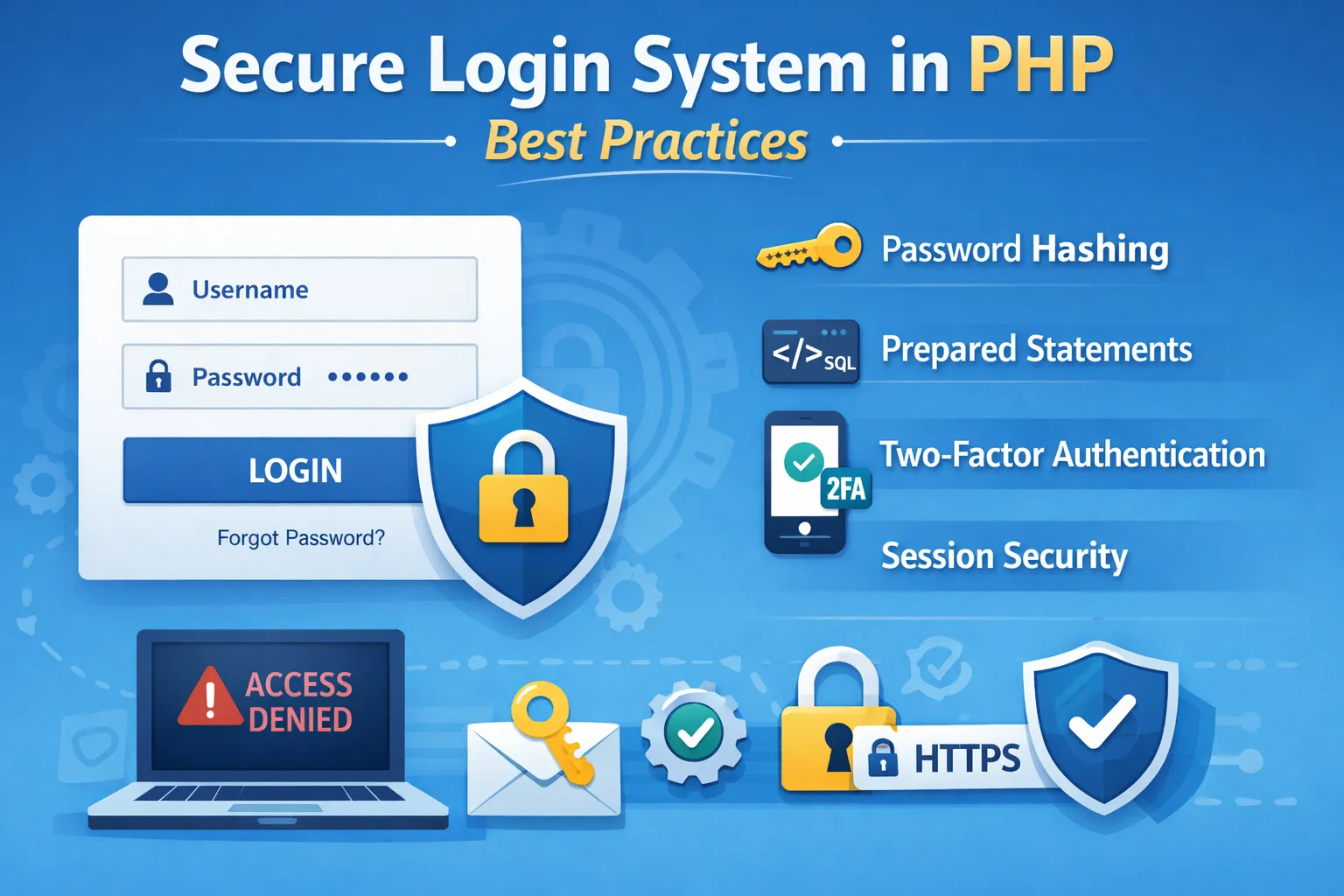
Every web application starts with one of the most important features—a login system. Whether you're building a personal blog, an e-commerce store, a CRM, a school management system, a SaaS platform, or an enterprise application, authentication is the gateway that protects your users and your business.
A login system is much more than a form asking for an email and password. It is the first line of defense against cybercriminals attempting to steal sensitive information, compromise user accounts, or gain unauthorized access to your application.
Unfortunately, many PHP applications are still built using outdated authentication methods such as storing passwords in plain text, using weak hashing algorithms like MD5, executing raw SQL queries, or failing to implement session security. These poor practices make applications easy targets for attacks such as SQL Injection, Brute Force, Session Hijacking, Cross-Site Scripting (XSS), and Credential Stuffing.
According to industry security reports, compromised login credentials remain one of the leading causes of data breaches worldwide. Attackers continuously scan websites looking for weak authentication systems because once they gain access to a user account—especially an administrator account—they can often control the entire application.
Modern PHP provides powerful security features that make it possible to build highly secure authentication systems. Functions like password_hash() and password_verify(), along with prepared statements, secure session handling, CSRF protection, HTTPS, and multi-factor authentication, allow developers to protect applications against the most common threats.
In this comprehensive guide, you'll learn how to build a production-ready login system using modern PHP security practices and OWASP recommendations. Whether you're a beginner learning PHP or an experienced developer maintaining enterprise applications, these techniques will help you create authentication systems that are secure, scalable, and future-proof.
By the end of this guide, you'll understand not only how to implement secure authentication but also why each security measure is essential in today's threat landscape.
Why Login Security Matters
Your login page is the main entrance to your application. If an attacker successfully bypasses authentication, they may gain access to everything your users and administrators can access.
A secure login system protects both your application and the sensitive information entrusted to it by your users.
Poor authentication can lead to:
- Account takeovers
- Identity theft
- Data breaches
- Financial fraud
- Unauthorized administrative access
- Website defacement
- Malware installation
- Loss of customer trust
- Regulatory penalties
- Revenue loss
Even a small vulnerability can become a major security incident if exploited by attackers.
Real-World Example
Imagine you own an e-commerce website with 50,000 registered customers.
Your login system stores passwords using MD5 instead of modern password hashing.
An attacker gains access to your database.
Because MD5 hashes are fast and outdated, the attacker can crack thousands of passwords using publicly available tools within hours.
As a result:
- Customer accounts are compromised.
- Payment information may be exposed.
- Users lose confidence in your brand.
- Your business suffers financial and reputational damage.
Had the passwords been stored using bcrypt or Argon2id, recovering them would have been dramatically more difficult.
Why Secure Authentication Matters for Every Website
Many developers believe security only matters for banking websites or large companies.
This is incorrect.
Every website should implement strong authentication, including:
- Personal blogs with admin panels
- School management systems
- Hospital portals
- CRM applications
- HR management software
- Online stores
- SaaS platforms
- Membership websites
- Forums
- Government portals
If users can log in, your application needs strong authentication.
Authentication vs Authorization
These two terms are often confused, but they serve different purposes.
Authentication
Authentication answers one question:
"Who are you?"
It verifies the identity of the user attempting to log in.
Examples include:
- Email and password
- Username and password
- OTP verification
- Biometric authentication
- Two-Factor Authentication (2FA)
- Passkeys
If authentication succeeds, the user proves their identity.
Authorization
Authorization answers a different question:
"What are you allowed to do?"
Once a user is authenticated, the application determines which resources and actions they can access.
Example
A school management system may have:
Student
- View profile
- Download results
- Update personal information
Teacher
- Upload assignments
- Enter grades
- View student records
Administrator
- Manage users
- Delete records
- Configure settings
- Access reports
All three users are authenticated, but each has different permissions.
Authentication Flow
A secure login process typically follows these steps:
User
↓
Login Form
↓
Input Validation
↓
Prepared SQL Query
↓
User Found?
↓
Password Verification
↓
Session Regeneration
↓
Authentication Success
↓
Role Verification
↓
Dashboard
Every step in this flow contributes to the overall security of your application.
Common Login System Vulnerabilities
Before learning how to secure a login system, it's important to understand how attackers exploit weak implementations.
1. Plain Text Password Storage
This is one of the most dangerous mistakes.
Example:
password = "123456"
If the database is leaked, every user's password is immediately exposed.
Never store passwords in plain text.
Instead, always use modern password hashing algorithms.
2. Weak Password Hashing
Many legacy PHP applications still use algorithms such as:
- MD5
- SHA1
Example:
$password = md5($_POST['password']);
Although these functions generate hashes, they are no longer considered secure because they are extremely fast and vulnerable to brute-force attacks.
Modern applications should use:
password_hash()password_verify()- Argon2id
- Bcrypt
3. SQL Injection
SQL Injection occurs when user input is inserted directly into SQL queries.
Unsafe example:
SELECT * FROM users
WHERE email='$email'
AND password='$password'
Attackers can manipulate the query and bypass authentication.
Prepared statements eliminate this risk and should always be used.
4. Brute Force Attacks
Attackers use automated tools to try thousands or even millions of password combinations until they find the correct one.
Without protection, even strong applications can be overwhelmed by repeated login attempts.
5. Credential Stuffing
Many users reuse the same password across multiple websites.
Attackers obtain leaked credentials from one website and automatically test them against thousands of other websites.
Even if your application has never been breached, reused passwords can still compromise user accounts.
6. Session Hijacking
After login, PHP creates a session ID to identify the user.
If an attacker steals that session ID, they may gain access without knowing the user's password.
Proper session management helps prevent this attack.
7. Session Fixation
In a session fixation attack, an attacker tricks a user into logging in using a session ID chosen by the attacker.
If the application doesn't regenerate the session after login, the attacker can reuse that session ID.
Regenerating the session immediately after successful authentication prevents this issue.
8. Cross-Site Scripting (XSS)
An XSS vulnerability allows attackers to inject malicious JavaScript into your website.
If successful, attackers may:
- Steal session cookies
- Redirect users
- Modify page content
- Capture keystrokes
Proper input validation and output escaping are essential defenses.
9. Cross-Site Request Forgery (CSRF)
CSRF tricks authenticated users into performing actions they never intended.
Examples include:
- Changing passwords
- Updating email addresses
- Transferring funds
- Deleting records
CSRF tokens help verify that requests originate from legitimate users.
10. Weak Session Cookies
If session cookies are not configured securely, attackers may steal or manipulate them.
Important cookie settings include:
- HttpOnly
- Secure
- SameSite
These attributes significantly improve session security.
OWASP Top Security Risks Related to Login Systems
The OWASP Top 10 identifies the most critical security risks affecting web applications. Several of these are directly related to authentication systems.
| OWASP Risk | Impact on Login Systems |
|---|---|
| Broken Access Control | Users access unauthorized resources |
| Cryptographic Failures | Weak or missing password protection |
| Injection | SQL Injection bypasses authentication |
| Security Misconfiguration | Default settings expose vulnerabilities |
| Vulnerable Components | Outdated libraries introduce security risks |
| Identification & Authentication Failures | Weak login implementation allows account compromise |
Following OWASP recommendations helps reduce the likelihood of these vulnerabilities.
Password Security, SQL Injection Prevention, Input Validation & Strong Password Policies
1. Never Store Passwords in Plain Text
One of the biggest mistakes developers make is saving user passwords exactly as entered.
Example (Wrong)
$password = $_POST['password'];
mysqli_query($conn,"INSERT INTO users(password) VALUES('$password')");
If your database is leaked, every user's password becomes immediately visible.
Example database:
| Password | |
|---|---|
| john@gmail.com | john123 |
| admin@gmail.com | admin123 |
An attacker doesn't need to crack anything—they already have the passwords.
Why Plain Text Passwords Are Dangerous
A database breach can lead to:
- Account takeovers
- Identity theft
- Credential stuffing attacks
- Financial fraud
- Business reputation damage
Since many people reuse passwords across multiple websites, a single leak can compromise accounts on other platforms as well.
2. Always Use Password Hashing
Instead of storing passwords directly, convert them into a secure hash.
PHP provides the built-in password_hash() function, which automatically generates a strong hash using modern algorithms.
Registration Example
$password = $_POST['password'];
$hash = password_hash($password, PASSWORD_DEFAULT);
mysqli_query($conn,
"INSERT INTO users(email,password)
VALUES('$email','$hash')");
Your database now stores something like:
$2y$12$3FJ8sKjfh34jHh72K....
Even if someone steals the database, they cannot easily recover the original password.
3. Verify Passwords Correctly
Never compare passwords directly.
Wrong:
if($password == $row['password']){
    // Login
}
Correct:
if(password_verify($password,$row['password'])){
    echo "Login Successful";
}else{
    echo "Invalid Password";
}
The password_verify() function compares the entered password with the stored hash securely.
4. Bcrypt vs Argon2id
PHP supports multiple password hashing algorithms.
| Algorithm | Recommended | Security | Performance |
|---|---|---|---|
| MD5 | ❌ No | Very Weak | Very Fast |
| SHA1 | ❌ No | Weak | Fast |
| SHA256 | ⚠️ Limited | Medium | Fast |
| Bcrypt | ✅ Yes | Strong | Moderate |
| Argon2id | ⭐ Best | Excellent | Moderate |
Bcrypt
- Secure
- Widely supported
- Easy to implement
Argon2id
- Winner of the Password Hashing Competition
- Better resistance against GPU attacks
- Recommended for modern applications
Using PASSWORD_DEFAULT automatically selects PHP's recommended algorithm.
5. Why MD5 and SHA1 Should Never Be Used
Many old tutorials still recommend:
$password = md5($_POST['password']);
or
$password = sha1($_POST['password']);
These algorithms are no longer secure because:
- Extremely fast
- Easy to crack using GPUs
- Vulnerable to rainbow tables
- No built-in salt
Modern PHP applications should avoid them completely.
6. Prevent SQL Injection Using Prepared Statements
SQL Injection remains one of the most common web application vulnerabilities.
Unsafe example:
$sql="SELECT *
FROM users
WHERE email='$email'
AND password='$password'";
An attacker may enter:
' OR 1=1 --
The SQL query becomes:
SELECT *
FROM users
WHERE email=''
OR 1=1
The attacker may gain unauthorized access.
Secure Version
Always use prepared statements.
$stmt = $conn->prepare(
"SELECT id,name,password
FROM users
WHERE email=?"
);
$stmt->bind_param("s",$email);
$stmt->execute();
$result = $stmt->get_result();
Prepared statements separate SQL logic from user input, preventing SQL Injection attacks.
7. Validate User Input
Never trust data submitted by users.
Users may accidentally—or intentionally—submit invalid or malicious input.
Always validate:
- Email addresses
- Password length
- Username format
- Phone numbers
- Required fields
Email Validation
if(!filter_var($email,FILTER_VALIDATE_EMAIL)){
    die("Invalid Email");
}
Password Validation
Example rules:
- Minimum 12 characters
- Maximum 128 characters
- One uppercase letter
- One lowercase letter
- One number
- One special character
Example:
DailyCodeTools@2026
Weak example:
123456
Username Validation
Only allow:
- Letters
- Numbers
- Underscores
Reject:
<script>alert(1)</script>
Input validation reduces the risk of XSS and other attacks.
8. Sanitize User Input
Validation checks whether input is acceptable.
Sanitization removes unwanted characters before processing or displaying data.
Example:
$name = htmlspecialchars(
trim($_POST['name'])
);
This helps prevent malicious HTML and JavaScript from being executed.
9. Enforce Strong Password Policies
Weak passwords are easy to guess.
Require users to create passwords that are difficult to crack.
Recommended policy:
- Minimum 12 characters
- Uppercase letter
- Lowercase letter
- Number
- Special character
- No common dictionary words
- No personal information
Examples
Weak Passwords
123456
password
qwerty
admin
india123
Strong Passwords
DailyCode@2026
MySecure#Login88
PHP_Auth$Guide2026
10. Prevent Duplicate Accounts
Before creating a new account, verify that the email address isn't already registered.
SELECT id
FROM users
WHERE email=?
This improves both security and user experience.
11. Secure Registration Workflow
A professional registration system should follow this flow:
User
↓
Registration Form
↓
Input Validation
↓
Email Validation
↓
Password Validation
↓
Password Hashing
↓
Prepared Statement
↓
Database
↓
Verification Email
↓
Account Activated
Every step contributes to a safer registration process.
Best Registration Practices
During registration:
- Hash every password.
- Validate all inputs.
- Check for duplicate emails.
- Verify email ownership.
- Log registration events.
- Record IP address (where appropriate and in compliance with privacy laws).
- Use HTTPS.
Common Password Mistakes Developers Make
Avoid these mistakes:
❌ Saving plain text passwords
❌ Using MD5
❌ Using SHA1
❌ Comparing passwords directly
❌ Weak password requirements
❌ No email validation
❌ Raw SQL queries
❌ Trusting user input
❌ No HTTPS
❌ Displaying detailed login errors like "Email exists but password is wrong," which can help attackers enumerate accounts.
Security Checklist
Before moving to the next stage, ensure your authentication system includes:
- ✅ Password Hashing
- ✅
password_verify() - ✅ Prepared Statements
- ✅ Email Validation
- ✅ Password Validation
- ✅ Input Sanitization
- ✅ Duplicate Email Check
- ✅ Secure Registration Workflow
- ✅ HTTPS Enabled
Session Security, CSRF Protection, Secure Cookies, Login Rate Limiting & CAPTCHA
12. Secure Session Management
After a user successfully logs in, PHP creates a session to remember the user's identity across multiple pages.
Instead of asking users to log in on every request, PHP stores a unique Session ID.
Example:
User Login
↓
Authentication Successful
↓
PHP Creates Session
↓
Session ID Stored in Cookie
↓
User Accesses Dashboard
Without secure session management, attackers may hijack active user sessions.
Why Sessions Need Protection
If someone steals a session ID, they may gain access without knowing the user's password.
The attacker essentially impersonates the logged-in user.
Possible consequences include:
- Accessing personal information
- Changing account settings
- Deleting records
- Viewing confidential data
- Performing admin actions
Start Sessions Properly
Always begin protected pages with:
session_start();
Avoid starting multiple sessions on the same request.
13. Regenerate Session ID After Login
One of the most effective security measures is regenerating the session ID immediately after successful authentication.
session_start();
session_regenerate_id(true);
$_SESSION['user_id'] = $user['id'];
$_SESSION['email']   = $user['email'];
Why?
This prevents Session Fixation Attacks.
Without regeneration:
Attacker Creates Session
↓
Victim Logs In
↓
Attacker Reuses Same Session
With regeneration:
Login Successful
↓
Old Session Destroyed
↓
New Random Session Created
The attack fails because the previous session ID becomes invalid.
14. Session Hijacking Prevention
Session Hijacking occurs when attackers steal a valid session ID.
Common methods include:
- XSS attacks
- Malware
- Public Wi-Fi interception
- Browser vulnerabilities
- Stolen cookies
Reduce the Risk
Store additional information in the session.
Example:
$_SESSION['ip'] = $_SERVER['REMOTE_ADDR'];
$_SESSION['user_agent'] = $_SERVER['HTTP_USER_AGENT'];
Verify these values on every request.
if(
$_SESSION['user_agent']
!=
$_SERVER['HTTP_USER_AGENT']
){
session_destroy();
exit("Session Invalid");
}
If the browser changes unexpectedly, force the user to log in again.
15. Configure Secure Session Cookies
PHP stores the Session ID inside a browser cookie.
Configure that cookie securely.
session_set_cookie_params([
'lifetime' => 0,
'path' => '/',
'secure' => true,
'httponly' => true,
'samesite' => 'Strict'
]);
What Each Setting Does
Secure
'secure' => true
Cookie is sent only over HTTPS.
HttpOnly
'httponly' => true
JavaScript cannot access the cookie.
Helps prevent cookie theft through XSS.
SameSite
'samesite' => 'Strict'
Protects against Cross-Site Request Forgery (CSRF).
16. Set Session Timeout
Users should not remain logged in forever.
Store the last activity time.
$_SESSION['last_activity'] = time();
Check inactivity.
if(
time()
-
$_SESSION['last_activity']
>

1800
){
session_destroy();
}
Example:
30 minutes of inactivity
↓
Automatic logout
This reduces risk if a user leaves their computer unattended.
17. Implement CSRF Protection
CSRF (Cross-Site Request Forgery) tricks authenticated users into performing actions they never intended.
Example:
A logged-in administrator visits a malicious website.
That website secretly submits:
Delete User
↓
Change Password
↓
Transfer Money
↓
Delete Database
Without CSRF protection, these requests may succeed.
CSRF Token
Generate a random token.
$_SESSION['csrf']=bin2hex(random_bytes(32));
Add it to the form.
<input
type="hidden"
name="csrf"
value="<?= $_SESSION['csrf']; ?>">
Verify before processing.
if(
$_POST['csrf']
!==
$_SESSION['csrf']
){
die("Invalid Request");
}
This ensures the request originated from your application.
18. Secure "Remember Me" Feature
Many websites allow users to stay logged in.
Never store:
Email
Password
inside cookies.
Instead:
Generate
↓
Random Token
↓
Save Token Hash in Database
↓
Store Token in Secure Cookie
↓
Verify on Next Login
Rotate the token after every successful login to reduce replay attacks.
19. Login Attempt Limiting
Attackers often use automated software to guess passwords.
Example:
123456
password
admin123
qwerty
welcome123
Thousands of attempts may be made within minutes.
Protect Against Brute Force
Example policy:
- Maximum 5 failed attempts
- Lock account for 15–30 minutes
- Notify the user by email
- Require CAPTCHA after repeated failures
Example Flow
Login Attempt
↓
Wrong Password
↓
Counter +1
↓
5 Attempts Reached
↓
Account Locked
↓
Try Again After 30 Minutes
20. Add CAPTCHA
Bots can submit thousands of login attempts automatically.
CAPTCHA helps distinguish humans from automated scripts.
Popular options include:
- Google reCAPTCHA v3
- Cloudflare Turnstile
- hCaptcha
Enable CAPTCHA after multiple failed login attempts rather than showing it immediately, to maintain a good user experience.
21. Secure Logout
Logging out should completely destroy the user's session.
session_start();
$_SESSION = [];
session_destroy();
setcookie(
session_name(),
'',
time()-3600,
'/'
);

header("Location: login.php");

exit;
This ensures the session cannot be reused.
22. Protect Against Session Replay
Store additional session metadata.
Example:
$_SESSION['login_time']
=
time();
$_SESSION['last_ip']
=
$_SERVER['REMOTE_ADDR'];
If unusual activity is detected, require the user to authenticate again.
Login Security Workflow
User
↓
Login Form
↓
Input Validation
↓
Prepared Statement
↓
Password Verify
↓
Session Regenerate
↓
Generate CSRF Token
↓
Secure Cookie
↓
Dashboard
Every layer adds another level of protection.
Common Session Security Mistakes
Avoid these practices:
❌ Not regenerating session IDs
❌ Leaving sessions active indefinitely
❌ Using HTTP instead of HTTPS
❌ Storing passwords in cookies
❌ Disabling HttpOnly
❌ Missing SameSite cookies
❌ Not validating CSRF tokens
❌ Allowing unlimited login attempts
❌ No logout functionality
❌ Ignoring suspicious login behavior
Security Checklist
Before deploying your authentication system:
- ✅ Session Regeneration
- ✅ Secure Cookies
- ✅ HttpOnly Enabled
- ✅ SameSite Enabled
- ✅ HTTPS Enabled
- ✅ Session Timeout
- ✅ CSRF Protection
- ✅ Login Attempt Limiting
- ✅ CAPTCHA Integration
- ✅ Secure Logout
- ✅ Session Validation
Two-Factor Authentication (2FA), Password Reset, Security Headers, CodeIgniter 4 Best Practices, Production Checklist & Conclusion
23. Implement Two-Factor Authentication (2FA)
Passwords alone are no longer enough to secure user accounts. If an attacker obtains a user's password through phishing, malware, or a data breach, they can log in without any additional barriers.
Two-Factor Authentication (2FA) adds an extra verification step after the password is entered.
How 2FA Works
User
↓
Enter Email & Password
↓
Password Verified
↓
Enter OTP / Authenticator Code
↓
Verification Successful
↓
Dashboard
Common Types of 2FA
1. Email OTP
The application sends a one-time code to the user's registered email address.
Example:
Your verification code is:583921
2. SMS OTP
A verification code is sent to the user's mobile phone.
Best for:
- Banking
- Financial services
- Government portals
3. Authenticator Apps
Recommended apps:
- Google Authenticator
- Microsoft Authenticator
- Authy
Advantages:
- More secure than SMS
- Works offline
- Resistant to SIM swap attacks
24. Secure Email Verification
After registration, users should verify ownership of their email address.
Registration Flow
User Registers
↓
Verification Email Sent
↓
User Clicks Verification Link
↓
Account Activated
Benefits:
- Prevents fake accounts
- Reduces spam registrations
- Confirms email ownership
- Improves account recovery
25. Build a Secure Password Reset System
Never email a user's existing password.
Instead, generate a secure, random reset token.
Password Reset Flow
Forgot Password
↓
Enter Email
↓
Generate Random Token
↓
Save Token in Database
↓
Send Reset Link
↓
Verify Token
↓
Create New Password
↓
Delete Token
Token Best Practices
- Use
random_bytes()to generate tokens. - Store a hashed version of the token in the database.
- Set an expiration time (e.g., 30–60 minutes).
- Allow one-time use only.
- Invalidate all previous reset tokens after a successful password change.
26. Monitor Login Devices
Track basic information about login sessions to help detect suspicious activity.
Useful details include:
- Browser
- Operating System
- Device Type
- Login Time
- IP Address (where appropriate and compliant with privacy laws)
- Country or Region (if applicable)
If a login occurs from a new device, notify the user and consider requesting additional verification.
27. Login Notifications
Send an email notification whenever a new login is detected.
Example:
New Login Detected
Time:
14 July 2026
Browser:
Chrome
Device:
Windows Laptop

If this wasn't you, please change your password immediately.
These alerts help users respond quickly to unauthorized access.
28. Maintain Audit Logs
Every important authentication event should be recorded.
Examples include:
- Successful login
- Failed login
- Password change
- Password reset request
- Email verification
- Account lockout
- Two-factor authentication enabled or disabled
- Logout
Example database table:
| Event | User | Time |
|---|---|---|
| Login Success | john@example.com | 10:30 AM |
| Failed Login | admin@example.com | 11:15 AM |
| Password Changed | user@example.com | 2:05 PM |
Audit logs assist with troubleshooting and security investigations.
29. Add HTTP Security Headers
HTTP response headers provide an additional layer of browser-based protection.
Content Security Policy (CSP)
Limits which resources the browser is allowed to load, helping prevent Cross-Site Scripting (XSS).
Strict-Transport-Security (HSTS)
Forces browsers to always use HTTPS for future visits.
X-Frame-Options
Protects against Clickjacking attacks by preventing your pages from being embedded in iframes on other websites.
X-Content-Type-Options
Stops browsers from guessing incorrect MIME types, reducing certain attack vectors.
Referrer-Policy
Controls how much referral information is shared when users navigate away from your site.
Permissions-Policy
Restricts access to browser features such as:
- Camera
- Microphone
- Geolocation
- Clipboard
- Fullscreen
Only enable features your application actually requires.
30. Use HTTPS Everywhere
A secure login system should never operate over HTTP.
HTTPS protects:
- Passwords
- Session cookies
- Authentication tokens
- Personal information
- API requests
Always redirect HTTP traffic to HTTPS and keep your SSL/TLS certificate valid.
31. CodeIgniter 4 Security Best Practices
If you're developing with CodeIgniter 4, many useful security features are available out of the box.
Validation Library
Validate all user input before processing it.
CSRF Protection
Enable CSRF protection in your application configuration to secure forms and state-changing requests.
Query Builder
Prefer Query Builder or prepared statements over raw SQL to reduce SQL Injection risks.
Session Library
Use CodeIgniter's session handling for secure authentication and session management.
Filters
Protect authenticated routes with filters so unauthenticated users cannot access restricted pages.
Encryption Service
Use the Encryption service for sensitive application data where encryption is required.
Throttler
Use request throttling to limit repeated login attempts and reduce brute-force attacks.
32. Common Authentication Mistakes
Avoid these mistakes in production applications:
❌ Plain text passwords
❌ MD5 or SHA1 hashing
❌ Raw SQL queries
❌ Missing CSRF protection
❌ Unlimited login attempts
❌ Session IDs not regenerated
❌ Passwords stored in cookies
❌ No HTTPS
❌ Weak password policy
❌ No audit logging
❌ No email verification
❌ No two-factor authentication for privileged accounts
Production Security Checklist
Before launching your application, verify the following:
- ✅ HTTPS enabled
- ✅ Strong password hashing (
password_hash()) - ✅ Password verification (
password_verify()) - ✅ Prepared statements or Query Builder
- ✅ Input validation
- ✅ Output escaping
- ✅ CSRF protection
- ✅ Session regeneration after login
- ✅ Secure cookies (
HttpOnly,Secure,SameSite) - ✅ Session timeout
- ✅ Login rate limiting
- ✅ CAPTCHA after repeated failures
- ✅ Email verification
- ✅ Secure password reset flow
- ✅ Two-Factor Authentication (recommended)
- ✅ HTTP security headers
- ✅ Audit logging
- ✅ Regular backups
- ✅ Software updates
- ✅ Dependency monitoring
- ✅ Periodic security testing
Frequently Asked Questions (FAQs)
Is password_hash() better than MD5?
Yes. password_hash() uses modern algorithms such as Bcrypt or Argon2 and is specifically designed for password storage. MD5 is considered insecure and should not be used for passwords.
What is the safest password hashing algorithm in PHP?
Argon2id is currently one of the strongest password hashing algorithms supported by PHP. If it's unavailable, Bcrypt is also an excellent choice.
Should I use prepared statements for every query?
Prepared statements should be used whenever user input is included in SQL queries. They are one of the most effective defenses against SQL Injection.
Is HTTPS mandatory?
Yes. Authentication pages should always use HTTPS to protect passwords, cookies, and session tokens during transmission.
How many failed login attempts should be allowed?
A common approach is to allow 3–5 failed attempts before temporarily locking the account or requiring additional verification such as CAPTCHA.
Is Two-Factor Authentication necessary?
For applications handling sensitive information or administrative access, 2FA is strongly recommended. It significantly reduces the risk of unauthorized access, even if passwords are compromised.
Final Thoughts
A secure login system is one of the most important components of any web application. It protects user accounts, safeguards sensitive information, and helps maintain trust in your platform.
Modern authentication goes far beyond checking a username and password. A production-ready system combines secure password hashing, prepared statements, input validation, protected sessions, CSRF defenses, secure cookies, HTTPS, login monitoring, and, where appropriate, Two-Factor Authentication.
Security is an ongoing process rather than a one-time implementation. Regular software updates, security audits, penetration testing, dependency management, and continuous monitoring are essential to keeping your application resilient against evolving threats.
Whether you're building a small PHP website or a large-scale enterprise platform with CodeIgniter 4, following the practices outlined in this guide will help you create a secure, maintainable, and future-ready authentication system that aligns with modern web security standards.
Your email address will not be published. Comments are moderated.
0 Comments on This Post
Leave a Reply
Comments (0)
Spread the Word!
Join Our Developer Community!
Get weekly coding tips, tool updates, and exclusive tutorials straight to your inbox.
Request a Tool
×