XSS Attack Explained: Prevention & Fix Guide
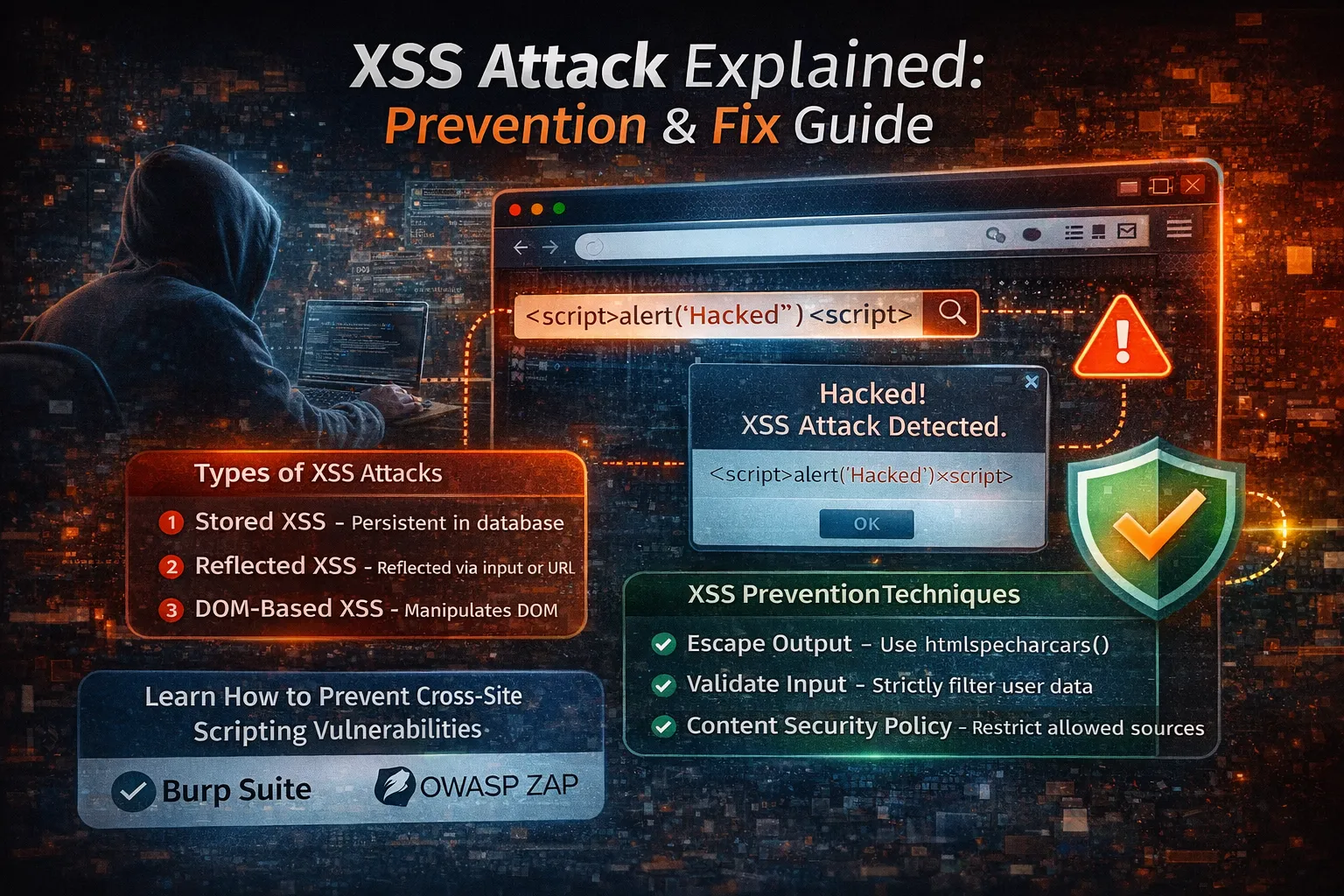
As the internet continues to evolve, web applications have become an essential part of our daily lives. We use websites for banking, shopping, education, healthcare, entertainment, and business management. While these applications offer incredible convenience, they have also become attractive targets for cybercriminals.
One of the oldest yet most dangerous web security vulnerabilities is Cross-Site Scripting (XSS).
Despite being discovered more than two decades ago, XSS remains one of the most frequently reported vulnerabilities in web applications. Security researchers continue to find XSS flaws in blogs, e-commerce websites, social media platforms, Content Management Systems (CMS), SaaS applications, government portals, and even large enterprise software.
The reason is simple: many developers still display user input without properly validating or encoding it.
An attacker can exploit this weakness to inject malicious JavaScript code into a webpage. When another user visits that page, the malicious script executes inside their browser as if it were part of the legitimate website.
Unlike server-side attacks, XSS targets the browser, allowing attackers to steal session cookies, hijack accounts, modify website content, redirect users to phishing websites, or perform actions on behalf of authenticated users.
Fortunately, XSS is also one of the most preventable vulnerabilities. By following secure coding practices such as output encoding, input validation, Content Security Policy (CSP), and secure session management, developers can effectively defend their applications.
In this comprehensive guide, you'll learn everything you need to know about Cross-Site Scripting—from understanding how it works to implementing modern prevention techniques recommended by OWASP and security experts.
What is XSS (Cross-Site Scripting)?
Cross-Site Scripting (XSS) is a web security vulnerability that allows attackers to inject malicious client-side scripts—usually JavaScript—into web pages viewed by other users.
When the vulnerable page is loaded, the browser executes the injected script because it believes the code belongs to the trusted website.
Instead of attacking the web server directly, XSS exploits the trust between a user's browser and the website.
Simple Definition
Cross-Site Scripting (XSS) is a vulnerability where an attacker injects malicious JavaScript into a trusted website, causing that code to execute in another user's browser.
Why is it Called "Cross-Site Scripting"?
Originally, attackers used these vulnerabilities to load scripts from external websites into trusted applications, hence the name Cross-Site Scripting.
Today, XSS includes many techniques beyond loading scripts from another site, but the original name has remained.
Why XSS is Dangerous
Many beginners underestimate XSS because it doesn't directly hack the server.
In reality, XSS can be devastating because browsers automatically trust scripts served by legitimate websites.
If attackers successfully inject JavaScript, they may be able to:
- Steal authentication cookies
- Hijack logged-in user sessions
- Capture usernames and passwords
- Redirect users to fake websites
- Modify website content
- Display fake login forms
- Install malicious browser scripts
- Perform actions using the victim's account
- Access sensitive user information
- Damage a company's reputation
For administrators, the consequences can be even more severe. If an administrator executes a malicious script, attackers may gain control over the entire application.
Why XSS Still Exists in 2026
Although modern frameworks provide built-in protections, XSS continues to appear because developers often make mistakes such as:
- Printing user input directly.
- Trusting data from URLs.
- Allowing unsafe HTML.
- Using
innerHTMLwithout sanitization. - Ignoring output encoding.
- Disabling framework security features.
- Using outdated plugins or libraries.
Security is not automatic—it depends on secure coding practices.
How XSS Works
Let's understand the attack process step by step.
Imagine a website has a comment section where users can post messages.
A normal user submits:
Great article!
The website stores and displays the comment.
Now an attacker submits:
<script>alert("Hacked")</script>
If the application displays this input without escaping it, the browser interprets it as JavaScript instead of plain text.
The result:
Visitor Opens Page
↓
Browser Loads Comment
↓
Browser Executes JavaScript
↓
Malicious Code Runs
The visitor never intended to execute any script, but the browser trusted the website.
Real-World Example
Suppose a social media website allows users to create profile biographies.
A legitimate bio:
Hi, I'm Alex. I love web development.
An attacker instead submits:
<script>
document.location="https://evil-site.com";
</script>
Every visitor viewing that profile may automatically be redirected to a malicious website if the application doesn't sanitize or escape the content.
XSS Attack Flow
The following diagram illustrates a typical XSS attack.
Attacker
↓
Injects Malicious Script
↓
Website Stores or Displays It
↓
Victim Opens Page
↓
Browser Executes Script
↓
Attacker Steals Data
The server may never realize anything suspicious happened because the attack occurs inside the user's browser.
Why Browsers Execute Malicious Scripts
Browsers cannot distinguish between:
- JavaScript written by the website developer
- JavaScript injected by an attacker
If the website sends the script as part of the page, the browser assumes it is trusted.
This is exactly why output encoding is so important.
What Can Attackers Steal?
Depending on the vulnerability, attackers may access:
- Session cookies
- Authentication tokens
- Personal information
- Email addresses
- Login credentials
- User preferences
- Browser information
- Sensitive business data
If session cookies are stolen, attackers may log in as the victim without needing a password.
Real-World Consequences
Successful XSS attacks can lead to:
Account Hijacking
Attackers steal session cookies and impersonate users.
Credential Theft
Fake login forms capture usernames and passwords.
Website Defacement
Attackers modify page content to spread misinformation or malicious links.
Malware Distribution
Malicious JavaScript can redirect users to websites hosting malware.
Financial Fraud
On banking or e-commerce websites, attackers may perform unauthorized transactions using authenticated sessions.
Reputation Damage
Visitors lose trust in websites that display malicious content or compromise user accounts.
Who is at Risk?
Every website that accepts user input may be vulnerable.
Examples include:
- Blogs
- Forums
- Comment systems
- Contact forms
- Online stores
- CRM software
- School management systems
- Social media platforms
- Job portals
- Admin dashboards
- SaaS applications
- Government websites
If your application displays user-generated content, XSS protection is essential.
XSS and the OWASP Top 10
The OWASP Top 10 highlights the most critical security risks affecting modern web applications.
Cross-Site Scripting is closely related to several OWASP categories, including:
| OWASP Risk | Relation to XSS |
|---|---|
| Injection | Malicious input manipulation |
| Security Misconfiguration | Missing browser protections |
| Software & Data Integrity Failures | Unsafe third-party scripts |
| Broken Access Control | XSS can assist privilege escalation |
| Identification & Authentication Failures | Session theft through XSS |
Following OWASP recommendations significantly reduces the likelihood of XSS vulnerabilities.
Common Places Where XSS Occurs
Developers should pay special attention to areas where user input is accepted and displayed.
Common examples include:
- Comment sections
- Search boxes
- User profiles
- Contact forms
- Product reviews
- Chat applications
- Forum posts
- Blog content
- Admin panels
- Support ticket systems
Any location that reflects or stores user input should be treated as potentially dangerous.
Common Developer Mistakes
Many XSS vulnerabilities arise from simple coding mistakes.
Avoid these practices:
❌ Displaying raw user input with echo
❌ Using innerHTML with untrusted content
❌ Trusting URL parameters
❌ Allowing unrestricted HTML input
❌ Ignoring output encoding
❌ Disabling framework security features
❌ Loading untrusted third-party scripts
Why Every Developer Should Learn XSS Prevention
Understanding XSS is essential because:
- It remains one of the most common web vulnerabilities.
- It affects applications of all sizes.
- It targets users rather than servers.
- It can lead to account compromise and data theft.
- It is largely preventable with proper coding practices.
Building secure applications starts with understanding how attackers think and how browsers process content.
Types of XSS Attacks
Although all XSS attacks involve executing malicious JavaScript in a victim's browser, they differ in how the malicious code reaches the victim.
The five most common types are:
- Stored (Persistent) XSS
- Reflected XSS
- DOM-Based XSS
- Self-XSS
- Blind XSS
Each type requires different prevention techniques.
1. Stored XSS (Persistent XSS)
Stored XSS is the most dangerous and impactful form of Cross-Site Scripting.
Instead of immediately executing, the malicious script is permanently stored by the application.
Common storage locations include:
- Database
- Comments
- Forum posts
- User profiles
- Product reviews
- Chat messages
- Support tickets
Whenever another user views the stored content, the malicious JavaScript executes automatically.
How Stored XSS Works
Attacker
↓
Submits Malicious Comment
↓
Website Saves to Database
↓
Visitor Opens Comment Page
↓
Browser Executes Script
↓
Cookie or Session Stolen
Example
A blog allows visitors to post comments.
Normal comment:
Great article!
Attacker comment:
<script>
alert("XSS Attack");
</script>
If the application displays the comment without escaping it, every visitor who reads the comments executes the attacker's script.
Real-World Impact
Stored XSS can affect:
- Thousands of users
- Administrators
- Moderators
- Customers
- Employees
Since the script remains in the database, every page view becomes another attack opportunity.
2. Reflected XSS
Reflected XSS occurs when malicious input is immediately returned in the server's response without proper encoding.
Unlike Stored XSS, nothing is saved in the database.
The attack usually relies on specially crafted URLs.
Attack Flow
Attacker
↓
Creates Malicious URL
↓
Victim Clicks Link
↓
Website Reflects Input
↓
Browser Executes Script
Example
A website displays the search term.
URL:
https://example.com/search?q=phone
Server response:
echo $_GET['q'];
An attacker sends:
https://example.com/search?q=<script>alert('XSS')</script>
Without output encoding, the script executes immediately.
Where Reflected XSS Happens
Common vulnerable areas include:
- Search pages
- Login error messages
- Contact forms
- URL parameters
- Search filters
- Redirect pages
3. DOM-Based XSS
DOM-Based XSS is different because the vulnerability exists entirely in the browser.
The server may never receive malicious input.
Instead, insecure JavaScript manipulates the Document Object Model (DOM).
Example
Unsafe JavaScript:
document.getElementById("output").innerHTML =
location.hash;
URL:
https://example.com/#<script>alert(1)</script>
The browser inserts the malicious script directly into the page.
DOM XSS Flow
Malicious URL
↓
Browser Reads URL
↓
JavaScript Uses innerHTML
↓
Browser Executes Script
The server is completely unaware that the attack occurred.
Common DOM XSS Sources
Developers should avoid using untrusted data with:
- innerHTML
- outerHTML
- document.write()
- eval()
- setTimeout(string)
- setInterval(string)
Safer alternatives include:
- textContent
- innerText
- createElement()
- appendChild()
4. Self-XSS
Self-XSS targets the victim directly rather than exploiting another user's browser.
Attackers trick users into pasting malicious JavaScript into:
- Browser Console
- Address Bar
- Developer Tools
Example:
fetch("https://evil-site.com");
The user executes the code themselves.
Although technically not a traditional XSS vulnerability, Self-XSS is commonly used in phishing and social engineering attacks.
5. Blind XSS
Blind XSS occurs when malicious input executes later in a different application or interface.
Example:
A contact form stores submitted messages.
An administrator later opens the admin dashboard.
The stored JavaScript executes inside the administrator's browser.
Blind XSS Flow
Attacker
↓
Contact Form
↓
Database
↓
Admin Panel
↓
Administrator Opens Message
↓
Script Executes
Blind XSS is particularly dangerous because it often targets administrators with elevated privileges.
Comparison of XSS Types
| Feature | Stored XSS | Reflected XSS | DOM XSS | Blind XSS |
|---|---|---|---|---|
| Stored in Database | ✅ Yes | ❌ No | ❌ No | ✅ Yes |
| URL Based | ❌ No | ✅ Yes | ✅ Sometimes | ❌ No |
| Browser Side | Partial | Partial | ✅ Yes | Partial |
| Requires Victim Click | Usually No | Usually Yes | Usually Yes | No |
| Severity | ⭐⭐⭐⭐⭐ | ⭐⭐⭐⭐ | ⭐⭐⭐⭐ | ⭐⭐⭐⭐⭐ |
Common Places Where XSS Happens
Developers often overlook these input fields:
User Profile
Biography
Name
About Me
Blog Comments
Comments
Replies
Guest Messages
Forums
Posts
Signatures
Replies
Contact Forms
Subject
Message
Feedback
Product Reviews
Review Text
Customer Feedback
Ratings
Chat Applications
Messages
Nicknames
Status
Search Boxes
Search Query
Filters
Keywords
Admin Panels
Support Tickets
Notifications
Internal Notes
Common XSS Payload Examples
Security professionals often test applications using harmless payloads.
Simple alert test:
<script>alert("XSS")</script>
Image event:
<img src=x onerror=alert(1)>
SVG event:
These examples are useful for identifying vulnerabilities in a controlled testing environment. Never test systems you do not own or have permission to assess.
Why Attackers Love XSS
Unlike server attacks, XSS runs inside trusted browsers.
This allows attackers to:
- Steal cookies
- Read page content
- Capture keystrokes
- Redirect users
- Modify forms
- Send authenticated requests
- Display fake login pages
In many cases, attackers don't need to compromise the server—they simply exploit the user's browser.
Common Developer Mistakes
Many XSS vulnerabilities arise from unsafe coding practices.
Avoid these mistakes:
❌ Printing raw user input
echo $_GET['name'];
❌ Using innerHTML for untrusted content
❌ Using document.write()
❌ Trusting URL parameters
❌ Allowing unrestricted HTML
❌ Disabling framework security features
❌ Copying insecure code from outdated tutorials
Real-Life Example
Imagine an online shopping website with customer reviews.
An attacker submits a review containing malicious JavaScript.
Every shopper visiting that product page unknowingly executes the script.
The attacker may then:
- Hijack customer sessions
- Redirect users to phishing pages
- Display fake payment forms
- Steal authentication tokens
This demonstrates why user-generated content must always be treated as untrusted.
1. Never Trust User Input
The golden rule of web security is:
Never trust any data received from users, browsers, URLs, APIs, cookies, or external systems.
Every input should be treated as potentially malicious.
Sources of user input include:
- Contact forms
- Registration forms
- Login forms
- Search boxes
- URL parameters
- Cookies
- HTTP headers
- JSON APIs
- File uploads
- Database content entered by users
Even data stored in your own database can contain malicious scripts if it originally came from users.
2. Escape Output (Most Important Protection)
The most effective defense against XSS is Output Encoding (Output Escaping).
Instead of allowing the browser to interpret HTML or JavaScript, convert special characters into harmless text.
Unsafe Code
echo $_GET['name'];
If someone enters:
<script>alert("XSS")</script>
The browser executes it.
Secure Code
echo htmlspecialchars(
$_GET['name'],
ENT_QUOTES,
'UTF-8'
);
Now the browser displays:
<script>alert("XSS")</script>
as plain text instead of executing it.
Why htmlspecialchars() Works
It converts dangerous characters.
| Character | Converted To |
|---|---|
< |
< |
> |
> |
" |
" |
' |
' |
& |
& |
Because the browser sees encoded text instead of HTML, the script never executes.
3. Escape According to Context
Different output locations require different encoding.
| Output Location | Recommended Protection |
|---|---|
| HTML | htmlspecialchars() |
| HTML Attribute | htmlspecialchars() |
| URL | urlencode() |
| JavaScript | json_encode() |
| CSS | Proper CSS escaping |
| JSON | json_encode() |
Using the wrong encoding method can still leave applications vulnerable.
4. Validate User Input
Validation ensures only expected data is accepted.
Examples:
filter_var(
$email,
FILTER_VALIDATE_EMAIL
);
Integer
filter_var(
$age,
FILTER_VALIDATE_INT
);
Username
Allow only:
- Letters
- Numbers
- Underscores
Reject:
<script>
alert(1)
</script>
Input validation reduces attack opportunities before data reaches your application.
5. Sanitize Input Carefully
Validation checks if data is acceptable.
Sanitization removes unwanted characters.
Example:
$name = trim($name);
$name = strip_tags($name);
Remember:
Do not rely only on sanitization. Always perform output encoding as well.
6. Use Content Security Policy (CSP)
A Content Security Policy (CSP) tells browsers which resources are allowed to execute.
Example:
Content-Security-Policy:
default-src 'self';
script-src 'self';
Benefits:
- Blocks inline JavaScript
- Prevents loading malicious scripts
- Reduces XSS impact
- Restricts third-party resources
CSP provides an additional layer of defense even if an XSS vulnerability exists.
7. Avoid Inline JavaScript
Unsafe:
<button onclick="deleteUser()">
Safer:
button.addEventListener(
"click",
deleteUser
);
Keeping JavaScript in external files improves both security and maintainability.
8. Avoid innerHTML
One of the most common causes of DOM-Based XSS is using innerHTML.
Unsafe:
element.innerHTML = userInput;
Safe:
element.textContent = userInput;
or
element.innerText = userInput;
These methods display text instead of interpreting it as HTML.
9. Avoid Dangerous JavaScript Functions
Avoid:
eval()
document.write()
setTimeout("code")
setInterval("code")
These functions execute strings as JavaScript and increase XSS risk.
10. Secure Cookies
Session cookies should be protected.
Example:
session_set_cookie_params([
'secure' => true,
'httponly' => true,
'samesite' => 'Strict'
]);
Secure
Only sent over HTTPS.
HttpOnly
JavaScript cannot access cookies.
SameSite
Helps reduce CSRF attacks.
11. Use HTTPS
HTTPS encrypts communication between browsers and servers.
Without HTTPS:
- Cookies can be intercepted.
- Authentication tokens may be stolen.
- Session hijacking becomes easier.
Always redirect HTTP traffic to HTTPS.
12. XSS Prevention in CodeIgniter 4
CodeIgniter 4 provides the esc() helper.
Unsafe:
<?= $username ?>
Secure:
<?= esc($username) ?>
The helper automatically escapes HTML characters before rendering.
Use Validation
Validate every request.
Example:
$rules = [
'name' =>
'required|min_length[3]'
];
Never trust data received from forms or APIs.
Enable CSRF Protection
In app/Config/Filters.php, enable CSRF for form submissions.
Benefits:
- Prevents forged requests.
- Adds another security layer.
Query Builder
Instead of raw SQL:
SELECT *
FROM users
WHERE id='$id'
Use Query Builder or prepared statements.
This prevents SQL Injection, another major OWASP vulnerability.
13. XSS Prevention in Laravel
Laravel automatically escapes Blade variables.
Safe:
{{ $username }}
Unsafe:
{!! $username !!}
Use unescaped output only for trusted HTML.
14. Restrict HTML Input
If users don't need HTML formatting, don't allow HTML.
Instead of accepting:
<b>Hello</b>
Store:
Hello
Allow HTML only when absolutely necessary and sanitize it using trusted libraries.
15. Validate File Uploads
Attackers may upload files containing malicious HTML or JavaScript.
Always verify:
- MIME Type
- File Extension
- File Size
- Image Dimensions
- Virus Scan (if applicable)
Never execute uploaded files directly.
16. Security Headers
Modern browsers support security headers.
Important ones include:
- Content-Security-Policy
- X-Frame-Options
- Strict-Transport-Security
- Referrer-Policy
- Permissions-Policy
- X-Content-Type-Options
These headers significantly strengthen browser security.
17. Follow OWASP Recommendations
OWASP recommends:
- Output Encoding
- Input Validation
- CSP
- Secure Cookies
- HTTPS
- Safe JavaScript APIs
- Regular Security Testing
- Dependency Updates
Following OWASP greatly reduces XSS risk.
18. How to Test for XSS Vulnerabilities
Security testing helps identify weaknesses before attackers do.
Developers should regularly test every page that accepts or displays user input.
Common areas to test include:
- Login Forms
- Registration Forms
- Search Boxes
- Contact Forms
- Profile Pages
- Comment Sections
- Product Reviews
- Chat Systems
- Admin Panels
- URL Parameters
- API Responses
The objective is to verify that user input is displayed safely and never executed as JavaScript.
19. Manual XSS Testing
Manual testing is often the quickest way to identify basic vulnerabilities.
For example, enter harmless test payloads into input fields to verify that they are displayed as plain text instead of being executed.
Example test payload:
<script>alert("XSS Test")</script>
If an alert dialog appears, the application is vulnerable.
If the page displays the code as text, output encoding is likely working correctly.
Only test applications that you own or have explicit permission to assess.
20. Testing with Burp Suite
Burp Suite is one of the most widely used web security testing tools.
It can:
- Intercept HTTP requests
- Modify parameters
- Test forms
- Analyze responses
- Detect reflected XSS
- Perform automated scans (Professional Edition)
Typical workflow:
Browser
↓
Burp Proxy
↓
Modify Request
↓
Send to Server
↓
Analyze Response
Burp Suite is commonly used by penetration testers and security professionals.
21. Testing with OWASP ZAP
OWASP ZAP (Zed Attack Proxy) is a free and open-source security testing tool.
Features include:
- Passive Scanning
- Active Scanning
- Spider Crawling
- Automated Security Testing
- XSS Detection
- SQL Injection Detection
It's an excellent choice for developers beginning application security testing.
22. Browser Developer Tools
Modern browsers provide built-in developer tools.
Useful features include:
- Console
- Network Tab
- Storage
- Cookies
- JavaScript Errors
- DOM Inspection
Inspecting the DOM helps identify where untrusted data is inserted into the page.
23. Common XSS Testing Locations
Always inspect pages that display user-generated content.
Examples include:
- User Names
- Email Addresses
- Search Results
- Blog Comments
- Product Reviews
- Forum Posts
- Contact Messages
- Support Tickets
- Notifications
- Chat Messages
- User Bios
These areas frequently become attack vectors if output is not encoded properly.
24. Configure Browser Security Headers
Security headers provide another layer of protection against browser-based attacks.
Content Security Policy (CSP)
One of the strongest protections against XSS.
Example:
Content-Security-Policy:
default-src 'self';
script-src 'self'
Benefits:
- Blocks unauthorized scripts
- Prevents many inline script attacks
- Restricts third-party JavaScript
- Reduces XSS impact
X-Frame-Options
Protects against Clickjacking attacks.
Example:
X-Frame-Options: DENY
Strict-Transport-Security (HSTS)
Forces browsers to use HTTPS.
Example:
Strict-Transport-Security:
max-age=31536000
X-Content-Type-Options
Prevents MIME-type sniffing.
X-Content-Type-Options:
nosniff
Referrer-Policy
Controls how much referrer information is shared.
Example:
Referrer-Policy:
strict-origin
Permissions-Policy
Restricts browser features.
Examples:
- Camera
- Microphone
- Geolocation
- Clipboard
Only enable features your application actually requires.
25. Keep Dependencies Updated
Many XSS vulnerabilities originate from outdated software.
Regularly update:
- PHP
- CodeIgniter
- Laravel
- JavaScript Libraries
- Composer Packages
- npm Packages
- Third-party Plugins
Security patches often fix newly discovered vulnerabilities.
26. Perform Regular Security Audits
Security should be an ongoing process.
Recommended practices:
- Code Reviews
- Dependency Audits
- Penetration Testing
- Automated Security Scans
- Log Monitoring
- Vulnerability Assessments
Regular audits help identify risks before they become serious issues.
27. Follow OWASP Best Practices
OWASP provides industry-standard recommendations for web application security.
Key practices include:
- Validate all input.
- Escape all output.
- Use HTTPS everywhere.
- Implement CSP.
- Secure cookies with
HttpOnly,Secure, andSameSite. - Avoid dangerous JavaScript APIs.
- Keep software updated.
- Test applications regularly.
These practices dramatically reduce the risk of XSS and many other vulnerabilities.
Production Security Checklist
Before deploying your application, verify the following:
- ✅ Escape all user output.
- ✅ Validate all input.
- ✅ Sanitize HTML where necessary.
- ✅ Use
htmlspecialchars()or framework helpers. - ✅ Enable HTTPS.
- ✅ Configure Content Security Policy.
- ✅ Enable
HttpOnlycookies. - ✅ Enable
SameSitecookies. - ✅ Enable
Securecookies. - ✅ Use secure session management.
- ✅ Avoid
innerHTML. - ✅ Avoid
eval(). - ✅ Keep PHP updated.
- ✅ Update frameworks regularly.
- ✅ Update JavaScript libraries.
- ✅ Configure security headers.
- ✅ Test using Burp Suite or OWASP ZAP.
- ✅ Perform penetration testing before release.
Common Developer Mistakes
Avoid these common mistakes:
❌ Displaying raw user input
❌ Using innerHTML with untrusted data
❌ Ignoring output encoding
❌ Missing Content Security Policy
❌ Disabling browser security headers
❌ Trusting URL parameters
❌ Allowing unrestricted HTML input
❌ Using outdated libraries
❌ Not testing before deployment
❌ Assuming framework defaults protect every scenario
Frequently Asked Questions (FAQs)
What is XSS?
Cross-Site Scripting (XSS) is a web security vulnerability that allows attackers to execute malicious JavaScript in another user's browser.
Is XSS still a serious threat in 2026?
Yes. XSS remains one of the most common vulnerabilities found in web applications and continues to appear in security reports worldwide.
Which type of XSS is the most dangerous?
Stored (Persistent) XSS is generally considered the most dangerous because the malicious script is saved on the server and automatically affects every user who visits the compromised page.
How can I prevent XSS in PHP?
Use:
htmlspecialchars()- Input validation
- Output encoding
- Content Security Policy (CSP)
- HTTPS
- Secure cookies
- Prepared statements (for SQL Injection prevention)
- Regular security testing
Does CodeIgniter 4 protect against XSS?
CodeIgniter 4 provides useful security features such as:
esc()- Validation
- CSRF Protection
- Filters
However, developers must still escape output correctly and follow secure coding practices.
Can HTTPS prevent XSS?
No.
HTTPS encrypts communication between the browser and server, but it does not prevent XSS attacks. XSS prevention requires proper output encoding, input validation, CSP, and secure application design.
Can Content Security Policy completely stop XSS?
CSP significantly reduces the impact of many XSS attacks, but it should be viewed as an additional defense rather than a replacement for proper coding practices. Output encoding and validation remain essential.
Final Thoughts
Cross-Site Scripting is one of the most widespread and impactful vulnerabilities affecting modern web applications. Whether you're building a personal blog, an e-commerce platform, a SaaS product, or an enterprise application, failing to handle user input safely can expose your users to session hijacking, credential theft, phishing, and other serious attacks.
The strongest defense against XSS is a layered security approach. Treat every piece of user input as untrusted, validate it carefully, encode output based on context, enable HTTPS, configure browser security headers, adopt a Content Security Policy, and keep your frameworks and dependencies up to date.
Security is not a feature that is added at the end of development—it's a continuous process. Regular testing, code reviews, dependency updates, and adherence to OWASP best practices will help ensure your application remains resilient against evolving threats.
By applying the techniques covered throughout this guide, you'll be well-equipped to build secure, reliable, and production-ready PHP and CodeIgniter applications that protect both your users and your business.
Your email address will not be published. Comments are moderated.
0 Comments on This Post
Leave a Reply
Comments (0)
Spread the Word!
Join Our Developer Community!
Get weekly coding tips, tool updates, and exclusive tutorials straight to your inbox.
Request a Tool
×