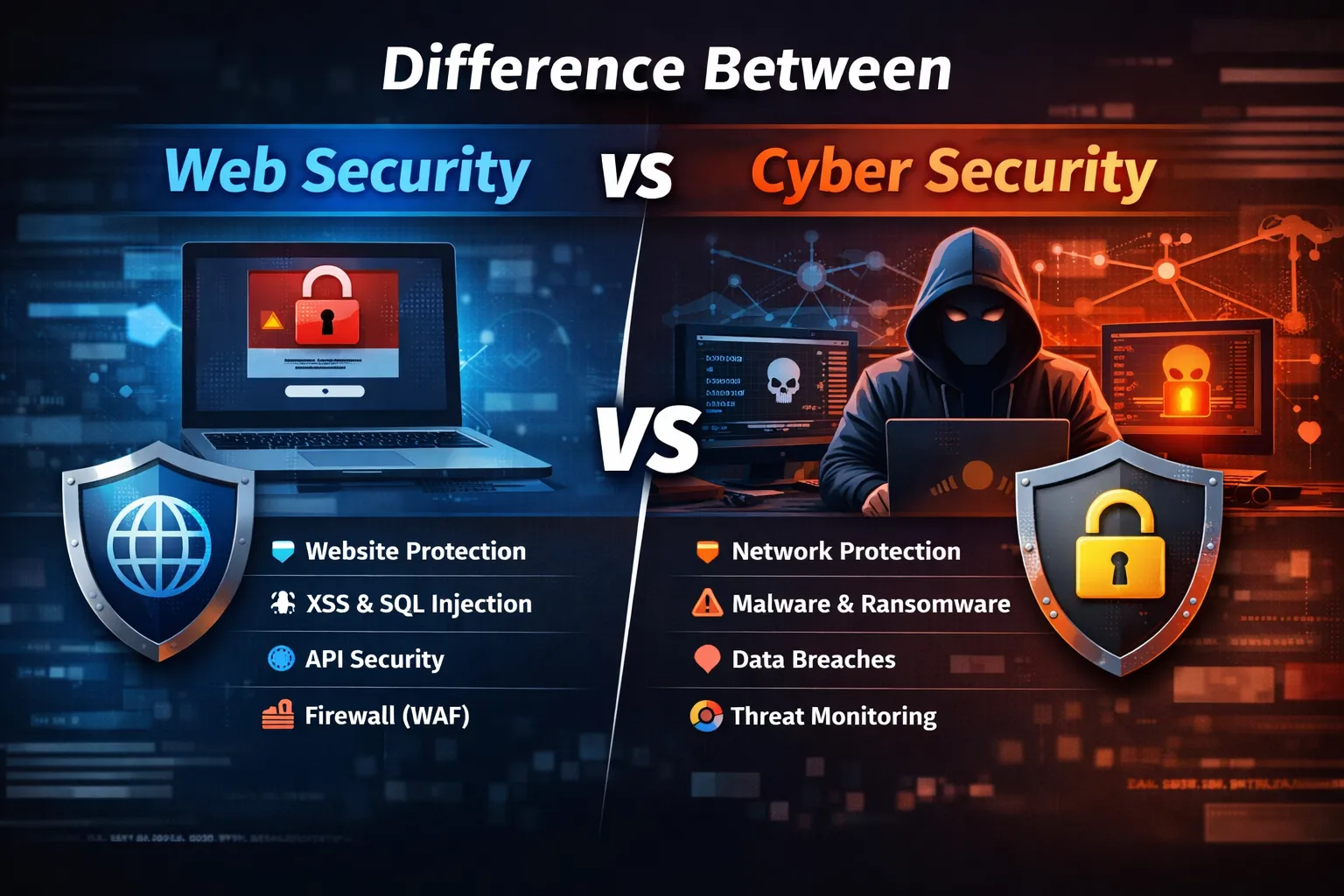
Difference Between Web Security and Cyber Security
Introduction
In today's rapidly evolving digital world, security has become one of the most important aspects of technology.
Almost every organization depends on digital platforms. Businesses operate through websites, mobile applications, cloud services, online payment systems, and connected devices.
From a small personal blog to a multinational enterprise platform, every digital system stores and processes valuable information.
This information includes:
- Customer data
- Financial records
- Login credentials
- Business documents
- Personal information
- Internal communication
Because of this increasing dependence on technology, cyber attacks have become more frequent and sophisticated.
Attackers continuously develop new methods to:
- Steal sensitive information
- Damage websites
- Disrupt business operations
- Access private systems
- Spread malware
To protect digital assets, two important security fields are commonly discussed:
- Web Security
- Cyber Security
Many people use these terms interchangeably, but they are not exactly the same.
Cyber security is a much broader field that protects complete digital environments, while web security focuses specifically on websites and web-based applications.
Understanding the difference between web security and cyber security helps:
- Developers write safer applications
- Businesses choose better protection strategies
- Security professionals understand attack surfaces
- Users protect their digital information
This complete guide explains both concepts, their differences, examples, importance, career opportunities, and how they work together to create a safer digital world.
What Is Cyber Security?
Cyber security is the practice of protecting digital systems, networks, devices, applications, and data from unauthorized access, attacks, damage, or theft.
It is a broad discipline covering every aspect of digital protection.
The main objective of cyber security is:
To protect confidentiality, integrity, and availability of digital information.
These three principles are known as the CIA Triad.
CIA Triad in Cyber Security
1. Confidentiality
Confidentiality ensures that information is accessible only to authorized users.
Examples:
- Customer records
- Password databases
- Financial information
Security methods:
- Encryption
- Access control
- Authentication
2. Integrity
Integrity ensures that data remains accurate and is not modified without permission.
Examples:
- Medical records
- Financial transactions
- Business documents
Protection methods:
- Digital signatures
- Hashing
- File monitoring
3. Availability
Availability ensures that systems remain accessible when users need them.
Examples:
- Websites
- Banking systems
- Cloud applications
Protection methods:
- Backup systems
- Disaster recovery
- DDoS protection
Areas Covered by Cyber Security
Cyber security includes many specialized areas.
1. Network Security
Network security protects communication systems from attacks.
It includes:
- Firewalls
- Intrusion detection systems
- Network monitoring
- Traffic filtering
Example:
Protecting a company's internal network from unauthorized access.
2. Cloud Security
Modern businesses use cloud platforms for storing data and running applications.
Cloud security protects:
- Cloud servers
- Storage systems
- Virtual machines
- Cloud applications
Common threats:
- Misconfigured storage
- Unauthorized access
- Data leaks
3. Endpoint Security
Endpoint security protects devices connected to networks.
Examples:
- Computers
- Laptops
- Mobile devices
- Servers
Protection methods:
- Antivirus software
- Device monitoring
- Encryption
4. Information Security
Information security focuses on protecting data.
It includes:
- Data encryption
- Access management
- Privacy protection
5. Application Security
Application security protects software applications from vulnerabilities.
Examples:
- Web applications
- Mobile applications
- Enterprise software
This area connects directly with web security.
What Is Web Security?
Web security is a specialized part of cyber security that focuses on protecting websites, web applications, APIs, and browser-based systems.
The purpose of web security is to prevent attacks that target web technologies.
Every website interacts with users through:
- Forms
- Login systems
- APIs
- Databases
- User-generated content
Each interaction creates possible security risks.
Why Web Security Is Important
Websites are among the most attacked digital assets because they are publicly accessible.
Anyone around the world can access a website.
Attackers use this opportunity to search for weaknesses.
Common website targets:
- Login pages
- Payment systems
- User accounts
- Database connections
- File upload systems
Web Security Protects Against:
SQL Injection
Attackers manipulate database queries to access information.
Cross-Site Scripting (XSS)
Attackers inject malicious scripts into web pages.
Cross-Site Request Forgery (CSRF)
Attackers trick users into performing unwanted actions.
File Upload Attacks
Attackers upload malicious files to servers.
Authentication Attacks
Attackers attempt to bypass login systems.
Web Security Components
Web security includes multiple protection techniques.
1. Secure Coding
Developers must write code that prevents vulnerabilities.
Examples:
- Input validation
- Output escaping
- Secure database queries
2. Authentication Security
Authentication verifies user identity.
Security methods:
- Strong passwords
- Multi-factor authentication
- Secure sessions
3. Authorization
Authorization controls what users can access.
Example:
A normal user should not access admin functions.
4. Data Protection
Sensitive information should be protected using:
- Encryption
- Secure storage
- Access controls
Web Security vs Cyber Security: Basic Difference
The biggest difference between these two fields is their scope.
Cyber security protects the entire digital environment.
Web security protects websites and web applications.
Think of cyber security as a large security system for an entire building.
Web security is one specific security area inside that building.
Scope Comparison
Cyber Security Covers:
- Networks
- Servers
- Computers
- Cloud systems
- Mobile devices
- Applications
- Data
Web Security Covers:
- Websites
- Web applications
- APIs
- Browsers
- Databases connected to websites
Threat Comparison
Understanding threats makes the difference clearer.
Web Security Threats
Web security mainly deals with application-level attacks.
Examples:
SQL Injection
Database manipulation attacks.
XSS
Malicious script injection.
CSRF
Unauthorized user actions.
Session Hijacking
Stealing user sessions.
Clickjacking
Tricking users into unwanted clicks.
Cyber Security Threats
Cyber security handles larger attacks.
Examples:
Malware
Malicious software designed to damage systems.
Ransomware
Attackers encrypt data and demand payment.
Phishing
Fake messages designed to steal information.
DDoS Attacks
Overloading systems with traffic.
Network Attacks
Targeting communication infrastructure.
How Web Security and Cyber Security Work Together
Although they are different, both fields depend on each other.
A vulnerable website can become an entry point for a larger cyber attack.
Example:
- Attacker finds a website vulnerability.
- Gains access to the application.
- Moves deeper into the server.
- Accesses internal systems.
This shows that website protection is an important part of overall cyber security.
A complete security strategy requires:
- Secure websites
- Protected networks
- Safe servers
- Strong access controls
Real-World Examples: Web Security vs Cyber Security
The difference between web security and cyber security becomes easier to understand with practical examples.
Example 1: SQL Injection Attack on a Website
Imagine an ecommerce website with a login page.
A customer enters:
- Email address
- Password
The website checks this information against a database.
If developers do not properly secure database queries, an attacker can insert malicious SQL commands.
The attacker may gain access to:
- Customer accounts
- Personal information
- Order details
- Payment records
This is a web security problem because the vulnerability exists inside the web application.
Example 2: Ransomware Attack on a Company
A company employee opens a malicious email attachment.
The file installs ransomware on the company network.
The malware encrypts:
- Business files
- Databases
- Internal systems
Attackers demand money to restore access.
This is a cyber security problem because the entire organization infrastructure is affected.
Example 3: Website Vulnerability Leading to Network Attack
A company website contains a vulnerable plugin.
An attacker exploits the weakness and gains server access.
After entering the server, the attacker moves deeper into the company's internal network.
The attack started as a web security issue but became a cyber security incident.
Example 4: Online Banking Security
Banks require both web security and cyber security.
Web Security Protects:
- Online banking portal
- Login system
- Transaction pages
- Customer sessions
Cyber Security Protects:
- Bank servers
- Internal networks
- Employee systems
- Financial infrastructure
Both layers are necessary.
Detailed Threat Comparison
Web Security Threats
Web security threats usually target applications.
1. SQL Injection
Attackers manipulate database queries.
Impact:
- Data theft
- Database modification
- Account bypass
Protection:
- Prepared statements
- Input validation
- Database permissions
2. Cross-Site Scripting (XSS)
Attackers inject malicious scripts into websites.
Impact:
- Cookie theft
- Session hijacking
- User manipulation
Protection:
- Output escaping
- Content Security Policy
- Input filtering
3. Cross-Site Request Forgery (CSRF)
Attackers trick authenticated users into performing unwanted actions.
Impact:
- Unauthorized transactions
- Account changes
Protection:
- CSRF tokens
- Request validation
4. Authentication Vulnerabilities
Weak login systems can allow unauthorized access.
Examples:
- Weak passwords
- Poor session handling
- Missing MFA
Protection:
- Strong authentication
- Multi-factor authentication
- Secure session management
5. API Security Issues
Modern websites heavily depend on APIs.
Common API problems:
- Weak authentication
- Excessive permissions
- Poor input validation
Protection:
- API keys
- OAuth
- Rate limiting
- Monitoring
Cyber Security Threats
Cyber security threats affect complete digital environments.
1. Malware Attacks
Malware is malicious software designed to damage or control systems.
Types:
- Viruses
- Trojans
- Spyware
- Worms
Impact:
- Data theft
- System damage
- Unauthorized access
2. Ransomware Attacks
Ransomware blocks access to data and demands payment.
Common targets:
- Businesses
- Hospitals
- Government organizations
Impact:
- Operational shutdown
- Financial loss
- Data exposure
3. Phishing Attacks
Attackers create fake messages to steal information.
Targets:
- Employees
- Customers
- Business owners
Protection:
- User training
- Email filtering
- MFA
4. DDoS Attacks
Attackers overload systems with massive traffic.
Impact:
- Website downtime
- Service disruption
- Revenue loss
Protection:
- CDN
- Firewall
- Traffic monitoring
5. Network Attacks
Network attacks target communication systems.
Examples:
- Packet interception
- Unauthorized access
- Network scanning
Protection:
- Firewalls
- Encryption
- Network monitoring
Web Security Tools
Developers use various tools to secure websites and applications.
1. Web Application Firewall (WAF)
A WAF monitors and filters website traffic.
It protects against:
- SQL Injection
- XSS
- Malicious requests
- Bot attacks
Benefits:
- Real-time protection
- Automated blocking
- Attack monitoring
2. Security Headers
Security headers improve browser protection.
Important headers include:
Content Security Policy (CSP)
Protects against malicious scripts.
X-Frame-Options
Prevents clickjacking.
Strict Transport Security (HSTS)
Forces HTTPS connections.
3. Vulnerability Scanners
These tools identify security weaknesses.
They check:
- Website configuration
- Known vulnerabilities
- Security mistakes
4. Penetration Testing Tools
Security professionals use penetration testing tools to simulate attacks.
Purpose:
- Find weaknesses
- Improve protection
- Test security controls
5. Code Security Tools
Developers use tools that analyze code.
They identify:
- Unsafe functions
- Vulnerable patterns
- Coding mistakes
Cyber Security Tools
Cyber security professionals use broader security tools.
1. Antivirus and Endpoint Protection
Protects devices from malware.
Used for:
- Computers
- Servers
- Enterprise devices
2. SIEM Systems
Security Information and Event Management systems collect security data.
They analyze:
- Logs
- Alerts
- Suspicious activity
3. Intrusion Detection Systems (IDS)
IDS monitors network activity.
It detects:
- Unauthorized access
- Suspicious behavior
4. Encryption Systems
Encryption protects sensitive information.
Used for:
- Files
- Communication
- Databases
5. Identity Management Systems
Controls:
- User access
- Permissions
- Authentication
Security Practices for Web Developers
Developers play an important role in application security.
A secure development approach reduces vulnerabilities.
1. Validate All User Input
Never trust user-provided data.
Validate:
- Forms
- URLs
- API requests
- File uploads
2. Use Secure Database Queries
Avoid directly placing user input inside SQL queries.
Use:
- Prepared statements
- Parameterized queries
3. Protect User Sessions
Secure sessions using:
- Secure cookies
- HttpOnly cookies
- Session expiration
4. Keep Dependencies Updated
Modern applications use many libraries.
Outdated dependencies can introduce vulnerabilities.
Regularly update:
- Frameworks
- Packages
- Plugins
5. Implement Access Control
Users should only access resources they are allowed to use.
Example:
A customer should not access admin features.
Security Practices for Organizations
Businesses need complete security strategies.
1. Employee Security Training
Many attacks start because of human mistakes.
Employees should learn:
- Phishing detection
- Password security
- Safe browsing habits
2. Regular Security Audits
Organizations should regularly review:
- Systems
- Applications
- Permissions
- Network security
3. Backup and Recovery Planning
A strong backup system helps recover after attacks.
Important backup features:
- Regular schedules
- Multiple locations
- Recovery testing
4. Security Monitoring
Continuous monitoring helps detect attacks early.
Monitor:
- Login activity
- Network traffic
- File changes
- User behavior
Importance of Web Security for Businesses
Modern businesses depend heavily on websites.
A website is often the first interaction between customers and a company.
Poor web security can damage:
- Customer trust
- Brand reputation
- Revenue
Benefits of Strong Web Security
Protect Customer Data
Web security protects:
- Personal information
- Login details
- Payment information
Prevent Website Downtime
Security prevents attacks that can make websites unavailable.
Improve Customer Trust
Users prefer secure websites.
Security creates confidence.
Support SEO Performance
Search engines prefer safe websites.
Security issues can negatively affect:
- Rankings
- Traffic
- User experience
Importance of Cyber Security for Businesses
Cyber security protects the entire organization.
Prevent Financial Loss
Cyber attacks can create costs from:
- Recovery
- Legal issues
- Business interruption
Protect Intellectual Property
Companies must protect:
- Software
- Research
- Business strategies
- Internal documents
Maintain Business Continuity
Security planning ensures businesses continue operating during attacks.
Global Security Trends in 2026
Technology changes quickly, and security challenges continue growing.
1. Artificial Intelligence in Cyber Attacks
Attackers use AI for:
- Automated attacks
- Advanced phishing
- Vulnerability discovery
Security teams also use AI for:
- Threat detection
- Faster response
2. Cloud Security Growth
More organizations are moving to cloud platforms.
Security challenges include:
- Cloud configuration mistakes
- Access control problems
- Data exposure
3. API Security Becomes Critical
Modern applications depend heavily on APIs.
API protection is becoming one of the biggest security priorities.
4. Zero Trust Security Model
Organizations are adopting:
"Never trust, always verify."
Every user and device must be verified before access.
5. IoT Security Challenges
Connected devices increase attack possibilities.
Examples:
- Smart devices
- Industrial systems
- Connected vehicles
Career Perspective: Web Security vs Cyber Security
The demand for security professionals is increasing globally because almost every industry now depends on digital technology.
Companies need experts who can protect:
- Websites
- Applications
- Networks
- Cloud systems
- User data
- Business infrastructure
Both web security and cyber security offer excellent career opportunities, but they require different skill sets.
Career in Web Security
Web security is an excellent field for developers who want to specialize in secure application development.
A web security professional focuses on finding and preventing vulnerabilities in:
- Websites
- Web applications
- APIs
- Databases
- Authentication systems
Common Web Security Job Roles
1. Web Application Security Engineer
Responsibilities:
- Secure web applications
- Review application code
- Find vulnerabilities
- Implement security solutions
Required skills:
- HTML
- CSS
- JavaScript
- Backend programming
- Databases
- Security concepts
2. Application Security Tester
Responsibilities:
- Perform security testing
- Find vulnerabilities
- Prepare security reports
Skills required:
- Vulnerability assessment
- Penetration testing
- OWASP Top 10 knowledge
3. Secure Software Developer
Responsibilities:
- Build applications with security in mind
- Prevent vulnerabilities during development
Skills:
- Secure coding
- Authentication systems
- Encryption basics
Career in Cyber Security
Cyber security provides a wider range of career opportunities.
A cyber security professional protects complete digital infrastructure.
Common Cyber Security Roles
1. Security Analyst
Responsibilities:
- Monitor security alerts
- Investigate threats
- Analyze attacks
Skills:
- Network security
- Log analysis
- Threat detection
2. Ethical Hacker / Penetration Tester
Responsibilities:
- Find security weaknesses before attackers do
Tasks:
- Security testing
- Vulnerability discovery
- Attack simulation
3. Network Security Engineer
Responsibilities:
- Protect company networks
- Configure security systems
- Monitor traffic
Skills:
- Firewalls
- Networking
- Intrusion detection
4. Security Architect
Responsibilities:
- Design secure systems
- Create security strategies
- Plan enterprise protection
This is usually a senior-level role.
Which One Should Developers Learn First?
For developers, starting with web security is usually easier and more practical.
Why?
Because developers already understand:
- Programming
- Databases
- Applications
- User interactions
Learning security concepts on top of development knowledge creates a strong foundation.
Recommended Learning Order
Step 1: Learn Web Development Fundamentals
Understand:
- HTML
- CSS
- JavaScript
- Backend programming
- Databases
- APIs
Step 2: Learn Web Security Basics
Study:
- SQL Injection
- XSS
- CSRF
- Authentication security
- Session management
Step 3: Learn OWASP Top 10
OWASP Top 10 is one of the most important security resources for web developers.
It covers common application vulnerabilities.
Important topics:
- Injection attacks
- Broken authentication
- Security misconfiguration
- Access control problems
Step 4: Learn Penetration Testing Basics
Understand how attackers think.
Learn:
- Vulnerability scanning
- Security testing
- Exploitation concepts
Step 5: Expand Into Cyber Security
After web security knowledge, move into:
- Network security
- Cloud security
- Malware analysis
- Digital forensics
Web Security vs Cyber Security: Skill Comparison
| Skill | Web Security | Cyber Security |
|---|---|---|
| Programming | Very Important | Useful |
| Networking | Basic | Advanced |
| Databases | Important | Moderate |
| Web Technologies | Essential | Useful |
| Operating Systems | Basic | Advanced |
| Cloud Knowledge | Growing Importance | Very Important |
| Ethical Hacking | Important | Important |
| Security Monitoring | Moderate | Essential |
Learning Roadmap for 2026
Beginner Level
Learn:
- Internet basics
- HTTP/HTTPS
- Browsers
- Servers
- Databases
- Basic programming
Intermediate Level
Learn:
- Authentication systems
- Secure coding
- OWASP vulnerabilities
- API security
- Encryption basics
Advanced Level
Learn:
- Penetration testing
- Network security
- Cloud security
- Threat analysis
- Security architecture
Important Security Certifications
Certifications can help improve career opportunities.
Popular certifications include:
Entry Level
- Security fundamentals certifications
- Network security basics
Intermediate Level
- Ethical hacking certifications
- Application security certifications
Advanced Level
- Security architecture certifications
- Professional penetration testing certifications
Future of Web Security and Cyber Security
Security will become even more important in the coming years.
Technology trends increasing security requirements:
Artificial Intelligence Security
AI will create both opportunities and risks.
Future security professionals will need to understand:
- AI-based attacks
- AI protection methods
- Automated threat detection
Cloud Security Growth
Companies are moving more services to cloud platforms.
Future security experts need knowledge of:
- Cloud infrastructure
- Identity management
- Cloud monitoring
API Security Growth
Applications are becoming more connected.
APIs will continue to be major attack targets.
Security requirements:
- Authentication
- Authorization
- Encryption
- Monitoring
Internet of Things (IoT) Security
Connected devices are increasing globally.
Examples:
- Smart homes
- Industrial machines
- Healthcare devices
Security challenges will continue growing.
Zero Trust Security
Traditional security trusted users inside company networks.
Modern security follows:
"Never trust, always verify."
Every:
- User
- Device
- Application
must be verified continuously.
Business Benefits of Investing in Security
Security is not only a technical requirement.
It directly affects business success.
1. Protects Brand Reputation
A security breach can damage customer confidence.
Strong security creates trust.
2. Reduces Financial Risk
Security prevents losses caused by:
- Data breaches
- Downtime
- Recovery costs
3. Supports Legal Compliance
Many countries have strict data protection regulations.
Security helps organizations follow:
- Privacy requirements
- Data protection rules
- Industry standards
4. Improves Customer Confidence
Customers prefer companies that protect their information.
Complete Difference Summary
Web Security
Focus:
Protect websites and web applications.
Main Targets:
- Websites
- APIs
- Web applications
Common Attacks:
- SQL Injection
- XSS
- CSRF
- Session attacks
Main Professionals:
- Developers
- Application security engineers
Cyber Security
Focus:
Protect complete digital environments.
Main Targets:
- Networks
- Servers
- Devices
- Cloud systems
Common Attacks:
- Malware
- Ransomware
- Phishing
- Network attacks
Main Professionals:
- Security analysts
- Ethical hackers
- Security engineers
Frequently Asked Questions (FAQ)
What is the main difference between web security and cyber security?
Web security focuses on protecting websites and web applications, while cyber security protects all digital systems, networks, devices, and data.
Is web security part of cyber security?
Yes. Web security is a specialized area within the larger field of cyber security.
Which is more important: web security or cyber security?
Both are important.
The right choice depends on the situation.
A website requires web security, while an organization requires complete cyber security.
Can a web developer learn cyber security?
Yes.
Web development knowledge is a strong foundation for learning application security and then expanding into cyber security.
Should beginners learn web security first?
For developers, yes.
Web security provides practical knowledge that can immediately improve application development skills.
Are web security and ethical hacking the same?
No.
Ethical hacking is a broader security practice that includes testing different systems.
Web security focuses specifically on protecting web technologies.
Why is cybersecurity important in 2026?
Because businesses are becoming more digital, storing more sensitive information, and facing increasingly advanced cyber attacks.
Can secure websites improve SEO?
Yes, indirectly.
Secure websites provide:
- Better user trust
- Better experience
- Lower security warnings
These factors support long-term SEO performance.
Final Conclusion
Web security and cyber security are closely connected but serve different purposes.
Web security focuses specifically on protecting websites, web applications, APIs, and online platforms from application-level threats.
Cyber security is a much broader discipline that protects complete digital environments including networks, devices, servers, cloud systems, and information.
In the modern digital era, organizations cannot depend on only one security layer.
A website vulnerability can become the starting point of a major cyber attack. Similarly, weak infrastructure can expose secure applications to risks.
The best security strategy combines both:
- Secure application development
- Strong network protection
- Regular monitoring
- User awareness
- Continuous improvement
For developers, learning web security is a powerful first step toward a cyber security career.
For businesses, investing in both web security and cyber security is essential for protecting customers, maintaining trust, and ensuring long-term growth.
In 2026 and beyond, security will remain one of the most valuable skills in technology.
A secure digital future depends on professionals and organizations that understand, implement, and continuously improve security practices.
Your email address will not be published. Comments are moderated.
0 Comments on This Post
Leave a Reply
Comments (0)
Spread the Word!
Join Our Developer Community!
Get weekly coding tips, tool updates, and exclusive tutorials straight to your inbox.
Request a Tool
×