How Cloud Hosting Works
Introduction
Cloud hosting has revolutionized online infrastructure. Unlike traditional hosting, which relies on a single server, cloud hosting uses a network of multiple servers to deliver resources efficiently. This distributed approach provides unmatched flexibility, scalability, and reliability for websites and applications of all sizes.
In 2026, cloud hosting is no longer a luxury for tech giants—it’s essential for startups, SaaS products, and small businesses. Understanding how cloud hosting works can help optimize performance, reduce costs, and improve uptime.
This guide will break down cloud hosting architecture, functionality, benefits, types, and best practices.
1. What is Cloud Hosting?
Cloud hosting is a hosting model where resources are provided via a network of virtual and physical servers rather than a single physical server. This model ensures websites and applications remain online even during high traffic or server failures.
Key features include:
-
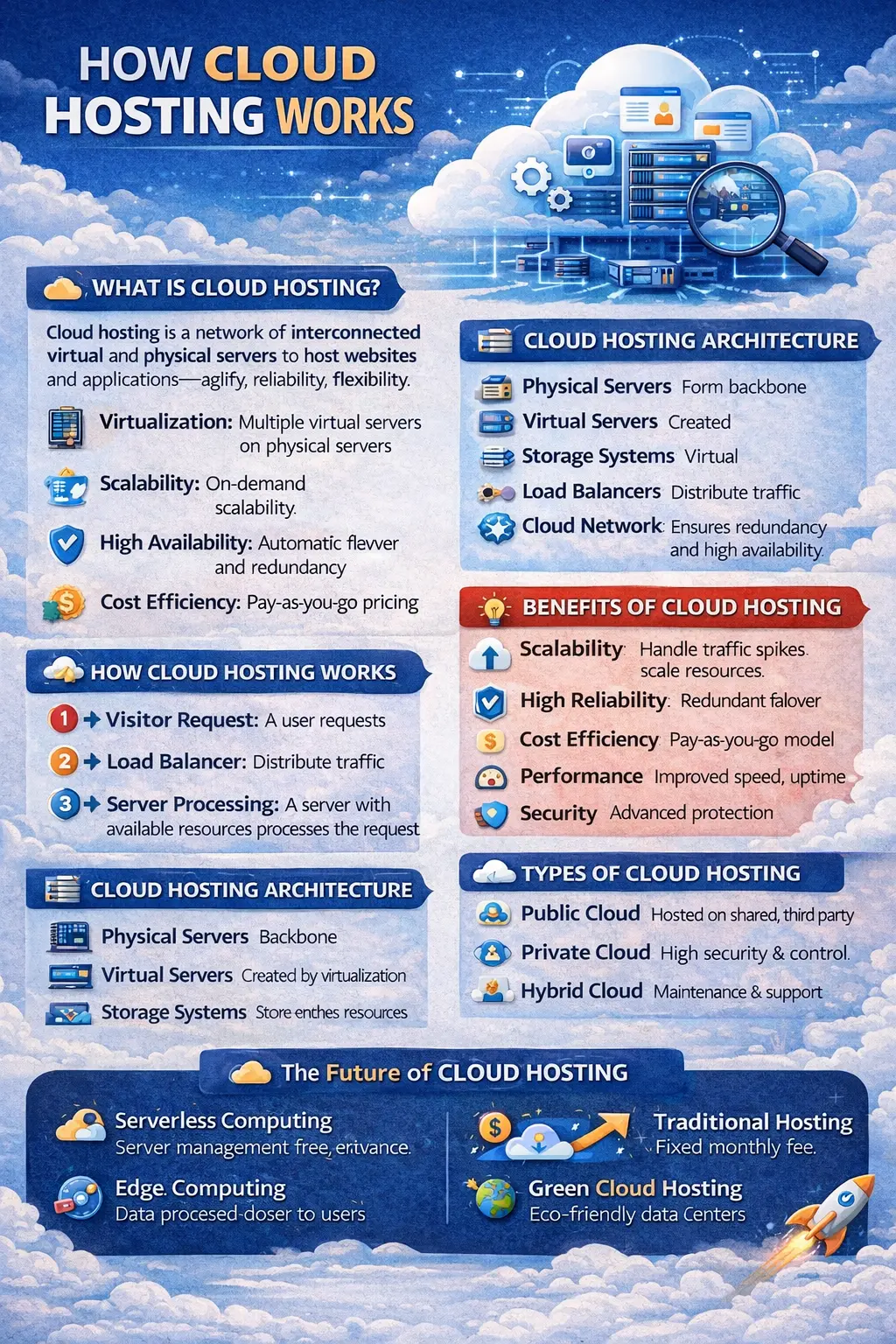
Virtualization: Multiple virtual servers can run on a single physical server.
-
Scalability: Resources like CPU, RAM, and storage can be increased or decreased dynamically.
-
High Availability: Automatic failover ensures uninterrupted service.
-
Cost Efficiency: Pay only for the resources used.
2. How Cloud Hosting Works
Cloud hosting operates by creating a network of interconnected servers. Resources such as storage, processing power, and bandwidth are shared across this network.
Step-by-step process:
-
Visitor Request: A user requests your website or application.
-
Load Balancer: The request is directed to a load balancer that distributes it across available servers.
-
Server Processing: A server with available resources processes the request.
-
Data Delivery: The processed data is delivered to the visitor.
-
Automatic Scaling: If traffic spikes, additional resources are allocated automatically.
This system ensures no single server becomes a bottleneck, maintaining performance even during high traffic.
3. Cloud Hosting Architecture
Cloud hosting relies on several key components:
-
Physical Servers: The backbone of cloud hosting, distributed across multiple data centers.
-
Virtual Servers: Created via virtualization technology to allow multiple users to share the same physical server securely.
-
Storage Systems: Redundant storage systems store website files, databases, and backups.
-
Load Balancers: Distribute incoming traffic to prevent server overload and ensure consistent performance.
-
Cloud Network: Interconnected data centers create redundancy and high availability.
4. Types of Cloud Hosting
Cloud hosting comes in multiple variations:
-
Public Cloud: Hosted on third-party providers like AWS, Google Cloud, or Azure. Cost-effective and scalable.
-
Private Cloud: Dedicated resources for one organization. Offers high security and control but is more expensive.
-
Hybrid Cloud: Combines public and private clouds. Flexible for handling sensitive and scalable tasks.
-
Managed Cloud Hosting: Provider manages maintenance, updates, and backups, ideal for businesses without technical expertise.
5. Benefits of Cloud Hosting
Cloud hosting offers several advantages:
-
Scalability: Handle traffic spikes without downtime.
-
High Reliability: Redundant servers ensure websites remain online even if one fails.
-
Cost Efficiency: Only pay for the resources you use.
-
Performance: Optimized server networks and caching improve load times.
-
Security: Advanced security features like encryption, firewalls, and DDoS protection.
-
Flexibility: Support for multiple operating systems, applications, and programming languages.
6. Best Practices for Cloud Hosting
To get the most out of cloud hosting:
-
Choose a reliable provider (AWS, Google Cloud, Azure).
-
Monitor usage to avoid unnecessary costs.
-
Implement strong security measures like SSL, firewalls, and encryption.
-
Optimize performance with caching, CDNs, and load balancing.
-
Regularly back up data and create disaster recovery plans.
-
Select the cloud type that suits your business—public, private, or hybrid.
7. Cloud Hosting vs Traditional Hosting
Cloud hosting differs significantly from traditional hosting:
-
Cloud hosting uses multiple servers, whereas traditional hosting depends on a single server.
-
Cloud resources scale dynamically; traditional hosting has fixed resources.
-
Cloud hosting offers higher uptime and reliability; traditional hosting risks downtime if the server fails.
-
Costs in cloud hosting are usage-based; traditional hosting typically has fixed monthly fees.
-
Cloud hosting handles high traffic more efficiently than traditional hosting.
8. Cloud Hosting for Websites & Applications
Cloud hosting is ideal for:
-
E-commerce websites: Can manage sudden traffic spikes during sales.
-
SaaS platforms: Ensures global users have uninterrupted access.
-
Media-heavy websites: Handles large traffic and video or image content efficiently.
-
Enterprise applications: Scalable infrastructure for internal tools and business software.
9. Future of Cloud Hosting
The future includes:
-
Serverless Computing: Run applications without managing servers.
-
Edge Computing: Data is processed closer to users, reducing latency.
-
AI & Automation: Optimizes resource allocation and security.
-
Green Cloud Hosting: Energy-efficient data centers for sustainability.
10. Conclusion
Cloud hosting has transformed how websites and applications are deployed and managed. By understanding how it works, its architecture, and benefits, businesses can optimize reliability, scalability, and cost-efficiency.
For startups, developers, and enterprises, cloud hosting provides the infrastructure needed to meet modern digital demands in 2026.
Your email address will not be published. Comments are moderated.
0 Comments on This Post
Leave a Reply
Comments (0)
Spread the Word!
Join Our Developer Community!
Get weekly coding tips, tool updates, and exclusive tutorials straight to your inbox.
Request a Tool
×